
A red laptop makes a statement before you even open the lid. It breaks the monotony of silver and gray, signaling personality and confidence. But a striking color means nothing if the machine underneath can’t handle your workload, so you need to verify the specs beneath the paint.
I’m Min — the co-founder and writer behind Gadgets Feed. I’ve spent countless hours dissecting processor generations, GPU configurations, display resolutions, battery cell chemistries, and chassis materials to find the red laptops that deliver real performance alongside their vibrant exteriors.
After analyzing dozens of models and reading through hundreds of verified buyer experiences, this guide cuts through the noise to help you find the best red laptop that matches both your style ambitions and your daily computing needs.
How To Choose The Best Red Laptop
A red chassis is an aesthetic decision, but every buyer should treat the internal components as the primary filter. The shade of red — whether it’s a deep crimson, a bright scarlet, or a rose-gold hue — tells you nothing about the CPU’s TDP or the SSD’s interface protocol. Evaluate the machine as you would any laptop first, then confirm the color variant exists in that model line.
Processor Class and Thermal Design
The CPU determines how fast your applications load and how many browser tabs you can keep open before the system stutters. A modern entry-level Intel N100 or AMD Ryzen 7 6850U handles office work and streaming easily, but video editing or 3D modeling demands a H-series Intel Core i5 or i7, or a Ryzen 7 250. Pay attention to the generation number — a 13th Gen i5 is significantly newer than an 11th Gen i7. The red color won’t make a slow processor faster, so prioritize the silicon over the shade.
RAM and Storage Configurations
16 GB of RAM is the baseline for smooth multitasking in 2025, and 8 GB will feel cramped with multiple apps open. For the storage drive, PCIe Gen 4 NVMe SSDs offer read speeds above 5000 MB/s, while slower SATA SSDs or UFS modules will bottleneck file transfers and boot times. Some budget-tier red laptops come with 128 GB of UFS storage plus an external drive bundle — that works for light document work, but a single 512 GB or 1 TB internal NVMe drive is far more convenient. Verify whether the RAM is soldered or socketed if you plan to upgrade later.
Display Panel Quality and Resolution
The screen is what you look at every single time you open the lid, so don’t compromise on this spec. A 1920×1080 IPS panel with good color accuracy is the minimum for comfortable daily use. Avoid 1366×768 panels if you can — the limited pixel density makes text look fuzzy and reduces workspace. Higher-end models offer 2560×1600 IPS or even 2.8K OLED displays with 120 Hz refresh rates, which make scrolling feel fluid and colors pop. Anti-glare coatings matter if you work near windows or under overhead lights.
Battery Capacity and Real-World Runtime
Manufacturer battery life claims are measured under ideal conditions with low brightness and light workloads. Real-world runtime is usually 50-70% of the advertised number. Look for battery capacities expressed in watt-hours (Wh) — a 53 Wh battery in a 15.6-inch laptop might last 5-7 hours, while a 72 Wh battery in an ultrabook can stretch to 12-15 hours. Gaming laptops with dedicated GPUs typically drain power quickly, often lasting only 2-3 hours on battery during gameplay. The red paint adds zero weight to the battery, but the display size and GPU class directly impact how long you stay unplugged.
Quick Comparison
On smaller screens, swipe sideways to see the full table.
| Model | Category | Best For | Key Spec | Amazon |
|---|---|---|---|---|
| Apple MacBook Pro 16 M5 Pro | Premium | Creative professionals | M5 Pro 18‑core CPU / 20‑core GPU | Amazon |
| LG Gram 17 Ultra 7 | Premium | Mobile professionals | 17″ 2560×1600 touchscreen | Amazon |
| ASUS ROG Strix G16 | Premium | High-end gaming | RTX 5060 GPU / 165Hz display | Amazon |
| GEEKOM GeekBook X14 Pro | Premium | Ultra-portable power users | Ultra 9 185H / 32GB LPDDR5x | Amazon |
| Dell 16 DC16256 | Mid-Range | Business productivity | AMD Ryzen 7 250 / 1TB SSD | Amazon |
| Acer Nitro V | Mid-Range | Entry-level gaming | RTX 4050 / 144Hz IPS | Amazon |
| NIMO Ryzen 7 Pro 6850U | Mid-Range | Light gaming & content creation | Radeon 680M / 32GB DDR5 | Amazon |
| HP 17.3 i5-1334U | Mid-Range | Large-screen home use | 17.3″ FHD IPS / 512GB SSD | Amazon |
| Apple MacBook Neo A18 Pro | Mid-Range | Ecosystem-first buyers | A18 Pro chip / Liquid Retina | Amazon |
| HP 14 Flagship N150 | Budget | Students on a budget | Intel N150 / Lifetime Office | Amazon |
| NIMO 15.6 N100 | Budget | Everyday student use | Intel N100 / 16GB RAM | Amazon |
In-Depth Reviews
1. Apple 2026 MacBook Pro 16 M5 Pro
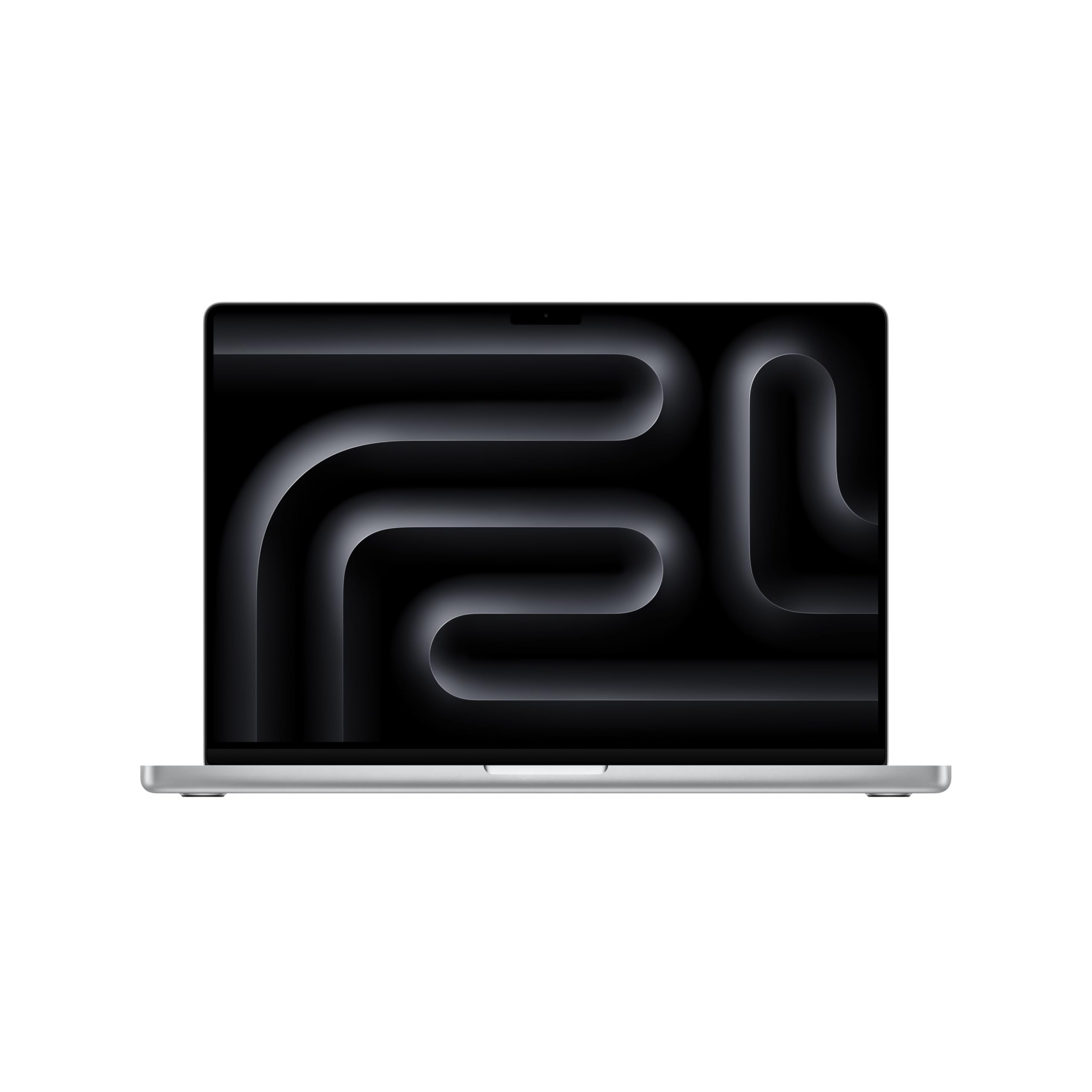
This is the professional’s ultimate machine wrapped in a silver aluminum chassis — but the real story is the M5 Pro silicon under the hood. With an 18-core CPU and 20-core GPU, this laptop handles 4K video exports, LLM inference workloads, and multi-container Docker setups without breaking a sweat. The unified memory architecture means the 24 GB base configuration functions like 48 GB of traditional RAM because the CPU and GPU share the same pool without copying data.
The 16.2-inch Liquid Retina XDR display hits 1600 nits peak brightness for HDR content and maintains 1000 nits sustained, making it usable even in direct sunlight. The six-speaker array with Spatial Audio and Dolby Atmos support delivers sound that fills a room, and the three Thunderbolt 5 ports provide 80 Gbps of bandwidth per connection for external SSDs and high-resolution monitors. Wi-Fi 7 and Bluetooth 6 wireless keep the machine future-proof for years.
At 4.71 pounds, this is a heavy laptop by ultrabook standards, but the all-day battery life offsets the weight. The 12 MP Center Stage camera frames you automatically during video calls, and the studio-quality three-mic array captures clean audio. macOS Sequoia’s Apple Intelligence features run entirely on-device thanks to the Neural Engine in the M5 Pro, preserving privacy while accelerating writing tasks and photo editing.
Why it’s great
- M5 Pro chip delivers workstation-class CPU and GPU performance
- Liquid Retina XDR display with 1600 nits peak brightness
- Three Thunderbolt 5 ports for high-bandwidth peripherals
Good to know
- Hefty at 4.71 pounds
- Premium-tier pricing reflects the pro-grade components
2. LG 2025 Gram 17 Ultra-Light

Weighing just 3.2 pounds with a 17-inch touchscreen, the LG Gram 17 defies the physics of large-screen laptops. The Intel Core Ultra 7 258V processor includes a dedicated NPU for AI acceleration that handles Windows Studio Effects and real-time background blur without taxing the main CPU cores. The 32 GB of LPDDR5X RAM keeps multiple Chrome profiles, Slack, and Photoshop running simultaneously without slowdowns.
The 2560×1600 WQXGA touchscreen with 320 nits brightness and anti-glare coating delivers sharp text and accurate colors for spreadsheet work and photo editing. The port selection is unusually generous for such a thin chassis: two Thunderbolt 4 ports, USB4, HDMI 2.1, and Wi-Fi 7 connectivity mean you never need a dongle for a presentation. The 2 TB PCIe Gen 4 SSD provides ample room for project files and media libraries.
Battery life consistently reaches 12-14 hours under mixed office workloads, making this a true all-day machine for consultants and students who move between meeting rooms and libraries. The backlit keyboard has decent key travel for a 0.74-inch-thick laptop. The bottom-firing speakers lack bass, so external headphones or a Bluetooth speaker are recommended for media consumption. This machine is not built for gaming, but integrated Intel Arc Graphics handles light photo editing and 1080p video playback smoothly.
Why it’s great
- Incredibly lightweight for a 17-inch touchscreen laptop
- Generous 32 GB RAM and 2 TB SSD storage
- Full port selection with Thunderbolt 4 and HDMI 2.1
Good to know
- Bottom-firing speakers muffle on soft surfaces
- Not suitable for gaming or GPU-accelerated workflows
3. ASUS ROG Strix G16 (2025)

The ROG Strix G16 is built for gamers who want high frame rates at 1080p with ray tracing enabled. The NVIDIA GeForce RTX 5060 Laptop GPU with 8 GB of VRAM supports DLSS 4 for AI-driven upscaling, allowing modern titles like Cyberpunk 2077 and Black Myth: Wukong to run at 60+ FPS with ray tracing set to high. The Intel Core i7-14650HX with 16 cores and 5.2 GHz turbo clock handles CPU-bound simulation games and streaming encoding without bottlenecks.
The 16-inch FHD+ display with a 165 Hz refresh rate and 3 ms response time delivers buttery-smooth motion clarity for competitive shooters. The new ACR film enhances contrast and reduces glare, making the screen more usable in brightly lit rooms. The ROG Intelligent Cooling system uses a vapor chamber, tri-fan technology, and liquid metal on the CPU to keep temperatures under control during extended gaming sessions — expect the bottom center to get warm, but the WASD area stays comfortable.
The 360-degree RGB light bar syncs with the per-key RGB keyboard for a customizable lighting setup. Under battery, the 2-hour runtime is typical for a gaming laptop with a dedicated GPU, so plan to stay near an outlet during gameplay. The 16 GB of DDR5-5600 MHz RAM is adequate for gaming, and the 1 TB PCIe Gen 4 SSD provides fast load times. The Eclipse Gray finish with red ROG accents offers a subtle aggressive aesthetic.
Why it’s great
- RTX 5060 GPU with DLSS 4 delivers high frame rates at 1080p
- 165 Hz IPS display with fast 3 ms response time
- Advanced vapor chamber cooling keeps thermals in check
Good to know
- Battery life limited to ~2 hours under gaming load
- 8 GB VRAM on RTX 5060 may limit texture-heavy 1440p gaming
4. GEEKOM GeekBook X14 Pro

The GeekBook X14 Pro’s 14-inch 2.8K OLED display with 100% DCI-P3 coverage and a 120 Hz refresh rate is the standout feature of this ultraportable. Self-lit OLED pixels produce true blacks and infinite contrast, making photo editing, video color grading, and movie watching genuinely immersive. The display reaches 450 nits peak brightness, which is bright enough for outdoor use in shaded environments.
Under the hood, the Intel Core Ultra 9 185H with 16 cores and 22 threads paired with Intel Arc Graphics provides snappy performance for code compilation, light 3D modeling in Fusion 360, and 4K video playback. The 32 GB of LPDDR5x RAM at 7500 MHz bandwidth keeps dozens of Chrome tabs and a virtual machine running simultaneously. The 1 TB PCIe Gen 4 SSD loads applications instantly, and the 72 Wh battery delivers a genuine 12-16 hours of mixed use.
The magnesium alloy chassis weighs only 2.2 pounds and measures 0.23 inches thick, making it one of the most portable laptops in this class. The IceBlade 2.0 thermal system keeps fan noise low during productivity tasks. Two USB4 ports with 40 Gbps bandwidth support Power Delivery and DisplayPort 2.1 for connecting up to three 4K monitors. The included docking station adds extra connectivity, and the fingerprint reader on the power button provides secure Windows Hello login.
Why it’s great
- 2.8K OLED display with 120 Hz refresh and 100% DCI-P3
- Ultra-light 2.2 lb chassis with full magnesium alloy build
- 32 GB RAM and 72 Wh battery for all-day productivity
Good to know
- Integrated Intel Arc Graphics limits gaming capability
- Underwhelming speaker quality for a premium laptop
5. Dell 16 DC16256

The Dell 16 DC16256 offers a 16-inch FHD+ display with a 16:10 aspect ratio, which provides more vertical screen real estate for documents and web browsing than a standard 16:9 panel. The AMD Ryzen 7 250 processor with integrated Radeon Graphics delivers smooth performance for Office 365, browser-based applications, and light photo editing. The 16 GB of RAM handles moderate multitasking without stuttering.
ComfortView technology reduces blue light emissions, and the FHD camera with wide dynamic range and temporal noise reduction produces clear video output even in dimly lit conference rooms. The 1 TB SSD provides fast boot times and ample storage for business files. The full-size keyboard with number pad is comfortable for data entry, and the optional backlit keyboard variant aids typing in low-light environments.
Adaptive thermals sense when the laptop is on a flat surface and adjust power delivery for efficient cooling. The 1-year onsite Dell service is a practical advantage for business buyers who need rapid hardware support. The Midnight Blue color with a subtle red accent on the logo keeps the aesthetic professional. Some units have reported stability issues with pre-installed software that required a clean Windows installation to resolve.
Why it’s great
- 16:10 display ratio provides more vertical workspace
- ComfortView reduces eye strain during long work sessions
- 1-year Dell onsite service for fast hardware support
Good to know
- Some units require a clean Windows reinstall to fix stability issues
- Integrated graphics limit gaming and video editing capabilities
6. Acer Nitro V ANV15-51-51H9

The Acer Nitro V is the most accessible entry point into dedicated GPU gaming without sacrificing modern features. The NVIDIA GeForce RTX 4050 Laptop GPU with 6 GB of VRAM and DLSS 3 support enables smooth 1080p gaming in titles like Fortnite, Apex Legends, and Call of Duty at high settings. The Intel Core i5-13420H with 8 cores provides enough CPU horsepower for gaming while multitasking with Discord and Spotify in the background.
The 15.6-inch FHD IPS display with a 144 Hz refresh rate eliminates screen tearing and ghosting in fast-paced shooters. The 82.64% screen-to-body ratio minimizes bezels for a more immersive gaming experience. Thunderbolt 4 support provides 40 Gbps bandwidth for fast external SSD transfers and single-cable docking. The dual-fan cooling system with a quad-exhaust design keeps the RTX 4050 within thermal limits during extended gaming marathons — expect fan noise to ramp up under load.
The 8 GB of DDR5 RAM is the weakest link in this configuration — users who plan to play modern AAA titles should budget for a RAM upgrade to 16 GB. The 512 GB Gen 4 SSD fills up quickly with large game installations, so the second M.2 slot provides an easy upgrade path. Battery life is approximately 2-3 hours under casual use and drops to around 1 hour during gaming, so this is primarily a plugged-in gaming machine.
Why it’s great
- Dedicated RTX 4050 GPU with DLSS 3 for smooth 1080p gaming
- 144 Hz IPS display eliminates screen tearing
- Thunderbolt 4 port for high-speed data and docking
Good to know
- 8 GB RAM needs upgrading for modern AAA titles
- Loud fan noise under gaming load
7. NIMO Ryzen 7 Pro 6850U

The NIMO with the AMD Ryzen 7 PRO 6850U and integrated Radeon 680M graphics (RDNA 2 architecture) punches above its weight for light gaming. The Radeon 680M is the most capable integrated GPU on the market short of dedicated graphics, running Sims 4 with all expansions, Rocket League at 1080p high, and older titles like CS:GO and Overwatch at 60+ FPS. The 32 GB of LPDDR5 RAM at 5600 MT/s ensures the integrated GPU has enough memory bandwidth to perform well.
The 15.6-inch FHD display provides sharp visuals for both work and gaming. The 100W PD fast charger with a 2-meter cable recharges the 53.58 Wh battery quickly. The 8-port I/O array includes two USB-C ports with Power Delivery and DisplayPort, three USB-A ports, HDMI 2.0, a Micro SD reader, and a 3.5 mm audio jack, allowing simultaneous connection to dual monitors, external storage, and peripherals without a hub.
The backlit keyboard with a 175-degree lay-flat hinge provides comfortable typing angles. The fingerprint reader integrated into the touchpad offers secure login via Windows Hello. The physical webcam shutter and Kensington lock slot address privacy and physical security concerns for traveling professionals. The blue color variant was ordered by some buyers who received a black unit instead — verify the color before purchase.
Why it’s great
- Radeon 680M integrated GPU plays light to medium games smoothly
- 32 GB RAM provides ample memory for multitasking and VMs
- Comprehensive 8-port I/O with USB-C PD and HDMI 2.0
Good to know
- Color received may differ from ordered variant
- No second M.2 slot for storage expansion
8. HP 17.3 i5-1334U

The HP 17.3-inch laptop is for users who prioritize screen real estate above all else. The 17.3-inch FHD IPS display with 178-degree wide viewing angles makes it ideal for watching movies, editing large spreadsheets, or working with side-by-side documents. The Intel Core i5-1334U with Intel Iris Xe Graphics provides sufficient power for web browsing, Office applications, and 1080p video playback without thermal throttling.
The 16 GB of DDR4 RAM and 512 GB PCIe NVMe SSD deliver responsive boot times and smooth multitasking for everyday workflows. The HP True Vision HD camera with a physical privacy shutter adds a layer of security for video calls. The dual speakers with decent volume output are suitable for YouTube and conference calls. The Natural Silver chassis is the standard color, but the large display footprint means this laptop is not suited for frequent travel.
The battery life is approximately 2.5 hours under real-world use, which is shorter than expected — the large 17.3-inch panel draws significant power. The power button is awkwardly placed among the keyboard keys, making accidental presses possible. The plastic build feels less premium than aluminum alternatives, but the lightweight construction keeps the total weight manageable for a 17-inch machine.
Why it’s great
- Large 17.3-inch FHD IPS display for maximum screen area
- 16 GB RAM provides smooth multitasking for office work
- Physical camera shutter for privacy during video calls
Good to know
- Limited battery life at ~2.5 hours under real use
- Plastic chassis feels less premium than metal builds
9. Apple 2026 MacBook Neo A18 Pro

The MacBook Neo is Apple’s most colorful Mac lineup, featuring Silver, Blush, Citrus, and Indigo finishes. The Indigo variant offers a deep blue-purple that appears nearly black in low light and shifts to a rich jewel tone in bright conditions. The A18 Pro chip with 8 GB of unified memory delivers the same class-leading single-core performance that Apple Silicon is known for, breezing through Safari tabs, Photos editing, and Apple Arcade games with zero latency.
The 13.3-inch Liquid Retina display with 2408-by-1506 resolution and 500 nits brightness provides sharp text and vivid colors. The 1080p FaceTime HD camera with a dual-mic array captures clear video and audio for Zoom calls. The battery life reaches 14-16 hours under mixed use, matching the MacBook Air’s legendary endurance. The aluminum chassis is rigid and compact at 2.71 pounds, making it easy to throw in a bag for campus or coffee shop use.
The lack of a backlit keyboard is a notable omission for a 2026 laptop — typing in dim environments requires an external light source. The two USB-C ports are positioned closely together, and one is limited to USB 2.0 speeds. The 8 GB of unified memory is sufficient for browsing and light productivity but may cause swap pressure with heavy multitasking. macOS Sequoia’s Apple Intelligence features run entirely on-device, providing AI-assisted writing and image generation tools.
Why it’s great
- A18 Pro chip delivers excellent single-core performance for daily tasks
- Long 16-hour battery life for all-day campus or travel use
- Rigid aluminum chassis in unique color options
Good to know
- No keyboard backlight in any color variant
- Only two USB-C ports, one limited to USB 2.0 speeds
10. HP 14 Flagship N150 Rose Gold
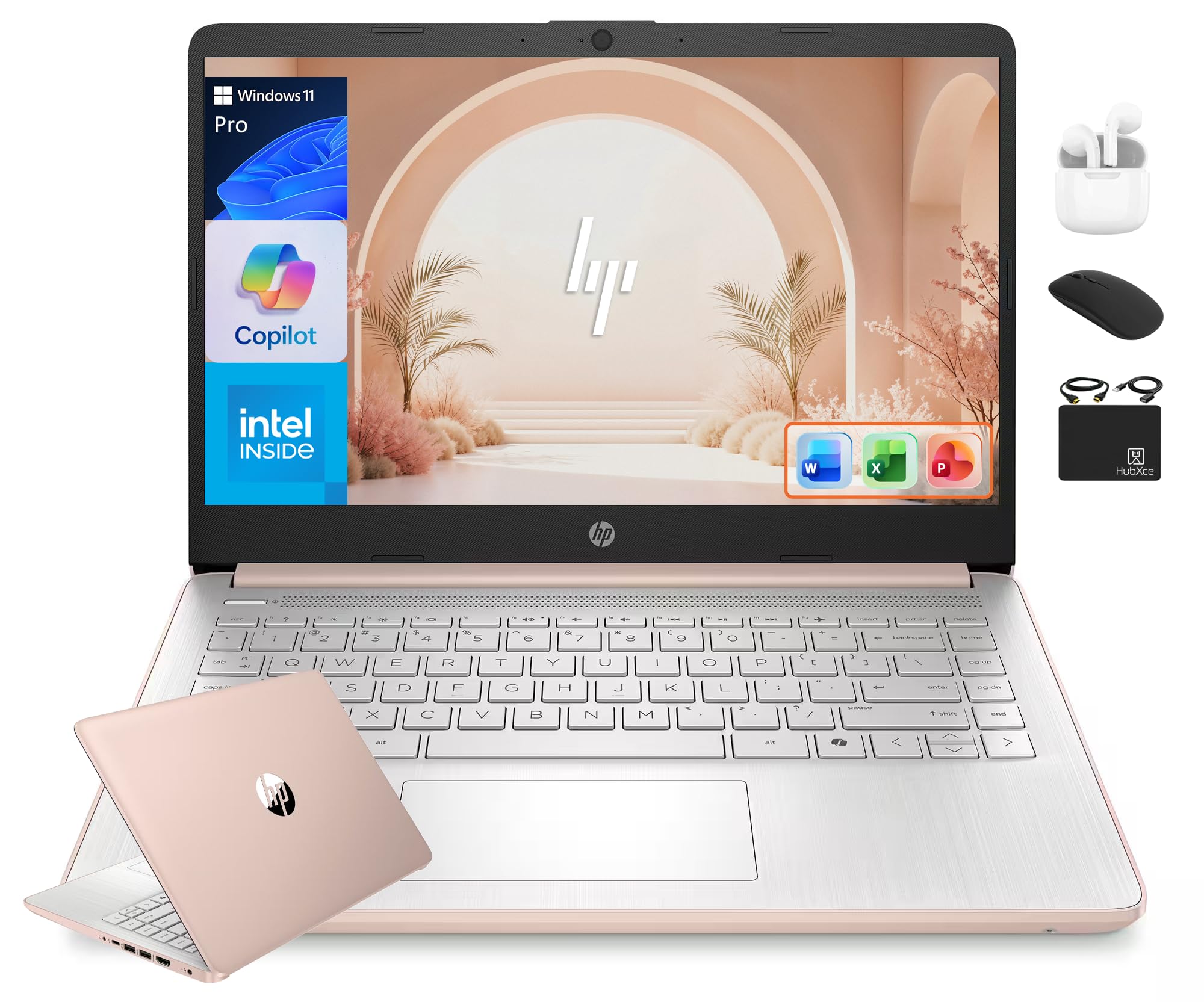
The HP 14 Flagship in Rose Gold is a budget-tier laptop that includes a surprisingly valuable software bundle: a genuine Lifetime MS Office 2024 Professional license instead of a subscription. The 13th Gen Intel N150 processor with 4 cores clocked up to 3.6 GHz handles Office documents, web browsing, and YouTube streaming adequately. The 16 GB of DDR4 RAM ensures smooth operation for the intended use case.
The 14-inch HD display with 1366×768 resolution is the weakest link — the lower pixel density makes text appear less sharp than FHD panels. The anti-glare coating helps usability outdoors, but the limited resolution sacrifices workspace density. The 628 GB total storage (128 GB UFS plus a 500 GB external drive) requires keeping system files on the faster UFS drive and media on the external drive, which adds cable clutter.
The Rose Gold color is a metallic pink that reads as a warm red-gold in most lighting, offering a more subtle alternative to a full red finish. The included HubxcelAccessory bundle adds wireless earbuds, a wireless mouse, a mouse pad, an HDMI cable, and a USB extension cord, making this a complete starter kit. The lack of a backlit keyboard was a dealbreaker for some buyers, so verify this feature is not essential for your use case before purchasing.
Why it’s great
- Legitimate Lifetime MS Office 2024 Professional license included
- Bundle includes wireless earbuds, mouse, and external drive
- 16 GB RAM at an entry-level price point
Good to know
- 1366×768 display resolution looks fuzzy compared to FHD panels
- No keyboard backlight
11. NIMO 15.6 N100 Red

The NIMO 15.6 in red is the most budget-friendly option that still delivers a usable daily computing experience. The Intel Alder Lake N100 processor with 4 cores and a 3.4 GHz boost clock provides enough power for web browsing, Office 365, and 1080p video streaming. The 16 GB of DDR4 RAM allows for comfortable multitasking between a dozen browser tabs, Spotify, and a Word document without stuttering.
The 15.6-inch FHD anti-glare display with 1920×1080 resolution and narrow bezels punches above the price point, offering a crisp viewing experience typically found in more expensive laptops. The 1 TB PCIe SSD provides ample storage for documents, photos, and a moderate media library. The metal A-shell adds structural rigidity and a premium feel that the plastic bottom chassis contrasts against. The backlit keyboard and fingerprint sensor are unexpected features at this price tier.
Battery life falls short of advertised claims — real-world usage reports 2-5 hours depending on workload, so plan to keep the 65W USB-C charger nearby. The Intel UHD Graphics 730 integrated GPU is not designed for gaming, though older titles like Roblox and Minecraft run at reduced settings. The 2-year manufacturer warranty from Nimo Direct Inc. provides added peace of mind, and the 90-day hassle-free return policy allows risk-free testing.
Why it’s great
- 16 GB RAM and 1 TB SSD at an entry-level price point
- FHD anti-glare display with metal A-shell construction
- Includes backlit keyboard and fingerprint reader
Good to know
- Battery life significantly shorter than advertised
- Intel N100 processor not suitable for gaming or heavy multitasking
FAQ
Does a red laptop chip or scratch differently than a silver model?
Why do so few business-class laptops come in red?
Can I find a red laptop with a 4K OLED display?
Does the red color affect laptop thermals or performance?
Final Thoughts: The Verdict
For most users, the best red laptop winner is the NIMO Ryzen 7 Pro 6850U because it combines a powerful integrated GPU for light gaming, 32 GB of RAM for heavy multitasking, and a comprehensive port selection in a package that offers genuine value. If you want a premium ultraportable with the best display in the class, grab the GEEKOM GeekBook X14 Pro for its stunning 2.8K OLED panel and featherlight magnesium alloy build. And for a budget-friendly entry point that still delivers a usable daily experience, nothing beats the NIMO 15.6 N100 in red.