
Our readers keep the lights on and my morning glass full of iced black tea. As an Amazon Associate, I earn from qualifying purchases.
Specs are compiled from manufacturer listings and verified buyer reviews and can change over time — please confirm the key details on the product page before buying.
Cleaning up your desk often means ditching those bulky, mismatched speakers that take over the whole workspace. A soundbar designed for your computer solves that perfectly—it tucks neatly under your monitor, cleans up your cable situation, and still gives you audio that makes games, movies, and music sound alive. The challenge is balancing size, connectivity, and sound quality within your budget.
I’m Min — the founder and writer behind Gadgets Feed. This guide is built by comparing the manufacturers’ published specifications and the patterns across verified customer reviews, so you get each pick’s real strengths and trade-offs instead of marketing spin.
Whether you are upgrading your gaming setup or just want better sound for calls and music, the right soundbar for computer can transform your daily listening without dominating your desk space.
Our Picks at a Glance


How To Choose The Best Soundbar For Computer
The right soundbar matches your audio needs without crowding your desk. You want clear dialogue for video calls, enough punch for games, and a footprint that sits cleanly under your monitor.
Power and Driver Size
The total power output (measured in peak watts) tells you how loud the soundbar can go before distorting. For a desk setup, anything around 20 to 30 total watts is enough to fill a small or medium room. Driver size also matters—a full-range driver around 2.75 inches can push more air for richer sound than a tiny driver crammed into a thin bar. Some models use passive radiators to extend the bass without needing a separate subwoofer.
Connectivity: USB, Bluetooth, and AUX
Most computer soundbars are powered by a single USB cable—meaning they draw power and sometimes audio from the same port. This keeps the cable mess down to one wire. Bluetooth (versions 5.0 up to 5.4) gives you the freedom to stream from your phone or tablet without plugging anything in. A 3.5mm AUX input remains the universal fallback for any device with a headphone jack, and a subwoofer output (sub-out) lets you add a separate bass box later if you want deeper lows.
Form Factor and Extra Features
The best computer soundbar sits low enough to slide under your monitor riser or directly in front of the stand. Look at the length and height—most are around 16 inches wide and under 3 inches tall. RGB lighting adds personality to a gaming rig, with preset modes like breathing, flowing, or sound-synced patterns. Touch controls or a physical volume knob both work, but a knob often feels more precise during a fast game or a late-night viewing session.
Quick Comparison
| Model | Best For | Peak Power | Connectivity | Bluetooth | Amazon |
|---|---|---|---|---|---|
| Edifier G2000★ Best Overall | Best Overall | 32W | USB, AUX, Bluetooth, Sub-out | Standard | Amazon |
| Creative Sound Blaster GS3Superwide Soundstage | Superwide Soundstage | 24W | USB-C, AUX, Bluetooth 5.4 | 5.4 | Amazon |
| Bluedee (B08TWQ2ZFX)Compact Clarity | Compact Clarity | — | USB, AUX, Bluetooth 5.0 | 5.0 | Amazon |
| ULTIMEA Poseidon M20 Pro | Built-in Subwoofer | 132W | Optical, AUX, Bluetooth 5.4, USB | 5.4 | Amazon |
| Logitech Z207 | Versatile 2.0 Stereo | 10W | AUX, Bluetooth 4.2 | 4.2 | Amazon |
| Nylavee PC Sound Bar | Dynamic RGB | — | AUX, Bluetooth | Standard | Amazon |
| Redragon GS560 | Budget RGB | — | USB, 3.5mm | None | Amazon |
| Bluedee (B0DYDPSLKP) | Budget All-Rounder | 10W | USB, Bluetooth 5.3 | 5.3 | Amazon |
| KASOHQEE | Ultra-Compact | — | USB, AUX, Bluetooth 5.3 | 5.3 | Amazon |
In‑Depth Reviews
1. Edifier G2000
Our pick — over 4.5★ from 3,000+ verified ratings; the strongest balance of quality and price.
Big desktop sound with a subwoofer upgrade path built right in.
The Edifier G2000 manages to deliver genuinely surprising bass from a compact cabinet, thanks to a pair of 2.75-inch full-range drivers and a rear bass port. With 32 watts of total peak power, it can easily fill a small office or bedroom without crossing into distortion. This is a true 2.0 system, but if you want even deeper lows, the subwoofer output (sub-out) port lets you connect an external sub later—a rare flexibility for such a small desktop soundbar.
Connectivity covers just about every scenario: Bluetooth, USB (which acts as both power and a sound card), and a 3.5mm AUX input. Owners consistently call out the sound quality as the standout trait—crisp mids and highs with a soundstage that feels wider than the bar itself. The three EQ modes (Game, Music, Movie) are tuned by Edifier’s acoustic team, and the gaming mode is especially effective for positional audio in shooters. At this level, it is a strong recommendation for anyone who wants room to grow their audio without swapping the whole bar.
What Makes It Shine
- 32W peak power fills a room without struggle
- Sub-out port lets you add a real subwoofer later
- Three dedicated EQ modes (Game, Music, Movie)
Worth Noting
- Volume controls are touch-sensitive pads, not a physical knob
- Some buyers find the price a touch high for a 2.0 bar
Ideal for: The desktop user who wants room-filling sound with the option to upgrade to a dedicated subwoofer down the line.
Consider it if: You prefer physical knobs over touch controls—that minor annoyance is the main trade-off for this level of audio quality.
2. Creative Sound Blaster GS3
A compact bar that tricks your ears into hearing speakers wider than your desk.
The Creative Sound Blaster GS3 earns its spot because it creates a wide, rich soundstage that feels much larger than its 16-inch frame suggests, thanks to SuperWide technology (a digital signal processing trick that expands the audio field). Inside, full-range racetrack drivers and a built-in port tube push 24 watts of peak power, so you get surprisingly deep bass for a bar this size. It fits snugly under your monitor, and the all-black design looks refined in a professional workspace or a gaming den.
Connectivity is modern and flexible: USB-C handles both power and audio, there is a 3.5mm AUX input, Bluetooth 5.4 (the latest wireless standard for stable connections) keeps your phone paired, and a headphone-out jack on the bar itself lets you plug in without reaching behind your tower. Buyers report the clear, powerful sound and solid build as major pluses. The multiple RGB presets (Chasers, Aurora, Peak Meter, and more) add atmosphere without being distracting. It is a premium-feeling desk companion that earns its spot through sheer engineering finesse.
One small limitation: The RGB presets don’t allow for a fully custom static color—if you want a specific solid hue, you may have to leave the lights off entirely.
Best suited for: The gamer or music lover who values a wide, rich soundstage from a single bar and wants the latest Bluetooth 5.4 connectivity.
Not the one if: You need fully customizable RGB colors down to a specific static shade—the presets here are beautiful but limited.
3. Bluedee Computer Speakers (B08TWQ2ZFX)
A sleek bar that blends into your office while delivering rich audio.
This Bluedee soundbar is built for the desk purist—the one who wants great sound without a chunky subwoofer or aggressive RGB. Dual drivers and dual passive diaphragms work together to give you clear highs and a surprisingly present low end, all in a slim 16.4-inch profile. The anti-magnetic technology means no static interference with your monitor, which is a thoughtful touch for a workspace.
Setup is as simple as it gets: one USB cable powers the bar and delivers audio simultaneously. You also get Bluetooth 5.0 for wireless streaming and a 3.5mm AUX input for older devices. Owners consistently praise the sound quality and build, noting it is an excellent upgrade for a docked laptop or a tidy desktop. The gentle light strip adds a classy accent without feeling like a gaming light show, making this a strong mid-range pick.
The catch: There is no physical power button—the bar stays on as long as the USB port has juice, which means it may flash when your PC is off if the motherboard keeps USB ports powered.
Who it works for: The desk-minimalist who wants high-quality stereo sound in a clean, unobtrusive package.
Think twice if: You want the ability to fully power off the bar without unplugging it—the always-on USB power may annoy some users.
4. ULTIMEA Poseidon M20 Pro
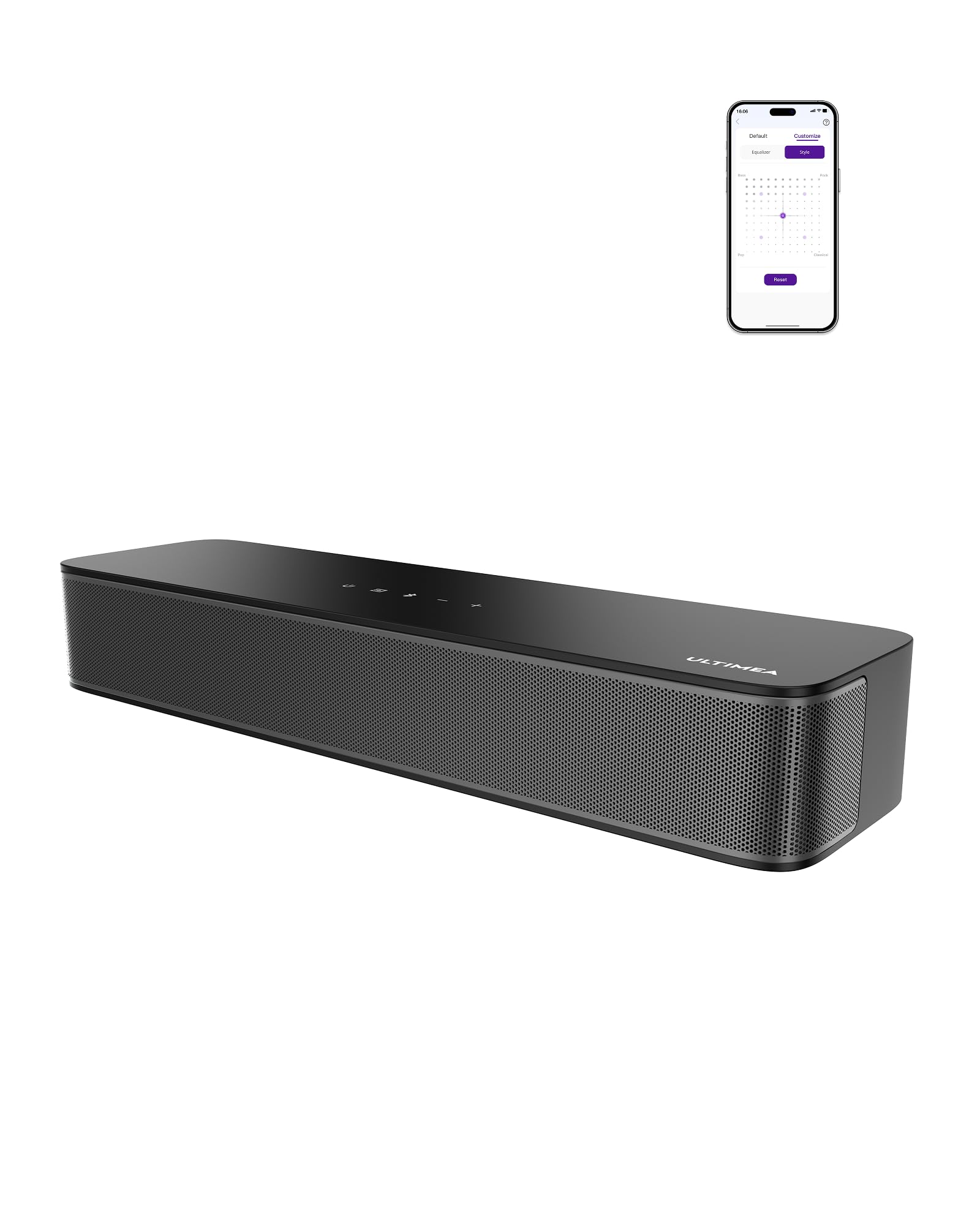
A 2.1-channel powerhouse that hides a subwoofer inside a compact bar.
The ULTIMEA Poseidon M20 Pro packs a 3-inch built-in subwoofer and side-firing bass ports into a chassis that is only about 16 inches wide—an engineering trick that delivers real low-end rumble without a separate box. With 132 watts of peak power, it can easily handle movie explosions and game soundtracks on a desktop. The BassMX technology lets you adjust the low-frequency punch, giving you control over how deep the bass goes.
Connectivity is impressively broad: optical, AUX, Bluetooth 5.4, and a USB input. There is also a dedicated sub-out port if you want to add an even more powerful active subwoofer later. The Ultimea Smart App open up 121 preset EQ matrices and a 10-band equalizer, with modes for Movie, Music, Voice, Sport, Game, and Night. Owners highlight the surprising bass response and the clear dialogue, especially in Movie mode. It is the best option for anyone who wants proper 2.1 sound without the clutter of an external sub.
Just be aware: The remote control has mixed feedback—some units arrive with a non-functional remote, though the app control works well as a backup.
Reach for this if: You want theater-like sound from a single desktop bar, with deep bass and extensive EQ tuning through the app.
Look elsewhere if: You rely heavily on a physical remote—the app is more reliable here, and the included remote may be finicky.
5. Logitech Z207

A classic 2.0 setup that lets you pair two audio sources at the same time.
The Logitech Z207 stands out because it can play audio from your computer (via AUX) and a Bluetooth device at the same time—so you can keep a Google Nest Hub or your phone paired while still hearing your PC. Each satellite speaker uses an active driver with a passive radiator (a non-powered cone that boosts bass) for bass extension, and the 10 watts of peak power is enough for focused work or casual listening. The vertical design saves desk space, and the front volume knob plus headphone jack are conveniently placed.
Logitech’s Easy-Switch technology lets you swap between connected devices by pausing one and pressing play on the other. Owners praise the balanced, non-tinny sound and the long-term reliability (several report 6+ years of use). The Bluetooth range is solid at 10 meters, and the setup is completely driver-free. It is a reliable choice for office workers and multi-device households who prioritize simplicity and longevity over bass.
The honest take: Sound quality is rated as mixed by many owners—it is clear and pleasant but lacks deep bass, and some describe it as a bit thin at higher volumes.
Perfect for: The multitasker who wants to hear their PC and a phone or smart speaker simultaneously without extra hardware.
Give it a miss if: You expect thunderous bass for movies or heavy gaming—this is a balanced, office-friendly speaker, not a party machine.
6. Nylavee Computer Speakers

A stylish bar that brings four distinct lighting moods to your desk.
The Nylavee soundbar uses dual neodymium magnet full-range drivers plus two independent bass diaphragms to deliver noticeable low-end punch for its size. Sound quality is the most-praised aspect, with owners mentioning excellent range on highs and lows. It supports Bluetooth and 3.5mm AUX connections, and the single side knob controls volume, power, and cycles through the four RGB lighting modes (rainbow, breathing, flowing, rhythm).
This is a great choice for a bedroom gaming PC or a dorm setup where you want visual flair to match the audio. The bar fits neatly under most monitors, and the USB power means no wall wart needed. That said, some owners note that the Bluetooth can be choppy at times and the AUX cable is on the short side. The RGB modes are all animated—there is no option to lock in a single static color, which may disappoint some users.
Standout Strengths
- Dual neodymium drivers + bass diaphragms for surprising low end
- Four distinct RGB animations (rainbow, breathing, flowing, rhythm)
- Simple one-knob control for all functions
Room for Improvement
- Bluetooth can be choppy or laggy for some users
- No static color lock—RGB is always in motion
Best for: The bedroom or dorm gamer who wants animated RGB effects and a bass-forward sound in a compact, under-monitor bar.
Consider the trade-off: If you prefer a solid, static white or blue glow, the always-animated lighting here may feel limiting.
7. Redragon GS560

An affordable RGB soundbar with a satisfying physical volume knob.
The Redragon GS560 is a straightforward, USB-powered soundbar that focuses on value and visual flair. It measures about 16 inches wide, making it a natural fit under a monitor, and delivers clear stereo sound with enough richness for gaming and YouTube. The defining feature here is the RGB lighting: four backlit modes, including dynamic patterns that sync with your music, plus a lightshow projection that adds atmosphere to any desk.
A physical volume knob with an integrated on/off switch separates it from touch-only competitors—it feels precise and satisfying to use. Setup is pure plug-and-play: USB provides power, and the 3.5mm cable handles audio. Owners praise the easy setup, the bright but not overwhelming lighting, and the overall value. Sound quality is the most-discussed aspect but it scores as mixed—it is good for the price but lacks deep bass and audiophile detail. Owners mention occasional reliability issues, including a left channel failure after a few months in isolated cases.
Why It Appeals
- Physical volume knob with power switch—tactile and convenient
- Four RGB modes with music-sync lightshow
- True plug-and-play USB/3.5mm setup
What to Watch
- Sound quality is good for the price but lacks deep bass and detail
- Isolated reports of channel failure over time
Grab it if: You want a cheap, good-looking RGB bar that is easy to set up and has a real volume knob instead of touch pads.
skip it if: You need long-term bulletproof reliability or deep bass for music—this is a budget companion, not an audiophile tool.
8. Bluedee (B0DYDPSLKP)

A single-cable soundbar that makes upgrading laptop audio easy.
This Bluedee model is built around simplicity: a single USB-A or USB-C cable handles both power and audio, with no AUX cable or driver setup required. It delivers 10 watts of clear sound through full-range drivers, and the Bluetooth 5.3 adds quick, stable wireless streaming from your phone or tablet. The compact profile fits easily under a monitor or next to a laptop, making it a fantastic entry-level upgrade from built-in laptop speakers.
Six RGB lighting effects with seven colors let you personalize the look, from subtle static glows to cycling animations. Owners highlight the impressive sound quality for the size, the quick Bluetooth 5.3 pairing, and the straightforward plug-and-play installation. Volume receives mixed feedback—it is good for a small to medium room but may not satisfy those who need to fill a large space. It lacks the deep bass of larger 2.1 systems, but for everyday music, calls, and videos, it hits a balance at a very accessible price point.
The mix: Sound quality is praised by most, with clear vocals and balanced audio, but some wish for more volume headroom.
Who this fits: The laptop user or minimalist desk owner who wants a huge upgrade in sound with zero cable clutter or setup hassle.
Not for: Anyone needing room-filling loudness or chest-thumping bass—this is a clean, moderate-volume bar.
9. KASOHQEE
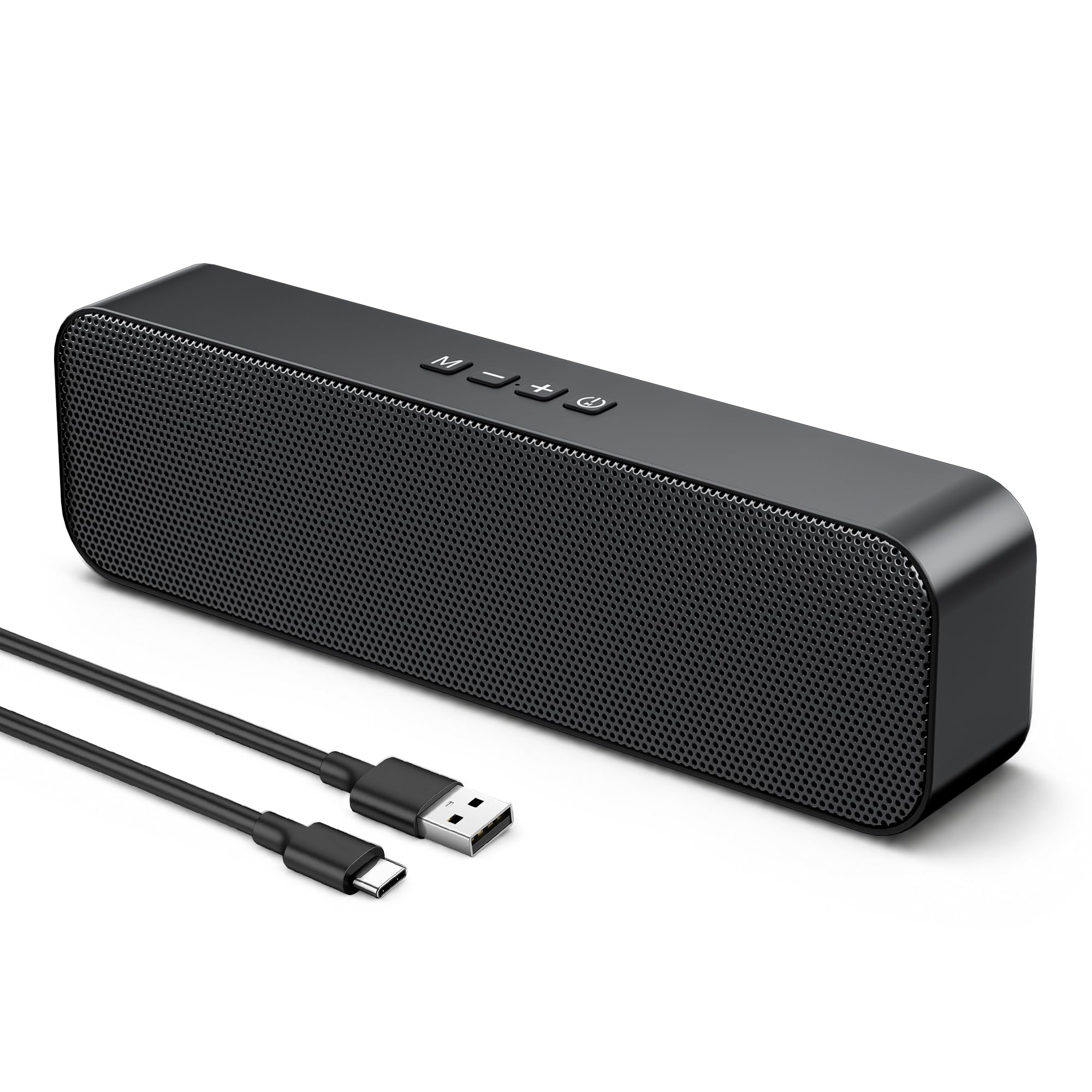
A tiny bar that punches above its size for tight desk real estate.
The KASOHQEE soundbar measures just 8.74 inches wide, making it the smallest option here—perfect for cramped desks, dorm rooms, or setups where every inch counts. Despite the tiny footprint, it houses two 5W magnetic drivers that deliver rich stereo sound with clear vocals and crisp detail. It connects via USB, Bluetooth 5.3, or a 3.5mm AUX input, giving you plenty of flexibility even in tight spaces.
It is USB powered with true plug-and-play simplicity: plug it in, and your computer recognizes it in seconds. Owners say it looks good and sounds surprisingly full for its size, with excellent clarity in the 5-20kHz range. The main trade-offs are the lack of visual indicators (you get spoken feedback instead of lights), and some customers note that the lowest volume setting can still be too loud for a quiet office. It is a specialist tool for space-constrained buyers who want decent audio.
One thing to know: The speaker has been known to randomly switch input modes on some units—a quirk that may require workarounds.
Best for: The ultra-tight desk where a full-size bar simply won’t fit, but you still want Bluetooth 5.3 and stereo separation.
pass on it if: You need a quiet whisper-level volume for an open-plan office—the lowest volume may still be too high for some.
Understanding the Specs
Peak Power (Watts)
This is the maximum electrical power the speakers can handle in short bursts before distorting. A higher number—like 32W or 132W—means the soundbar can play louder and fill a bigger room. For a typical desk setup, anything above 20W is usually sufficient for clear sound without strain.
Bluetooth Version (5.0 vs 5.3 vs 5.4)
Bluetooth handles wireless streaming from your phone or tablet. Version 5.3 and 5.4 are the latest and offer faster pairing, lower latency (less audio delay during video), and more stable connections over longer distances. Version 4.2 or 5.0 still works well for music but may have slight lag during video playback.
FAQ
Will a soundbar fit under my monitor?
Can I use a soundbar with a laptop?
What does peak power mean for desktop speakers?
Do I need a soundbar with a subwoofer?
Is Bluetooth 5.3 much better than 5.0 for a desktop soundbar?
Can I connect a soundbar to a gaming console?
How long do desktop soundbars typically last?
What is the difference between 2.0 and 2.1 soundbars?
Do desktop soundbars have a headphone jack?
Can I use a soundbar with a Mac or Chromebook?
Final Thoughts: The Verdict
For the majority of shoppers, the soundbar for computer winner is the Edifier G2000 because it combines 32W of clean power, a subwoofer upgrade path, and three dedicated EQ modes in a compact package that owners consistently rave about. If you want a superwide soundstage with the latest Bluetooth 5.4, grab the Creative Sound Blaster GS3. And for a tidy, clutter-free desk with Hi-Fi sound and no subwoofer, the Bluedee is the one to reach for.
How We Picked
We do not accept paid placement. Every pick is matched to a real buyer and a real use-case; we do not hands-on test units.
Sources & Methodology
Specifications: manufacturer listings and product documentation. Review insights: verified customer reviews, as of July 2026. Pricing: not shown on this page (it changes often); check the current price via the retailer link.
As an Amazon Associate, Gadgets Feed earns from qualifying purchases. This does not affect which products we feature.