
Our readers keep the lights on and my morning glass full of iced black tea. As an Amazon Associate, I earn from qualifying purchases.
Specs are compiled from manufacturer listings and verified buyer reviews and can change over time — please confirm the key details on the product page before buying.
If your smart TV takes forever to load an app, or your old TV can’t stream at all, a streaming box is the cheapest fix you can buy — and the right one can turn a slow smart TV into a fast one in about ten minutes. The trick is knowing which one matches your TV, your Wi-Fi, and how you actually watch. This guide covers nine real options, from a stick you can hide behind the TV to a full box with a wired internet port.
I’m Min — the founder and writer behind Gadgets Feed. This guide is built by comparing the manufacturers’ published specifications and the patterns across verified customer reviews, so you get each pick’s real strengths and trade-offs instead of marketing spin.
Every pick here was chosen for a different kind of setup, so you can match one to your living room instead of guessing. Below you’ll find the fastest, simplest ways to upgrade your TV with the best streaming box for your home.
Our Picks at a Glance

How To Choose The Best Streaming Box
Pick the box that fixes your specific annoyance, not the one with the longest feature list. If your TV is slow but your Wi-Fi is fine, a stick solves it. If your router lives two rooms away, you want Wi-Fi 6 or a wired port. Here’s what actually moves the needle.
Stick or box — the shape decides your ports
A stick plugs straight into your TV’s HDMI port and hides behind the screen, which keeps cables out of sight. A box sits on your shelf and usually adds an Ethernet port (a wired internet jack) plus more storage. If your TV only has one or two HDMI inputs, a slim stick won’t block the ports next to it — a wider box needs its own space and often its own HDMI cable.
The one spec that fixes buffering
Wi-Fi 6 is the newer wireless standard, and it handles a crowded network better than older Wi-Fi. So when someone else is gaming or video-calling, your 4K stream keeps its picture instead of dropping to a blurry mess. A wired Ethernet port goes one step further — it removes wireless from the equation entirely, which is why it’s the safest pick for a router that’s far away or a house with thick walls.
Storage and RAM: why your apps feel slow
RAM (short-term memory your apps run in) and storage (space your apps live in) decide how snappy the menus feel. A box with 3GB of RAM and 32GB of storage can hold far more apps than a stick with far less, and it won’t crawl when you switch between them. If you install a lot of apps or game on your TV, more memory is the difference between instant and irritating.
Picture and sound formats worth paying for
Dolby Vision and HDR10+ are two versions of high dynamic range (HDR) — they brighten highlights and deepen shadows so night scenes stay readable. Dolby Atmos spreads sound around the room instead of just out of the front speakers. You only benefit if your TV or soundbar supports the same formats, so check that before you pay extra for them.
Quick Comparison
| Model | Best For | Form Factor | Storage | Wi-Fi | Amazon |
|---|---|---|---|---|---|
| Roku Streaming Stick 4K★ Best Overall | Most people | TV Stick | — | Wi-Fi | Amazon |
| Google Streamer 4KBest Picture | Best picture | TV Box | 32 GB | Wi-Fi | Amazon |
| Fire TV CubeSmart Home Hub | Smart home | TV Box | — | Wi-Fi 6E | Amazon |
| Amazon Fire TV Stick 4K Plus | Alexa homes | TV Stick | — | Wi-Fi 6 | Amazon |
| Xiaomi TV Stick 4K (2nd Gen) | Travel and hotels | TV Stick | 8 GB | Wi-Fi 6 | Amazon |
| onn 4K Pro Streaming Device | Gamers | TV Box | 32 GB | Wi-Fi 6 | Amazon |
| Roku Ultra | Best remote | TV Box | — | Wi-Fi 6 | Amazon |
| Xiaomi TV Box S (3rd Gen) | Customizing | TV Box | 32 GB | Wi-Fi 6 | Amazon |
| Android TV Box 10.0 Tx1 Mini | Budget basics | TV Box | 16 GB | 2.4G Wi-Fi | Amazon |
In‑Depth Reviews
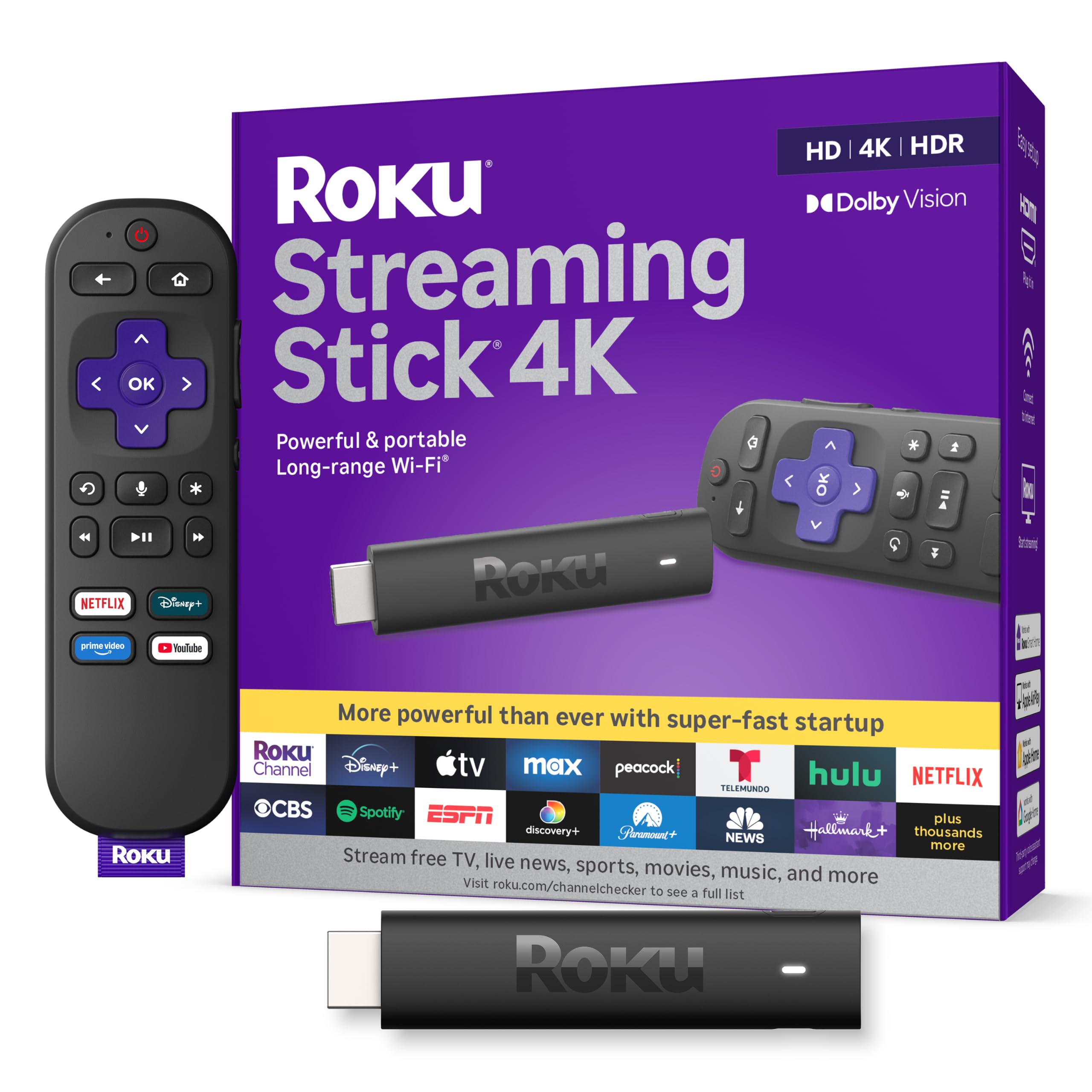
1. Roku Streaming Stick 4K with Voice Remote – HDR10+ & Dolby Vision
Our pick — over 4.5★ from 98,500+ verified ratings; the strongest balance of quality and price.
The tiny stick that hides behind your TV and just works — for almost anybody.
The easiest recommendation here. It measures just 3.7″ long, 0.8″ wide, and 0.45″ tall and weighs 25.54 g, so it tucks behind the screen and leaves the HDMI ports next to it free for a game console. Setup is the part buyers rave about most: it works right from the start, and the interface is simple enough that you are watching within minutes. Performance is the single biggest thing owners talk about, and it delivers a sharp 4K picture with HDR10+ and Dolby Vision — two high-dynamic-range formats that keep dark scenes readable and bright scenes from washing out.
A Roku Voice Remote is included with TV power, volume, and mute buttons, so one remote handles most of the job. The long-range Wi-Fi receiver helps when your router sits in another room, and the free Roku Channel adds a pile of movies and shows at no extra cost. Portability is a genuine bonus: take it on a trip and your shows follow you without logging into someone else’s device.
The honest catch is the remote — it is the one part buyers are split on, with pairing quirks coming up. It is also a stick, so there is no Ethernet port for the most stable possible connection, and if your TV has very few HDMI inputs you may want a splitter later. That is a small footnote on a device that gets the fundamentals right.
What buyers keep raving about
- Fast, reliable streaming with a clean, easy interface — the #1 thing owners praise.
- Excellent 4K picture with Dolby Vision and HDR10+ at a friendly price.
- Long-range Wi-Fi receiver reaches rooms far from the router.
Where it gives ground
- The included remote draws mixed feedback on pairing.
- No Ethernet port — it relies on Wi-Fi only.
- Free Roku Channel content is ad-supported.
Best pick for: a first streaming upgrade on a normal TV — plug it in, done.
Think twice if: you want a wired internet connection or a rechargeable finder-equipped remote.
2. Google Streamer 4K with Voice Search Remote, 32 GB Storage, Porcelain
The picture-and-polish pick for a living room that deserves better than a laggy panel.
You get the most app room in this group: 32 GB of storage, so those dozens of services you keep meaning to try don’t force you to uninstall anything. It’s a full-size box — 6.4″ long, 3″ wide, and 1″ tall — and it adds Ethernet (a wired internet port) plus Wi-Fi. The real headline is quality. Buyers rate the picture as the best thing about it, with crisp, lag-free 4K HDR (high dynamic range, which keeps bright and dark scenes detailed) and Dolby Vision (a format that makes movies look the way they were meant to), and the interface keeps every service on one home screen instead of scattered apps.
The added storage is what makes the firestick-to-Google-TV switch feel like a genuine upgrade — 32 GB of storage against the thinner storage on a stick. Setup is fast and simple enough that a less technical household member can run it, and a wired Ethernet line delivers zero lag on a modest connection, which is great news if your Wi-Fi is weak. It also doubles as a smart-home hub, so you can control lights and cameras right from the TV screen.
Two things to know before you buy. It needs its own HDMI cable, which isn’t included, so budget for one, and the remote control and value-for-money scores both come back mixed rather than glowing. If you mostly want a cheap second streamer for a spare room, this is more box than you need.
Where it wins: the best picture quality in this lineup, backed by 32 GB of storage and a wired Ethernet option — strong enough that switching from a slow Fire Stick feels like night and day.
Sized honestly: the lack of a MicroSD slot or USB ports is the recurring note for tinkerers, and a persistent Gemini popup on the home screen annoys some, but neither stops it from being a superb everyday streamer.
Worth it for: a main living-room TV where picture quality and app space matter most.
Not the one if: you want USB ports or a cheap spare-room gadget.
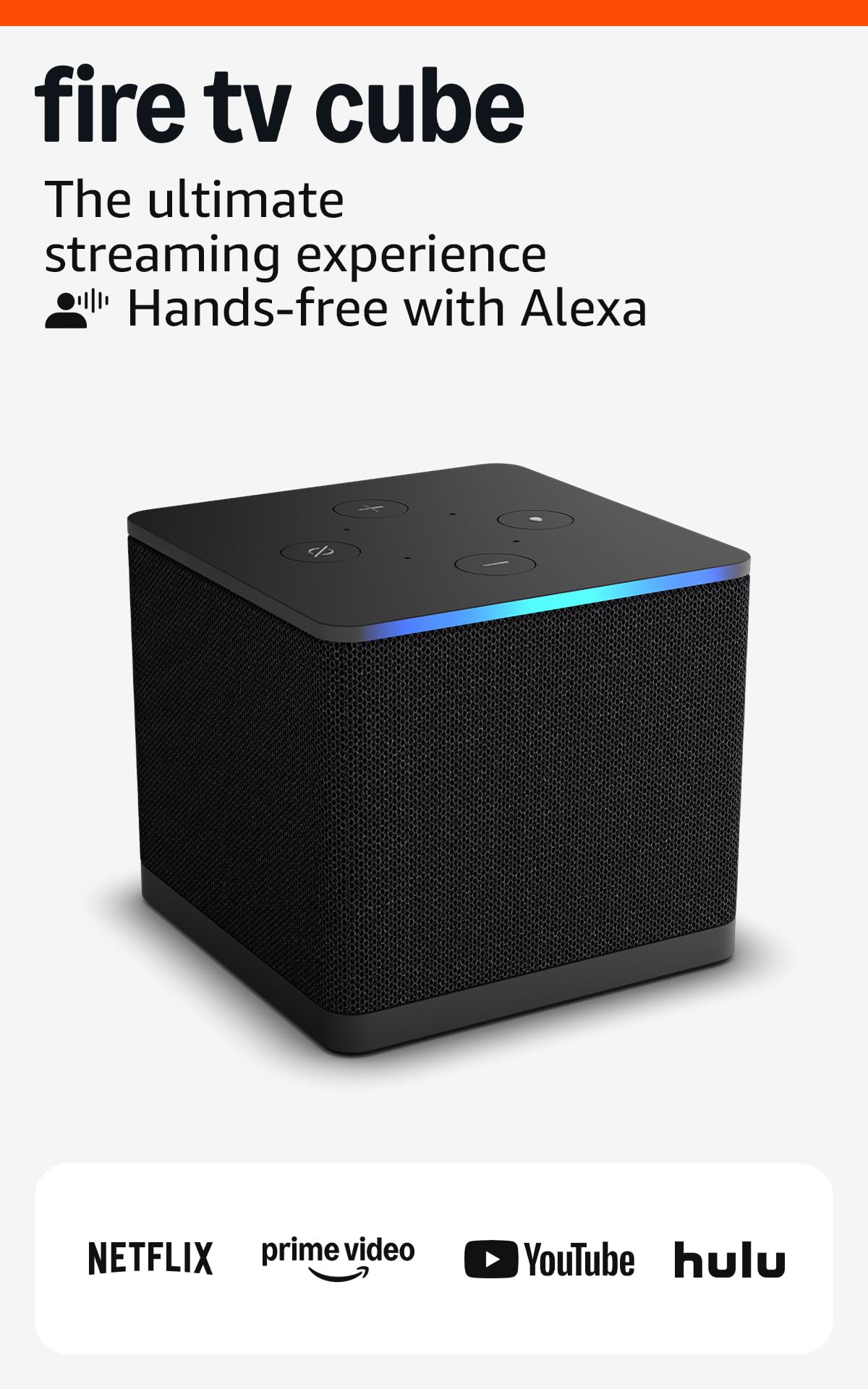
3. Like-New Amazon Fire TV Cube, Hands-free streaming with Alexa, Wi-Fi 6E
Talk to it from across the couch — this one listens, and it streams 4K while it does.
Speed is the trait buyers call out first, and the octa-core processor is the reason: it launches apps fast and is the quickest start you’ll get outside a dedicated gaming console. The bigger deal for many homes is the hands-free Alexa — an eight-microphone built-in mic and speakers let you control your TV, soundbar, and receivers by voice without finding the remote. It is also the only pick here with Wi-Fi 6E, the newest wireless band, so streaming stays smooth even in a busy house. Picture-wise you get 4K plus Dolby Vision, HDR, and Dolby Atmos.
Ethernet support delivers buffer-free 4K and a steady wired connection, which is a real edge over the Wi-Fi sticks. Streaming quality and durability both land positive, so the shows stay sharp and the box keeps its finish. And there is more storage than a stick, which owners say makes a real difference for juggling apps — which is why it outruns the cheaper Fire TV Stick for Alexa households.
Being a Like-New refurbished unit is the detail to notice. It arrives in generic Amazon packaging and carries the same limited warranty as a new one, but the reliability notes are mixed — most run fine for years, while a few units need a replacement. If you want a brand-new-in-box feel, factor that in; if you want hands-free control and top-tier speed for less, it’s a fair trade.
Why speed fans pick it
- Octa-core processor gives the fastest app launches in this group.
- Hands-free Alexa with a built-in mic and speakers controls your whole setup by voice.
- Wi-Fi 6E plus Ethernet support keeps 4K streaming stable.
The fine print
- This is a Like-New refurbished unit in generic Amazon packaging.
- Reliability feedback is mixed — a minority need a replacement.
- It’s a full-size box, so it needs shelf space near the TV.
The right call for: an Alexa household that wants voice control and the snappiest menus.
Pass if: you’d rather buy brand new in retail packaging.
4. Roku Ultra, Ultimate Streaming Player – 4K Streaming Device for TV

The fastest Roku, with a rechargeable remote you can find with your voice.
If you love the Roku system but want more speed and better hardware, this is the step up — Roku rates it 30% faster than any other Roku player, so apps launch in a snap. You get 4K with HDR10+ and Dolby Vision plus Dolby Atmos, and it connects over Wi-Fi 6 or wired Ethernet, so you can pick the stable route if your router is far away. Picture quality reads positive, with 4K looking great.
The standout is the remote. The rechargeable Roku Voice Remote Pro has backlit buttons you can see in a dark room, hands-free voice with a simple “Hey Roku”, and a lost-remote finder that pings it when it slips between cushions. There’s even a Bluetooth headphone mode so you can crank the volume without waking the house. The remote is the single most-praised feature here, which says a lot given how fast the box itself is — and it beats the cheaper Roku stick on remote features.
One thing to weigh: reliability feedback is mixed rather than all-positive, with some owners running into freezing and others never seeing it, and a well-known YouTube quirk comes up when playing video at faster-than-normal speed. That said, performance and boot-up time both read strong, and the lost-remote finder alone ends a small daily annoyance.
What ends the arguments: the remote finder and backlit buttons are the features that make this feel premium, and the 30% speed edge over other Roku players keeps menus and app launches snappy.
Weigh this: it’s a bigger box than a stick and can’t match the 32 GB of storage on the Google Streamer, so if raw storage matters more than speed and the remote, look there instead.
Ideal for: Roku loyalists who want the fastest interface and a can’t-lose remote.
Look elsewhere if: you mainly watch YouTube at sped-up playback.
5. Amazon Fire TV Stick 4K Plus (newest model) with Alexa+

The cloud-gaming stick — stream Xbox titles without a console sitting under the TV.
This stick goes beyond streaming shows. It supports Xbox Game Pass cloud gaming, so you can play Call of Duty, Hogwarts Legacy, and hundreds of other titles right on your TV with no console. That, plus Wi-Fi 6 for smooth 4K even when other devices share the router, is why it’s the most versatile pick for a household that games and streams both. You get 4K Ultra HD with Dolby Vision, HDR10+, and Dolby Atmos, and quality is the aspect buyers praise most.
The Alexa+ voice remote finds what you want across apps, controls TV power and volume, and even handles compatible smart-home devices. There’s a free-streaming angle too — hundreds of thousands of free movies and episodes from ad-supported apps — and the newest Fire TV experience groups content into clear categories so you spend less time scrolling. If you already use Alexa, everything feels joined up, and setup is quick enough that a non-techie can do it alone.
The honest downside sits in the reliability column. Some units stop working after a few weeks, and the remote draws mixed reports — and the volume buttons can’t control every TV brand, a real snag for some owners. That’s a minority outcome, but it’s worth knowing going in. Two quirks you’ll live with: you’ll need a separate HDMI setup if your TV ports are tight, and higher-speed playback simply feels heavier than the snappy Fire TV Cube above it.
The core case: cloud gaming plus Wi-Fi 6 plus a deep app library makes this the most do-it-all stick here, and the newest Fire TV layout keeps everything organized.
Buy with eyes open: the occasional dud unit and TV-brand-specific volume quirks are the trade-offs, so if rock-solid reliability tops your list, a refurbished Fire TV Cube is safer money.
A natural fit for: an Alexa home that games and streams and wants one stick for both.
Reconsider if: your TV isn’t a common brand for volume control, or you’ve been burned by a stick dying early.
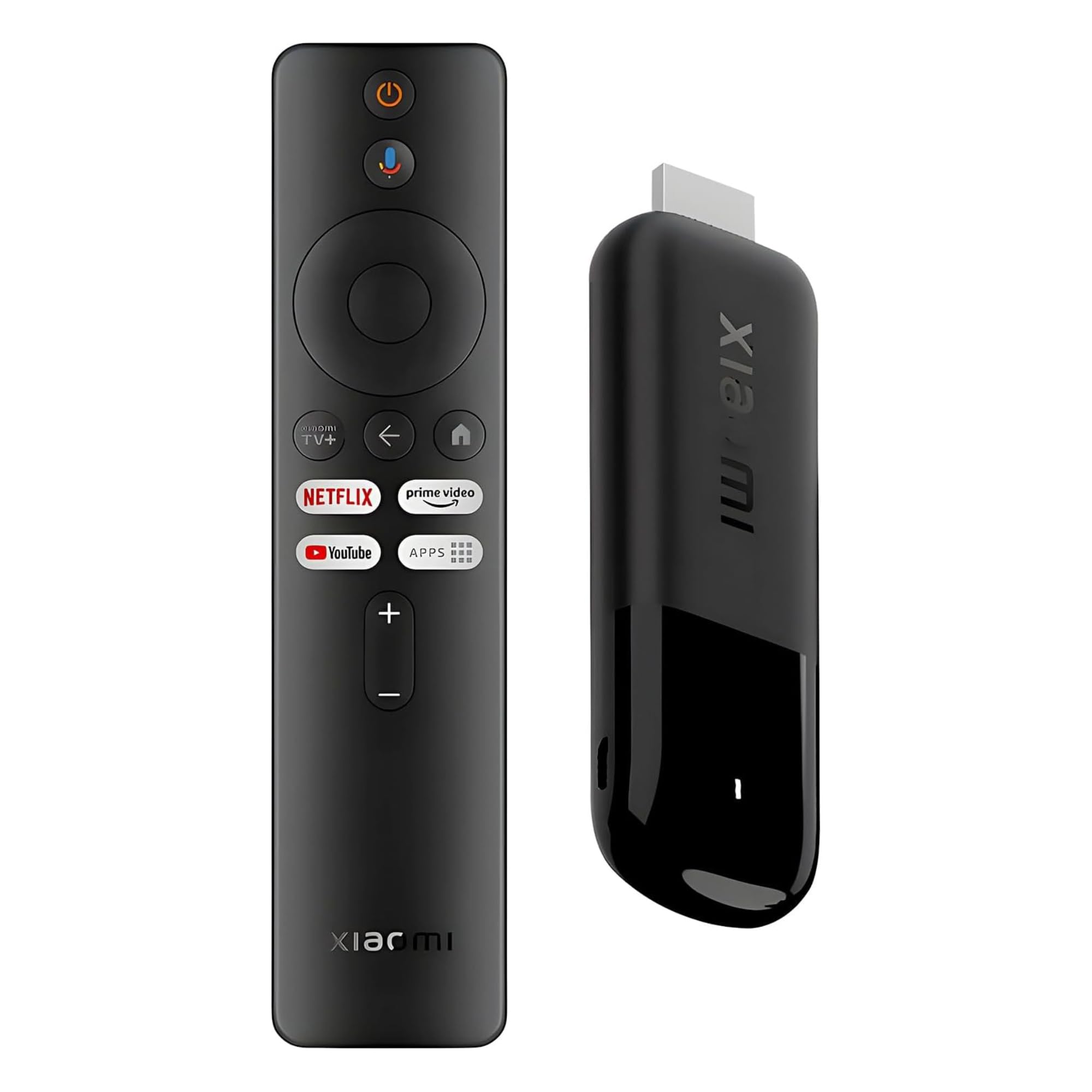
6. Xiaomi TV Stick 4K (2nd Gen) with Google TV, Dolby Vision and Wi-Fi 6
A pocketable stick with a fast 6nm chip that upscales older shows beautifully.
Weighing just 28 g, this stick is built to travel — plug it into a hotel TV or projector and your apps and profiles come with you, no subscriptions required for the free live channels. Inside, a 6nm high-performance platform runs a quad-core A55 CPU up to 2.5GHz, which is fast for something this small. The upscaler is the feature buyers gush about, sharpening older lower-resolution content so it looks noticeably clearer on a big screen, even on a 120Hz TV.
You get 4K with Dolby Vision and HDR10+, plus Dolby Atmos and DTS:X for surround-style sound, and the dual-band Wi-Fi 6 keeps streaming steady. The Google TV interface gathers your movies and shows from every app in one place, the Bluetooth voice remote calls on Google Assistant, and setup is quick with a Google account. Ports-wise it includes an HDMI extension cable and a micro-USB power cable, which helps on a cramped TV.
Two practical catches. The micro-USB power port is dated — USB-C would have been nicer — and the storage is a modest 8 GB, so app-hoarders may feel the squeeze. Also worth knowing: every menu came up in Chinese from the start for some owners, which took a translate-and-poke to sort out. Neither stops it being a strong, portable pick.
The travel angle: at 28 g with its own HDMI extension cable, this is the stick you toss in a bag and plug into any screen.
Mind the port: micro-USB instead of USB-C and only 8 GB of storage are the small compromises, alongside the initial Chinese-language interface some buyers hit.
Built for: frequent travelers and anyone whose smart TV’s apps have bogged down.
Skip if: you need a lot of app storage or USB-C charging.
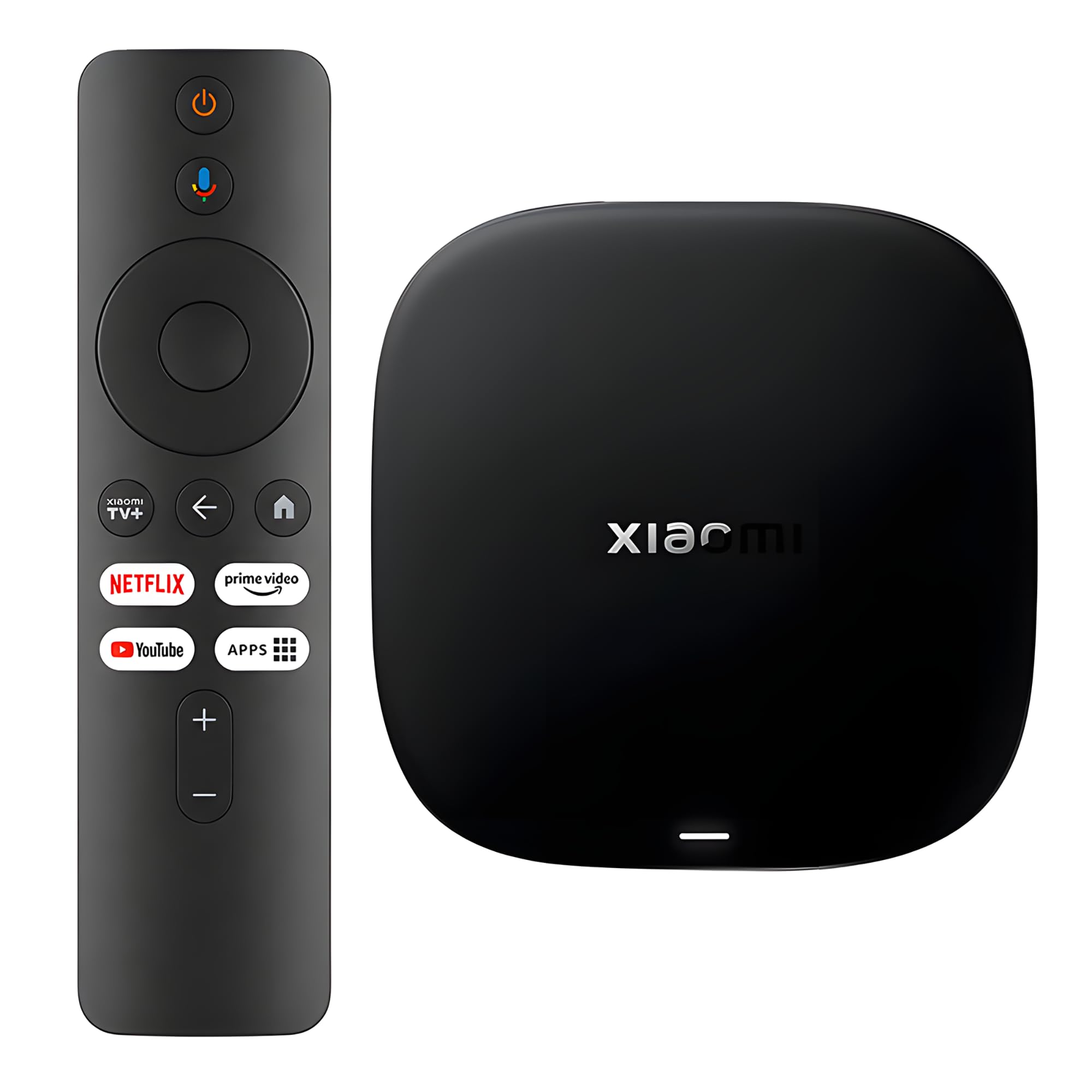
7. Xiaomi TV Box S (3rd Gen) 4K UHD with Google TV, 32 GB Storage
A Google TV box with real app space and an AV port for older TVs.
If you live in the Google ecosystem and want a box rather than a stick, this brings a 64-bit 6nm platform with a quad-core A55 CPU up to 2.5GHz, plus 2GB of RAM and 32GB of storage. That storage is the headline for anyone who juggles a pile of apps — no more deleting one to install another. Quality is the aspect buyers like best, and reliability comes right behind it, with a stable Wi-Fi 6 connection that keeps shows streaming without constant buffering. It also has an AV port, which revives older TVs that lack HDMI.
Google Assistant voice search works across your apps, Chromecast is built in for beaming content from your phone, and the 360° Bluetooth remote handles voice and playback. The HDMI 2.1 port keeps the connection modern, and setup is straightforward enough to finish in minutes. It replaces a Fire Stick with fewer ads and 32GB of storage, which is what owners say made their slow smart TV feel useful again.
The remote is the weak spot — it feels plasticky and comes in for more criticism than any other part of this box, so treat it gently. The batteries also aren’t included, and there’s a rare report of the unit losing sound after a few months. For the money though, the value is the talking point, and few boxes offer this much storage for less.
Storage you’ll notice: 32 GB and 2GB of RAM mean apps install and stay, and the AV port makes older TVs smart without a new screen.
Know before you buy: the remote is the grumble, batteries aren’t included, and there’s an occasional sound-dropout report — but the storage-per-dollar is hard to argue with.
Ideal for: app-heavy Google TV users who want room to grow.
Not the one if: a premium-feel remote is a must.
8. onn 4K Pro Streaming Device, Google TV with Gemini, 32 GB Storage, Ethernet Port

A gaming-ready Google TV box with 3GB of RAM and a find-my-remote that beeps.
This is the box for households that want to game and stream without a console. It packs 3GB of RAM — the most in this group — which keeps menus and games smooth, plus 32GB of storage for apps. You get 4K with Dolby Vision and Dolby Atmos, and connectivity is a highlight: Wi-Fi 6 for speed, or an optional Ethernet port for the steadiest possible signal. The backlit remote has a finder, and Bluetooth lets you pair earbuds for late-night watching.
Sideloading apps and running Gemini for smart-home control are exactly the things owners say make it a tinkerer’s delight. Many rank it above the Fire TV Stick for its flexibility, and setup gets praise for being quick and intuitive. Live TV, sports, and movies all land in one clean Google TV hub, so the whole house can find something fast.
The trade-offs are real but small. It’s a box that wants its own spot near the TV, there’s no MicroSD slot if you outgrow the storage, and a few owners outside the US have hit region locks. The price-to-feature ratio remains the big draw.
The gamer’s angle: 3GB of RAM plus 32GB of storage plus Wi-Fi 6 and Ethernet is a rare combo that handles cloud gaming and 4K streaming without stutter.
One note: no MicroSD slot and an occasional region lock are the limits — if you need expandable storage, the Samsung-style flexibility isn’t here.
The pick for: a gamer who wants one box for apps, cloud gaming, and smart-home control.
Think twice if: you want a stick that hides behind the TV, or need a MicroSD slot.
9. Android TV Box 10.0, Tx1 Mini TV Box, 2GB RAM 16GB ROM, Allwinner H313
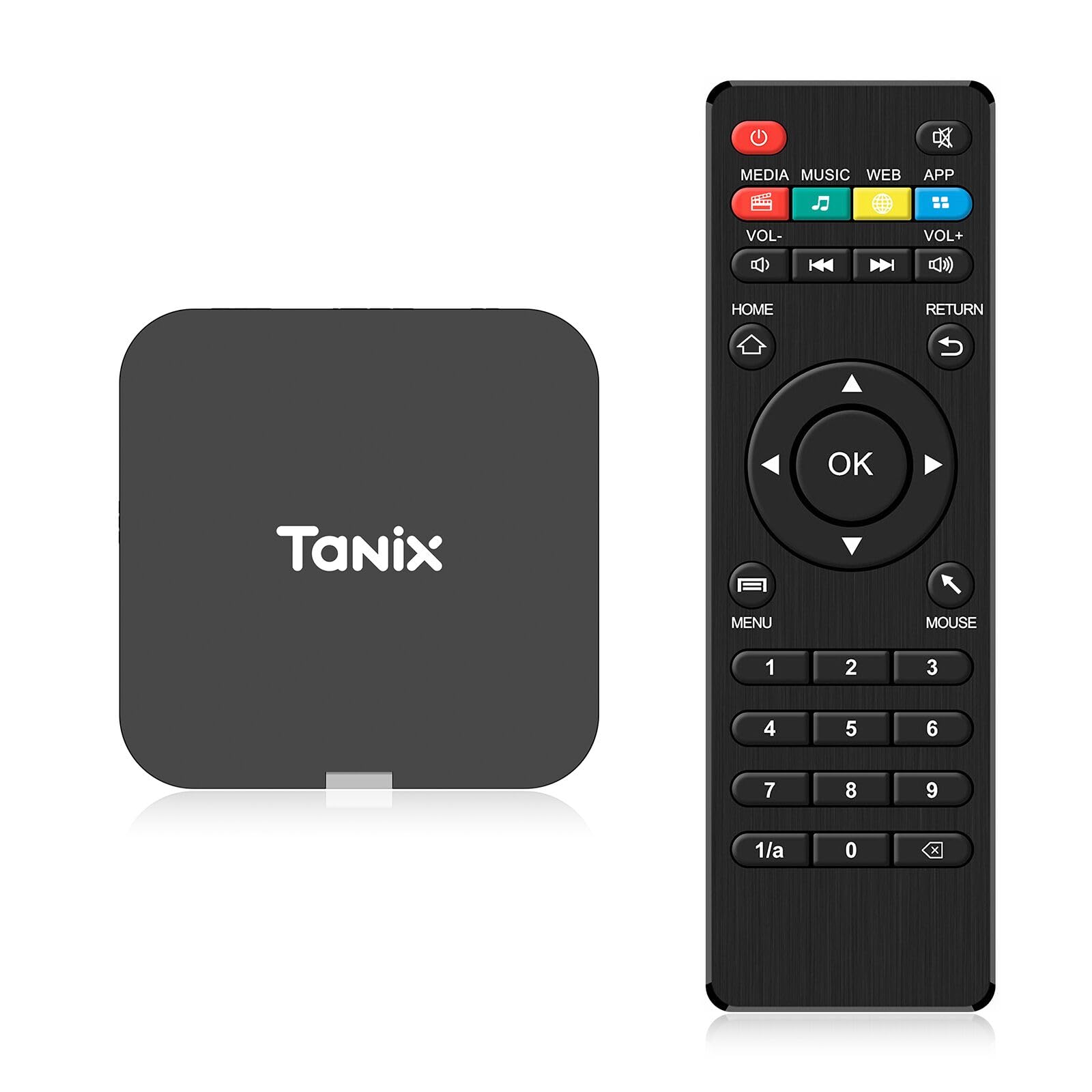
The cheapest route to a smart TV — with a wall-mount trick and real limits.
For buyers on the tightest budget who just need apps on a big screen, this tiny box sticks right to the wall with the included sticker, so it takes up almost no space. It runs Android 10.0 on an Allwinner H313 quad-core ARM Cortex A53 processor with 2GB of RAM and 16GB of ROM, and it outputs 4K along with an AV port and HDMI for connecting different TVs. Setup is genuinely simple: plug in HDMI and power, join your Wi-Fi, and you’re watching.
At 0.15 kg it’s light enough to hang behind a TV without any bracket, and the package bundles the sticker, HDMI cable, power cable, and remote. Owners who just want basic streaming say it does the job, with the small size and low cost being the appeal.
Now the part that matters most here: Netflix is not available on this box, so if Netflix is your main service, look elsewhere. The interface can feel slow, and the web browser is fiddly to scroll. Reliability is the lowest of the group overall, and a defective remote has turned up for a few buyers — the maker’s own note warns that not every unit is perfect. For someone who wants the absolute lowest entry into streaming and can live with those limits, it earns its spot — but it’s a starter, not a daily driver.
The budget math: a wall-mountable Android 10.0 box with 4K output and 16GB of ROM for the least money here — a reasonable first step onto the big screen.
The honest limits: no Netflix, a slow-feeling interface, and the highest chance of a dud unit of anything in this guide.
Only for: a spare-room TV and a shopper who needs apps on a budget and can skip Netflix.
Better spent elsewhere if: Netflix matters or you want a smooth, reliable daily streamer.
Understanding the Specs
Wi-Fi 6 vs Wi-Fi 6E
Wi-Fi 6 is a newer wireless standard that keeps a 4K picture steady when several devices share your network. Wi-Fi 6E adds an extra, less-crowded band on top of that, so it holds up even better in a busy home. If your router is old or far away, both beat a plain Wi-Fi connection — but a wired Ethernet port still wins for pure stability.
RAM and storage
RAM is the short-term memory your apps run in, and storage is where they live. More RAM keeps the menus and games smooth; more storage means you stop deleting one app to install another. If you game or cram in a dozen services, aim for the larger numbers, not the smaller ones.
Dolby Vision and HDR10+
Both are versions of HDR — they widen the range between the brightest and darkest parts of a picture, so night scenes stay readable and highlights pop. You only get the benefit if your TV supports the same format, so check your panel before paying extra for it.
Ethernet vs Wi-Fi
Ethernet is a physical cable from your router to the box. It removes wireless interference entirely, which is why it’s the safest choice when your router is a room away or your walls are thick. Wi-Fi is easier and tidier, but its speed depends on your home’s signal.
FAQ
What is the difference between a streaming stick and a streaming box?
Will a streaming box work with an older non-smart TV?
Do I need internet for a streaming box to work?
Which streaming box is easiest for someone non-technical?
Can I use Bluetooth headphones with a streaming box?
How much storage do I need on a streaming box?
Does the remote matter as much as the box?
Can I play games on a streaming box?
Why do some boxes not support certain apps like Netflix?
Wi-Fi 6 vs Wi-Fi 6E — do I need the newest one?
Final Thoughts: The Verdict
For most people, the easiest win here is the Roku Streaming Stick 4K — it hides behind the TV, sets up in minutes, and handles 4K with Dolby Vision (a format that keeps colors and contrast true to the source) without fuss, and it holds a top rating across tens of thousands of owner reviews. If a bigger picture and more app space matter, the Google Streamer 4K leads the group on quality with its 32GB of storage. Want a charger-free remote you can buzz from the couch? Grab the Roku Ultra. And for a spare-room TV on a budget, the Android TV Box 10.0 Tx1 Mini gets you streaming for the least outlay — just skip it if Netflix is your main service.
How We Picked
We do not accept paid placement. Every pick is matched to a real buyer and a real use-case; we do not hands-on test units.
Sources & Methodology
Specifications: manufacturer listings and product documentation. Review insights: verified customer reviews, as of September 2026. Pricing: not shown on this page (it changes often); check the current price via the retailer link.
As an Amazon Associate, Gadgets Feed earns from qualifying purchases. This does not affect which products we feature.