
Our readers keep the lights on and my morning glass full of iced black tea. As an Amazon Associate, I earn from qualifying purchases.
Specs are compiled from manufacturer listings and verified buyer reviews and can change over time — please confirm the key details on the product page before buying.
Choosing a tablet feels like comparing apples to… well, a dozen different operating systems, screen sizes, and price points. The real question isn’t which brand wins the marketing war — it’s which device matches how you’ll actually use it, whether that’s note-taking in class, streaming on the couch, or replacing a laptop for work. This guide focuses on the specs that genuinely change your daily experience, so you can spot the right fit without getting lost in the jargon.
I’m Min — the founder and writer behind Gadgets Feed. This guide is built by comparing the manufacturers’ published specifications and the patterns across verified customer reviews, so you get each pick’s real strengths and trade-offs instead of marketing spin.
Whether you prioritize raw performance, battery endurance, or a display that’s easy on the eyes, this breakdown of the top tablet computers will point you to the model that truly fits your daily routine.
Our Picks at a Glance


How To Choose The Best Tablet Computers
The right tablet hinges on a few core decisions that shape your experience daily. Start with what you’ll do most: drawing and note-taking demand stylus precision, while streaming and gaming need a vibrant, fast-refreshing screen. Your choice of operating system will lock you into a specific app store and ecosystem, so it’s crucial to pick the one that aligns with your existing devices and preferred software.
Screen Size and Display Technology
The size of the screen, measured diagonally in inches, dictates portability versus usability. An 11-inch model is a popular middle ground—light enough for one hand, yet spacious for media. Display quality goes beyond resolution; the panel type (like IPS or AMOLED) and refresh rate, measured in Hertz (Hz), determine brightness and smoothness. A higher frequency, like 120Hz, makes scrolling and animations noticeably more fluid than a 60Hz screen, which is a standard but less smooth option.
Battery Capacity and Charging Speed
Battery life is a measure of how long you can use the device away from a charger, often quoted in hours of video playback. The physical battery size is measured in milliamp-hours (mAh), but the power efficiency of the chip determines real-world endurance. Look for fast charging capabilities, measured in watts (W), to minimize downtime; a larger battery with quick refill is ideal, but a smaller battery with fast charging can also keep up with a busy day.
Quick Comparison
| Model | Best For | Screen Resolution | Refresh Rate | Battery Capacity | Amazon |
|---|---|---|---|---|---|
| Apple iPad 11-inch (A16)★ Best Overall | Overall Performance & Ecosystem | Liquid Retina | — | All-Day Battery | Amazon |
| Lenovo Idea Tab ProBest Value | High-End Performance | 2944 x 1840 (3K) | 90Hz | 10200 mAh | Amazon |
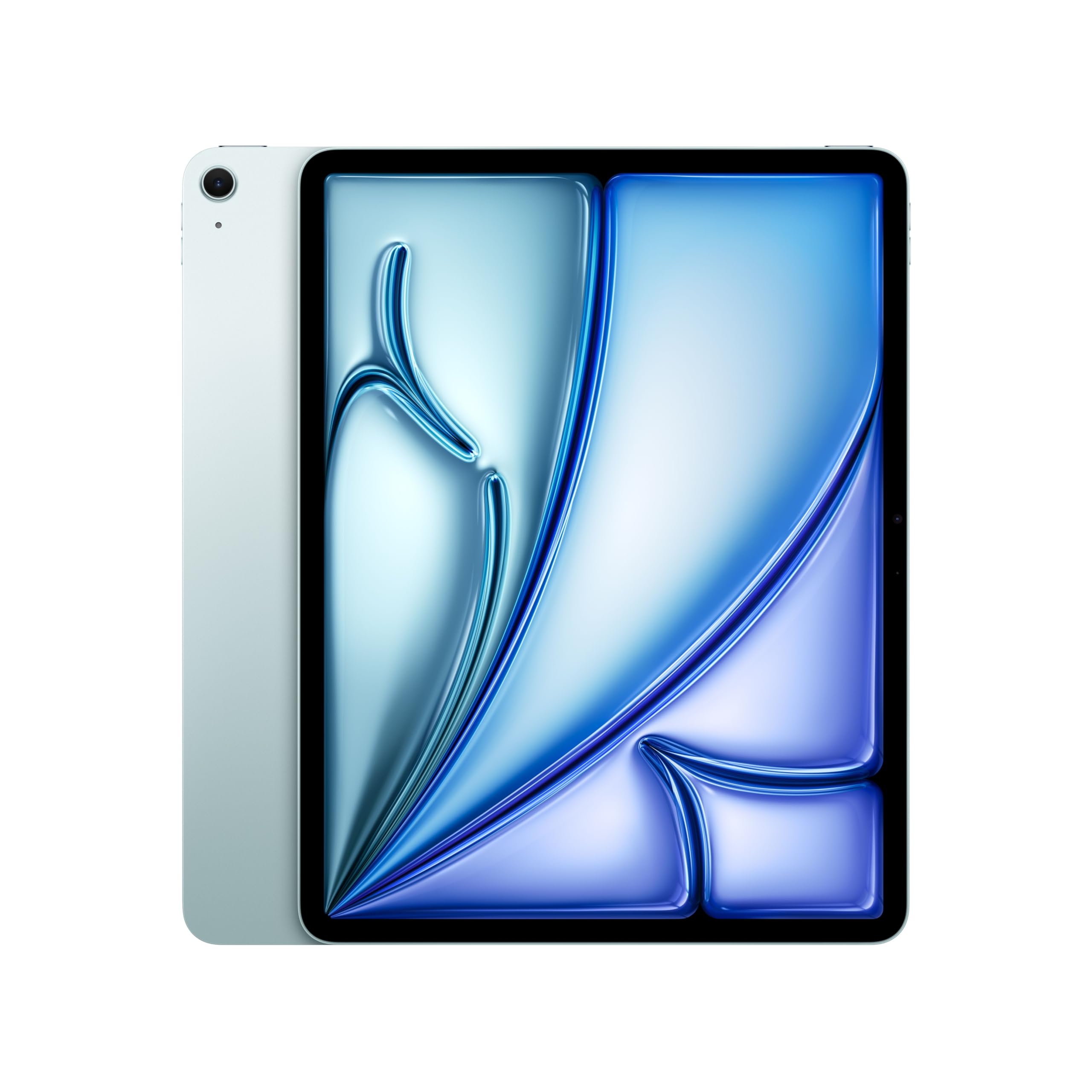
| Apple iPad Air 13-inch (M4)Top Performer | Pro-Level Power & Display | Liquid Retina | — | All-Day Battery | Amazon |
| Like-New Fire HD 8 | Budget-Friendly Value | 8″ HD Display | — | Up to 13 Hours | Amazon |
| Amazon Fire HD 8 (4GB) | Portable Entertainment | 8″ HD Display | — | Up to 13 Hours | Amazon |
| TECLAST T65 | Large Screen Media | 1920×1200 HD | 120Hz | 8000 mAh | Amazon |
| Lenovo Idea Tab | College & Note-Taking | 2560 x 1600 | 90Hz | 7216 mAh | Amazon |
| TABWEE T90 | Budget 2-in-1 Work | 1920 x 1200 FHD | — | 8000 mAh | Amazon |
| TCL NXTPAPER 11 Gen 2 | Eye-Friendly Reading | 1920 x 1200 | 60Hz | 8000 mAh | Amazon |
| Samsung Galaxy Tab S11 | Premium Android Media | 2560 x 1600 | 120Hz | 8400 mAh | Amazon |
| Samsung Galaxy Tab S10+ | top-tier Display | — | 120Hz | 10090 mAh | Amazon |
In-Depth Reviews
1. Apple iPad 11-inch (A16)
Our pick — over 4.5★ from 28,000+ verified ratings; the strongest balance of quality and price.
The safest all-round recommendation for anyone who wants reliable power, a beautiful screen, and an class-leading app library.
This iPad delivers a balanced experience that’s tough to top for most people. At its heart is the A16 chip, which keeps everything from procreate drawings to photo editing feeling instant. The 11-inch Liquid Retina display is bright and sharp, making movies look great and text easy to read for long stretches. Buyers report the battery lasts about 12 hours even with heavy use, so you can leave the charger at home for a full day of classes or work.
The real magic here is the ecosystem. You get features like Touch ID built into the top button for secure open up and Apple Pay. The cameras are impressive too — a 12MP Center Stage front camera that keeps you framed during video calls and a 12MP back camera for scanning documents. Storage starts at a generous 128GB, and with iPadOS you can run multiple apps at once, use an Apple Pencil to write in any text field with Scribble, and access over a million apps designed specifically for iPad.
Connectivity is future-proof with Wi-Fi 6, which means fast downloads and smooth streaming. The design is thin at 0.28 inches and light enough at 1.05 pounds to hold comfortably while reading or gaming. It also comes in four colors, and buyers are enjoying the pink and navy blue versions. The allure of this tablet is how easily it transitions from your old device, making setup a breeze.
What Wins People Over
- Fast performance and no screen lag, driven by the A16 chip
- Impressive battery life that lasts about 12 hours on a heavy day
- Smooth setup process, especially when moving from an older device
Who Should Think Twice
- Requires separate purchases for accessories like the Apple Pencil or keyboard
- If you prefer the flexibility of Android’s file system, the iPadOS environment is more closed
Reach for this if: you want a dependable, premium tablet with top-tier app support and a screen that’s a joy for both work and play.
Look elsewhere if: you’re on a strict budget and don’t need the power or the vast app ecosystem an iPad provides.
2. Lenovo Idea Tab Pro
A student’s dream machine that brings a laptop-sized 3K screen and AI-powered tools, without the usual premium markup.
Lenovo’s Idea Tab Pro is a clear value leader for students and professionals, packing top-tier specs at a mid-range point. The star is the 12.7-inch 3K LCD display, which buyers describe as a large, crisp screen perfect for everything from streaming lectures to drawing on the go. It runs on a MediaTek Dimensity 8300 processor, which is efficient enough to deliver about 11 hours of unplugged video streaming and light enough for smooth multitasking.
It’s a media powerhouse thanks to the quad JBL Dolby Atmos speakers, making the sound as rich as the visuals. Gamers will appreciate the PUBG certification, a 360Hz touch sampling rate (meaning the screen responds to your finger almost instantaneously), and support for 90fps gameplay. Unlike the base Idea Tab, this Pro model steps up to a 45W quick charge, so you can get back in action fast when the battery gets low.
The included Tab Pen Plus and folio case make it a fantastic out-of-the-box deal. You can use Google’s Circle to Search feature by pressing the home button and drawing a circle around anything on screen with the included pen — a quick way to look up information without switching apps. The display is Low Blue Light certified for comfortable studying, and buyers have found the included stylus excellent for taking notes.
A Heavyweight Contender: It’s among the most feature-packed options for the money, but some owners mention it needs a specific 45W PD charger to hit full “Flash Charging” speed; regular chargers will still work, just slower.
Who it beats: for display size and raw speed, it beats the standard Lenovo Idea Tab in almost every spec. It also offers more storage than many pricier Samsung models, though its battery drain can be a bit quicker than the most efficient rivals.
The single caveat: if you’re looking for a super lightweight device for one-handed reading, the 12.7-inch screen makes it a bit hefty.
3. Apple iPad Air 13-inch (M4)
For professionals and artists who demand desktop-class power, this is the tablet that replaces a laptop without missing a beat.
The iPad Air steps up to a massive 13-inch Liquid Retina display, and buyers highlight those extra inches make a big difference, whether reading sheet music on a stand or editing videos. It’s powered by the Apple M4 chip, which delivers advanced graphics for smooth multitasking and complex AI tasks that push most other tablets to their limits. The screen employs P3 wide color and True Tone with ultralow reflectivity, so everything from design work to movies looks stunning from any angle.
Connectivity is where this Air leaps ahead, featuring Wi-Fi 7 with the Apple N1 chip. This means quick transfers of very large files, making it a solid workhorse for creators moving photos and videos between devices. The battery life is all-day, with buyers noting it can drop only 4% after three hours of heavy use. It’s remarkably thin at 0.24 inches and weighs just 1.36 pounds, making it more portable than a laptop but less pocketable than a small tablet.
Apple Pencil Pro and Magic Keyboard support transform the iPad Air into a full creative studio and typing powerhouse. The keyboards provide a trackpad with haptic feedback (a tactile response when you click) for a laptop-like feel. It also runs the latest iPadOS, which offers a flexible windowing system to manage your workflow across multiple apps. Buyers rave about the crisp display, finding it easy on the eyes during long reading sessions, and the battery that holds a charge for about a day and a half of typical use.
Pro-Grade Potential: this is for someone who sees a tablet as their primary computing device. The power is overkill for simple web browsing but perfect for 4K video editing, illustration, and heavy multitasking.
Standout-spec mic-drop: For juggling heavy files and creative software, the M4 chip paired with Wi-Fi 7 connectivity puts it in a class of its own.
Gentle caution: while it’s light for its size, the 13-inch frame is still a solid, heavy device — consider the 11-inch model if you want something easier to hold in one hand for long stretches.
4. Samsung Galaxy Tab S10+ Plus

The tablet that feels like having a massive phone with an incredible AMOLED screen, built to last for years.
The Galaxy Tab S10+ is the creative’s canvas and the professional’s briefcase. Its large screen is the defining feature, with buyers comparing the display to a massive phone on deck thanks to its vivid colors and clarity. It runs on a MediaTek Dimensity 9300+ processor, which handles everything from video editing to high-end games smoothly. The 120Hz refresh rate (how often the image updates per second) makes scrolling and drawing feel exceptionally fluid.
This tablet is a productivity machine with AI features baked in. With the S Pen, you can use Sketch to Image with Galaxy AI to turn simple drawings into polished art. For students, Note Assist can automatically organize and summarize your lecture notes, and it can even provide transcripts of recorded meetings. Samsung Notes is a standout, letting you take notes while recording a lecture simultaneously and then play back the audio in sync with your writing.
With 512GB of internal storage, space is rarely a concern, and it’s expandable via microSD. The battery is a mammoth 10090 mAh unit, which gives most users about 8-10 hours of continuous use and allows the device to sit on standby for days. Buyers also praise its reliability and how easily it connects to other Samsung products, weaving into an existing Galaxy ecosystem smoothly.
Built to Last: customers note this is a powerful, laptop-replacement tablet that can easily last five or more years. It’s a hefty investment, but one that grows with you.
Who it suits best: artists and note-takers who want top-tier S Pen performance, or professionals who want one device that can handle both media and work.
An honest limitation: if you have smaller hands, this large tablet can feel too big and heavy for comfortable one-handed use — it’s better suited as a laptop replacement than a portable reader.
5. Samsung Galaxy Tab S11

A premium Android showpiece that wraps an unbeatable AMOLED screen and top-tier performance in a thin, light frame.
For the Android faithful who want the absolute best media experience, the Galaxy Tab S11 is a top contender. Its 11-inch Dynamic AMOLED 2X display with Vision Booster is a sight to behold, offering inky blacks and rich, vibrant colors that make movies and games look spectacular. Buyers consistently praise its speed, finding it fast and powerful for everyday use, and note it plays basic video games quite well. The 120Hz refresh rate keeps everything, from the home screen to demanding games, feeling buttery smooth.
Under the hood, it’s equipped with 12GB of RAM, allowing it to quickly open and switch between a wide range of Android apps without slowdowns. This makes it a genuine multitasking machine. Samsung has also leaned into AI with this model. The included S Pen is superb, offering pen-on-paper precision, and features like Drawing Assist can turn your rough product-team sketches into shareable mockups or storyboards.
It’s built for those long sessions, with a battery rated for up to 18 hours of video playback. The device itself is also quite portable for its class, described by buyers as thin, extraordinarily sleek, and lightweight. The 512GB of internal storage is expandable via microSD, so creators won’t run out of space for files, movies, or music when they’re offline. While the camera is rarely the main event on a tablet, this one is complemented by Galaxy AI’s Note Assist for keeping your notes tidy during meetings.
The Display Makes It
- Bright, clear, and colorful AMOLED screen that’s superb for any content
- Fast processing with 12GB of RAM for heavy multitasking
- Runs demanding emulators and games without breaking a sweat
Small Quirks to Know
- The premium glass back can feel slippery without a case or cover
- Battery can drain faster if you don’t use its power-saving features
Grab it if: you want a flagship Android tablet with a stunning screen and the ability to moonlight as a mini-laptop with a keyboard case.
skip it if: you’re invested in the Apple ecosystem — you won’t get the same smooth handoff between iPhone, Mac, and tablet.
6. Lenovo Idea Tab

A student-first design that pairs a stunningly sharp screen with a capable stylus, right in the box.
The Lenovo Idea Tab is built for campus life, and its display does the heavy lifting for both study and play. It packs a crisp 11-inch 2.5K IPS touchscreen with a 90Hz refresh rate, making text look razor-sharp and note-taking feel smooth. It’s powered by a MediaTek Dimensity 6300 processor, and buyers have found it speedy and responsive, handling everything from editing documents to streaming marathons without major issues.
This “College Tablet” bundles serious learning tools. It comes with a Tab Pen for precise note-taking and marking up PDFs, which grad school students have found perfect for their needs. Lenovo has partnered with Google to bring “Circle to Search” to the tablet — you can circle any item on the screen with your finger or the Tab Pen for instant search results or translation. It also comes pre-loaded with four learning apps: Lenovo AI Note, Squid, Nebo, and MyScript Calculator.
With 8GB of LPDDR5 RAM and 256GB of storage, it has more space than you might expect, easily handling multiple heavy apps. The sound, delivered through quad Dolby Atmos-tuned speakers, is a highlight for movie nights. Battery life is solid for a full day of lectures, and when you need a boost, the 20W charger gets you back in action quickly. The included folio case protects the screen, although some reviewers point out the edges aren’t fully secured.
All-Rounder for School: It’s an excellent value package that bundles essential accessories. The main complaint from a few buyers is that Lenovo preloads some “junk” apps, but they don’t interfere with daily performance.
Best For: students who want a large, sharp display for notes and research without spending flagship money. It’s also a sleeper pick for gamers who want a portable Steam Link device.
Worth Noting: The stylus nib is not replaceable, so you’ll need a new pen if it wears down, and a couple of users noted performance can be laggy under extreme loads.
7. TCL NXTPAPER 11 Gen 2

If your eyes feel strained after screen time, this display tech mimics real paper to keep you comfortable for hours.
The TCL NXTPAPER 11 Gen 2 solves a very real problem: eye fatigue from long screen sessions. It uses NXTPAPER 4.0 display technology on its 11-inch 2K screen, which combines TÜV-certified low blue light, an anti-glare coating, and DC dimming (a method that reduces screen flicker). The result is a matte finish that feels more like reading from an actual sheet of paper, and shoppers say reflections are nearly zero, making it comfortable for reading manuals, books, and articles for extended periods.
This versatility extends to its modes. You can switch between Regular Mode for vibrant streaming, Ink Paper Mode which turns the screen into an e-reader-like display, and Color Paper Mode for soft, low-saturation tones ideal for comics and digital art. It comes with a T-PEN stylus with 4096 pressure levels for smooth, precise input, perfect for note-taking and sketching. The included adjustable flip cover doubles as a stand, protecting the device when you’re on the move.
Inside, the MediaTek Helio G80 processor and 8GB+8GB RAM handle daily tasks smoothly, and the 128GB of storage is expandable up to 1TB. It runs Android 15, enhancing productivity with split-screen and floating windows. While it lacks a headphone jack and has mediocre speakers, its smart AI features like voice memos, real-time translation, and smart translators, make it a compelling total package for readers and note-takers who value visual comfort.
The Eye-Saver: The display is the core reason to buy this; the NXTPAPER modes effectively bridge the gap between an e-reader and a media tablet, offering a comfortable viewing experience that’s rare at this price point.
Strongest Fit: avid readers, students who review lots of documents, and anyone who works on a screen all day and wants a tablet that gives their eyes a break.
The trade-off: it’s not a performance beast, and without a guarantee of Android updates, it’s best seen as a well-rounded, specialist device for content consumption and light creative work.
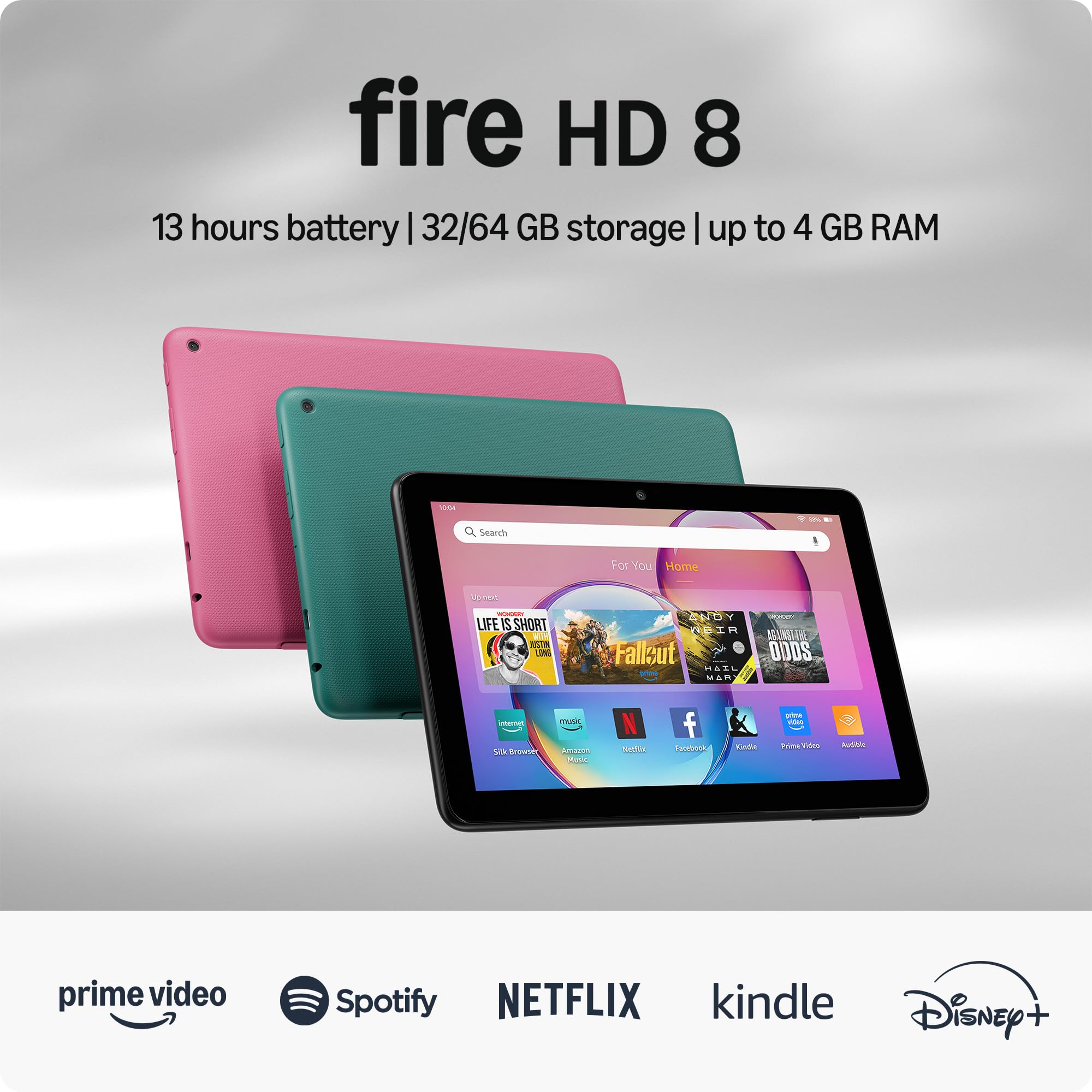
8. Amazon Fire HD 8 (4GB)

The smart budget buy for kids and casual streamers, offering a surprisingly durable build and a crisp screen.
The Fire HD 8 has long been a favorite for families, and this newest model refines that formula. It’s an 8-inch HD tablet that’s easy to hold in one hand, and buyers have found the size perfect — often noting that 7-inch models feel too small and 10-inch ones too big for comfortable use. The display is crisp and vibrant, making it great for games, and the adjustable text size is a blessing for elderly readers who need larger fonts.
Performance gets a significant bump here with up to 4GB of RAM — double the 2022 release — and a hexa-core processor. This translates to faster, more responsive performance whether you’re streaming, browsing, or playing light games. The 64GB of internal storage is enough for many, but you can expand it up to 1TB with a microSD card (sold separately). It can also play for up to 13 hours on a single charge, covering a full day of entertainment.
For parents, Amazon’s sturdy parental controls are a key selling point, and the tablet’s durability is proven by families with young, active kids. It’s designed to be a hub for Amazon content, integrating smoothly with Alexa for video calls, music, and smart home control. You can ask Alexa to make video calls to friends and family or download apps like Zoom for video conferencing. However, it’s important to know this runs on Amazon’s Appstore, not Google Play, so some Google apps won’t be available.
Family Friendly
- Excellent parental controls give you confidence
- Great value for money with a crisp, vibrant screen
Consider This First
- Lacks access to the Google Play Store, limiting your app selection
- Charging can be a slow process
This is for: families looking for a durable first tablet for kids, or casual streamers deeply integrated into Amazon’s ecosystem.
The main limit: the app store restrictions mean you can’t simply download any app you want; you’ll be working within Amazon’s curated selection.
9. Like-New Amazon Fire HD 8
A wallet-friendly way into the Amazon ecosystem, offering a certified like-new device that performs admirably.
This Like-New Fire HD 8 is a fantastic entry point for budget-conscious shoppers who don’t want to compromise on the essentials. It’s refurbished, tested, and certified to look and work like new, and it comes with the same limited warranty as a new device. Buyers find it performs well and consider it excellent value for money, with one noting it’s perfect for watching shows or news while waiting for appointments. The overall experience is positive, with users praising its easy setup and clear display.
It holds its own against more expensive competitors, with 3GB of RAM ensuring responsive performance for basic tasks like web browsing, email, and streaming. Storage is 32GB, but you can expand it up to 1TB with a microSD card. Battery life is a solid point, offering up to 13 hours of reading, web browsing, and video watching. Its thin, light design makes it comfortable to hold for long periods, which is a big plus for reading.
The software experience is clean and user-friendly, with three smart tools to help you send polished emails, quickly summarize webpages, and create unique wallpapers. It handles streaming apps like Netflix, Hulu, and Disney+ well, making it a great secondary device for the bedroom or kitchen. However, since it’s an entry-level model, you’ll also need to adapt to the Fire OS environment, which prioritizes Amazon’s own apps and services.
Value King: It achieves what it sets out to do: providing a high quality, easy-to-use tablet that’s lightweight, intuitive, and durable. The Like-New status means you get near-new performance for less money.
Strongest Suit: it’s the ideal purchase if the Fire HD 8’s features appeal to you but the price tag of a brand-new model is a stretch. The like-new status makes it a “fraction of the price” of other tablets.
No-frills focus: for power users who need high-end specs, this falls short of raw performance demands and is best considered for entertainment and light tasks. It also lacks support for Google Play apps.
10. TECLAST T65
A massive canvas for movie lovers that also doubles as a work-from-home companion, offering a colossal screen for the money.
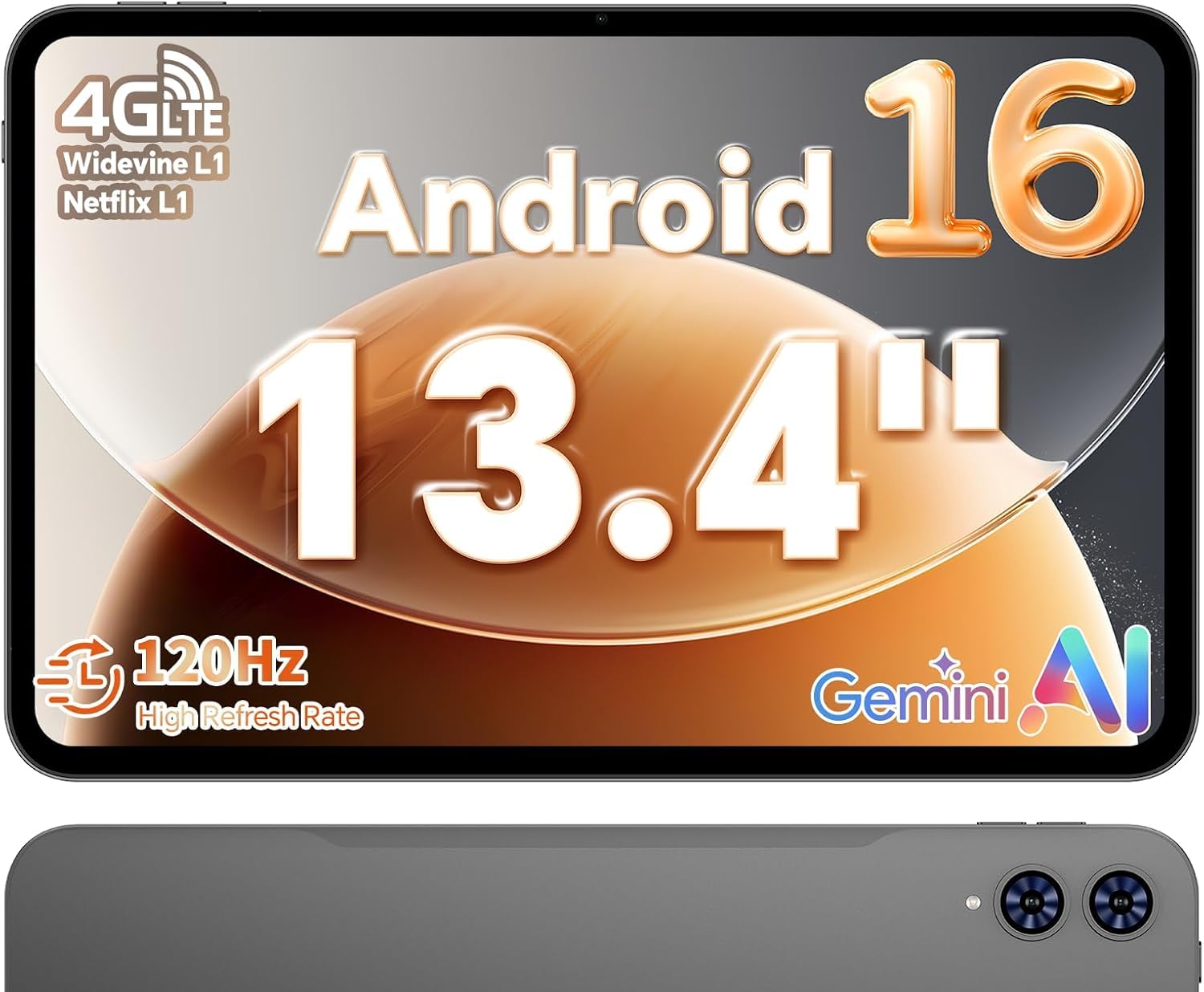
The TECLAST T65 grabs your attention with a huge 13.4-inch display, pushing into laptop territory for a tablet price. The screen is a 1920×1200 HD IPS touchscreen with a 120Hz refresh rate, which keeps animations smooth when you’re scrolling or switching between apps. The narrow bezel design enhances the rich feel for watching movies, which is this tablet’s primary strength. It’s bright, sharp, and delivers vivid detail that’s ideal for streaming shows or reading documents.
This Android 16 tablet offers a unique blend of portability and power. It’s powered by an octa-core A75 chipset running at 2.2GHz, providing solid performance for streaming, browsing, and light gaming. It comes with a generous 20GB of RAM (combining 8GB physical with virtual expansion) and 128GB of storage, and a factory-installed tempered glass screen protector is already applied to save you a step. Its 8000mAh battery supports extended use, while 4G LTE and dual-band WiFi allow for mobile work and GPS navigation.
Buyers appreciate the ease of setup and the clean Android interface, noting it’s user-friendly for seniors, children, and tech beginners, with built-in parental controls. It also brings AI-powered features like sidebars, floating balls, and gesture controls to personalize your experience. However, some find it a bit bulky compared to 11-inch models, and one buyer notes the Widevine certification limits high-resolution streaming in some apps, so you may not always get the sharpest picture on services like Netflix.
Giant Screen for the Price: If your priority is a big, smooth display for media and productivity without paying flagship money, the T65 delivers a visual experience that feels far more expensive than it is.
Ideal for: anyone who wants a massive screen for movies, reading documents, and handling light office tasks, with the flexibility of cellular connectivity for on-the-go use.
Potential compromise: its portability takes a hit due to the screen size, making it less comfortable to hold for long periods; and if you need a stylus for drawing, you’ll need to buy one separately.
11. TABWEE T90

An AI-powered workhorse that arrives with full keyboard, mouse, and stylus accessories to turn it into a mini-laptop.
The TABWEE T90 is designed to be a complete 2-in-1 solution right from the start. It bundles a keyboard, mouse, and stylus, making it instantly ready for productivity. The included keyboard connects after a single plug-in, which buyers find convenient. This makes it a great choice for online classes, video calls, and light office work. The 11-inch FHD IPS display offers a 1920×1200 resolution and a high 84.9% screen-to-body ratio, delivering more natural colors and an rich feel.
This tablet leans heavily into AI assistance, running Android 16 with Gemini AI 3.5 integration. You can search, translate, summarize notes, and organize ideas more efficiently, which is useful for students and professionals who handle lots of information. The hardware supports this with a Unisoc T615 octa-core processor, a large 8000mAh battery (rated for up to 11 hours of video playback), and a massive 24GB of combined RAM (8GB built-in plus 16GB virtual) for smooth multitasking between apps.
It’s built for connectivity and media, with a 13MP rear camera that works with Google Lens to scan documents and translate text. The dual smart speakers and Widevine L1 support ensure a quality experience on Netflix and YouTube, although its 380-nit brightness is best suited for indoor use. Dual-band 5G WiFi and Bluetooth 5.0 keep connections stable. The 128GB of storage has a TF card slot for expansion up to 2TB, giving you space for movies and learning materials.
AI-First Approach: This is among the most feature-complete budget tablets, offering a full accessory kit and smart software at a price that surprises. It feels heavy but high quality in the hand.
Pick this if: you want a versatile tablet that can act as a laptop for basic work and study, and you value having all the accessories included without extra cost.
Consider the balance: the bundled keyboard and case feel a bit flimsy compared to premium options, and it lacks a SIM slot for cellular data, so you’ll rely on WiFi.
Understanding the Specs
Refresh Rate (Hz)
This tells you how many times the screen image updates each second. Standard screens are 60Hz, which is fine for basic tasks. Higher numbers like 90Hz or 120Hz make the screen feel much more fluid and responsive when scrolling through web pages or playing fast-paced games. You’ll notice the difference most when moving between apps or drawing with a stylus, as the line appears to flow from your hand with less lag.
Storage (GB) and RAM
Storage, measured in gigabytes (GB), is the space for all your photos, videos, and apps. It determines how much you can keep on the device. RAM (random access memory) is the short-term workspace the processor uses to run apps. More RAM means you can juggle several apps at once without them slowing down or closing in the background. A tablet with 128GB of storage and 4-8GB of RAM is generally a good balance for modern multitasking.
FAQ
Which is better for note-taking, the Apple iPad or a Samsung Galaxy Tab?
Will the Amazon Fire HD 8 run Google apps like Gmail and Chrome?
What does the “Like-New” status mean on an Amazon tablet?
How much storage do I really need on a tablet?
Is a 120Hz display worth the higher price?
How do I choose between iPadOS, Android, and Fire OS?
Can these tablets replace a laptop?
What does RAM and “virtual memory expansion” mean on a tablet?
Why is anti-glare or a “paper-like” display important on a tablet?
Is cellular connectivity (4G LTE or 5G) worth it on a tablet?
Final Thoughts: The Verdict
Across the board, the tablet computers winner is the Apple iPad 11-inch because it balances exceptional performance, a gorgeous display, and class-leading app support into one reliable package. If you want the best screen technology and S Pen experience, grab the Samsung Galaxy Tab S10+. And for a budget-friendly way to get a solid Android experience with a large display and included stylus, the Lenovo Idea Tab is the one to reach for, offering remarkable value for students and casual users alike.
How We Picked
We do not accept paid placement. Every pick is matched to a real buyer and a real use-case; we do not hands-on test units.
Sources & Methodology
Specifications: manufacturer listings and product documentation. Review insights: verified customer reviews, as of September 2026. Pricing: not shown on this page (it changes often); check the current price via the retailer link.
As an Amazon Associate, Gadgets Feed earns from qualifying purchases. This does not affect which products we feature.