
Our readers keep the lights on and my morning glass full of iced black tea. As an Amazon Associate, I earn from qualifying purchases.
Specs are compiled from manufacturer listings and verified buyer reviews and can change over time — please confirm the key details on the product page before buying.
A tablet with 8GB of RAM (the memory that keeps your apps open and running at the same time) used to cost a fortune. Today it is the balance — faster than a sluggish budget slate but cheaper than an overpriced flagship. This guide finds the tablets that actually use that memory to keep apps open, games smooth, and multitasking fast, without the junk that slows you down.
I’m Min — the founder and writer behind Gadgets Feed. This guide is built by comparing the manufacturers’ published specifications and the patterns across verified customer reviews, so you get each pick’s real strengths and trade-offs instead of marketing spin.
To find the right tablets with 8gb ram, you need to balance battery life, screen quality, and processor power without overpaying for features you do not need. if you need a device for note-taking, streaming, or light creative work, these picks cover it.
Quick Picks
- Lenovo Idea Tab Pro — Top Performer
- HONOR Pad 10 — Best Value
- Lenovo Idea Tab (College Tablet) — Student Pick
- SAMSUNG Galaxy Tab A9+ — Everyday Reliable
- Lenovo Idea Tab — Budget Bundle
- Lenovo Tab K11 — Entry-Level
How To Choose The Best Tablets With 8GB RAM
Not every tablet with 8GB of RAM performs the same — the processor, screen quality, and battery capacity determine whether that memory actually makes your experience faster or ends up wasted on a slow chip. Focus on these factors to get a device that feels genuinely snappy for years.
Processor: The Engine That Drives Your RAM
That 8GB of RAM is only as useful as the processor it is paired with. A MediaTek Dimensity 6300 (a mid-range processor for daily tasks) or a Snapdragon 695 (a Qualcomm chip for smooth streaming) will handle web browsing, video streaming, and note-taking with ease. If you plan on gaming or heavy multitasking, the Dimensity 8300 (a high-end MediaTek chip) or Snapdragon 7 Gen 3 (a newer Qualcomm chip) offers noticeably faster performance for the same amount of memory, so apps launch quicker and games run smoother.
Display: Resolution, Refresh Rate, and Eye Comfort
A 90Hz screen (the display refreshes the image 90 times per second) makes scrolling and pen input feel significantly smoother than a standard 60Hz panel (which refreshes 60 times per second). Resolution matters too — a 2560 x 1600 display packs more pixels than a 1920 x 1200 one, so text and images look crisper, making small fonts easier to read. If you read a lot, look for a Low Blue Light certification — TÜV Rheinland (a German safety standard) is common — to reduce eye strain during long study sessions by filtering out harsh blue wavelengths.
Battery and Charging: Real-World Endurance
A larger battery does not always mean longer life — screen size, resolution, and processor efficiency all play a role. A 10,100 mAh battery in a 12.1-inch tablet may last about as long as a 7,040 mAh battery in an 11-inch tablet because the larger screen consumes more power. Also check charging speed: a 45W charger can refill a drained tablet in under two hours, while a standard 20W charger takes much longer, often more than three hours.
Storage and Expandability
App sizes and game updates grow every year, so 128GB (enough for about 30 to 40 large apps plus files) is the realistic minimum for most users. If you store movies, music, or large PDFs, 256GB models give you breathing room. A microSD card slot (a small slot for a removable memory card) lets you expand storage later, which is a smart feature to look for if you plan on keeping the tablet for several years.
Quick Comparison
| Model | Best For | Display Resolution | Battery | Storage | Amazon |
|---|---|---|---|---|---|
| Lenovo Idea Tab Pro | Students & Creatives | 2944 x 1840 | 10200 mAh | 128 GB | Amazon |
| HONOR Pad 10 | Media & Multitasking | 2560 x 1600 | 10100 mAh | 256 GB | Amazon |
| Lenovo Idea Tab Pro (College) | Study & Note-Taking | 2560 x 1600 | 7216 mAh | 256 GB | Amazon |
| SAMSUNG Galaxy Tab A9+ | Everyday Media | 1920 x 1200 | 7040 mAh | 128 GB | Amazon |
| Lenovo Idea Tab | Budget Bundles | 2560 x 1600 | 5100 mAh | 128 GB | Amazon |
| Lenovo Tab K11 | Value & Basic Use | 1920 x 1200 | 10 Hours | 128 GB | Amazon |
In‑Depth Reviews
1. Lenovo Idea Tab Pro

The tablet that lets you open a dozen Chrome tabs without breaking a sweat.
The Lenovo Idea Tab Pro earns the top spot because its MediaTek Dimensity 8300 processor (a high-end chip for heavy multitasking) and 8GB of RAM let you switch between a dozen apps instantly — something budget tablets struggle with. The 12.7-inch 3K LCD display (2944 x 1840 pixels, meaning ultra-sharp text and images) gives students and creatives a large, crisp canvas for note-taking, sketching, or reading dense PDFs. The included Lenovo Tab Pen Plus and folio case mean you do not have to hunt down accessories separately. Buyers report it handles multiple Chrome tabs without slowing down and runs Fortnite smoothly, a strong sign the processor is well-matched to the 8GB of memory. The 10200 mAh battery gives you up to 11 hours of video streaming, and the 45W quick charge gets you back in action fast.
However, one buyer called charging “PAINFUL” because the tablet requires a specific 45W PD smart charger — without it, charging is extremely slow. The 90Hz refresh rate makes scrolling and pen input feel fluid, and the quad JBL Dolby Atmos speakers deliver rich, clear sound for lectures or movies. The 16:10 aspect ratio (wider than standard) makes it a natural fit for split-screen work, like taking notes beside a PDF.
Go for this if you want a premium-feeling, large-screen tablet that genuinely keeps up with demanding multitasking. Look elsewhere if you do not want to buy a specific fast charger or if you prefer a smaller, lighter device for one-handed use.
What earns its spot
- Massive 12.7-inch 3K display (2944 x 1840) is crisp and colorful for reading and art
- Dimensity 8300 processor keeps multitasking smooth with multiple apps open
- Included pen and case make it a complete package from the start
What holds it back
- Requires a specific 45W PD charger for fast charging — standard chargers are very slow
- Heavier than expected for its size, making it less portable
Reach for this if: you need a large, powerful tablet for note-taking, web research, and media consumption with a pen included from day one.
Look elsewhere if: you don’t want to buy a proprietary fast charger or you need a tablet that’s light enough to hold in one hand.
2. HONOR Pad 10
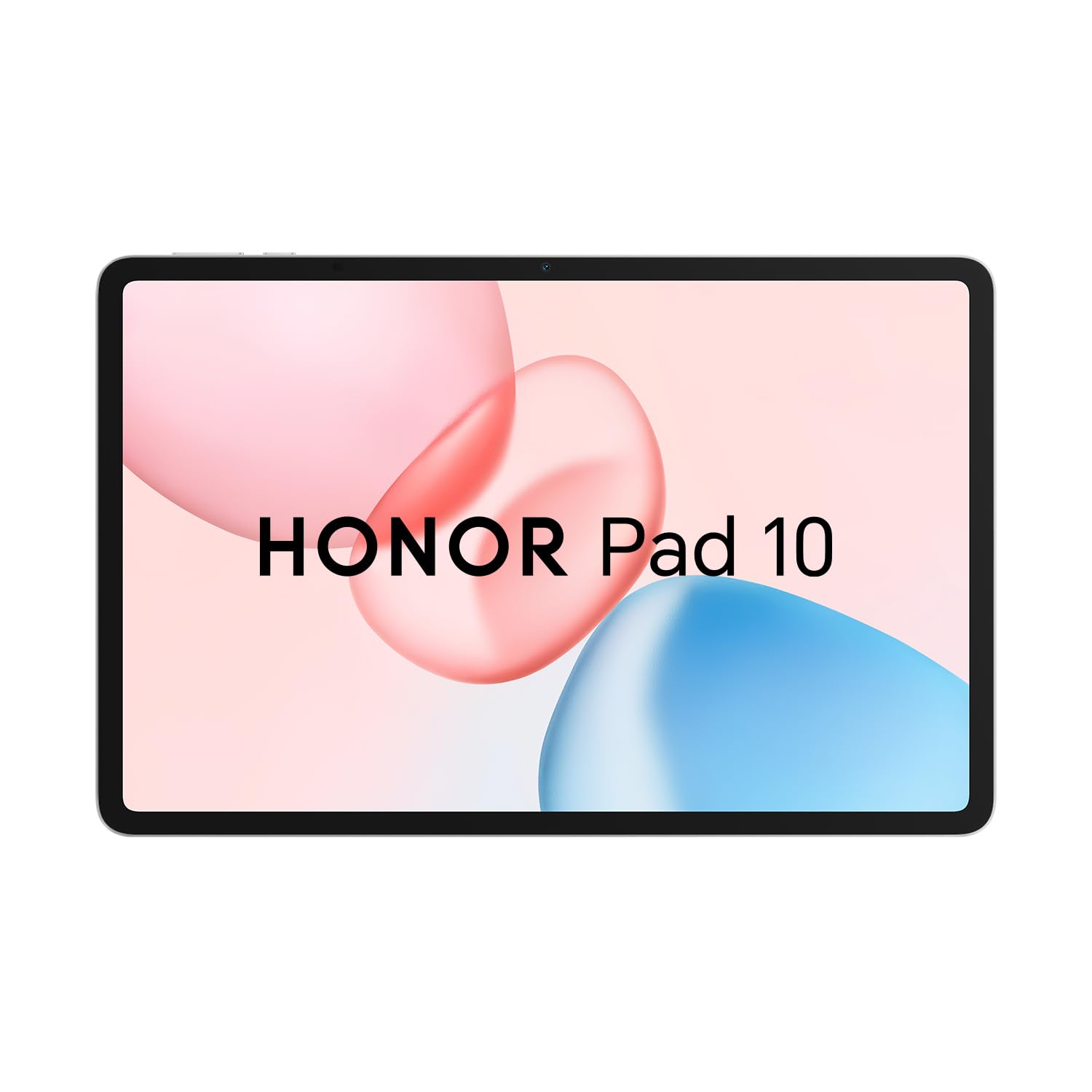
The 12.1-inch screen that makes the iPad comparison actually worth having.
The HONOR Pad 10 packs a Snapdragon 7 Gen 3 processor (a fast, efficient Qualcomm chip), 8GB of RAM, and 256GB of storage — a combination that puts it ahead of many rivals on raw specs for the money. The 12.1-inch TFT LCD display runs at 2560 x 1600 pixels and supports 1.07 billion colors, delivering a noticeably richer visual experience than the 1920 x 1200 panels found on budget tablets like the Samsung Galaxy Tab A9+. The 10100 mAh battery is massive, giving you a full day of heavy use without hunting for an outlet — at 10100 mAh versus the Lenovo Idea Tab’s 5100 mAh. Owners mention that the “Honor Pad 10 surpasses previous Honor x8a” and call it “excellent value vs. iPad/Samsung.”
On the connectivity side, you get Wi-Fi 6 (the latest Wi-Fi standard for faster speeds) and Bluetooth 5.3 (for stable connections with wireless earbuds or keyboards). The 8MP rear camera and 8MP front camera are serviceable for video calls and document scanning, not a strong point, but adequate. The Android 15-based MagicOS 9.0 gives you a clean interface with useful multitasking gestures. One downside: unlike the Lenovo Idea Tab Pro, this model does not include a stylus or case in the box, so you will need to buy those separately if you plan on note-taking.
Grab this if you want the biggest screen and largest battery in this price range, paired with a newer Snapdragon chip that handles multitasking without stutter. skip it if you need an included pen for art or note-taking from day one.
Why it stands out
- 12.1-inch 2560 x 1600 display with 1.07 billion colors is vibrant and sharp
- Massive 10100 mAh battery lasts through a full day of mixed use
- Snapdragon 7 Gen 3 processor offers flagship-level responsiveness
The trade-offs
- No stylus or case included — you’ll need to buy them separately
- Cameras are basic at 8MP each, fine for calls but nothing more
Best for: media lovers and multitaskers who prioritize a large, high-resolution screen and all-day battery over bundled accessories.
Not ideal for: anyone who wants a pen for note-taking or drawing right from the start — you’ll have to add those yourself.
3. Lenovo Idea Tab (College Tablet)

The dedicated study tablet that ships with a pen, case, and four learning apps.
The Lenovo Idea Tab is specifically designed for students, and it shows in the details. You get an 11-inch 2.5K IPS touchscreen at 2560 x 1600 with a 90Hz refresh rate, making handwriting and scrolling feel noticeably smoother than a standard 60Hz panel. The included Lenovo Tab Pen lets you circle items for instant Google searches — a feature called Circle to Search that works with the Google AI assistant. It ships with four pre-installed study apps: Lenovo AI Note, Squid, Nebo, and MyScript Calculator, covering note-taking, sketching, and calculation. Buyers call it a “fast budget tablet; excellent for Ultimate Guitar, YouTube, movies, and light gaming.”
The MediaTek Dimensity 6300 processor paired with 8GB of RAM and 256GB of storage provides enough muscle for daily college tasks — PDFs, Canva, email, and light video editing. The 7216 mAh battery delivers up to 12 hours of YouTube playback, and the 20W charger refills it reasonably fast. Compared to the HONOR Pad 10, the screen is smaller at 11 inches versus 12.1 inches, but the 90Hz refresh rate makes it feel more responsive for note-taking. One reviewer docked a star because the box was missing extra pen tips, but overall the build quality and included case received high marks. The 4G LTE support (cellular data via a SIM card slot) is a plus if you need data on campus without Wi-Fi.
Reach for this if you are a student who wants a complete, study-ready kit with a pen and case included. The 12-hour battery life covers a full day of classes. Look elsewhere if you need a larger screen for media or if heavy gaming performance is your priority — this is built for productivity, not high-end gaming.
What makes it great for school
- 11-inch 2.5K 90Hz display is sharp and smooth for handwriting and reading
- Includes Lenovo Tab Pen, folio case, and four learning apps from the start
- 12-hour battery life covers a full day of classes and study sessions
Where it falls short
- Dimensity 6300 is good for everyday tasks but not ideal for heavy gaming
- A few buyers received units with missing extra pen tips
Perfect for: college students who need a lightweight, pen-enabled tablet for note-taking, studying, and light media consumption without buying extra accessories.
Not for: gamers or power users who need a flagship processor for demanding apps and high-frame-rate gaming.
4. SAMSUNG Galaxy Tab A9+
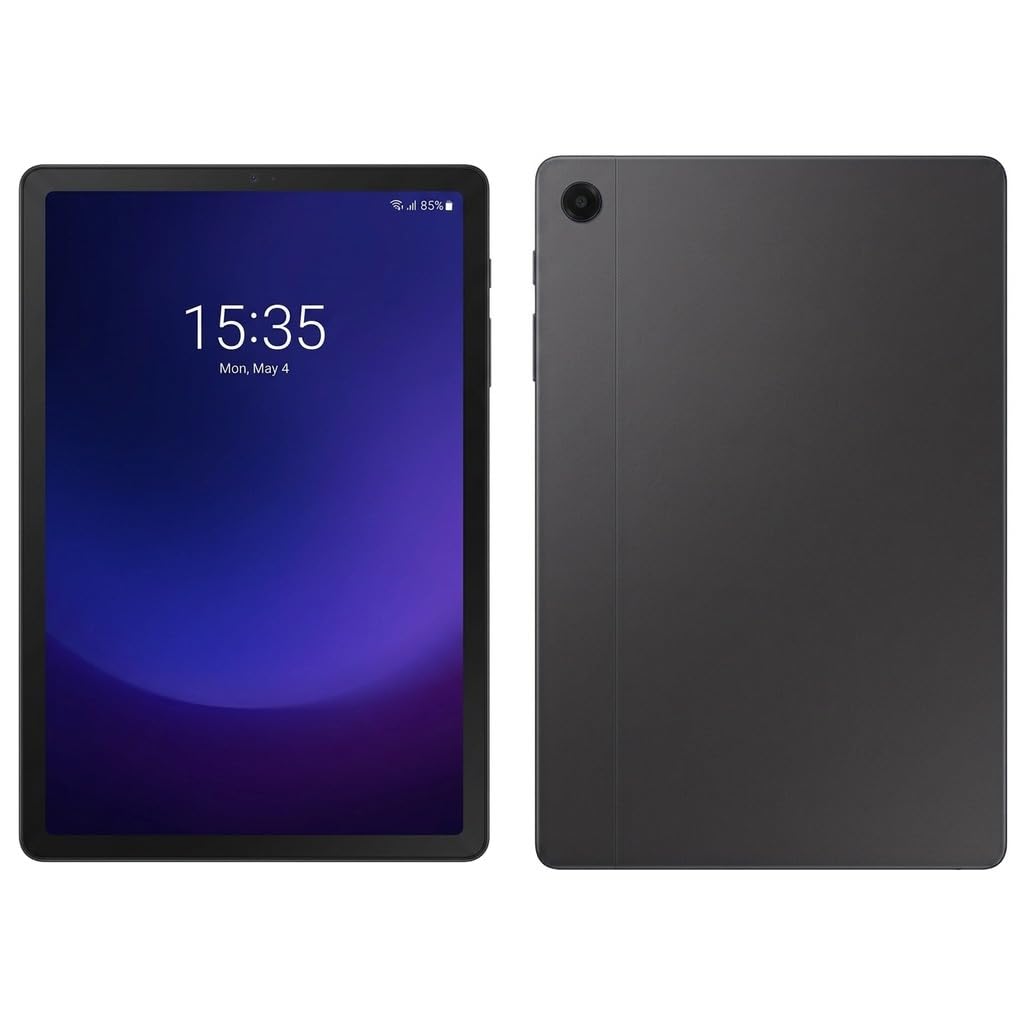
The trusted Samsung name with a 90Hz screen that actually feels smooth.
The Samsung Galaxy Tab A9+ brings the familiar One UI experience to an 11-inch TFT LCD panel with a 90Hz refresh rate and 1920 x 1200 resolution. While the resolution is lower than the 2560 x 1600 panels on the Lenovo and HONOR tablets, the 90Hz refresh rate makes everyday scrolling feel fast and fluid — it updates 90 times per second, compared to a standard 60Hz panel. The Snapdragon 695 processor (a reliable mid-range Qualcomm chip) handles multitasking, streaming, and light gaming without issue, and the 8GB of RAM ensures you can keep multiple apps open without reloading. Buyers consistently praise the “sharp, bright display” and “smooth performance for multitasking,” as well as the all-day battery life.
The 7040 mAh battery lasts a full day of mixed use, though customers note that charging is slow. The quad AKG stereo speakers with Dolby Atmos deliver clear, loud sound — a strong point for watching movies or listening to music. At 1.03 lb, it is lightweight and easy to carry. This is an international model without a domestic warranty, but it is still covered by the seller’s return policy. The 8MP rear camera with autofocus and 5MP front camera are basic but adequate for video calls. The fingerprint scanner on the power key adds a convenient security layer.
Choose this if you want a dependable, lightweight Samsung tablet with a smooth 90Hz screen and great speakers for media. pass on it if you need the highest-resolution display for reading fine text or if you prefer a bundled pen and case.
Why people love it
- 90Hz display makes everyday navigation feel smooth and responsive
- Quad AKG speakers with Dolby Atmos deliver rich, room-filling sound
- Lightweight build (1.03 lb) is easy to carry around all day
What to watch for
- International model — no domestic warranty, only seller’s return policy
- 1920 x 1200 resolution is noticeably less sharp than 2.5K panels
Ideal for: anyone who prioritizes a smooth display, great speakers, and a trusted brand for everyday media consumption and light productivity.
it’s not for you if: you need a sharper screen for detailed reading or a tablet that comes with a pen and case included.
5. Lenovo Idea Tab
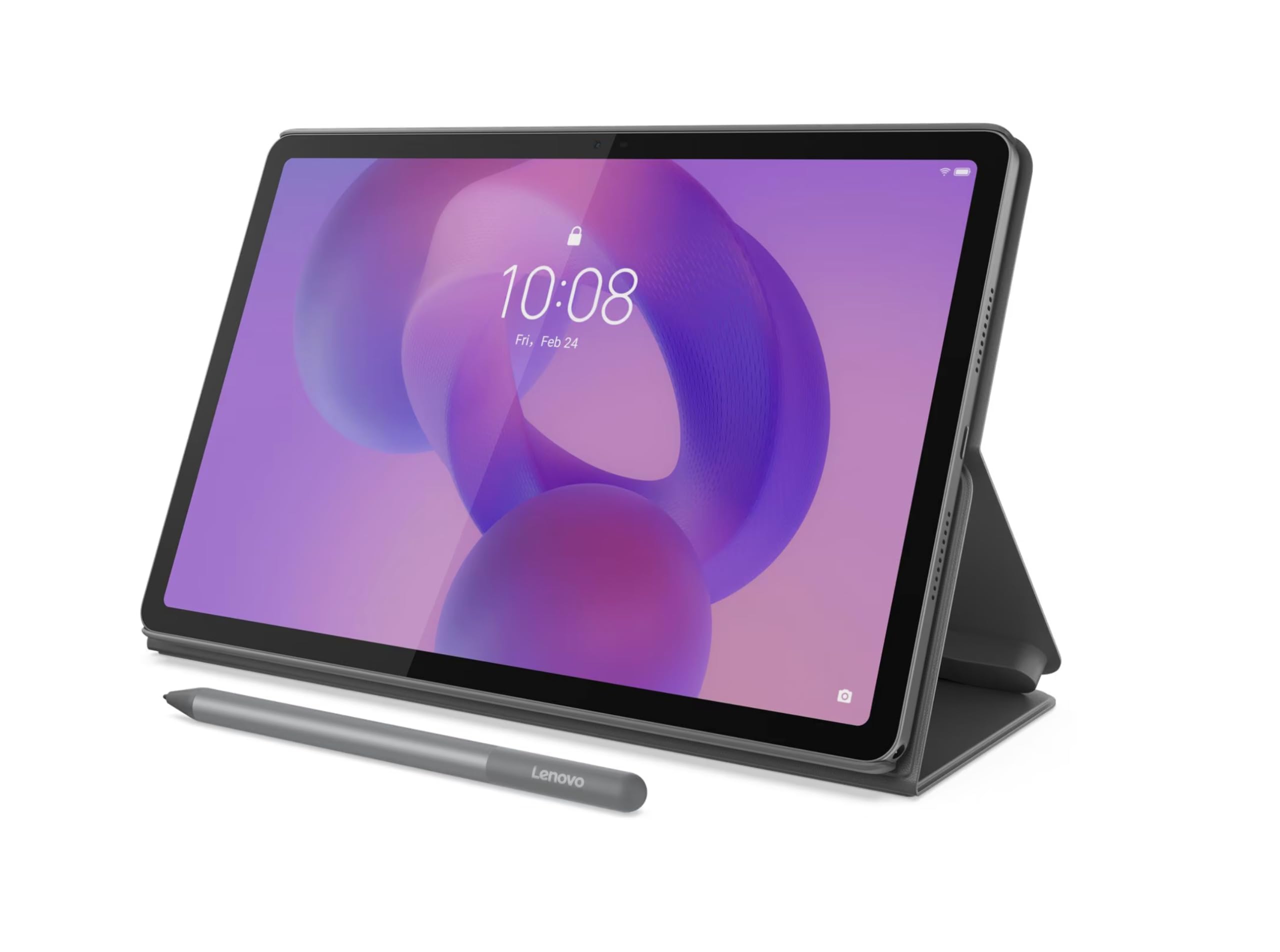
The budget pick that still gives you a 2.5K 90Hz screen and a pen.
The standard Lenovo Idea Tab shares the same 11-inch 2560 x 1600 90Hz display and MediaTek Dimensity 6300 processor as the College Tablet, but with a smaller 5100 mAh battery and 128GB of storage instead of 256GB. At this level, the 8GB of RAM paired with the Dimensity 6300 keeps the interface fluid for web browsing, YouTube, and light app usage — so pages load quickly and apps do not stutter. The included Lenovo Tab Pen and folio case add genuine value compared to the HONOR Pad 10, which lacks both. Reviewers point out it is a “really nice tablet” with a great touch screen and durable build, and one called it “way better than buying the same product at Best Buy.”
The battery is the biggest trade-off: at 5100 mAh, while the HONOR Pad 10 has 10100 mAh, so you will need to charge it more frequently with heavy use. On the plus side, the 90Hz refresh rate makes scrolling and pen input feel significantly smoother than the 60Hz panels on cheaper tablets. The 128GB storage is reasonable for apps and documents, and the microSD slot (for an add-on memory card) lets you expand it later. Just do not expect it to handle heavy gaming or sustained high-performance tasks — it is built for everyday efficiency, not demanding apps.
Pick this if you want an affordable entry point into a high-resolution, pen-enabled tablet with a smooth display. look elsewhere if you need long battery life for all-day use away from a charger or if you plan on heavy multitasking.
Smart compromises
- Sharp 2.5K 90Hz display at an entry-level price
- Includes Lenovo Tab Pen and folio case right in the box
The cost of entry
- 5100 mAh battery is half the capacity of premium rivals — expect midday charging
- 128GB storage fills up fast with games and large files
Great for: budget-conscious buyers who still want a high-res 90Hz screen and pen input for note-taking and casual use.
Not for: power users who need all-day battery or heavy gaming performance from their 8GB of RAM.
6. Lenovo Tab K11

The lightest tablet here at 1.03 lb, built for basic tasks and long battery life.
The Lenovo Tab K11 is the budget-friendly entry point into the 8GB RAM club. It pairs an 11-inch WUXGA display (1920 x 1200) with a MediaTek Helio G88 processor (an entry-level chip for light tasks) and 8GB of RAM, making it suitable for web browsing, email, streaming, and light app usage. The 1.03 lb weight makes it the lightest tablet in this lineup, easy to hold for long reading sessions or carry in a small bag. Shoppers say it is “best value for the money,” and one noted it was a “noticeably crisper screen, better audio, faster performance” than their 2022 Samsung A8. The 10-hour battery life covers a full workday of basic use.
The Helio G88 is a budget processor, so do not expect smooth gaming or heavy multitasking — the 8GB of RAM helps with basic app switching, but the chip itself will show limits under load. The 128GB storage is standard for this tier, and the microSD slot lets you expand it. The 8MP front camera is described by the brand as producing “SLR like professional pictures,” which is a marketing claim — it is fine for video calls but not professional photography. The 4G LTE support via the SIM slot is a useful feature for staying connected without Wi-Fi. This tablet runs Android 13 with Lenovo’s near-stock interface, which keeps bloatware to a minimum.
Grab this if you want a lightweight, budget tablet with 8GB of RAM for basic daily tasks like reading, streaming, and web browsing. The 10-hour battery lets you leave the charger at home during a workday. steer clear if you plan on gaming, intensive multitasking, or need a higher-resolution display for detailed work.
Good value points
- Lightweight at 1.03 lb — comfortable for long reading sessions
- 10-hour battery life covers a full workday of basic use
- 4G LTE support gives you data connectivity beyond Wi-Fi
Where it economizes
- Helio G88 processor is slow for gaming and heavy multitasking
- 1920 x 1200 display resolution is lower than 2.5K competitors
Suits: budget buyers who need a light, long-lasting tablet for reading, streaming, and basic web tasks with the RAM to handle multiple open tabs.
Not a fit for: gamers, heavy multitaskers, or anyone who demands a sharp high-resolution screen for detailed work.
Understanding the Specs
Display Resolution & Refresh Rate
The resolution tells you how sharp text and images look. A 2560 x 1600 display (often called 2.5K) has a resolution of 2560 x 1600, while a 1920 x 1200 (WUXGA) display has a resolution of 1920 x 1200, making small text crisper and photos more detailed, so reading a book or editing a photo is easier on the eyes. The refresh rate, measured in Hertz (Hz), describes how many times the screen updates per second — a 90Hz panel updates at 90Hz, while a standard 60Hz panel updates at 60Hz, which makes scrolling, animations, and pen input feel noticeably smoother and more fluid, like flipping through a magazine instead of a slide show.
Processor vs RAM Balance
8GB of RAM is enough to keep multiple apps open without reloading, but the processor determines how fast those apps actually run. A Dimensity 8300 or Snapdragon 7 Gen 3 is powerful enough for gaming and heavy multitasking, so you can switch between a game and a browser instantly. A Dimensity 6300 or Helio G88 handles everyday tasks well but will slow down with demanding apps — great for email and video, but not for intense games. Think of RAM as your desk space and the processor as the worker — more RAM means you can spread out, but a slow processor still takes time to get things done.
FAQ
Is 8GB of RAM enough for a tablet in 2025?
Will a tablet with 8GB RAM and a Helio G88 feel slow?
What is the difference between 60Hz and 90Hz on a tablet?
Can I use a stylus with any of these tablets?
How important is the battery capacity in mAh?
Do these tablets support expandable storage?
Which tablet is best for taking notes in college?
Is the Samsung Galaxy Tab A9+ worth it over budget Lenovo models?
Can I play games like Genshin Impact on these tablets?
What does “International Model” mean for the Samsung Galaxy Tab A9+?
Final Thoughts: The Verdict
For most people, the Lenovo Idea Tab Pro is the best tablets with 8gb ram because it combines a large 12.7-inch 3K display, a snappy Dimensity 8300 processor, and a complete kit with pen and case at a price that undercuts premium competition. If you want the biggest battery and highest storage for the money, grab the HONOR Pad 10. And for students on a tighter budget who still need a pen and a smooth 90Hz screen, the Lenovo Idea Tab (College Tablet) is a focused, affordable choice that ships ready to study.
How We Picked
We do not accept paid placement. Every pick is matched to a real buyer and a real use-case; we do not hands-on test units.
Sources & Methodology
Specifications: manufacturer listings and product documentation. Review insights: verified customer reviews, as of July 2026. Pricing: not shown on this page (it changes often); check the current price via the retailer link.
As an Amazon Associate, Gadgets Feed earns from qualifying purchases. This does not affect which products we feature.