
Your motherboard’s built-in USB ports are a bottleneck the moment you connect a fast NVMe enclosure, a VR headset demanding consistent throughput, or multiple high-bandwidth peripherals at once. The PCIe slot is the direct line to the CPU’s chipset lanes, and a dedicated expansion card bypasses the shared hub controller that chokes multi-device workflows. Choosing the right card means decoding whether the controller chip supports UASP, whether the PCIe interface width matches your available slot, and whether the power delivery can keep an external SSD from dropping offline mid-transfer.
I’m Min — the co-founder and writer behind Gadgets Feed. This guide is the result of cross-referencing controller datasheets, combing through user-verified throughput tests across Windows, macOS, and Linux builds, and isolating the firmware quirks that separate a reliable daily-driver card from one that causes boot loops or random disconnects.
After filtering for sustained 10Gbps capability, driverless operation on modern operating systems, and solid power management, these picks represent the most dependable usb 3.1 pci express card options that actually deliver the advertised speed without instability.
How To Choose The Best USB 3.1 PCI Express Card
Not every card labeled “10Gbps” will actually sustain 10Gbps. The two biggest variables are the controller chip and the PCIe interface width. A card using a Renesas or older ASMedia chip on a PCIe 2.0 x1 slot will cap out near 4Gbps. To guarantee the full 10Gbps, you need an ASMedia ASM3142 (or ASM2142) controller paired with a PCIe 3.0 x4 interface. The controller handles the data protocol, while the lane width determines how much data can flow between the card and the motherboard at once.
Controller Chip and UASP Support
The ASMedia ASM3142 is the current industry standard for a reason: it natively supports USB Attached SCSI Protocol (UASP), which reduces latency and improves multi-queue throughput on NVMe SSDs and external drives. Cards using this chip with UASP enabled can push 1000MB/s+ read speeds in real-world benchmarks. Older chips like the VL805 or the ASM1042 lack UASP and top out near 5Gbps aggregate, making them unsuitable for modern high-speed storage.
Power Delivery and External Power Connectors
Many multi-port high-power devices, such as bus-powered 2.5-inch hard drives, VR headsets, or USB-C monitors drawing over 1.5A, can exceed the 75W limit of a PCIe slot. Cards that include an auxiliary SATA power connector bypass this limitation, drawing supplementary power directly from the PSU. If you plan to use the card for charging tablets or connecting high-draw peripherals, a model with a SATA power input is not optional — it’s necessary for stable operation.
Form Factor: Full-Height vs Low-Profile
Small Form Factor (SFF) PCs and workstations like the Dell Optiplex or HP EliteDesk require a low-profile bracket. Many cards ship with both a standard full-height bracket and a low-profile bracket in the box. If your case is a compact tower, verify that the card includes the low-profile bracket before purchasing — buying a separate bracket later is often impossible due to non-standard mounting hole alignment.
Driver and OS Compatibility
Cards based on the ASM3142 chip are plug-and-play on Windows 8/10/11 and macOS 10.8.2+, with drivers loading automatically. However, Windows 7, Vista, and XP require manual driver installation from the manufacturer. Linux compatibility varies: the ASM3142 is supported in kernel versions 4.15+, but some multi-port cards using the Fresco Logic FL1100 chip may have partial support. Always check the OS compatibility list in the specifications if you’re running a non-Windows environment.
Quick Comparison
On smaller screens, swipe sideways to see the full table.
| Model | Category | Best For | Key Spec | Amazon |
|---|---|---|---|---|
| StarTech.com PEXUSB312C3 | Premium | VR headsets & High-power storage | ASM3142, PCIe 3.0 x4, UASP | Amazon |
| YEELIYA 4 Ports 10Gbps | Premium | Multi-peripheral workstation | 4x USB-C, 10Gbps, SATA power | Amazon |
| YEELIYA 8 Ports Combo | Premium | Mac Pro & shared workstation | 4x USB-C + 4x USB-A, 10Gbps | Amazon |
| GLOTRENDS U3142X1 | Mid-Range | PCIe x1 slot users | ASM3142, PCIe x1, 8Gbps | Amazon |
| LDLrui 2-Port 10Gbps | Mid-Range | General storage & file transfers | ASM3142, PCIe 3.0 x4, 15W | Amazon |
| LinksTek PCIE-U304C | Budget | Budget 4-port upgrade for older PCs | ASM1042 + 1074, 5Gbps total | Amazon |
| YBBOTT Type E 10Gbps | Budget | Adding front-panel USB-C to ATX | ASM3142, PCIe x2, Type-E | Amazon |
In‑Depth Reviews
1. StarTech.com PEXUSB312C3

The StarTech PEXUSB312C3 is built around the ASMedia ASM3142 controller and a full PCIe 3.0 x4 interface, delivering the full 10Gbps per port without any lane-sharing penalty. It is TAA-compliant, making it suitable for government and enterprise deployments where certification matters. The card provides 15W (5V/3A) per USB-C port, which is enough to power a bus-powered NVMe enclosure or an Oculus Quest 2 without the headset losing battery during Link sessions, as verified by multiple buyers.
Installation is truly plug-and-play on Windows 10/11, macOS 10.8.2+, and Linux kernels 4.15+. The included low-profile bracket makes it a drop-in fit for SFF workstations like the Dell Optiplex 7080 or HP EliteDesk 800. UASP support is enabled out of the box, translating to real-world sequential reads of 1050MB/s with a Samsung T7 or similar drive — not the bursty performance you get from cheaper controllers.
This card is for data transfer only — it lacks USB Power Delivery (PD) for charging laptops and does not support DisplayPort Alt Mode. The dual-port limitation may frustrate users who need more than two Type-C connections, but the rock-solid driverless operation and stable power delivery make it the most reliable choice for mission-critical transfers, VR, or high-speed storage.
Why it’s great
- Full 10Gbps per port with UASP, no bandwidth sharing between ports
- 15W per port keeps high-draw devices powered without dropouts
- TAA compliant, full and low-profile brackets included
Good to know
- Only two USB-C ports — no USB-A ports, no PD charging
- SATA power connector not included for supplementary power
2. YEELIYA 4 Ports USB 3.1 Gen 2 PCIe Card
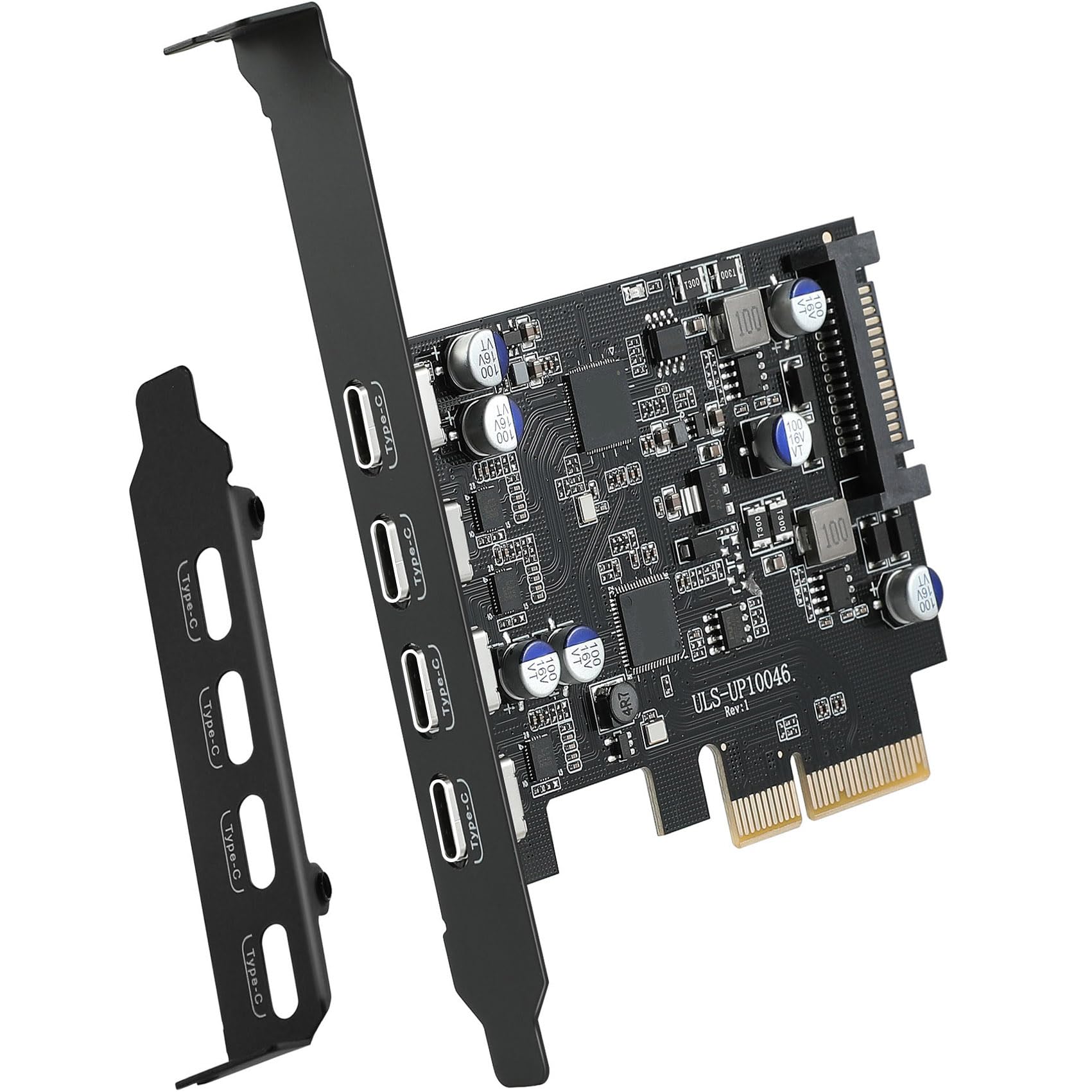
The YEELIYA 4-port card offers a 10Gbps aggregate bandwidth shared across four USB-C ports, powered by a controller with UASP support. Unlike dual-port cards, this configuration allows you to connect an external SSD, a VR headset, and a printer simultaneously while maintaining 5Gbps per port when all four are active. The optional SATA power connector ensures the card can deliver stable current even when driving multiple bus-powered drives at once.
Users have reported smooth operation on Windows 11 and Windows Server 2025, with automatic driver detection. The card includes independent fuses for each port group, providing over-current and short-circuit protection. If one peripheral draws too much current, only that group cuts off, while the other ports remain online — a feature absent on cheaper unbranded cards that suffer a total failure under load.
The card requires a PCIe x4, x8, or x16 slot (it is not compatible with x1 or x2 slots). As with most multi-port cards, it supports data transfer only, not DP Alt Mode or Power Delivery. The low-profile bracket is included, making it suitable for SFF builds. Real-world throughput tests show reads around 950MB/s with a single device connected, dropping to about 500MB/s per device when using two.
Why it’s great
- Four USB-C ports from a single slot, ideal for multi-peripheral setups
- Independent port-group protection prevents one failure from taking down all ports
- SATA power input for stable high-current operation
Good to know
- Requires driver download for Windows 7 and older systems
- Shared bandwidth means speed drops when all four ports are active
3. YEELIYA 8 Ports USB 3.2/3.1 Gen 2 Card

This YEELIYA card is unique in the market for combining four USB-C and four USB-A ports on a single PCIe x4 card, offering a total of 10Gbps aggregate bandwidth. It is particularly popular among Mac Pro 5,1 owners (2010–2012), who report plug-and-play recognition under Mojave with no kext modifications required. The Fresco Logic FL1100 chipset is used here, which has mature driver support across Windows, macOS, and Linux — including Ubuntu 20.04 and Rocky Linux 9.3.
The card has been tested with bus-powered LaCie and Samsung SSDs, delivering sequential reads of 244MB/s to 300MB/s on older systems with PCIe 2.0 slots, and over 900MB/s on PCIe 3.0 systems. The user manual recommends plugging a USB drive into the vertical Type-A port during installation to help align the card in the slot — a thoughtful ergonomic detail. The card ships with a full-height bracket only; if you need a low-profile bracket, you must cut the crossbar between adjacent slots in SFF cases.
Be aware that without providing external power via the SATA connector, running all eight ports simultaneously with high-draw devices can cause system instability and occasional crashes. The card is also data-only and does not support DisplayPort Alt Mode or Thunderbolt. The lack of a low-profile bracket out of the box makes it less convenient for Optiplex and EliteDesk builds compared to competing cards.
Why it’s great
- Four USB-C plus four USB-A ports offer unmatched port diversity
- Broad OS support including Mac Pro 5,1, Linux, and Windows Server
- Plug-and-play on Windows 11 and macOS 10.8.2+ without driver installation
Good to know
- External SATA power recommended to avoid crashes when loading all ports
- Low-profile bracket not included — may require case modification
4. GLOTRENDS U3142X1
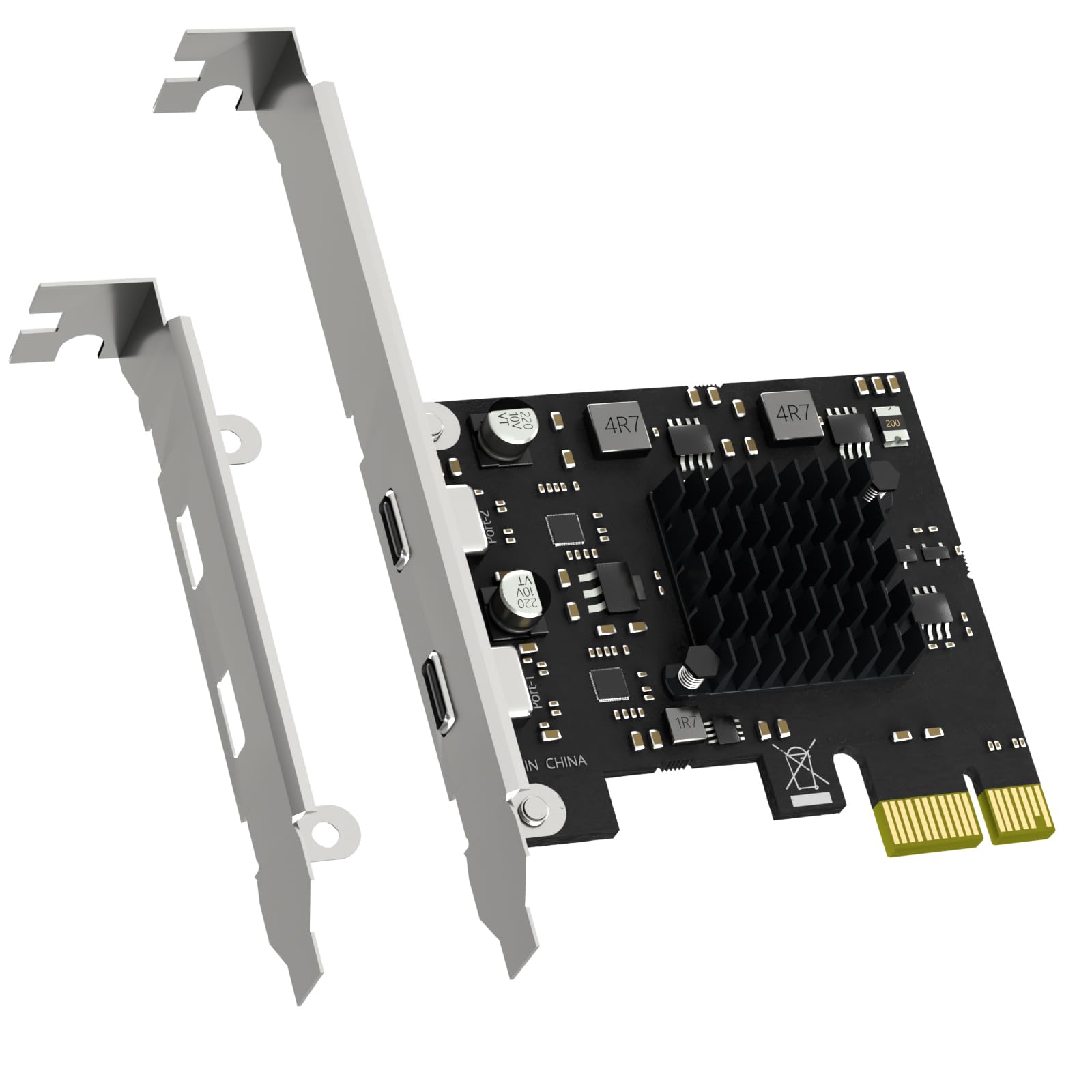
The GLOTRENDS U3142X1 solves a specific problem: you have only a single PCIe x1 slot available, but you need USB 3.1 Gen 2 speeds. By using the ASM3142 controller with a PCIe 3.0 x2 interface internally configured to operate over an x1 electrical connection, it caps the upstream bandwidth at 8Gbps shared between two USB-C ports. This is still roughly twice the speed of a standard USB 3.0 (5Gbps) connection and sufficient for most external SSDs and video editing proxies.
Each port supports up to 5V/2A (10W) independently, which is enough for industrial cameras, VR headsets, and NVMe enclosures. The card ships with both standard and low-profile brackets, making it compatible with SFF systems like the Dell Optiplex 7010 or HP Z2 Mini G4. Users on Windows 11 and Gigabyte B760M motherboards report plug-and-play functionality with no additional drivers needed.
Quality control has been flagged by some buyers — a poorly stamped bracket caused a 4mm gap, preventing the card from seating properly. This appears to be a batch-specific issue rather than a design flaw, but it is worth inspecting the card immediately after delivery. Additionally, cards using PCIe x1 bandwidth cannot sustain the full 10Gbps per port, so this is a compromise card for users who have no x4 or x8 slots available.
Why it’s great
- Works in any PCIe x1, x4, x8, or x16 slot, freeing x4 lanes for other cards
- Independent 10W per port handles high-power peripherals without external power
- ASM3142 chip provides UASP and native driverless support on modern OS
Good to know
- Shared 8Gbps bandwidth — not full 10Gbps per port when both are active
- QC variance on bracket stamping reported; inspect on arrival
5. LDLrui 2-Port 10Gbps PCIe Card

The LDLrui card uses the same ASM3142 controller and PCIe 3.0 x4 interface as the StarTech card but at a price point that makes it accessible for any desktop upgrade. The 10Gbps bandwidth works exactly as advertised: one active port delivers the full 10Gbps, and when both ports are in use, they share the bandwidth at 5Gbps each. True plug-and-play on Windows 8/10/11, macOS, and Linux means you can install the card and immediately start transferring large video files or backing up project archives.
Power delivery is handled through a dual-supply design — the card draws power from the PCIe slot for typical loads, but includes a backup SATA power connector for high-draw devices up to 15W (5V/3A). Precision voltage-control capacitors and short-circuit fuses protect against power surges. Multiple verified reviews confirm stable operation on older HP EliteDesk systems running Windows 11, with only an occasional extra reboot needed for the OS to recognize the card.
The only significant limitation is that the card requires a PCIe x4, x8, or x16 slot — it will not fit in x1 or x2 slots. The low-profile bracket is included, making it equally usable in SFF cases. Some users on SFF Optiplex 7010 systems reported minor C-state issues that caused monitors to sleep when the ports were active, though this was resolved by reinstalling graphics drivers and is not a universal problem.
Why it’s great
- Full ASM3142 controller with 10Gbps at a budget-friendly price point
- Dual power supply protects against data loss when using power-hungry devices
- Low-profile bracket included for SFF desktop and workstation compatibility
Good to know
- Bandwidth drops to 5Gbps per port when both are active simultaneously
- May require an extra reboot on older systems for proper detection
6. LinksTek PCIE-U304C

The LinksTek PCIE-U304C offers four USB-C ports but is limited to USB 3.1 Gen 1 (5Gbps) using the ASM1042 XHCI controller and ASM1074 hub chip. This is a budget workhorse for users who need multiple Type-C connections for peripherals like mice, keyboards, printers, and basic external drives, but who do not require the 10Gbps speed of Gen 2. The total aggregate bandwidth is 5Gbps, meaning performance on an NVMe enclosure will max out at roughly 450MB/s — comparable to a typical onboard USB 3.0 port.
The Smart Power Distribution Technology draws power from the PCIe slot and provides up to 5V/2A (10W) per port without needing an external power cable. On modern motherboards with robust power delivery, this works reliably. For older boards, you can use the optional SATA power interface to supplement power. The card uses a PCIe x1 interface and works in any x1, x4, x8, or x16 slot, and includes both full-height and low-profile brackets.
Compatibility is plug-and-play on Windows 8, 10, and 11, but Windows 7 and earlier require manual driver installation. Linux compatibility is partial — the ASM1042 chip works but users report issues with certain Mint versions. A small number of customers report the card failing to detect RAID enclosures or specific drive brands, making it less reliable for mission-critical storage tasks. For simple port expansion on a budget, however, it delivers competent Gen 1 performance.
Why it’s great
- Four USB-C ports from a single PCIe x1 slot for budget expansion
- Smart Power Distribution eliminates need for external power on modern boards
- Both full-height and low-profile brackets included for flexible case fitment
Good to know
- Gen 1 (5Gbps) speeds only — not suitable for fast NVMe enclosures
- Inconsistent device detection reported with RAID drives and some Linux distros
7. YBBOTT Type E 10Gbps Expansion Card

The YBBOTT card uses the ASM3142 controller over a PCIe 2x interface to deliver up to 10Gbps, but it requires a PCIe x4, x8, or x16 slot (the 2x electrical connection operates within those slots). This card is unique in that it converts the PCIe interface to a USB 3.1 Type-E internal header, making it specifically designed to add a front-panel USB-C port to an ATX motherboard that lacks one. The card does not provide any external ports on the bracket itself — it only provides the internal Type-E connector for routing to a case I/O panel.
The card uses two solid capacitors and a 4-layer PCB to reduce signal interference, which is critical for maintaining 10Gbps speeds over the longer cable run to a front panel. Verified users report true 10Gbps throughput when using short internal cables (18 inches or less) and external cables under 24 inches. Combined cable lengths over 1.5 meters (4 feet) cause substantial speed drop-offs, with write speeds falling below SATA III levels.
Compatibility covers Windows 7/8/10/11 and Linux (kernel-level support), but macOS is not officially supported. The card does not support DisplayPort Alt Mode, Thunderbolt, or Power Delivery. The 6-month warranty is shorter than most competing products. Build quality is solid for the price, with a sturdy metal bracket and no sharp edges. This is a niche card — ideal for users building a custom PC that needs a clean front USB-C port, but not for anyone needing external rear ports or extensive peripheral connectivity.
Why it’s great
- ASM3142 controller delivers full 10Gbps to front-panel USB-C with short cables
- 4-layer PCB design reduces interference for stable high-speed data
- Frees up rear I/O space by routing ports internally to the case
Good to know
- Drastic speed loss if internal-to-external combined cable length exceeds 1.5m
- No external ports on the bracket; limited to one internal Type-E connection
FAQ
Can a USB 3.1 PCIe card work in a PCIe 2.0 slot?
Do I need a driver for a USB 3.1 PCIe card on Windows 11?
Does a USB 3.1 PCIe card support charging laptops via USB-C?
Final Thoughts: The Verdict
For most users, the usb 3.1 pci express card winner is the StarTech.com PEXUSB312C3 because it delivers full 10Gbps throughput with UASP, rock-solid driverless support, and enough power for VR headsets and NVMe enclosures without stability surprises. If you need more than two USB-C ports and want independent port-group protection, grab the YEELIYA 4 Ports card. And for an SFF system or a Mac Pro 5,1 needing maximum port density, nothing beats the YEELIYA 8 Ports combo despite its external power requirement.