
Our readers keep the lights on and my morning glass full of iced black tea. As an Amazon Associate, I earn from qualifying purchases.
Specs are compiled from manufacturer listings and verified buyer reviews and can change over time — please confirm the key details on the product page before buying.
You just want your laptop or phone screen up on the big TV without any fuss. The trick is that not all USB-C to HDMI cables are the same — some top out at 4K@30Hz, others push 8K, and a few quietly add a pass-through charging port that saves your battery mid-movie. This guide sorts through the real specs and owner experiences so you can pick the cable that actually works for your devices, not just the one with the nicest box.
I’m Min — the founder and writer behind Gadgets Feed. This guide is built by comparing the manufacturers’ published specifications and the patterns across verified customer reviews, so you get each pick’s real strengths and trade-offs instead of marketing spin.
Because refresh rate, charging passthrough, and hardware compatibility decide which one fits your setup, we’ve matched each pick to a specific need. Compare the top usb-c to hdmi adapter options across the specs that truly separate them.
Our Picks at a Glance

How To Choose The Best USB-C To HDMI Adapter
Before you click buy, remember this: the cable is only half the equation. Your laptop or phone must have a USB-C port that supports DisplayPort Alternate Mode — that’s the feature that lets a USB-C port carry a video signal at all. If your device doesn’t have it, no cable on Earth will make the screen appear.
Check the Refresh Rate You Actually Need
For everyday office work, streaming, and presentations, 4K@60Hz (a video signal that refreshes 60 times per second) is the balance — it makes moving your mouse and scrolling feel smooth. If you’re a gamer with a high-end GPU and a 120Hz or 240Hz monitor, you’ll want an HDMI 2.1 adapter that supports 4K@120Hz or even 8K@60Hz. Be honest about what your laptop’s graphics card can push; a budget laptop won’t output 4K@240Hz no matter what cable you use.
Decide if You Need Pass-Through Charging
Streaming video drains your laptop or phone fast. A cable with a built-in charging port lets you plug in your wall charger while you cast — look for 100W or 140W Power Delivery support if you have a power-hungry MacBook Pro. Just know that not every pass-through cable plays nice with every phone’s fast-charging protocol, and a few laptops only charge through their own DC adapter.
Match the Cable to Your Ecosystem
iPhone and iPad users need a cable that explicitly lists their model, since Apple has strict copy-protection rules that block some adapters from playing Netflix or Prime Video. MacBook owners should check whether the adapter maxes out at 4K@60Hz on macOS, as many HDMI 2.1 cables do. If you live in the Apple world, a basic adapter made for your exact hardware often beats a spec-heavy generic one.
Quick Comparison
| Model | Best For | Max Resolution | Charging Port | Form Factor | Amazon |
|---|---|---|---|---|---|
| uni USB C to HDMI Cable★ Best Overall | Reliable 4K@60Hz for laptops | 4K@60Hz | No | 6ft Cable | Amazon |
| Microwoo USB C to HDMI AdapterBest Value | Budget 4K with 100W charging | 4K | Yes, 100W | Short Cable | Amazon |
| Kinhaly USB C to HDMI Adapter | iPhone/iPad streaming with charging | 4K@60Hz | Yes | Short Cable | Amazon |
| Cable Matters 48Gbps Adapter | High-refresh gaming (HDMI 2.1) | 8K@60Hz | No | Short Cable | Amazon |
| Cable Matters HDMI 2.1 Cable | Premium 8K cable build | 8K@60Hz | No | 6ft Cable | Amazon |
| Anker Nano USB-C to HDMI | Reliable 4K with 140W charging | 4K@60Hz | Yes, 140W | 3ft / 6ft Cable | Amazon |
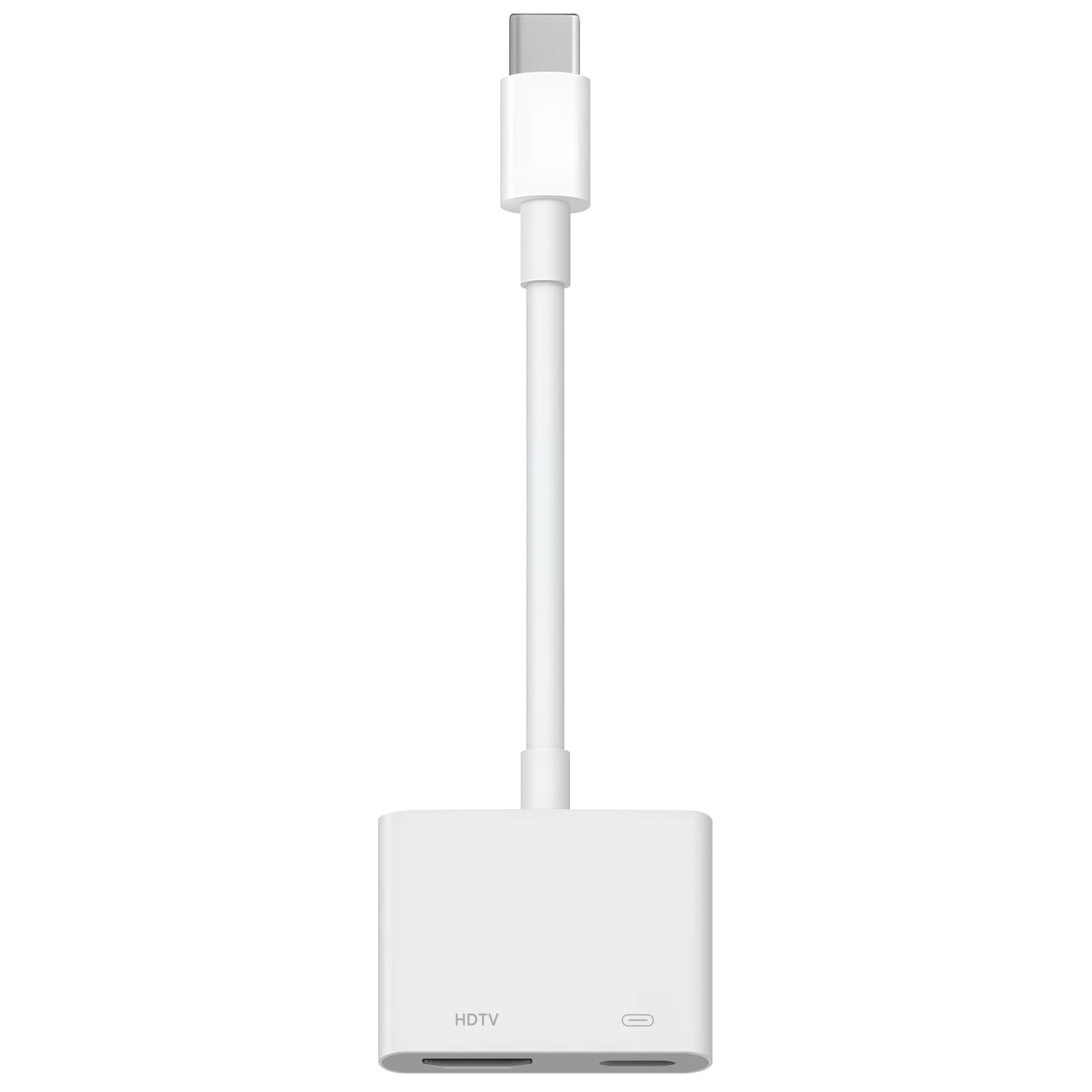
| Apple USB-C Digital AV Adapter | Flawless Apple ecosystem | 4K@60Hz | Yes, USB-C & USB-A | Compact Dongle | Amazon |
In‑Depth Reviews
1. uni USB C to HDMI Cable
Our pick — over 4.5★ from 29,500+ verified ratings; the strongest balance of quality and price.
The crowd-favorite 6-foot cord that makes office setups feel easy.
This pick earns the top spot because it nails the basics that most buyers actually need: a 4K@60Hz signal through a sturdy 6-foot braided nylon cable. Owners consistently report crisp video and clean audio right out of the bag, with no drivers and no lag — exactly the “it just works” experience that a home office demands.
The braided nylon and aluminum casing survive daily plugging without wear. The braided nylon exterior and premium aluminum alloy casing handle daily plugging and unplugging without showing wear, which matters when you’re connecting and disconnecting a laptop every single workday. It’s a unidirectional cable, so it only flows from USB-C to HDMI — that’s fine for almost everyone, just not for going the other way.
One honest note for Apple users: it tops out at 4K@60Hz, which is plenty for presentations and streaming. A handful of owners hit compatibility snags with older or less common devices, so double-check that your exact laptop model is on the supported list before you buy.
What wins people over
- Solid build with braided nylon and aluminum casing
- Genuine plug-and-play — no drivers or setup
- 6-foot length gives flexibility in desk setups
Who should think twice
- Unidirectional only — no HDMI back to USB-C
- Mostly rated for 4K@60Hz, not high-refresh gaming
- Compatibility is a mixed bag on less common hardware
Reach for it if: you want a dependable, well-built cable for daily laptop-to-monitor work at 4K@60Hz.
Look elsewhere if: you need pass-through charging or a higher refresh rate for competitive gaming.
2. Microwoo USB C to HDMI Adapter
A budget 4K adapter that sneaks in a 100W charging port.
What makes this one stand out is the simple math: you get 4K HDMI video and a USB-C 100W charging port in one small adapter, at a price that undercuts most name-brand rivals. Owners love that it streams an iPhone to a projector with excellent video quality and no dropped connection — the kind of “works as well as the big names” feedback that’s rare at this level.
The TPE cable is soft and anti-pulling, and the nickel-plated connector is built to survive regular use. It’s plug-and-play with no power supply, WiFi, or drivers needed. If you can plug in two cables, you can have this running in about ten seconds. Buyers report it works perfectly with an iPad Air M2, which covers a lot of tablet owners.
The biggest caveat is Mac compatibility. The adapter works with many USB-C devices, but at least one owner found it wouldn’t connect their MacBook to a PC — it worked fine with other computers. If you’re a Mac-only house, confirm your specific model before relying on this one for daily work.
Smart budget move: Owners praise the value and basic functionality — one called it “1/3 cost of name brand” while delivering the same result. The main trade-off is that MacBook support isn’t a sure thing, so it’s best for iPhone, iPad, and Windows setups.
3. Kinhaly USB C to HDMI Adapter

A compact 2-in-1 dongle built for iPhone-to-TV movie nights.
This adapter is tailored for the Apple crowd, adding a 4K@60Hz HDMI port and a separate charging port to any iPhone 15/16 or iPad. Owners describe sharp 4K with no lag and a charging port that keeps the phone powered during long streams — perfect for a travel bag, since the compact aluminum and nylon build slips into the smallest pocket.
Setup is genuinely one step: plug it in, tap “Trust” on your iPhone, and wait a few seconds. There’s no app, no WiFi, and no power supply required. Owners mention it “pairs perfectly” with their iPhone and iPad to stream shows on any TV, and that it handles gaming and presentations without dropping the connection.
Two honest cautions come out of the review data. First, apps with HDMI copy-protection like Netflix and Prime Video won’t display — that’s a hardware limitation, not a defect. Second, reliability gets mixed feedback, with occasional reports of disconnects and some Android devices not working at all. Stick with Apple hardware and it’s a great little travel companion.
Why iPhone owners like it
- Charging port keeps phone alive during streaming
- Compact, light, and pocket-friendly for travel
- Sharp 4K@60Hz with no lag on supported apps
Know the limits
- Won’t play copy-protected apps like Netflix or HBO
- Some customers note it cuts out on Android devices
- Reliability has occasional mixed reports
Who it’s for: iPhone and iPad users who want 4K mirroring plus charging in one tiny dongle.
Who it’s not for: anyone who needs to stream paid subscription services or use it with a mix of Android devices.
4. Cable Matters 48Gbps Unidirectional Adapter

The 48Gbps speedster that pushes 8K when your hardware can keep up.
If you’ve outgrown 4K, this is the adapter that future-proofs your setup. It supports up to 8K@60Hz and 4K@240Hz on compatible hardware, which makes it the clear pick for gamers with an HDMI 2.1 display and a modern GPU. Reviewers point out hitting 3840×2160@120Hz on a Dell laptop connected to a Samsung S95F, with true plug-and-play and no external power needed.
The braided cable, metal connectors, and aluminum enclosure match the 48Gbps performance. It’s unidirectional, so it only sends video from USB-C to HDMI, and it’s not a hub, dock, or a way to go backwards. The video quality aspect is what owners praise most, with HDR colors that make a 65” OLED look better than a streaming stick.
Two things to know before buying. On macOS, this adapter is limited to 4K@60Hz, so Apple users won’t get the high refresh rates. And while most owners get flawless performance, a few running older GPUs report it runs hot and can drop the connection during heavy HDR sessions — that’s the cost of pushing a 48Gbps signal through older hardware.
The speed advantage
- 8K@60Hz and 4K@240Hz on compatible hardware
- Braided cable with premium metal and aluminum build
- HDR and Auto Low Latency Mode for gaming
The trade-offs
- Limited to 4K@60Hz on macOS
- Heavier workloads can make it run hot
- Needs a modern GPU for full performance
Pick it if: you have an HDMI 2.1 display and a modern GPU and want 8K or 4K@120Hz+ gaming.
skip it if: you’re on a Mac or your laptop’s graphics card is more than a few years old.
5. Cable Matters Unidirectional USB C to HDMI 2.1 Cable

A 6-foot 48Gbps cable that delivers flawless 4K@120Hz on modern MacBooks.
Where the short adapter above demands a separate HDMI cable, this one is a complete 6-foot solution with the same 48Gbps bandwidth. Owners running an M4 MacBook Pro report it connected and recognized 4K@60, 2K@165, and 1080P@75 instantly, with no flicker on open or close — a complaint they had with their Thunderbolt cable. It also solved one owner’s 4K 30Hz limit, pushing 4K@120Hz through a USB 4 port to a TV.
The cable clicks in and out of ports with a solid, durable feel. It clicks in and out of ports with a solid feel, pairs with multiple devices on the first try, and the quality of the video is what owners praise most — a clear step up from a direct HDMI connection on many setups. It’s built for both professional and home environments, with each unit inspected before shipment.
The honest limits: it’s a pricier cable than most, and how much performance you get depends entirely on your device’s specs. On macOS, the supported maximum drops to 4K@60Hz, so if you own a Mac and want high refresh rates, you’d need a different, macOS-tuned version. It’s unidirectional only — strictly USB-C source to HDMI display.
Complete package: Owners call it “high-quality with great performance” and praise the plug-and-play reliability — one noted it “gives me the promised resolution and refresh rate without flutters.” The trade-off is price and the macOS 4K@60Hz limit.
6. Anker Nano USB C to HDMI Cable Adapter
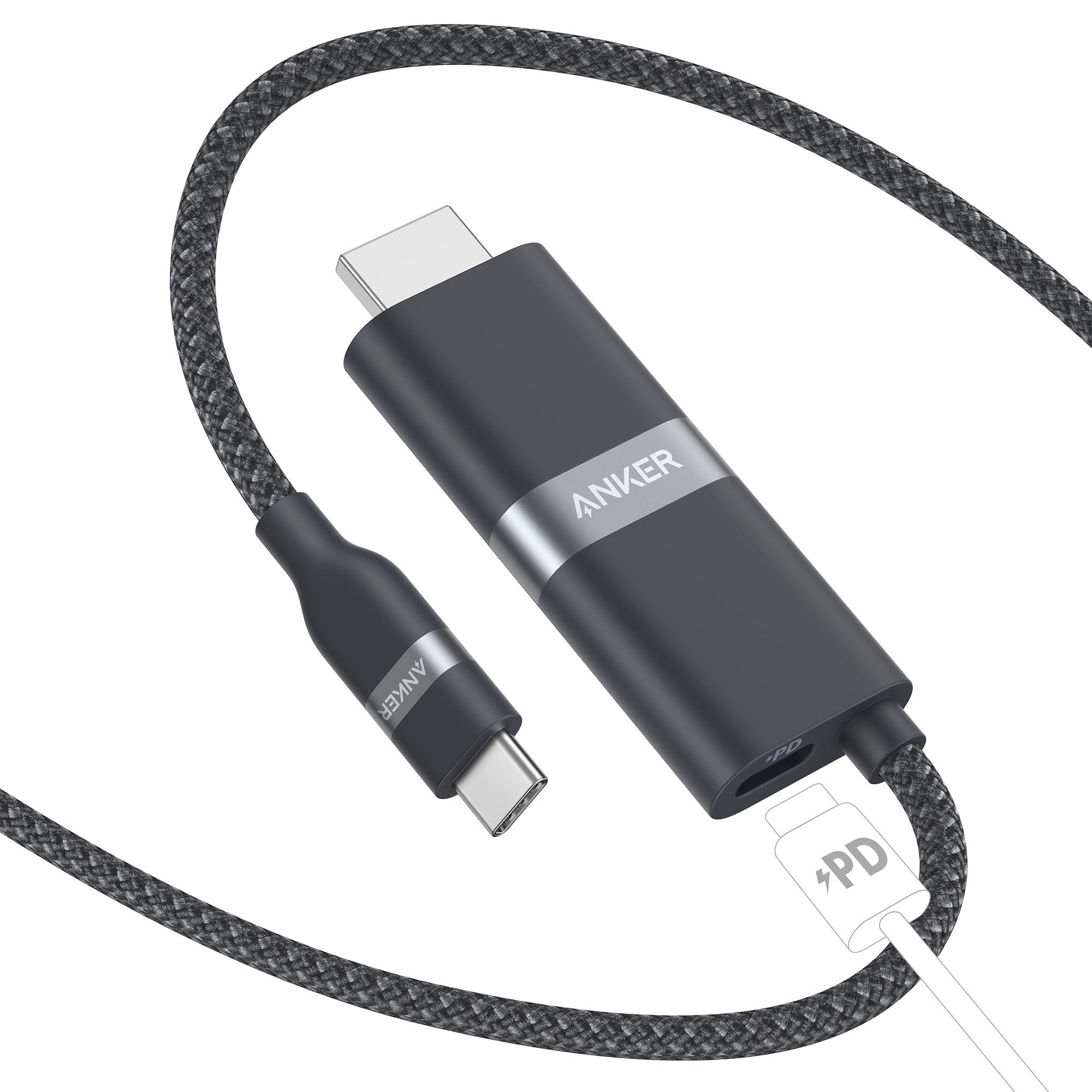
The travel favorite with the fastest 140W pass-through charging on the list.
This Anker is the one you grab for a desk setup with limited ports or a travel bag where every ounce counts. It delivers 4K@60Hz video while a built-in port delivers 140W fast charging — shoppers say it charges a laptop fast while displaying, all through one USB-C port. The compact build earns praise for reliability, making it the go-to pick over cheaper alternatives.
Compatibility is wide: iPhone 16/15 series, Samsung Galaxy S24-S22, Google Pixel 8/9, and Steam Deck/ROG Ally are all listed. Buyers report flawless performance with an iPhone 17 Pro for stable TV connections and solid results with Samsung DeX. It’s a genuine versatile tool for mixed-device households.
The catch is copy protection. This cable doesn’t support HDCP, which means it can’t play DRM-protected content like iTunes movies or some streaming apps — Anker confirmed this directly. Also, it blocks Samsung’s Super Fast Charging protocol, and it’s not compatible with the Nintendo Switch. If you mostly watch DRM-free content and YouTube, it’s brilliant; if you buy movies through iTunes, look elsewhere.
The power advantage
- 140W pass-through charging while streaming
- Compact and sturdy — ideal for travel and desks
- Wide device support including Steam Deck and Pixel 9
The caveats
- No HDCP — blocks DRM content like iTunes
- Blocks Samsung Super Fast Charging (PPS)
- Not compatible with Nintendo Switch
Pick it for: travel and desk setups where you need reliable 4K plus the fastest charging passthrough.
Avoid if: you often buy or rent DRM-protected movies, or you’re all-in on Samsung fast charging.
7. Apple USB-C Digital AV Multiport Adapter

The three-port dongle Apple users trust to just work, every time.
If you live entirely in the Apple ecosystem, this is the adapter that eliminates every compatibility question. It adds an HDMI port for 4K@60Hz mirroring, a standard USB port for a flash drive or camera, and a USB-C charging port — all at once. Owners describe it as a remote-work essential that instantly recognizes a monitor, keyboard, and charger with zero overheating, disconnects, or lag.
People buy this one twice, which says a lot. The build holds up to daily use and outlasts third-party alternatives. One owner even uses it to connect an iMac to a second monitor, calling it an “amazing” solve for a setup issue. It’s the most reliable way to mirror a Mac or iPad to any HDMI display or projector.
The honest trade-offs are price and capacity. It costs more than every other adapter on this list, and it’s best for simple setups — one owner found the signal drops under a heavy simultaneous load and moved to a powered hub. On Apple’s own compatibility list, it covers nearly every MacBook, iMac, iPad, and iPhone 15/16/17 model made in recent years, but the iPhone 16e itself doesn’t support screen projection.
Why it’s the safe pick
- Runs HDMI, USB-A, and USB-C charging simultaneously
- sturdy build that holds up to daily use
- Flawless compatibility across the Apple line-up
The honest cost
- Premium price versus third-party rivals
- Signal can drop under heavy simultaneous loads
- Needs an HDMI cable sold separately
Buy it if: you want the most dependable, no-questions-asked adapter for a Mac or iPad and don’t mind paying for it.
Pass if: you need high refresh rates for gaming or a multi-port hub that handles heavy loads without breaking a sweat.
Understanding the Specs
Refresh Rate (Hz)
The number that controls how smooth your screen looks. 4K@60Hz means the image refreshes 60 times per second, which feels fluid for office work and movies. 4K@120Hz or 4K@240Hz is for gamers with high-refresh monitors — it cuts motion blur and makes fast scenes dramatically smoother. Your laptop’s graphics card must be powerful enough to push those higher rates, or the cable won’t help.
Pass-Through Charging (PD)
A built-in charging port that lets you plug your wall charger into the adapter while you cast video. This is a lifesaver for long streams, since playing video drains a phone or laptop fast. Higher wattage like 100W or 140W means a power-hungry MacBook Pro can charge at full speed. Just check if your phone’s fast-charging protocol is supported — Samsung’s PPS and Apple’s DRM rules sometimes block third-party adapters.
HDMI 2.1 and Bandwidth
The newest HDMI standard that allows much higher data transfer — measured in gigabits per second (Gbps). Adapters with 48Gbps bandwidth can carry 8K@60Hz or 4K@240Hz, while older standards top out at 4K@60Hz. If you only stream YouTube and do office work, standard 4K@60Hz is plenty and saves you money. If you game on a high-end OLED TV, HDMI 2.1 is worth the upgrade.
DisplayPort Alt Mode
The feature inside a USB-C port that lets it carry a video signal at all. Your laptop, phone, or tablet must support this for any USB-C to HDMI cable to work. Nearly all modern MacBooks, iPads, and high-end Windows laptops have it, but some budget phones and older tablets don’t. Check your device’s spec sheet before buying — no cable can add a video signal your port can’t output.
FAQ
Will any USB-C to HDMI adapter work with my MacBook?
Can I watch Netflix or Prime Video through a USB-C to HDMI adapter?
What is the difference between a USB-C to HDMI cable and an adapter?
Does a USB-C to HDMI adapter allow charging while I stream?
How do I know if my USB-C port supports video output?
Why is there no picture even though my adapter is plugged in?
Is an 8K USB-C to HDMI adapter worth it?
Do I need to install drivers for a USB-C to HDMI adapter?
Final Thoughts: The Verdict
If you want one dependable pick, the usb-c to hdmi adapter winner is the uni USB C to HDMI Cable because it delivers rock-solid 4K@60Hz in a durable, braided 6-foot build that owners genuinely trust for daily work. If you want to keep your laptop powered during long streams, the Anker Nano adds a fast 140W charging port. And for the smoothest gaming on a high-refresh monitor, the Cable Matters 48Gbps Adapter is the one to reach for.
How We Picked
We do not accept paid placement. Every pick is matched to a real buyer and a real use-case; we do not hands-on test units.
Sources & Methodology
Specifications: manufacturer listings and product documentation. Review insights: verified customer reviews, as of August 2026. Pricing: not shown on this page (it changes often); check the current price via the retailer link.
As an Amazon Associate, Gadgets Feed earns from qualifying purchases. This does not affect which products we feature.