
Our readers keep the lights on and my morning glass full of iced black tea. As an Amazon Associate, I earn from qualifying purchases.
Specs are compiled from manufacturer listings and verified buyer reviews and can change over time — please confirm the key details on the product page before buying.
If your desktop PC is stuck on a weak or dead Wi-Fi signal, the fix is usually a small USB dongle with an external antenna. The best ones pull in signals from across the house, turning a spotty connection into a fast, reliable one.
I’m Min — the founder and writer behind Gadgets Feed. This guide is built by comparing the manufacturers’ published specifications and the patterns across verified customer reviews, so you get each pick’s real strengths and trade-offs instead of marketing spin.
We have ranked the top USB WiFi Antenna Adapter options for range, speed, and ease of use so you can pick the right one for your setup.
Our Picks at a Glance

How To Choose The Best USB WiFi Antenna Adapter
A USB WiFi adapter with a proper external antenna is the simplest way to give a desktop or older laptop a serious connectivity upgrade. Before you buy, focus on a few key decisions that will shape your experience.
Match the Speed to Your Router
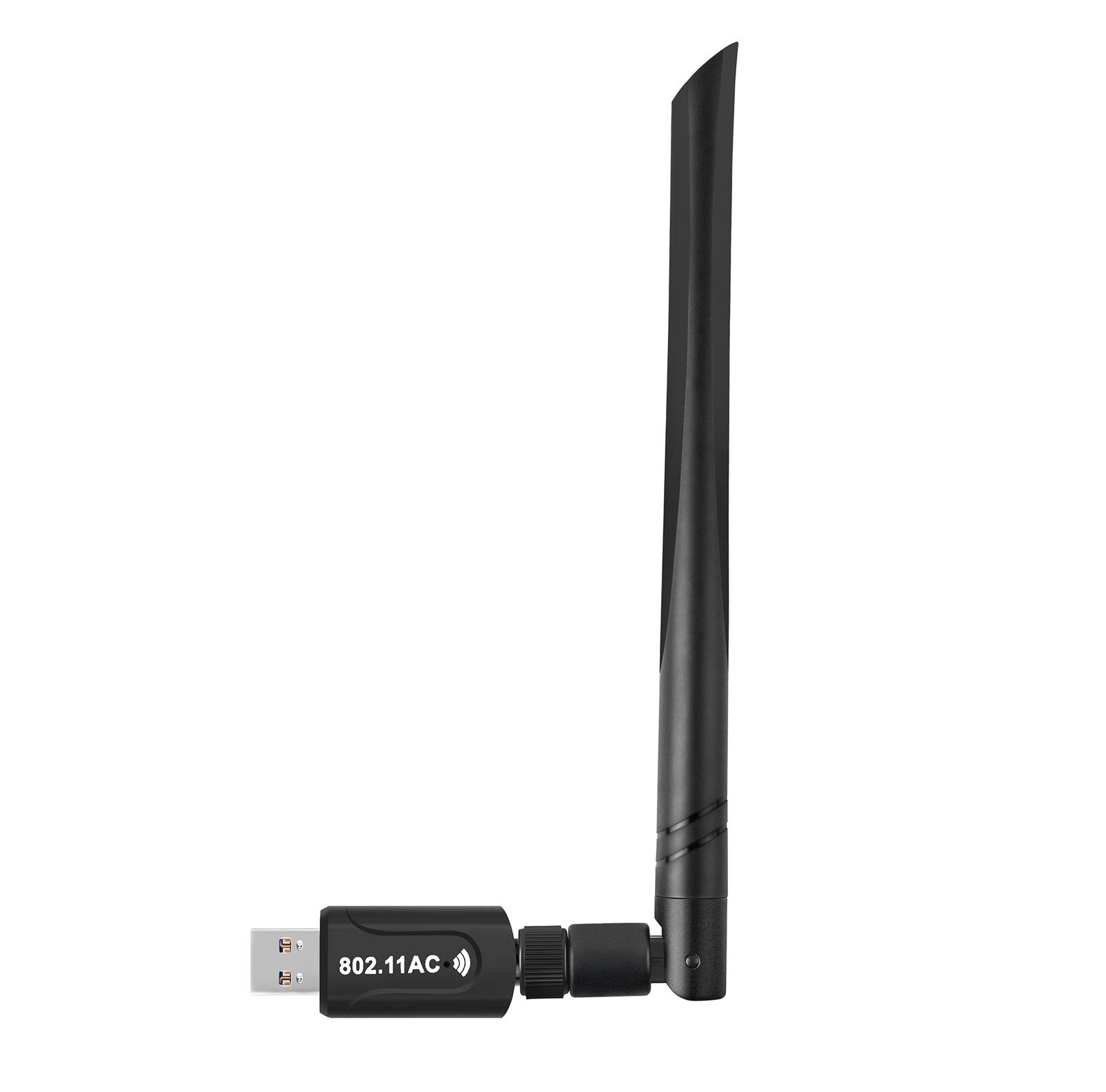
Your adapter can only be as fast as the router it talks to. If you own a WiFi 6 router, a WiFi 6 adapter like an AX1800 or AX3000 model will open up its full potential. If your router is older WiFi 5 (also called 802.11ac), a fast AC1300 adapter is plenty. Buying a cutting-edge adapter for an old router won’t hurt, but you won’t see its top speeds.
Dual-Band vs. Tri-Band
Dual-band adapters work on the common 2.4GHz and 5GHz frequencies. Tri-band WiFi 6E adapters add the new 6GHz band, which has less congestion and lower lag. The 6GHz band is valuable for gaming and big file transfers, but it only works if your router broadcasts it and your operating system supports it.
Check Your Operating System First
Windows 10 and 11 are the easiest to support, with many adapters being plug-and-play. Linux support varies wildly, so look for models with native kernel drivers. Mac users have the fewest options, and some high-end adapters simply don’t work with newer Apple chips. Always verify your OS before you order.
Quick Comparison
| Model | Best For | Top Speed | Bands | Interface | Amazon |
|---|---|---|---|---|---|
| BrosTrend AX900★ Best Overall | Budget-friendly WiFi 6 upgrade | 900 Mbps | Dual | USB 2.0 | Amazon |
| Realtek RTL8812BULinux Legend | Linux users and speed on a budget | 1300 Mbps | Dual | USB 3.0 | Amazon |
| Nineplus 1300MbpsBest Value | Plug-and-play on Windows | 1300 Mbps | Dual | USB 3.0 | Amazon |
| TP-Link Archer TX21UH | High-speed WiFi 6 on a desktop | 1800 Mbps | Dual | USB 3.0 | Amazon |
| BrosTrend AXE3000 | Linux and Windows WiFi 6E | 3000 Mbps | Tri | USB 3.0 | Amazon |
| NETGEAR Nighthawk A7500 | Reliable WiFi 6 with easy setup | 1800 Mbps | Dual | USB 3.0 | Amazon |
| WAVLINK AC1900 | Flexible placement with a magnetic base | 1300 Mbps | Dual | USB 3.0 | Amazon |
| ALFA AWUS036ACH | Long-range and Linux penetration testing | 1200 Mbps | Dual | USB-C | Amazon |
| ALFA AWUS036AXML | Tri-band WiFi 6E for pros | 3000 Mbps | Tri | USB 3.0 | Amazon |
In‑Depth Reviews
1. BrosTrend AX900 USB WiFi 6 Adapter
Our pick — 4.5★ from 500+ verified ratings; the strongest balance of quality and price.
The budget-friendly WiFi 6 dongle that turns a sluggish connection into a streaming machine.
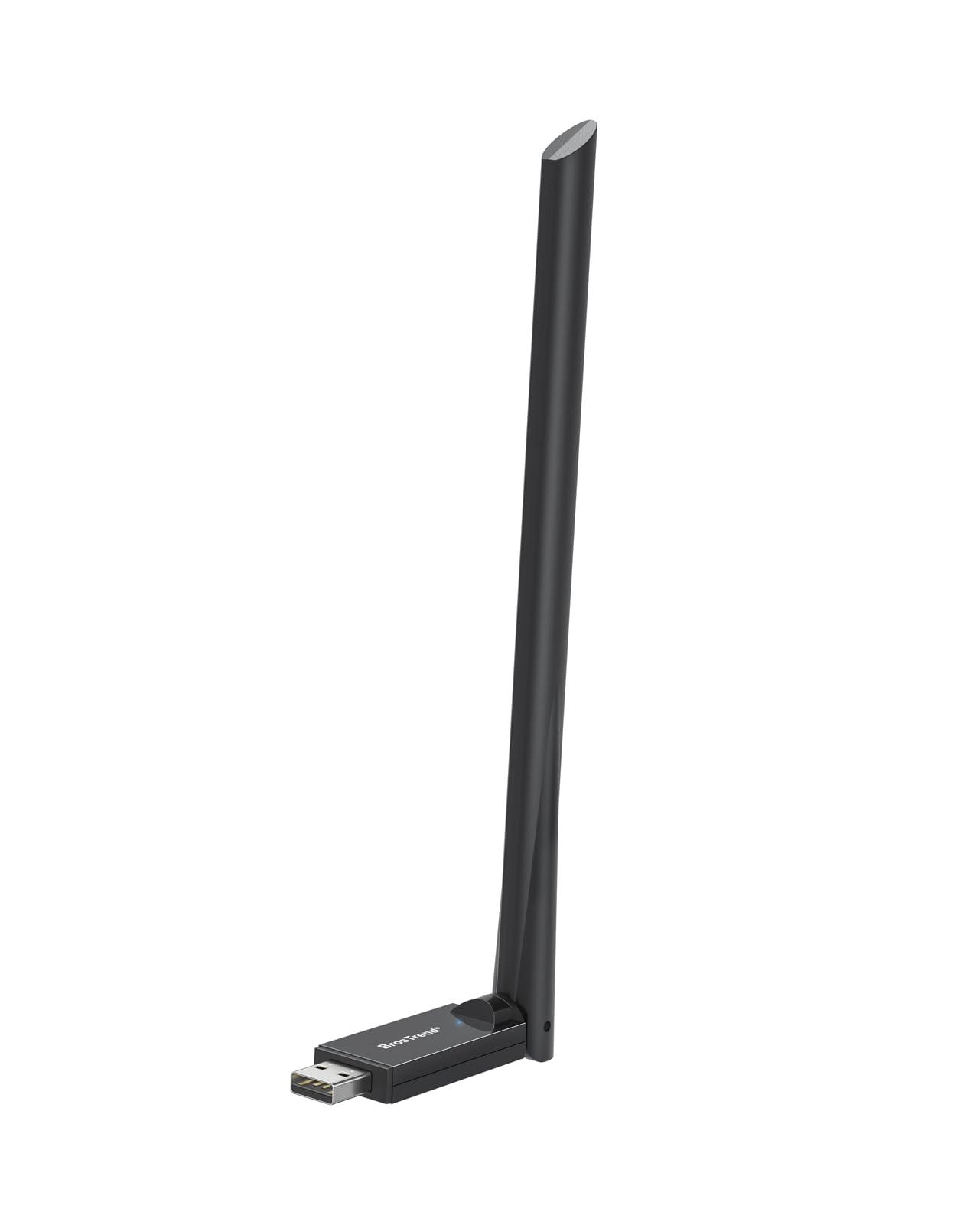
For a small price, this adapter brings modern WiFi 6 to your PC. It hits up to 900 Mbps, and it can jump between the 5GHz band for smooth streaming and the 2.4GHz band for everyday tasks. Buyers report speeds jumping from 45 Mbps to 150-200 Mbps on an old desktop.
You get a stable connection even in weak-signal corners of your home, thanks to a 6dBi high-gain antenna and Beamforming technology (which focuses the signal directly at your device). Setup is low-maintenance: it has pre-loaded drivers for Windows 11/10/7, so you just plug it in with no CD or downloads. Note that Mac and Linux are not supported, and you will want a WiFi 6 router to see its full potential.
At just 25.7 g, it is noticeably heavier and larger than a basic nub adapter, which is the price you pay for that external antenna. The design might look a bit odd sticking out of your PC, but as owners sum it up, it’s “worth the improved connection.”
Why it wins
- Real WiFi 6 speeds on a budget
- Truly plug-and-play on Windows
- Strong 6dBi antenna for better range
Keep in mind
- No Mac or Linux support
- Uses USB 2.0, limiting top speed
- Antenna is a bit of an eyesore
Reach for this if: you want a cheap, effective WiFi 6 upgrade for a Windows desktop without touching a driver.
Think twice if: you run Linux or Mac, or your router is older than WiFi 6.
2. Realtek RTL8812BU USB Wireless Adapter
A fast, reliable workhorse that Linux users swear by for stable high-speed connections.
This adapter is built around the original Realtek RTL8812BU chipset, and it shows in the consistency. It delivers up to 1300 Mbps over a USB 3.0 connection, which gives you much more headroom than a USB 2.0 model. On Linux, it auto-recognizes after a reboot on Fedora 42, delivering a stable 850Mbps+ connection.
What wins people over here is the sheer dependability. It hangs onto 5GHz signals that tiny stub adapters drop, and it’s faster than most built-in laptop WiFi. The design is a bit long at 6.7 inches, but that footprint is fine for a desktop tower where space isn’t a concern.
The one asterisk is compatibility. While Windows 10 is plug-and-play, other systems can take a little extra time to set up. It’s a mixed bag for some users, but the vast majority find it works from the start. For the price, it’s a superb value that just works.
Standout trait: The quality is what buyers praise most, with ease of use a close second. This is a set-and-forget adapter.
The trade-off: Setup on non-Windows-10 systems may require a few extra minutes of your time.
3. Nineplus 1300Mbps WiFi Adapter
An ultra-light dual-antenna adapter that offers top-tier speed and security for a modest price.
Weighing just 4.54 g, this is one of the lightest adapters with external antennas you can find — yet it packs a 1300 Mbps punch. It switches between 5.8GHz (up to 867Mbps) and 2.4GHz (up to 400Mbps) modes. It also supports the latest WPA3 security protocol, so your data is protected with the newest encryption standard.
The dual 5dBi antennas are the star here, accurately capturing signals even in bedrooms far from the router. It’s a plug-and-play dream on Windows 10/11, with no drivers needed. The real differentiator, however, is the customer support: buyers consistently mention a tech agent named Lynn who went above and beyond to solve compatibility issues, even sending out a different model at no charge.
The catch is that connectivity is a mixed bag for a minority of users. Some report brief connection drops, especially on Windows 11, though for most it’s a stable, fast connection. It’s a classic case of a product that’s great when it matches your system, backed by support that fixes it when it doesn’t.
What stands out
- Extremely light at 4.54 g
- WPA3 security included
- Exceptional customer support
What to watch
- Some report drops on Windows 11
- Small size means less cooling
Grab it if: you want a featherlight adapter with modern security and the safety net of great support.
Look elsewhere if: you’re on Windows 11 and need absolute, drop-free stability for competitive gaming.
4. TP-Link Archer TX21UH
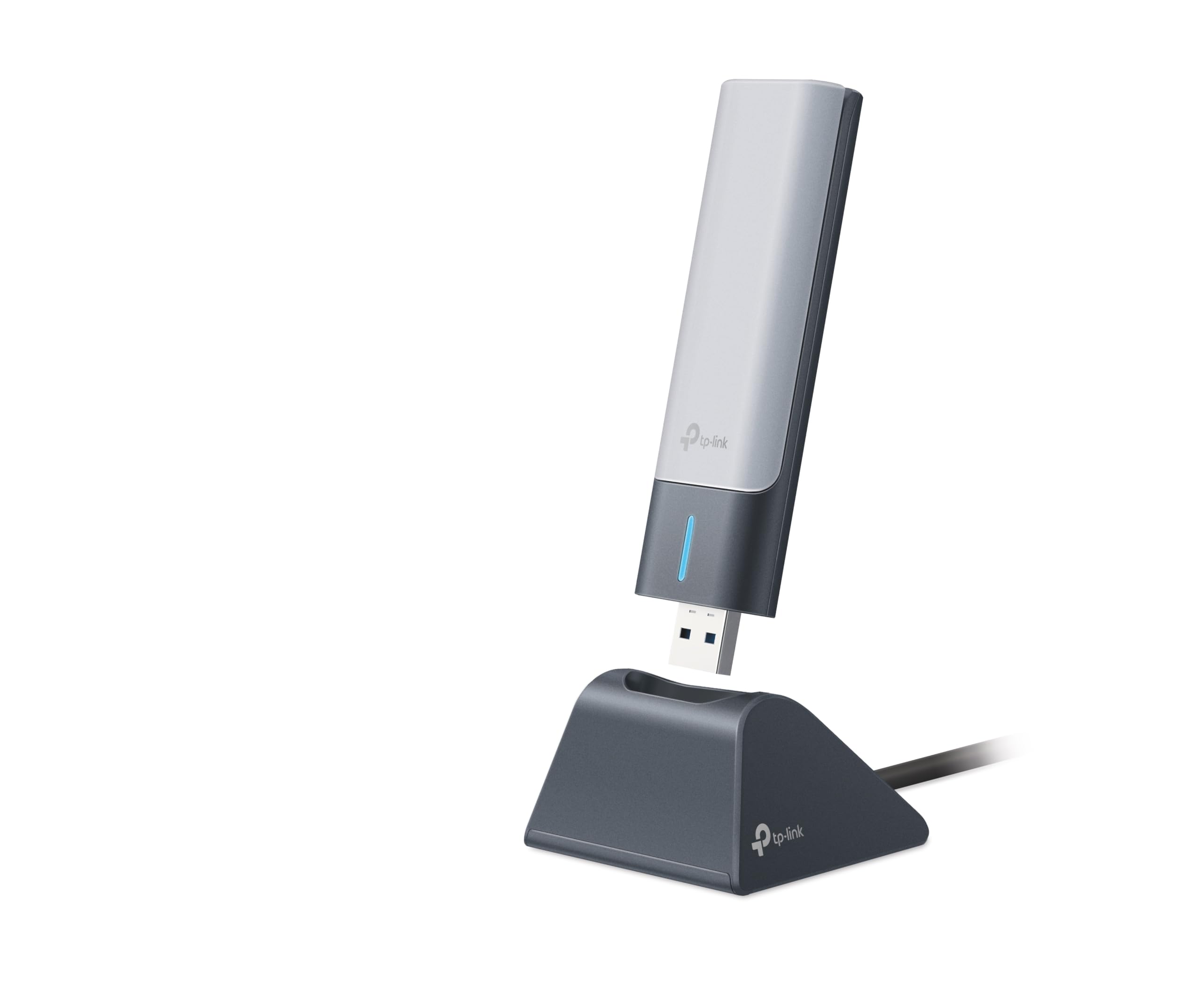
A fast, flexible WiFi 6 adapter that puts the antennas where they work best.
This TP-Link brings AX1800 speeds, hitting 1201 Mbps on 5GHz and 574 Mbps on 2.4GHz. Its defining feature is flexibility: it comes with a 1.2-meter USB 3.0 cable, so you can place the antenna unit high on your desk or away from interference while the dongle stays plugged into your PC. This placement freedom is a genuine advantage in metal-heavy environments.
It uses MU-MIMO and OFDMA technologies (which manage multiple data streams efficiently) and supports WPA3 security. Setup is simple with pre-loaded drivers. In practice, Owners mention signal strength improved from 3 to 5 bars, with downloads running roughly 10 times faster in a metal-heavy shop.
The honest downside is reliability for a subset of users. While speed is the most-praised aspect, a notable group experienced frequent disconnections, and one buyer described a frustrating driver install process. It’s a premium-feeling adapter with great potential, but you may need patience if your system doesn’t take to it immediately.
Why it’s a top pick: The speed is undeniable — it’s the most-praised feature by a wide margin, and the cable is a standout for placement.
Who should pass: If you can’t tolerate any setup troubleshooting, this might test your patience.
5. BrosTrend AXE3000 Linux WiFi Adapter
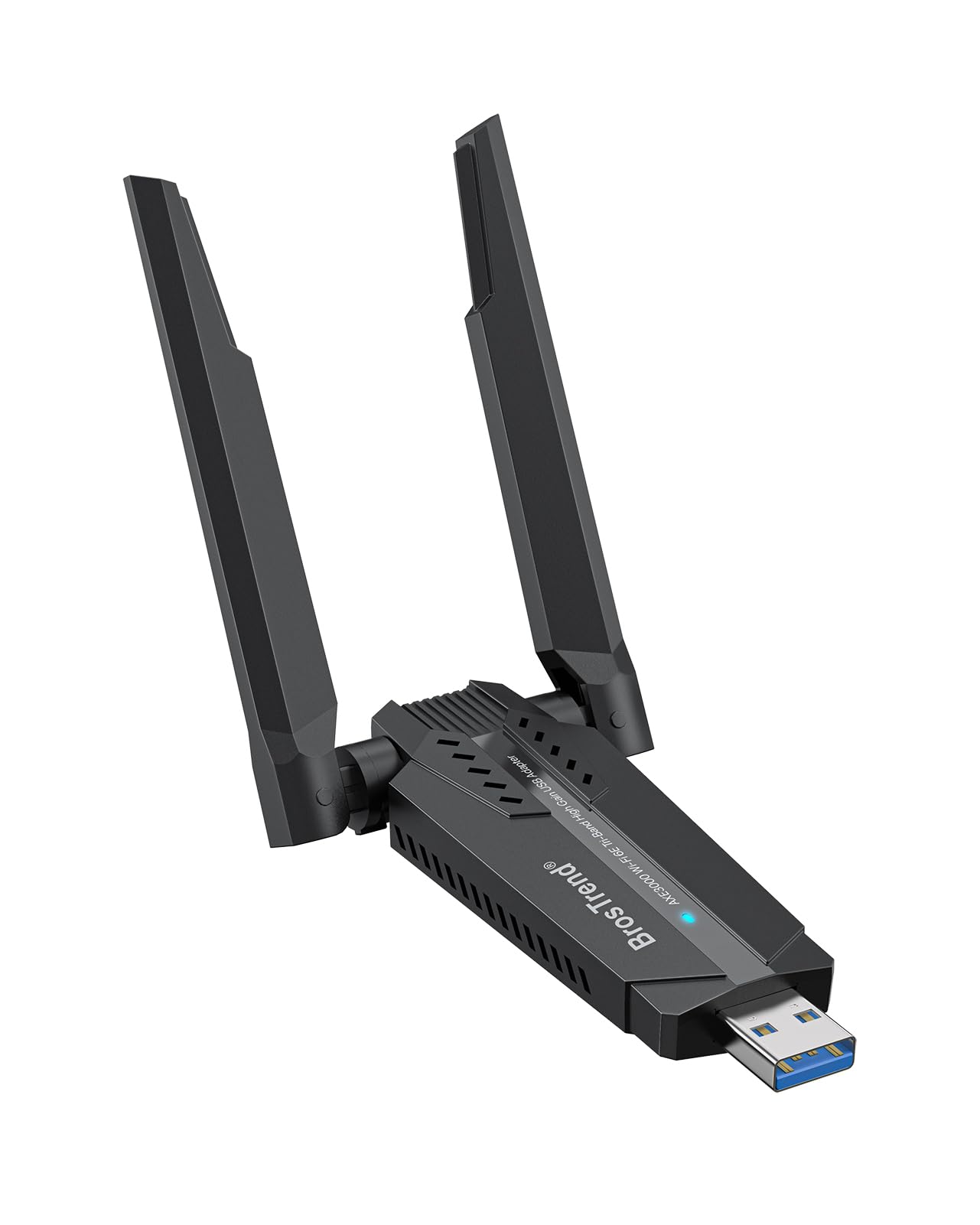
The tri-band powerhouse that’s true plug-and-play on modern Linux systems.
This is the adapter for the Linux enthusiast. It works with all Linux distributions running kernel 5.18 or newer (Ubuntu, Debian, Fedora, Arch, openSUSE) without needing to load a single custom driver. It also supports Windows 11/10, though a driver is required there. On Linux, Customers note hitting 800 Mbps download speeds from the start.
It’s a WiFi 6E tri-band adapter, meaning it accesses the new 6GHz band for lower latency. You get up to 1201 Mbps on 6 GHz, 1201 Mbps on 5 GHz, or 574 Mbps on 2.4 GHz. Dual adjustable antennas and Beamforming technology keep the signal strong and focused. It’s ideal for coding, large file transfers, and remote collaboration.
The main caveats are size and OS. It’s bulky at 30 g and 3.62 inches long, and the 6GHz band only works on recent Linux distros or Windows 11. For a Linux user with a broken internal Wi-Fi card, this is the fix.
Why it shines
- No drivers needed on Linux 5.18+
- Access to the 6GHz band
- Works on Raspberry Pi and ARM devices
Watch out for
- Bulky footprint on your desk
- Older Linux kernels not supported
Made for: Linux users, dual-booters, and anyone who wants bleeding-edge 6GHz speeds without driver headaches.
Not for: anyone running an older Linux kernel or who wants a discreet, small adapter.
6. NETGEAR Nighthawk A7500

The reliable Nighthawk upgrade that revives older Windows PCs with WiFi 6.
From the trusted Nighthawk family, this adapter instantly boosts older Windows PCs and notebooks to WiFi 6. It delivers AX1800 speeds up to 1.8Gbps, which is plenty for HD streaming, video conferences, and gaming. The flexible antenna lets you angle it to find the strongest signal and best coverage in the room.
Setup is a standout feature. It comes with a thumb drive containing the software, so installation takes under 5 minutes — no network or ISP plan required. It works with any WiFi 6 or WiFi 5 router or mesh system. One buyer’s speed jumped from 32 Mbps to ~600 Mbps, cutting a 50 GB game download from 5-6 hours to 6 minutes.
The honest concerns are longevity and bulk. The body is large and can crowd adjacent USB ports, and one reviewer noted the unit failed after about a month of use. For most, however, it’s a strong, stable performer that delivers exactly what it promises.
What owners love: Functionality is the most-praised aspect, with installation a close second — it’s genuinely easy.
The reality check: It’s a big dongle, and occasional units have a short lifespan.
7. WAVLINK AC1900 WiFi Adapter

A magnetic-base adapter that sticks to your desk and blasts a signal through walls.
This WAVLINK stands out for its clever design. It has a magnetic base with a 3.28ft cable, so you can stick the antenna unit to a metal desk, monitor stand, or wall — anywhere it gets the best signal — while the USB dongle stays safe in your PC. It’s a huge advantage for desks tucked in corners or metal-heavy environments.
It’s an AX1800 adapter offering 574 Mbps on 2.4GHz and 1201 Mbps on 5GHz. It includes a soft AP function that can turn a wired connection into a WiFi hotspot, and a WPS button for one-key secure setup. It solved a weak-signal problem in an upstairs room where three extenders and multiple USB adapters failed, delivering full speed through concrete walls 50 feet away.
The mixed feedback is on long-term reliability. Speed is the top praise, but some reviewers point out the adapter stops working after a few months. Router compatibility is also key — it worked perfectly with a 2.4GHz-only router but failed with an older dual-band one. It’s a fantastic performer when matched with the right router.
Best features
- Magnetic base for perfect placement
- Soft AP hotspot function
- Strong 4x3dBi external antennas
Consider this
- Some units fail after months
- Router compatibility can be picky
Pick this for: desktop setups where you need to position the antenna far from the PC case to beat a weak signal.
skip it if: you need guaranteed long-term reliability and don’t want to risk a mid-life failure.
8. ALFA AWUS036ACH

The gold standard for long-range and Linux security work, with replaceable antennas.
This is the adapter you see in every cybersecurity course and penetration testing tutorial. The ALFA AWUS036ACH is a dual-band AC1200 adapter with two 5dBi detachable antennas, and it’s famous for its native Linux kernel support. On Kali Linux, it just works — flawless monitor mode and packet injection for tools like Aircrack-ng and Kismet.
It connects via USB-C and includes a cable, and the metal casing feels premium. On the 2.4GHz band you get up to 300 Mbps, and on 5GHz up to 867 Mbps. Range is the headline feature: it’s built to capture signals from a distance and through challenging environments. It’s a favorite for rural setups and on-the-go use.
The drawbacks are real for casual users. It doesn’t support Mac OS beyond 10.15 or M1/M2 chips at all, and installation on Windows can be a “nightmare” for some while a breeze for others. For a Linux power user, this is the tool. For basic Windows browsing, there are easier options.
What it’s known for
- Long-range with replaceable 5dBi antennas
- Native Linux drivers, plug-and-play on Kali
- Rugged metal casing
Who it’s not for
- No Mac M1/M2 support
- Windows setup can be complex
Built for: Linux users, network auditors, and anyone who needs maximum range over convenience.
Avoid if: you’re on a modern Mac or want a simple Windows plug-and-play experience.
9. ALFA AWUS036AXML

A tri-band WiFi 6E adapter that brings flagship speeds to pros and tinkerers.
This is ALFA’s flagship WiFi 6E adapter, and it’s a serious piece of kit. It offers tri-band performance across 2.4GHz, 5GHz, and the new 6GHz band, with a combined throughput of up to 3000 Mbps. The 6GHz band means less congestion and lower latency for professional work like large file transfers and high-definition streaming.
Inside is the MediaTek MT7921AU chipset, known for wide compatibility. It has two 5dBi high-gain detachable antennas to extend range. It works from the start with Kali Linux and Ubuntu, and buyers have successfully used it as an access point on a Raspberry Pi 5 with OpenWrt, It achieves 1200 Mbps in AX mode through two walls at 30 feet.
The catch is that compatibility is the most-discussed topic, and it’s mixed. It requires a driver on Windows, and some users report instability with specific cables or on devices like the Steam Deck. It’s also not the cheapest option. This is a powerful tool for those who understand their setup; it’s not a simple plug-and-play for everyone.
Why pros choose it: The raw speed and 6GHz access are class-leading in this list, with signal quality praised highly.
The honest caveat: Expect to troubleshoot drivers and cables — this is a tinkerer’s adapter, not a beginner’s toy.
Understanding the Specs
External Antenna Gain (dBi)
This number tells you how much the antenna amplifies the signal. A higher dBi rating (like 6dBi or 5dBi) means the adapter can pick up weaker signals from farther away and push its own signal out further. It’s the single most important spec for range, so if you’re far from your router, aim for a model with 5dBi or 6dBi antennas.
Speed Rating (Mbps)
This is the theoretical maximum data transfer rate, like 1300 Mbps or 1800 Mbps. It’s a ceiling, not a guarantee — your real speed depends on your router and internet plan. As a rule, match the adapter’s speed class to your router (AC for WiFi 5, AX for WiFi 6) to avoid wasting money or leaving performance on the table.
USB Interface (2.0 vs 3.0)
The USB port type limits how fast data can move between the adapter and your PC. USB 3.0 transfers data up to 10 times faster than USB 2.0, so high-speed adapters need a USB 3.0 port to reach their full potential. If you plug a fast adapter into a USB 2.0 port, you’ll bottleneck the speed.
Bands (Dual vs Tri)
Dual-band adapters use 2.4GHz (better range, slower) and 5GHz (faster, shorter range). Tri-band WiFi 6E adapters add a 6GHz band, which has even less congestion and lower latency. The 6GHz band is excellent for gaming but only works if both your router and OS support it.
FAQ
Will a USB WiFi adapter work with my desktop PC?
What is the difference between WiFi 5 and WiFi 6 adapters?
Do I need a WiFi 6 router to use a WiFi 6 adapter?
How long does a USB WiFi adapter last?
Is a USB WiFi adapter better than a built-in WiFi card?
Will a USB WiFi adapter work with Linux?
Can I use a USB WiFi adapter with a Smart TV?
What does the dBi rating on the antenna mean?
Why is my USB WiFi adapter slower than its advertised speed?
What is WPA3 and why does it matter?
Final Thoughts: The Verdict
For the majority of shoppers, the usb wifi antenna adapter winner is the BrosTrend AX900 because it delivers genuine WiFi 6 speeds with zero driver hassle at a budget-friendly price. If you need top-tier speed and are okay with some setup, grab the TP-Link Archer TX21UH. And for Linux users who want bleeding-edge 6GHz performance, the BrosTrend AXE3000 is the one to reach for.
How We Picked
We do not accept paid placement. Every pick is matched to a real buyer and a real use-case; we do not hands-on test units.
Sources & Methodology
Specifications: manufacturer listings and product documentation. Review insights: verified customer reviews, as of August 2026. Pricing: not shown on this page (it changes often); check the current price via the retailer link.
As an Amazon Associate, Gadgets Feed earns from qualifying purchases. This does not affect which products we feature.