
A keyboard that glows in the dark isn’t a luxury anymore — it’s a necessity for anyone who works, games, or browses after the sun goes down. The challenge is finding one that doesn’t force you to compromise on typing feel, battery life, or connection stability just to get that backlit glow. The market is flooded, but only a handful of models deliver the full package.
I’m Min — the co-founder and writer behind Gadgets Feed. I’ve spent hundreds of hours analyzing the technical specifications, battery capacities, switch types, and wireless protocols across dozens of backlit keyboard models to identify the ones that actually perform as advertised.
This guide cuts through the noise to help you choose the right best wireless backlit keyboard for your specific setup, whether you need ergonomic support, mechanical switches, or marathon battery life.
How To Choose The Best Wireless Backlit Keyboard
A wireless backlit keyboard lives or dies by three pillars: how long it stays lit, how reliably it connects, and how it feels to type on for hours. Here is what you need to examine before clicking buy.
Battery Capacity & Charging Method
Backlighting drains power fast. A keyboard with a 4000mAh battery can last weeks on a single charge with moderate backlight use, while a smaller 2000mAh cell may need weekly top-ups. Look for USB-C charging — this is the modern standard and means you can charge from any laptop brick or power bank. Avoid keyboards that require disposable AA or AAA batteries for backlight operation.
Connectivity Protocol: Bluetooth vs. 2.4GHz vs. Tri-Mode
2.4GHz via a USB dongle offers the lowest latency and most stable connection, making it ideal for gaming or fast typing where every millisecond matters. Bluetooth 5.0 is more convenient for multi-device setups but can introduce micro-delay. Tri-mode keyboards — offering both plus USB-C wired — give you the flexibility to switch between low-latency gaming and convenient desk hopping. Ensure the keyboard supports at least two simultaneous paired devices if you switch between a laptop and a tablet.
Switch Type & Typing Feel
Membrane keyboards are quiet and cheap but lack tactile feedback and can feel mushy over time. Mechanical switches offer distinct tactile or linear feedback and last tens of millions of keystrokes. Low-profile mechanical switches (like those in the Logitech MX Mechanical) provide a shorter travel distance that feels closer to a laptop keyboard while retaining mechanical precision. If you share an office, look for “Tactile Quiet” or “Linear” switches to keep noise levels low.
Backlight Quality & Customization
Not all backlights are equal. The best keyboards offer multiple brightness levels and several lighting modes — breathing, wave, static, or single-color — rather than a single on/off glow. RGB backlighting is common, but if you prefer a professional look, models with white or single-color backlighting exist. Pay attention to whether the keycap legends are laser-etched or double-shot; double-shot PBT keycaps won’t fade or wear off over time.
Quick Comparison
On smaller screens, swipe sideways to see the full table.
| Model | Category | Best For | Key Spec | Amazon |
|---|---|---|---|---|
| Logitech MX Keys S | Premium Membrane | Productivity & Multi-OS | 10 days battery (backlit on) | Amazon |
| Redragon K742 | Mechanical | Gaming & Hot-Swapping | 4000mAh battery | Amazon |
| SABLUTE Ergonomic | Ergonomic Membrane | All-Day Typing Comfort | 10M keystroke durability | Amazon |
| Logitech MX Mechanical | Low-Profile Mechanical | Premium Mechanical Feel | 15 days battery (backlit on) | Amazon |
| MOFII Ergonomic | Ergonomic Mechanical | Curved Ergonomic Setup | Tri-mode Bluetooth/2.4G/Wired | Amazon |
| EDJO MK228 Pro Combo | Value Combo | Budget Desk Setup | 4000mAh + 800mAh mouse | Amazon |
| GEEZER White Crystal | Aesthetic Membrane | Style & Quiet Typing | 150-day standby battery | Amazon |
In‑Depth Reviews
1. Logitech MX Keys S Wireless Keyboard

The Logitech MX Keys S is the benchmark for premium wireless membrane keyboards. Its spherically-dished keys cradle your fingertips for a fluid typing experience that feels more precise than any flat chiclet keyboard. The backlighting is intelligent — it senses your hand approaching and illuminates the keys, then dims to save power when you walk away.
Battery life is rated at 10 days with backlighting on and up to 5 months with it off, which is impressive for a keyboard this slim. It pairs with up to three devices via Bluetooth Low Energy or the included Logi Bolt USB receiver, and you can switch between them with a single button press. The Logi Options+ app unlocks Smart Actions macros that automate repetitive tasks.
The build is solid and heavy, with a low-profile design that forces excellent wrist posture. It works natively with Windows, macOS, Linux, and Chrome OS. The only real drawback is the price point, which places it firmly in premium territory — but the typing feel, build quality, and smart illumination justify the investment for serious productivity users.
Why it’s great
- Proximity-sensing backlight adapts to ambient light
- Excellent multi-device switching with Logi Bolt
- USB-C fast charging with long battery life
Good to know
- Not suitable for mechanical switch fans
- Requires Logi Options+ for full customization
- White version has hard-to-read keycaps when backlit
2. Redragon K742 Wireless Mechanical Keyboard
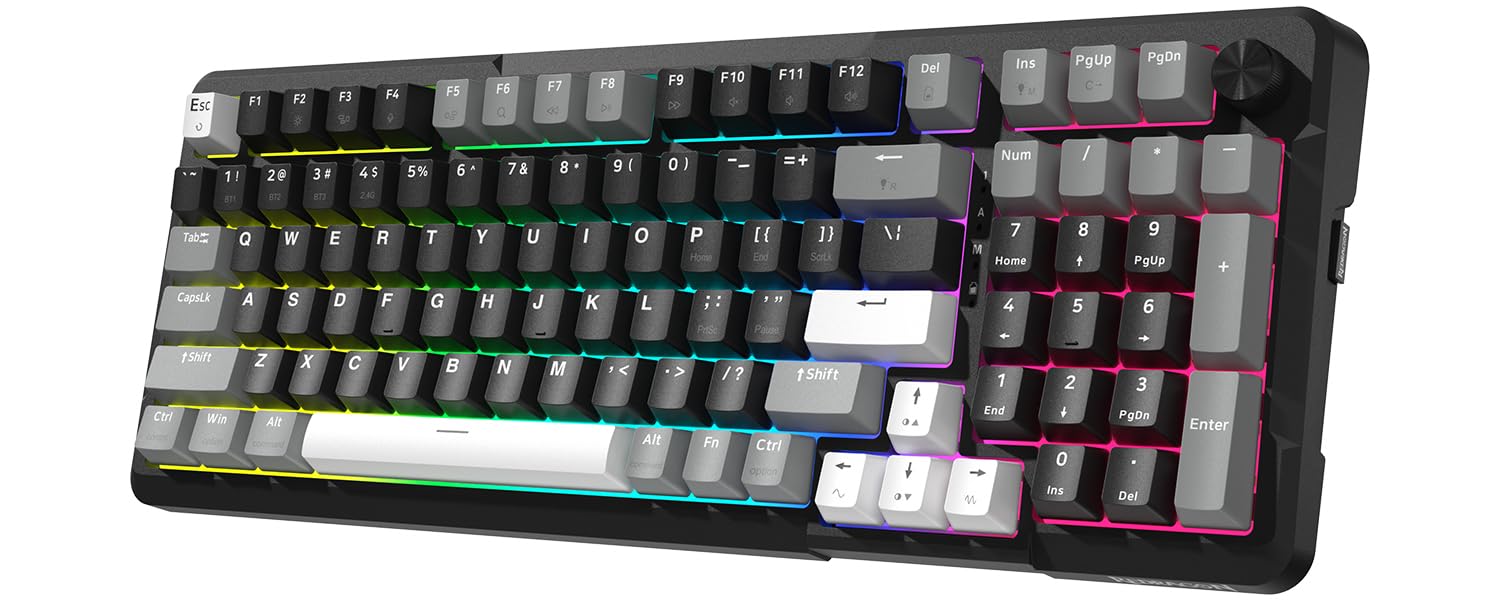
The Redragon K742 delivers mechanical performance at a mid-range price point that punches well above its weight. It features a gasket-mounted structure with 5-layer sound-absorbing padding, producing a creamy, thocky sound signature that enthusiast typists crave. The pre-lubed Redragon RPC Linear switches are smooth from the factory and rated for 50 million keystrokes.
Connectivity is the standout feature here: tri-mode with Bluetooth 5.0, 2.4GHz wireless, and USB-C wired, plus QMK/VIA programmability for remapping every key and creating macros. The 98% compact layout saves 10% desk space while retaining the numpad and adding a multimedia volume knob. The built-in 4000mAh battery lasts 53 hours with backlighting off and 16 hours with it on — enough for a full work week.
Hot-swappable PCB sockets support both 3-pin and 5-pin switches, so you can customize the feel later without buying a new keyboard. Some users note the stock switches sound more “poppy” than creamy, and the plastic frame flexes under heavy gaming pressure. But for a fully-featured mechanical board at this price, the K742 is an exceptional value.
Why it’s great
- QMK/VIA programmable with full key remapping
- Hot-swappable switches for easy customization
- Tri-mode connectivity covers every scenario
Good to know
- Stock switches may not suit all sound preferences
- Plastic frame can flex under heavy gaming loads
- Wireless reliability can be inconsistent at range
3. Logitech MX Mechanical Wireless Keyboard (Renewed)

The Logitech MX Mechanical bridges the gap between a laptop-like low profile and true mechanical switch feedback. Its Tactile Quiet switches provide a distinct bump at actuation without the loud clatter that disturbs nearby coworkers. The full-size layout includes a dedicated numpad and F-row, making it suitable for spreadsheet work and coding alike.
Smart illumination works identically to the MX Keys S — backlit keys light up as your hands approach and adjust to ambient lighting conditions. Battery life is rated at 15 days with backlighting on and up to 10 months with it off, which is best-in-class for a mechanical wireless keyboard. It pairs with up to three devices via Bluetooth or the Logi Bolt receiver and works across Windows, macOS, Linux, iOS, and Android.
The metal top plate gives it a hefty, premium feel that resists flex. Logi Options+ allows extensive customization of Fn keys, backlighting effects, and multi-computer Flow workflows. The renewed model offers substantial savings compared to retail. The only catch is the single-color backlight (white only) — there is no RGB option here. But for a professional office environment, that restraint is actually a benefit.
Why it’s great
- Excellent low-profile mechanical switches with quiet actuation
- Best battery life in its class for a mechanical wireless keyboard
- Metal build feels rock-solid and durable
Good to know
- Single-color backlight only (no RGB)
- Renewed units may have minor cosmetic wear
- Number lock does not persist between sleep cycles
4. SABLUTE Ergonomic Wireless Keyboard and Mouse Combo

The SABLUTE Ergonomic keyboard is designed for people who type all day and refuse to compromise on wrist health. Its wave-shaped key layout mirrors the natural resting curve of your hands, closely approximating the shape of the Logitech K350 at a fraction of the price. The included faux lambskin leather palm rest is soft, sweat-proof, and stays clean longer than fabric alternatives.
Under the hood, you get a 4000mAh battery that delivers weeks of use with moderate backlighting. The keyboard offers 7 backlight colors with 5-level brightness and 9 shortcut keys for productivity. The matching mouse features a 700mAh battery, 6 buttons, and 3 DPI levels. Both devices share a single 2.4GHz USB receiver that works up to 33 feet away.
The adjustable front/back stands let you tilt the board to a negative angle that encourages straighter wrist posture. Keystrokes are quiet and buttery soft, and the keycaps have a satiny texture that resists shine. A few users note the mouse can feel slightly slippery, and the battery life on the keyboard is unproven over long-term use. But for ergonomic relief without mechanical complexity, this is a strong contender.
Why it’s great
- Genuinely effective wave-key ergonomic layout
- Faux leather palm rest is comfortable and easy to clean
- Single dongle for both keyboard and mouse
Good to know
- Mouse grip can feel slippery during extended use
- Rechargeable battery longevity is still unverified long-term
- Heavier than standard membrane boards at 2.7 lbs
5. MOFII Upgraded Wireless Ergonomic Keyboard
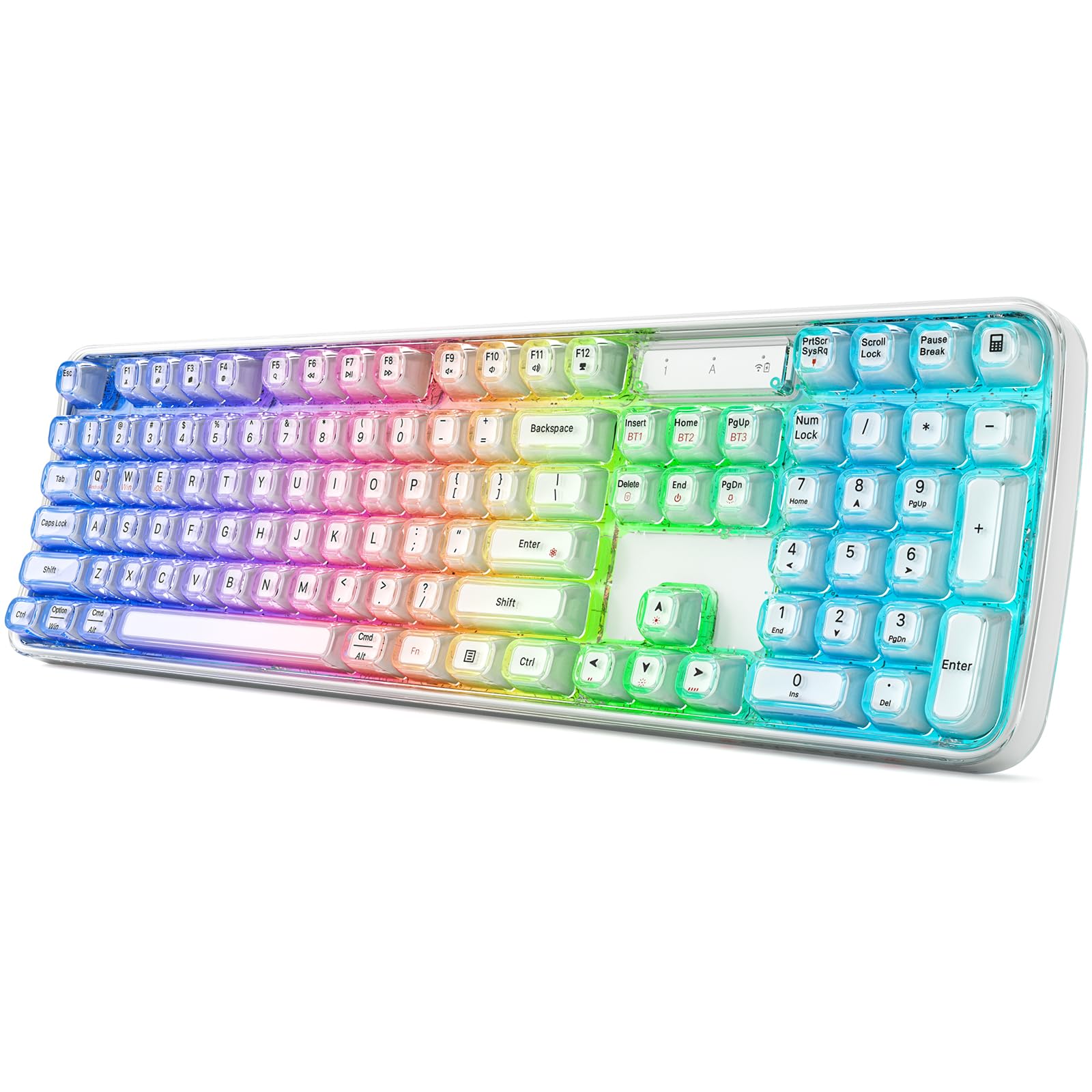
The MOFII Ergonomic keyboard takes a different approach to wrist relief: instead of a split design, it uses a continuous natural curve that matches the resting arc of your hands. The raised front lip on the base requires less finger extension to press each key, reducing strain during long typing marathons. Non-slip silicone pads on the bottom keep the board planted during fast keystrokes.
This is a tri-mode keyboard supporting Bluetooth 5.0 with three independent pairing channels, 2.4GHz wireless, and USB-C wired connection. The RGB backlight offers 8 dynamic lighting modes that add visual flair to your workspace. The keyboard is compatible with Windows, Mac, Android, and iOS out of the box.
Some early users report a squeaking sound developing after a few days of use, and the red font on the keycaps is a polarizing aesthetic choice. The keyboard also lacks a dedicated wrist rest, so you will need to supply your own for optimal comfort. For the price, it offers good ergonomic value with flexible connectivity, but long-term build quality is still being established in the market.
Why it’s great
- Natural curve design genuinely reduces wrist strain
- Tri-mode connectivity covers Bluetooth, 2.4GHz, and wired
- RGB lighting with 8 dynamic modes
Good to know
- Some units develop key squeaking within days
- Red keycap font is not to everyone’s taste
- No included wrist rest
6. EDJO MK228 Pro Wireless Keyboard and Mouse Combo
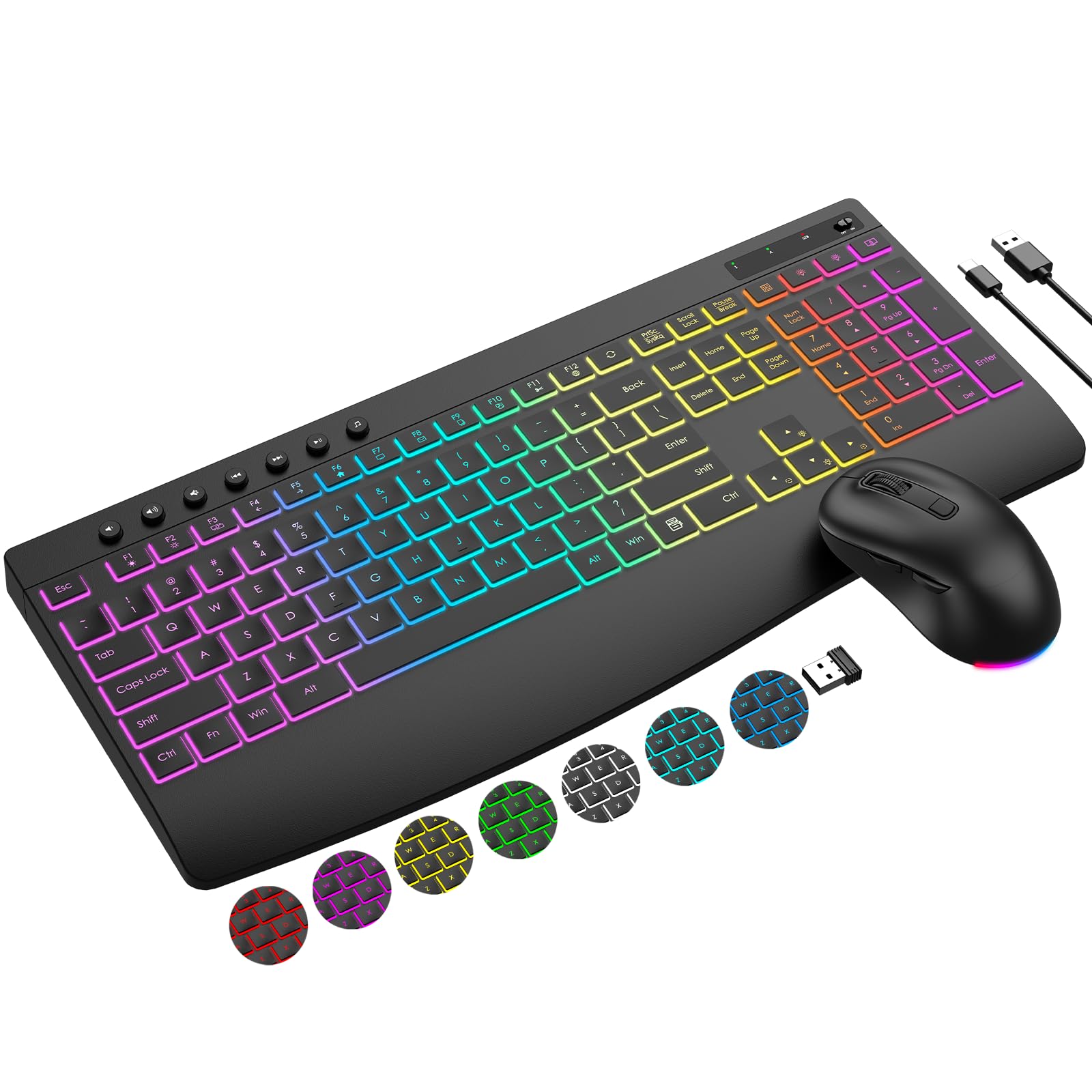
The EDJO MK228 Pro proves that a full-featured backlit keyboard and mouse combo doesn’t have to break the bank. The keyboard packs a 4000mAh battery — more than double what many standard backlit keyboards offer — while the mouse carries an 800mAh cell that runs 50% longer than typical wireless mice. Both charge via USB-C and use a single 2.4GHz USB receiver stored on the back of the mouse.
The backlighting includes 3 lighting modes, 7 switchable colors, and 5-level brightness, plus the RGB mouse cycles colors automatically. The keyboard features a stain-resistant wrist rest and adjustable tilt stands for basic ergonomic support. The 19 hotkeys give you one-touch access to browser controls, calculator, and media functions, while the mouse offers 3 DPI levels (1000/1600/2400) with forward/backward navigation buttons.
Keystrokes are quiet and the key stability is solid for a membrane board. A few users report the mouse dropping selections during heavy use, which can be frustrating for precision work. The build quality is good for the price but not premium — expect plastic construction throughout. For a budget-conscious buyer who wants backlighting and long battery life in a single package, this combo is hard to beat.
Why it’s great
- Massive 4000mAh battery in the keyboard
- Single USB receiver for both devices
- Includes comfortable wrist rest
Good to know
- Mouse can occasionally drop selections during work
- Full plastic build lacks premium feel
- Backlighting has limited mode variety
7. GEEZER White Crystal Transparent Keyboard
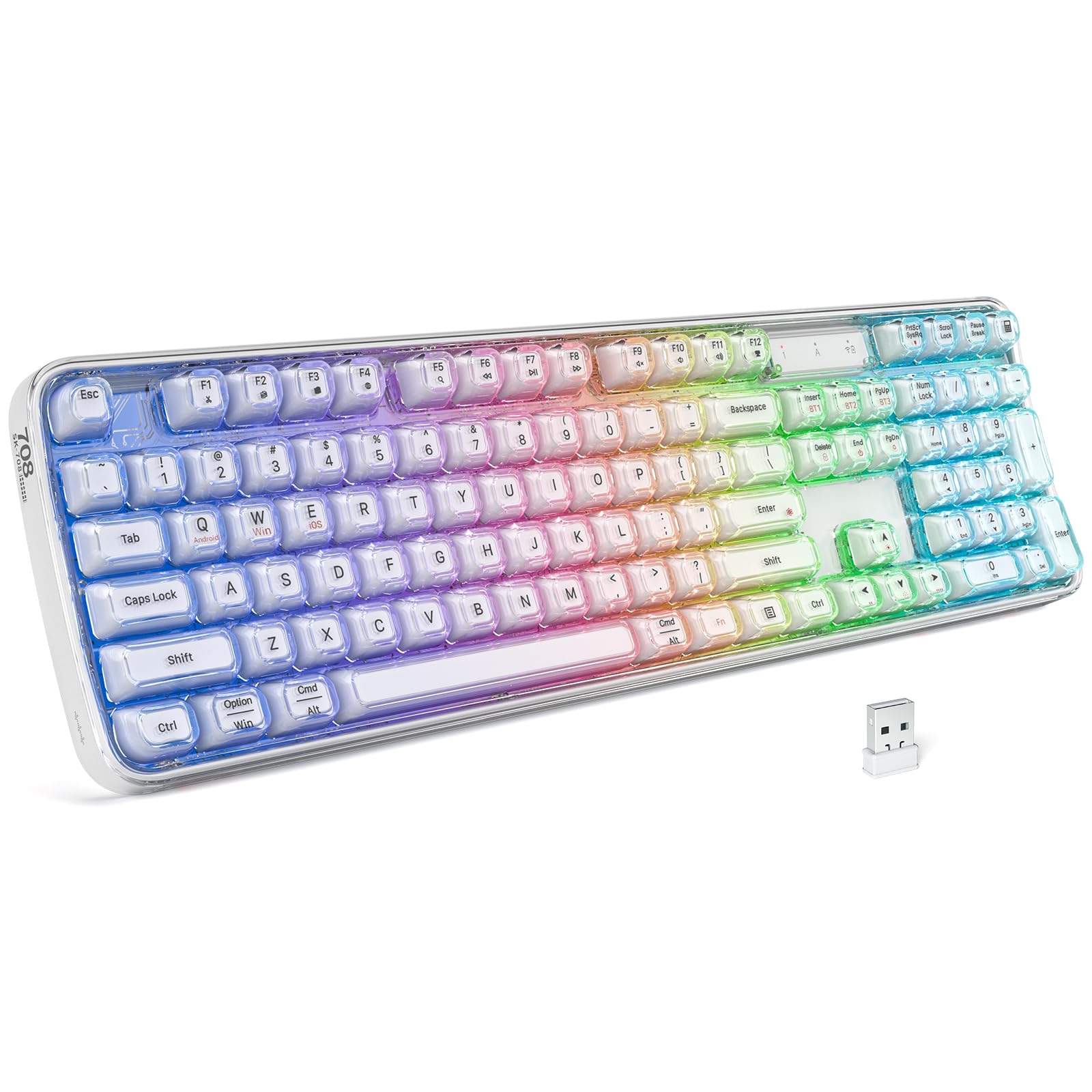
The GEEZER White Crystal keyboard is built for buyers who want their desk to look as good as it feels. The transparent keycaps sit above a robust metal base plate, creating a floating-key aesthetic that pairs beautifully with any white or minimalist setup. The rainbow backlight penetrates the translucent plastic for a diffused glow that is genuinely different from standard opaque keycaps.
Connectivity options include Bluetooth 5.0, 2.4GHz wireless, and USB-C wired. The keyboard claims up to 150 days of standby on a single 2-hour charge, thanks to the built-in large-capacity battery. The stepped key layout is scientifically angled to reduce hand fatigue, and the keys themselves have a low-profile, scissor-switch feel that is whisper-quiet — ideal for shared workspaces.
This keyboard is best suited for users with long nails, as the round retro-style keycaps provide more clearance between keys, reducing accidental key presses. The transparent design does show fingerprints and dust more readily than solid keycaps. A slight input lag may be noticeable over Bluetooth compared to a wired connection, so the included 2.4GHz dongle is recommended for latency-sensitive work.
Why it’s great
- Unique transparent aesthetic with diffused RGB glow
- Whisper-quiet typing with low-profile keys
- Excellent battery life on standby
Good to know
- Transparent keycaps show dust and fingerprints easily
- Slight input lag over Bluetooth connection
- Retro keycap shape may not suit all typing styles
FAQ
How long does a wireless backlit keyboard battery last with backlighting on?
Can I use a wireless backlit keyboard for competitive gaming?
What is the difference between hot-swappable and soldered switches?
Do all wireless backlit keyboards work with Mac and Windows?
How important is the wrist rest for a backlit keyboard?
Final Thoughts: The Verdict
For most users, the best wireless backlit keyboard winner is the Logitech MX Keys S because it combines intelligent backlighting, rock-solid multi-device connectivity, and a typing feel that rivals mechanical boards in a whisper-quiet, low-profile package. If you want hot-swappable mechanical switches and programmability, grab the Redragon K742 — it delivers enthusiast-grade features at a mid-range price. And for all-day ergonomic relief without breaking the bank, nothing beats the SABLUTE Ergonomic Combo with its wave-shaped keys and faux leather palm rest.