
Color E Ink tablets have moved past the gimmick phase. The 7-inch form factor hits a sweet spot: large enough for comics, graphic novels, and full-page note-taking, yet compact enough for a jacket pocket or a commuter bag. But the market is fractured. You have dedicated e-readers like the Kobo Libra Colour, performance-focused Android slabs from Bigme and BOOX, and note-taking powerhouses like the reMarkable Paper Pro Move lurking just outside the size bracket. Buying the wrong one means either dealing with sluggish app support or paying for features you’ll never use.
I’m Min — the co-founder and writer behind Gadgets Feed. For this guide, I’ve mapped the spec sheets, cross-referenced real verified buyer experiences, and ranked eleven distinct 7-inch color E Ink contenders by their real-world battery draw, display grayscale quality, note-taking latency, and third-party app compatibility.
After hundreds of hours poring over technical data sheets and customer feedback across tiers, the verdict on the best 7 inch color e ink tablet depends entirely on where your priority lands: native bookstore integration, raw Android flexibility, or pen-on-paper fidelity—they are not the same device.
How To Choose The Best 7 Inch Color E Ink Tablet
The 7-inch color E Ink category is a battlefield of trade-offs. Unlike a monochrome e-reader where the only variable is screen contrast, a color E Ink tablet brings Android fragmentation, battery anxiety, and stylus compatibility into the mix. Before you click buy, you have to know which compromise you are willing to accept.
Battery vs Performance — Pick One
Every color E Ink tablet runs one of two operating systems: a locked, energy-optimized proprietary OS (Kobo, Kindle, PocketBook) or a full Android build (BOOX, Bigme, Musnap). The proprietary camp delivers weeks of battery life because the OS kills background processes and throttles refresh. The Android camp burns through charge in days, sometimes hours, because Google Play apps demand constant CPU cycles. If you want fast app switching and stylus note-taking, accept the shorter battery runway. If you read three books a month and never install third-party apps, a closed OS wins.
The Kaleido 3 Color Layer — What It Does to Text
Every 7-inch color E Ink tablet listed here uses the Kaleido 3 technology, which overlays a color filter array (CFA) on top of the black-and-white E Ink layer. The trade-off is unavoidable: color resolution drops to 150 PPI while black-and-white text stays at 300 PPI. This means color images look slightly grainier than printed paper, and the background appears darker (grayer) than a pure B&W Carta screen. Some manufacturers compensate with aggressive front lights; others do not. The best you can do is read reviews that specifically mention “grainy screen” or “whiter white” — those are telling you about the CFA quality, not a defect.
Stylus Protocol — EMR vs Active
If note-taking is your priority, the stylus protocol matters more than any other spec. EMR (electromagnetic resonance) pens, used by BOOX, Penstar, reMarkable, and PocketBook, require no battery and deliver sub-10ms latency with 4096 pressure levels. Active (capacitive) styluses, like the one paired with the Bigme B7, need periodic charging and the tip wears faster. Check whether the tablet includes a stylus in the box. Many premium units like the BOOX Go Color 7 Gen II and Kobo Libra Colour require a separate purchase, which adds to the total cost of ownership.
Storage and Expandability
A 7-inch color screen fills fast with high-res comics and Android apps. 32GB is the baseline; 64GB to 128GB is safer if you plan to sideload PDFs or install multiple e-reader apps. Check for a microSD card slot. The BOOX Go Color 7 Gen II and PocketBook InkPad Color 3 include expandable storage, while the Kindle Colorsoft and Kobo Libra Colour are sealed at 32GB. No microSD slot means you are stuck — once the storage is full, you have to offload files via USB.
Quick Comparison
On smaller screens, swipe sideways to see the full table.
| Model | Category | Best For | Key Spec | Amazon |
|---|---|---|---|---|
| BOOX Go Color 7 Gen II | Android E Ink | All-app versatility | 4GB RAM, microSD, 2300mAh | Amazon |
| Kobo Libra Colour | Dedicated Reader | Pure reading, waterproof | 32GB, IPX8, 4-week battery | Amazon |
| Kindle Colorsoft Signature | Dedicated Reader | Kindle ecosystem | 32GB, wireless charging, 8-week estimated | Amazon |
| Musnap Ocean C | Android E Ink | Bright display, left-hand buttons | 64GB, 2.2GHz octa-core, 4GB RAM | Amazon |
| Bigme B7 | Android E Ink | 4G calling, highest RAM | 8GB RAM, 128GB, 3000mAh | Amazon |
| PocketBook InkPad Color 3 | Dedicated Reader | Best-in-class Kaleido 3 screen | 7.8″, 32GB, microSD, IPX8 | Amazon |
| Penstar eNote 2 | Dedicated Notebook | Pen-only focused writing | 128GB, 300 PPI, PureView | Amazon |
| reMarkable Paper Pro Move | Dedicated Notebook | Distraction-free portable notebook | 7.3″, 64GB, Canvas Color | Amazon |
| VIWOODS AiPaper | Android E Ink | AI-assisted note-taking & reading | 10.65″, 128GB, Carta 1300 | Amazon |
| PocketBook InkPad Eo | Android E Ink | Large color note-taking | 10.3″, Android 11, Bluetooth 5.0 | Amazon |
| iflytek AINOTE 2 | Android E Ink | Voice-to-text AI meeting notes | 10.65″, 4000mAh, 16 languages | Amazon |
In‑Depth Reviews
1. Kobo Libra Colour

The Kobo Libra Colour nails the balance between battery life, display quality, and price. Its 7-inch glare-free Kaleido 3 display delivers vivid covers and readable color for comics without the grainy background that plagues some Android-based color E Ink readers. The ergonomic design with physical page-turn buttons and left/right rotation means you never have to shift your grip mid-page.
Battery life hits the advertised 4 weeks for mixed reading, and the IPX8 rating makes it the only 7-inch color E Ink tablet you can safely take to the beach or bathtub. The OverDrive integration is seamless — borrow library books directly from the device without a phone intermediary. Kobo Plus gives you unlimited access to a solid catalog for /month if you want to bypass Amazon altogether.
The downside is stylus support. The Kobo Stylus 2 works for highlighting and note-taking, but it costs extra and lacks the latency tuning of an EMR system. The screen also has a slightly more pronounced color filter grid than the PocketBook InkPad Color 3, meaning black text in color mode is not quite as sharp as a monochrome Carta panel.
Why it’s great
- Best battery life in its price tier — 4 weeks
- IPX8 waterproof for beach and bath reading
- Physical page-turn buttons with auto-rotation
Good to know
- Stylus is sold separately and adds ~
- No microSD slot — storage is fixed at 32GB
- Text slightly less sharp than B&W-only e-readers
2. BOOX Go Color 7 Gen II

The BOOX Go Color 7 Gen II is the most versatile 7-inch color E Ink tablet on this list. Running Android 13 with full Google Play Store access, it lets you install Kindle, Kobo, Libby, Audible, and any third-party reading app in one device. The octa-core processor and 4GB of RAM handle app switching better than any locked OS competitor, and the microSD card slot gives you virtually unlimited storage for comics and manga.
The display is a standard Kaleido 3 panel with 300 PPI for B&W and 150 PPI for color, but BOOX’s refresh mode engine (HD, Balanced, Fast, Ultrafast, Regal) lets you dial in the ghosting level per app. Page-turn buttons sit on the bezel, and the 2300mAh battery lasts 1–2 weeks depending on how many third-party apps you run. The flat cover-lens design with G-sensor rotation works well for left-handed users.
The catch is that the active stylus (InkSense) is not included, and the EMR alternative (BOOX Pen 2 SE) costs extra. The battery life is dramatically shorter than the Kobo or Kindle if you leave Google Play services on. Some users report the default refresh mode produces noticeable ghosting that requires manual triggering of a full refresh.
Why it’s great
- Full Android 13 with Google Play — any app, any store
- microSD slot for expandable storage
- Multiple refresh modes to combat ghosting
Good to know
- Stylus sold separately
- Battery drains fast with heavy app usage
- Default screen calibration can look grayer than competition
3. Kindle Colorsoft Signature Edition
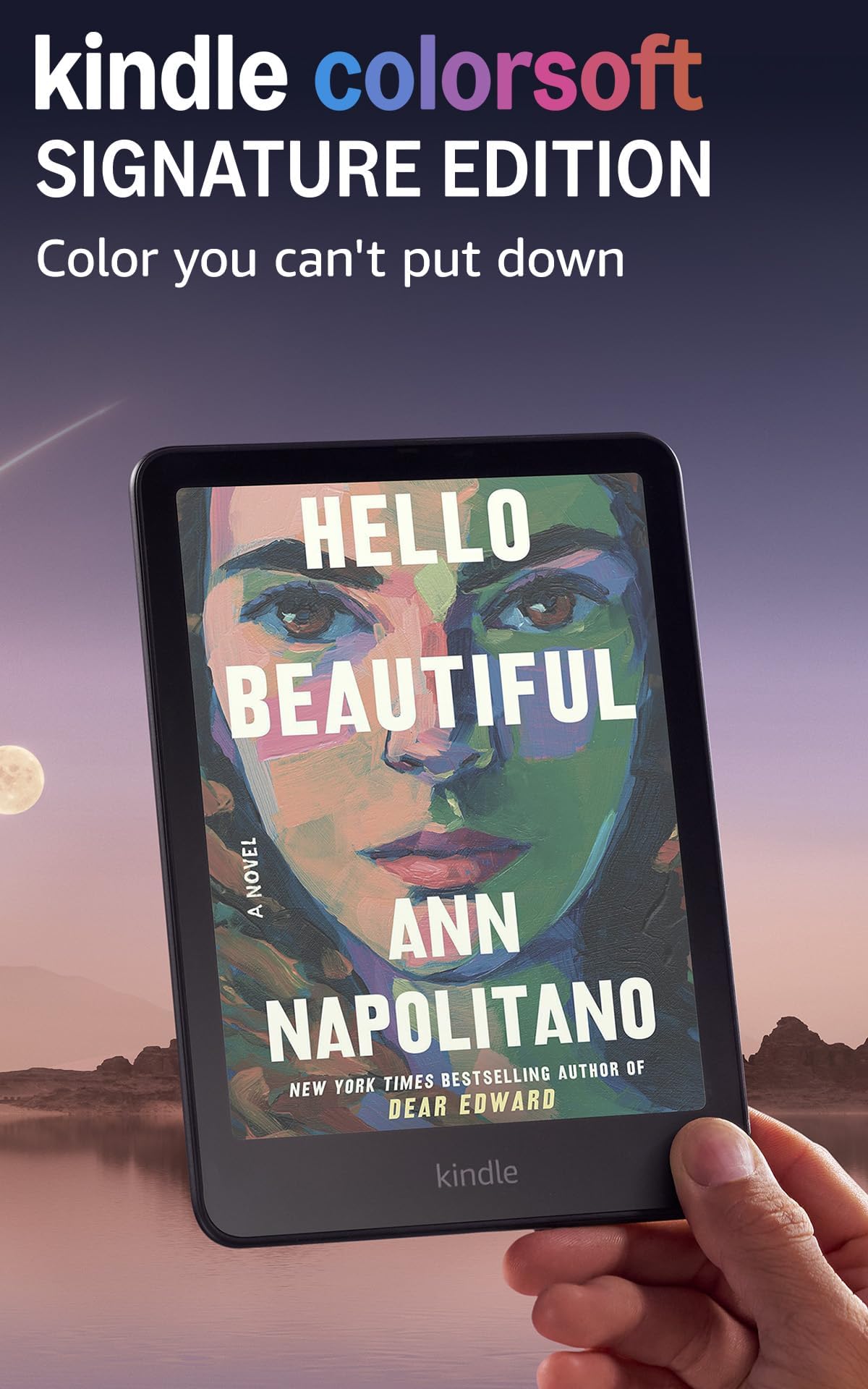
Amazon’s first color Kindle targets the hardcore Kindle ecosystem user who wants color for covers, maps, and graphic novels. The 7-inch Colorsoft display is exclusive to Amazon and tweaked for better contrast than standard Kaleido 3 screens — the proprietary oxide backplane delivers brighter whites and deeper blacks than most Android color E Ink rivals. The auto-adjusting front light is exceptional, smoothly shifting from warm to cool based on ambient light without any manual intervention.
Wireless charging via the optional dock is a premium convenience that no other color E Ink tablet offers at this size. The battery life is advertised at 8 weeks, but real-world usage with color images and Wi-Fi on cuts that to roughly 3–4 weeks. The metallic black finish feels solid, and the IPX8 waterproofing matches the Kobo Libra Colour.
The biggest drawback is the locked ecosystem. You cannot install Kobo, Libby, or any third-party app. The color highlighting feature (yellow, orange, blue, pink) is elegant, but Kindle Unlimited’s color-illustrated catalog is sparse compared to the Kobo Store. Early batches had a yellow band at the bottom of the screen, though newer units seem to have resolved the issue. 32GB is non-expandable.
Why it’s great
- Proprietary Colorsoft display with brighter whites
- Wireless charging support via dock
- Best auto-adjusting front light in class
Good to know
- Locked to Amazon ecosystem — no third-party apps
- 32GB fixed storage, no microSD slot
- Early units had yellow-bar defect; inspect carefully
4. Musnap Ocean C
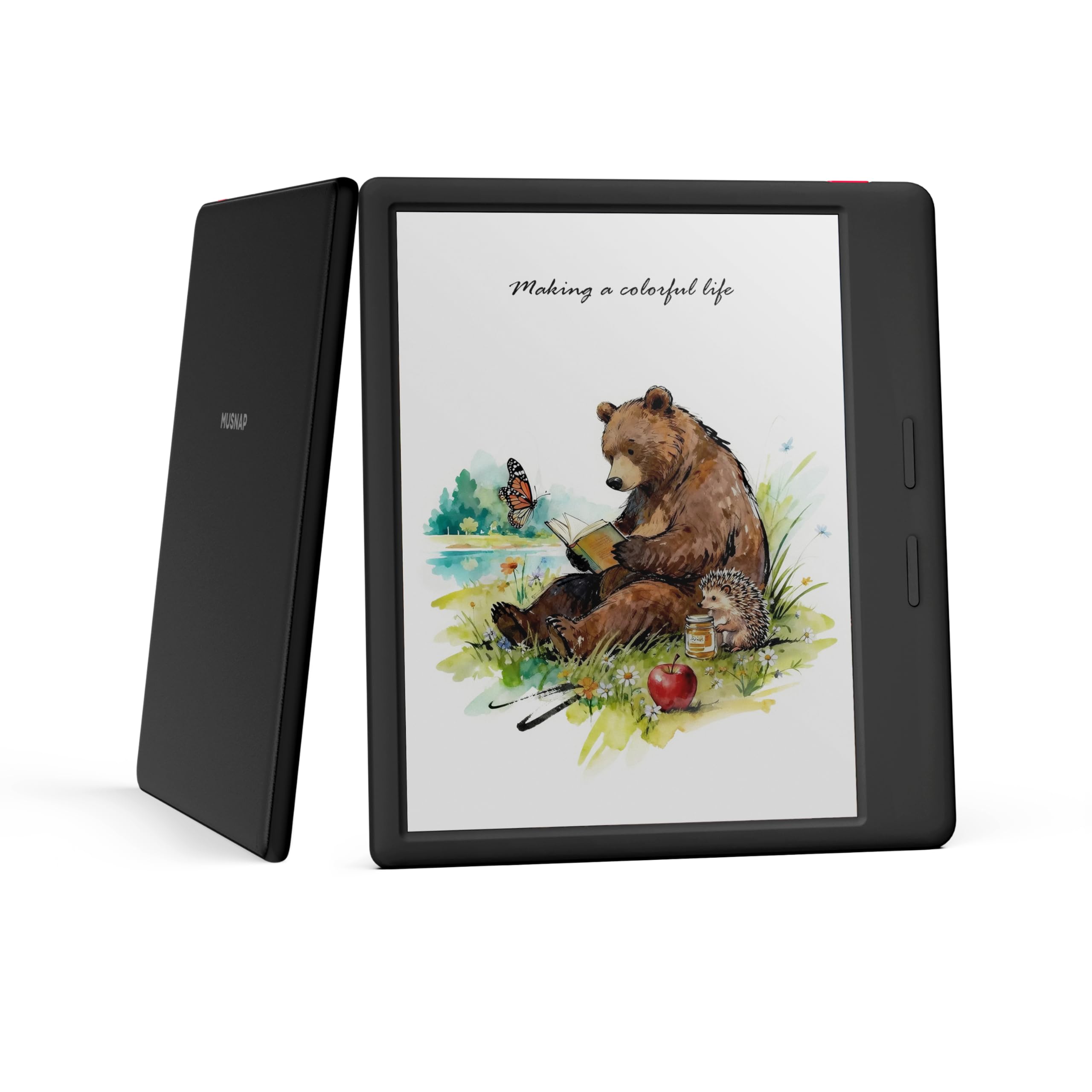
The Musnap Ocean C offers the most storage (64GB) in the budget-friendly 7-inch Android color E Ink segment before you even open the box. The octa-core 2.2GHz processor with 4GB RAM delivers snappy page turns and smooth app navigation, rivaling the BOOX Go Color 7 Gen II at a lower entry point. The recessed screen design with rounded corners and a leatherette grip makes it comfortable for one-handed reading without fingerprints on the display.
The front light is notably bright and even, with separate warmth and brightness sliders that allow fine-grained adjustment. Battery life is on par with other Android color E Ink readers — about 1–2 weeks with moderate use and Wi-Fi turned off. The included transfer app works well for side-loading EPUBs from a computer, and the per-app settings let you configure refresh mode independently for Kindle, Kobo, or Libby.
The stylus is not included, and the proprietary Musnap Pencil adds another –50 to the total. The front light has a slight unevenness on the right edge of the panel — visible on a blank white page at low brightness. The software lacks some of the advanced ghosting controls that BOOX provides, so you might see faint leftover images when switching between color-heavy apps.
Why it’s great
- 64GB internal storage — double the Kobo/BOOX at similar cost
- Bright, even front light with separate warmth control
- Left-side button access after screen rotation
Good to know
- Proprietary stylus sold separately
- No microSD expansion slot
- Front light shows slight bleed on right bezel
5. Bigme B7
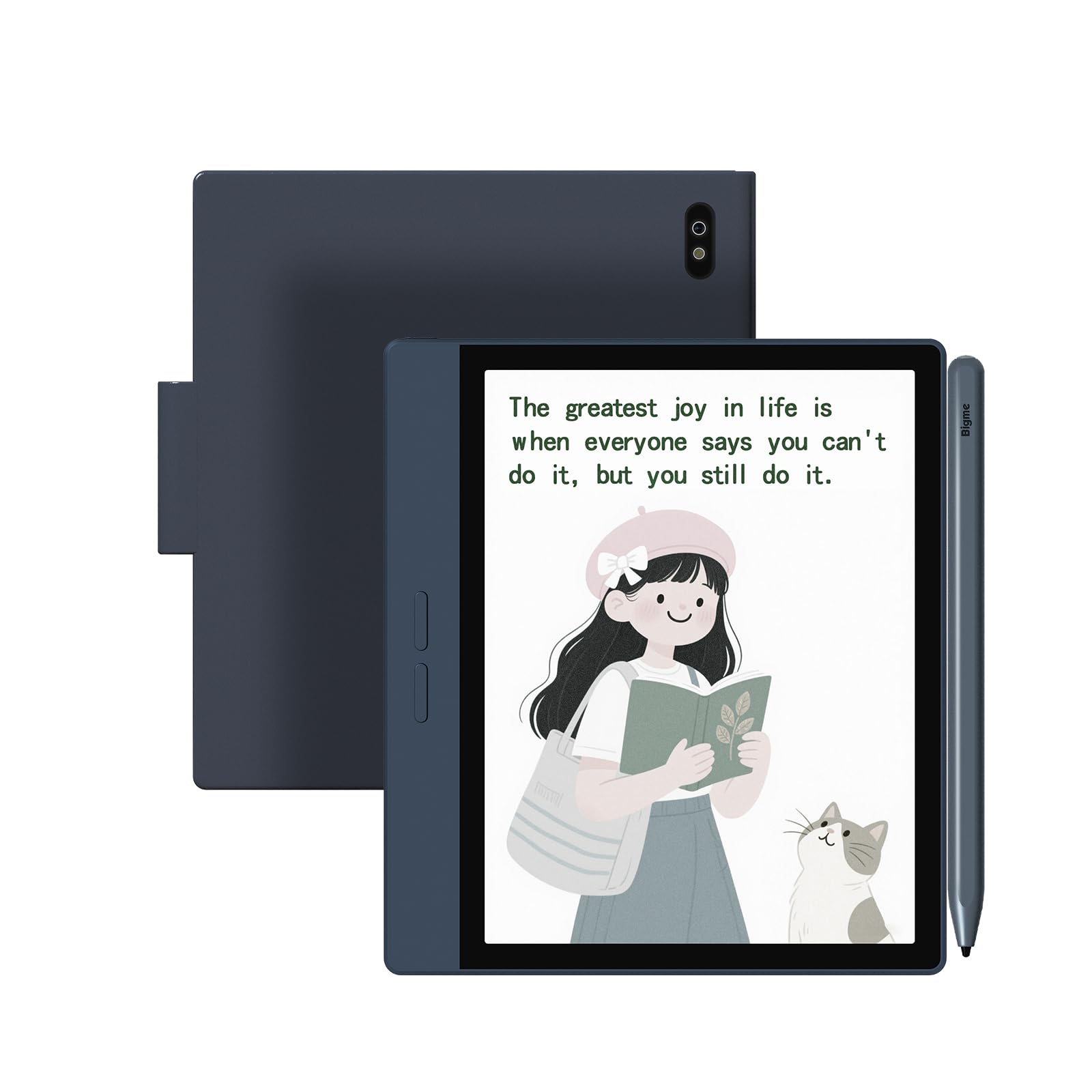
The Bigme B7 is the most unconventional 7-inch color E Ink tablet on the market — it doubles as a 4G phone. Pop in a SIM card, and you get web browsing, voice calls, and messaging through the E Ink screen, eliminating the need for a separate smartphone for reading sessions. The 8GB of RAM is the highest in this comparison, letting you keep multiple apps open without reloading every time you switch contexts.
The 128GB internal storage with microSD expansion means you can store tens of thousands of comics and PDFs without worrying about space. The Android 14 operating system with the octa-core 2.4GHz processor makes this the snappiest 7-inch color E Ink tablet for app performance. The magnetic stylus included in the box works for note-taking with low latency, and the built-in voice-to-text transcription is useful for students and professionals who need meeting notes.
The battery life is the trade-off — it behaves like a tablet, not an e-reader. Heavy usage with 4G on drains the 3000mAh battery in 2–3 days, and even light use with Wi-Fi only gets you about 5–7 days. The default “comic” E Ink mode introduces ghosting that requires manual refresh. Some users report the stylus fails to charge inductively on the side of the device and needs a separate wireless charging pad.
Why it’s great
- Four cellular connectivity — read and call without Wi-Fi
- 8GB RAM and 128GB storage (expandable)
- Android 14 with full Google Play and stylus included
Good to know
- Battery life of a tablet, not an e-reader
- Stylus charging mechanism can be unreliable
- Firmware updates sometimes break page-turn buttons
6. PocketBook InkPad Color 3
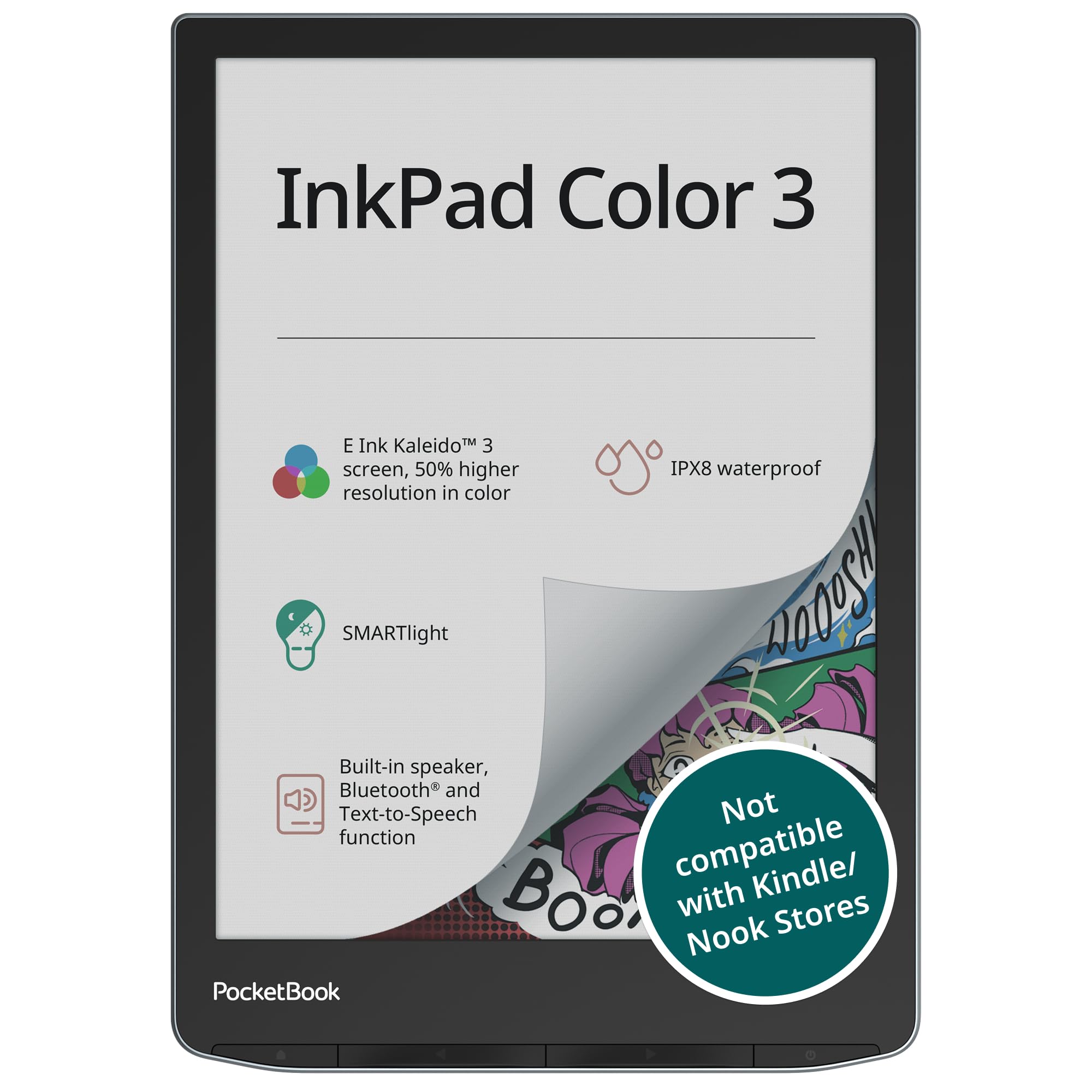
The PocketBook InkPad Color 3 is 7.8 inches, larger than the strict 7-inch classification, but it is the best color E Ink display in this price range by every metric. The Kaleido 3 panel delivers the most neutral white background you will find outside a premium tablet — the color layer adds minimal gray cast compared to the competition. The recessed screen design avoids the glare of cover-lens glass and makes text appear sharper because there is no front-layer reflection.
This device prioritizes reading above all else. The SMARTlight adjusts both warmth and brightness with smooth stepless control, and the dual-band Wi-Fi handles large PDF downloads without stalling. It supports OpenPGP encryption for privacy-minded users, and the built-in PocketBook cloud sync preserves your reading position across devices without requiring a subscription. The IPX8 waterproofing matches the Kobo Libra Colour.
The software is not Android-based, which means you are limited to PocketBook’s app ecosystem. There is no Google Play Store, no Libby direct download, and no third-party reading app installation. The 1GB of RAM is fine for book reading but stutters with heavily annotated 100MB PDFs. Battery life comfortably exceeds 3 weeks with the front light at medium intensity.
Why it’s great
- Best-in-class Kaleido 3 panel — neutral whites, vibrant color
- 32GB + microSD for storage flexibility
- IPX8 waterproof and recessed screen for clarity
Good to know
- Locked OS — no Android app support
- 1GB RAM can lag with heavy PDFs
- Quality control inconsistent; some units show light gradient
7. Penstar eNote 2

The Penstar eNote 2 is a 10.3-inch pen-only E Ink tablet, bigger than the 7-inch form factor, but it earns its spot here because it represents the opposite philosophy — absolute writing focus with zero touch distractions. The PureView display has no backlight, no touch layer, and no color filter, delivering the whitest, most paper-like screen in this guide. The 300 PPI resolution makes every stroke from the included B5 stylus feel immediate and accurate.
MyScript handwriting-to-text conversion works offline and supports 52 languages. The nine physical shortcut keys are reprogrammable, allowing you to switch between brush tools, lasso select, undo, and eraser without tapping the screen. The package includes two B5 pens with 18 spare nibs, a magnetic folio cover, and USB-C cable — everything you need is in the box. Cloud sync via Google Drive, OneDrive, or Dropbox keeps your notes accessible across devices.
This is not a reading tablet. There is no backlight, no color, no web browser beyond basic file transfer. The pen-only input means you cannot scroll through a PDF with your finger — you must use the stylus or the physical buttons. It is fragile; the 0.22-inch thickness makes it prone to bending without a padded case.
Why it’s great
- Whitest, brightest E Ink screen for writing — no dark color filter
- 9 programmable shortcut keys for efficient workflows
- 128GB storage with two B5 pens and folio included
Good to know
- No backlight — requires external light to read/write
- Fragile thin chassis; needs a padded case
- No touch input — stylus and buttons only
8. reMarkable Paper Pro Move

The reMarkable Paper Pro Move is the smallest dedicated note-taking tablet in this comparison at 7.3 inches. It fits into a jacket pocket like a paper notebook, and the Canvas Color display delivers muted but readable color for highlighting, diagrams, and document annotation. The Marker Plus pen magnets securely to the side and provides the most convincing pen-on-paper tactile feedback of any device listed here — you can hear the faint scratch of the tip against the screen.
The operating system is distraction-free by design. No notifications, no app store, no web browser. Your notes sync to reMarkable’s cloud and are accessible via the mobile and desktop apps. Handwriting search and conversion require a Connect subscription (/month), which also provides unlimited cloud sync. The 64GB storage is generous for text-based notebooks and PDFs.
The screen color is very subdued — closer to a newspaper color insert than a glossy magazine. The front light has noticeable bleed at the top edge on some units. The battery drains faster than expected when the front light and Wi-Fi are active, often dropping 20–30% overnight. The subscription requirement for basic search features feels restrictive compared to the competition.
Why it’s great
- Most portable note-taking E Ink tablet — pocket-sized
- Best-in-class writing feel with included Marker Plus
- Distraction-free OS with no notifications or apps
Good to know
- Subscription required for handwriting search and cloud sync
- Muted color — not suitable for vibrant comics
- Front light bleed reported on some units
9. VIWOODS AiPaper
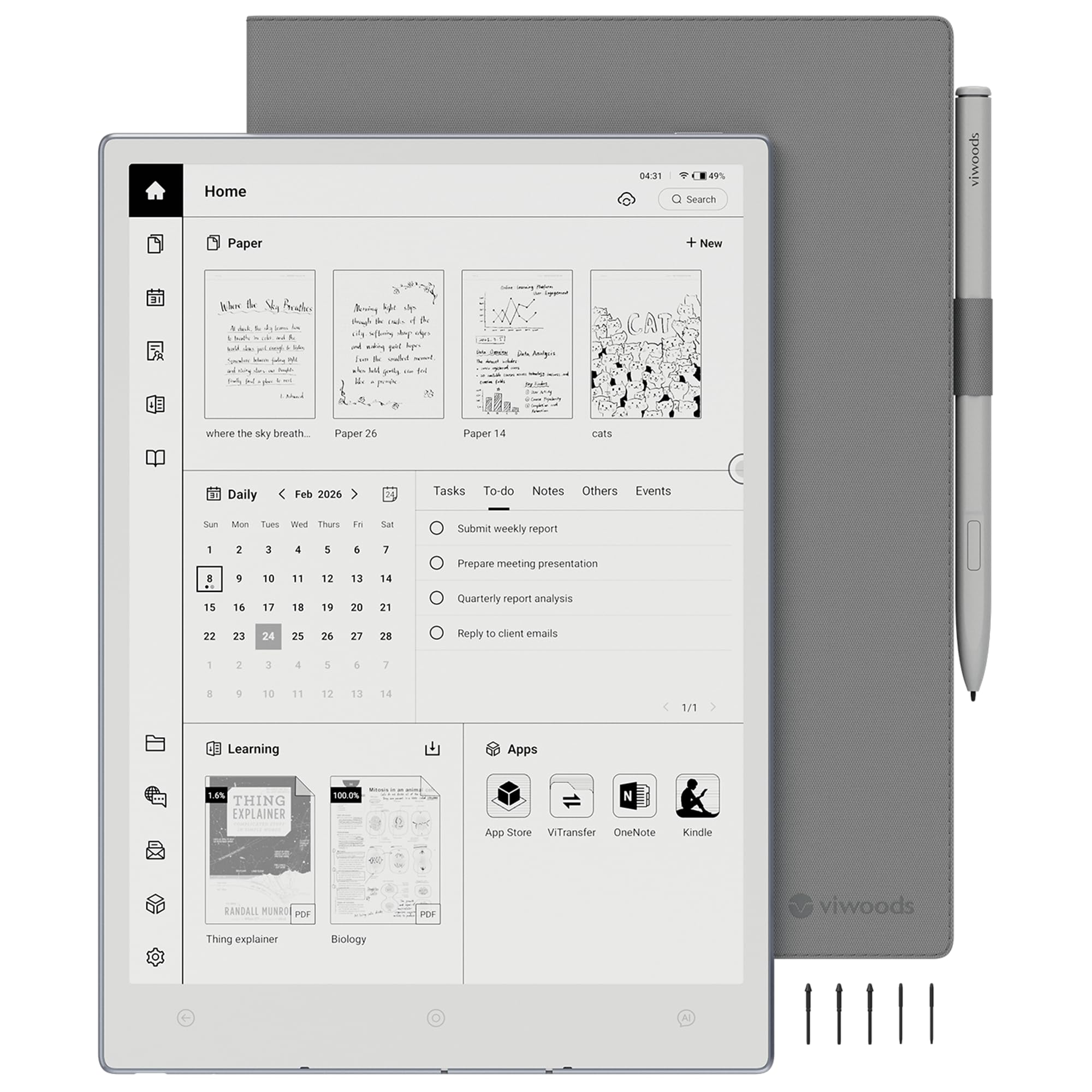
The VIWOODS AiPaper is a 10.65-inch E Ink tablet that uses the latest Carta 1300 display technology, offering the highest contrast and crispest monochrome text in this guide. The 2560×1920 resolution at 300 PPI makes PDFs and textbooks exceptionally readable. The included W2 Stylus Pro with 4096 pressure levels and a 750-micron pen gap delivers a writing feel that rivals the reMarkable Paper Pro Move.
Android 13 with Google Play Store gives you access to Kindle, Kobo, and all major reading apps. The AI tools — to-do list generation, real-time translation of selected text, and meeting note organization — work well for students and researchers who need to extract value from dense documents. The 128GB internal storage leaves no fear of running out of space for PDF collections.
The Carta 1300 screen has no backlight, which is an advantage for eye comfort but a limitation in dim environments. The AI features require an active internet connection and are only as accurate as the training data — some users report incorrect copying of text between apps. Software bugs with calendar syncing and file persistence have been reported, and customer support responsiveness is inconsistent.
Why it’s great
- Latest Carta 1300 display — best B&W contrast and sharpness
- 128GB storage with AI tools for reading and note-taking
- Excellent 4096-level pressure stylus included
Good to know
- No front light — requires external illumination
- AI features need internet and can glitch
- Software bugs reported; support response slow
10. PocketBook InkPad Eo
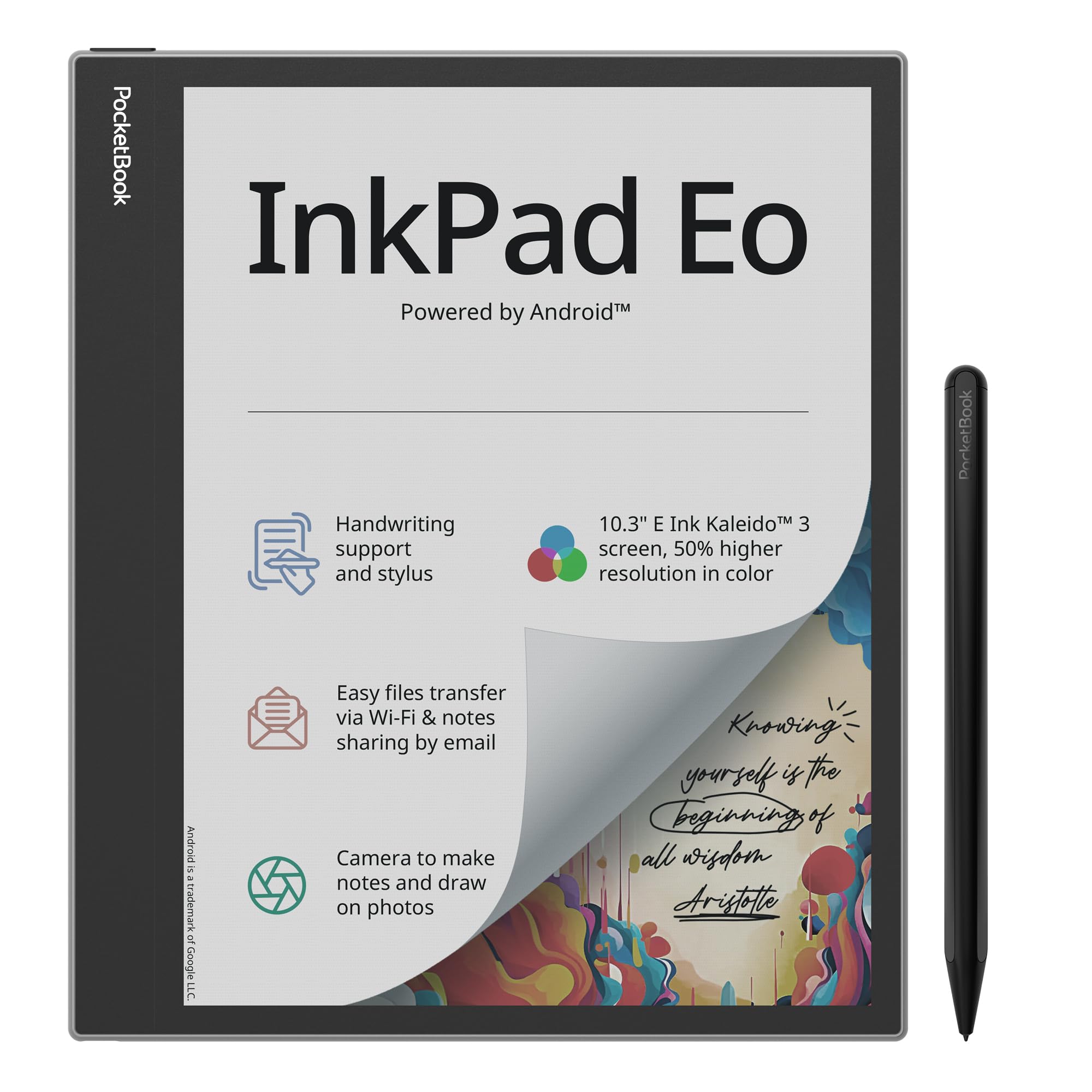
The PocketBook InkPad Eo is PocketBook’s answer to the Android-based color E Ink notebook. The 10.3-inch Kaleido 3 display with 50% better color resolution than previous generations delivers passable color for sketching, diagramming, and document annotation. The included stylus works with the SMARTlight system to adjust color temperature per-app, which helps maintain eye comfort during long writing sessions.
Android 11 with Google Play Store provides access to a broad range of third-party apps, though the 2GB RAM and older processor mean app performance is noticeably slower than the Bigme B7 or BOOX Go Color 7 Gen II. The integrated camera allows you to take photos and annotate directly on them, a unique feature for field notes or architectural markup. Stereo speakers and Bluetooth 5.0 handle audiobooks well.
The color reproduction on the Kaleido 3 panel is washed out compared to the PocketBook InkPad Color 3’s dedicated reader. The Android 11 version is already outdated, limiting future app compatibility. Ghosting is persistent without manual refresh, and the interface has a learning curve that frustrates users accustomed to simple e-reader menus. Battery life with Wi-Fi and front light on drops to 2 days.
Why it’s great
- 10.3-inch color E Ink with camera for photo annotation
- Android 11 with Google Play for app versatility
- Stereo speakers and Bluetooth 5.0 for audiobooks
Good to know
- Outdated Android 11 — limited future support
- Persistent ghosting requires manual refresh
- Washed-out color compared to PocketBook’s own InkPad Color 3
11. iflytek AINOTE 2
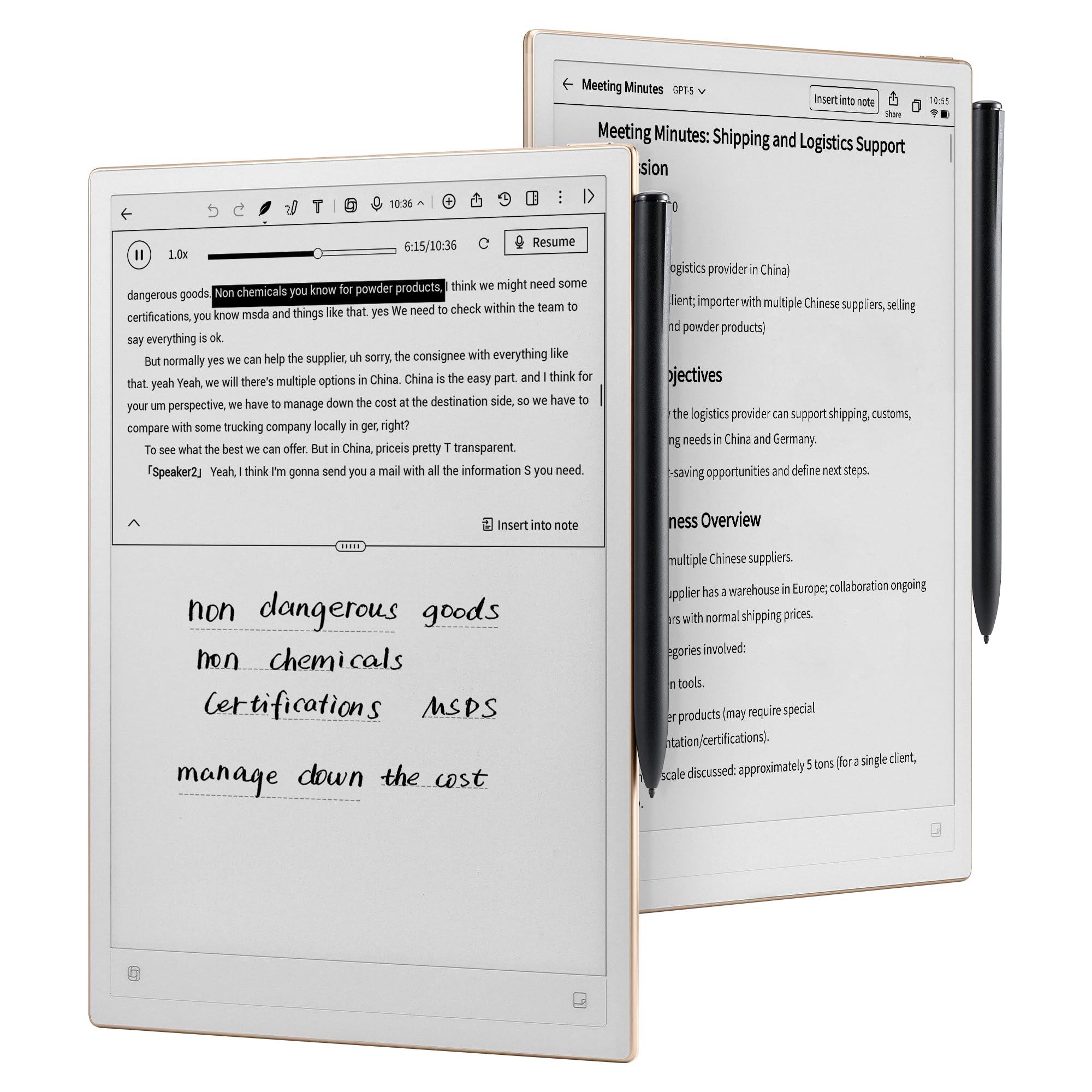
The iflytek AINOTE 2 is purpose-built for voice-to-text transcription, targeting professionals who attend frequent meetings, lectures, or interviews. The AI engine transcribes spoken content in 16 languages with speaker identification, generating editable meeting summaries directly on the 10.65-inch Carta 1300 display. The handwriting-to-text conversion is the most accurate on this list when used with the included Wacom stylus, making it ideal for converting handwritten notes into shareable documents.
The 4000mAh battery achieves up to 14 days of use with 30 minutes of daily writing, and the 128GB storage handles large voice recording files without choking. The frontlight-free design means the screen stays crisp and paper-like under direct light, though you cannot read or write in the dark. Google Play Store access gives you Kindle, Kobo, and other reading apps despite the tablet’s professional focus.
The AI features require a constant internet connection, making the device less reliable for fully offline work. Security-conscious buyers should note that the locked screen shows handwritten signatures permanently, and there is no simple way to clear the lockscreen preview. The software has a sluggish feel, and some users report that the voice transcription accuracy degrades with background noise or heavy accents.
Why it’s great
- Best-in-class voice-to-text with 16-language transcription
- Large 4000mAh battery for extended meetings
- Accurate handwriting-to-text with Wacom stylus
Good to know
- No front light — requires external lighting
- AI features need internet connectivity
- Lockscreen displays handwritten note permanently
FAQ
Is a 7-inch color E Ink tablet good for reading comics and graphic novels?
Why is the color screen so much darker than my Kindle Paperwhite?
Can I use any stylus with a color E Ink tablet?
Final Thoughts: The Verdict
For most users, the best 7 inch color e ink tablet winner is the Kobo Libra Colour because it delivers the best battery life (4 weeks), waterproof IPX8 build, and a color display that balances readability and vibrancy without the battery drain of Android. If you want full Android app flexibility and microSD expansion, grab the BOOX Go Color 7 Gen II. And for focused note-taking without digital distractions, nothing beats the reMarkable Paper Pro Move.