
Sixteen terabytes is a serious threshold — enough for a lifetime of family photos, hundreds of 4K feature films, or a massive server backup. But the jump to this capacity often comes with a hidden trade-off: slower spindle speeds, louder operation, and a higher risk of failure if the drive wasn’t designed for continuous duty. A bad 16TB drive costs you weeks of data recovery and months of frustration.
I’m Min — the co-founder and writer behind Gadgets Feed. I’ve spent hundreds of hours analyzing 16TB drive performance data, customer failure reports, and real-world transfer benchmarks from surveillance, NAS, and creative professional environments.
This guide focuses on the drive-level specs that actually predict long-term reliability — helium sealing, cache size, workload rating, and MTBF — so you can pick the best 16tb external hard drive for your data without gambling your files.
How To Choose The Best 16TB External Hard Drive
Choosing a 16TB external drive isn’t like picking a smaller portable model. At this capacity, the internal platter technology, rotational speed, and build-grade determine whether your data survives the first year. Smaller drives can get away with lower-quality internals, but once you cross 10TB, every component choice matters more.
Recording Technology: CMR vs SMR
CMR (Conventional Magnetic Recording) writes data in non-overlapping tracks, preserving consistent write performance even as the drive fills up. SMR (Shingled Magnetic Recording) overlaps tracks like roof shingles to boost density, but this forces the drive to rewrite entire groups of tracks whenever it modifies a single file. For a 16TB drive used as backup, media storage, or NAS, CMR is mandatory. SMR drives at this capacity can slow to a crawl during sustained writes, and many fail to rebuild a RAID array without errors.
Spindle Speed and Transfer Rates
A 7200 RPM spindle delivers sustained read/write speeds of roughly 200-270 MB/s, while a 5400 RPM drive typically tops out around 130-180 MB/s. For large file transfers — 50GB video projects, server backups, or migrating an entire photo library — the speed difference cuts hours off the process. However, 7200 RPM drives run hotter and louder. If your drive sits in a closet or basement connected to a server, the extra noise may not matter. If it sits on your desk next to you, the whine of a fast-spinning enterprise drive may become irritating.
Workload Rating and 24/7 Readiness
Consumer hard drives are typically rated for 55 TB of data written per year. Enterprise-grade drives at this capacity are rated for 550 TB per year or higher. If you plan to stream 4K video from the drive daily, run automated backups every night, or use the drive in a RAID array, look for a drive rated for 24/7 continuous operation. The MTBF (mean time between failures) should be at least 1.5 million hours, and the annual failure rate should sit below 1%.
Quick Comparison
On smaller screens, swipe sideways to see the full table.
| Model | Category | Best For | Key Spec | Amazon |
|---|---|---|---|---|
| LaCie d2 Professional 16TB | Premium | Creative professionals | 260 MB/s, USB-C, 5yr warranty | Amazon |
| Glyph BlackBox Pro 16TB | Premium | Mission-critical backups | 260 MB/s, USB 3.1 Gen 2 | Amazon |
| Seagate Expansion Desktop 16TB | Premium | Plug-and-play mass storage | 120 MB/s, USB 3.0 | Amazon |
| WD Elements Desktop 16TB | Premium | Reliable general backup | 5 Gb/s USB 3.0, aluminum | Amazon |
| Oyen Digital Novus 16TB | Mid-Range | Rugged USB-C performance | 270 MB/s, 7200 RPM, silicone sleeve | Amazon |
| UnionSine Desktop 16TB | Mid-Range | Multi-platform versatility | 270 MB/s, USB 3.0, ASM chip | Amazon |
| Avolusion M5 Series 16TB | Mid-Range | Windows desktop expansion | 5 Gb/s USB 3.0, 256 MB cache | Amazon |
| Toshiba MG08ACA16TE 16TB | Budget | Enterprise RAID arrays | 512 MiB cache, 2.5M hr MTBF | Amazon |
| MDD MAXDIGITALDATA 16TB | Budget | Surveillance DVR storage | 7200 RPM, 256 MB cache, 2.0M hr MTBF | Amazon |
In‑Depth Reviews
1. LaCie d2 Professional 16TB

The LaCie d2 Professional pairs an enterprise-grade Seagate IronWolf Pro internal drive with a full aluminum enclosure that acts as a passive heatsink, keeping the 7200 RPM spindle cool during sustained 260 MB/s transfers. This is one of the few 16TB externals that ships pre-formatted as exFAT, so it works immediately on both Windows and macOS without reformatting — a small detail that saves massive time in cross-platform creative workflows.
The 5-year warranty — the longest in this roundup — combined with the IronWolf Pro’s 550 TB/year workload rating makes this drive suitable for daily video editing, database hosting, or automated server backups. It’s heavier than plastic-cased competitors, but the thermal mass pays off when you’re transferring 2TB project files in a single session. The included USB-C cable supports both USB 3.1 Gen 2 and Thunderbolt 3 connections.
Photographers and video editors report zero issues after repeated 2-pass stress tests, and the drive ships with LaCie’s Rescue Data Recovery Services for added peace of mind. The only complaint across buyer reports is that it ships in the original retail box, which reveals the contents if left on a porch. For the data security and warranty length, this is the most trustworthy 16TB external drive for demanding professional use.
Why it’s great
- 260 MB/s sustained transfer, powered by enterprise IronWolf Pro drive
- 5-year warranty plus data recovery service included
- Aluminum passive cooling eliminates fan noise
- Pre-formatted exFAT for Windows and macOS
Good to know
- Ships in manufacturer box — plain packaging recommended
- Heavier than plastic-enclosure drives
2. Glyph BlackBox Pro 16TB

The Glyph BlackBox Pro builds its enclosure from electro-galvanized cold-rolled coil steel and aluminum, creating a drive that feels nearly indestructible. Inside, the 7200 RPM enterprise drive delivers verified write speeds of 255-260 MB/s — fast enough for astrophotographers to offload full imaging sessions directly from high-speed SSDs without bottlenecking.
This drive ships with both USB-C to USB-C and USB-C to USB-A cables, covering compatibility with modern Thunderbolt laptops and older desktop PCs in the same package. The compact 3.5-inch footprint is narrower than most competing desktop drives, saving desk space while still accommodating a full-size internal power adapter. The LED indicator provides visible activity feedback without being distracting.
Buyer reports highlight the drive’s consistent performance over months of heavy use, though one review documented a spindle failure at month 10, which was promptly replaced under warranty by Glyph. For users who prioritize physical build toughness and sustained write speeds in a portable desktop form factor, the BlackBox Pro remains a top choice. It’s heavier than any plastic drive, but that weight equals durability.
Why it’s great
- Steel and aluminum enclosure provides exceptional durability
- 260 MB/s read/write confirmed in real-world tests
- Includes both USB-C and USB-A cables
- Compact footprint despite 3.5-inch form factor
Good to know
- Heavy for frequent transport
- One reported spindle failure before 12 months
3. Seagate Expansion Desktop 16TB

The Seagate Expansion Desktop is the simplest plug-and-play 16TB solution for users who want a single backup destination without any configuration. Drag-and-drop file saving works right out of the box, and the drive automatically recognizes both Windows and macOS computers. The included Rescue Data Recovery Services provide a safety net that budget drives at this capacity tier usually skip entirely.
Transfer speeds hover around 120 MB/s for sequential writes — slower than 7200 RPM enterprise drives — but that’s sufficient for nightly backups, photo archiving, and serving as a media library for a home theater PC. The plastic enclosure keeps weight down and cost low, though it runs louder than aluminum-cased drives under active load. Several buyer reviews note the noise can be distracting in quiet rooms during large transfers.
For the price per terabyte, the Seagate Expansion offers a lot of reliable storage. The main trade-off is the slower spindle speed, which means migrating 8TB of data takes roughly 18-20 hours versus 10-12 hours on a 260 MB/s drive. If speed is your priority, step up to the LaCie. If you need dense, affordable storage with a recovery service safety net, this drive earns its spot.
Why it’s great
- Included Rescue Data Recovery Service at no extra cost
- True plug-and-play for Windows and Mac
- Competitive price per terabyte
- Lightweight plastic enclosure for easy relocation
Good to know
- 120 MB/s is slower than 7200 RPM competitors
- Audible noise during active transfers
4. WD Elements Desktop 16TB

Western Digital’s Elements Desktop has long been the benchmark for reliable consumer external storage, and the 16TB variant continues that tradition. The aluminum enclosure keeps the internal drive cooler than all-plastic competitors, reducing thermal throttling during long transfers. Customers consistently report stable performance across months of use, with transfer speeds that are smooth and predictable for a 5400-5700 RPM drive.
Plug-and-play simplicity applies to Windows PCs right out of the box, while Mac users need to reformat for Time Machine compatibility — a quick process via Disk Utility. The drive sits vertically on a small base, saving desk space compared to horizontal desktop drives. The included USB 3.0 cable and AC adapter are standard, but the stable design prevents tipping during cable connection.
Buyer reviews highlight quiet idle operation, with the drive only becoming noticeably loud during active file transfers — and even then, it’s quieter than many Seagate alternatives. The main drawback is the lack of included data recovery software, though WD’s reputation for reliable internals means fewer drives fail in the first place. For a set-it-and-forget-it backup drive, this is a trustworthy choice.
Why it’s great
- Aluminum enclosure for better heat dissipation
- Quiet idle operation
- Stable vertical design with small footprint
- WD reliability at consumer price point
Good to know
- Mac reformatting required for Time Machine
- No data recovery service included
5. Oyen Digital Novus 16TB

The Oyen Digital Novus stands out because you can install your own 3.5-inch drive inside — it ships as an empty pro-grade enclosure with a 16TB drive bundled separately or pre-installed depending on the variant. The kit includes a magnetized screwdriver, screws, and two cables (USB-C to USB-C and USB-C to USB-A), making drive installation as easy as it gets for a DIY-friendly product.
Once populated with a 7200 RPM enterprise drive, the Novus achieves up to 270 MB/s transfer speeds via its USB 3.2 Gen 2 interface. The included silicone sleeve adds anti-slip protection and drop resistance, a feature you rarely see on desktop hard drive enclosures. The 3-year warranty backs the enclosure, and it’s compatible with all Thunderbolt 3, 4, and 5 ports.
The one functional caveat reported by users: the drive requires manual reconnection after a system restart due to a power-saving mode. This is a firmware-level quirk, not a drive failure, but it means the Novus is best for users who leave their system on or don’t mind plugging it back in after a power outage. For those who value future-proof USB-C connectivity and enclosure customizability, this is a strong choice.
Why it’s great
- DIY install with included tools and cables
- 270 MB/s with a 7200 RPM enterprise drive
- Silicone sleeve for extra durability
- USB 3.2 Gen 2 and Thunderbolt compatible
Good to know
- Drive must be reconnected after system restart
- Wall wart power adapter instead of internal PSU
6. UnionSine Desktop 16TB
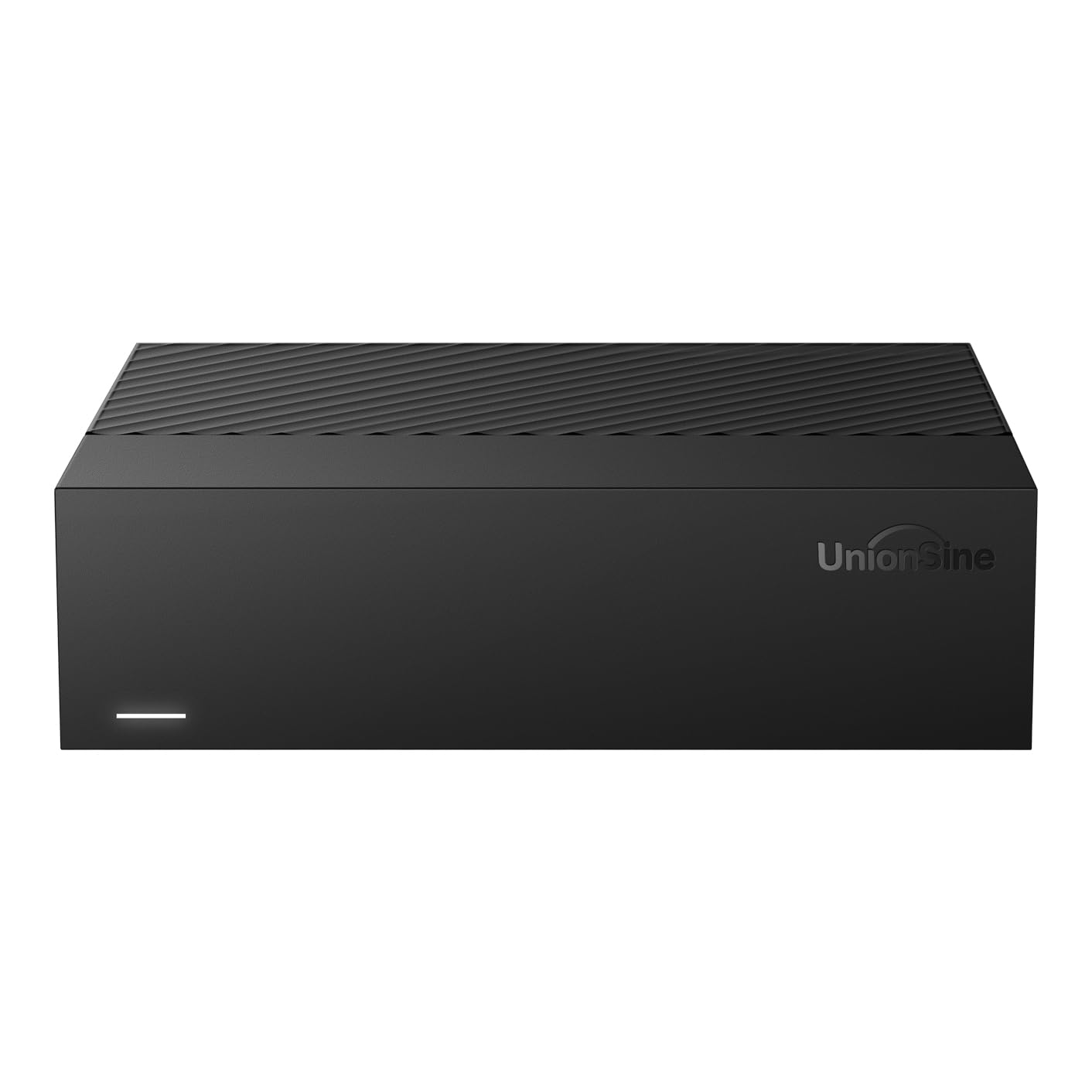
The UnionSine Desktop 16TB uses an ASMedia (ASM) chipset for wider compatibility across Windows, Mac, Linux, Android, TVs, and game consoles — making it one of the most platform-agnostic external drives available at this capacity. The horizontal 3.5-inch design sits flat on a desk, working well under a TV or next to a media server, and the included 12V/3A power adapter ensures stable power delivery even for enterprise-class hard drives.
Transfer speeds reach up to 270 MB/s on the 7200 RPM model, and the anti-vibration silicone padding inside the enclosure keeps noise levels lower than many competing drives. Plug-and-play operation means no driver installation, though the drive must be connected to power before the USB cable. Buyer reviews confirm compatibility with Xbox Series X for game storage, with older Xbox One titles playing directly from the drive without lag.
The USB 3.0 MicroB interface can be a bottleneck on paper, but real-world users report file transfers of 120-270 MB/s, suggesting the bottleneck is more about your source drive speed than the interface. The main drawbacks reported are that the drive can run warm during extended use and the plastic build doesn’t feel as premium as metal alternatives. For multi-device households, this is a solid mid-range pick.
Why it’s great
- Works with Windows, Mac, Linux, Android, TV, Xbox
- Anti-vibration silicone reduces noise
- Up to 270 MB/s transfer on 7200 RPM drive
- Plug-and-play, no software required
Good to know
- Plastic enclosure feels less durable
- USB 3.0 MicroB connector, not USB-C
7. Avolusion M5 Series 16TB

The Avolusion M5 Series is designed specifically for Windows desktop and laptop users who want instant storage expansion without opening their PC case. Pure white enclosure stands out on a desk, and the drive includes a 2-year warranty card, power adapter, and USB 3.0 cable in the box. The 256 MB cache helps buffer small file writes, making the drive feel snappier in everyday use than its 5400 RPM rotational speed would suggest.
Buyers report the drive works well for consolidating media libraries and freeing up smaller internal SSDs. A full format takes roughly 20 hours at this capacity, so plan accordingly. After formatting, the usable capacity settles around 15 TB rather than the full 16 TB due to the difference between decimal and binary measurements. This is standard across all hard drives, but some users find it surprising.
The main limitation is transfer speed—one buyer reported a max of 40 MB/s during a massive 7 TB file migration, and the drive has known recognition issues when connected to a Mac or PS5. It’s a Windows-specific drive that does its job well for that ecosystem. If you work entirely in Windows and need a large backup volume without premium speed demands, this drive gets the job done at a competitive price.
Why it’s great
- Plug-and-play Windows expansion, no PC case opening
- 256 MB cache improves small-file performance
- 2-year warranty included
- Affordable price per terabyte
Good to know
- Slow sequential writes, especially for multi-TB transfers
- Not compatible with Mac or PS5 without workarounds
8. Toshiba MG08ACA16TE 16TB

The Toshiba MG08ACA16TE is a helium-sealed enterprise drive with 9 CMR platters squeezed into a standard 3.5-inch form factor. The 512 MiB cache is massive by HDD standards, and the drive’s 2.5 million hour MTTF rating makes it suitable for 24/7 NAS and server environments that would wear out consumer drives in months. This is the bare-drive (renewed) version, meaning you supply your own external enclosure or install it directly into a desktop.
Real-world benchmarks show sustained throughput of 270-280 MB/s, thanks to the 7200 RPM spindle and Toshiba’s persistent write cache technology. The drive supports 550 TB/year workload ratings, so it won’t choke under repeated backups or heavy data logging. Helium sealing reduces internal turbulence and power consumption, keeping operating temperatures lower than air-filled drives at the same speed.
The renewed nature of this drive is its biggest gamble — several buyers received units with 20,000 to 35,000 power-on hours indicating 2-4 years of prior datacenter use. While many run fine for years after, a drive that’s already a quarter of the way through its designed lifespan isn’t ideal for mission-critical storage. If you’re comfortable with the refurbished risk and have an enclosure ready, the raw performance and capacity per dollar are excellent.
Why it’s great
- Helium-sealed 9-platter design for high density and low power
- 512 MiB cache with 270-280 MB/s sustained throughput
- 2.5 million hour MTTF for 24/7 workload
- 550 TB/year workload rating
Good to know
- Renewed drives may have 20,000+ power-on hours
- Bare drive — you must supply your own enclosure
9. MDD MAXDIGITALDATA 16TB

The MDD MAXDIGITALDATA drive is built for surveillance DVR systems — designed around heavy 24×7 operation with a 2.0 million hour MTBF and an annual failure rate of just 0.44%. That translates to a drive that can handle endless video streams without stuttering or overheating. The 256 MB cache and 7200 RPM spindle are standard for this tier, but the surveillance-grade firmware tuning makes a real difference in sustained sequential write stability.
Buyer experiences are split between excellent value and reliability concerns. Multiple reviews report the drive working flawlessly after a year, used for gaming and security backups with SSD caching as a safety layer. However, there are also reports of the drive being noticeably loud — one reviewer compared the noise to popcorn popping — and a reported failure where one of four drives in an array developed bad sectors after five months. The 3-year warranty provides some coverage.
The renewed condition is the biggest variable with this drive. Unlike new enterprise drives where every unit meets spec, renewed drives can range from near-new to showing years of prior use. For budget-conscious buyers building a surveillance array or bulk media storage where the drive isn’t holding critical irreplaceable data, the MDD delivers the capacity per dollar. For data you can’t lose, invest in a new premium drive with a longer warranty.
Why it’s great
- Purpose-built for 24/7 surveillance workloads
- 0.44% annual failure rate in enterprise spec
- 7200 RPM with 256 MB cache
- 3-year warranty provides some coverage
Good to know
- Loud operation reported by multiple buyers
- Renewed condition means unknown prior usage hours
FAQ
Why does my 16TB drive only show 14-15TB of usable space?
Is a 5400 RPM 16TB drive too slow for 4K video playback?
Final Thoughts: The Verdict
For most users, the best 16tb external hard drive winner is the LaCie d2 Professional because it combines an enterprise IronWolf Pro drive, a 5-year warranty, and passive aluminum cooling into a single reliable package. If you want rugged metal construction and USB-C speed at a lower price point, grab the Oyen Digital Novus and install your own drive. And for budget-minded users who need a dedicated backup volume for Windows without speed demands, the Avolusion M5 Series delivers the capacity where it counts.