
A cramped budget for a new computer tower usually means choosing between a sluggish processor, barely enough RAM, and a tiny hard drive that fills up in weeks. The market is flooded with reused office machines, underpowered mini PCs, and gaming rigs that sacrifice everything for a discrete GPU, making it dangerously easy to waste money on a system that chokes on basic multitasking within a year.
I’m Min — the co-founder and writer behind Gadgets Feed. I’ve spent dozens of hours cross-referencing benchmark data, real-world customer experiences, and the subtle but critical differences in chipset generations, RAM types, and storage interfaces to separate the genuine value deals from the polished turds in this price range.
This guide cuts through the noise to help you identify the right balance of processing power, memory configuration, and upgrade potential when shopping for a budget computer tower that won’t let you down in your first year of ownership.
How To Choose The Best Budget Computer Tower
A smart purchase in this segment depends on understanding that a “budget” tag doesn’t mean you have to accept a creaky, unusable machine. The real trick is to identify which compromises you can live with and which specs will make you miserable six months down the line.
Processor Generation Matters More Than Core Count
An older i7 from 2013 with eight threads can feel slower in everyday tasks than a modern i3 from the 12th or 13th generation due to architectural improvements in single-thread performance and power efficiency. Always check the CPU model number against its release year — an 8th-gen Intel or a Ryzen 5000-series is the floor for a system that still feels responsive with a modern operating system and a few browser tabs open simultaneously.
RAM Type and Capacity: The Multitasking Gatekeeper
16GB of DDR4 is the sweet spot for a Budget Computer Tower used for office work, streaming, and light gaming. Beware of systems still shipping with DDR3 — that older RAM standard limits the processor options you can pair with it and bottlenecks performance. If the system has 8GB, you will feel the system struggle when you have Slack, a dozen Chrome tabs, and a Spotify window open. 32GB is overkill for most, but if a refurbished business machine offers it at a small premium, it future-proofs the build.
Storage Type: NVMe vs SATA vs HDD
The biggest perceivable speed difference in a cheap computer tower comes from the storage drive. An NVMe SSD can boot Windows in under 15 seconds and launch applications instantly. A SATA SSD is slower but still acceptable. A traditional hard drive (HDD), even a 7200RPM one, will make the machine feel ancient. Avoid any system that does not have an SSD as its primary boot drive unless you plan to upgrade it immediately.
Graphics: Integrated vs Discrete
For a truly low-cost tower, integrated graphics from Intel (UHD Graphics 630 or newer) or AMD (Radeon Vega) can handle 1080p video playback, office applications, and very old or esports titles at low settings. If you need to play modern AAA games, you will need a discrete GPU, which immediately pushes the budget up. Many refurbished office towers lack the power supply connectors or physical space to add a full-size graphics card later, so check this before buying if you have any gaming ambitions.
Quick Comparison
On smaller screens, swipe sideways to see the full table.
| Model | Category | Best For | Key Spec | Amazon |
|---|---|---|---|---|
| GEEKOM A5 Mini PC | Mini PC | Ultra-Compact Office | AMD Ryzen 7 5825U | Amazon |
| KAMRUI Hyper H2 Mini PC | Mini PC | High RAM Capacity | Intel Core i5-14450HX | Amazon |
| YAWYORE Gaming PC | Tower PC | Upgradable Gaming Rig | AMD Ryzen 5 5600GT | Amazon |
| Lenovo IdeaCentre Tower | Tower PC | DDR5 & Wi-Fi 6E | Intel Core i3-14100T | Amazon |
| HP ProDesk 600G4 Tower | Tower PC (Renewed) | 32GB + 1TB Storage | Intel Core i7-8700 | Amazon |
| Dell Optiplex 7060 SFF | SFF (Renewed) | 32GB in a Tiny Box | Intel Core i7-8700 | Amazon |
| Business Desktop PC (Kroteaup) | Tower PC | Long Warranty | Intel Core i7-4770 | Amazon |
| HP Windows 11 Desktop (Renewed) | SFF Bundle (Renewed) | All-in-One Bundle | Intel Core i5-8500 | Amazon |
| Dell Optiplex 7010 (Renewed) | Tower PC (Renewed) | Lowest Entry Cost | Intel Core i7-3770 | Amazon |
| suevery Prebuilt Gaming PC | Tower PC | Entry-Level GPU Included | RX 560 4GB Graphics | Amazon |
| Alienware Aurora ACT1250 | Premium Gaming Tower | Highest Performance | Intel Core Ultra 7 265F | Amazon |
In‑Depth Reviews
1. GEEKOM A5 Mini PC
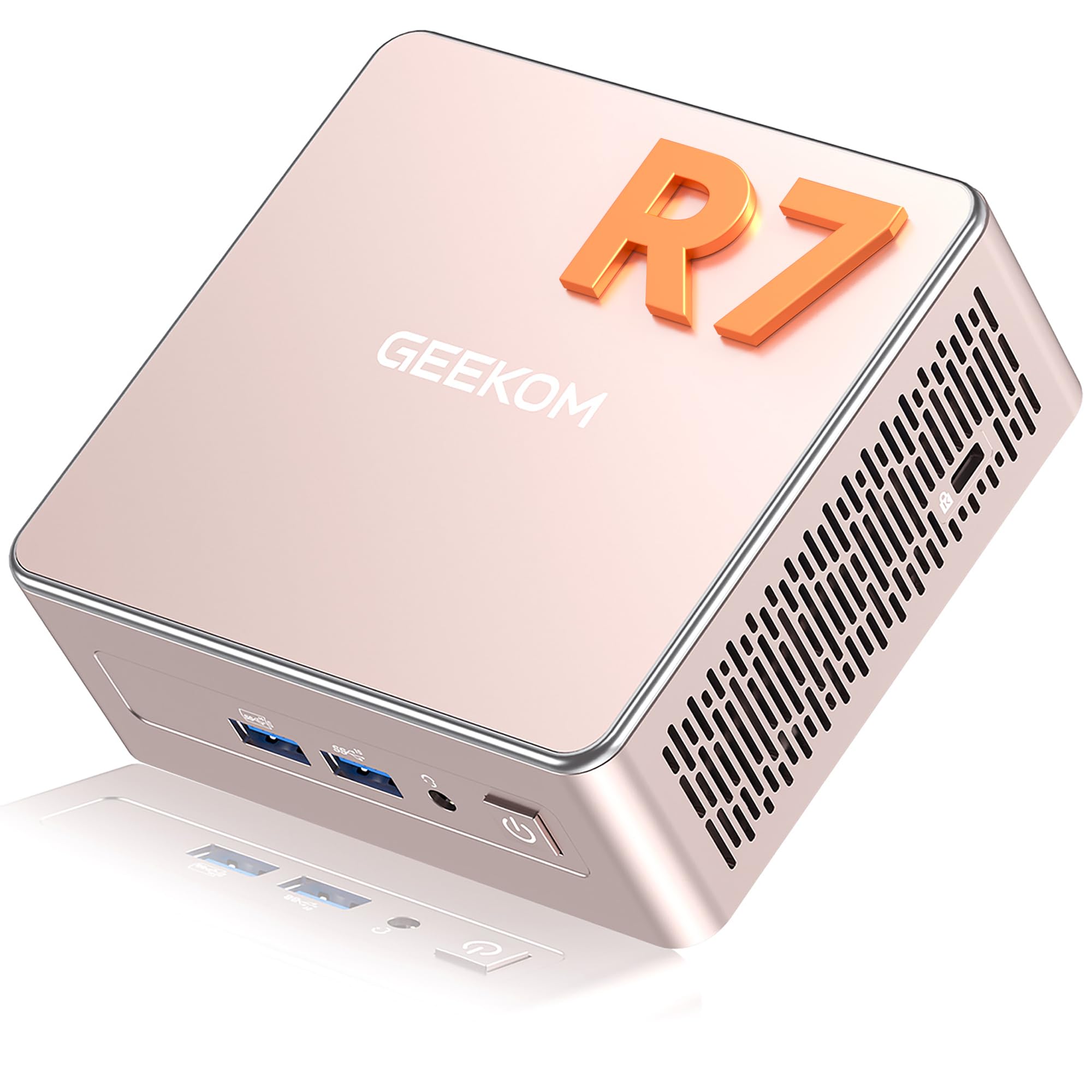
The GEEKOM A5 achieves something rare in this space: it delivers genuinely snappy real-world performance from a chassis that sits at 0.6 liters, smaller than a novel. The AMD Ryzen 7 5825U (8 cores, 16 threads, up to 4.5 GHz) paired with 16GB of dual-channel DDR4 RAM that is socketed (not soldered) and expandable to 64GB gives you both immediate speed and a future upgrade path that most budget towers lack entirely.
The integrated Radeon Vega 8 graphics on this chip is surprisingly capable — it handles 4K video playback effortlessly and can even run indie games and older AAA titles at playable framerates, making it a better multimedia hub than any Intel-UHD-based office desktop at this price tier. The ability to drive four independent 4K displays or a single 8K output means it fits seamlessly into a professional multi-monitor workflow without the noise or footprint of a full tower.
Connectivity is a standout feature here: Wi-Fi 6 and Bluetooth 5.2 are built in, and the port selection includes two USB-C ports, four USB-A ports, and dual HDMI outputs. The 3-year warranty is an anomaly in the budget PC segment and speaks to the build quality. The only real trade-off is that the integrated graphics cannot compete with even a budget discrete GPU for modern 1080p gaming, but for an office, coding, or media consumption build, this is the most complete package you can get without breaking the bank.
Why it’s great
- Ryzen 7 5825U offers desktop-class performance in a 0.6L footprint
- Socketed DDR4 RAM is expandable to 64GB, a rarity at this tier
- Vega 8 graphics handle 4K video and multi-monitor setups with ease
- Comes with a 3-year warranty, far exceeding standard 1-year plans
Good to know
- Integrated graphics are not suitable for modern AAA gaming
- Some users report Bluetooth connectivity glitches with certain peripherals
2. KAMRUI Hyper H2 Mini PC

The KAMRUI Hyper H2 uses the Intel Core i5-14450HX, a chip from the HX-series that delivers desktop-class performance with its 10-core, 16-thread configuration that can turbo up to 4.8 GHz. This is a monster of a processor for a mini PC, and it comfortably handles coding, virtual machine deployment, and heavy multitasking that would choke an i7 from just five years ago.
The 32GB of DDR4 RAM pre-installed is the headline feature here — this is more memory than most users will ever need, and it completely eliminates the anxiety of hitting a ceiling with dozens of browser tabs and multiple office applications open simultaneously. The 1TB NVMe PCIe 4.0 SSD provides fast boot and load times, and the dual M.2 slots allow for expansion up to 4TB, making this a genuinely viable primary workstation for a developer or data analyst.
Cooling is a focus on this model, with dual copper heat pipes and quiet centrifugal fans that maintain over 95% multi-core performance under sustained load. The ability to drive three 4K displays simultaneously via HDMI 2.0, DisplayPort, and USB-C makes it a productivity powerhouse. The main caveat is that the integrated graphics are just Intel UHD, so gaming performance is limited to basic esports titles. For a pure productivity machine that fits in a pocket, this delivers an unmatched RAM-to-price ratio.
Why it’s great
- 32GB DDR4 RAM is a massive capacity for the price, future-proofing multitasking
- i5-14450HX provides near-desktop multicore performance in a tiny chassis
- Triple 4K display support via HDMI, DP, and USB-C is excellent for productivity
- Dual M.2 slots with PCIe 4.0 support for flexible, high-speed storage expansion
Good to know
- Integrated Intel UHD graphics are not suitable for modern gaming
- Windows 11 Pro license may require activation steps, per some user reports
3. YAWYORE Gaming PC Desktop

The YAWYORE Gaming PC is built around the AMD Ryzen 5 5600GT, a 6-core, 12-thread processor based on the Zen 3 architecture that can boost to 4.6 GHz. This CPU is a fantastic foundation for a budget build because it features integrated Radeon Vega graphics that can handle 1080p esports titles, but also leaves the door wide open for a discrete GPU upgrade down the line.
The system arrives with 16GB of DDR4 3200MHz RAM and a 1TB M.2 NVMe SSD, which are both solid baseline specs. The real advantage here is the standard ATX form factor and the 550W 80PLUS Bronze power supply, which has enough wattage and the right cables to support a mid-range graphics card like an RX 6600 or RTX 3060. Multiple user reviews confirm that adding a used GTX 1070 Ti or RX 580 dramatically boosts gaming framerates, validating the upgrade-ready design.
The case includes five 120mm ARGB fans for excellent airflow, and the MSI A520M-A PRO motherboard provides a reliable platform with room for expansion. The integrated Vega graphics are a stopgap, not a solution, for modern gaming, but they allow you to use the PC immediately and save for a GPU later. This makes the YAWYORE the most strategic purchase for anyone who wants a cheap tower now but has ambitions to turn it into a real gaming rig in the future.
Why it’s great
- Ryzen 5 5600GT is a powerful foundation with integrated Vega graphics for immediate use
- 550W 80PLUS Bronze PSU and standard ATX layout make GPU upgrades straightforward
- 1TB NVMe SSD and 16GB of DDR4 RAM are excellent baseline specs
- Five ARGB fans and remote-controlled cooling fan provide excellent thermal performance
Good to know
- Does not include a discrete GPU, so out-of-box gaming is limited to esports and older titles
- GPU power cable may be tucked away in the case, requiring careful extraction
4. Lenovo IdeaCentre Business Tower
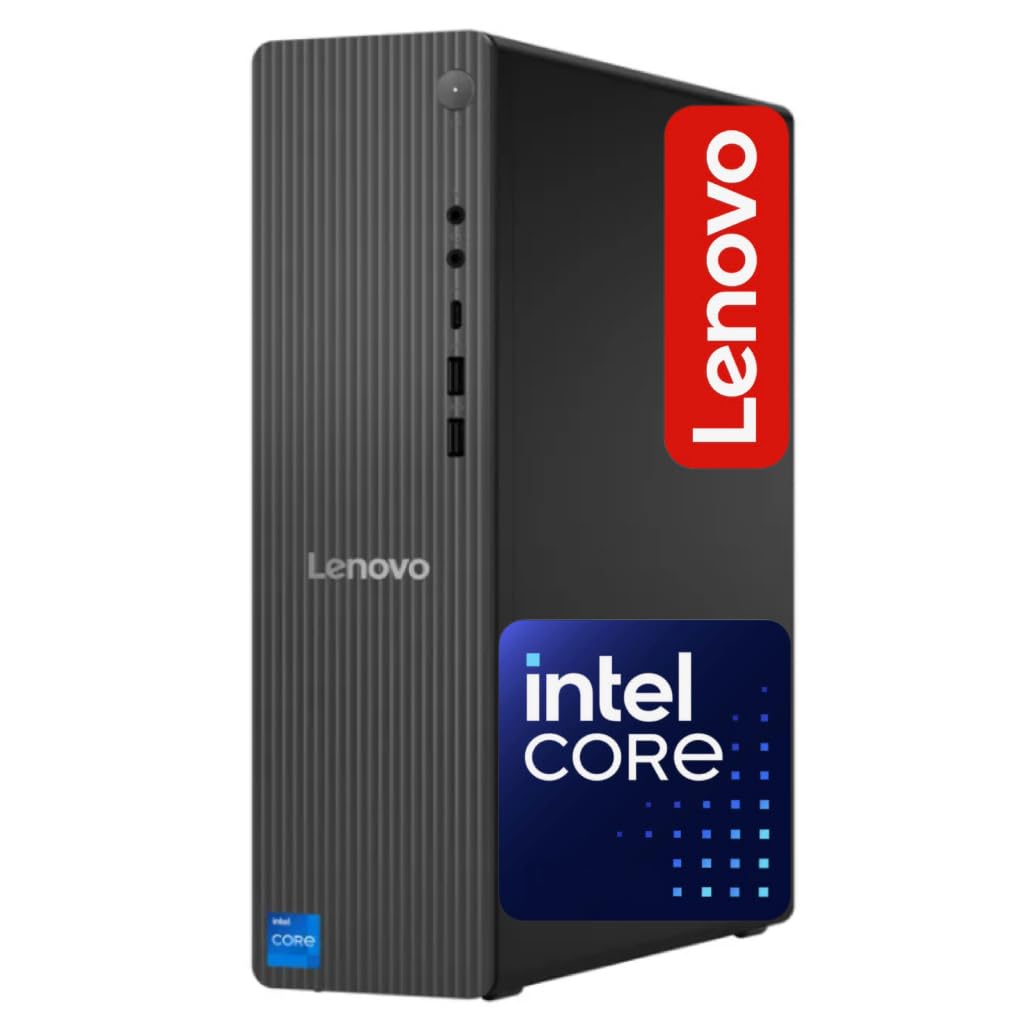
The Lenovo IdeaCentre takes a different approach by prioritizing modern platform features over raw core count. The Intel Core i3-14100T is only a 4-core processor, but it is based on the latest Raptor Lake Refresh architecture and clocks up to 4.4 GHz, which in many everyday tasks feels faster than a 6-core chip from several years ago due to superior single-thread performance.
The inclusion of 16GB of DDR5 RAM is a significant differentiator — this memory standard offers higher bandwidth and efficiency compared to the DDR4 found in almost every other budget tower, providing a measurable boost in data-heavy tasks like file compression and video editing. The storage is a hybrid setup with a 256GB NVMe SSD for the OS and applications plus a 500GB HDD for bulk storage, which balances speed and capacity effectively for users who don’t need a single, massive drive.
Wi-Fi 6E and Bluetooth 5.2 are built-in, offering the fastest wireless connectivity available at this price point, and the front USB-C port is a welcome convenience for modern peripherals. The tower is compact but not tiny, and it runs quietly during normal use. The trade-off for the modern i3 and DDR5 memory is limited gaming capability due to integrated graphics, and the 4-core CPU may show its limits under heavy multi-threaded workloads like compiling code or running multiple virtual machines.
Why it’s great
- DDR5 RAM provides a meaningful speed advantage over DDR4 in memory-sensitive tasks
- Wi-Fi 6E and Bluetooth 5.2 offer the latest wireless connectivity standards
- Compact tower design with a front USB-C port for modern device connections
- Dual-drive storage (256GB SSD + 500GB HDD) balances speed and capacity
Good to know
- Only a 4-core processor, which may struggle with heavy multi-threaded workloads
- Integrated Intel UHD graphics limit gaming to the most basic titles
- Some users note the system runs louder than expected during operation
5. HP ProDesk 600G4 Tower (Renewed)

The HP ProDesk 600G4 is a refurbished business-class tower that packs a serious punch for the money. It houses an Intel Core i7-8700, a 6-core/12-thread processor from the 8th generation that remains a very capable performer for everything from office suites to light content creation, paired with a generous 32GB of DDR4 RAM and a 1TB SSD.
The 32GB of RAM is the standout spec here — it is double what most budget towers offer and ensures that the system will not feel sluggish even with heavy multitasking, large spreadsheets, or virtual machine workloads. The 1TB SSD provides ample fast storage for applications and files, and the full-size tower form factor offers expansion slots and drive bays that small form factor or mini PCs lack, allowing for future upgrades like a graphics card or additional hard drives.
The port selection is excellent with six USB 3.0 ports, a USB Type-C port, and two DisplayPort outputs for dual-monitor support. It comes with Windows 11 Pro pre-installed. The main downside is that this is a refurbished unit, and quality can vary significantly between sellers — some customers report excellent condition machines while others receive units with cosmetic wear, cheap USB dongles for Wi-Fi, or missing mounting hardware for NVMe upgrades. The platform uses DDR4 and an older CPU architecture, so it is not as modern as a Lenovo IdeaCentre, but for raw specs per dollar, this is hard to beat.
Why it’s great
- 32GB of DDR4 RAM and a 1TB SSD are outstanding specs at this price tier
- i7-8700 (6-core/12-thread) remains a very capable productivity and multitasking processor
- Full-size tower case allows for future expansion and upgrades
- Includes a USB Type-C port and dual DisplayPort outputs for modern connectivity
Good to know
- Quality of refurbishment varies by seller; some units have cosmetic flaws or cheap peripherals
- Requires DisplayPort cables or adapters for monitor connection (no HDMI port listed)
- Relies on USB dongles for Wi-Fi and Bluetooth, which can be less reliable than integrated solutions
6. Dell Optiplex 7060 SFF (Renewed)

The Dell Optiplex 7060 Small Form Factor is the space-saving sibling of the HP ProDesk 600G4. It shares the same excellent Intel Core i7-8700 processor and 32GB of DDR4 RAM, but packs everything into a compact chassis that can be mounted behind a monitor or tucked into a tight desk corner.
The 512GB NVMe M.2 SSD is a welcome upgrade over a SATA-based drive, providing faster boot and application load times. The included wireless keyboard and mouse set is basic but functional, and the built-in Wi-Fi and Bluetooth save you from needing a separate dongle, which is a consistent pain point with other refurbished business machines. The dual DisplayPort outputs support dual 4K monitors, making this an excellent choice for a productive multi-screen office setup.
The trade-off for the small footprint is limited internal expansion — there is no room for a full-height discrete graphics card, and the included peripherals are often cited as cheap and prone to early failure. Some users also report that the SSD in their unit was a SATA drive rather than the advertised NVMe, though the seller addressed this issue when flagged. For a clean, fast, and compact office machine with a powerful processor and plenty of RAM, this is a top contender.
Why it’s great
- i7-8700 with 32GB RAM and 512GB NVMe SSD provides snappy, responsive performance
- Small form factor design saves significant desk space and supports VESA mounting
- Built-in Wi-Fi and Bluetooth eliminate the need for unreliable USB dongles
- Dual DisplayPort outputs support dual 4K monitors natively
Good to know
- SFF case has no room for a full-height discrete GPU, limiting gaming and rendering
- Included keyboard and mouse are very basic and prone to early failure
- Some units may ship with a SATA SSD instead of the advertised NVMe drive
7. Business Desktop PC (Kroteaup)

The Kroteaup Business Desktop offers a compelling proposition for the risk-averse buyer: a 2-year warranty and free technical support, which is far beyond what other refurbished sellers typically provide. The system is built around the Intel Core i7-4770, a 4-core/8-thread processor from the Haswell generation that, while old, still handles basic office tasks, web browsing, and streaming adequately.
The 16GB of DDR3 RAM is enough for comfortable multitasking, and the 512GB NVMe SSD ensures quick boot times and responsive application loading. The system comes pre-loaded with Windows 11 and includes Wi-Fi 6, which is a surprisingly modern connectivity feature for a machine based on a 2013 processor. The low-noise cooling system is a thoughtful touch for a home office environment where fan hum can be distracting.
The main limitation here is the aging platform — the i7-4770 uses DDR3 memory, which is slower than DDR4, and its single-thread performance is significantly behind even a modern i3. It will not handle heavy multitasking, modern gaming, or demanding creative software well. The integrated Intel HD Graphics 4600 is only suitable for basic video playback. For a pure spreadsheet, email, and web browsing machine where the seller’s support guarantee provides peace of mind, this is a safe bet.
Why it’s great
- 2-year warranty and free tech support are industry-leading for a budget refurbished tower
- NVMe SSD and Wi-Fi 6 provide very modern responsiveness and connectivity
- Low-noise cooling system is well-suited for quiet home office environments
- Pre-installed Windows 11 for plug-and-play setup out of the box
Good to know
- i7-4770 is over a decade old and uses slower DDR3 memory
- Integrated graphics cannot handle modern gaming or demanding creative software
- Some customer reviews note hardware incompatibility with Windows 11 installation
8. HP Windows 11 Desktop (Renewed)

The HP Windows 11 Desktop bundle takes the guesswork out of building a complete setup. Based on an HP ProDesk Small Form Factor chassis, it includes a 24-inch LCD monitor, a 2K webcam, RGB speakers, and a color-changing RGB keyboard and mouse combo. This is a family-friendly solution where the buyer wants everything in one box, ready to go for school or work immediately.
The core specs are solid: an Intel Core i5-8500 (6-core, up to 4.1 GHz), 16GB of DDR4 RAM, and a 500GB SSD. This combination is more than sufficient for the typical home user who needs to run a browser, office suite, video calls, and streaming simultaneously. The 8th-gen i5 is a reliable workhorse that avoids the sluggishness of older dual-core processors still found in many cheap bundles. The inclusion of Wi-Fi 6 and Bluetooth provides modern wireless flexibility.
The main concern with this bundle is the quality consistency of the refurbished components. Some customers report that the Wi-Fi was not functioning out of the box and required a separate USB adapter, and the monitor model can vary. The RGB peripherals add a fun aesthetic for younger users but are not high-quality. For a parent who wants a single Amazon order to handle their child’s school computer needs, this is a convenient option, but it lacks the raw power of the best-value towers for the same money.
Why it’s great
- Complete bundle includes monitor, webcam, speakers, and keyboard/mouse for instant setup
- i5-8500 with 16GB DDR4 RAM and SSD handle home and school tasks smoothly
- RGB keyboard and mouse add a fun aesthetic that appeals to younger users
- Small form factor design saves desk space compared to a full tower
Good to know
- Some units may have issues with built-in Wi-Fi requiring a separate USB adapter
- Monitor brand and model may vary from what is shown in the listing
- Refurbished quality is inconsistent; some customers receive non-functional units
9. suevery Prebuilt Gaming PC
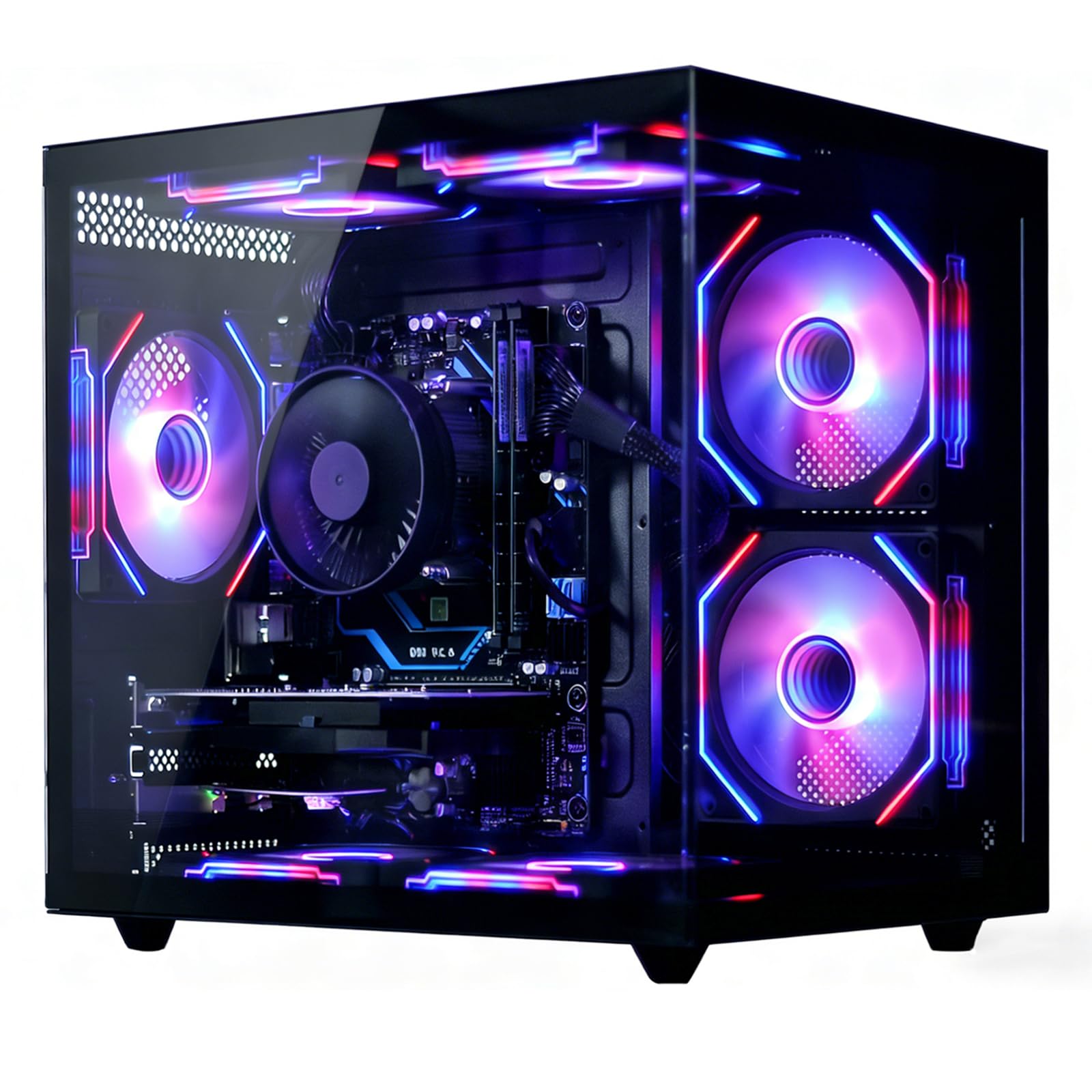
The suevery Prebuilt Gaming PC is one of the few towers in this budget range that includes a discrete graphics card. The Radeon RX 560 with 4GB of VRAM allows it to play modern esports titles like Fortnite, Valorant, and Rocket League at 1080p with respectable framerates, and it can handle older AAA games at medium settings. This immediately elevates it above any system relying solely on integrated graphics.
The AMD Ryzen 5 processor (6-core, up to 4.1 GHz) paired with 16GB of DDR4 RAM and a 512GB NVMe SSD provides a well-balanced foundation that avoids obvious bottlenecks. The system includes Wi-Fi 6 and a cooling system with customizable RGB fans that users report keeps GPU temperatures under 70°C under load, which is excellent thermal performance for a budget case.
The RX 560 is not a powerful card by modern standards — it will not run Cyberpunk 2077 or Hogwarts Legacy at acceptable framerates — but it is light-years ahead of integrated graphics and allows for genuine 1080p gaming. The main drawbacks are that the CPU cooler’s RGB lighting may not be customizable, and some users experienced initial boot issues that required troubleshooting. For the entry-level gamer on a tight budget who wants to play games immediately without researching a graphics card upgrade, this is the most straightforward path.
Why it’s great
- Includes a discrete RX 560 4GB GPU for 1080p gaming out of the box
- Ryzen 5 + 16GB DDR4 + 512GB NVMe provides a balanced, bottleneck-free platform
- Excellent thermal performance with GPU staying under 70°C under load
- Wi-Fi 6 built-in for low-latency online gaming
Good to know
- RX 560 is an entry-level GPU that cannot handle modern AAA games at high settings
- Some users report initial boot issues that require BIOS troubleshooting
- CPU cooler RGB lighting may not be customizable
10. Dell Optiplex 7010 (Renewed)

The Dell Optiplex 7010 is the cheapest entry point on this list and represents the absolute floor for a usable Windows 11 computer. It features an Intel Core i7-3770, a 4-core/8-thread processor from the Ivy Bridge era (2012), 16GB of DDR3 RAM, and a 1TB SATA SSD. This configuration is surprisingly competent for very basic tasks like web browsing, email, Microsoft Office, and streaming video.
The 1TB SSD is a genuinely generous inclusion at this price point, providing enough storage for a family’s worth of documents, photos, and media without the anxiety of running out of space. The inclusion of a USB keyboard, mouse, and Wi-Fi adapter means it is truly ready to go out of the box. Some sellers within this listing provide excellent refurbished units with clean installations and responsive support.
The bottom line is that this machine is built on a decade-old platform. The i7-3770 uses DDR3 RAM, the integrated Intel HD 4000 graphics can barely handle modern web pages with heavy animations, and there is no realistic upgrade path for gaming. The quality of the refurbishment varies wildly between different sellers under this listing, with some customers receiving units with mismatched power supplies, dead USB ports, or faulty Wi-Fi dongles. For a secondary PC, a child’s first computer for schoolwork, or a dedicated media server, it can work, but expectations must be carefully managed.
Why it’s great
- Rock-bottom price for a functional desktop PC with 16GB RAM and a 1TB SSD
- 1TB of solid-state storage is a generous amount for documents and media
- Includes keyboard, mouse, and Wi-Fi adapter for a complete out-of-box experience
- Can serve as a secondary PC, school computer, or basic media server
Good to know
- Platform is over a decade old with DDR3 RAM and very weak integrated graphics
- No viable upgrade path for gaming or heavy creative work
- Quality of refurbishment varies dramatically between different sellers
11. Alienware Aurora ACT1250

The Alienware Aurora ACT1250 sits in a completely different league from every other computer on this list, but it earns a spot as the aspirational benchmark for what a truly modern, high-performance tower looks like. It is powered by an Intel Core Ultra 7 265F, a next-generation processor from the Arrow Lake family, paired with 32GB of DDR5 RAM and an NVIDIA GeForce RTX 5070 with its own dedicated VRAM.
The RTX 5070, built on the Blackwell architecture, is a monster for both gaming and creative workloads, capable of running any modern game at high settings with ray tracing enabled and handling video editing, 3D rendering, and AI workloads with ease. The 1TB NVMe SSD provides lightning-fast storage, and the 1000W Platinum-rated power supply ensures that the system has plenty of headroom for future upgrades. The Alienware Command Center software allows for detailed performance and lighting customization.
The premium here is steep, and it represents the opposite end of the spectrum from the budget-focused machines above. The case is large and flashy with customizable AlienFX lighting, which will not suit everyone’s taste or desk space. Some users report that the system can refuse to start occasionally and requires a full power discharge to reset, which is a frustrating quirk for a premium machine. For those who can afford the jump, this tower provides a level of performance that makes every other system on this list feel like a compromise.
Why it’s great
- Intel Core Ultra 7 265F and RTX 5070 deliver top-tier gaming and creative performance
- 32GB of DDR5 RAM and 1000W Platinum PSU provide a future-proof platform
- NVIDIA Blackwell architecture supports advanced ray tracing and AI features
- Alienware Command Center software offers in-depth customization and monitoring
Good to know
- Very high price point places it far outside the budget computer tower category
- Some users report occasional boot issues requiring a full power discharge cycle
- Large case with flashy RGB lighting may not suit all professional environments
FAQ
Can a refurbished business tower like the Dell Optiplex or HP ProDesk be upgraded with a dedicated graphics card?
What is the difference between DDR3, DDR4, and DDR5 RAM in a budget computer tower?
Is a mini PC like the GEEKOM A5 powerful enough to replace a full desktop tower for home office use?
Final Thoughts: The Verdict
For most users, the budget computer tower winner is the GEEKOM A5 Mini PC because it combines a powerful modern Ryzen 7 processor, expandable RAM, and a tiny footprint in a package that will still feel fast years from now. If you want the maximum amount of pre-installed RAM and raw processing power for heavy multitasking, grab the KAMRUI Hyper H2. And for the aspiring gamer who needs a system that can grow with them, nothing beats the upgrade-ready design of the YAWYORE Gaming PC.