
A wireless gaming mouse under fifty dollars no longer means sacrificing tracking accuracy or build quality. The latest sensors from PixArt and PAW series deliver sub-millisecond latency and DPI ranges that were once exclusive to flagship models, all while keeping weight below sixty grams. The real challenge isn’t finding one—it’s picking the right shape and feature set for your grip style and game library.
I’m Min — the co-founder and writer behind Gadgets Feed. I’ve spent the last several weeks analyzing sensor specifications, polling rate performance, battery capacity, and real-world user feedback across the current crop of budget-friendly wireless gaming mice to separate genuine value from marketing fluff.
Whether you are after featherlight esports speed or comfortable marathon gaming without the cable clutter, this guide breaks down the seven best options available today. This is the definitive resource for finding the best budget gaming mouse wireless that actually performs.
How To Choose The Best Budget Gaming Mouse Wireless
Choosing a budget wireless gaming mouse comes down to four critical factors: sensor performance, connectivity options, battery life, and ergonomic fit. Ignoring any one of these can turn a great price into a frustrating daily driver.
Sensor and DPI Range
The sensor is the heart of any gaming mouse. Look for at least a PAW3311 or HERO optical sensor, which provide native 12,000+ DPI with zero acceleration and flawless tracking on cloth pads. DPI numbers above 20,000 are marketing numbers; what matters is the sensor’s consistency and power efficiency at your preferred sensitivity level.
Connectivity and Polling Rate
Tri-mode connectivity (2.4GHz, Bluetooth, and USB-C wired) gives you the most flexibility. For competitive gaming, 2.4GHz with a 1000Hz polling rate is essential—Bluetooth typically adds 10-20ms of input lag. If you switch between a desktop and laptop, the ability to pair Bluetooth separately is a huge convenience.
Battery Life and Charging
Battery capacity directly correlates with how often you plug in. A 500mAh battery can last 70-80 hours at 1000Hz polling, while a single AA-powered mouse like the Logitech G305 can run for 250 hours on one alkaline cell. Prioritize rechargeable mice with USB-C for convenience, but don’t dismiss AA-powered options if you dislike managing charging cables.
Weight and Grip Style
Weight matters for rapid flick shots and prolonged use. Mice under 65 grams reduce fatigue significantly. Consider your grip style: claw and fingertip grips work best with ambidextrous low-profile shapes, while palm grippers need a higher rear hump and right-handed contouring.
Quick Comparison
On smaller screens, swipe sideways to see the full table.
| Model | Category | Best For | Key Spec | Amazon |
|---|---|---|---|---|
| Logitech G305 Lightspeed | Premium | AA Battery Longevity | 250 hrs / AA / HERO Sensor | Amazon |
| ATK VXE Dragonfly R1 SE+ | Premium | Esports Featherweight | 55g / PAW3395 SE / 2kHz | Amazon |
| ATTACK SHARK X11 | Mid-Range | RGB Charging Dock | 62g / PAW3311 / Dock Included | Amazon |
| EPOMAKER Click Lite | Mid-Range | Battery Capacity | 500mAh / 78 hrs / PAW3311 | Amazon |
| Redragon M814 | Mid-Range | Rapid Fire Key | 9 Buttons / 250 hrs / 8k DPI | Amazon |
| AULA SC580 | Budget | Adjustable Grip Tape | 82g / 500mAh / 6 DPI Levels | Amazon |
| Redragon M725 | Budget | Ultra-Light Entry | 49g / Honeycomb / Tri-Mode | Amazon |
In‑Depth Reviews
1. Logitech G305 Lightspeed

The Logitech G305 continues to define the upper ceiling of budget wireless gaming mice. Its custom HERO sensor delivers 12,000 DPI at 400 IPS with pixel-perfect tracking, and the 1 ms LIGHTSPEED wireless gives you a truly wired-like experience without the cable drag. At 99 grams with a single AA battery, it’s not the lightest on this list, but the build quality and battery endurance are exceptional.
That 250-hour continuous runtime on a single AA battery is not a typo. Using the included battery and switching to Endurance mode in G HUB extends that figure up to nine months of regular use. The compact ambidextrous shape suits claw and fingertip grip styles well, and the nano receiver stores neatly in a bottom compartment for travel.
The G305 lacks onboard RGB and uses a replaceable AA rather than a rechargeable cell, which some may consider dated. But the HERO sensor’s efficiency and Logitech’s wireless reliability make it the safest choice for any gamer who prioritizes low latency and zero battery anxiety over flashy extras.
Why it’s great
- Industry-leading 250-hour battery life on one AA
- Flawless HERO sensor with 1 ms wireless latency
- Durable, proven build with onboard memory
Good to know
- Not rechargeable; uses AA batteries
- No RGB lighting for those who want customization
- Weight is on the heavier side compared to ultra-light competitors
2. ATK VXE Dragonfly R1 SE+
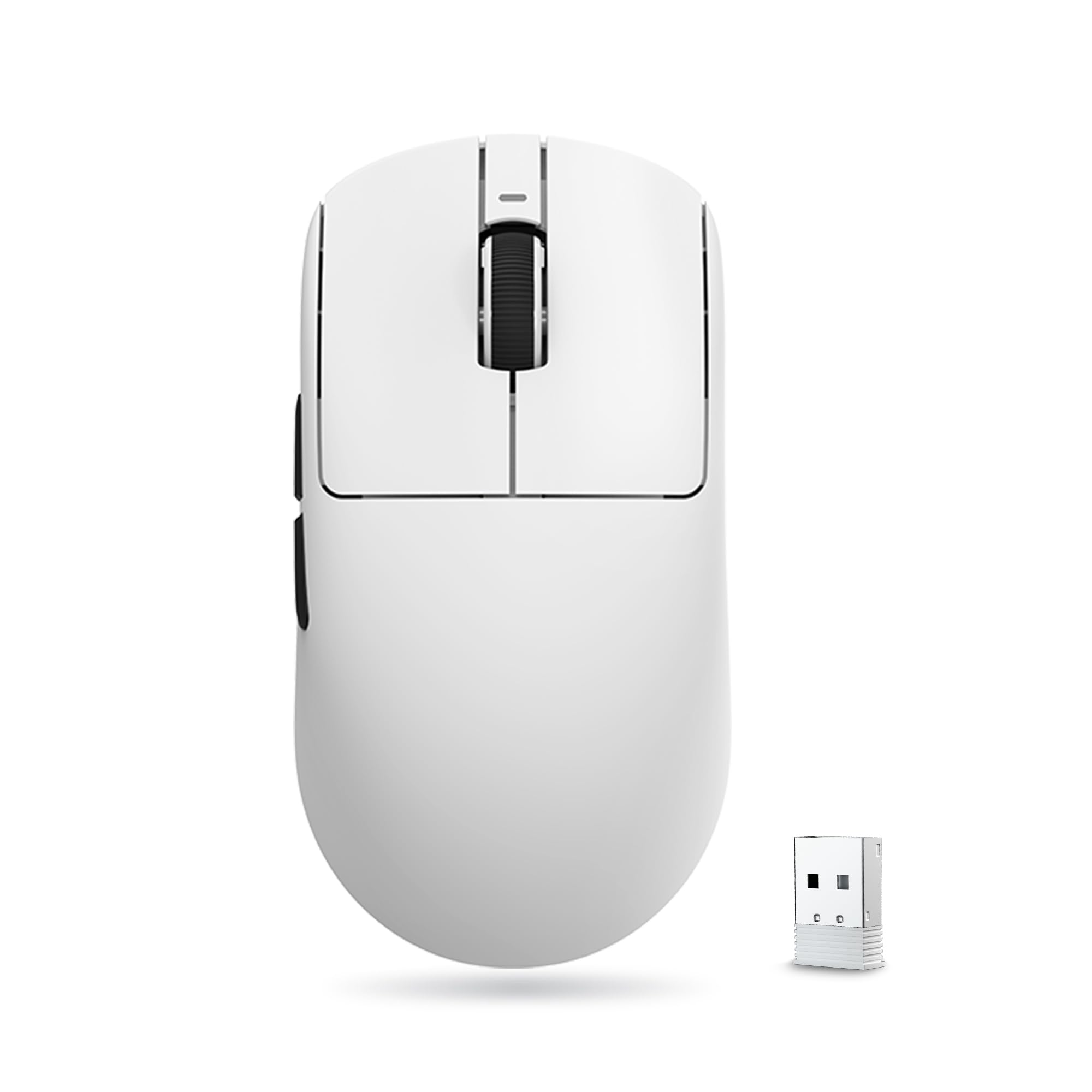
The ATK VXE Dragonfly R1 SE+ packs a professional-grade PAW3395 SE sensor and a 55-gram shell into a price point that defies its feature set. The sensor supports up to 18,000 programmable DPI with zero acceleration, and the adjustable polling rate ranges from 125Hz to 2000Hz via the driver. This makes it an exceptional pick for competitive shooters where every millisecond of latency matters.
Its lower-profile dimensions (120.6 × 64.1 × 37.6 mm) are optimized for medium-sized hands and work best with claw or fingertip grips. The SmartSpeed X 2.4GHz connection delivers ultra-low-latency performance indistinguishable from a wired mouse, and the 70+ hour battery life at 1000Hz means you only need to charge once every couple of weeks under moderate use.
Some users note the clicks feel slightly stiff out of the box, and the flat shape can be challenging for palm grippers to adapt to. The build quality is solid with no flex or creaking, and the tri-mode connectivity adds versatility for productivity use. For under thirty dollars, this level of sensor and weight reduction is nearly unmatched.
Why it’s great
- Incredible 55g weight for long gaming sessions
- PAW3395 SE sensor with 2kHz polling rate support
- Tri-mode connectivity (2.4G, Bluetooth, wired)
Good to know
- Stiff main buttons require break-in period
- Not ideal for palm grip users
- Bluetooth adds slight input lag
3. ATTACK SHARK X11

The ATTACK SHARK X11 stands out with its included RGB charging dock, a feature typically found on premium mice costing twice as much. The PAW3311 optical sensor provides 22,000 DPI with six adjustable levels, backed by 300 IPS tracking speed and 35G acceleration. The 62-gram design is lightweight yet solid, and the included anti-slip grip tape adds a layer of control for sweaty sessions.
Tri-mode connectivity covers 2.4GHz, Bluetooth 5.2, and USB-C wired, and the charging dock doubles as a receiver dongle holder for a clean desktop aesthetic. HUYU switches rated for 20 million clicks ensure the main buttons feel snappy and consistent over time. Battery life runs over a week with constant play, and charging the mouse on the dock keeps your cable management tidy.
The side buttons are relatively small and may be hard to reach during fast-paced gameplay, and the silicone grip coating can attract dust. However, the inclusion of the charging dock and grip tape at this price point makes the X11 an exceptionally well-rounded package for gamers who value aesthetics alongside performance.
Why it’s great
- RGB charging dock included for convenient charging
- PAW3311 sensor with 22,000 DPI and 1000Hz polling
- Comes with premium anti-slip grip tape
Good to know
- Side buttons are small and recessed
- Grip tape may not suit all hand sizes
- Batteries not included for the mouse
4. EPOMAKER Click Lite
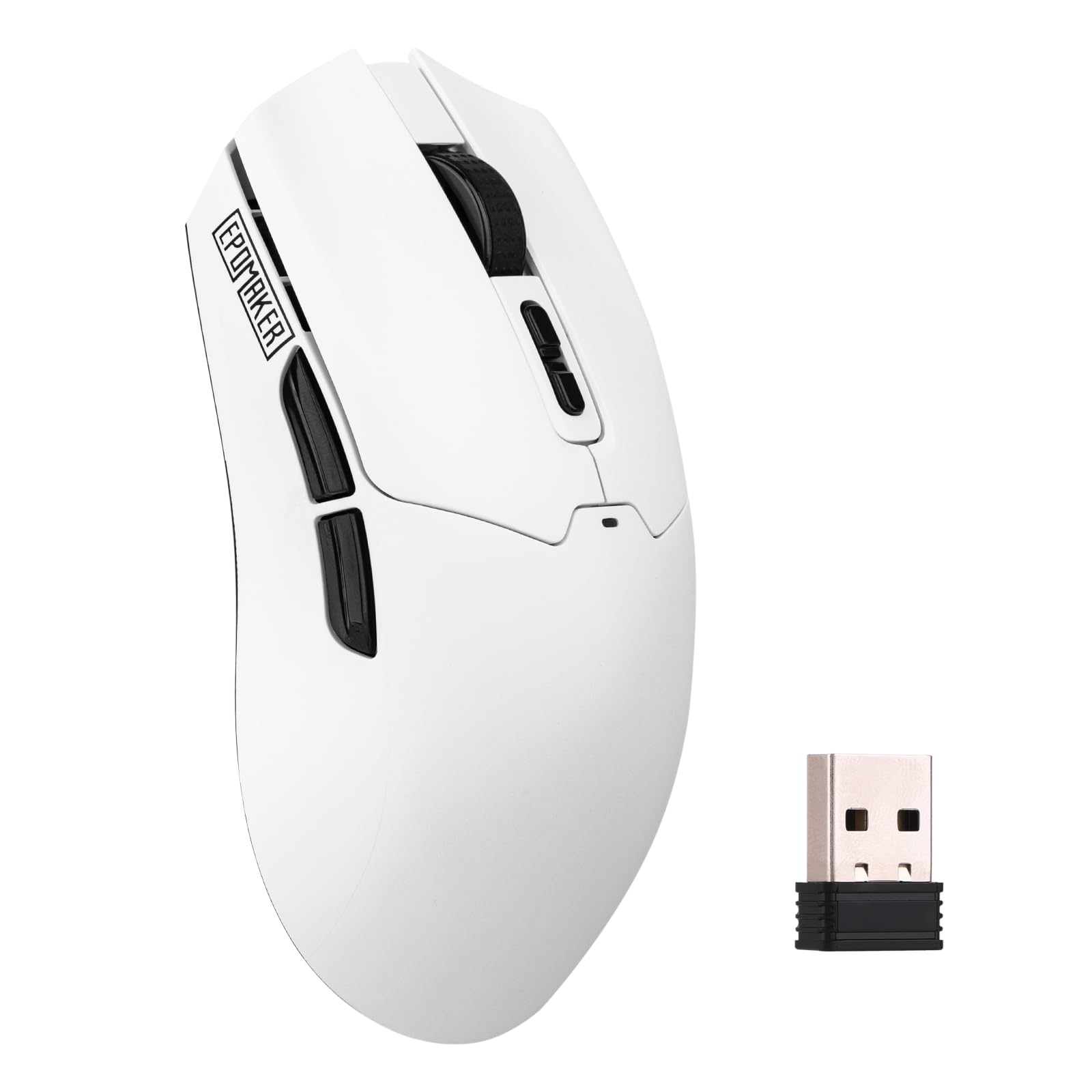
The EPOMAKER Click Lite delivers a PAW3311 sensor with adjustable DPI from 800 to 12,000, a 1000Hz polling rate, and a capacity-charged 500mAh battery rated for 78 hours of continuous use. At 59 grams, it rivals the weight of much more expensive esports mice, and the tri-mode connectivity (2.4GHz, Bluetooth, USB-C) offers seamless device switching.
The braided USB-C cable and PTFE feet contribute to a smooth, low-friction glide out of the box. The five programmable buttons allow for basic macros and shortcut assignments, and the wireless toggle switch on the bottom makes switching between devices intuitive. Real-world testing confirms the battery holds up for about a month of mixed gaming and office use before needing a recharge.
Ergonomically, the symmetrical shape is comfortable but not exceptional for larger hands, and the plastic enclosure gives a slightly hollow feel. The software is functional but lacks polish. Despite these trade-offs, the Click Lite offers sensor accuracy and build quality that punches well above its sticker price.
Why it’s great
- Large 500mAh battery with 78-hour runtime
- Accurate PAW3311 sensor with 1 ms latency
- Ultra-light 59g design reduces fatigue
Good to know
- Software interface is basic and dated
- Not very comfortable for large palm grips
- Plastic build feels less premium than competitors
5. Redragon M814

The Redragon M814 takes a different approach by including a dedicated Rapid Fire key that outputs three clicks per physical press, giving you an instant tactical edge in fast-paced FPS shooters. The PAW3311-equivalent sensor provides up to 8000 DPI with a 1000Hz polling rate, ensuring accurate tracking even during rapid movements. The 250-hour battery life in 2.4GHz mode with RGB turned off matches the Logitech G305’s endurance.
With nine total buttons—seven programmable plus the Rapid Fire key—the M814 offers the most macro flexibility on this list. The ergonomic right-handed contour fits medium to large hands comfortably, and the textured grips reduce slipping during extended sessions. RGB lighting can be customized via Redragon’s software, though it is limited to Windows-only for full configuration.
Some users note the rapid fire function is a niche feature that won’t appeal to every gamer, and battery life drops significantly with RGB lighting enabled. The software interface is functional but not as refined as Logitech G HUB. Still, the M814 is a unique option for players who want hardware-assisted clicking and extensive button mapping.
Why it’s great
- Dedicated Rapid Fire key for FPS advantage
- 9 buttons with extensive macro support
- 250-hour battery in 2.4GHz mode
Good to know
- Software only works with Windows PCs
- Rapid fire feature is not useful for all game genres
- Battery drains faster with RGB enabled
6. AULA SC580

The AULA SC580 offers a right-handed ergonomic shape that prioritizes comfort over extreme weight reduction, tipping the scales at 82 grams. The built-in 500mAh battery provides 10-14 days of typical use—or up to 288 hours in power-saving mode—and the 6 adjustable DPI levels (800 to 12,000) cover the full range needed for both productivity and gaming. The 1000Hz polling rate keeps input latency low.
Included non-slip grip stickers add a layer of sweat resistance, and the tri-mode connectivity (2.4GHz, Bluetooth 5.0, USB-C) can save up to four paired devices for quick switching. The mouse supports macro editing through the AULA driver, and the scroll wheel encoder feels precise with satisfying tactile steps. Users report the mouse glides smoothly on most desk surfaces.
The glossy finish can show fingerprints and the Bluetooth mode introduces slight input lag—fine for casual games but not recommended for competitive shooters. Some users report inconsistent battery life estimates from the driver software. Still, the SC580 delivers reliable tracking and a comfortable grip at an entry-level price.
Why it’s great
- Comfortable right-handed ergonomic shape
- 500mAh battery with excellent power efficiency
- Includes non-slip grip stickers
Good to know
- Glossy finish collects fingerprints easily
- Bluetooth adds noticeable input lag
- Driver software can be inconsistent
7. Redragon M725 Honeycomb
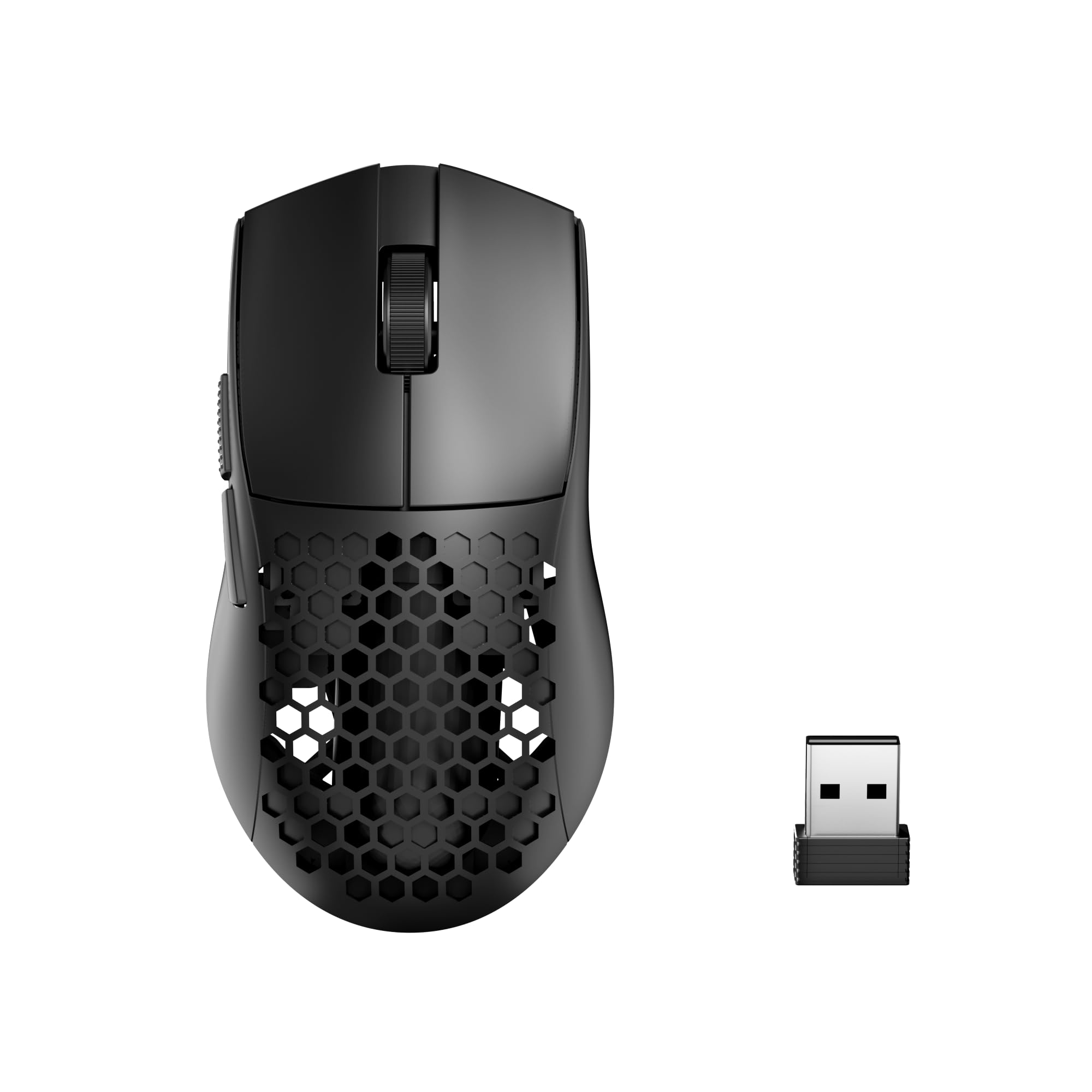
The Redragon M725 uses a honeycomb shell design to achieve an astonishing 49 grams, making it the lightest mouse on this list. The open-frame structure improves palm airflow to reduce sweat buildup during long sessions, while the 8000 DPI sensor with 5 redefinable levels (default 400/800/1600/2400/4000) provides adequate precision for most gamers. Tri-mode connectivity includes 2.4GHz, Bluetooth 5.1, and USB-C wired.
The symmetrical ambidextrous shape works equally well for left- and right-handed users, and the five programmable buttons can be customized using Redragon’s dedicated software. Battery life is decent for the weight class, lasting several days with moderate use. The mouse is built around a durable plastic skeleton that has survived reported drops without damage.
The honeycomb shell collects dust and debris in the lattice holes, requiring occasional cleaning with compressed air. The 8000 DPI maximum is lower than competitors, but still more than sufficient for 1080p and 1440p gaming resolutions. The M725 is an outstanding choice if your top priority is shaving every possible gram off your setup.
Why it’s great
- Featherlight 49g honeycomb design reduces wrist strain
- Tri-mode connectivity with Bluetooth 5.1
- Affordable entry point for ultra-light mice
Good to know
- Honeycomb shell collects dust in holes
- Maximum DPI limited to 8000
- Not ideal for palm grip users
FAQ
What DPI setting should I use for competitive gaming?
Is Bluetooth good enough for fast-paced FPS games?
Does weight really matter for gaming performance?
Final Thoughts: The Verdict
For most users, the best budget gaming mouse wireless winner is the Logitech G305 Lightspeed because it combines a proven HERO sensor with legendary 250-hour battery life and rock-solid build quality. If you want ultra-light weight and flagship sensor performance, grab the ATK VXE Dragonfly R1 SE+. And for an RGB charging dock and included grip tape, nothing beats the ATTACK SHARK X11.