
Blu-ray Disc Recordable (BD-R) drives are the last bastion of cold storage for professionals who refuse to trust a monthly cloud subscription with their master footage, legal document archive, or family photo timeline. Unlike standard DVD burners capped at 4.7 GB or hard drives that spin down and degrade, a dedicated BD-R drive writes onto 25 GB single-layer discs and can scale up to 100 GB triple-layer BDXL media, giving you a physical, shelf-stable backup that no ransomware can encrypt and no server outage can revoke.
I’m Min — the co-founder and writer behind Gadgets Feed. I’ve spent hundreds of hours cross-referencing write-speed specifications, buffer underrun protection logic, M-Disc archival certification, and SATA versus USB interface trade-offs to build a guide that cuts through the marketing fog around BD-R hardware.
The decision between a slim portable burner and a full-height desktop unit comes down to throughput and duty cycle, which is why evaluating the right bd-r drive starts with understanding your burn volume and tolerance for noise.
How To Choose The Best BD-R Drive
Picking the wrong optical drive wastes money on write errors or painfully slow burn sessions. Focus on three decision points that separate a multi-year workhorse from a disposable toy.
Write Speed and Duty Cycle
Budget external drives cap BD-R burns at 6X — about 25–30 minutes for a full 25 GB disc and over two hours for a 100 GB BDXL disc. Premium desktop units like the Mthstec 4-in-1 hit 16X BD-R write speed, cutting that time by nearly two-thirds. If you burn more than three discs per week, step up to a 16X-rated drive with active cooling or a metal chassis that dissipates heat.
M-Disc and Archival Certification
Standard organic dye BD-R discs have a rated lifespan of 10–30 years. M-Disc uses a rock-like inorganic data layer that withstands temperature swings, UV light, and moisture — the manufacturer claims 1,000-year data retention. Only drives specifically labeled “M-Disc compatible” can write to this media. The LG WP50NB40 and BP60NB10 both support M-Disc; most unbranded portables do not.
Interface: Internal SATA vs. External USB
An internal SATA drive (like the Panasonic UJ240) offers lower latency, no cable power constraints, and a clean desktop aesthetic, but requires a 5.25-inch bay or slimline adapter. External USB 3.0 drives are plug-and-play across Windows, Mac, and Linux, yet some cheaper USB-powered units struggle to supply enough steady voltage for a 100 GB burn session — look for models with a separate power adapter or dual USB cable.
Quick Comparison
On smaller screens, swipe sideways to see the full table.
| Model | Category | Best For | Key Spec | Amazon |
|---|---|---|---|---|
| Produplicator LG BP60NB10 | Premium Portable | 4K UHD playback + archival | 6X BD-R / 4K UHD read | Amazon |
| Mthstec 4-in-1 | Desktop Workstation | High-volume batch burning + HDD dock | 16X BD-R / SATA dock | Amazon |
| LG WP50NB40 Bundle | Portable Archival | M-Disc long-term backup | 6X BD-R / 4 MB buffer | Amazon |
| Panasonic UJ240 | Internal Slim | Laptop upgrade / SATA install | 6X BD-R / SATA 3.0 | Amazon |
| BUNUD 5-in-1 | Mid-Range Portable | USB hub integration | 8X DVD-R / 5Gbps hub | Amazon |
| JuWuOi External | Value Portable | 100 GB BDXL on a budget | 6X BD-R / 7-in-1 hub | Amazon |
| Dainty Portable | Entry-Level Portable | Occasional reading / light burning | 6X BD-R / 5Gbps USB 3.0 | Amazon |
In‑Depth Reviews
1. Produplicator LG BP60NB10 Portable 4K Blu-ray Burner

The BP60NB10 is the only drive on this list that reads and writes 4K Ultra HD Blu-ray discs, making it the definitive pick for home-theater builders and video editors who need to author 2160p content on physical media. It ships with a 50 GB M-Disc BD-R DL, CyberLink Media Suite for burning and playback, and a USB cable — virtually everything you need out of the box except the playback software license for 4K.
Under the hood, it writes BD-R at 6X and BDXL triple-layer discs up to 100 GB. The Silent Play and Jamless Play technologies automatically throttle the spin speed during movie playback and skip over damaged sections, so you don’t get that distracting “coffee grinder” noise during a quiet scene. Users have successfully flashed LibreDrive firmware to bypass SGX restrictions for 4K playback on modern PCs, though this requires some technical confidence.
The chassis is slim and bus-powered, but the plastic tray does not fully eject — you have to pull it out manually. A few units have failed after a handful of burns, so budget for external cooling and use quality media to minimize drive strain. For anyone building a physical media archive that includes 4K content, this is the most capable portable burner available.
Why it’s great
- Native 4K UHD Blu-ray read/write support
- M-Disc compatible for 1,000-year archival
- Bundled CyberLink software + M-Disc media
Good to know
- Tray does not auto-eject fully; must be pulled
- 4K playback requires SGX-compatible hardware or firmware flash
- Reports of early failure on some units
2. Mthstec 4-in-1 External Blu Ray Drive

The Mthstec 4-in-1 is a desktop powerhouse that combines a 16X BD-R burner, a SATA hard drive dock, a 2-port USB 3.0 hub, and a fast-charging USB port into one heavy metal chassis. At 16X BD-R write speed, it finishes a full 25 GB disc in under eight minutes — roughly three times faster than portable 6X drives — making it the clear choice for anyone archiving large libraries.
The top-loading SATA dock accepts 2.5-inch and 3.5-inch hard drives, letting you clone a disk directly onto a BD-R without swapping cables. The separate power adapter removes the voltage sag that plagues USB-powered drives during long 100 GB BDXL sessions. Users report it handles heavily scratched discs that other drives skip over, and it works flawlessly under Linux as well as Windows and macOS.
This unit is much larger and heavier than a portable burner — it’s a permanent desktop fixture, not a travel companion. Bundled software is absent, so you need third-party burning tools. For a workstation-centric user who values speed and versatility over portability, the Mthstec 4-in-1 is the most physically robust, fastest-writing BD-R drive in this lineup.
Why it’s great
- Industry-leading 16X BD-R write speed
- Integrated SATA HDD dock for direct cloning
- Separate power supply ensures stable burns
Good to know
- Large and heavy; not portable
- No burning software included
- USB-C port is an adapter, not native
3. LG WP50NB40 External Blu-ray Burner Bundle

The LG WP50NB40 is the gold standard for M-Disc archival burning. It ships with a 50 GB Verbatim M-Disc BD-R DL and CyberLink burning software, so you can start creating 1,000-year-rated discs immediately. The 4 MB buffer with buffer underrun prevention makes it exceptionally reliable for those 100 GB BDXL burns where a single buffer failure would waste an entire disc and 90 minutes of time.
It writes BD-R at 6X and reads at the same speed, which is standard for the portable class, but the real value is the M-Disc certification. Users report plug-and-play operation on Windows 11, macOS, and Linux without driver hunting. Some owners have flashed the firmware to enable BDXL burning, effectively unlocking 100 GB on a drive originally marketed at 50 GB.
The build feels plasticky, and the tray requires manual extension during disc loading. The USB interface is USB 2.0 — a bottleneck if you’re ripping discs at high speed. If your primary goal is rock-solid, long-term archival with certified media, the WP50NB40’s reliability and included software bundle make it worth the investment.
Why it’s great
- M-Disc certified with included media
- 4 MB buffer prevents disc-wasting burn failures
- Plug-and-play across Windows, macOS, Linux
Good to know
- USB 2.0 interface limits transfer speed
- Plastic tray feels flimsy; needs manual pull
- Cannot read 4K Ultra HD discs
4. Panasonic UJ240 Internal 6x Blu-ray Burner

The Panasonic UJ240 is a 12.7 mm slim SATA drive designed to replace the internal DVD burner in a laptop or all-in-one PC. It writes BD-R at 6X, DVD±R at 8X, and CD-R at 24X — identical to the portable class — but integrates directly via the motherboard SATA bus, eliminating USB overhead and the need for an external power brick. Owners report it works as a drop-in replacement for Acer, Dell, and Asus laptops with minimal bezel modification.
It packs a 2 MB buffer and draws very little power relative to a desktop-class drive, making it ideal for laptops with limited thermal headroom. The drive is rated for BD-RE rewriting, so you can reuse 25 GB rewritable discs for test burns before committing to BD-R. Users consistently praise its three-year reliability in heavy-use scenarios.
The UJ240 ships as a bare drive — no cables, mounting screws, or playback software are included. You also need a slimline-to-standard-SATA adapter for desktop installations. For anyone with a laptop optical bay gathering dust, this is the most cost-effective route to adding BD-R capability without clutter.
Why it’s great
- Internal SATA — zero desk clutter or power cable
- Proven three-year reliability with consistent burns
- Low power draw suits laptop thermal limits
Good to know
- Drive only — no cables, software, or mounting kit
- Requires slimline adapter for desktop use
- 6X BD-R write speed, not for fast batch burning
5. BUNUD 5-in-1 External Blu Ray Drive

The BUNUD 5-in-1 marries a BD-R burner with two USB ports and an SD/TF card reader, effectively replacing a separate USB hub on your desk. It writes BD-R at 6X and DVD±R at 8X, and the embedded cable design tucks both USB-A and USB-C cables into the chassis for tidy storage and travel. The slim form factor and light weight make it one of the most portable BD burners in this range.
Users with iMacs and MacBooks report plug-and-play recognition with solid build quality — the tray operates smoothly and the drive stays quiet during movie playback. The LightScribe functionality on the DVD burner side (mentioned in verified reviews) lets you etch labels onto compatible discs without a printer, though LightScribe blanks are increasingly hard to find.
The USB ports on the hub are USB 2.0 rather than 3.0, so high-speed file transfers through the hub will be bottlenecked. The tray has been described as slightly flimsy, and the drive lacks native M-Disc support. If you need a space-saving combo that can burn BD-Rs while also serving as a card reader, the BUNUD is a well-rounded mid-range option.
Why it’s great
- Integrated USB hub and SD card reader
- Embedded USB-A and USB-C cables prevent wire loss
- Quiet playback and smooth tray mechanism
Good to know
- Hub ports are USB 2.0 only
- Not M-Disc certified
- Tray assembly feels less robust than desktop units
6. JuWuOi External Blu Ray Drive
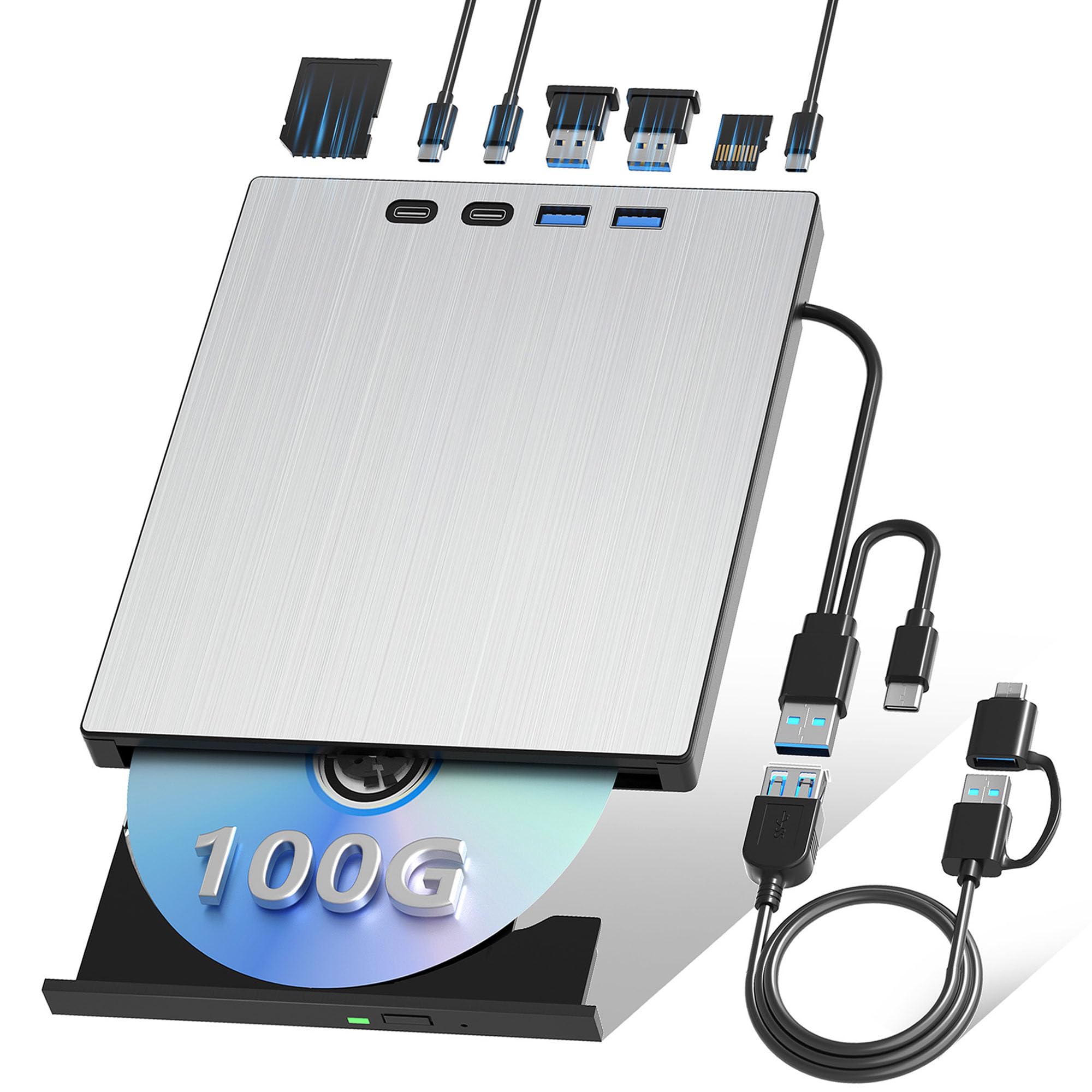
The JuWuOi external drive packs a 7-in-1 hub (USB 3.0, USB 2.0, two USB-C ports, SD, and TF card slots) around a 6X BD-R burner that supports 100 GB BDXL discs. At its price point, it offers the most port expansion per dollar of any BD-R drive currently sold. The included 0.8-meter extension cable and separate power cord ensure stable burns even when the drive sits far from the PC case.
Verified buyers report genuine plug-and-play operation on Windows 11 and Linux, with no read or write errors on BD-R and BD-RE media. The drive handles uninterrupted Blu-ray film playback all evening without overheating. A small but vocal minority received units that failed to read any Blu-ray disc — quality control appears inconsistent, so buy from a seller with a solid return policy.
The bundled hub ports are convenient for flash drives and SD cards, but the SD reader is not UHS-II, so professional photographers will still need a dedicated high-speed reader. The drive lacks M-Disc certification and does not include any burning software. For entry-level buyers who want BDXL capacity and hub functionality for the lowest possible outlay, the JuWuOi delivers impressive value.
Why it’s great
- Lowest cost per port with 7-in-1 hub
- Supports 100 GB BDXL discs
- Includes extension cable and separate power cord
Good to know
- Inconsistent quality control on Blu-ray reading
- No M-Disc support
- No bundled burning or playback software
7. Dainty External Blu Ray Drive
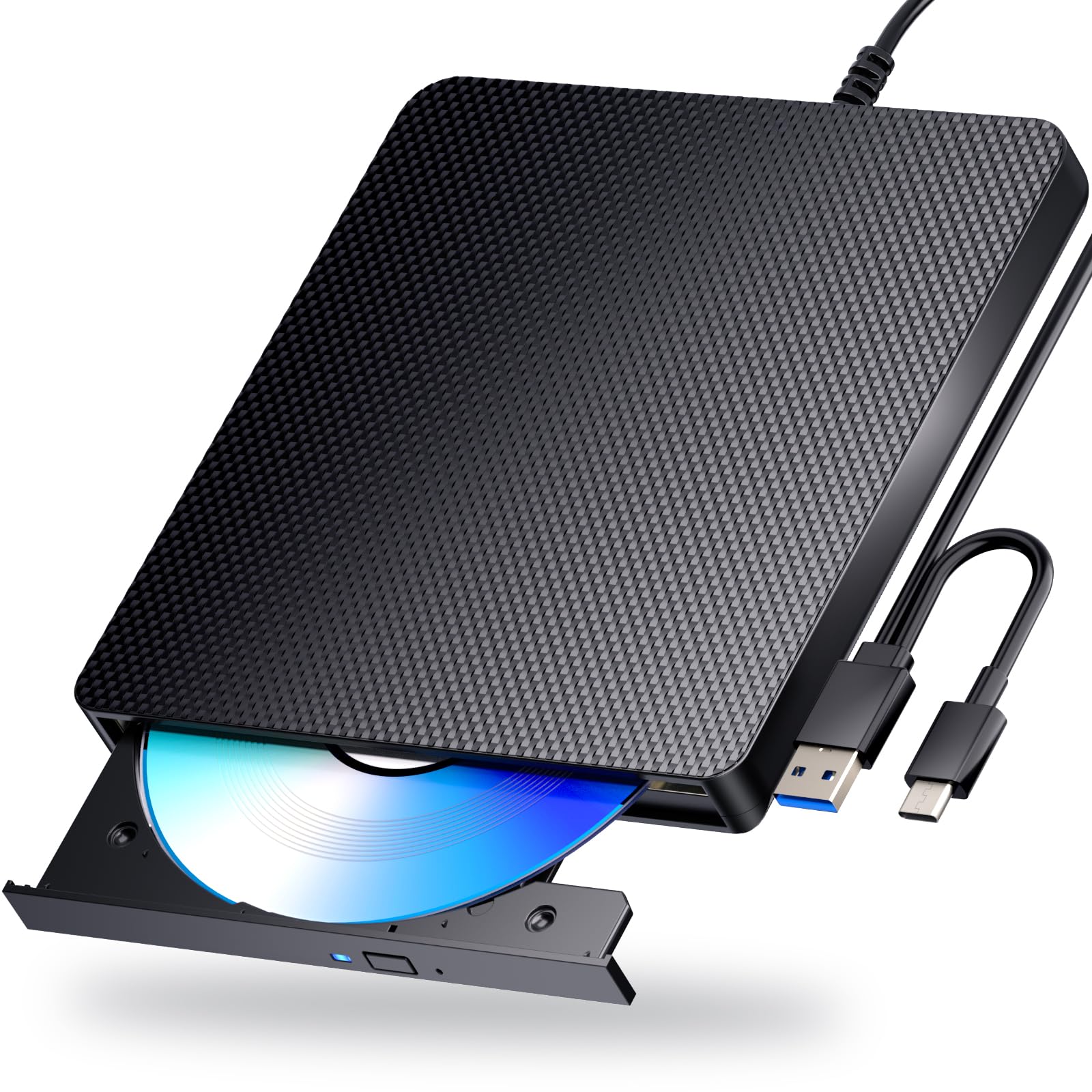
The Dainty external drive is a straightforward 6X BD-R burner with a distinct advantage: a dual USB power design that uses a separate power cable to feed steady voltage during long burn sessions. This eliminates the “burn failure at 80 percent” problem that plagues single-cable portable drives when a laptop USB port can’t sustain power. It reads and writes 100 GB BDXL discs, DVD±R at 8X, and CD-R at 24X.
The plastic shell feels sturdy with anti-slip rubber feet, and the combo USB-A/USB-C cable means you don’t need adapters for modern laptops. Users praise its ability to handle scratched discs that older drives reject, and the 5 Gbps USB 3.0 connection keeps ripping speeds respectable. The spin-up delay of roughly two minutes before the drive is ready to read may irritate quick-access users.
No playback or burning software is included — you need third-party tools like VLC or PowerDVD. The drive does not support 4K discs and is incompatible with TVs and game consoles. For occasional users who need a reliable, affordable BD-R burner with stable power delivery for 100 GB media, the Dainty drive is a solid entry-level workhorse.
Why it’s great
- Dual USB power cable prevents burn failures
- Sturdy plastic chassis with rubber anti-slip feet
- Combo USB-A/USB-C cable included
Good to know
- ~2-minute spin-up delay before disc reading
- No burning or playback software bundled
- Not compatible with 4K Ultra HD discs
FAQ
Can a BD-R drive read 4K Ultra HD Blu-ray discs?
What is the difference between BD-R and BD-RE media?
Do I need special software to play Blu-ray movies on a computer?
Final Thoughts: The Verdict
For most users, the bd-r drive winner is the Mthstec 4-in-1 because its 16X write speed, integrated HDD dock, and external power supply make it the fastest and most reliable burner for regular backups. If you need M-Disc archival certification for irreplaceable data, grab the LG WP50NB40 Bundle. And for portable 4K UHD authoring, nothing beats the Produplicator LG BP60NB10.