
Buying an affordable 3D printer today means you no longer have to choose between a decent price and actual reliability. The market has matured to a point where sub- machines now deliver features like CoreXY motion systems, auto bed leveling, and print speeds that were once exclusive to industrial units. The biggest shift is that the word “affordable” no longer guarantees a weekend of frustration trying to get a first layer to stick.
I’m Min — the co-founder and writer behind Gadgets Feed. For this guide I spent hours analyzing print speeds, build volumes, hotend temperatures, and real-world failure points across nine machines to separate the genuinely capable from the hype-heavy.
Whether you are buying for a curious kid, a classroom, or your own workshop, the right machine should print well on day one and still be printing well six months later. This guide covers the best affordable 3d printer options that actually earn their price tags through reliable hardware and smart engineering.
How To Choose The Best Affordable 3D Printer
Every printer in this range makes a trade-off somewhere. Knowing which trade-offs affect your specific use case is the difference between a machine you love and one you return. Focus on four variables: motion system, leveling method, hotend capability, and the size of objects you actually want to print.
Motion System: CoreXY vs. Bedslinger
A bedslinger moves the build plate forward and backward on the Y axis while the print head moves on X and Z. It is mechanically simple, cheap to manufacture, and works fine at moderate speeds. A CoreXY system moves the print head on belts while the bed only moves on Z. CoreXY is inherently more stable at high speeds and produces better surface finish. At the affordable tier, CoreXY machines like the ELEGOO Centauri Carbon deliver 500 mm/s speeds without the ringing that plagues fast bedslingers. If you plan on printing taller objects, CoreXY also reduces the wobble from a heavy bed shifting back and forth.
Auto Leveling vs. Manual Calibration
Real auto leveling probes the build surface before every print and compensates for minor unevenness. This is standard on nearly every modern machine in this range, but implementations vary. Some printers, like the FLASHFORGE AD5M, use a one-click system that measures the nozzle-to-bed distance at multiple points and applies a mesh correction. Others still require a manual paper-gap check on the first setup. The key spec to look for is whether the printer uses inductive or capacitive probing — inductive probes are more consistent across temperature changes. Avoid any printer that still expects you to level with a folded sticky note.
Hotend Temperature and Nozzle Compatibility
The hotend’s maximum temperature determines filament compatibility. A 260°C limit handles PLA and PETG but stops at ABS and polycarbonate. A 320°C all-metal hotend, like the one in the ELEGOO Centauri Carbon or the QIDI Q1 Pro, unlocks carbon fiber reinforced filaments and nylon. Quick-swap nozzles also matter — a tool-free design that lets you switch from a 0.4mm standard to a 0.6mm or 0.8mm nozzle in seconds makes the same printer useful for both detailed miniatures and faster functional parts.
Build Volume and Footprint
A compact build volume like 100x100x100 mm is fine for toys and small household items. A 220x220x220 mm volume covers most practical objects like phone cases, tool holders, and helmet visors. The 256x256x256 mm volume on the ELEGOO Centauri Carbon and the enclosed Creality K2 SE gives you room for larger assemblies without needing to split models across multiple prints. Just verify that the footprint fits your desk — some premium machines in the budget tier are surprisingly wide due to their enclosed frames.
Quick Comparison
On smaller screens, swipe sideways to see the full table.
| Model | Category | Best For | Key Spec | Amazon |
|---|---|---|---|---|
| ELEGOO Centauri Carbon | Premium | High speed out of the box | 320°C hotend, CoreXY, 256mm³ | Amazon |
| Bambu Lab P1S | Premium | Multi-color upgrades | CoreXY, 500mm/s, enclosed | Amazon |
| QIDI Q1 Pro | Premium | Heated chamber for ABS | 60°C chamber, 350°C nozzle | Amazon |
| Creality K2 | Premium | Multicolor with CFS | 600mm/s, 260mm³, step-servo | Amazon |
| Creality K2 SE | Mid-Range | Beginner-friendly CoreXY | CoreXY, 600mm/s, 300°C | Amazon |
| AOSEED X-Maker Joy AI+ | Mid-Range | Kid-friendly AI printing | 0.05mm precision, 8000+ models | Amazon |
| FLASHFORGE AD5M | Mid-Range | Fully auto calibration | CoreXY, one-click leveling, 600mm/s | Amazon |
| Entina Tina2 Plus | Budget | True out-of-box for kids | 250mm/s, ceramic hotend, WiFi | Amazon |
| Geeetech Smart 3D Printer | Budget | Compact starter printer | 250mm/s, direct drive, auto-level | Amazon |
In‑Depth Reviews
1. ELEGOO Centauri Carbon 3D Printer

The ELEGOO Centauri Carbon arrives fully assembled and pre-calibrated, requiring nothing more than removing three shipping screws and installing the touchscreen. Its CoreXY structure pushes print speeds up to 500 mm/s with 20000 mm/s² acceleration, and the rigid die-cast aluminum frame absorbs vibration well enough to maintain clean surface finish even at those speeds. The 256x256x256 mm build volume is generous for this price tier, fitting projects like full-face helmet visors or drone frames without splitting models.
What sets this machine apart is the 320°C brass-hardened steel nozzle paired with an enclosed chamber. This unlocks carbon fiber reinforced filaments and other high-temperature materials that most budget-friendly printers cannot handle. The built-in chamber camera with dual LED lighting streams real-time progress and captures time-lapse videos, which is useful for remote monitoring. The dual-sided build plate includes a PLA-specific surface that grips well at lower bed temperatures, reducing warping on first layers.
User feedback consistently highlights the 18-minute Benchy prints and the intuitive ElegooSlicer integration over WiFi. The main downsides are the heavy 38.5-pound weight and the occasional need for sanding on curved overhangs. Some users reported a hotend communication error after extended use, but ELEGOO’s support team replaced the motherboard under warranty. For the combination of speed, material range, and print quality, this is the strongest value in the category.
Why it’s great
- Fully pre-calibrated and prints right out of the box
- 320°C hotend handles carbon fiber and other advanced filaments
- 256mm³ build volume accommodates large projects
- Built-in camera enables real-time monitoring and time-lapses
Good to know
- Weighs 38.5 pounds and requires sturdy desk space
- Some users report hotend communication errors after months of use
- Surfaces may need light sanding for a mirror finish
2. Bambu Lab P1S 3D Printer

The Bambu Lab P1S is a fully enclosed CoreXY printer that hits 500 mm/s at 20000 mm/s² acceleration, and it auto-levels the bed before every single print. Setup takes under 30 minutes, and the enclosed design improves layer adhesion for advanced materials like ABS and ASA by maintaining a stable ambient temperature. The 260mm³ build volume gives you room for larger functional prints while keeping the footprint small enough for a standard desk.
Where the P1S really shines is the Bambu Lab AMS system, an optional add-on that enables printing with up to 16 colors or multiple materials in a single job. The Bambu Studio slicer is well-regarded for its streamlined workflow and integration with the MakerWorld community for downloading pre-sliced models. Users consistently report that the P1S requires virtually no tinkering — auto leveling, filament runout detection, and power loss recovery are all handled automatically.
The trade-offs are the lack of a built-in air filter (exhaust fumes need to be ventilated) and the fact that TPU filament can be finicky through the AMS system. Some users mention that the printer “poops” waste plastic during multi-color swaps, so you will burn through more filament than a single-color profile. For print quality and reliability right out of the box, the P1S is the benchmark that other budget-friendly printers are measured against.
Why it’s great
- Fully enclosed for reliable ABS and ASA printing
- AMS system supports up to 16 colors or multi-material
- Auto leveling before every print with zero calibration
- Bambu Studio slicer is intuitive and well-supported
Good to know
- No built-in carbon filter for fumes
- Multi-color mode generates plastic waste
- AMS is a separate purchase
3. QIDI Q1 Pro 3D Printer

The QIDI Q1 Pro is built around an actively heated chamber that reaches 60°C, which eliminates the warping issues that plague ABS and other high-shrinkage filaments. Its CoreXY system hits 600 mm/s and 20000 mm/s² acceleration, and the dual Z-axis motors keep gantry alignment tight for consistent layer registration. The 245x245x245 mm build volume (9.65 inches cubed) is slightly smaller than the ELEGOO Centauri Carbon but still handles most functional parts comfortably.
The 350°C bimetal nozzle is the highest temperature rating in this comparison, meaning it can print carbon fiber, glass fiber, polycarbonate, and even PEEK-adjacent materials without issue. Full-auto leveling uses dual sensors for precision, and the hall-effect filament runout sensor detects tangles before they cause a print failure. The machine runs on Klipper firmware, which is fully open source and allows for custom macros and optimizations through the 32GB eMMC internal storage.
Real-world feedback praises the plug-and-play setup and the 1080P camera that streams directly to the mobile app. The side-mounted spool holder is flimsy, and there is no built-in carbon air filter, so you should print the optional filter box from the QIDI wiki. Some users also note the touchscreen can be unresponsive at times. For heated chamber capability at this price point, the Q1 Pro has no direct competitor in the budget-friendly segment.
Why it’s great
- Actively heated chamber eliminates ABS warping
- 350°C bimetal nozzle handles every common material
- Klipper firmware is open source and fully customizable
- Filament tangle detection prevents failed prints
Good to know
- No built-in carbon filter — needs a printed upgrade
- Side spool holder feels wobbly and cheap
- Touchscreen responsiveness is inconsistent
4. Creality K2 3D Printer
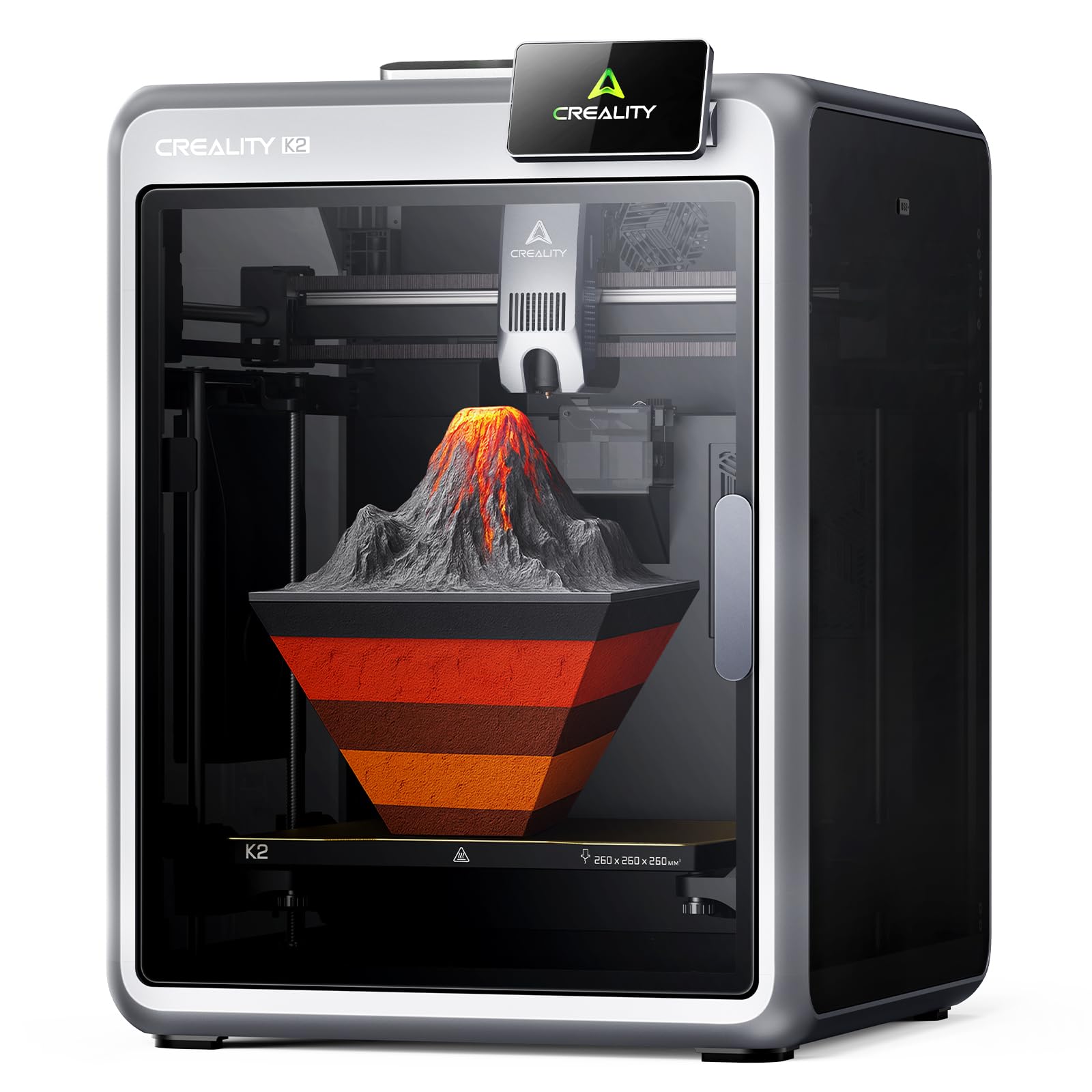
The Creality K2 brings multicolor printing to the affordable tier through the CFS (Creality Filament System), which can be linked in groups of four to support up to 16 colors. The CoreXY system with step-servo motors adjusts torque dynamically to maintain extrusion consistency at speeds up to 600 mm/s. The 260x260x260 mm build volume is one of the largest in this price range, and the enclosed design keeps noise down to what users describe as quieter than “someone typing on a laptop.”
Smart auto leveling is faster than the K2 SE because it only probes the specific area of the bed that will be used for the print. The AI camera detects spaghetti failures, idling, and other common issues in real time, automatically pausing failed prints. The extruder uses a steel-tipped copper nozzle with a titanium alloy heatbreak that resists heat creep, and it is compatible with PLA, PETG, ABS, and carbon fiber composites.
Some users report that the CFS does not accept standard spools — you need to print adapters that take 4-5 hours each. The initial setup can take an hour despite the “plug and play” claim, and there are isolated reports of adhesion issues and WiFi compatibility problems with 5GHz networks. When everything works, the K2 produces clean multicolor prints with smooth layer transitions and minimal post-processing.
Why it’s great
- CFS enables true multicolor (up to 16 colors)
- Step-servo motors deliver precise extrusion control
- AI camera detects and pauses on print failures
- 260mm³ build volume fits large assemblies
Good to know
- CFS requires printed adapters for standard spools
- Setup takes about an hour, not instant out-of-box
- No 5GHz WiFi support for remote features
5. Creality K2 SE 3D Printer
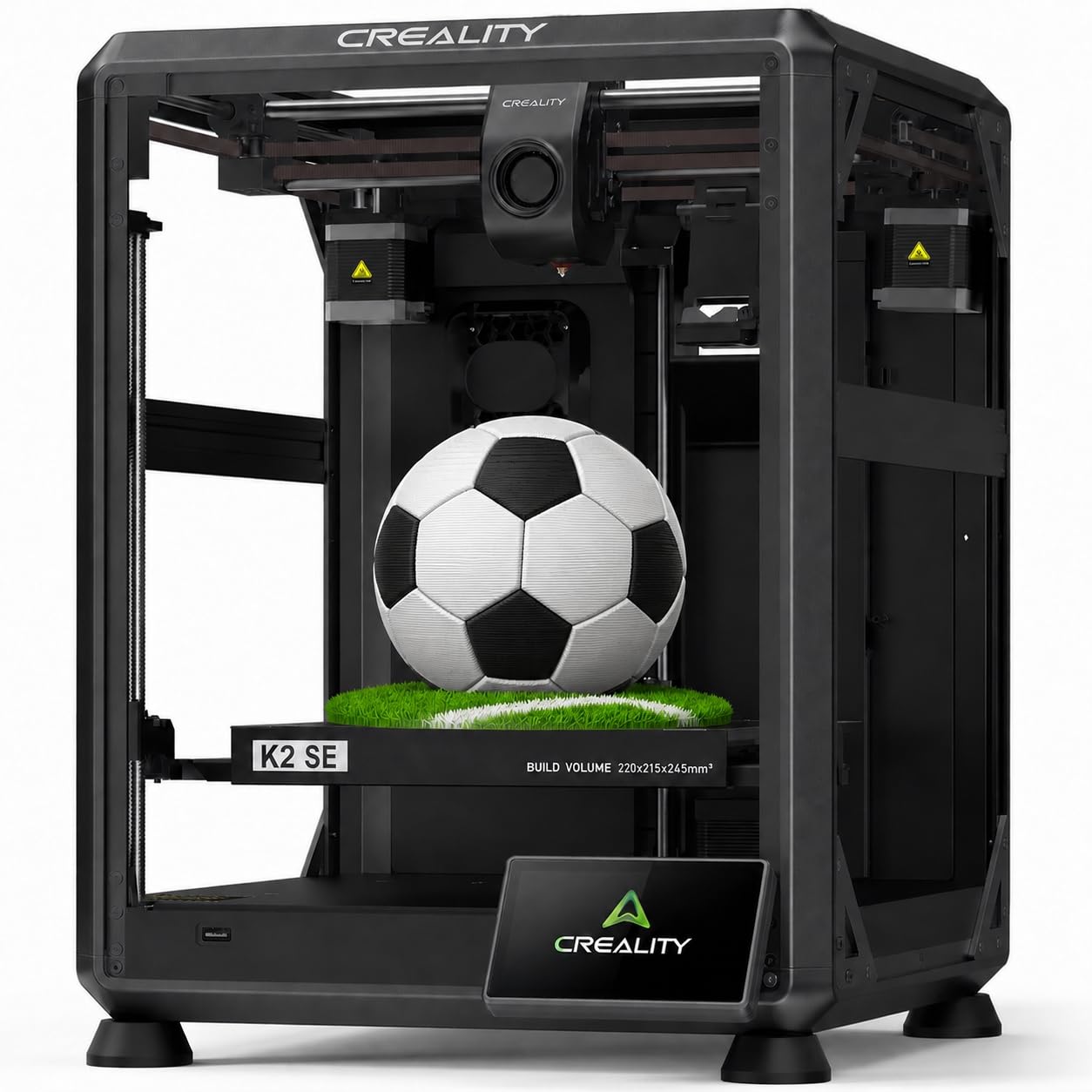
The Creality K2 SE brings CoreXY speed to a lower price point without cutting corners on the motion system. With a travel speed of 600 mm/s and 20000 mm/s² acceleration, it is roughly 12 times faster than older Creality bedslingers like the Ender 3 series. The auto-calibration system handles bed leveling automatically before each print, so beginners can skip the frustrating paper-gap ritual. The 220x215x245 mm build volume is smaller than the K2 but still practical for phone cases, tool holders, and small mechanical parts.
The hotend is a 300°C ceramic heater with a steel-tipped copper nozzle and titanium alloy heatbreak that blocks heat creep. It supports PLA, PETG, TPU, and ABS filaments, and the quick-swap nozzle can be changed one-handed. Pre-installed damping pads and active input shaping reduce vibrations enough that surface ringing is minimal even at full speed. The part cooling fan is dynamically balanced to keep noise reasonable.
Users appreciate the glue stick recommendation for release agent — without it, early prints can fuse to the bed. The Creality Cloud app offers pre-made prints via Bluetooth, but the control panel is basic and the slicer has many settings that can overwhelm new users. Some units shipped with the voltage switch set to EU mode, which caused an initial power issue. For a CoreXY at this price, the K2 SE delivers consistent quality with minimal tinkering.
Why it’s great
- CoreXY motion system at a bedslinger price
- 300°C hotend handles basic engineering filaments
- Active input shaping eliminates ringing at high speed
- Power loss recovery saves prints during outages
Good to know
- Requires glue stick as release agent on the bed
- Control panel interface is basic and unintuitive
- Voltage switch may be set incorrectly on arrival
6. AOSEED X-Maker Joy AI+ 3D Printer

The AOSEED X-Maker Joy AI+ is designed specifically for children, with an enclosed and pinch-resistant frame, TÜV Rheinland-tested PLA, and a leveling-free platform that requires zero manual calibration. The AI Doodle feature lets kids create 3D models from voice, text, or image prompts — no CAD skills needed. The AI MiniMe tool turns photos into cartoon-style 3D figures, and the built-in library includes over 8,000 digital toy models across 17 themed modules.
Print speeds reach up to 250 mm/s standard with peaks at 400 mm/s, and the quick-release nozzle simplifies filament changes. The magnetic build plate makes removing prints easy for small hands. The built-in camera streams real-time progress and automatically generates time-lapse videos that parents can share. The included kit comes with eight rolls of PLA filament, so there is nothing else to buy for the first several weeks of use.
Some users report that small prints like fidgets can be fragile and break easily. The app-based measurements are occasionally off, requiring trial and error for precise models. The print bed is relatively small at roughly 100x110x100 mm, so large projects are out of the question. For a classroom or a child getting their first taste of 3D printing, the X-Maker Joy AI+ removes every technical barrier and lets the creativity happen naturally.
Why it’s great
- AI features let kids create 3D models from simple prompts
- Enclosed, pinch-resistant design is safe for unsupervised use
- Comes with 8 rolls of filament — ready out of the box
- Built-in camera creates shareable time-lapse videos
Good to know
- Small prints can be fragile and break easily
- Build volume is limited to small toys and miniatures
- App measurements occasionally need manual correction
7. FLASHFORGE AD5M 3D Printer

The FLASHFORGE AD5M uses a CoreXY all-metal motion structure with one-click automatic leveling that measures the nozzle-to-bed distance at multiple points and applies a mesh correction. Maximum print speed is 600 mm/s, and the printer handles PLA, PETG, and TPU without modification. The 220x220x220 mm build volume is standard for this class, and the flexible double-sided PEI steel plate has one side optimized for PETG adhesion.
The patent quick-release nozzle swaps in about three seconds and is available in four diameters (0.25, 0.4, 0.6, and 0.8 mm), so you can switch between high-detail miniatures and high-efficiency functional parts in moments. The Orca-flashforge slicer supports one-click batch file transmission and multi-printer network monitoring. The Flash Maker app allows remote device management, real-time print status, and parameter adjustments from anywhere.
Users report setup takes roughly 15-30 minutes and that the printer produces consistent quality from the first print. The included filament sample is small, so order an extra spool alongside the printer. Some units experienced extruder board failure within six months, and the nozzle can clog if you push the temperature limits repeatedly. For a fast, reliable CoreXY at a mid-range price, the AD5M is a strong contender that rewards minimal effort with high-quality output.
Why it’s great
- Tool-free quick-swap nozzle in multiple diameters
- One-click auto leveling with precise mesh correction
- Power loss recovery resumes prints after outages
- Orca-flashforge slicer supports multi-printer monitoring
Good to know
- Included filament sample is small — buy extra spools
- Some units experience extruder board failure within 6 months
- Nozzle can clog if pushed past recommended temperatures
8. Entina Tina2 Plus Smart 3D Printer

The Entina Tina2 Plus is a fully assembled mini 3D printer designed for absolute beginners, particularly children. It requires no setup beyond plugging in and inserting the included TF card, which comes preloaded with models. The ceramic hotend heats to temperature in 40 seconds, reducing the wait time between prints. Print speed reaches 250 mm/s, which is fast for the entry-level category, and the dual Z-axis structure improves stability for a machine of this size.
The WiFi connectivity works through the Poloprint Cloud app, which gives access to over 1,500 printable models. Auto leveling is handled by the onboard system, so there is no manual bed adjustment. The PEI spring steel plate makes print removal simple, and the partially enclosed frame separates moving components from direct contact, which is a reasonable safety consideration for home use. The build volume is small (roughly 100x100x100 mm), so expect to print toys, keychains, and small educational models only.
User reviews are polarized. Positive feedback praises the print quality and ease of use for kids aged 9-12. Negative feedback centers on the Poloprint app, which some users report suffers from WiFi disconnection and registration failures that render the printer unusable. The customer support number is reportedly a personal cell phone, which makes resolution difficult. For the price, the Tina2 Plus delivers genuinely easy printing — but only if the app cooperates.
Why it’s great
- Fully assembled — no setup or calibration required
- Ceramic hotend heats in 40 seconds for fast start
- WiFi app gives access to 1,500+ preloaded models
- Dual Z-axis improves stability for a mini printer
Good to know
- Poloprint app has frequent WiFi disconnection issues
- Customer support is hard to reach for troubleshooting
- Build volume is very small — only suitable for miniatures
9. Geeetech Smart 3D Printer

The Geeetech Smart 3D Printer is a compact, fully assembled machine aimed at kids and first-time users. It uses a direct drive extruder with a 1:5 metal gear ratio that provides strong extrusion force for both PLA and TPU filaments at speeds up to 250 mm/s. The 16-point full-auto leveling system ensures a smooth first layer automatically, and the flexible magnetic build plate makes model removal simple. The 100x110x100 mm build volume is similar to the Entina Tina2 Plus — practical for small toys and classroom projects.
The 50W hotend heating rod and efficient heat dissipation system improve printing stability for longer runs. The 2.4-inch LCD color screen and one-button filament loading/unloading simplify operation for inexperienced users. WiFi connectivity and app control via the Geeetech app add convenience, though some users report the WiFi disconnects after the printer is powered off and takes 36-42 hours to reconnect. The included filament sample is small, so ordering a 1kg spool is recommended immediately.
Customer feedback is generally positive, with users praising the ease of setup and the quality of prints for the size. The main recurring issue is the WiFi behavior — once the printer loses connection after shutdown, reconnecting can be a multi-day process. Some units arrive with loose wiring harnesses that cause power issues, though Geeetech support responds with diagram-based troubleshooting. For a dedicated kids’ printer that requires almost zero technical knowledge, the Geeetech delivers a solid entry-level experience.
Why it’s great
- Fully assembled and ready to print out of the box
- Direct drive extruder handles TPU without jamming
- 16-point auto leveling ensures reliable first layers
- One-button filament loading is simple for kids
Good to know
- WiFi disconnects after power off and takes days to reconnect
- Included filament sample is insufficient for real projects
- Some units ship with loose wiring that requires manual fixing
FAQ
Is a CoreXY printer worth the extra cost over a bedslinger?
Do I need an enclosed 3D printer as a beginner?
What is the real difference between auto leveling and manual leveling?
What build volume do I actually need for most projects?
Can I print carbon fiber filament on a budget-friendly 3D printer?
Final Thoughts: The Verdict
For most users, the best affordable 3d printer winner is the ELEGOO Centauri Carbon because it combines a CoreXY motion system, 320°C all-metal hotend, 256mm³ build volume, and genuine out-of-box readiness at a price that undercuts the competition. If you want multi-color printing right away, grab the Creality K2 for its CFS support and step-servo motor precision. And for a child’s first printer that eliminates every technical barrier, nothing beats the AOSEED X-Maker Joy AI+ with its AI-powered model creation and safety-first design.