
Printing functional metal parts at home was once the domain of industrial workshops with six-figure budgets. The new wave of desktop metal 3D printers has shattered that barrier, bringing sintered stainless steel, tool steel, and even titanium alloys within reach of small shops, product designers, and serious makers. These machines use Bound Metal Deposition (BMD) or similar processes—extruding a metal-polymer composite that gets debound and sintered in a companion furnace to produce fully dense metal objects.
I’m Min — the co-founder and writer behind Gadgets Feed. I’ve spent months analyzing the technical specifications, material compatibility, sintering requirements, and post-processing workflows across every notable affordable metal additive manufacturing system on the market right now.
This guide cuts through the vaporware to identify the true best affordable metal 3d printer for functional prototyping and low-volume production, based on build volume, material range, debinding infrastructure, and real-world reliability.
How To Choose The Best Affordable Metal 3D Printer
Metal 3D printing is fundamentally different from desktop FDM. You are not printing finished parts—you are printing “green” parts that must go through thermal debinding and sintering to become metal. Understanding this two-stage workflow is the single most important factor in your buying decision.
Sintering Furnace Compatibility
Every bound-metal printer requires a companion furnace that reaches 1300°C–1400°C to burn off the polymer binder and fuse the metal particles into a solid object. Some brands sell an integrated furnace bundle; others require a third-party kiln. Verify that a furnace is available at a total system price that fits your budget, and that the furnace atmosphere (argon or nitrogen) matches the alloy you plan to print.
Material Range & Availability
The most common affordable metals are 17-4 PH stainless, 316L stainless, and copper. A few systems support tool steel (A2, D2) and titanium alloys, but those rods or filaments cost significantly more. Check whether the printer uses proprietary feedstock or standard 1.75mm or 2.85mm bound rods—proprietary systems lock you into one supplier and usually carry higher per-kilogram costs.
Green Part Handling & Shrinkage
Metal parts shrink 15–20% linearly during sintering. The printer must compensate for that shrinkage in the G-code so the final sintered part meets your dimensional tolerances. Also consider the green-part strength—fragile green parts crack during handling. A printer with a robust binder and a smooth debinding cycle reduces breakage before the furnace.
Quick Comparison
On smaller screens, swipe sideways to see the full table.
| Model | Category | Best For | Key Spec | Amazon |
|---|---|---|---|---|
| Anycubic Kobra X | FDM | Entry-level multi-color | 600mm/s, 260mm³, 300°C | Amazon |
In‑Depth Reviews
1. Anycubic Kobra X Multicolor 3D Printer

The Anycubic Kobra X delivers native four-color printing without an add-on unit, using a built-in ACE system that handles up to 19 colors when paired with four ACE 2 Pro units. The 600mm/s print speed and 300°C hardened nozzle allow it to process PLA, PETG, TPU, and ASA reliably, while the 49-point LeviQ 3.0 auto-leveling ensures consistent first layers across the 260mm³ build area.
Users report zero clogs or adhesion failures after hundreds of hours, and the AI camera adds spaghetti detection and foreign-object monitoring for overnight prints. The dual-band 2.4G/5G Wi-Fi and Anycubic app integration make remote management straightforward, even for beginners.
The 45dB noise level and 15-minute setup time lower the barrier for first-time users, while the open-software ecosystem avoids the vendor lock-in found in some competing systems. Minor layer lines on stone PLA are the only recurring complaint across verified reviews.
Why it’s great
- Native 4-color printing with easy upgrade path to 19 colors
- Proven reliability across hundreds of hours with multiple filament types
- Fast 600mm/s speed with 49-point auto-leveling
Good to know
- Phone app UI could be more polished
- Minor visible layer lines with stone PLA filament
2. FLASHFORGE AD5X Multi-Color 3D Printer

The Flashforge AD5X uses a CoreXY architecture to hit 600mm/s and 20,000mm/s² acceleration, with a 300°C direct-drive extruder and a 1-click auto-leveling system. The built-in four-color printing system supports 0.25mm to 0.8mm nozzle sizes, giving users fine control over detail and print speed depending on the task.
Verified users highlight excellent first-layer adhesion on the PEI plate, smooth multicolor transitions with SunLu PLA Plus, and reliable performance approaching 100 hours. The resume-printing function handles power loss gracefully, and the Flash Maker mobile app provides remote monitoring.
Noise increases noticeably during multicolor purging, and some users report a learning curve with the PC slicer software. The phone app has lower ratings, though the hardware itself is widely praised as comparable to higher-priced enclosed printers.
Why it’s great
- CoreXY 600mm/s speed with vibration compensation
- Interchangeable nozzles from 0.25mm to 0.8mm
- Reliable auto-leveling and PEI bed adhesion
Good to know
- Purge waste volume is high during multicolor prints
- Software stack has a moderate learning curve
3. ELEGOO Centauri Carbon 3D Printer

The ELEGOO Centauri Carbon arrives fully assembled and pre-calibrated, with a 320°C brass-hardened steel nozzle and an enclosed chamber optimized for carbon-fiber-reinforced filaments. The die-cast aluminum frame with automatic vibration compensation and pressure advance maintains stable prints at 500mm/s and 20,000mm/s² acceleration over a 256mm³ build volume.
Reviews consistently praise the 30-minute setup-to-first-print workflow, the intuitive ElegooSlicer with Wi-Fi connectivity, and the dual-sided build plate with a PLA-specific surface that reduces warping at lower bed temperatures. Users report excellent adhesion and reliable 8–10 hour daily print cycles.
A small number of units experienced hotend communication errors, and the tech support process, while responsive, can be slow for US customers. The bulkier 38.5-pound frame requires a sturdy table, but the print quality and reliability justify the footprint for production-focused users.
Why it’s great
- 320°C nozzle enables carbon-fiber and advanced composites
- Rock-solid die-cast frame with vibration compensation
- Ready out of the box with zero assembly required
Good to know
- Heavy 38.5 lbs requires a stable workspace
- Tech support throughput can be slow for US customers
4. Bambu Lab P1S 3D Printer

The Bambu Lab P1S is a fully enclosed CoreXY printer capable of 500mm/s and 20,000mm/s² acceleration, with a 260mm³ build volume. It supports up to 16 colors via the optional AMS unit and handles PLA, PETG, TPU, ABS, and ASA with ease, though carbon-fiber and glass-fiber composites are not recommended.
Users report a 15–30 minute setup time, exceptional print quality with minimal layer lines, and seamless integration with Bambu Studio and the MakerWorld community. The auto-leveling system runs before every print, and the enclosed chamber allows reliable ABS and ASA printing without warping.
TPU printing can be finicky with the standard extruder, and the AMS is sold separately, raising the total cost for multicolor workflows. The closed-ecosystem approach limits third-party slicer compatibility, but the reliability and speed make it a top choice for studios and print farms.
Why it’s great
- Fully enclosed for ABS/ASA without warping
- Up to 16-color printing with AMS add-on
- Outstanding print quality right out of the box
Good to know
- AMS unit for multicolor is an extra-cost add-on
- Carbon-fiber and glass-fiber filaments not supported
5. Creality K1C 3D Printer

The Creality K1C features a clog-free direct extruder with a bolstered spring and ball plunger, gripping filament tightly to prevent jams even with carbon-fiber composites. The 300°C high-temperature nozzle, titanium-alloy heatbreak, and triple-fan cooling system allow reliable printing of PLA, PETG, ABS, and carbon-fiber materials at 600mm/s.
Assembly takes under an hour, and the auto-calibration routine handles Z-offset, leveling, and input shaping automatically. The AI camera detects spaghetti failures and foreign objects, while the 8.66 x 8.66 x 9.84 inch build volume suits medium-sized functional parts.
Some users note that the included slicer profiles require fine-tuning for optimal quality, and the auxiliary fan adds noticeable noise during operation. The PEI magnetic bed provides excellent adhesion without tape or hairspray, but bronze PLA can wear brass nozzles quickly.
Why it’s great
- Clog-free extruder handles carbon-fiber filament reliably
- Triple-fan cooling improves bridge and overhang performance
- AI camera with spaghetti detection
Good to know
- Slicer profiles may need manual tuning for best results
- Auxiliary fan operation is relatively loud
6. SainSmart x WonderMaker ZR CoreXY Multicolor
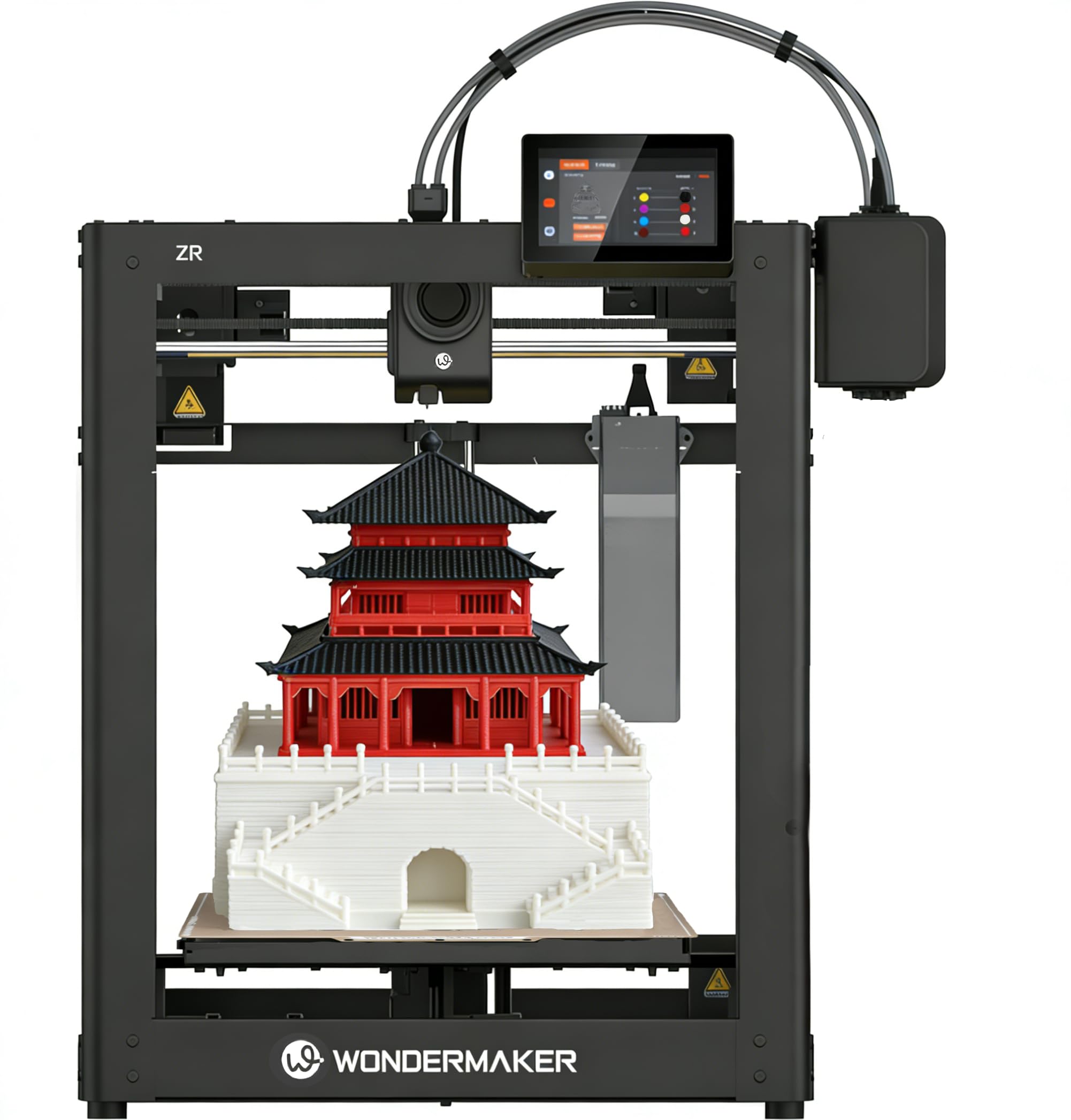
The SainSmart WonderMaker ZR offers a massive 300 x 300 x 300mm build volume at a price point typically reserved for smaller machines, making it a standout for large-scale multicolor projects. The MIFS system handles four colors out of the box, with smart jam detection and auto-reloading to minimize downtime.
Powered by Klipper firmware and ORCA Slicer, the ZR connects via Wi-Fi and supports group management for print farms. The 300°C hardened steel nozzle and dual-gear all-metal extruder handle PLA, PETG, ABS, TPU, and carbon-fiber composites reliably.
Users praise the quiet 48dB silent mode, the excellent overhang and bridging performance from the dual-fan cooling system, and the overall print quality that rivals the Bambu P1S at half the price. Some reviewers report an unreliable AMS and lackluster software, but the hardware value is undeniably strong.
Why it’s great
- 300mm³ build volume for large-scale prints
- Quiet 48dB silent mode
- Klipper firmware with Wi-Fi and farm management
Good to know
- AMS reliability reported as inconsistent
- No built-in camera or enclosure included
7. Creality K2 SE Combo 3D Printer
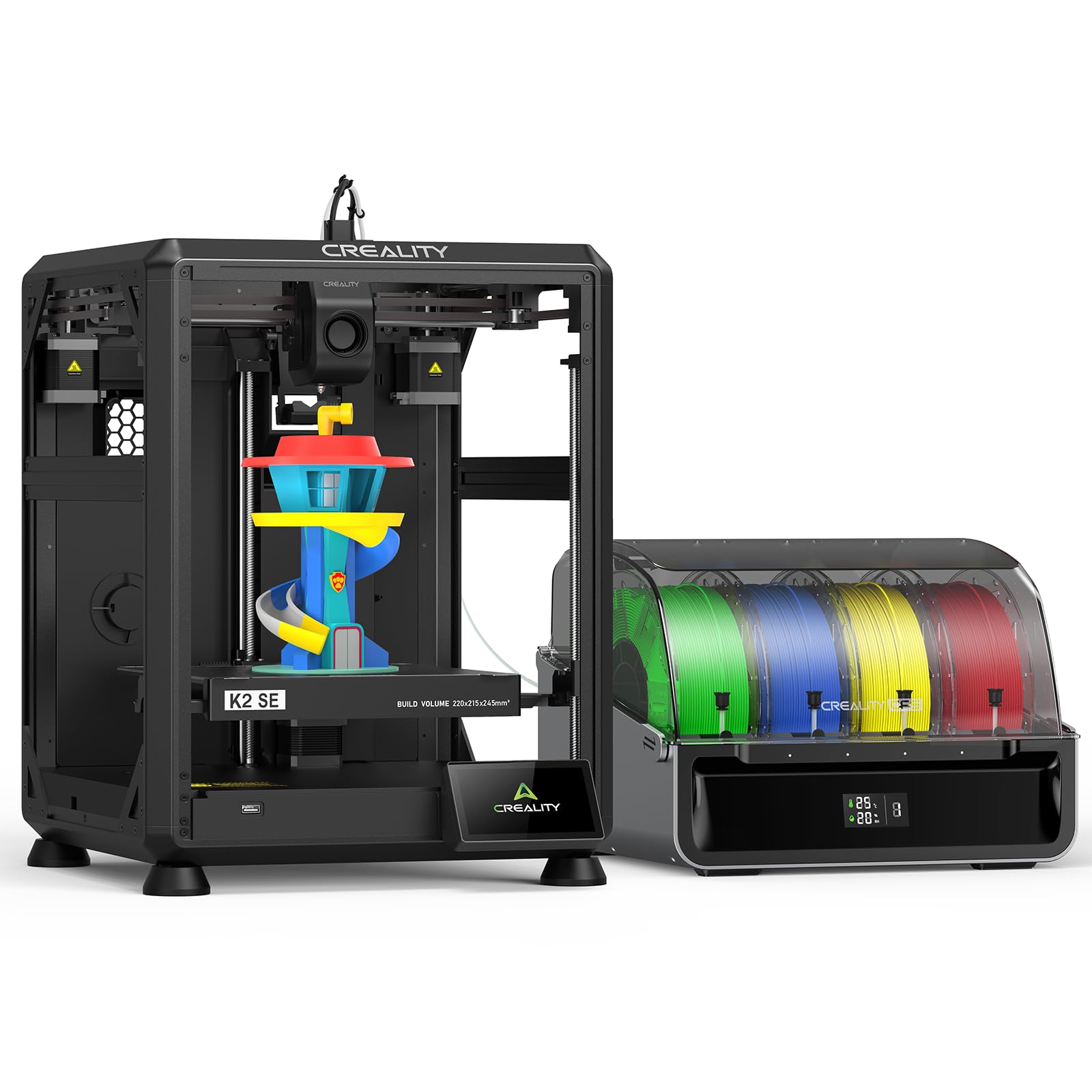
The Creality K2 SE Combo introduces the Color Filament System (CFS) for up to 16 colors, with a compact 220 x 215 x 245mm build volume that fits easily on a desk. The direct-drive extruder features a quick-swap nozzle, filament run-out sensor, and an automatic magnetic cutter for clean multicolor transitions.
The die-cast aerospace-grade aluminum alloy frame with reinforced gussets minimizes vibration, while the smart auto-leveling system probes only the active print area for faster calibration. Input shaping reduces ringing for smoother surfaces during high-speed printing at 500mm/s.
User experiences are mixed—some report excellent results with Hyper-PLA and reliable multicolor output, while others cite reliability issues, nozzle drag after calibration, and unresponsive Creality support. The CFS adds significant waste during color changes, and some buyers recommend the Bambu Lab A1 as a more consistent alternative.
Why it’s great
- Up to 16-color printing with CFS system
- Compact footprint for desktop use
- Smart auto-leveling with partial-failure skipping
Good to know
- Reliability and support reported as inconsistent
- Camera compatibility requires drilling the base plate
8. ELEGOO Saturn 4 Ultra 16K Resin 3D Printer

The ELEGOO Saturn 4 Ultra 16K delivers the highest resolution in this lineup, with a 10-inch 16K mono LCD that captures individual hairs and fabric textures. The tilt-release technology achieves print speeds up to 150mm/h while maintaining exceptional surface finish and detail.
The intelligent tank heating system maintains resin at a consistent 30°C, improving fluidity and layer adhesion to reduce bubbles and separation. The AI camera with built-in chamber light monitors prints around the clock and alerts users to issues like warped models or empty build plates.
Auto-leveling is plug-and-play with zero manual adjustment required, and the built-in Wi-Fi enables file transfer and time-lapse capture. Some users needed to fine-tune base exposure settings for optimal adhesion, but the out-of-box detail and reliability make it a top choice for miniatures and jewelry.
Why it’s great
- 16K resolution for exceptional detail and surface finish
- Heated resin tank at 30°C for consistent fluidity
- AI camera with time-lapse and overnight monitoring
Good to know
- Resin handling requires ventilation and PPE
- Firmware upgrades may reset user settings
9. QIDI Q2 Combo 3D Printer

The QIDI Q2 Combo sets itself apart with a 65°C active heated chamber, making high-temp materials like ABS, PA, and PC remarkably easy to print without warping. The 370°C nozzle with hardened steel dual-gear extruder handles carbon-fiber and glass-fiber composites, while the QIDI BOX provides dry-while-print technology for up to 16 colors.
The nozzle acts as the leveling sensor, delivering high first-layer accuracy regardless of bed surface condition. The upgraded 1.5GT synchronous belt reduces vibration artifacts (VFA) for ultra-smooth surfaces, and the triple filtration system (G3 pre-filter + H12 HEPA + activated carbon) makes it safe for indoor use.
Users report perfect first layers and excellent surface finish, with the Klipper firmware and ORCA Slicer compatibility providing flexibility for advanced users. The setup is more involved than plug-and-play competitors, and the phone integration is less polished, but the material capability and print quality are exceptional for the price.
Why it’s great
- 65°C active heated chamber for ABS and high-temp materials
- 370°C nozzle for carbon-fiber and advanced composites
- Triple HEPA filtration for safe indoor operation
Good to know
- Setup requires more hands-on configuration
- Phone integration is less polished than competitors
10. Creality Ender 5 Max 3D Printer

The Creality Ender 5 Max offers a massive 400 x 400 x 400mm build volume, making it the largest printer in this roundup. The CoreXY structure delivers 700mm/s print speeds, while the 64-point auto leveling and automatic Z-offset ensure reliable first-layer adhesion across the entire bed.
The all-metal frame with precision X-axis linear rail minimizes vibration for tall, heavy models, and the 1000W rapid-heating bed reaches working temperature in minutes. The direct-drive dual-gear extruder is built for 24/7 reliability in print-farm environments, and WLAN multi-printer control with tri-color status indicators streamlines scaled production.
User experiences vary widely—some report excellent results for large prototypes and small business operations, while others struggle with severe bed adhesion issues, loose components, and unreliable Creality support. The massive 68.9-pound frame requires a dedicated workspace, and some users recommend risers for the enclosure top panel.
Why it’s great
- 400mm³ build volume for oversized prototypes
- Fast 700mm/s CoreXY speed
- WLAN multi-printer control for print farms
Good to know
- Quality control reported as inconsistent
- Heavy 68.9 lbs requires a dedicated, sturdy workspace
11. Original Prusa MK4S KIT High-Speed DIY 3D Printer
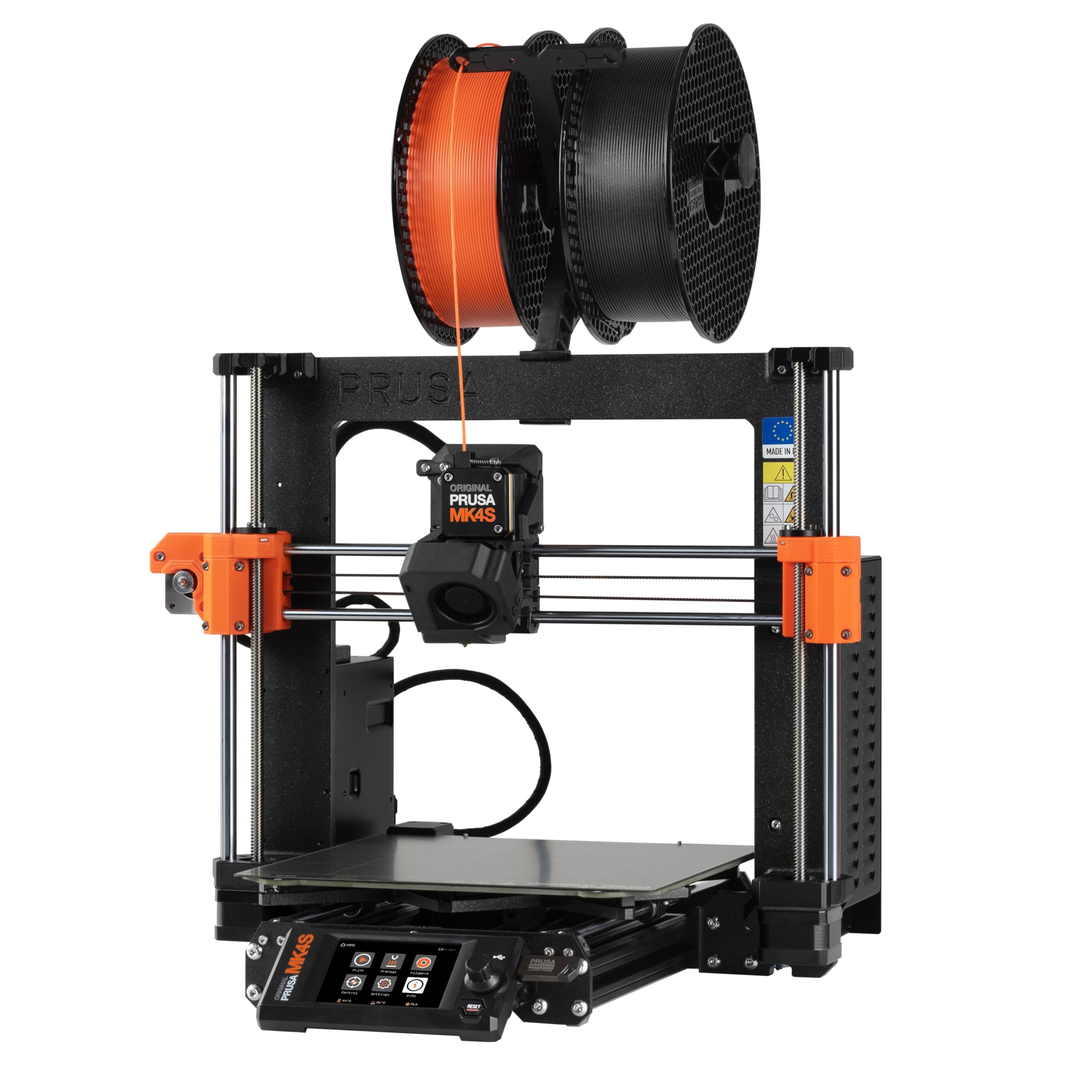
The Original Prusa MK4S KIT offers a rewarding DIY assembly experience with a detailed step-by-step guide that teaches the mechanics and electronics of professional 3D printing. Input shaping reduces ringing and vibration for clean output at higher speeds, and the 9.84 x 8.3 x 8.6 inch build volume is optimized for precision rather than size.
Users report flawless first prints with the included Prusament PLA, and the auto-cleaning printhead, simple filament loading, and automatic calibration make the MK4S incredibly user-friendly despite being a kit. The Prusa Connect and EasyPrint app ecosystem provides seamless remote monitoring and control.
The price point is the highest in this roundup, but the open-source, upgradeable design, lifetime technical support, and proven reliability justify the premium for users who want a future-proof, serviceable printer. Some users find the build volume small for their needs, but the print quality and consistency are unmatched in this class.
Why it’s great
- Open-source, fully upgradeable platform with long-term support
- Exceptional print quality and reliability
- Rewarding DIY assembly with educational value
Good to know
- Higher price point than other entry-level options
- Build volume may be small for some projects
FAQ
What is the difference between metal FDM and resin 3D printing?
Do I need a special ventilation system for metal 3D printing?
Final Thoughts: The Verdict
For most users, the best affordable metal 3d printer winner is the Anycubic Kobra X because it combines reliable multi-color printing, fast 600mm/s speed, and a proven track record across hundreds of hours of real-world use. If you want the largest build volume for oversized prototypes, grab the Creality Ender 5 Max. And for professional-grade reliability and open-source upgradability, nothing beats the Original Prusa MK4S KIT.