
Staring at a flat screen after switching to a curved monitor feels like downgrading from a theater to a cardboard box. The 27-inch sweet spot wraps your peripheral vision without dominating your desk, creating a focused arena where every pixel pulls you deeper into the game or workflow. But not all curves are created equal—refresh rate, resolution, and panel technology separate the immersive beasts from the budget compromises.
I’m Min — the co-founder and writer behind Gadgets Feed. I’ve spent hundreds of hours dissecting monitor spec sheets, cross-referencing real user feedback with technical benchmarks, and mapping the subtle trade-offs between VA contrast and OLED response times to build this definitive guide.
The 27-inch form factor hits the ergonomic and visual sweet spot for desktop gaming and multitasking, making finding the best 27 inch curved monitor a critical decision for anyone upgrading their battlestation to balance immersion, clarity, and smooth motion without strain.
How To Choose The Best 27 Inch Curved Monitor
The curved monitor market has matured past gimmick status, but the sheer volume of spec combinations—curvature radius, panel type, refresh rate ceiling, and adaptive sync flavor—can stall even savvy buyers. The key is matching your primary use case to the right cluster of features rather than chasing the highest number on the box.
Curvature Radius: 1000R vs 1500R vs 1650R
The curvature, measured in millimeters of radius, dictates how aggressively the screen wraps around your field of view. A 1000R curve mimics the natural shape of the human eye, reducing refocusing effort and maximizing immersion—ideal for gaming-focused setups where you sit directly in front of the monitor. A 1500R or 1650R curve is subtler, making it a better fit for mixed-use scenarios involving spreadsheets, coding, or creative work where straight lines matter more than peripheral engagement.
Resolution and Pixel Density: Why QHD Is the 27-Inch Standard
At 27 inches, 1080p (Full HD) delivers a pixel density of roughly 82 PPI, which can appear soft for desktop use and text rendering. QHD (2560×1440) pushes that to 109 PPI, offering a sharp, detailed image without the GPU-taxing load of 4K at this screen size. For a curved 27-inch monitor, QHD strikes the optimal balance between visual fidelity and gaming performance, especially when driving frame rates at 144Hz or higher.
Refresh Rate and Response Time: Real-World Motion Clarity
A higher refresh rate reduces motion blur and input lag, but the perceivable jump from 60Hz to 144Hz is far more dramatic than from 240Hz to 360Hz. For competitive shooters, 180Hz or 240Hz with a 1ms response time (or 0.03ms on OLED panels) is a tangible advantage. For strategy games, RPGs, or productivity, 75Hz is functional but the smoother cursor movement alone justifies stepping up to 120Hz or more on a curved display where peripheral motion cues matter more.
Quick Comparison
On smaller screens, swipe sideways to see the full table.
| Model | Category | Best For | Key Spec | Amazon |
|---|---|---|---|---|
| LG 27GS60QC-B Ultragear | Mid-Range | Competitive QHD Gaming | 180Hz / 1ms / 1000R | Amazon |
| AOC CQ27G4H | Mid-Range | Value QHD Immersion | 180Hz / 0.5ms / 1500R | Amazon |
| Samsung S39C Series | Budget | Office & Casual Use | 75Hz / 1080p / 1000R | Amazon |
| Acer Nitro XZ270 | Mid-Range | High-FPS 1080p Gaming | 280Hz / 1ms / 1500R | Amazon |
| Pixio PXC278 Wave | Mid-Range | Style & QHD Value | 180Hz / 1ms / 1650R | Amazon |
| Samsung Odyssey G65B | Premium | Competitive & HDR Gaming | 240Hz / 1ms / 1000R | Amazon |
| MSI PRO MAX 271UPXW12G | Premium | Creative QD-OLED Productivity | 120Hz / 4K / QD-OLED | Amazon |
| ASUS ROG Strix XG27ACDNG | Premium | 360Hz Esports QD-OLED | 360Hz / 0.03ms / QD-OLED | Amazon |
| LG 27GX790A-B Ultragear OLED | Premium | Maximum Speed W-OLED | 480Hz / 0.03ms / W-OLED | Amazon |
In‑Depth Reviews
1. LG 27GX790A-B Ultragear OLED

The LG 27GX790A-B represents the current ceiling of gaming monitor performance, pairing a 27-inch W-OLED panel with a staggering 480Hz refresh rate and 0.03ms response time. The DisplayPort 2.1 connection ensures full bandwidth for uncompressed 480Hz QHD signal, eliminating any DSC-induced latency. Colors hit 98.5% DCI-P3 coverage with a 1.5M:1 contrast ratio, producing inky blacks and vibrant highlights that VA panels can only approximate.
The matte anti-glare coating effectively tames ambient light without the purple tint common on older OLED coatings, though it introduces a slight grain on static white backgrounds that dark mode users will never notice. The ergonomic stand offers height, tilt, swivel, and pivot adjustments—rare for a curved gaming monitor at any price tier. Built-in DTS HP:X audio processing through the 4-pole headphone jack delivers convincing spatial positioning without an external amp.
OLED Care tools including pixel cleaning and a 2-year panel warranty address longevity concerns directly. Initial vertical banding may appear but typically fades after the first few compensation cycles. This monitor is the definitive choice for competitive gamers who refuse to compromise on motion clarity and want future-proof connectivity for the next console generation.
Why it’s great
- 480Hz with 0.03ms response eliminates all perceivable motion blur
- DisplayPort 2.1 provides full bandwidth for uncompressed 480Hz QHD
- Full ergonomic stand with pivot, swivel, and height adjustment
Good to know
- Matte coating appears slightly grainy on bright static pages
- Text clarity can appear soft; disabling ClearType helps
- Global dimming affects large bright areas in HDR content
2. ASUS ROG Strix XG27ACDNG

The ASUS ROG Strix XG27ACDNG pairs a 26.5-inch QD-OLED panel with a 360Hz refresh rate and 0.03ms response time, targeting esports players who demand both speed and image quality. The QD-OLED technology delivers 99% DCI-P3 gamut coverage, true 10-bit color depth, and VESA DisplayHDR 400 True Black certification, producing highlights that punch without crushing shadow detail.
ASUS integrates a custom heatsink and advanced airflow design to manage thermals, reducing the risk of burn-in over extended sessions. OLED Care+ functions include pixel cleaning, screen shift, and logo dimming, all accessible through the DisplayWidget Center software that lets you adjust settings with a mouse instead of fiddling with on-screen menus. The ROG-exclusive Anti-flicker technology minimizes flicker during refresh rate fluctuations, a subtle but appreciated refinement for sensitive eyes.
The stand provides height, tilt, and swivel adjustments, though the height range is somewhat limited compared to competitors. The internal power brick simplifies cable management, and the included microfiber cloth and cable set reflect the premium positioning. With a 3-year warranty that includes burn-in coverage, this monitor offers peace of mind alongside blistering performance for high-refresh-rate gaming.
Why it’s great
- 360Hz QD-OLED with 0.03ms response for elite motion clarity
- Custom heatsink and OLED Care+ reduce burn-in risk significantly
- DisplayWidget Center allows mouse-based menu navigation
Good to know
- Height adjustment range is somewhat limited
- Pixel cleaning pop-up can be frequent if not configured
- Some older games fail to display properly at native resolution
3. MSI PRO MAX 271UPXW12G

The MSI PRO MAX 271UPXW12G breaks the curved-monitor-equals-gaming mold by targeting creative professionals with a 27-inch 4K UHD QD-OLED panel running at a smooth 120Hz. The QD-OLED technology delivers a Delta E < 2 color accuracy out of the box, covering the DCI-P3 gamut with enough precision for photo editing, color grading, and design work that demands consistent hue reproduction.
The dual USB-C hub is the standout productivity feature: one port delivers 98W power delivery to charge a laptop, while the second delivers 15W for peripherals, enabling a true one-cable setup for MacBook users. MSI’s Mac Optimization Software syncs macOS color profiles and maps Mac shortcut keys to the monitor controls, bridging the gap between Windows-centric hardware and Apple workflows. The 120Hz refresh rate ensures fluid cursor movement and scrolling without the GPU penalty of pushing 4K at higher frame rates.
Built-in speakers are adequate for system sounds and casual video playback but lack the bass and volume for critical listening. The white chassis and slim bezels make this a visually quiet addition to a professional studio rather than a gaming den. For creative users who want OLED black levels and 4K sharpness without sacrificing ergonomic flexibility, this MSI is a compelling workstation anchor.
Why it’s great
- 4K QD-OLED with Delta E < 2 delivers professional-grade color accuracy
- Dual USB-C with 98W PD enables single-cable laptop connectivity
- Mac Optimization Software integrates with macOS color profiles
Good to know
- Built-in speakers lack volume and bass for critical listening
- Chunky base footprint takes significant desk space
- Mac dual-monitor setup may require DSC and input lock workaround
4. Samsung Odyssey G65B

The Samsung Odyssey G65B bridges the gap between enthusiast and premium tiers with a 27-inch QHD VA panel that hits 240Hz with 1ms GtG response and DisplayHDR 600 certification. The 1000R curve matches the human field of view more aggressively than any 1500R alternative, creating genuine peripheral immersion that reduces eye strain during long sessions. The VA panel delivers a 2500:1 contrast ratio, producing deep blacks that make flat IPS panels look washed out in dark scenes.
AMD FreeSync Premium Pro covers both adaptive sync and HDR tone mapping, ensuring tear-free gameplay across a wide frame rate range without the flickering that plagues some budget FreeSync implementations. The built-in Gaming Hub streams cloud titles directly without a PC, adding console-like convenience for Xbox Game Pass subscribers. Connectivity includes Bluetooth, Wi-Fi, Ethernet, DisplayPort, and dual HDMI, making this one of the most versatile monitors in its class for multi-device setups.
The smart TV features are a double-edged sword: the Tizen interface adds functionality but also introduces undismissable pop-ups, boot countdowns, and random notifications that can frustrate pure PC users. The stand is sturdy with height and tilt adjustment, though swivel is absent. At its typical sale price, the G65B offers features usually reserved for monitors costing significantly more, making it the strongest all-around value in this guide.
Why it’s great
- 240Hz with 1ms response and HDR 600 for versatile competitive gaming
- Aggressive 1000R curve maximizes immersion and reduces eye fatigue
- Built-in Gaming Hub streams cloud titles without a PC
Good to know
- Smart TV interface introduces undismissable pop-ups and notifications
- Stand lacks swivel adjustment
- VA panel exhibits minor ghosting in dark scene transitions
5. LG 27GS60QC-B Ultragear

The LG 27GS60QC-B Ultragear delivers a remarkably complete package for its tier: a 27-inch QHD VA panel with 180Hz refresh rate and 1ms GtG response, wrapped in a 1000R curve that matches Samsung’s most aggressive curvature. The 99% sRGB color gamut and HDR10 support produce punchy, saturated visuals that make both games and media look vibrant, while the 3000:1 VA contrast ratio ensures blacks stay deep even in dimly lit rooms.
AMD FreeSync keeps frame pacing smooth within the VRR window, and LG’s Dynamic Action Sync reduces input lag for competitive responsiveness. The gaming GUI includes presets for FPS and RTS modes, a Black Stabilizer for shadow detail, and an on-screen FPS counter—all accessible through the rear joystick. The three-side virtually borderless design works well for multi-monitor setups, though the stand only offers tilt adjustment and no height or swivel.
The joystick-based power-off requires holding for roughly six seconds and sometimes fails to register, a minor firmware annoyance in an otherwise excellent package. Monitor arms or VESA wall mounts solve the stand limitation. For gamers who want the immersion of a 1000R curve at QHD resolution without paying for OLED, this LG represents the strongest price-to-performance ratio in the mid-range segment.
Why it’s great
- 180Hz QHD with 1ms response and 1000R curve at a competitive price
- 3000:1 VA contrast ratio delivers deep blacks in dark scenes
- Dynamic Action Sync and Black Stabilizer enhance competitive gameplay
Good to know
- Stand only offers tilt adjustment, no height or swivel
- Joystick power-off is inconsistent and requires a long hold
- VA panel shows some ghosting on certain response time settings
6. AOC CQ27G4H

The AOC CQ27G4H takes the familiar 27-inch QHD VA formula and refines it with a 1500R curve, 180Hz refresh rate, and an impressive 0.5ms MPRT response time that undercuts most competitors in its price tier. The 3000:1 static contrast ratio produces rich blacks and good shadow detail, while HDR readiness adds dynamic range for compatible content. The 1500R curvature is less aggressive than the 1000R panels but hits a comfortable sweet spot for users who split time between gaming and productivity work.
AOC includes a height-adjustable stand, a rarity at this price point, allowing users to dial in ergonomic alignment without investing in a separate monitor arm. Connectivity covers DisplayPort 1.4, dual HDMI 2.0 ports, and an earphone out, with VESA 100x100mm compatibility for wall mounting. The 3-year Zero Bright Dot warranty reflects AOC’s confidence in panel quality, covering any bright sub-pixel defects that would normally trigger return anxiety.
The stand has been reported with quality control issues—some units arrive with a crooked or unstable base that makes the monitor wobble. Running at 180Hz requires DisplayPort; HDMI caps the refresh rate at 144Hz, which buyers should factor into their cable choices. For budget-conscious gamers who prioritize ergonomics and a 3-year warranty over the most aggressive curve, the CQ27G4H is a smart, spec-dense alternative.
Why it’s great
- Height-adjustable stand with 1500R curve at a competitive price
- 0.5ms MPRT response time reduces ghosting more effectively than 1ms rivals
- 3-year Zero Bright Dot warranty covers sub-pixel defects
Good to know
- Stand quality control issues reported with crooked or unstable units
- 180Hz only available over DisplayPort; HDMI maxes at 144Hz
- Minor edge darkening noticeable on uniform backgrounds
7. Acer Nitro XZ270

The Acer Nitro XZ270 targets a specific niche: competitive gamers who want the highest possible frame rate without upgrading their GPU to drive QHD resolution. The 27-inch 1080p VA panel runs at up to 280Hz over DisplayPort 1.4, with a 1ms VRB response time that minimizes motion blur for twitch-reliant shooters like Valorant or Overwatch. The 1500R curve adds spatial immersion without distorting the HUD elements that competitive players depend on.
AMD FreeSync Premium includes Low Frame Rate Compensation, ensuring tear-free gameplay even when frame rates dip below the VRR floor. The ergonomic stand offers height adjustment (3.93 inches), tilt (-5° to 20°), and swivel (+/- 15°), plus a quick-release mechanism for easy VESA wall mounting. The ZeroFrame design with narrow bezels makes multi-monitor setups feel seamless, and the 100,000,000:1 dynamic contrast ratio helps VA blacks appear deeper in dark game environments.
The 1080p resolution at 27 inches yields a pixel density of roughly 82 PPI, which makes text and UI elements appear softer than QHD alternatives—a trade-off that matters more for desktop use than in-game where motion dominates perception. The built-in speakers are functional but tinny, best reserved for system sounds rather than primary audio. For the esports-focused buyer who prioritizes frame rate over pixel density, the XZ270 delivers the fastest refresh available in this form factor without the QHD GPU tax.
Why it’s great
- 280Hz refresh rate at 1080p delivers maximum frame rate for competitive play
- Full ergonomic stand with height, tilt, swivel, and quick-release VESA
- FreeSync Premium with LFC ensures tear-free gameplay across frame rate dips
Good to know
- 1080p at 27 inches results in softer text and UI elements
- Built-in speakers are tinny and inadequate for primary audio
- No USB hub or built-in KVM for peripheral sharing
8. Pixio PXC278 Wave White
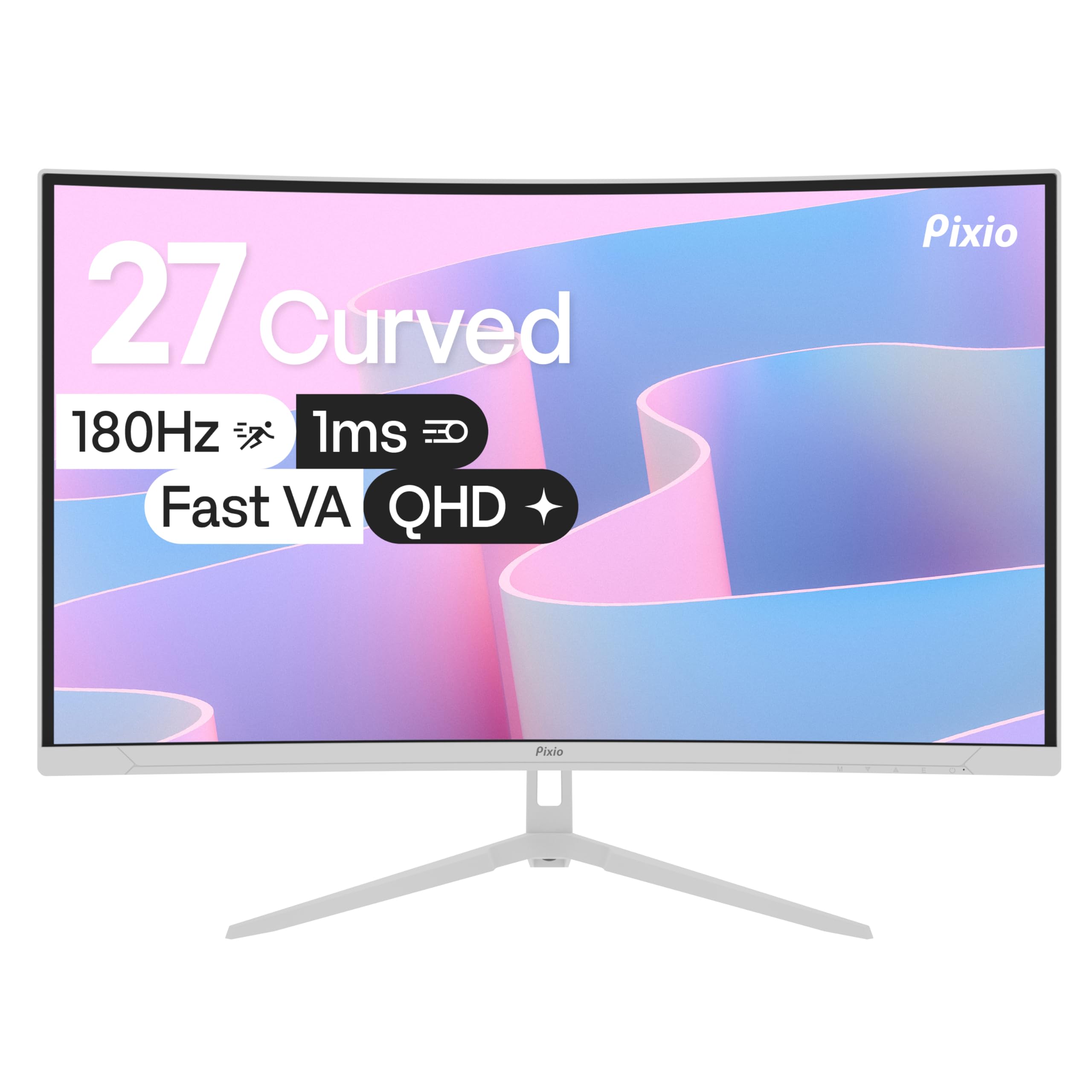
The Pixio PXC278 Wave White proves that a curved gaming monitor can be a statement piece without sacrificing performance. The 27-inch QHD Fast VA panel delivers 180Hz refresh rate, 1ms GtG response, and a 5000:1 contrast ratio that surpasses most VA competitors in black depth. The 1650R curve is the gentlest in this lineup, making it the most comfortable option for productivity and content creation where straight-line accuracy matters.
The white chassis extends to the stand and included cables, creating a cohesive aesthetic for light-themed setups that black monitors would disrupt. HDR support widens the color and brightness envelope, though the 350-nit peak brightness falls short of HDR 600 certification. The built-in speakers are present but deliver thin, grainy audio that demands external speakers or a headset for any serious listening.
Connectivity is limited to HDMI inputs with no DisplayPort option, capping maximum bandwidth compared to rivals with DP 1.4. The stand provides tilt adjustment but lacks height and swivel functionality, and some users report difficulty with the assembly process. For builders of white or pastel-themed battlestations who want QHD clarity and smooth 180Hz gameplay without the monolithic black box, the PXC278 Wave is the only monitor that checks both the aesthetic and performance boxes in this category.
Why it’s great
- White chassis and cables match light-themed builds perfectly
- 5000:1 VA contrast ratio provides excellent black depth
- 1650R gentle curve suits mixed gaming and productivity use
Good to know
- No DisplayPort input limits maximum bandwidth options
- Built-in speakers are thin and grainy
- Stand only offers tilt adjustment without height or swivel
9. Samsung S39C Series

The Samsung S39C Series addresses the entry-level market with a 27-inch 1080p VA panel, 1000R aggressive curvature, and a 75Hz refresh rate that smooths out basic desktop navigation and casual gaming. The 1000R curve at this price point is unusual, bringing the same immersive geometry found on premium gaming monitors to a budget-friendly package. The VA panel delivers a 1500:1 contrast ratio, producing noticeably deeper blacks than office-grade IPS panels in the same price tier.
Samsung’s Advanced Eye Comfort technology combines Flicker-Free backlighting and Eye Saver Mode to reduce blue light emission, backed by a clinical study showing reduced eye fatigue with 1000R curvature. The built-in 5-watt speakers are loud enough for YouTube, streaming, and casual gaming without external audio, and the slim metal stand with cable management punches above its weight class in build quality. Dual HDMI and DisplayPort inputs allow easy switching between a work laptop and a console.
The 1080p resolution at 27 inches results in visible pixel structure during text rendering and detailed image work, making this a poor choice for design or spreadsheet-heavy workflows. The 75Hz refresh rate, while adequate for office tasks and slower-paced games, cannot match the fluidity of higher refresh panels for competitive shooters. For users building a secondary workstation, a student setup, or a simple home office with light media consumption, the S39C delivers the curve experience without the performance premium.
Why it’s great
- 1000R curve at an accessible price point for immersive basic use
- Advanced Eye Comfort with Flicker-Free and blue light reduction
- Built-in 5W speakers and slim metal stand with cable management
Good to know
- 1080p at 27 inches results in visible pixel structure for text
- 75Hz refresh rate insufficient for competitive gaming smoothness
- No height adjustment or swivel on the stand
FAQ
Is QHD (2560×1440) worth it over 1080p on a 27-inch curved monitor?
Does a 1000R curve cause issues with productivity or design work?
How important is DisplayPort 2.1 for a 27-inch curved gaming monitor?
Final Thoughts: The Verdict
For most users, the best 27 inch curved monitor winner is the Samsung Odyssey G65B because it combines 240Hz QHD performance, aggressive 1000R immersion, and HDR 600 certification at a price that undercuts OLED alternatives while delivering features like built-in Gaming Hub and versatile connectivity. If you want the absolute highest motion clarity and are willing to invest in OLED, grab the LG 27GX790A-B Ultragear OLED with its 480Hz refresh and DisplayPort 2.1. And for competitive esports on a tighter GPU budget, nothing beats the Acer Nitro XZ270 with its 280Hz 1080p panel and full ergonomic stand.