
A 27 inch monitor stand is the single most impactful ergonomic upgrade you can make to a desk setup. Without one, your screen sits low, forcing your neck into a constant forward tilt that leads to strain within the first hour of work. A proper stand lifts the panel so your eye line aligns with the top third of the display, creates storage space underneath, and often eliminates that oversized stock base that eats up precious real estate.
I’m Min — the co-founder and writer behind Gadgets Feed. I analyze load capacities, VESA compatibility, articulation ranges, and build materials across dozens of stand designs to isolate the models that deliver genuine ergonomic and spatial benefits for a 27 inch screen.
This guide breaks down the fixed risers, gas-spring arms, freestanding pneumatic mounts, and extra-tall pole options that actually fit a 27 inch monitor. My goal is to help you identify the best 27 inch monitor stand for your specific desk layout, weight needs, and preferred adjustability.
How To Choose The Best 27 Inch Monitor Stand
A stand for a 27 inch monitor must balance sufficient lift height and stability with your specific desk constraints. This section covers the core criteria you need to evaluate before buying.
Fixed Riser vs Articulating Arm
The biggest decision is whether you need height adjustability after the initial setup. A fixed wooden or metal riser lifts the monitor to a single height — usually 5 to 6 inches — with no moving parts. An articulating arm or gas-spring mount, by contrast, lets you raise, lower, tilt, and rotate the panel throughout the day, which is essential for shared desks or sit-stand workflows. Prioritize a fixed riser if you want simplicity and no chance of drift over months of use; choose an arm if you regularly reposition your screen.
Weight Capacity and VESA Pattern
Most 27 inch monitors weigh between 8 and 16 pounds excluding the stock stand. Check your monitor’s spec sheet for its pure panel weight — the stand’s maximum load rating must exceed that figure by at least 2 pounds to ensure safe operation and, for gas-spring arms, predictable tension. Verify the VESA pattern (75x75mm is common on smaller panels; 100x100mm is standard on larger ones) so the mounting plate fits your screw holes without adapters.
Desk Clamp vs Freestanding Base
Articulating arms typically use a C-clamp (needs a solid desk edge between 0.4 and 3 inches thick) or a grommet mount (needs a pre-drilled hole). A freestanding pneumatic arm uses a weighted base and works on any surface including glass desks but takes up more desktop depth. For a fixed riser, measure the riser’s footprint compared to your monitor’s original base; a narrower footprint frees up more desk space for a keyboard or paperwork.
Quick Comparison
On smaller screens, swipe sideways to see the full table.
| Model | Category | Best For | Key Spec | Amazon |
|---|---|---|---|---|
| VIVO Premium STAND-V001R | Freestanding Pneumatic | Desks without a clamping edge | 22 lb capacity, 12-inch height range | Amazon |
| Ergotron Neo-Flex | Freestanding Pedestal | Quick height changes without gas spring | 16 lb limit, 5-inch lift | Amazon |
| MOUNTUP Extra Long | Gas Spring Arm | Extended reach past 27 inches | 27.7-inch extension, 19.8 lb capacity | Amazon |
| VIVO Extra Tall STAND-V011 | Pole Mount | Sit-stand desks and very tall users | 39-inch pole, 22 lb capacity | Amazon |
| HUANUO Gas Spring | Gas Spring Arm | Budget-friendly full-motion arm | 4.4-19.8 lb range, 85° tilt | Amazon |
| MSI MAG MT201W | Heavy Duty Arm | Massive or ultrawide monitors up to 49 inches | 44 lb capacity, quick-release plate | Amazon |
| TEAMIX Triangle Riser | Fixed Corner Riser | Corner desk layouts with limited space | 80 lb capacity, 5.3-inch height | Amazon |
In‑Depth Reviews
1. VIVO Premium STAND-V001R Single Monitor Desk Stand

The VIVO STAND-V001R is a full pneumatic arm on a rotating freestanding base, which solves a common problem for 27 inch monitor owners: desks without a clean clampable edge. The base rotates 85 degrees, letting you swing the screen between sitting and standing positions or share the view during collaboration, while the gas spring offers 3 to 12 inches of height adjustment — enough to bring any 27 inch panel to a comfortable eye line.
Weight capacity peaks at 22 pounds, comfortably covering the vast majority of 27 inch monitors. The metal and aluminum construction keeps the arm stable during articulation, though reviewers note the pneumatic tension screw requires many turns clockwise before mounting to support a typical 8-12 pound monitor without springing back. The maximum tilt range of +90° to -90° and full 360° rotation mean portrait mode for coding or document reading works without any adapter.
One trade-off is depth: the freestanding base occupies about 11 inches of desk depth compared to a C-clamp arm that tucks to the edge. For desks deeper than 24 inches this is a non-issue, but on shallow surfaces the base footprint becomes noticeable. Installation is straightforward thanks to a keyhole VESA plate that allows solo mounting.
Why it’s great
- Fully freestanding — works on any desk, even glass
- Rotating base and smooth pneumatic lift
- Supports up to 22 pounds, more than enough for standard 27 inch panels
Good to know
- Base takes up significant desktop depth at 11+ inches
- Gas spring tension adjustment is trial-and-error for lighter monitors
2. Ergotron Neo-Flex Single Monitor Stand

Ergotron’s Neo-Flex is a pedestal-based stand that trades the gas spring for a counterbalanced column lift mechanism. This design choice removes the tension adjustment headaches common on pneumatic arms and delivers 5 inches of height adjustment with no drifting over time. For a 27 inch monitor weighing up to 16 pounds, the Neo-Flex offers surprisingly fluid vertical movement using only a single lever to release the column lock.
The compact footprint — roughly 9 by 18 inches at the base — saves desk space compared to the VIVO freestanding arm, and the 360-degree rotation plus 270-degree pan range makes switching between portrait and landscape effortless. The tilt range is a generous 90 degrees, letting you angle the screen downward for tablet-like workflows. Cable routing runs along the back of the column to keep cords organized without clips that fall off over time.
The catch is weight limit: 16 pounds excludes the heavier 27 inch monitors that approach 18-20 pounds with their factory stands. Also, while the column lift mechanism is smoother than basic gas springs at this price, it offers less fine height granularity than a fully pneumatic arm. The 3-year warranty is among the best in this category and backs the build quality.
Why it’s great
- Column lift is drift-free and smoother than entry-level gas springs
- Very compact base saves desk space
- 3-year warranty from a trusted ergonomics brand
Good to know
- 16 pound limit may be too low for some 27 inch monitors with integrated speakers or stands
- Height adjustment is continuous but not as precise as a gas spring with locking joints
3. MOUNTUP Extra Long Single Monitor Arm
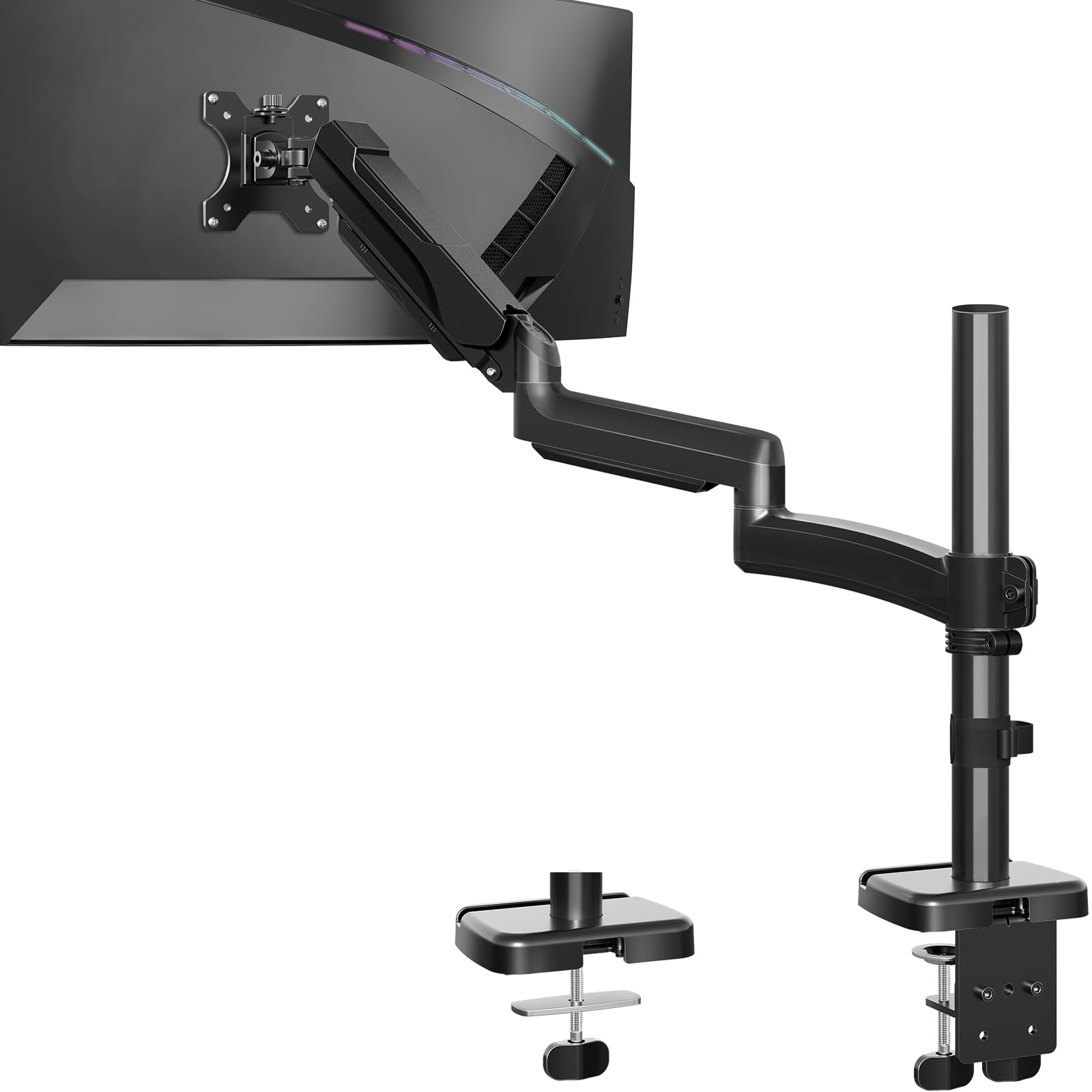
If your desk layout demands a monitor that sits far back or you need to pull the screen close for detailed work, the MOUNTUP Extra Long arm delivers 27.7 inches of extension — about 30 percent more than standard gas-spring arms. This extra reach works well for deep desks where the monitor usually sits at the back edge, letting you bring it forward by nearly 28 inches to a comfortable reading distance without moving the clamp base.
The arm supports monitors from 22 to 32 inches and up to 19.8 pounds, which comfortably covers the full 27 inch monitor range with headroom. Height adjustment spans 28.5 inches, so even very tall users can find a proper alignment. The tilt range is a full +90° to -90°, and swivel plus rotation each provide 180 degrees of freedom, making this one of the most flexible arms in this price bracket. MOUNTUP backs it with a 3-year warranty and tested the gas spring for 20,000 cycles.
One user-reported nuance is that fine micro-adjustments after setup can feel slightly stiff compared to premium arms from brands like Ergotron. And the longer arm means any wobble from typing vibrations is slightly more pronounced at full extension — though still minor for normal use. Cable management channels run along the full arm length, but flexible cables route more easily than thick braided ones.
Why it’s great
- 27.7-inch extension allows extreme positioning flexibility
- Wide tilt range and full 180-degree rotation
- 3-year warranty and 20,000-cycle tested gas spring
Good to know
- Fine micro-adjustments feel stiffer than on higher-priced arms
- Pole wobble is slightly more noticeable at maximum extension
4. VIVO Extra Tall STAND-V011 Pole Mount

The VIVO STAND-V011 is built for a specific scenario: getting a 27 inch monitor high enough for standing desk use or for users who want the panel elevated well above eye level for reclined viewing. The 39-inch pole allows the monitor to travel far above the typical 5- to 6-inch lift of a fixed riser, and the articulating arm at the top provides tilt, swivel, and rotation for precise angle adjustment. Weight capacity is a solid 22 pounds, and VESA 75x75mm and 100x100mm are both supported.
Unlike gas-spring arms, this mount uses no pneumatic assist — the arm position locks into place via friction joints. That means no drift over time, but also no one-handed height change; you loosen the collar, slide the arm, and re-tighten. The C-clamp and grommet options both work with desks up to 4 inches thick. Cable management clips along the pole keep cords routed vertically, which looks clean but makes plugging and unplugging slightly more involved than arms with fully exposed cables.
Some users note that the arm’s friction joints can require occasional re-tightening after months of daily repositioning, but for a fix-and-forget standing desk setup, this mount is exceptionally stable. The build uses heavy-gauge Alloy Steel and feels robust at the joints, with minimal wobble even with a 32 inch ultrawide attached. The multi-section pole design is modular and each section locks securely.
Why it’s great
- 39-inch pole accommodates standing desk and very tall users
- No gas spring means zero drift over time
- Excellent stability for heavy monitors up to 22 pounds
Good to know
- Height adjustment requires loosening and re-tightening — not one-handed
- Friction joints may loosen after extended repositioning
5. HUANUO Gas Spring Single Monitor Mount
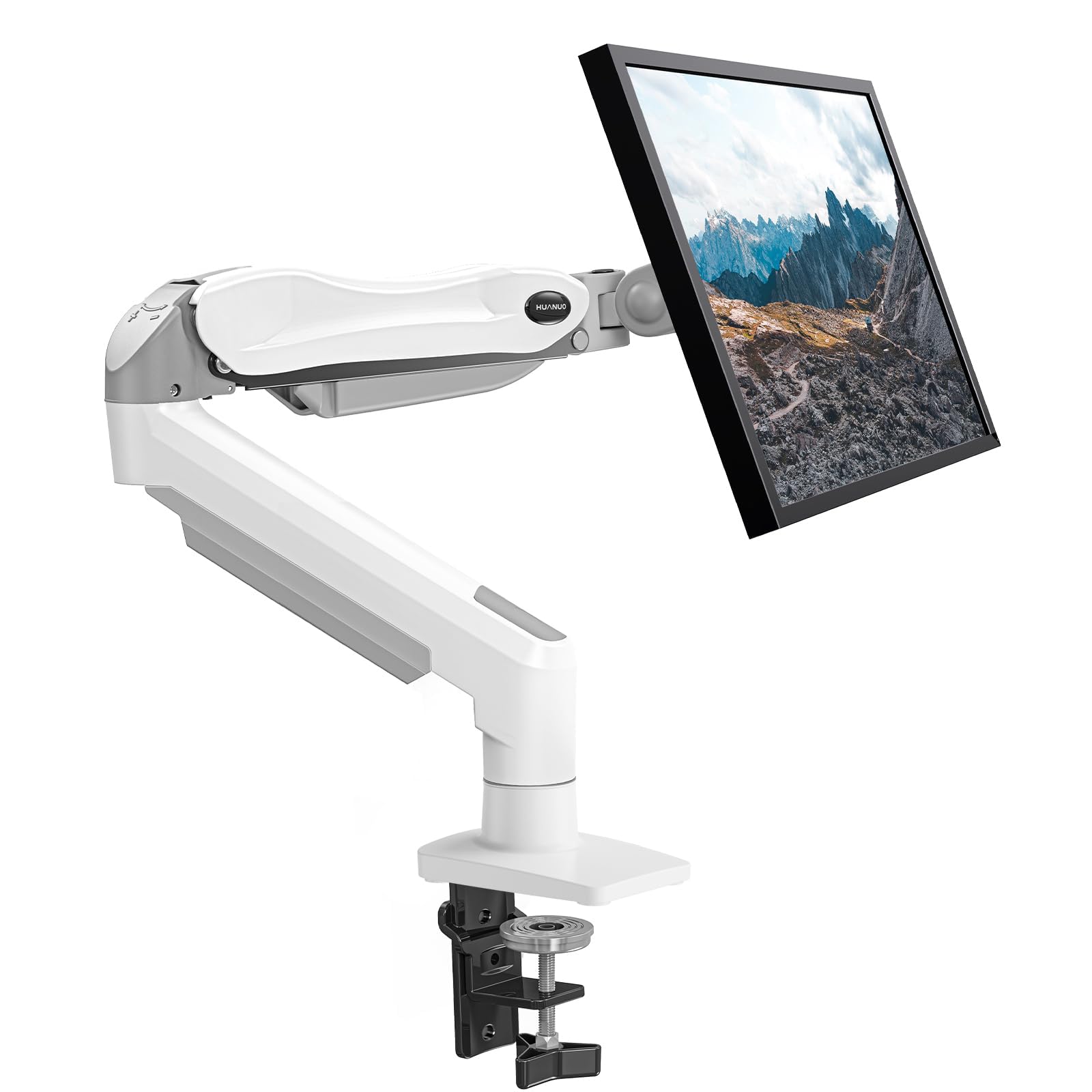
The HUANUO gas spring arm delivers full articulation — tilt from -50° to +30°, 90-degree swivel, and 360-degree rotation — at a price point that undercuts most competitors while still covering the 13 to 32 inch monitor range. The gas spring core is automotive-grade and has undergone 20,000 motion tests, so the tension will remain consistent for years despite daily adjustment. For a standard 27 inch monitor weighing around 10 pounds, the tension setting works out of the box with minimal adjustment via the included hex key.
What separates this arm from even cheaper options is the 1-piece design that reduces assembly to three steps and 3 minutes. The C-clamp fits desk edges up to 3.15 inches, and the grommet option is included for thicker tops. Cable management runs inside the arm channels, keeping the desk clean. A white color variant is available for users who want to match light-colored furniture, which is rare in this price bracket.
Reviewers consistently note that the tilt mechanism can feel tight when first assembled — a deliberate design to prevent monitor sag. Adjusting the tilt tension requires tightening or loosening a hex bolt on the joint, and some users find the range of fine tuning narrow. For a “set once and leave” use case, this is a non-issue. If you reposition your monitor several times a day, the tilt lock may feel restrictive compared to more expensive gas-spring arms.
Why it’s great
- Very affordable for full gas-spring motion and cable management
- Automotive-grade gas spring tested to 20,000 cycles
- Ultra-simple 1-piece assembly in under 5 minutes
Good to know
- Tilt adjustment bolt is finicky to dial in perfectly
- Thick braided cables may not route well through internal channels
6. MSI MAG MT201W Premium Monitor Stand Arm
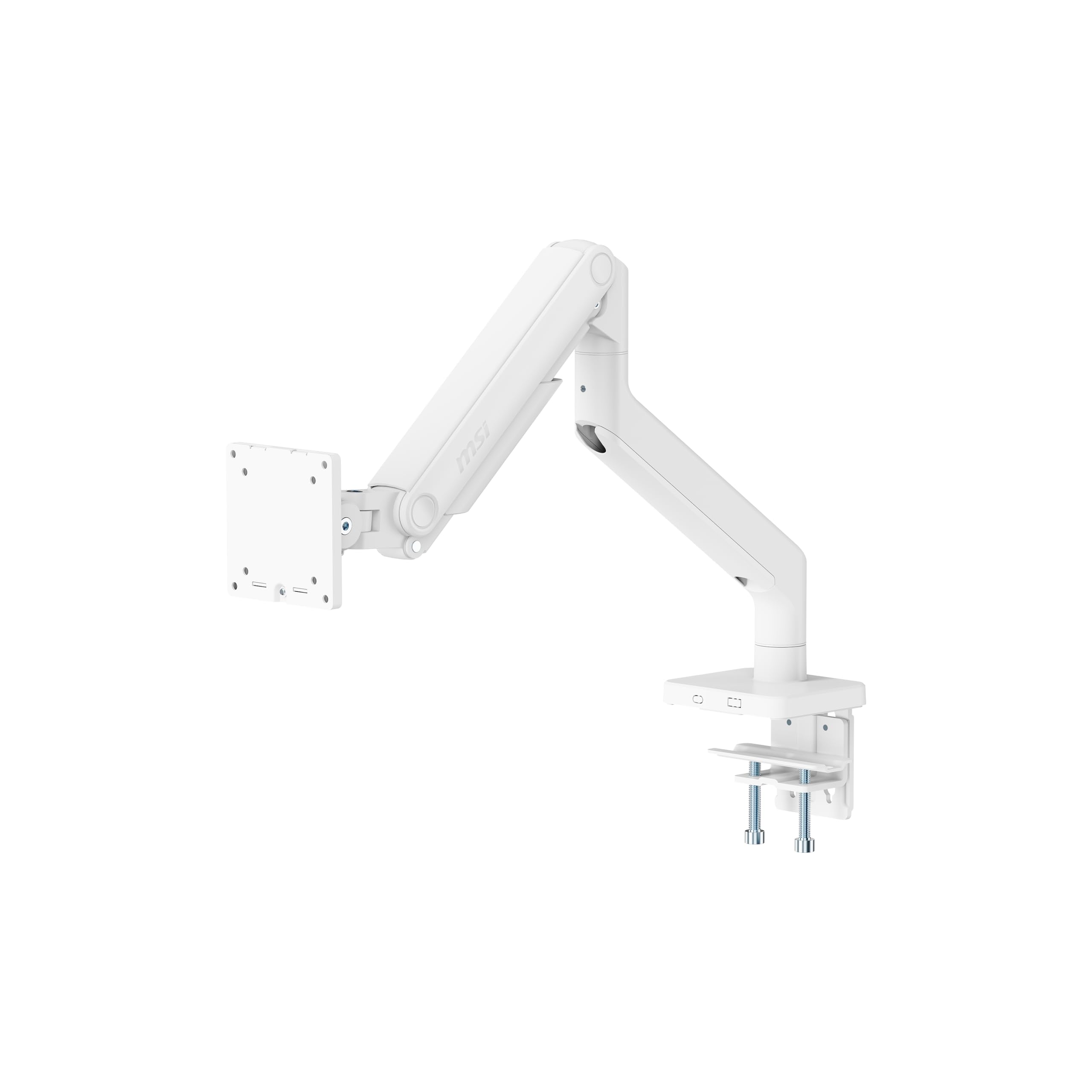
The MSI MAG MT201W is designed for a niche but critical audience: users who own a 27 inch monitor that is exceptionally heavy — think professional color-grading panels with integrated calibration hardware, all-in-one PCs mounted via VESA, or someone who plans to eventually upgrade to a 38-49 inch ultrawide. With a weight capacity of 44 pounds, this arm is almost over-specified for a standard 27 inch display, but that headroom translates into rock-solid stability with zero sag at any joint.
The quick-release VESA plate is a standout feature for anyone who frequently swaps test monitors or needs to remove the screen for transport. The plate detaches from the arm with a simple latch, letting you unmount the monitor without unscrewing the VESA bolts. Tilt range is +50° to -20°, which is less downward flex than some competing arms, but the swivel (+90°/-90°) and rotation (+180°/-180°) cover the essential ergonomic axes. The clamp base fits desks up to 3.35 inches thick, and a grommet mount adapter is also included.
The unit weighs 12.6 pounds itself — notably heavier than most arms in this roundup. That mass contributes to the stability but may make packaging and initial handling more cumbersome. Spring tension adjustment also requires more trial and error because of the wider weight capacity range; the included hex key in the center of the arm controls the tension, and finding the sweet spot for an 8-10 pound monitor takes several iterations.
Why it’s great
- 44-pound capacity will handle any monitor now and in the future
- Quick-release VESA plate makes screen swaps fast
- Extremely stable joint assembly with minimal wobble
Good to know
- Arm is heavy and bulky — over-engineered for a standard 27 inch monitor
- Tension adjustment is very sensitive and requires patience
7. TEAMIX 26 inch Triangle Monitor Stand Riser

The TEAMIX triangle riser solves a distinct desk layout problem: making productive use of a corner. Unlike rectangular risers that overhang or waste space in an L-shaped desk corner, this stand measures 26 inches across the front while being only 12.6 inches deep, with triangular legs that fit flush into a 90-degree corner. The 5.3-inch lift height brings the center of a 27 inch monitor closer to eye level without any mounting complexity.
The load rating of 80 pounds is massive for a fixed riser, meaning even heavy 27 inch panels with integrated monitor arms or secondary laptops on top are safe. The surface is a thick wood board with a powder-coated metal frame, and anti-skid pads on both the bottom and the top keep everything stable. The open space underneath the board can store a keyboard, cables, or a small docking station — helpful for reclaiming the corner that is otherwise hard to organize.
One design consideration is that the triangular footprint requires at least 12.6 inches of corner depth, so very shallow corner desks might cause the back edge to protrude. Some users also mention that because the legs sit at the front and back, the monitor needs to be centered precisely to avoid tipping if you place it off-axis. Assembly requires attaching the legs to the board with screws — straightforward with the included hex tool.
Why it’s great
- Triangular shape perfectly fits corner and L-shaped desks
- 80-pound weight capacity is overkill for any 27 inch monitor
- Creates valuable under-shelf storage for cables and accessories
Good to know
- Requires at least 12.6 inches of corner depth
- No height adjustability — choose this only if 5.3 inches works for you
FAQ
Can a gas spring arm hold a 27 inch monitor steady without sagging over time?
What is the ideal lift height for a 27 inch monitor stand?
Will a fixed riser work with a 27 inch monitor that has a curved base?
Do monitor arms work with glass desks?
Final Thoughts: The Verdict
For most users, the best 27 inch monitor stand winner is the VIVO Premium STAND-V001R because its freestanding pneumatic design works on any desk, offers genuine one-handed height adjustment, and supports up to 22 pounds with excellent stability. If you want a more compact pedestal with zero drift over time, grab the Ergotron Neo-Flex. And for a corner desk where a fixed riser makes the most sense, nothing beats the TEAMIX Triangle Riser for its space-efficient shape and 80-pound capacity.