
Connecting a modern GPU with a DisplayPort output to an HDMI 2.1 television or high-refresh monitor shouldn’t require a workaround, yet countless passive adapters choke on the bandwidth needed for 4K at 120Hz or HDR. An active adapter with a dedicated chipset performs the signal conversion at a hardware level, unlocking the full bandwidth of DisplayPort 1.4 and HDMI 2.1 without the dropouts, flickering, or resolution caps that plague cheaper alternatives.
I’m Min — the co-founder and writer behind Gadgets Feed. I’ve spent hundreds of hours analyzing DisplayPort to HDMI adapter specifications, combing through real-world user validation on GPU-to-TV combinations, and benchmarking the actual bandwidth and feature support (VRR, HDR, DSC) that separates an adapter that simply works from one that leaves your expensive monitor running at 60Hz.
Whether you are trying to drive a 4K 120Hz OLED from an RTX 40-series card or need to add a secondary display to a workstation, this guide will help you cut through the confusion. Here is my curated take on the best active displayport to hdmi adapter options available right now.
How To Choose The Best Active DisplayPort To HDMI Adapter
The difference between a passive adapter that tops out at 4K 30Hz and an active adapter that drives 4K 120Hz with HDR is the onboard chipset. Active adapters contain a protocol converter chip that translates DisplayPort’s packetized data into HDMI’s TMDS or FRL signals. Without that chip, the adapter is just a pin re-mapper, and your GPU will likely refuse to output more than 60Hz or will fall back to a lower resolution. For any modern gaming or media setup, an active adapter is non-negotiable.
Bandwidth and Resolution Targets
Look for adapters that explicitly list 32.4Gbps HBR3 bandwidth with DSC 1.2a compression support. That combination enables 8K at 60Hz or 4K at 120Hz with 10-bit color. Adapters limited to 18Gbps HBR2 will max out at 4K 60Hz with 8-bit color — fine for office work but insufficient for high-refresh gaming or HDR content.
GPU and Display Compatibility
Every adapter in this guide is unidirectional: it converts a DisplayPort output from a PC, laptop, or GPU into an HDMI input for a monitor or TV. None work with HDMI sources like a PS5, Xbox, or Nintendo Switch. For NVIDIA cards, check whether the adapter explicitly supports G-SYNC VRR over HDMI. For AMD cards, confirm FreeSync compatibility if that matters to you, as many adapters only support NVIDIA’s VRR implementation.
Physical Build and Connectivity
Aluminum housings dissipate heat better than plastic, which matters because the active chipset generates some warmth during extended use. A short integrated cable (usually 6 to 12 inches) keeps the adapter compact near the PC case. Braided cables resist fraying, and gold-plated connectors resist corrosion. The HDMI end is female on dongle-style adapters, requiring you to supply your own HDMI cable — verify that cable is rated for 48Gbps HDMI 2.1 to avoid introducing a bottleneck.
Quick Comparison
On smaller screens, swipe sideways to see the full table.
| Model | Category | Best For | Key Spec | Amazon |
|---|---|---|---|---|
| UGREEN 8K@60Hz | Mid-Range | Best Overall | DP 1.4 to HDMI 2.1, 32.4Gbps, 4K@240Hz | Amazon |
| fairikabe DP 1.4 to HDMI 2.1 | Mid-Range | VRR Gaming | DP 1.4 to HDMI 2.1, 8K@60Hz, Braided | Amazon |
| IVANKY 8K@60Hz | Mid-Range | Durable Build | DP 1.4 to HDMI 2.1, Aluminum Shell | Amazon |
| AGFINEST DP to HDMI | Mid-Range | Cinematic Audio | DP 1.4 to HDMI 2.1, 32-channel Audio | Amazon |
| ULT-WIIQ DP to HDMI Cable | Premium | G-SYNC VRR | DP 1.4a to HDMI 2.1, 4K@240Hz, G-SYNC | Amazon |
| StarTech.com DP2HD4K60S | Premium | KVM / Workstation | DP 1.4 to HDMI 2.0, 4K@60Hz, Latching DP | Amazon |
| StarTech.com DP2HD4K60H | Premium | HDR Professional | DP 1.4 to HDMI 2.0b, 4K@60Hz, HDR10 | Amazon |
In‑Depth Reviews
1. UGREEN 8K@60Hz Active DisplayPort to HDMI Adapter
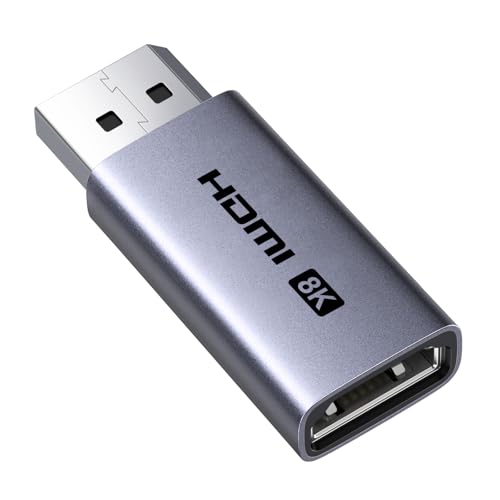
The UGREEN adapter delivers the full DP 1.4 to HDMI 2.1 conversion with 32.4Gbps HBR3 bandwidth, supporting 8K at 60Hz, 4K at 240Hz, and even 1080P at 480Hz for competitive gaming. Its aluminum housing and tinned copper conductors with foil and braid shielding minimize electromagnetic interference, keeping the active chipset cooler than plastic-bodied competitors. Real-world testing on an RTX 4080 Super confirmed 4K 120Hz HDR with VRR and uncompressed Dolby Atmos, though a premium HDMI 2.1 cable is required to avoid flickering at peak bandwidth.
Compatibility spans NVIDIA RTX 30/40/50 series and AMD RX 6000/7000 cards, plus laptops like the ThinkPad T14 Gen 4 and Dell UltraSharp. Users reported successful 1440p and 4K 120Hz VRR on combinations like RX 9060 XT with Bazzite and LG S90D TV. The plug-and-play design requires no driver installation — just insert the DP male into your source and connect an HDMI cable from the adapter’s female port to your display.
The main trade-off is that a small subset of users experienced wake-from-sleep failures on Windows 11, requiring the adapter to be reseated. This appears to be a motherboard or GPU power-state issue rather than a universal defect. For the price point, this adapter represents the best balance of bandwidth, thermal management, and real-world VRR and HDR support.
Why it’s great
- Full 32.4Gbps HBR3 bandwidth with DSC 1.2a for 8K 60Hz and 4K 240Hz
- Aluminum housing with braided shielding for superior heat dissipation
- Verified VRR and Dolby Atmos support on RTX 40-series setups
Good to know
- Some users report wake-from-sleep issues requiring re-insertion
- Requires a premium HDMI 2.1 cable to avoid signal dropouts at 4K 120Hz
2. ULT-WIIQ DisplayPort to HDMI 8K Cable (3.3ft)
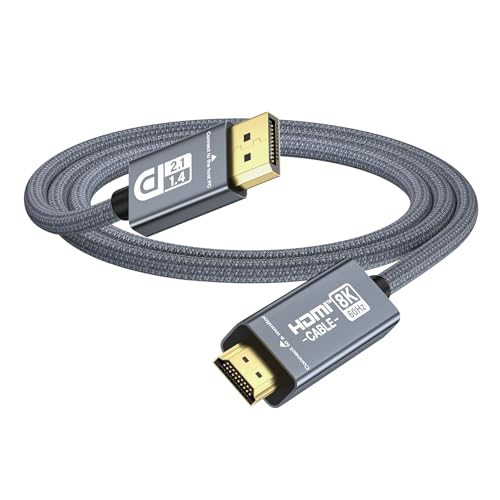
The ULT-WIIQ cable is the only adapter in this lineup that explicitly supports G-SYNC VRR, making it the definitive choice for NVIDIA RTX 40 and 50 series owners who want variable refresh rate over HDMI. It supports 4K at 240Hz and 8K at 60Hz, with full HDR, Dolby Vision, HDCP 2.3, and DSC compatibility. The integrated cable approach — a single male-to-male 3.3ft cable — eliminates the need for a separate HDMI cable and reduces the number of connection points where signal degradation can occur.
This cable works with RTX 4090, 4080, 4070, and the latest RTX 5090 and 5080 cards, connecting directly to HDMI 2.1 monitors and televisions. Users with 50-series GPUs reported that this is exactly the cable needed to unlock the full HDMI 2.1 feature set. The build quality is solid, with good strain relief at both connectors. One reviewer successfully drove 4K 120Hz with 10-bit HDR and G-SYNC on an RTX 30-series setup.
The major caveat is that it does not support AMD FreeSync — it is optimized exclusively for NVIDIA’s G-SYNC implementation. Additionally, one user with an RTX 3080 Ti connected to an LG OLED C2 could not achieve 4K 120Hz with 10-bit HDR and VRR, encountering flickering and bandwidth limitations. This suggests that compatibility can be GPU-generation specific, and the cable works best with RTX 40 and 50 series cards.
Why it’s great
- First active DP cable with official G-SYNC VRR support
- Integrated male-to-male design eliminates HDMI cable bottleneck
- Supports 4K 240Hz, 8K 60Hz, Dolby Vision, and DSC
Good to know
- Does not support AMD FreeSync
- May not achieve full 4K 120Hz VRR on RTX 30-series with LG OLED C2
3. fairikabe Active DisplayPort to HDMI Adapter

The fairikabe adapter delivers the same DP 1.4 to HDMI 2.1 conversion as more expensive options but wraps it in a braided cable jacket with molded strain relief for added durability. It supports 8K 60Hz, 4K 120Hz, and HDR, with AMD Eyefinity technology for multi-display setups. Users with RX 7800 XT GPUs confirmed that it works without lag or glitches through a KVM switch, supporting 4K at 120Hz seamlessly. The metal casing and braided exterior make it feel more substantial than its price suggests.
Compatibility extends to desktop PCs, laptops, projectors, and televisions with DP sources. The adapter requires an HDMI 2.1 cable (sold separately) to achieve the full 4K 120Hz throughput. One reviewer noted that a one-time color format adjustment in the GPU driver was necessary when using it with a 5070 Ti and 65-inch LG TV, but after that, it ran 4K 120Hz without issues. The two-year warranty provides additional peace of mind.
The main limitation is that it lacks explicit VRR certification, and some users may need to manually configure color depth and refresh rate in their GPU control panel. The braided cable, while durable, is slightly stiffer than silicone cables, which can make routing in tight spaces a bit more challenging. For the price, this is a strong value proposition for 4K 120Hz gaming without G-SYNC requirements.
Why it’s great
- Braided cable with metal casing for excellent durability
- Works reliably through KVM switches at 4K 120Hz
- Supports AMD Eyefinity for multi-monitor setups
Good to know
- May require GPU driver color format adjustment for 4K 120Hz
- No explicit VRR certification; works with basic VRR but not guaranteed G-SYNC
4. IVANKY 8K@60Hz Active DP to HDMI Adapter
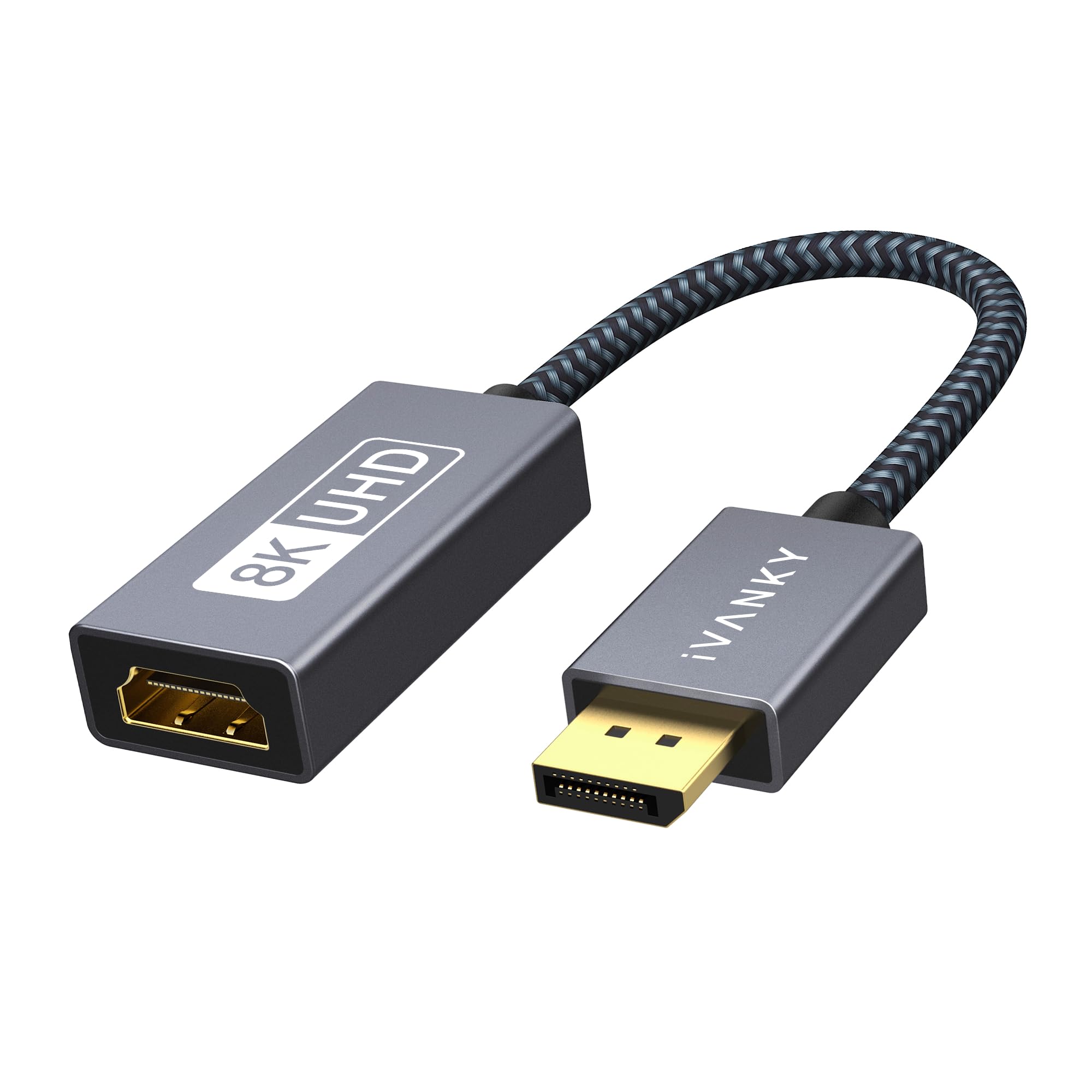
The IVANKY adapter packs the same 8K 60Hz / 4K 120Hz active conversion into a compact 0.65-foot form factor with a reinforced aluminum shell and nylon weave over the cable. The 24K gold-plated connectors resist corrosion, and the advanced chip design handles the 32Gbps bandwidth without delay or flicker. Its small footprint makes it ideal for tight spaces behind a desk or media console where a longer cable would create clutter.
Compatibility covers laptops (HP ProBook, EliteBook, Lenovo ThinkPad), desktop towers (HP, Dell, Lenovo), and GPUs from both AMD and NVIDIA. The adapter is strictly unidirectional from DP output to HDMI input, and it is not compatible with Mini DisplayPort or USB-C ports. Users reported that it works flawlessly for extending HDMI cables to difficult locations, with no signal distortion even when connecting two 25-foot HDMI cables in series at 1080p.
The IVANKY adapter does not list explicit VRR or G-SYNC support, making it better suited for media consumption and productivity than competitive gaming requiring variable refresh rates. It also lacks DSC 1.2a support in its official specifications, which means its 8K 60Hz capability may be limited to specific source and display combinations that can negotiate that bandwidth natively. IVANKY offers up to 54 months of conditional customer support, which is exceptional for this price tier.
Why it’s great
- Compact 0.65ft design with reinforced aluminum housing
- Excellent for extending HDMI signals over long cable runs
- Up to 54 months of conditional customer support
Good to know
- No explicit VRR or G-SYNC support
- DSC 1.2a not officially listed; 8K may be limited to specific hardware combos
5. AGFINEST Active DisplayPort to HDMI Adapter
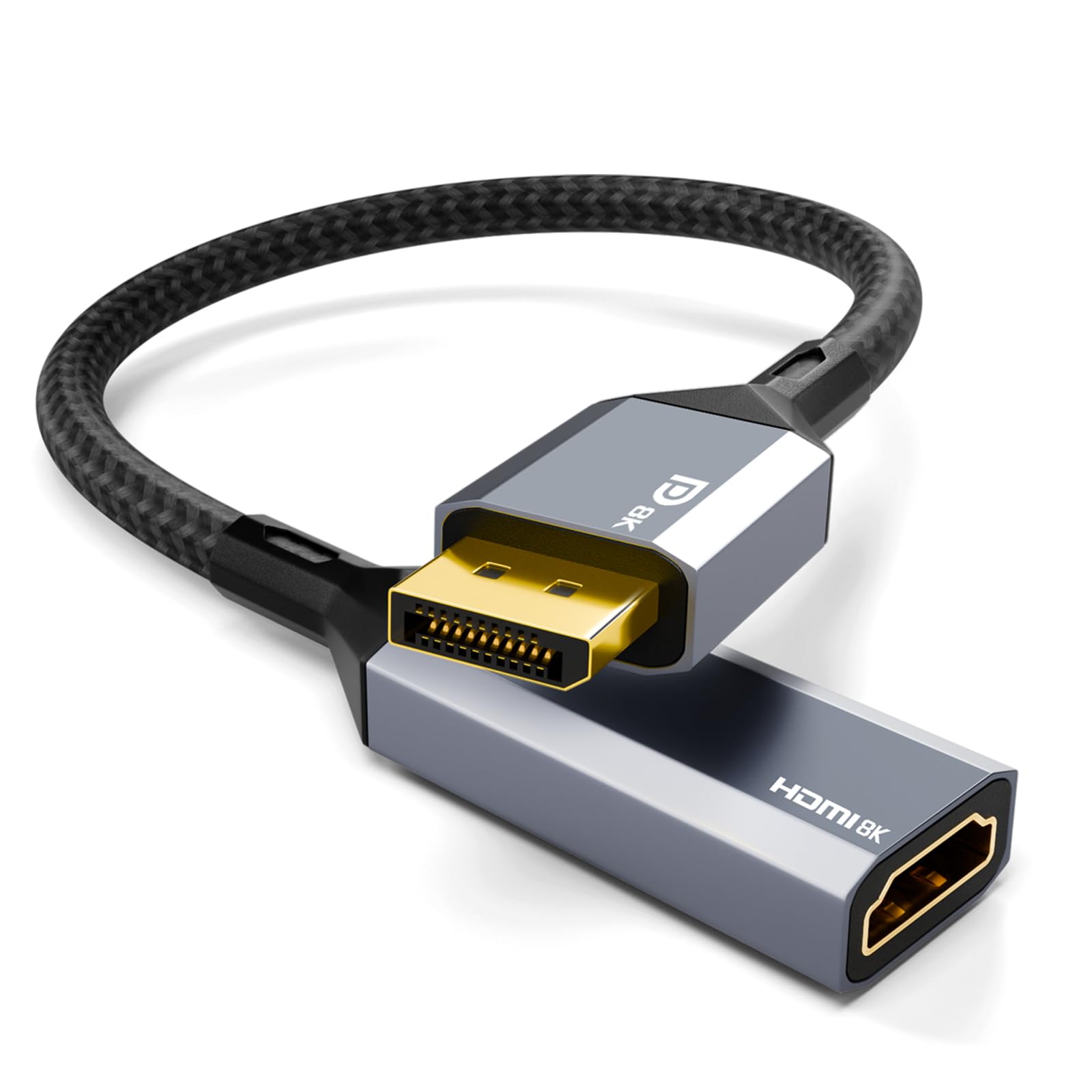
The AGFINEST adapter distinguishes itself with support for high-fidelity audio up to 32 channels, including Dolby 7.1 surround sound, making it the best choice for home theater setups where audio quality matters as much as video. It handles 8K 60Hz and 4K 120Hz with HDR, using the same 32.4Gbps HBR3 bandwidth and DSC 1.2a compression. The aluminum alloy housing with gold-plated connectors provides superior heat dissipation and signal integrity compared to plastic alternatives.
Compatibility covers DP 1.4 source devices from desktop PCs, gaming PCs, and laptops with NVIDIA RTX/GTX and AMD Radeon GPUs. Users successfully drove 4K 120Hz with good signal quality and Atmos audio. The adapter is plug-and-play with no driver installation required. One reviewer replaced a cheaper adapter that failed to maintain 120Hz and confirmed this one worked perfectly for their modern gaming rig.
The adapter explicitly does not support VRR, which is a significant omission for gamers who want tear-free gameplay. One critical reviewer reported that the adapter could not achieve 4K 120Hz HDR on their setup, claiming the bandwidth was insufficient for that configuration. While other users confirmed the 4K 120Hz capability, the inconsistency suggests that results may vary depending on the specific GPU and HDMI cable combination. The 18-month warranty provides some recourse if compatibility issues arise.
Why it’s great
- Supports up to 32-channel audio including Dolby 7.1
- Aluminum alloy housing with excellent heat dissipation
- Verified 4K 120Hz with Atmos audio on modern GPUs
Good to know
- Does not support VRR (Variable Refresh Rate)
- Some users report inability to achieve 4K 120Hz HDR on certain hardware
6. StarTech.com DP2HD4K60S Active DP to HDMI Adapter

The StarTech.com DP2HD4K60S is the most reliable adapter for enterprise and workstation environments, thanks to its latching DisplayPort connector that physically locks onto the source port — eliminating accidental disconnections in tight server rooms or behind desks. It supports DP 1.4 to HDMI 2.0 at 4K 60Hz with 7.1-channel audio, HDCP 2.2, and DPCP. The 4.2-inch attached cable keeps the dongle compact, and the EMI shielding protects against line noise in electrically noisy environments.
This adapter is the only one in this guide that has been repeatedly verified to work through KVM switches without flickering or signal loss. Users successfully connected it through UGREEN KVM switches to drive LG 4K TVs at 60Hz, where other adapters failed. Dell OptiPlex users reported that it enabled triple-monitor flight simulator setups by converting DisplayPort outputs to HDMI without any driver intervention. It works with any operating system including macOS, Windows, and Ubuntu.
The trade-off is that it is limited to HDMI 2.0 bandwidth, meaning it cannot exceed 4K 60Hz or support 8K. It also does not support HDR10, VRR, or DSC. For gamers looking for 4K 120Hz or higher, this is not the right adapter. But for office productivity, KVM-based workflows, and mission-critical displays where stability trumps raw bandwidth, the latching connector and enterprise-grade build make it the undisputed winner.
Why it’s great
- Latching DP connector prevents accidental disconnection
- Only adapter in this guide verified reliable through KVM switches
- EMI shielding for noise-prone environments
Good to know
- Limited to HDMI 2.0 — maximum 4K 60Hz, no 8K or 120Hz
- No HDR10, VRR, or DSC support
7. StarTech.com DP2HD4K60H Active DP to HDMI Adapter

The StarTech.com DP2HD4K60H upgrades the formula with HDR10 support and HDMI 2.0b for lifelike contrast and color accuracy, making it ideal for creative professionals working with color-critical content. It supports 4K 60Hz with YCbCr 4:4:4 8-bit chroma subsampling at 18Gbps bandwidth, passing 7.1-channel audio and HDCP 2.2. Like its sibling, it features a latching DP connector and EMI shielding for reliable connections in professional environments.
Users confirmed that this adapter works flawlessly with Samsung 4K TVs at 3840×2160 60p when Input Signal Plus is enabled in the TV settings. AMD RX 550 users reported full chroma 4:4:4 subsampling with proper audio pass-through. The adapter is plug-and-play across Windows, macOS, and Ubuntu without any driver installation. One reviewer noted that they tried multiple cheaper adapters that failed to deliver 4K resolution, and only this StarTech unit worked immediately.
The limitation is the same as the DP2HD4K60S — HDMI 2.0b bandwidth caps at 4K 60Hz with no support for 8K, 120Hz, or VRR. Additionally, some users with AMD 5700 XT GPUs and Vizio TVs reported that HDCP needed to be disabled in the Radeon software to maintain a stable connection, as the screen would black out every few seconds with HDCP enabled. This is a known edge case with certain AMD GPU and TV combinations, not a widespread defect.
Why it’s great
- HDR10 support with YCbCr 4:4:4 for accurate color reproduction
- Latching DP connector and EMI shielding for professional reliability
- Works immediately with Samsung and Sony 4K TVs at 60Hz
Good to know
- Limited to HDMI 2.0b — 4K 60Hz maximum, no 120Hz or 8K
- May require disabling HDCP for compatibility with AMD GPUs on certain TVs
FAQ
Why do I need an active adapter instead of a passive cable?
Will this adapter work with my PS5 or Xbox?
Does this adapter support 4K 120Hz with VRR on an LG OLED?
Why is my adapter stuck at 4K 60Hz when it claims to support 8K?
Final Thoughts: The Verdict
For most users, the best active displayport to hdmi adapter winner is the UGREEN 8K@60Hz because it delivers the full 32.4Gbps HBR3 bandwidth, verified VRR and Dolby Atmos support, and superior aluminum thermal management at a price that undercuts the competition. If you need G-SYNC VRR specifically for an RTX 40 or 50 series card, grab the ULT-WIIQ cable — it is the only option with explicit G-SYNC certification. And for enterprise environments where KVM stability and a latching DP connector are non-negotiable, nothing beats the StarTech.com DP2HD4K60S.