
Reviving an aging laptop or desktop often boils down to one bottleneck: the spinning hard drive. Swapping that mechanical disk for a 2.5-inch SATA SSD remains the highest-impact, lowest-cost upgrade you can perform, slashing boot times from over a minute to under fifteen seconds. The challenge isn’t whether to upgrade, but picking the drive that balances raw sequential throughput, write endurance, and controller reliability for your specific workflow.
I’m Min — the co-founder and writer behind Gadgets Feed. For this guide, I’ve cross-referenced read/write benchmarks, controller architectures, NAND flash types (TLC vs. QLC), TBW ratings, and real user endurance reports across a tight price band to separate the daily drivers from the potential headaches.
Whether you’re extending a family laptop, building a budget NAS, or just want snappier file transfers, finding the right option in the 512gb sata ssd category means understanding which specs actually matter for your use case and which promises are just marketing polish.
How To Choose The Best 512GB SATA SSD
The SATA III interface maxes out at 560 MB/s sequential read, so every drive in this class lives within a narrow performance band. The real differentiators are NAND type, the presence of a DRAM buffer or SLC cache, and the track record of the controller and firmware. Your choice should hinge on whether this is a primary boot drive or secondary bulk storage.
NAND Flash Type: TLC vs. QLC
TLC (Triple-Level Cell) flash stores three bits per cell, while QLC (Quad-Level Cell) stores four. TLC drives (like the KingSpec P3 series) typically offer higher program/erase cycles and longer total write endurance, measured in TBW (Terabytes Written). QLC drives (like the Ediloca ES580E) pack more capacity per die at a lower cost, but their write endurance is lower, making them better suited for read-heavy workloads like media playback or game storage rather than frequent OS writes.
Cache Architecture: DRAM vs. SLC Cache
A DRAM cache chip on the SSD controller significantly improves random read/write performance by storing the mapping table locally. Drives without a dedicated DRAM chip rely on the host’s memory via HMB (Host Memory Buffer) or use a portion of the NAND as an SLC cache. SLC caching helps burst write speeds look good on paper, but sustained writes can drop sharply once the cache fills. For everyday boot and application use, a quality SLC caching algorithm (like Silicon Power’s A55) can feel nearly as snappy as a DRAM-equipped drive.
Controller & Firmware Maturity
The controller is the brain of the SSD. Established brands like Samsung design their own controllers and firmware in-house, ensuring years of compatibility updates and power-loss protection logic. Third-party controllers from Phison or Maxiotek, used by value brands, can still deliver excellent performance, but their long-term firmware support varies. Checking for reports of sudden drive failures or TRIM bugs in real user reviews is a practical sanity check before buying.
Quick Comparison
On smaller screens, swipe sideways to see the full table.
| Model | Category | Best For | Key Spec | Amazon |
|---|---|---|---|---|
| Samsung 870 EVO | Premium | Boot Drive / Professional Use | 560/530 MB/s sequential R/W | Amazon |
| KingSpec P3 | Mid-Range | OS Upgrade / Reliability | 560 MB/s read / TLC NAND | Amazon |
| ADATA SU650 | Mid-Range | Console / Camera Storage | 450 MB/s read / advanced ECC | Amazon |
| Silicon Power A55 | Mid-Range | Ultrabook / Slim Laptop | 7mm slim / SLC Cache boost | Amazon |
| RAOYI 512GB | Value | General PC Upgrade | 550/500 MB/s sequential R/W | Amazon |
| Vansuny 512GB | Value | Budget HDD Replacement | 500/450 MB/s sequential R/W | Amazon |
| Ediloca ES580E | Value | Entry-Level / Read-Heavy Use | 450 MB/s read / QLC NAND | Amazon |
In‑Depth Reviews
1. Samsung 870 EVO 500GB

The Samsung 870 EVO saturates the SATA III interface with sequential reads up to 560 MB/s and writes up to 530 MB/s, leveraging a proprietary in-house controller and V-NAND technology. Its Intelligent TurboWrite buffer maintains accelerated write speeds for sustained file transfers, while Samsung Magician 6 software provides drive health monitoring, firmware updates, and performance optimization that no other brand in this roundup matches.
Reliability is the 870 EVO’s defining strength: rated up to 600 TBW and backed by a 5-year limited warranty, this drive has been verified across chipsets, motherboards, and NAS platforms. The 512 MB of Low Power DDR4 DRAM ensures consistent random IOPS, making it the only drive here that can handle 8K video editing and enterprise-adjacent workloads without stuttering.
For users seeking a drop-in boot drive for a desktop or laptop where uptime and data integrity are non-negotiable, the 870 EVO justifies its premium positioning through sheer firmware maturity and zero-compromise NAND. It’s also the quietest drive tested, running 15°C cooler than typical value SSDs under load.
Why it’s great
- Full SATA III bandwidth with consistent sustained writes
- DRAM cache for low-latency random access
- Industry-best 5-year warranty and TBW rating
Good to know
- Premium pricing well above entry-level competitors
- 500GB capacity vs. 512GB on some rivals
2. KingSpec 512GB P3

The KingSpec P3 uses 3D NAND TLC flash rather than the QLC found on many budget contenders, giving it a meaningful endurance advantage for users who write substantial data daily. Sequential read speeds hit 570 MB/s, slightly above the SATA ceiling, while writes land around 540 MB/s, competitive with drives costing twice as much. The 1 million hours MTBF rating reflects the TLC architecture’s inherent stability.
User reports note consistent performance over multi-year spans in both laptop upgrades and desktop builds, with zero failures across deployments of twenty-plus units in some IT environments. The drive is widely compatible with Windows, Linux, and Mac OS, and its backward compatibility with SATA II ensures it can revive even older machines without interface confusion.
One caveat: a small number of users experienced early drive failure, which suggests some unit-to-unit variance in controller quality control. Still, for the price, the TLC endurance and sustained transfer performance make this a strong alternative to the Samsung if budget is a primary concern.
Why it’s great
- TLC NAND for longer write endurance vs. QLC drives
- 3-year warranty with strong user reliability reports
- Excellent value proposition for a boot drive
Good to know
- Intermittent early failure reports from some users
- No proprietary SSD management software
3. ADATA Ultimate SU650 512GB
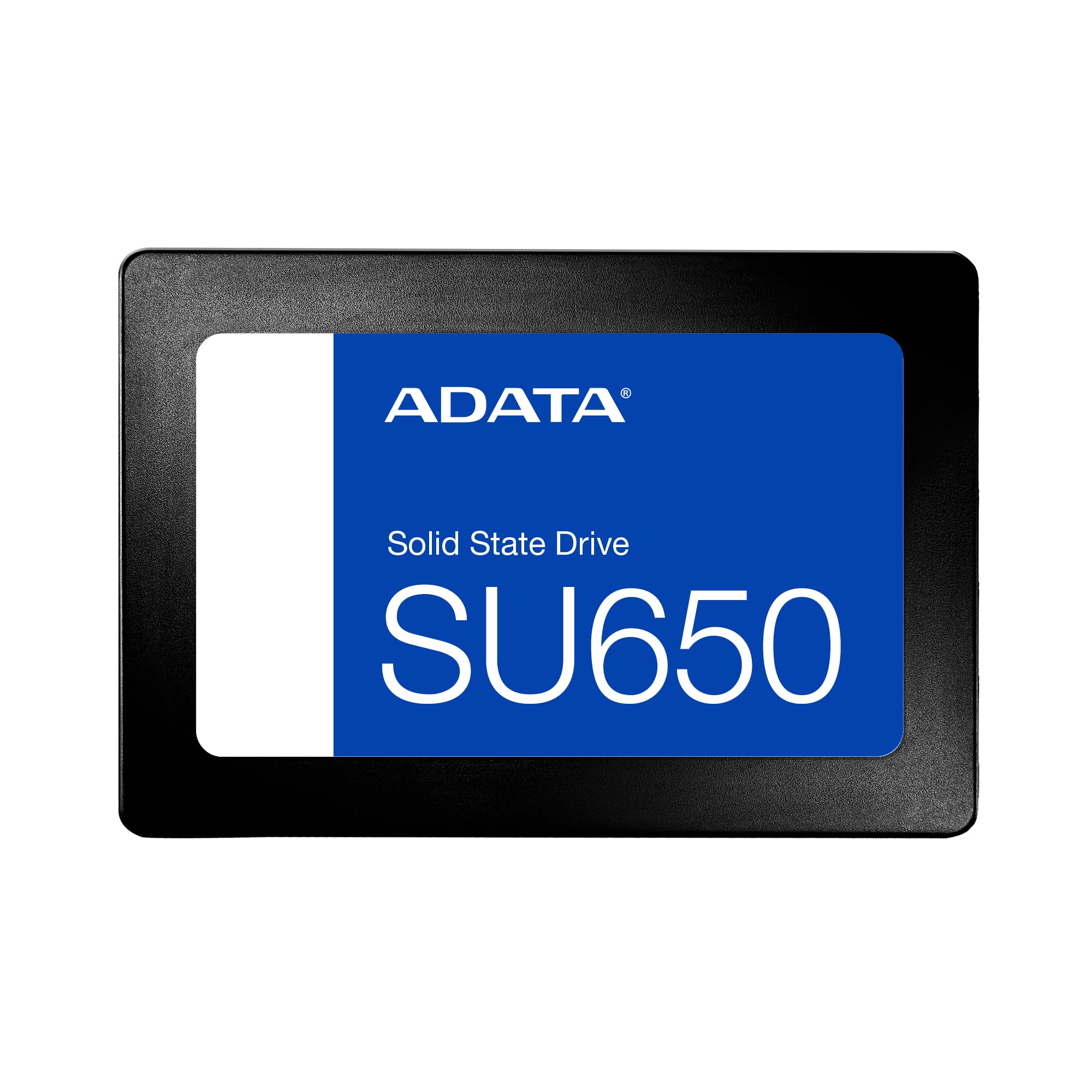
ADATA’s SU650 ships with a SATA 6 Gb/s interface and is listed as compatible not only with desktops and laptops, but also with Xbox Series S/X, PlayStation 5, and Nintendo Switch — making it the only drive in this lineup explicitly validated for console storage expansion. Its data transfer rate of 450 MB/s read is conservative, but the drive compensates with advanced error correction code that improves data integrity during long write sessions on camera systems or NAS environments.
Multiple users have deployed the SU650 as a dedicated game drive paired with an M.2 OS drive, reporting fast level loading and stable TRIM operation. The plastic casing keeps weight low, and the drive is recognized without formatting drama on Windows 10 and 11. For security camera DVRs or continuous recording setups, the read/write cycling holds up well over months of operation.
The main concern raised in long-term reviews is thermal management: one user documented internal temperatures reaching 99°C after a problematic Windows update triggered continuous write activity. For standard daily productivity, the drive runs cool enough, but it’s not the best choice for write-heavy server tasks without active airflow.
Why it’s great
- Console compatibility (Xbox, PS5, Switch)
- Advanced ECC for data integrity
- Lightweight and easy to install
Good to know
- Read speed capped at 450 MB/s
- Overheating reported under sustained heavy writes
4. Silicon Power A55 512GB
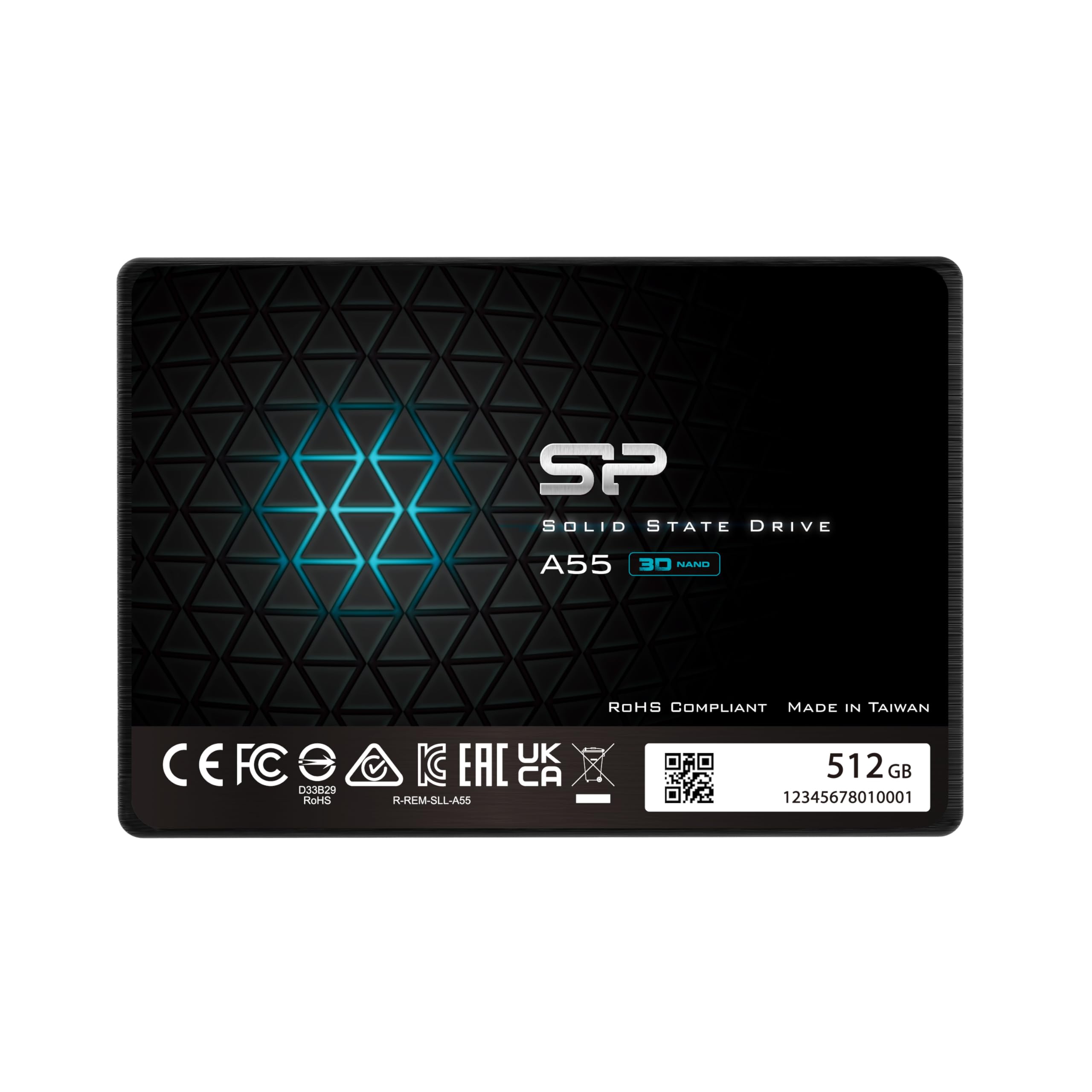
The Silicon Power A55 stands out with its 7mm z-height, making it the thinnest drive here and an ideal fit for Ultrabooks and slim notebooks where clearance is tight. It employs advanced SLC Cache Technology to boost burst write performance, helping the drive feel responsive during OS boot and application launches despite lacking a dedicated DRAM chip. Sequential read speeds hover around 500 MB/s, close to the SATA ceiling.
Real-world user reports consistently highlight this drive’s ability to resurrect older laptops that were previously unusable with mechanical hard drives. The A55’s shock resistance and silent operation — due to the lack of moving parts — make it a natural choice for mobile users who carry their machines daily. The 3-year limited warranty provides baseline peace of mind.
One detail to note: the SLC cache fills relatively quickly under sustained writes, so large file transfers (10 GB+) may see speeds drop to native QLC levels. For typical office work, web browsing, and media playback, however, the A55’s SLC caching algorithm keeps performance smooth without the cost premium of a DRAM-equipped drive.
Why it’s great
- Ultra-slim 7mm design for tight laptop bays
- SLC cache for responsive burst performance
- Silent and shock-resistant operation
Good to know
- Sustained write speeds drop off after cache fills
- No DRAM cache for heavy random IO workloads
5. RAOYI 512GB SATA III

The RAOYI 512GB SSD advertises sequential reads up to 550 MB/s and writes up to 500 MB/s, putting it near the top of the value-class performance charts. It uses 3D NAND flash coupled with a PC+ABS enclosure for heat dissipation, and it’s backward compatible with SATA 2.0 and 1.0, meaning it can breathe life into decade-old systems that don’t even support SATA III natively.
User feedback shows the drive performing reliably as a dual-boot Linux partition and as a drop-in upgrade for children’s PCs. Installation is straightforward with standard 2.5-inch mounting points, and the included user manual covers basic formatting steps. The drive runs cool during normal use, and the shock-resistant design offers some protection against accidental bumps in a laptop environment.
The RAOYI’s weak spot is its lack of a DRAM cache and the absence of any proprietary management software. For a pure budget secondary drive or a holiday gift machine upgrade, it delivers excellent bang for the buck, but users pushing large file transfers daily should look to TLC-based alternatives for better sustained write endurance.
Why it’s great
- High sequential read speed for the price tier
- Backward compatible with older SATA standards
- Good heat dissipation from PC+ABS casing
Good to know
- No DRAM cache or management software
- QLC-like sustained write performance
6. Vansuny 512GB SATA III

The Vansuny 512GB SSD offers 500 MB/s read and 450 MB/s write speeds using advanced 3D NAND flash, and it’s one of the few budget drives to bundle a data recovery service with the purchase. The plastic enclosure keeps weight low and manufacturing costs down, but users report that the drive runs quietly and stays cool during extended use in laptops and older desktops.
Real-world testimonials confirm the drive is noticeably faster than any mechanical hard drive, with one user running it daily for a year in a gaming PC without a single compatibility issue. Installation is plug-and-play in Windows and Linux environments, and the drive works as a secondary game library or an OS boot target for general productivity.
The plastic casing, while lightweight, doesn’t dissipate heat as effectively as metal alternatives, so sustained write sessions may push temperatures higher than on the RAOYI. Additionally, the lack of a stated TBW rating makes it harder to estimate long-term endurance for heavy write workloads. It’s ideal for casual users upgrading a secondary machine.
Why it’s great
- Includes data recovery service as a safety net
- Quiet and cool operation during standard use
- No compatibility issues with older hardware
Good to know
- Plastic enclosure limits thermal transfer
- No published TBW endurance rating
7. Ediloca ES580E 512GB
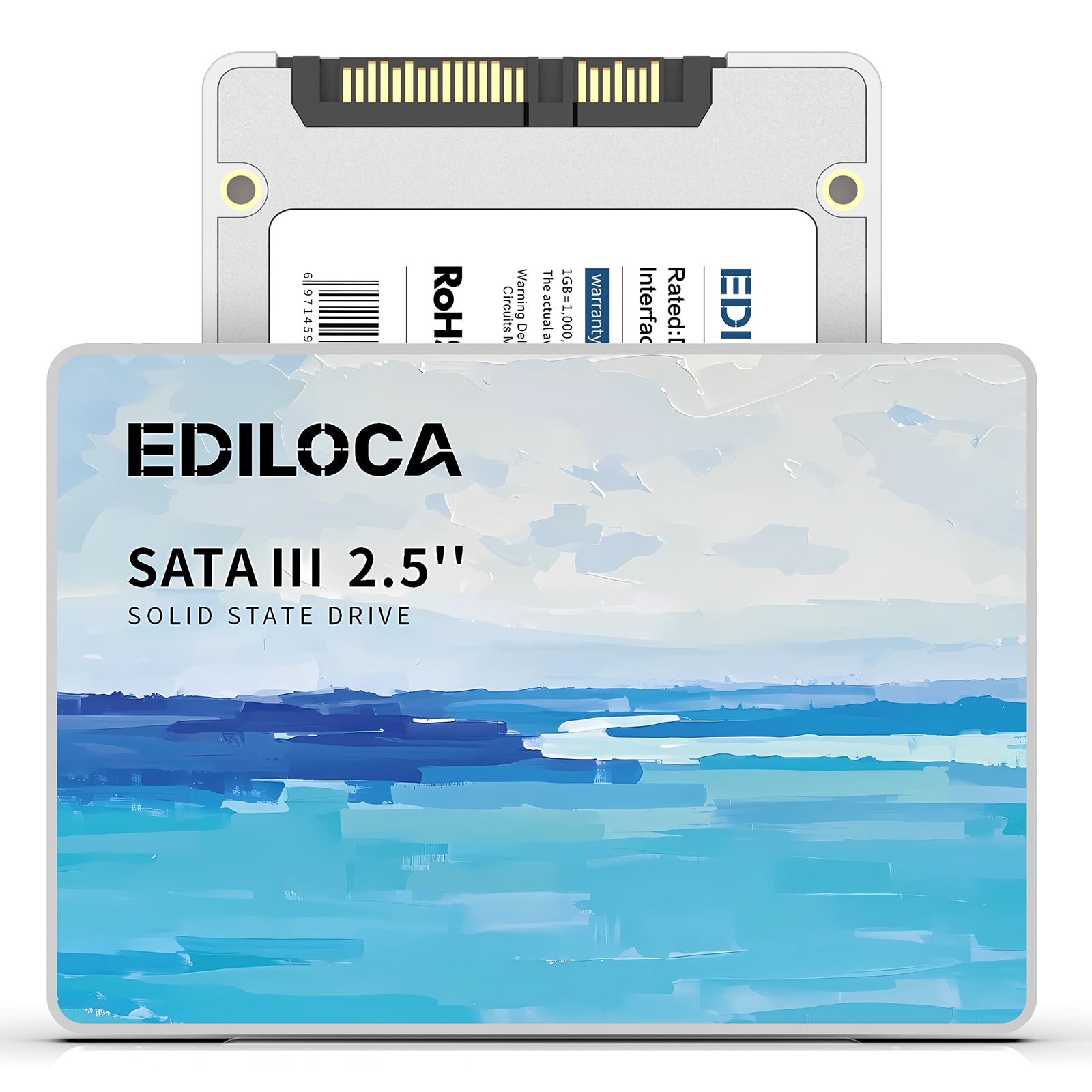
The Ediloca ES580E is a QLC-based 2.5-inch SATA III SSD rated for 450 MB/s sequential read and 350 MB/s write speeds. Its 3D QLC NAND architecture prioritizes capacity density over write endurance, making this drive best suited for read-dominant workloads like storing media libraries, game installations, or serving as a secondary storage drive in a desktop. The white-colored label stands out from the usual black drives.
User reviews are generally positive for basic OS upgrades, with several owners confirming smooth Windows installations and no errors over multiple months of use. The drive’s shock-proof rating of 1500G/0.5ms and drop-proof design up to 1.2m add a layer of physical resilience for laptop users who are not gentle with their equipment. The included 3-year limited warranty offers baseline coverage.
The QLC flash means write endurance is lower than TLC drives, so this isn’t ideal for workloads involving constant file editing, virtual machines, or database operations. A small number of users reported DOA units out of the box, so testing the drive immediately after installation is recommended. For pure read-centric tasks at the lowest cost, the ES580E gets the job done.
Why it’s great
- Lowest cost entry point for 512GB capacity
- Good shock and drop resistance for mobile use
- Quiet operation with no moving parts
Good to know
- QLC NAND limits write endurance
- Some reports of DOA units
FAQ
Will a 512GB SATA SSD work in my SATA II (3Gb/s) laptop?
Can I use a SATA SSD in a PlayStation 5 or Xbox Series X?
Is 512GB enough storage for gaming and general use?
Final Thoughts: The Verdict
For most users, the 512gb sata ssd winner is the Samsung 870 EVO because it delivers maximum SATA III throughput, a 5-year warranty, and unmatched firmware maturity that justifies the premium. If you want TLC endurance at a mid-range price, grab the KingSpec P3. And for console storage expansion or security camera DVR use, nothing beats the ADATA SU650.