
A 2-in-1 laptop for gaming used to be a contradiction—a compromised convertible that melted under the thermal load of a real game. That era is over. The latest generation of flip-and-fold machines packs dedicated ray-tracing GPUs, high-refresh-rate touchscreens, and AI-tuned processors into chassis that double as tablets, tent-mode movie players, and full-blown gaming rigs.
I’m Min — the co-founder and writer behind Gadgets Feed. I’ve spent hundreds of hours cross-referencing GPU benchmarks, refresh-rate data, and battery-life figures across four generations of convertible hardware to find the machines that actually deliver on the gaming promise without sacrificing the tablet experience.
Whether you need a portable battle station for AAA titles or a creative studio that can switch to spreadsheet mode, this guide cuts through the hype to find the true best 2-in-1 laptop for gaming that fits your specific needs.
How To Choose The Best 2-In-1 Laptop For Gaming
Choosing a convertible gaming laptop means balancing three factors that traditional gaming laptops don’t worry about: thermal headroom inside a thin chassis, a high-refresh touchscreen that doesn’t lag, and a hinge that survives thousands of flips while housing a discrete GPU. Here’s what to prioritize.
GPU Power Delivery in a Thin Body
A desktop RTX 5070 draws over 200W. A slim 2-in-1 might allocate only 65W to the same chip. Always check the TGP (Total Graphics Power) in reviews—not just the model number. The difference between a 65W and a 120W RTX 5070 can mean 30% fewer frames per second in Cyberpunk 2077. Look for models with at least 85W TGP for playable 1080p high settings.
Display Response and Touch Latency
A 144Hz or 240Hz panel is pointless if the touch layer introduces 20ms of input delay. Modern convertibles use digitizers that merge touch and stylus support without ghosting. Prioritize displays with 3ms or lower gray-to-gray response times and direct capacitive touch (not resistive). For gaming, a 16:10 aspect ratio at 1600p gives you more vertical FOV than standard 16:9.
Cooling Hinge Architecture
Most 2-in-1 gaming laptops use a 360° hinge that blocks exhaust vents when in tablet mode. The best designs relocate exhaust to the rear “bump” or use dual-fan setups that redirect airflow away from the hinge joint. Check that the fan intake isn’t covered by your lap in laptop mode—a common thermal failure point in convertibles.
Battery Capacity and Charging Speed
A gaming-capable 2-in-1 needs at least 60Wh to survive a couple of hours of light gaming on battery (though heavy titles will still require wall power). For true portability, look for 90Wh+ batteries and USB-C fast charging at 100W or higher so you can top up from a power bank during travel between gaming sessions.
Quick Comparison
On smaller screens, swipe sideways to see the full table.
| Model | Category | Best For | Key Spec | Amazon |
|---|---|---|---|---|
| ASUS ROG Flow Z13 | Premium Convertible | Ultimate 2-in-1 gaming | Ryzen AI MAX+ 395, RDNA 3.5 | Amazon |
| HP OmniBook 7 Flip | Premium Convertible | Creative professionals | Arc 140V GPU, 32GB DDR5 | Amazon |
| GIGABYTE AERO X16 | Premium Ultrabook | Portable AAA gaming | RTX 5070, 165Hz | Amazon |
| Lenovo Yoga 7i | Mid-Range Convertible | Versatile productivity | Core Ultra 7 155U | Amazon |
| ASUS Vivobook 14 Flip | Mid-Range Convertible | OLED display gaming | Arc Graphics, 60Hz OLED | Amazon |
| HP OmniBook X Flip | Mid-Range Convertible | Daily driver with light gaming | Arc 130V GPU, Thunderbolt 4 | Amazon |
| Microsoft Surface Pro | Premium Detachable | Tablet-first with laptop mode | Snapdragon X Plus, 14h battery | Amazon |
| Acer Nitro V 17 AI | Budget Gaming | Raw performance on a budget | RTX 5070, 144Hz | Amazon |
| ASUS ROG Strix G18 | Premium Desktop Replacement | Maximum screen size gaming | RTX 5060, 240Hz | Amazon |
| msi Crosshair 18 HX | Premium Desktop Replacement | High-refresh QHD gaming | RTX 5070, 240Hz QHD+ | Amazon |
| Alienware 16 Area-51 | Premium Gaming | High-fidelity gaming with AI | RTX 5070Ti, 240Hz | Amazon |
| Dell Alienware 18 Area-51 | Flagship Gaming | Uncompromising 4K-class gaming | RTX 5090, 64GB DDR5 | Amazon |
| QAZIPO 2-in-1 | Entry-Level | Casual cloud gaming | 6500Y, 12GB RAM | Amazon |
In‑Depth Reviews
1. ASUS ROG Flow Z13

The ROG Flow Z13 is the only true convertible that doesn’t compromise GPU performance for the tablet form factor. Its AMD Ryzen AI MAX+ 395 processor integrates RDNA 3.5 graphics with up to 50 TOPS of NPU power inside a 13.4-inch chassis, letting you run Cyberpunk 2077 at playable frame rates while still folding flat for sketching in Photoshop. The 180Hz Nebula touchscreen delivers 3ms response times—vital for competitive shooters where touch latency kills aim.
ROG’s Intelligent Cooling uses dual arc-flow fans and a vapor chamber that vents out the rear bump, keeping the thermal design clear of the kickstand hinge. With quad-channel LPDDR5X 8000MHz memory, the integrated CPU and GPU share bandwidth dynamically, reducing stutter in open-world games. The 170° kickstand also supports tent mode for controller gaming on flights or in bed.
Battery life reaches up to 10 hours on normal productivity tasks, and USB-C charging at 100W means you can top up from a high-capacity power bank during extended trips. The 1TB SSD and 32GB of RAM handle AAA installs and multitasking without bottlenecking the GPU. For anyone who wants one device for gaming, drawing, and note-taking, this is the undisputed champion.
Why it’s great
- 180Hz 3ms touchscreen eliminates motion blur and input lag
- RDNA 3.5 graphics deliver desktop-class frame rates in a 13-inch convertible
- Dual-fan vapor chamber keeps GPU cool without throttling
Good to know
- No dedicated GPU slot—graphics are integrated into the CPU package
- Higher price point than traditional 15-inch gaming laptops with similar GPU power
2. HP OmniBook 7 Flip
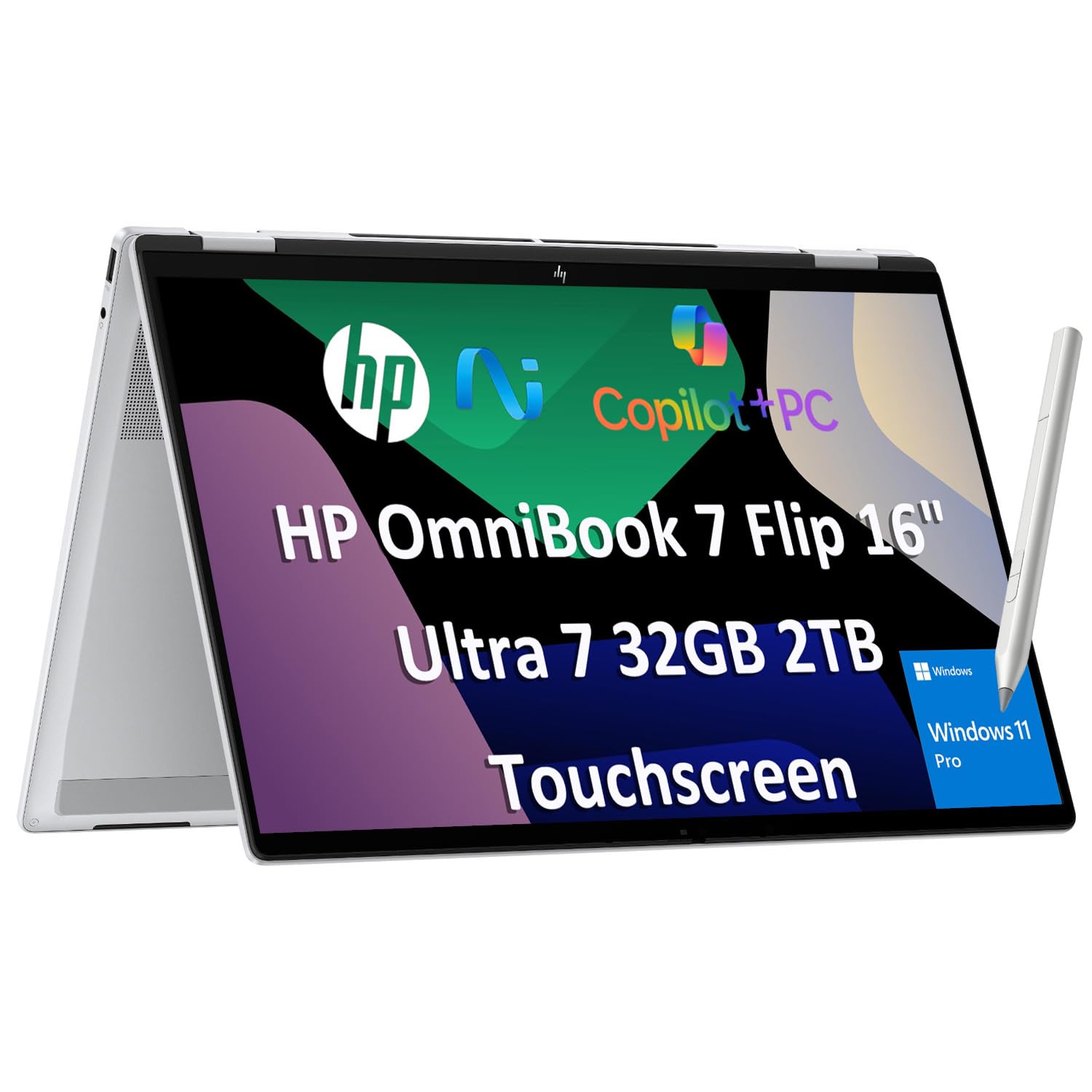
The OmniBook 7 Flip is HP’s next-gen replacement for the Envy x360 and Spectre x360 lines, built around the Intel Core Ultra 7 258V with a 47 TOPS NPU and the Arc 140V GPU. This combination handles Stable Diffusion image generation locally and delivers playable frame rates in esports titles like Valorant and Overwatch 2 at medium-high settings. The 16-inch WUXGA touchscreen hits 400 nits, making outdoor gaming comfortable.
The included HP USB-C Rechargeable MPP2.0 stylus with 4096 pressure levels turns the tent mode into a digital drafting table—ideal for game dev concept artists or 3D modelers. The 360° hinge uses a dual-gear mechanism that survived 20,000 cycles in HP’s testing, so repeated flipping doesn’t introduce wobble. Wi-Fi 7 and Bluetooth 5.4 ensure low-latency wireless gaming with Bluetooth controllers.
With 32GB DDR5 RAM and a 2TB PCIe SSD, this machine is built for heavy multitasking—running a game, Discord, OBS, and a browser without stuttering. The only tradeoff is the 10-hour battery life under normal load; gaming on battery cuts that to about 2.5 hours, so keep the 65W adapter handy.
Why it’s great
- 47 TOPS NPU enables local AI image generation and upscaling
- HP MPP2.0 stylus included for creative workflows
- Wi-Fi 7 and Bluetooth 5.4 for lag-free wireless peripherals
Good to know
- Arc 140V GPU struggles with AAA titles at native resolution
- Gaming battery life drops to ~2.5 hours
3. GIGABYTE AERO X16
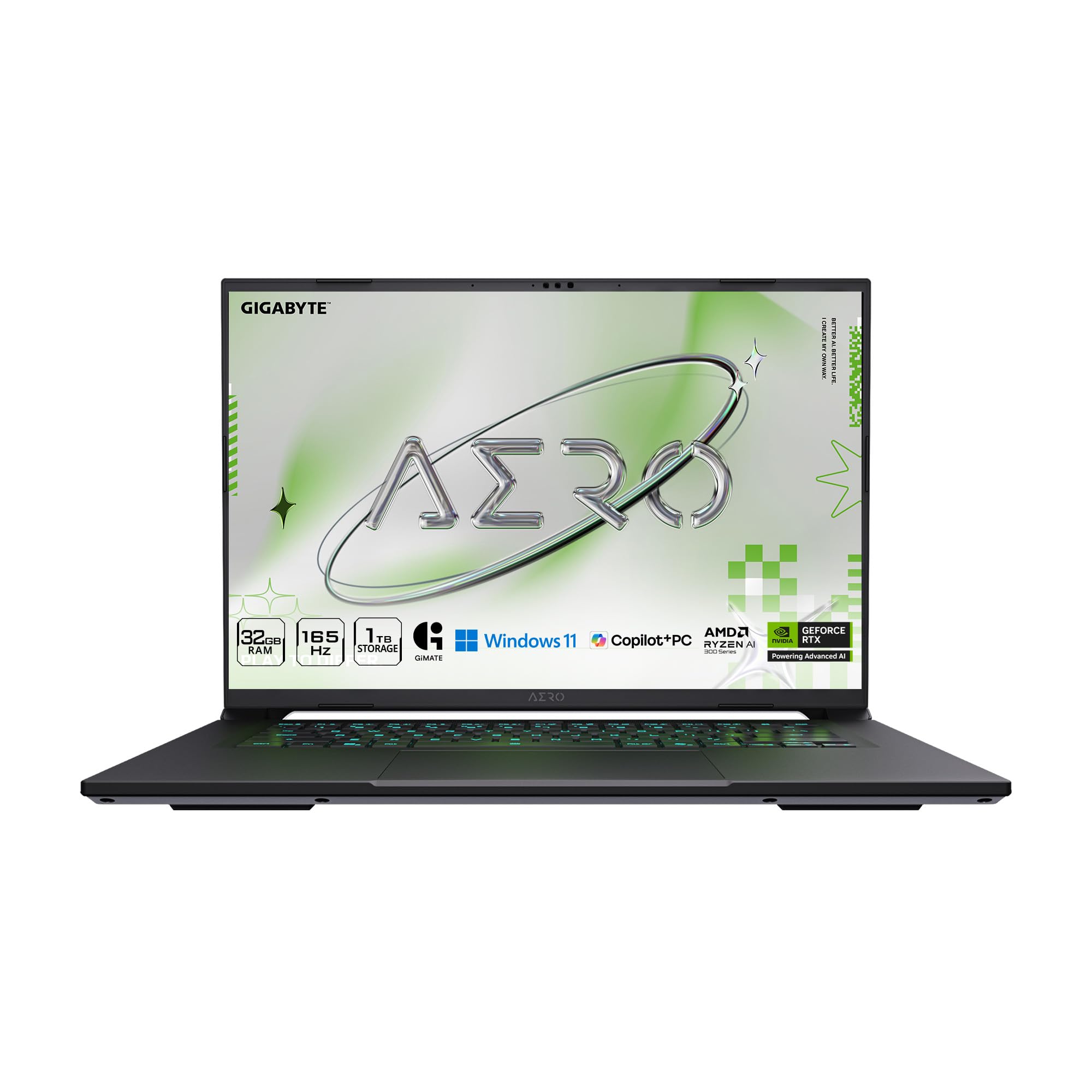
The AERO X16 is a Copilot+ PC that pairs the AMD Ryzen AI 9 HX 370 processor with a full-power NVIDIA GeForce RTX 5070 laptop GPU. This is one of the thinnest laptops at 16.75mm that houses a discrete Blackwell GPU, capable of handling Cyberpunk 2077 with ray tracing at 60 FPS using DLSS 4 frame generation. The 165Hz 2560×1600 WQXGA display offers sharp visuals and smooth motion for both gaming and creative work.
GIGABYTE’s GiMATE AI assistant optimizes cooling profiles and GPU scheduling automatically, reducing fan noise during light gaming sessions. The 14-hour battery life on power-save mode is impressive for a machine with a discrete GPU, and the 0.65-inch profile makes it easy to slip into a bag. The build quality feels premium with a Lunar White aluminum chassis that resists fingerprint smudges.
Storage is expandable via two M.2 slots, and upgrading the 1TB SSD to 2TB is straightforward. The single USB-C port (plus Thunderbolt 4) means you’ll need a hub for multiple peripherals, but the included 240W adapter charges quickly. For gamers who want a thin, professional-looking laptop that can run AAA titles without screaming fans, the AERO X16 delivers.
Why it’s great
- RTX 5070 with DLSS 4 enables ray-traced gaming at 60+ FPS
- Only 16.75mm thick with discrete GPU thermals
- 14-hour battery life on productivity tasks
Good to know
- Only one USB-C port (hub needed for multiple devices)
- Fan noise noticeable under heavy AAA gaming load
4. Lenovo Yoga 7i

The Yoga 7i is a 16-inch convertible with a 2K touchscreen and the Core Ultra 7 155U processor, offering 14-way hybrid processing for balanced performance in games like Fortnite, Minecraft, and indie titles. The 360° hinge allows tent mode for controller gaming, and the 2TB PCIe 4.0 SSD gives you plenty of space for a large game library. The 2K IPS display covers 100% sRGB, making it suitable for photo editing between gaming sessions.
Lenovo’s Transition software auto-adjusts window layouts when you flip into tablet or tent mode, which is handy for switching from a game to web browsing. The keyboard includes a backlit layout with a dedicated number pad—rare in convertibles—and the fingerprint reader speeds up Windows Hello login. Wi-Fi 6E ensures low-latency online gaming without packet loss.
The integrated Intel Graphics won’t run AAA titles at medium settings, but the Yoga 7i excels as a versatile work-and-play machine for cloud gaming, esports, and creative tasks. The 2TB storage is a significant advantage over similarly priced competitors that stop at 512GB, and the 16GB DDR5 RAM handles multitasking without bottlenecking.
Why it’s great
- Massive 2TB PCIe 4.0 SSD for game storage
- 2K IPS display with 100% sRGB for creative work
- Dedicated number pad and backlit keyboard
Good to know
- Integrated GPU limits gaming to esports and cloud titles
- Slightly heavy at 4.2 lbs for a 16-inch convertible
5. ASUS Vivobook 14 Flip
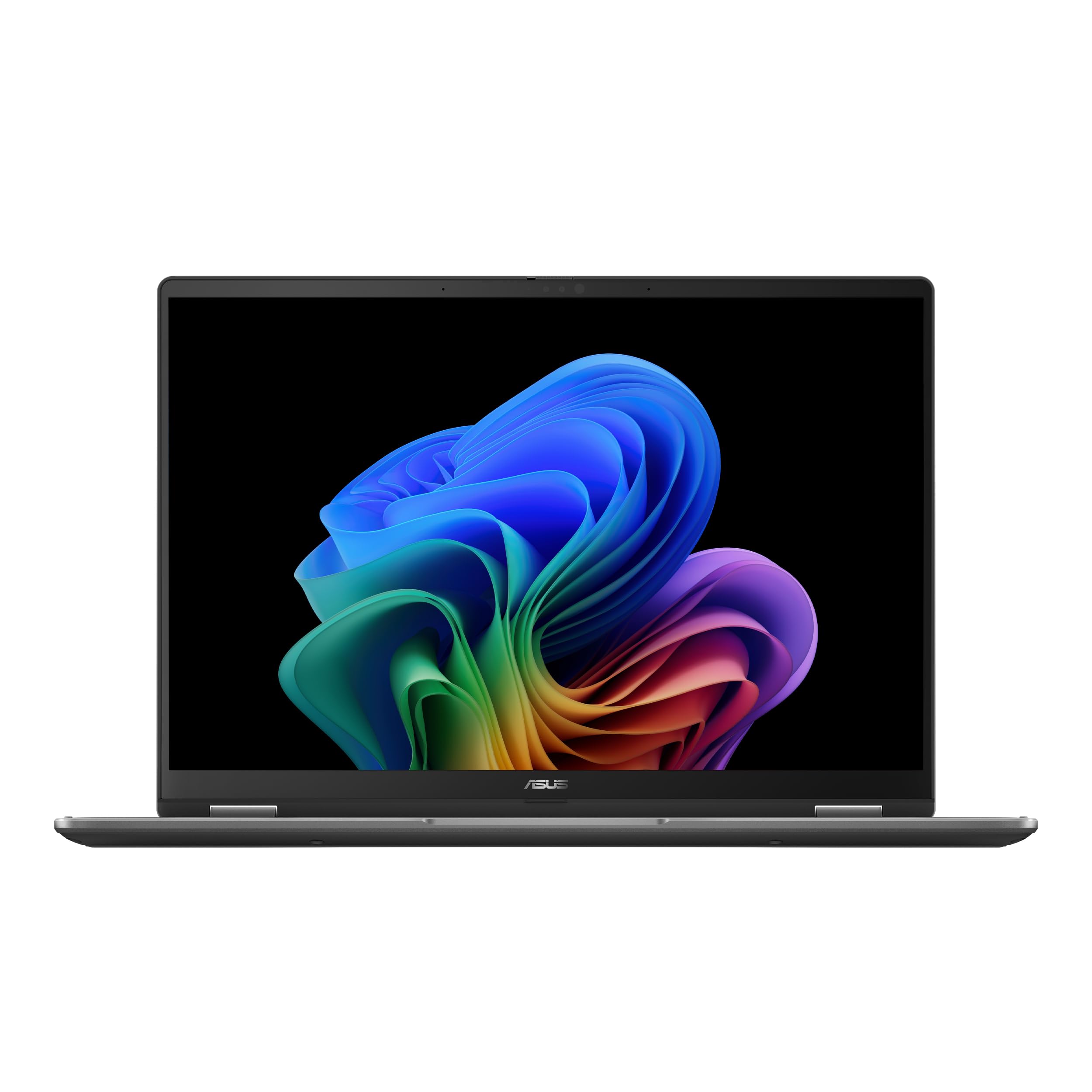
The Vivobook 14 Flip sets itself apart with a 14-inch OLED WUXGA touchscreen that hits 100% DCI-P3 and 500 nits peak HDR brightness. Games like Hollow Knight, Ori, and Hades look stunning with true blacks and vibrant colors that no IPS panel can match. The 60Hz refresh rate is the main compromise for competitive shooters, but for single-player titles the OLED panel delivers an unmatched visual experience.
Under the hood, the Intel Core Ultra 5 226V with Intel Arc Graphics and XeSS upscaling lets you run Cyberpunk 2077 at 60 FPS at low settings with frame generation enabled—an impressive feat for an integrated GPU in a 14-inch convertible. The 360° hinge supports tent mode for movie streaming and stand mode for drawing. The compact 3.5-pound chassis makes it one of the most portable gaming convertibles available.
The keyboard has comfortable 1.4mm travel and the trackpad is responsive, though the glossy OLED panel picks up fingerprints quickly. With 16GB LPDDR5X RAM and a 512GB SSD, storage is the main bottleneck for larger game libraries. Battery life reaches up to 25 hours on video playback, though gaming on OLED at peak brightness pulls that down to around 4 hours.
Why it’s great
- Stunning OLED panel with true blacks and 100% DCI-P3
- XeSS upscaling enables playable AAA titles on integrated GPU
- Ultra-portable at 3.5 lbs and 0.7 inches thick
Good to know
- 60Hz refresh rate limits competitive gaming performance
- Only 512GB storage—consider external SSD for game libraries
6. HP OmniBook X Flip
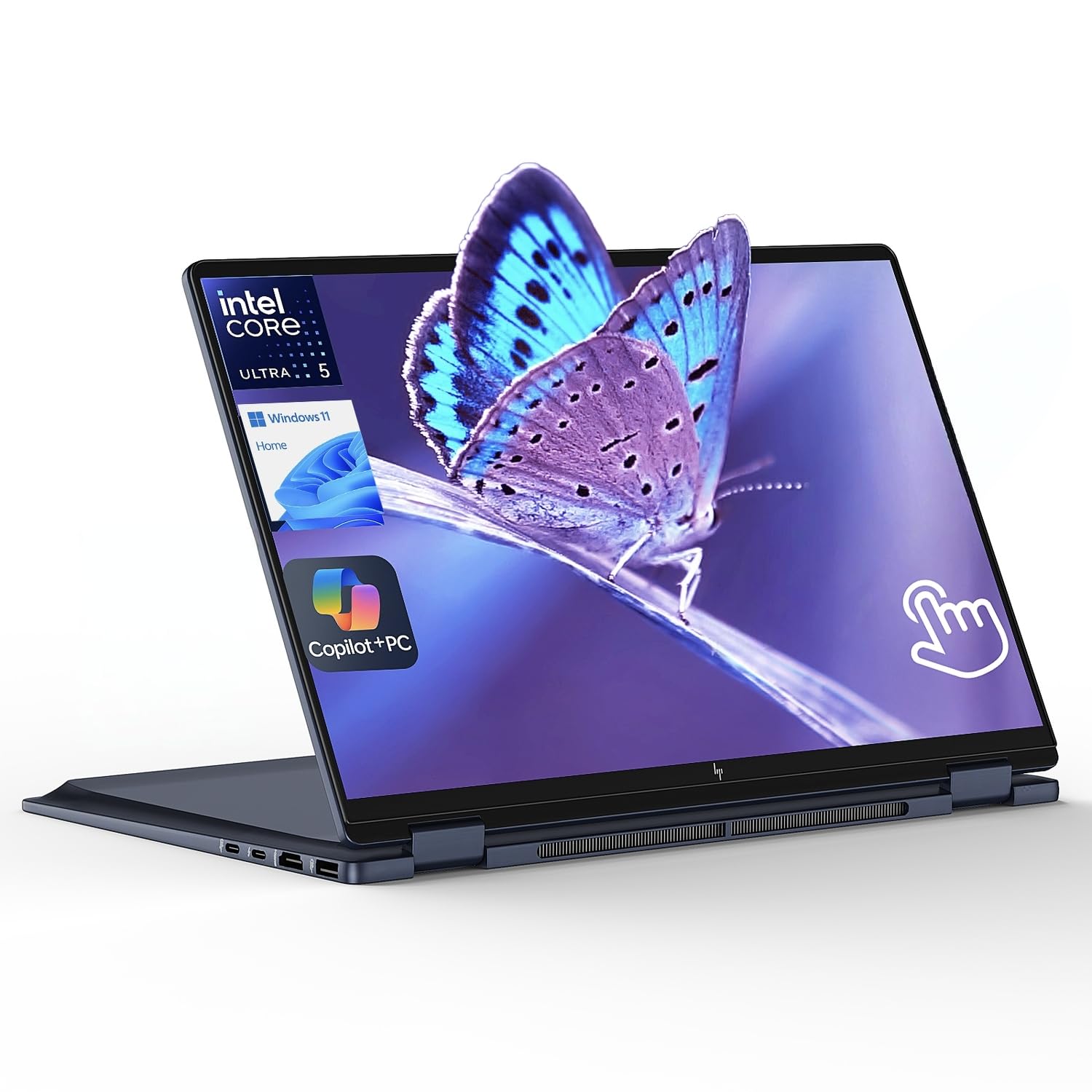
The OmniBook X Flip is the AI-powered successor to the HP Envy x360, featuring the Intel Core Ultra 5 226V with a 40 TOPS NPU and Intel Arc 130V GPU. The NPU handles background AI tasks like Windows Studio Effects and real-time video noise reduction, freeing the GPU for gaming. The 14-inch WUXGA IPS touchscreen is bright at 400 nits and has a high 89.5% screen-to-body ratio, making games look crisp without bezel distractions.
HP’s walk-away lock and wake-on-approach sensors add security for students and professionals who game on campus or in coffee shops. The 22-hour battery life (video playback) is class-leading for a convertible with a discrete-class GPU, though gaming pulls that down to around 3 hours. The backlit keyboard is quiet and responsive, good for late-night gaming sessions without waking roommates.
Connectivity is generous with two Thunderbolt 4 ports, HDMI 2.1, and two USB-A ports, letting you connect an external GPU enclosure if you need more graphics power later. The Arc 130V GPU handles esports titles at 60-90 FPS at medium settings, making this a solid choice for gamers who prioritize battery life and portability over maximum frame rates.
Why it’s great
- 22-hour battery life for all-day productivity
- Two Thunderbolt 4 ports for eGPU expansion
- Walk-away lock and wake-on-approach security features
Good to know
- Arc 130V GPU limited to esports and medium-settings gaming
- No included stylus for creative work
7. Microsoft Surface Pro (2024)

The 2024 Surface Pro is the ultimate tablet-first 2-in-1, powered by the Snapdragon X Plus processor with a powerful NPU that accelerates Copilot+ AI features. The 13-inch touchscreen display is the sharpest in this lineup, with excellent color accuracy for creative work. While the integrated Adreno GPU won’t run AAA Windows games at high settings, cloud gaming services like GeForce NOW and Xbox Cloud Gaming stream flawlessly over Wi-Fi 6E at 1080p 60 FPS.
The detachable keyboard and kickstand design make the Surface Pro the most flexible form factor here—use it as a tablet for drawing, a laptop for typing, or a stand for controller gaming. The 14-hour battery life covers an entire day of mixed use without charging, and the 65W PSU recharges quickly via Surface Connect or USB-C. The 512GB storage is adequate for apps and cloud-synced game saves.
ARM64 compatibility has improved significantly; most Steam games work via emulation, though some older titles may have issues. The 10-core Snapdragon X Plus handles emulated games at reasonable frame rates, but this is a cloud-first gaming device. For gamers who already subscribe to a streaming service and want a premium tablet that also runs Windows, the Surface Pro is the best choice.
Why it’s great
- Best-in-class tablet form factor with detachable keyboard
- 14-hour battery life for all-day use
- Excellent color-accurate touchscreen for creative work
Good to know
- ARM processor limits native Windows gaming compatibility
- Keyboard and stylus sold separately
8. Acer Nitro V 17 AI
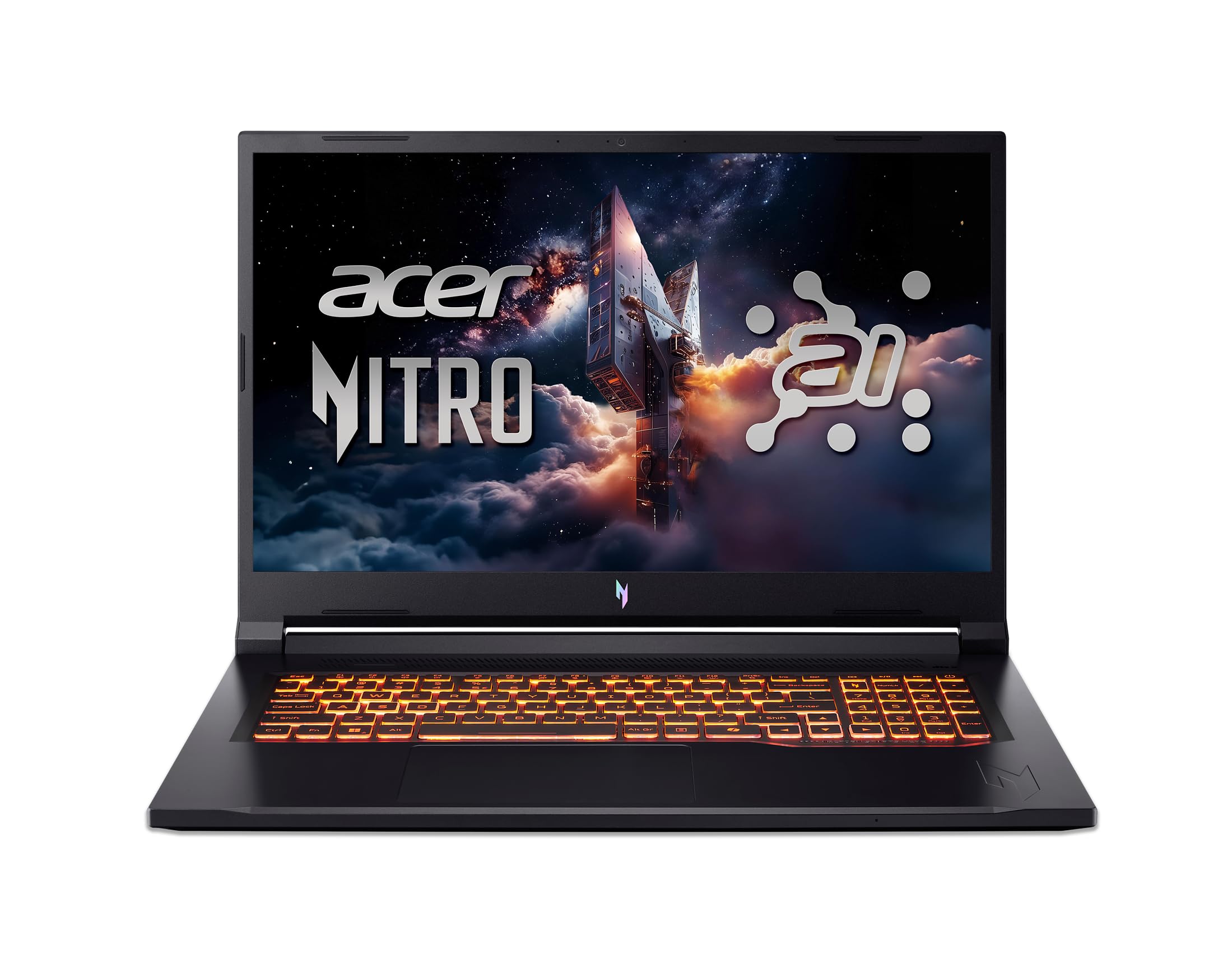
The Nitro V 17 AI brings the full RTX 5070 GPU to a 17.3-inch 144Hz display at the most aggressive price point in this guide. The AMD Ryzen 7 260 CPU with 38 AI TOPS handles multitasking while the RTX 5070 delivers 125-138 FPS in Red Dead Redemption 2 at 1080p Ultra. For path-traced Cyberpunk 2077, DLSS 4 Multi Frame Generation pushes frame rates to 82-86 FPS—legit playable at high settings.
The 32GB DDR5 5600MHz RAM and 1TB Gen 4 SSD leave room for future game installations without an immediate upgrade. The keyboard has per-key RGB but the layout is a bit cramped with slim number keys, and the screen wobbles slightly when typing on a soft surface. Build quality is solid for the price, with a matte black finish that hides fingerprints.
The main compromise is the display: at ~300 nits, the IPS panel is dim for bright rooms, and the LCD blacks look gray next to OLED competitors. Still, for pure gaming performance per dollar in a convertible-adjacent chassis, the Nitro V 17 AI is unmatched. The 144Hz refresh rate ensures smooth motion in competitive titles, and the 135W adapter keeps the GPU fed during long sessions.
Why it’s great
- Full RTX 5070 with Blackwell architecture at a budget price
- 32GB DDR5 RAM and 1TB Gen 4 SSD included
- Delivers 80+ FPS in path-traced Cyberpunk with DLSS 4
Good to know
- 300-nit display is dim for bright environments
- Keyboard layout has cramped number keys and screen wobble
9. ASUS ROG Strix G18 (2025)
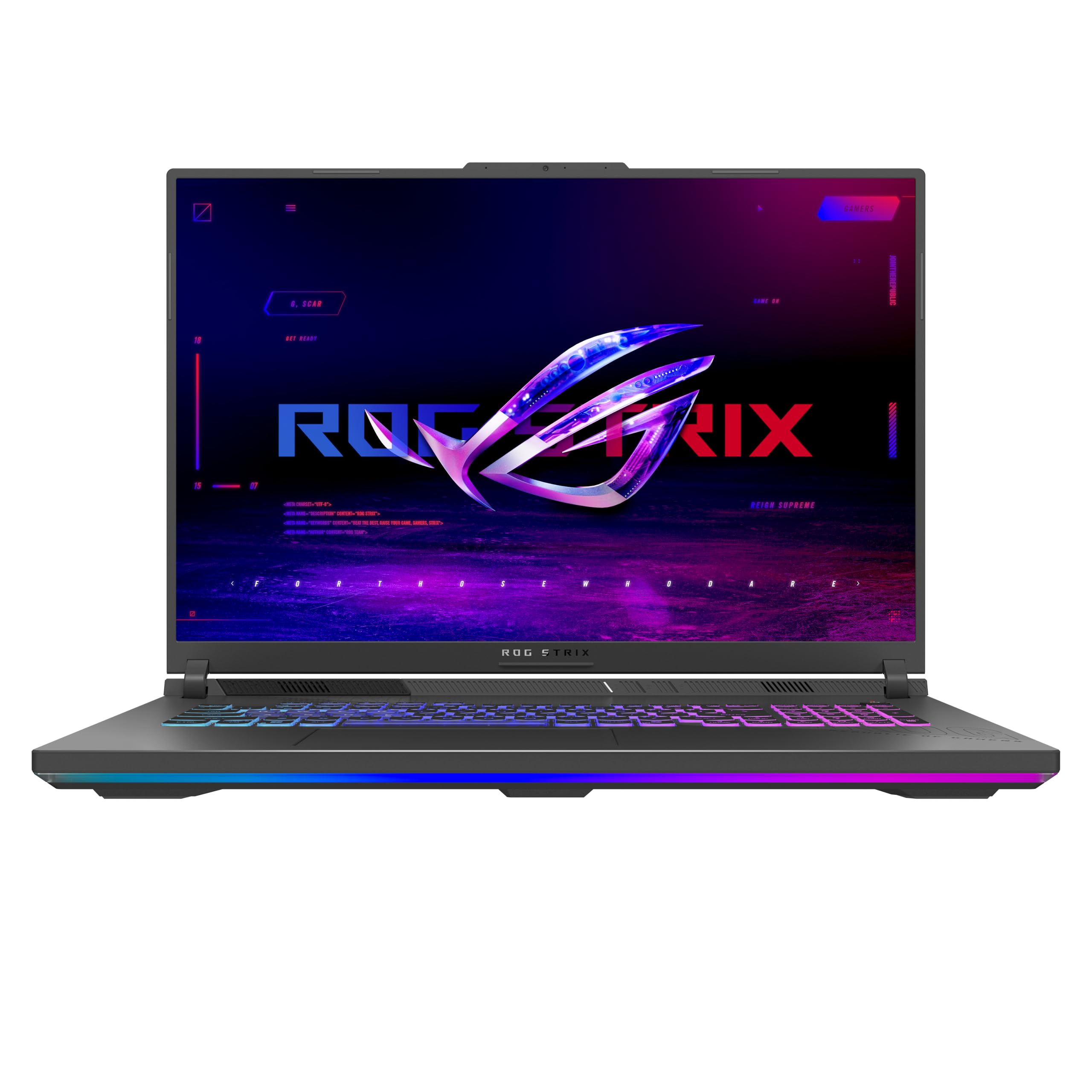
The ROG Strix G18 is not a 2-in-1, but it earns a spot as the ultimate gaming laptop that can sit in tent-like positions via its sturdy hinge design. The 18-inch ROG Nebula Display at 2560×1600 with 240Hz refresh rate and 3ms response time is the pinnacle of laptop gaming visuals—smooth, bright at 500 nits, and with minimal ghosting thanks to the new ACR anti-glare film. The RTX 5060 with DLSS 4 handles any current game at high settings above 100 FPS.
ROG’s Intelligent Cooling uses a tri-fan design with full-width heatsinks to keep the AMD Ryzen 9 7940HX and RTX 5060 below 85°C even after hours of gaming. The MUX Switch with Advanced Optimus routes frames directly from the dGPU to the display for 5-10% more FPS, then auto-switches to the iGPU for battery-saving during web browsing. The 3-month PC Game Pass sweetens the deal for new game hoppers.
The 32GB DDR5-5200MHz memory and 1TB Gen 4 SSD are standard, but the open M.2 slot makes upgrades easy. The chassis is large at 6.8 lbs, so portability is secondary to raw performance. For gamers who want a desktop-replacement-class machine that can also recline into tent mode for controller play, the Strix G18 is the best non-convertible option.
Why it’s great
- 240Hz 3ms 500-nit Nebula Display with anti-glare film
- Tri-fan cooling keeps GPU below 85°C under load
- Advanced Optimus auto-switches GPU for battery savings
Good to know
- Not a true 2-in-1—no touchscreen or tablet mode
- 6.8 lbs is heavy for regular commuting
10. msi Crosshair 18 HX AI

The msi Crosshair 18 HX AI combines the Intel Core Ultra 9 275HX (24 cores) with the RTX 5070 8GB GDDR7, delivering exceptional performance in an 18-inch form factor. The QHD+ 2560×1600 240Hz IPS panel covers 100% DCI-P3, making it equally suited for video editing and high-frame-rate gaming. The SteelSeries 24-zone RGB keyboard with 99 anti-ghost keys is a serious upgrade over standard laptop keyboards.
The 90Whr battery is one of the largest in any gaming laptop, providing up to 5 hours of light gaming on battery—rare for a machine with a discrete GPU. The Dynaudio speaker system with dual 2W speakers and dual 2W woofers delivers room-filling sound without headphones. The 720p HD webcam with privacy shutter is adequate but not great for streamers.
Wi-Fi 6E and Bluetooth 5.3 ensure minimal latency with wireless gaming headsets and controllers. The 1TB NVMe SSD is fast but fills quickly with modern game installs; the second M.2 slot accepts a 2TB upgrade. The chassis runs hot after 4+ hours of sustained gaming, and a cooling pad is recommended for long sessions. Overall, the Crosshair 18 HX is a powerhouse for gamers who want QHD resolution at high frame rates.
Why it’s great
- 240Hz QHD+ display with 100% DCI-P3 color accuracy
- 90Whr battery allows 5 hours of light gaming on power
- SteelSeries anti-ghost keyboard with 24-zone RGB
Good to know
- Chassis gets hot after prolonged gaming; cooling pad recommended
- 720p webcam is below average for streaming
11. Alienware 16 Area-51

The Alienware 16 Area-51 is a statement piece built around the RTX 5070Ti with NVIDIA Max-Q technology for optimized power delivery in a 16-inch chassis. The Intel Core Ultra 9-275HX pairs with 32GB DDR5 RAM to eliminate any CPU bottlenecks, delivering 240 FPS in Forza Horizon 5 at max settings. The 16-inch WQXGA 240Hz display has excellent color reproduction but only average contrast for the price tier.
The Cryo-Chamber cooling system is unique: the laptop props up when opened, creating a larger air intake channel through a clear Gorilla Glass panel that shows off the AlienFX fans. Ambient RGB lighting inspired by the aurora borealis wraps around the edges, creating an immersive gaming atmosphere. The 1-year onsite Dell service is a genuine value-add for anyone who can’t afford downtime.
At this price point, the display could be better—the IPS blacks are visibly gray compared to OLED competitors like the Vivobook 14 Flip. The chassis is heavy at over 6 lbs, and the power brick adds another 2 lbs. But for pure gaming performance with NVIDIA Max-Q efficiency, Alienware thermal design, and AI-accelerated graphics, the Area-16 is a premium choice.
Why it’s great
- RTX 5070Ti with Max-Q delivers desktop-class gaming on the go
- Cryo-Chamber cooling with Gorilla Glass fan window
- 1-year onsite Dell service included
Good to know
- IPS display has mediocre contrast compared to OLED rivals
- Heavy at over 6 lbs plus a large power brick
12. Dell Alienware 18 Area-51

The Dell Alienware 18 Area-51 is the absolute pinnacle of laptop gaming hardware in 2025, pairing the RTX 5090 with 64GB DDR5 RAM and an Intel Core Ultra 9 275HX. This machine handles 4K gaming at high refresh rates with full ray tracing enabled, using DLSS 4 Multi Frame Generation to achieve smooth frame rates in titles that would cripple lesser GPUs. The 18-inch 2.5K WQXGA anti-glare display is among the largest and sharpest in any laptop.
NVIDIA Reflex 2 with Frame Warp reduces input latency to near-desktop levels, giving competitive gamers an edge in fast-paced shooters. The RTX 5090’s AI-powered upscaling and video playback enhancement make the Area-18 equally suited for content creation and streaming. Wi-Fi 7 and Bluetooth 5.4 future-proof connectivity for years to come.
The 2TB PCIe SSD is generous, but the real story is the 64GB DDR5 RAM, which allows multiple virtual machines, heavy video editing, and simultaneous game streaming without slowdown. The chassis is massive at 8+ lbs and requires a 360W power adapter, making this strictly a desktop replacement. For gamers who want the absolute best GPU, CPU, and RAM combo money can buy in a portable (barely) package, this is it.
Why it’s great
- RTX 5090 with DLSS 4 handles 4K ray tracing effortlessly
- 64GB DDR5 RAM for extreme multitasking
- Wi-Fi 7 and Bluetooth 5.4 for future-proof connectivity
Good to know
- Extremely heavy at over 8 lbs with a massive 360W power brick
- Very high price point—only for enthusiasts with unlimited budgets
13. QAZIPO 2-in-1 Laptop Tablet
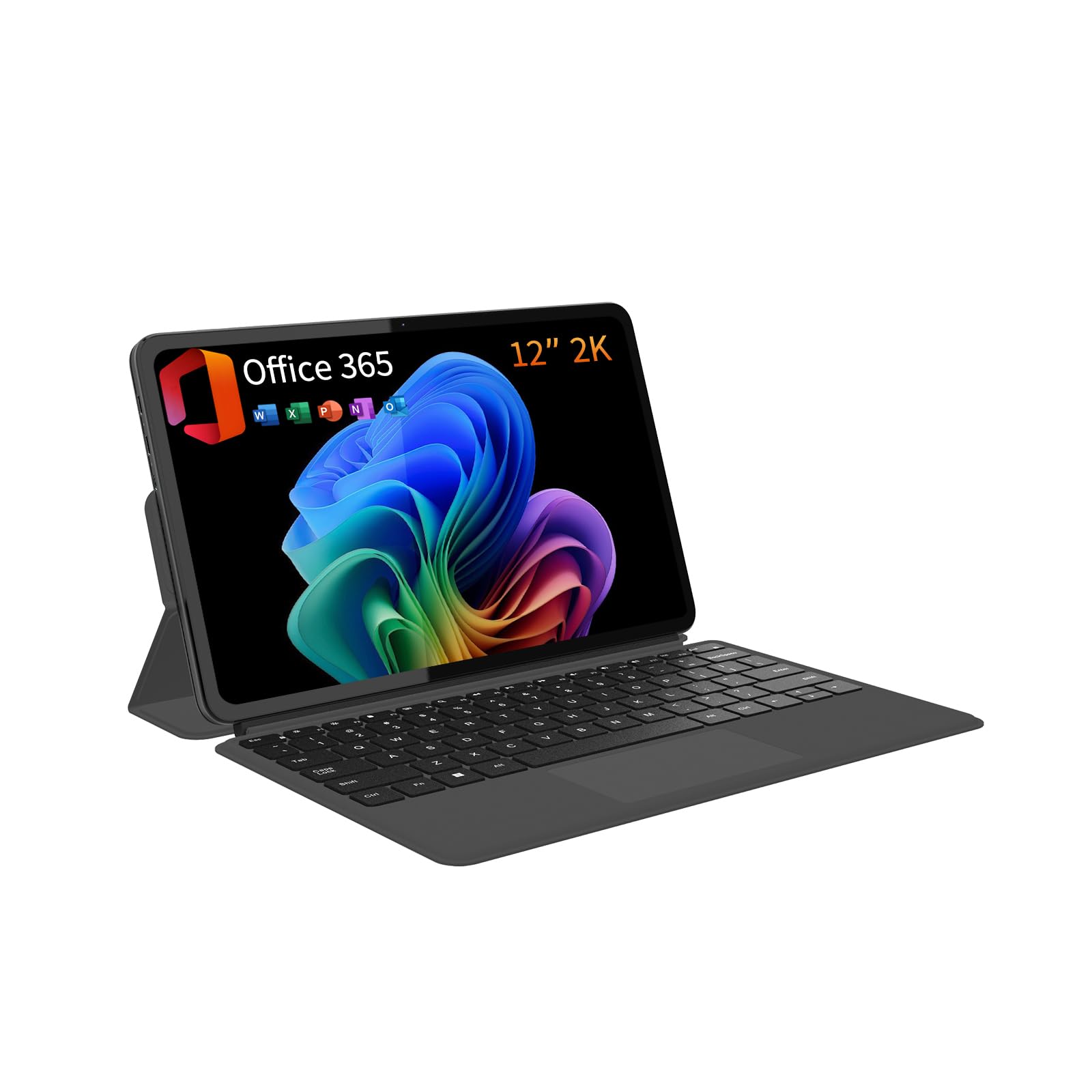
The QAZIPO 2-in-1 is an entry-level convertible designed for casual gaming via cloud streaming and lightweight indie titles. The Intel Pentium Gold 6500Y processor with Intel UHD Graphics handles web-based cloud gaming services, retro emulators, and games from the Microsoft Store at 720p-1080p. The 12-inch 2K IPS touchscreen is sharp for its price class and covers 100% sRGB, making it adequate for photo viewing and media consumption.
The included magnetic keyboard and 1-year Office 365 subscription target students and home office users first, with gaming as a secondary use case. The 512GB SSD provides enough space for a moderate game library, and the 12GB RAM is sufficient for light multitasking. At 0.36 inches thick and 1.4 pounds, it’s the most portable device here—perfect for slipping into a bag for on-the-go cloud gaming sessions.
Performance is limited: don’t expect to run modern AAA titles natively. The 6500Y processor struggles with native Windows games above 30 FPS at low settings, and the integrated UHD Graphics lacks dedicated VRAM. Some users report random freezes under load, likely due to the thermal ceiling in the slim chassis. For its primary purpose—web browsing, Office work, and cloud gaming—the QAZIPO offers solid budget value.
Why it’s great
- Ultra-portable at 1.4 lbs and 0.36 inches thick
- 2K IPS touchscreen with 100% sRGB for the price
- Includes 1-year Office 365 subscription and magnetic keyboard
Good to know
- 6500Y processor cannot run native AAA games
- Some users report random freezes under sustained load
FAQ
Can a 2-in-1 laptop handle AAA games like Cyberpunk 2077?
Does a higher refresh rate display matter for touch gaming?
How does the 360° hinge affect gaming thermals?
Is OLED or IPS better for a gaming convertible?
Can I use a 2-in-1 gaming laptop for professional creative work?
Final Thoughts: The Verdict
For most users, the best 2-in-1 laptop for gaming winner is the ASUS ROG Flow Z13 because it delivers genuine gaming-grade graphics in a true convertible form factor without thermal compromises. If you want a thinner, more professional design with AI features, grab the HP OmniBook 7 Flip. And for pure gaming performance at the best price, nothing beats the Acer Nitro V 17 AI.