
The difference between a decent miniature and an exceptional one comes down to microns. When you’re painting a 32mm scale space marine or a delicate elven cloak, every layer line, every misstep in XY resolution, and every failed support tree is amplified under a magnifying glass. The right machine turns a hobbyist’s frustration into a flawless, ready-to-prime army. The wrong one wastes resin, time, and patience on prints that look like melted crayons.
I’m Min — the co-founder and writer behind Gadgets Feed. I’ve spent countless hours cross-referencing technical specifications like XY resolution measured in microns, monochrome LCD generation, build volume constraints, and light uniformity data to find which machines actually deliver tabletop-ready detail without requiring a degree in mechanical engineering.
After analyzing resin vat sizes, release film materials, and print speed algorithms across dozens of models, I’ve curated the list of the best 3d printer for miniatures that consistently produce crisp, intact figures right out of the box.
How To Choose The Best 3D Printer For Miniatures
Finding the right machine for printing miniatures means focusing on three axes: resolution (how fine the detail can be), print speed (how fast you can populate a tabletop), and build volume (how many limbs you can fit on one plate). Resin printers dominate this category because their UV-curing process produces layer lines that are virtually invisible to the naked eye, whereas FDM printers leave visible ridges even at the finest nozzle settings.
XY Resolution: The Micron Threshold
For miniatures, an XY resolution of 35 microns or lower is the baseline. At 50 microns, you will see faceting on curved surfaces like pauldrons and helmet domes. Machines under 20 microns — such as those with 8K or 10K screens — reproduce chainmail texture and facial features without post-processing. The pixel size determines the minimum feature size on your model, so a 22µm resolution can render a 0.2mm buckle while a 50µm machine will round it into a blob.
Release Film and Print Adhesion
Standard FEP film has a tackiness that can distort thin spear tips or antennae during the peel cycle. ACF (Anti-Crystallization Film) reduces release force, allowing more delicate miniatures to survive the pull from the vat. Look for machines that offer ACF or PFA (perfluoroalkoxy) films, which also transmit UV light more efficiently, reducing exposure times without ruining surface finish.
Build Volume vs. Production Volume
A larger build plate lets you print multiple 28mm infantry figures in one run, but it also means more suction force during release, which can cause print failures. The sweet spot for most miniature hobbyists is a build volume around 130mm x 80mm — enough for a squad of five without overwhelming the release mechanism. For large monsters or terrain pieces, you may need a 200mm+ height, but oversized printers often require tinkering with lift speed and exposure compensation.
Quick Comparison
On smaller screens, swipe sideways to see the full table.
| Model | Category | Best For | Key Spec | Amazon |
|---|---|---|---|---|
| ELEGOO Mars 5 Ultra | Resin MSLA | Speed and Detail | 18×18µm XY / 9K LCD | Amazon |
| Phrozen Sonic Mini 8K S | Resin MSLA | Entry-Level Precision | 22µm XY / 8K LCD | Amazon |
| ANYCUBIC Photon Mono 4 Ultra | Resin MSLA | All-Around Balance | 17×17µm XY / 10K LCD | Amazon |
| Creality Halot-X1 Combo | Resin MSLA | Large Format | 14×19µm XY / 16K LCD | Amazon |
| Bambu Lab P1S | FDM | Multi-Color Terrain | 500mm/s / CoreXY | Amazon |
| ANYCUBIC Photon Mono M7 Pro | Resin MSLA | High-Volume Production | 16.8×24.8µm XY / 14K LCD | Amazon |
| Creality K1C | FDM | Carbon Fiber Props | 600mm/s / Enclosed | Amazon |
| Bambu Lab A1 | FDM | Beginner FDM | 48dB / 256mm³ volume | Amazon |
| ELEGOO Jupiter 2 | Resin MSLA | Massive Builds | 20×26µm XY / 16K LCD | Amazon |
In‑Depth Reviews
1. ELEGOO Mars 5 Ultra 9K

The Mars 5 Ultra uses a Tilt Release mechanism that peels the cured layer from the vat at an angle rather than lifting the full plate vertically. This reduces peel forces on thin miniatures significantly — a crucial advantage when printing spear shafts, antennae, or wizard staffs that snap on conventional lift systems. The 9K LCD delivers an 18×18µm XY resolution, placing it squarely in the high-detail zone where chainmail textures and eye sockets resolve cleanly without sanding.
Its built-in AI camera detects common failures like empty build plates or warped first layers, so you are less likely to wake up to a vat of cured sludge. The print speed reaches 150mm/h in fast mode, which means a 28mm infantry figure can finish in under three hours. The internal COB light source achieves 92% uniformity, preventing the edge-to-center exposure drift that causes dimensional errors on larger build plates.
Some users report that the Chitubox software has a learning curve, and cold resin requires preheating to avoid first-layer adhesion failures. The included manual is verbose but skips key troubleshooting steps for light supports. Once settings are dialed in, the Mars 5 Ultra produces tabletop-ready miniatures with minimal layer lines visible under normal painting magnification.
Why it’s great
- Tilt Release mechanism protects delicate features like swords and fingers from snapping.
- AI camera provides real-time failure detection and time-lapse recording for portfolio sharing.
- 9K resolution at 18×18µm XY produces facial details and armor trim without post-processing.
Good to know
- Learning curve with Chitubox slicer; expect a few failed prints during calibration.
- Cold resin and unheated build plate cause adhesion issues — preheat to 25°C for reliable results.
- Light support structures may fail without increased exposure time for initial layers.
2. Phrozen Sonic Mini 8K S

The Phrozen Sonic Mini 8K S hits a 22-micron XY resolution on an 8K monochrome LCD, offering a precision-to-cost ratio that is hard to beat for the entry-level miniature printer. Its 6.5×2.8×6.7-inch build volume is compact, but that small footprint works in your favor: less vat surface area means lower peel forces, resulting in higher success rates for single miniatures compared to larger machines running the same resin profile.
One of its strongest selling points is compatibility with open-source slicers like Lychee and Chitubox, giving you direct control over support density, lift speed, and exposure compensation without being locked into a proprietary ecosystem. The precise Z-axis calibration ensures that layer shifts are rare, even on tall vertical prints like banner poles or spearmen. Experienced hobbyists report printing 32mm scale figures at 0.05mm layer height with no visible stepping on curved surfaces.
The main trade-off is that the machine relies on USB file transfer rather than Wi-Fi, which makes iterative test prints slightly slower. The included plastic scraper can also gouge the build plate if used carelessly, so an upgrade to a flexible magnetic plate is recommended. Despite these quirks, the Sonic Mini 8K S consistently delivers clean, detailed prints that rival more expensive models in the sub-200mm size range.
Why it’s great
- 22µm XY resolution renders fine details like scale mail and finger joints accurately.
- Open-source slicer support gives you maximum control over print profiles and support structures.
- Compact build plate reduces peel forces, yielding higher success rates for delicate single models.
Good to know
- USB-only file transfer makes batch printing and remote monitoring less convenient.
- Build plate can be scratched by the included plastic scraper — consider a magnetic flex plate upgrade.
- Limited height (6.7 inches) restricts printing large monsters or terrain in one piece.
3. ANYCUBIC Photon Mono 4 Ultra 10K

The Photon Mono 4 Ultra stands out because it pairs a 10K LCD with a native 17×17µm XY pixel size — the tightest pixel pitch in its price tier. This translates directly to sharper definition on small features: a 2mm-wide eye socket renders as an actual socket rather than a divot. The ACF release film reduces the peel force enough that even 0.2mm-thick wings and hair strands survive the vat separation cycle without bending.
Five intelligent detection systems monitor resin levels, leftover material, and print failure in real time, which cuts down on failed overnight prints. The light uniformity algorithm maintains over 90% consistency across the 7-inch monochrome screen, preventing corner-to-center exposure drift. Users printing jewelry-grade miniatures report that the 8mm T-type screw rod and precision guide rails eliminate Z-wobble artifacts even at the 0.02mm layer height setting.
Setup is straightforward — several reviewers describe it as “so easy a caveman can do it” — but the resin odor is strong, and an enclosure with a carbon filter is recommended. The screen protector application can be finicky, and small bubbles under the protector may slightly diffract UV light. For the price, this printer delivers professional-level surface finish on 32mm scale models without requiring post-cure sanding.
Why it’s great
- 17×17µm XY pixel size produces the finest surface detail available in this price bracket.
- ACF release film reduces sucion on delicate parts, preventing warped wings and snapped weapons.
- Intelligent detection system alerts you to low resin and failed layers automatically.
Good to know
- Strong resin fumes require a well-ventilated area or an enclosure with a carbon filter.
- Screen protector is tricky to install without trapping bubbles that cause curing defects.
- FEP film is relatively fragile — use a silicone spatula instead of the included plastic one.
4. Creality Halot-X1 Combo 16K
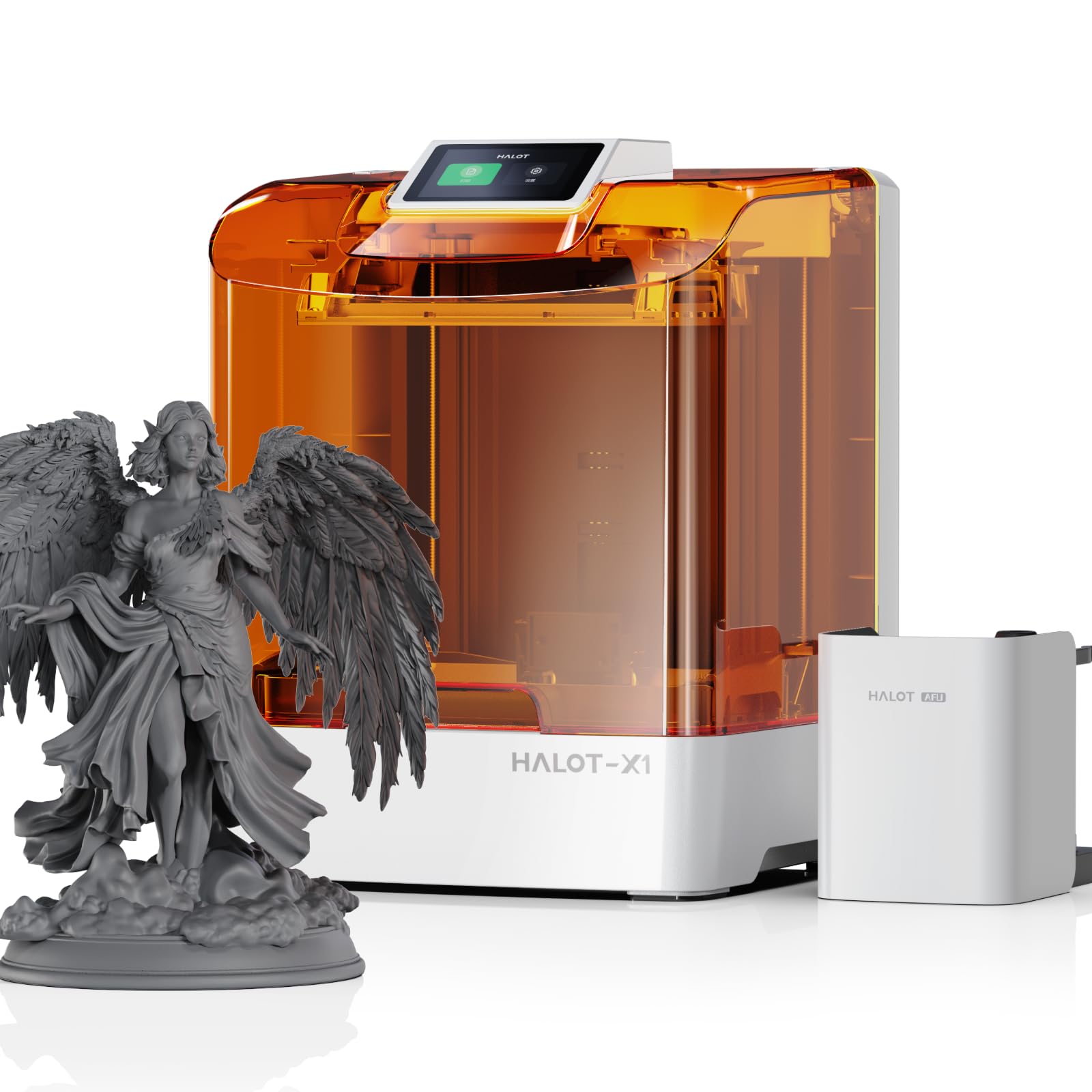
The Halot-X1 Combo breaks new ground with a 10.1-inch 16K mono LCD that delivers 14×19µm XY resolution on an 8.33×4.66×7.87-inch build volume. This combination is ideal for printing larger miniatures — cavalry mounts, giant monsters, or entire squads on one plate — because the pixel density remains high enough that 28mm infantry next to a dragon base all resolve with consistent detail rather than the pixelation that wide-format 4K screens suffer from.
The integrated Intelligent AFU Resin Management system heats the resin to 30-45°C in under three minutes, reducing viscosity for more reliable layer curing in colder rooms. RFID tags on the resin cartridges automatically load the correct exposure parameters, eliminating one variable from the tuning process. The top-down optical design keeps the build plate stationary while the optical module moves, which removes the leveling step entirely — a boon for users who hate manual bed calibration.
While the hardware is impressive, the Halot Box slicing software has been reported to crash during complex model processing, and Creality’s support response times for software issues are slow. Several early adopters have found the printer unusable until third-party slicer support is added. If you can work around the software, the print quality on default settings produces miniatures that rival injection-molded plastic in surface finish.
Why it’s great
- 16K resolution at 14×19µm XY maintains crisp details across a very large build plate.
- Resin heating system reduces viscosity and improves first-layer adhesion in cold environments.
- Fixed build plate eliminates leveling — ready to print out of the box with no calibration tweaks.
Good to know
- Proprietary Halot Box slicer has known stability issues and may crash on heavy model files.
- Customer support for software problems is slow; no reliable timeline for third-party slicer support.
- Large build volume increases peel force — you may need to add more supports for taller figures.
5. Bambu Lab P1S (FDM)

While resin dominates for fine detail, the Bambu Lab P1S earns its place for hobbyists who need to print terrain, vehicles, and display bases without dealing with resin’s toxic cleanup. The enclosed CoreXY design hits 500mm/s with 20,000mm/s² acceleration, making it viable for printing large scatter terrain pieces in a fraction of the time a resin printer would take. Automatic bed leveling before every print practically eliminates first-layer failures, even for beginners.
The P1S supports the Bambu AMS system for multi-color printing, which is genuinely useful for printing terrain with stone and wood tones in a single run — no painting required for game-ready pieces. The enclosed chamber also handles ABS and ASA filaments, so you can print sturdy tank traps and barricades that won’t soften in a hot car. Print quality out of the box rates 95/100 for surface finish, with very faint layer lines on curved surfaces.
Where the P1S falls short for miniatures is small detail: a 28mm face will show visible layer ridges that a resin printer would hide. Flexible TPU filament also tends to jam in the extruder, limiting material options. But as a companion printer for resin users who want fast, durable terrain, the P1S is a workhorse that removes the bottlenecks of resin workflow for non-figure parts.
Why it’s great
- 500mm/s speed with auto-leveling makes terrain printing fast and fuss-free.
- Multi-color AMS system enables painted-in-texture prints without post-processing.
- Enclosed chamber supports ABS and ASA for durable, heat-resistant terrain pieces.
Good to know
- Layer lines on 28mm-scale figures are visible — not a substitute for resin on infantry models.
- TPU filament often causes jams; not recommended for flexible parts without tuning.
- No built-in camera; phone monitoring requires an external setup.
6. ANYCUBIC Photon Mono M7 Pro 14K

The M7 Pro scales up production with a 10.1-inch 14K LCD (13312×5120 resolution) and a heated resin vat that maintains optimal viscosity. The dynamic temperature control keeps the material at its sweet spot even in a cold garage, dramatically reducing print failures caused by thick resin. Print speed reaches 170mm/h with high-speed resin, allowing a full plate of 10-12 miniatures to finish in under five hours.
The LighTurbo 3.0 COB source with Fresnel lenses achieves over 90% light uniformity, meaning a miniature at the far corner of the build plate gets the same exposure as one in the center. Six intelligent detection systems monitor build plate installation, resin level, and release film lifespan. The resin auto-fill and one-key recycling system makes cleanup less messy — a genuine quality-of-life improvement for batch printing.
However, the M7 Pro has notable firmware quirks. The user interface is sluggish, and the USB port cannot read folders, forcing you to dump all files into the root directory. The dark tinted top cover hides failures mid-print, and the required 6-second light-off delay (compared to 2 seconds on the M3 Plus) increases total print time despite the high speed rating. Once dialed in, the output quality is excellent, but the path to consistency is bumpier than the spec sheet suggests.
Why it’s great
- 14K LCD with 16.8×24.8µm XY resolution produces crisp miniatures across the full build plate.
- Heated resin vat eliminates cold-temperature adhesion failures and reduces viscosity.
- Auto-resin fill and one-key recycling simplify batch printing and cleanup.
Good to know
- Sluggish UI and folder-less USB root create file management headaches.
- Dark tinted cover makes it hard to spot failed prints early.
- Requires longer light-off delay (6s) compared to previous models, offsetting speed gains.
7. Creality K1C (FDM)

The Creality K1C distinguishes itself with a clog-free direct extruder and a tri-metal “Unicorn” nozzle that supports carbon fiber reinforced filaments (PLA-CF, PA-CF, PET-CF). For miniatures, this means you can print display bases and scenic elements with a matte carbon fiber texture that resin cannot replicate. The 300°C hotend handles high-temp materials without degrading, while the enclosed chamber keeps fumes contained.
Out of the box, the K1C auto-levels with a single tap and its dynamic balancing minimizes the ghosting effect on tall vertical structures. The AI camera monitors for spaghetti failures and supports time-lapse photography. In silent mode, the noise drops to 45dB, so you can run prints overnight without disturbing sleep — a rare feature for enclosed CoreXY machines.
The weak link is Creality’s software ecosystem. The Creality Print slicer has known sync issues with the printer, causing unexplained cancellations. Users comfortable with OrcaSlicer will find the half-baked integration frustrating, with settings that randomly reset. The hardware is solid and fast, but the software experience is not beginner-friendly; expect to spend time troubleshooting firmware and slicer conflicts before achieving reliable multi-day prints.
Why it’s great
- Clog-free extruder and tri-metal nozzle allow printing with carbon fiber reinforced filaments.
- Enclosed chamber with active carbon filtration keeps fumes manageable for indoor use.
- Silent mode at 45dB enables overnight terrain printing without noise complaints.
Good to know
- Creality Print slicer has sync issues causing random cancellations mid-print.
- OrcaSlicer integration is buggy; settings may reset without warning.
- Setup is not truly plug-and-play — expect firmware and software troubleshooting.
8. Bambu Lab A1 (FDM)

The Bambu Lab A1 brings high-speed CoreXY performance to the entry-level FDM segment with a 256mm³ build volume and full-auto calibration. The active flow rate compensation algorithm adjusts extrusion in real-time, which minimizes the under-extrusion artifacts that plague cheap FDM printers when printing small details. The 1-Clip quick-swap nozzle makes switching between 0.4mm and 0.2mm nozzles effortless — essential for printing fine terrain details.
With the AMS Lite (sold separately), the A1 supports multi-color printing. For terrain, this means one print can yield a grey stone ruin with brown wooden doors and green moss patches without any painting. The Bambu Handy app is widely praised for its intuitive interface; you can select a model from MakerWorld and start printing within minutes. The noise level at 48dB in silent mode is low enough for apartment living.
The trade-off is inherent to FDM: 28mm miniatures will show layer lines, and the bed slinger design requires significant clearance behind the printer (the bed moves forward and backward). Multi-material prints with the AMS Lite introduce purge waste that can be significant for small parts. For a beginner who wants to print larger game pieces and terrain without resin handling, the A1 is the lowest-friction entry point available.
Why it’s great
- Full-auto calibration and active flow rate compensation remove the typical FDM tuning headaches.
- Multi-color printing via AMS Lite produces painted-in-texture terrain without manual painting.
- User-friendly Bambu Handy app simplifies model selection and remote printing.
Good to know
- FDM layer lines are visible on 28mm-scale miniatures — best used for terrain, not figures.
- Bed slinger design requires 20+ inches of clearance behind the printer.
- AMS Lite generates purge waste that adds up on small multi-color prints.
9. ELEGOO Jupiter 2 16K

The Jupiter 2 is the ultimate machine for hobbyists who need to print large-scale miniatures: centerpiece dragons, colossal mechs, or full diorama bases in one piece. Its 302.4×161.98x300mm build volume is 2.5 times larger than the Saturn 4, yet still maintains a 20×26µm XY resolution thanks to the 16K LCD (15120×6230 pixels). The fully enclosed light source eliminates stray UV that causes ghosting on large prints.
Smart features reduce the friction of managing such a large vat. The multi-point auto-leveling system and smart tank heating maintain 30°C resin temperature for consistent curing. The automated resin feeding system uses a pump to keep the vat filled during long prints — critical when a single dragon could consume 500ml of resin over 20 hours. The double-door design and transparent viewing window let you check progress without opening the lid and introducing dust.
The Jupiter 2 is not for beginners. The sheer peel force of a full-plate 302mm-high print can pull prints off supports if lift speed and exposure are not dialed in perfectly. Several users report receiving defective screens out of the box, though ELEGOO’s customer support (rated highly by most) replaced them quickly. The wash and cure station ecosystem is also limited — only one competitor’s station accommodates the full build plate. For experienced resin users who need the volume, the Jupiter 2 delivers unparalleled scale without sacrificing detail.
Why it’s great
- Massive 302mm height allows printing large centerpiece models in one piece, not segmented.
- 16K LCD with 20×26µm XY resolution keeps detail crisp even at large scale.
- Automated resin feeding and tank heating enable 20+ hour prints without user intervention.
Good to know
- Large peel forces require careful exposure and lift speed tuning to avoid support failure.
- Some units ship with defective LCD screens; customer service is responsive but delays are common.
- Wash and cure stations for this build plate size are scarce and expensive.
FAQ
What XY resolution do I actually need for 28mm tabletop miniatures?
Can I print Warhammer-sized miniatures with an FDM printer like the Bambu Lab A1?
How does the build plate size affect print success for small miniatures?
Final Thoughts: The Verdict
For most users, the best 3d printer for miniatures winner is the ELEGOO Mars 5 Ultra 9K because its Tilt Release system protects delicate features while delivering 18×18µm resolution and real-time AI monitoring. If you want the tightest pixel pitch at a budget-friendly price, grab the ANYCUBIC Photon Mono 4 Ultra 10K. And for printing large centerpiece models in one piece, nothing beats the ELEGOO Jupiter 2 16K.