
When milliseconds decide the outcome of a round, your monitor’s refresh rate isn’t just a spec sheet number—it’s the difference between seeing the enemy first and being the one who gets eliminated. A 540 Hz display doesn’t just feel fast; it fundamentally changes how motion is rendered, cutting motion blur to near-imperceptible levels and giving your eyes a frame-by-frame view of every flick, strafe, and spray pattern.
I’m Min — the co-founder and writer behind Gadgets Feed. I’ve spent countless hours analyzing the technical specifications, panel technologies, and real-world performance benchmarks of the highest-refresh-rate monitors on the market to separate genuine breakthroughs from marketing hype.
Whether you’re grinding through ranked matches or training for the next tournament, the 540 hz monitor is the defining tool for competitive gaming where reaction time is everything and every frame counts.
How To Choose The Best 540 Hz Monitor
Buying a 540 Hz monitor is a specialized decision. You’re not looking for a general-purpose productivity screen—you’re after the absolute fastest pixel response and the highest possible motion clarity. The panel type, connectivity bandwidth, and burn-in mitigation features define whether a monitor will actually deliver on its 540 Hz promise or frustrate you with artifacts and limitations.
Panel Technology: OLED vs. Fast TN
Fast TN panels, like the one found in the BenQ Zowie XL2566X+, offer DyAc 2 backlight strobing for exceptional motion clarity at native FHD resolution. They have no burn-in risk and are proven in esports tournaments. However, their color accuracy and viewing angles are limited. OLED panels (WOLED, QD-OLED, Tandem OLED) deliver 0.02ms–0.03ms GtG response times that TN panels cannot match, along with infinite contrast and vibrant colors. The trade-off is a risk of burn-in over years of heavy static use, though modern heatsinks, pixel refresh cycles, and burn-in warranties mitigate this.
Connectivity: Why DisplayPort 2.1 is Non-Negotiable
To actually run a 540 Hz signal at 2560×1440, you need enough data bandwidth. DisplayPort 1.4 with Display Stream Compression (DSC) can work, but compression can introduce artifacts or latency in rare scenarios. DisplayPort 2.1 UHBR20 (80 Gbps) delivers uncompressed bandwidth, making monitors like the ASUS ROG Swift PG27AQWP-W future-proof and artifact-free at full refresh rate. Always verify both the monitor and your GPU support the required DP standard.
Dual-Mode Flexibility and Burn-In Protection
Many premium 540 Hz monitors include a Dual-Mode feature that lets you switch between QHD@540Hz (for detailed competitive play) and HD@720Hz (for maximum raw speed in ultra-fast esports titles like CS2 or Valorant). This is a genuine competitive tool. Additionally, look for OLED Care features: graphene or custom heatsinks (fanless passive cooling), pixel shifting, pixel refresh, proximity sensors (like ASUS Neo Proximity Sensor), and at least a 3-year warranty with burn-in coverage to ensure your investment lasts.
Quick Comparison
On smaller screens, swipe sideways to see the full table.
| Model | Category | Best For | Key Spec | Amazon |
|---|---|---|---|---|
| LG 27GX790B-B | OLED / Dual-Mode | Peak Speed & Brightness | 540Hz QHD / 720Hz HD | Amazon |
| ASUS ROG Swift PG27AQWP-W | Tandem OLED | Longevity & Glossy Clarity | 540Hz QHD / 720Hz HD | Amazon |
| MSI MPG 271QR QD-OLED X50 | QD-OLED | Color Accuracy & DP 2.1 | 500Hz / 0.03ms GtG | Amazon |
| Samsung Odyssey OLED G6 G60SF | QD-OLED | 500Hz OLED Value | 500Hz / 0.03ms GtG | Amazon |
| INNOCN GA27M1Q | QD-OLED | Budget 500Hz OLED | 500Hz / 0.03ms GtG | Amazon |
| ASUS ROG Swift PG27AQDP | WOLED | 480Hz WOLED Pro | 480Hz / 0.03ms GtG | Amazon |
| Sony INZONE M10S | OLED | Tournament-Ready 480Hz | 480Hz / 0.03ms GtG | Amazon |
| LG 27GX790A-B | WOLED | 480Hz Future-Proofing | 480Hz / DP 2.1 | Amazon |
| BenQ Zowie XL2566X+ | Fast TN | Pro Esports (CS2) | 400Hz / DyAc 2 | Amazon |
| Alienware AW2524HF | Fast IPS | 500Hz IPS Entry | 500Hz OC / 0.5ms | Amazon |
| Alienware AW3425DW | QD-OLED Ultrawide | Immersive High-FPS | 240Hz Ultrawide | Amazon |
| Amzfast AMZG49C7U | VA Ultrawide | Budget 120Hz Ultrawide | 120Hz / 5120×1440 | Amazon |
| CRUA 49″ Curved | VA Ultrawide | Entry 120Hz Ultrawide | 120Hz / 5120×1440 | Amazon |
In‑Depth Reviews
1. LG 27GX790B-B 27” Ultragear OLED

The LG 27GX790B-B is the only monitor on this list that natively supports a Dual-Mode toggle between QHD at 540Hz and HD at 720Hz, all driven by LG’s 4th Gen Primary RGB Tandem OLED. This WOLED panel achieves a typical brightness of 335 nits—the brightest OLED in this roundup—which means HDR highlights and competitive visibility in brightly lit rooms are noticeably superior to older OLED generations.
The 0.02ms GtG response time is effectively instantaneous, eliminating any perceptible ghosting or reverse ghosting. DisplayPort 2.1 provides the bandwidth necessary for uncompressed 540Hz at QHD, while the UL Verified Perfect Black certification confirms the inky blacks and shadow detail that competitive players rely on to spot enemies hiding in dark corners. The anti-glare matte finish works well in mixed lighting without washing out blacks.
Some users have noted the large bottom bezel may be visually distracting, and the proprietary power cable is a minor inconvenience for cable management. However, the combination of the highest refresh rate available in a 27-inch OLED, superb brightness, and DP 2.1 connectivity makes this the definitive choice for anyone seeking the absolute competitive edge.
Why it’s great
- World’s first 540Hz QHD / 720Hz HD Dual-Mode OLED
- 335 nits typical brightness—brightest OLED here
- DP 2.1 for uncompressed high-refresh signal
Good to know
- Large bottom bezel may bother users with OCD
- Proprietary power cable limits replacement options
- Very few games can actually push 540 fps
2. ASUS ROG Swift PG27AQWP-W

The ASUS ROG Swift PG27AQWP-W introduces Tandem OLED technology, which stacks two OLED layers to deliver 15% higher peak brightness, 25% larger color volume, and a claimed 60% longer lifespan compared to standard WOLED panels. The TrueBlack Glossy surface eliminates haze entirely, producing exceptionally sharp imagery with deep blacks that rival reference monitors—a rare combination in competitive gaming displays.
Dual-Mode functionality lets you toggle between QHD at 540Hz and HD at 720Hz via a hotkey, matching the LG’s peak speed. The Neo Proximity Sensor is a standout feature: it uses a CMOS sensor to detect when you walk away and automatically blacks out the screen, significantly reducing burn-in risk during long AFK sessions. The included DP 2.1 UHBR20 cable delivers uncompressed 80 Gbps bandwidth, ensuring no display stream compression artifacts.
At this price point, buyers are paying a premium for the longevity benefits of Tandem OLED and the glossy panel’s superior clarity. A small number of units have reported grey banding in dark gradients, which is a known OLED uniformity variance. For players who value absolute image sharpness and the best burn-in protection on the market, this is the monitor to beat.
Why it’s great
- Zero-haze glossy panel with exceptional sharpness
- Tandem OLED offers longer lifespan and higher brightness
- Neo Proximity Sensor for automatic burn-in prevention
Good to know
- Premium pricing; the most expensive OLED here
- Some units exhibit grey banding in dark gradients
- White color scheme may clash with black setups
3. MSI MPG 271QR QD-OLED X50
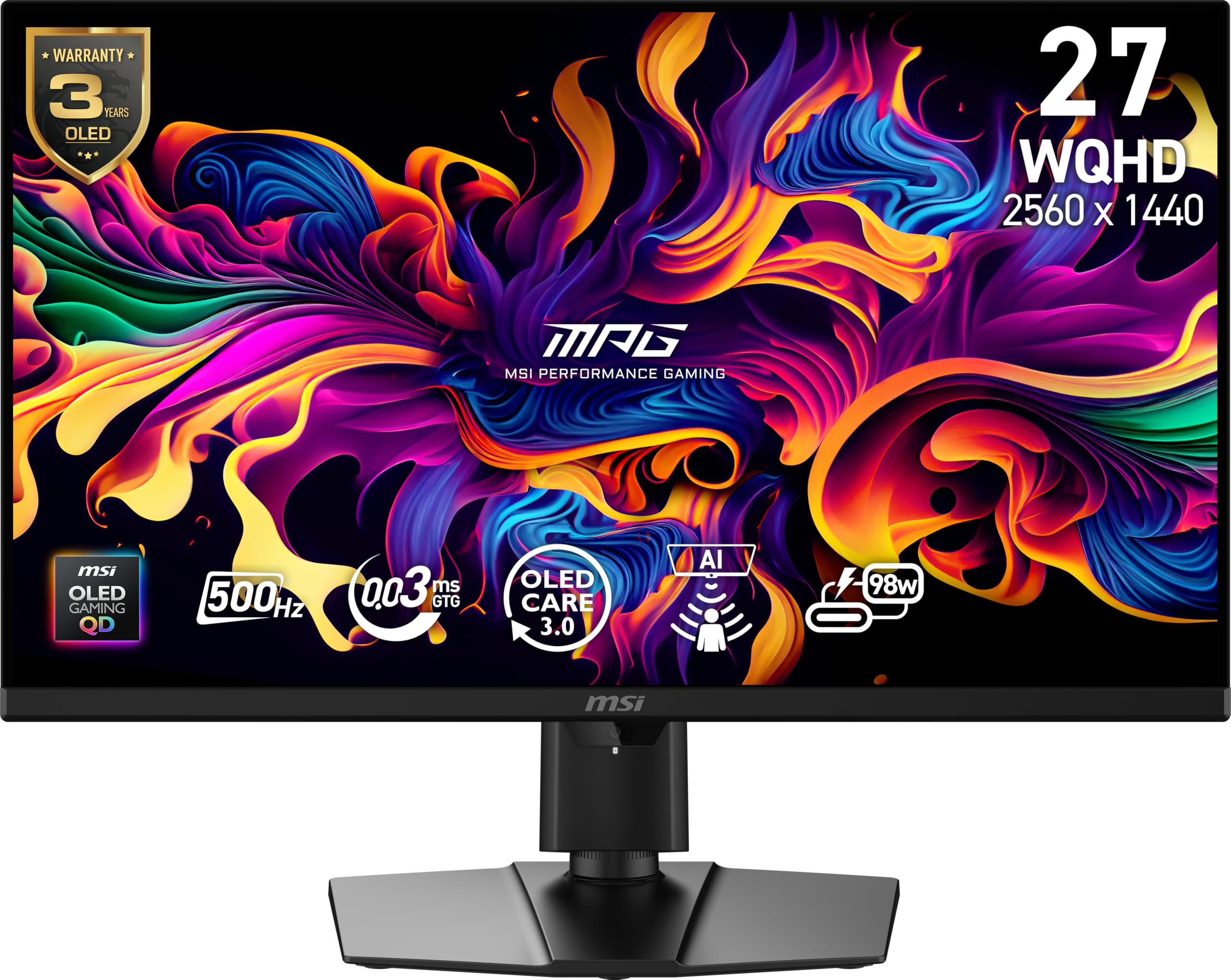
The MSI MPG 271QR QD-OLED X50 uses Samsung’s Quantum Dot OLED panel with 10-bit color depth and 99% DCI-P3 coverage, delivering a 1.07 billion color palette with Delta E ≤2 accuracy. This makes it equally viable for color-critical content creation alongside competitive gaming—a rare dual-use capability in the 500 Hz space. The graphene heatsink provides fanless passive cooling, eliminating noise while protecting against burn-in.
DisplayPort 2.1a support (UHBR20) allows 500Hz at 2560×1440 without DSC, and the ClearMR 21000 rating confirms minimal motion blur at those speeds. The AI Care Sensor uses a CMOS chip to detect occupancy and auto-dim the screen when you step away, adding an extra layer of OLED protection. Users report minimal VRR flicker and no magenta-tint issues that plagued earlier QD-OLED generations.
The 98W USB-C power delivery is a welcome convenience for single-cable laptop connectivity, but the aggressive default AI auto-off sensitivity can cause the screen to dim during short pauses. Text fringing is minimal at 110% scaling, but still slightly noticeable on small fonts. Overall, this is the most color-accurate 500 Hz monitor available.
Why it’s great
- Delta E ≤2 color accuracy; ideal for content creation
- Fanless graphene heatsink for silent OLED protection
- DP 2.1a UHBR20 for uncompressed 500Hz@QHD
Good to know
- AI auto-off sensor can be overly sensitive
- Minor text fringing on small fonts at default scaling
- Rear dragon logo does not light up
4. Samsung Odyssey OLED G6 G60SF
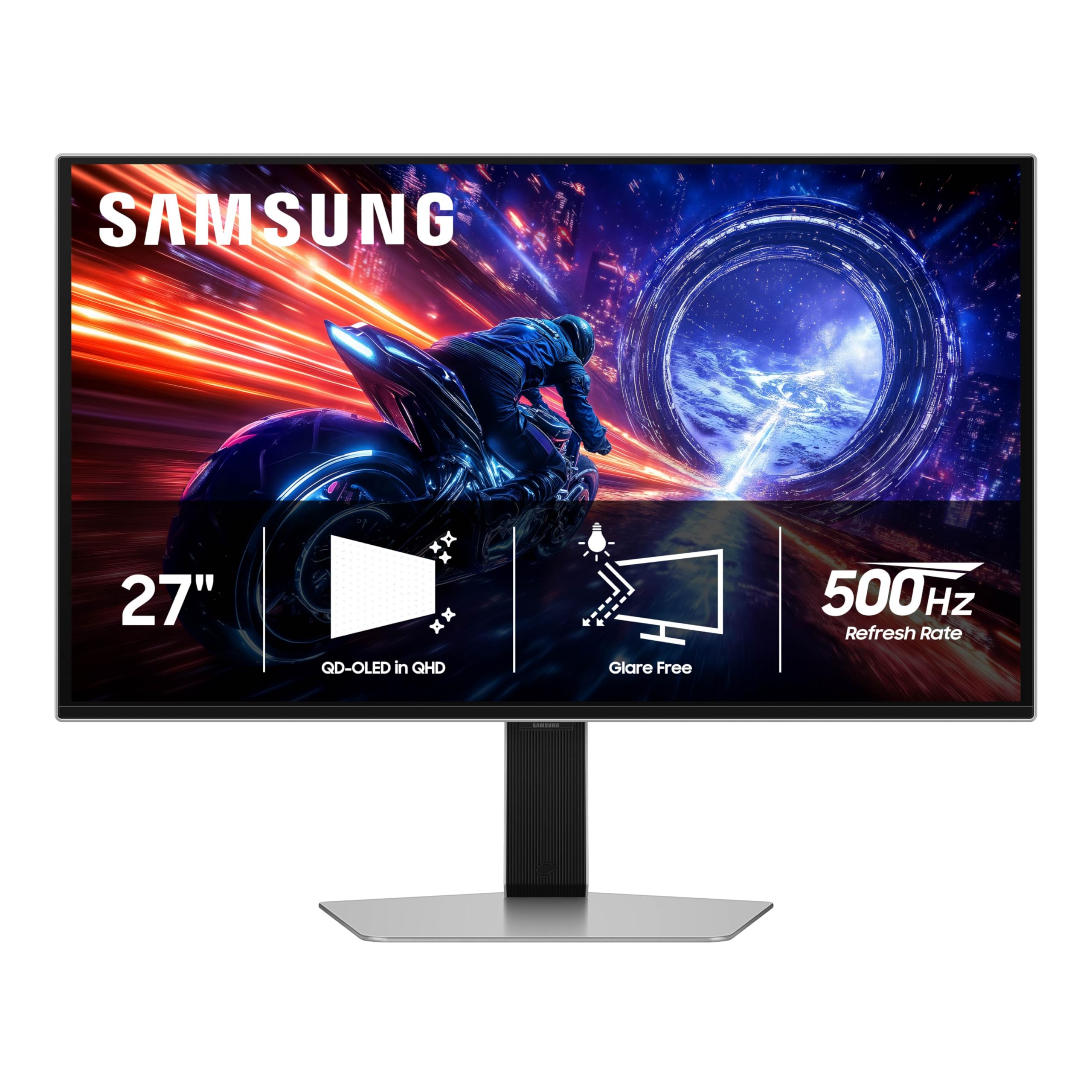
The Samsung Odyssey OLED G6 G60SF is the first OLED monitor to hit 500Hz, using Samsung’s own QD-OLED panel with VESA DisplayHDR TrueBlack 500 certification and 1000 nits peak brightness. The Glare Free technology effectively reduces reflections, maintaining visibility in bright rooms without the washed-out look typical of matte coatings. The 0.03ms GtG response time means motion blur is virtually nonexistent.
G-Sync compatibility and FreeSync Premium Pro support ensure tear-free gameplay with both NVIDIA and AMD GPUs. The ergonomic stand offers tilt, height, and pivot adjustments. Users coming from 165Hz panels describe the upgrade to 500Hz OLED as a “massive leap” in smoothness, with zero motion blur and CRT-like motion clarity. The silver chassis looks modern and premium on any desk.
Customer support has been a notable pain point—some users report difficulty with warranty claims for a fragile back button, and the brand’s customer service loops can be frustrating. Additionally, the monitor’s peak brightness is limited to 300 nits typical (1000 nits peak), which is lower than LG’s 4th Gen OLED. For the price, however, the G6 delivers outstanding 500Hz OLED performance.
Why it’s great
- World’s first 500Hz OLED; unmatched smoothness
- Glare Free tech with DisplayHDR TrueBlack 500
- G-Sync and FreeSync Premium Pro support
Good to know
- Customer support and warranty process frustrating
- Typical brightness only 300 nits; less punchy than LG
- Fragile back button can break under normal use
5. INNOCN GA27M1Q

The INNOCN GA27M1Q is the most affordable 500Hz OLED on the market, using a QD-OLED panel with 99% DCI-P3 coverage, 1,500,000:1 contrast ratio, and 10-bit color depth. It supports VRR from 48Hz up to 500Hz, making it compatible with a wide range of frame rates without tearing. The 0.03ms GtG response time matches much more expensive monitors.
Connectivity includes two DisplayPort inputs and two HDMI 2.1 ports, plus a 3.5mm audio jack. The white chassis and LED atmosphere lights give it a distinctive aesthetic that stands out from the sea of black gaming monitors. Users report excellent color accuracy after basic tuning, and the integrated speakers are surprisingly clear for a gaming monitor.
Build quality feels slightly less premium than ASUS or LG offerings, and the OSD navigation is basic. The monitor requires a very powerful GPU—at least a 9800X3D with a 7900 XTX—to actually push 500 fps in modern titles. For the price, this is the best entry point into true 500Hz OLED gaming.
Why it’s great
- Lowest price for a 500Hz QD-OLED display
- Great color accuracy after tuning
- Surprisingly good built-in speakers
Good to know
- Requires top-tier GPU to utilize 500Hz
- Build feels less premium than big brands
- Basic OSD with limited gaming features
6. ASUS ROG Swift PG27AQDP

The ASUS ROG Swift PG27AQDP was the world’s first 1440p 480Hz OLED monitor, using a WOLED panel with a custom heatsink and 3-year warranty including burn-in coverage. The 0.03ms GtG response time and 1,000,000:1 contrast ratio produce razor-sharp motion clarity and deep blacks. ASUS’ exclusive OLED Anti-Flicker technology reduces flicker during refresh rate fluctuations.
The 99% DCI-P3 color gamut and Delta E <2 accuracy make this suitable for both competitive and story-driven games. Users report it is visually indistinguishable from 540Hz TN panels in terms of smoothness, while offering vastly superior colors and contrast. The anti-glare matte coating effectively handles reflections without the graininess seen on some other matte OLEDs.
The PC companion app is somewhat slow and clunky, and the FHD 480Hz Dual-Mode has been reported as non-functional for some users. The monitor is also notably heavy, requiring a sturdy monitor arm. For the price, the combination of 480Hz OLED smoothness, burn-in warranty, and excellent color accuracy makes this a top-tier option.
Why it’s great
- World’s first 1440p 480Hz OLED with burn-in warranty
- Excellent color accuracy and anti-glare coating
- 3-year warranty covers OLED burn-in
Good to know
- Heavy; needs a strong monitor arm
- FHD Dual-Mode reported as non-functional
- PC companion app is slow and buggy
7. Sony INZONE M10S

The Sony INZONE M10S was developed in collaboration with the Fnatic esports team, and it shows in every design decision. The low-profile 4mm stand base maximizes desk space for aggressive mouse movements, and the dedicated Tournament Mode provides FPS Pro and FPS Pro+ presets that enhance contrast for spotting enemies. The 480Hz refresh rate and 0.03ms GtG response time produce instant pixel transitions.
The fanless passive cooling system uses a custom heatsink to prevent burn-in, backed by a 3-year OLED limited warranty. DisplayPort 2.1 UHBR10 provides enough bandwidth for uncompressed 480Hz at QHD. Users describe the motion handling as “insanely smooth” and appreciate the true blacks and color depth that only OLED can deliver in a competitive context.
The main drawback is the price: it sits at a premium over similarly specced options. Some units have reported day-one issues with pixelation artifacts on the left half of the screen, though this seems to be a batch defect. For tournament-level CS2 or Valorant play, the INZONE M10S is purpose-built and delivers the responsiveness that matters most.
Why it’s great
- Tournament-ready FPS Pro modes for enhanced contrast
- Ultra-thin 4mm stand saves desk space
- 3-year OLED burn-in warranty with fanless heatsink
Good to know
- Premium pricing; expensive for 480Hz
- Some units have pixelation artifacts (batch defect)
- Best suited for FPS games; limited versatility
8. LG 27GX790A-B Ultragear

The LG 27GX790A-B is the 480Hz sibling of the 27GX790B-B, sharing the same 4th Gen WOLED panel but without the Dual-Mode 720Hz capability. It still delivers an outstanding 480Hz refresh rate with a 0.03ms response time, 1.5M:1 contrast ratio, and DisplayHDR True Black 400 certification. The DP 2.1 connectivity ensures uncompressed bandwidth at 480Hz.
Color coverage reaches 98.5% DCI-P3, and the anti-glare surface minimizes reflections without the graininess found on some matte OLEDs. Users describe it as the “best-looking monitor they’ve ever owned,” praising the smooth mouse pointer motion and OLED blacks. The RGB hexagonal backlighting adds aesthetic flair to any battle station.
Initial vertical banding is a common OLED characteristic that typically disappears after a break-in period. The matte coating can look slightly grainy on static bright web pages, and using dark mode is recommended for text-heavy work. At this price, it offers excellent OLED performance and future-proof DP 2.1 without the premium of the 540Hz variant.
Why it’s great
- 480Hz WOLED with DP 2.1 for uncompressed signal
- Excellent anti-glare matte coating
- RGB backlighting for immersive setup
Good to know
- Initial vertical banding (resolves over time)
- Matte coating slightly grainy on bright static content
- No Dual-Mode; limited to 480Hz max
9. BenQ Zowie XL2566X+
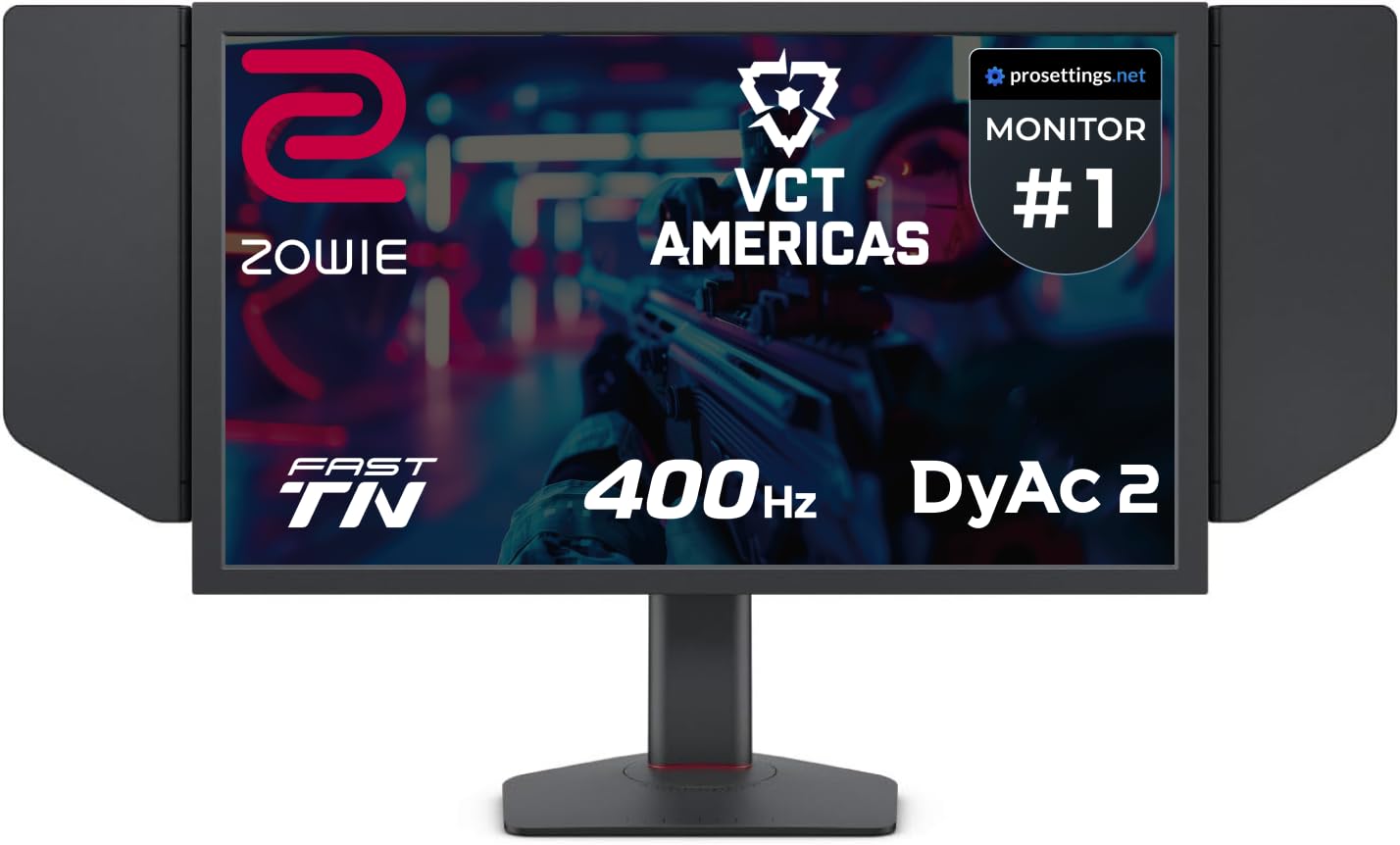
The BenQ Zowie XL2566X+ is the gold standard for competitive esports, using a Fast TN panel with DyAc 2 backlight strobing technology. The 400Hz refresh rate at native FHD (1920×1080) delivers the sharpest possible image at the resolution most professional CS2 and Valorant players use. DyAc 2 uses dual backlight technology to reduce motion blur beyond what refresh rate alone can achieve.
The redesigned Fast TN panel improves electrical conductivity for faster liquid crystal response, effectively reducing overshoot. Color performance has been improved over previous Zowie generations, though it still cannot match OLED vibrancy. The industrial-grade ball bearing height adjustment feels premium, and the included shielding hood eliminates glare in LAN environments.
Color reproduction is strictly “okay”—this is a tool for motion clarity, not media consumption. Users also note that the 400Hz limit means it’s bested in raw refresh rate by 480Hz and 540Hz OLEDs. For tournament-level play where DyAc 2’s backlight strobing provides a measurable competitive advantage, the XL2566X+ remains the esports benchmark.
Why it’s great
- DyAc 2 provides industry-best motion clarity
- Fast TN panel with minimal overshoot
- Includes shielding hood for LAN tournaments
Good to know
- Colors are poor; not for MMOs or media
- Limited to 400Hz; falls behind 540Hz OLEDs
- FHD resolution; no 1440p option
10. Alienware AW2524HF

The Alienware AW2524HF uses a Fast IPS panel that can reach 500Hz through overclocking (native 480Hz), with a 0.5ms gray-to-gray response time in Extreme mode. It provides much wider viewing angles than TN panels, with 99% sRGB color coverage for accurate colors. The 24.5-inch FHD (1920×1080) size is the exact screen size preferred by many competitive players.
AMD FreeSync Premium and VESA AdaptiveSync certification ensure tear-free gameplay with modern GPUs. The fully adjustable stand offers height, tilt, swivel, and pivot adjustments. TUV ComfortView Plus reduces blue light without washing out colors, making marathon sessions easier on the eyes. Users running high-end PCs with a 5080 or better report smooth 400-500Hz gameplay in PUBG and similar titles.
Some users have reported longevity concerns, with the monitor’s maximum refresh rate degrading over months of use from 500Hz to 480Hz and eventually to 360Hz. Dell’s troubleshooting process has been described as time-consuming. For players who want an affordable 500Hz-capable IPS monitor with good colors and viewing angles, the AW2524HF is a solid contender.
Why it’s great
- 500Hz Fast IPS with wide viewing angles
- 99% sRGB color coverage for accurate colors
- Fully adjustable ergonomic stand
Good to know
- Reports of refresh rate degradation over months
- Requires DisplayPort for max refresh rate
- Longevity concerns; Dell support process slow
11. Alienware AW3425DW

The Alienware AW3425DW is a 34-inch QD-OLED ultrawide with a 3440×1440 resolution, 240Hz refresh rate, and 0.03ms response time. While it doesn’t hit 540Hz, it offers the most immersive competitive experience with its 1800R curve and 21:9 aspect ratio. The 99.3% DCI-P3 color coverage and DisplayHDR TrueBlack 400 certification deliver stunning visuals.
NVIDIA G-Sync Compatible and AMD FreeSync Premium Pro ensure tear-free gameplay. Users consistently describe the transition from IPS 1440p to this QD-OLED as “jaw-dropping,” with deep shadows and vibrant colors that transform both gaming and media consumption. The included microfiber cloth for cleaning the glossy screen is a thoughtful touch.
This monitor is not for esports players seeking the absolute highest refresh rate. Text clarity can look “funky” out of the box and requires tuning for productivity work. For players who want an immersive ultrawide for high-fps competitive games where 240Hz is sufficient, this is a premium choice with incredible visual quality.
Why it’s great
- Immersive 34-inch QD-OLED with 1800R curve
- 240Hz smoothness with G-Sync and FreeSync
- 99.3% DCI-P3 for stunning HDR visuals
Good to know
- 240Hz not competitive for 540Hz buyers
- Text clarity needs tuning out of the box
- Lower peak brightness than latest LG OLEDs
12. Amzfast AMZG49C7U

The Amzfast AMZG49C7U is a 49-inch VA ultrawide with DQHD (5120×1440) resolution and a 120Hz refresh rate. While 120Hz is far below the 540Hz target, this monitor offers massive screen real estate for multitasking and immersive gaming at a budget-friendly price point. The 1500R curvature wraps around the field of view for maximum immersion.
Features include PIP/PBP split-screen support, 120% sRGB color gamut, and AMD FreeSync/G-Sync compatibility. Users describe it as a “great value” for gamers, noting the excellent picture quality for the price. The built-in speakers sound surprisingly decent, and the height-adjustable stand adds ergonomic flexibility.
HDR performance is acceptable but not OLED-level. The MPRT response time is 1ms, but VA panel ghosting can be noticeable in fast-paced games. The stand has been criticized for quality issues, including a noticeable rightward tilt. For buyers seeking a massive immersive display for productivity and casual gaming, this is a solid value option.
Why it’s great
- Massive 49-inch ultrawide at a budget price
- PIP/PBP support for dual-source workflows
- Height-adjustable stand with ergonomic flexibility
Good to know
- 120Hz far below competitive refresh rates
- Stand has quality issues; tilts right
- HDR acceptable but not OLED-class
13. CRUA 49″ Curved Monitor
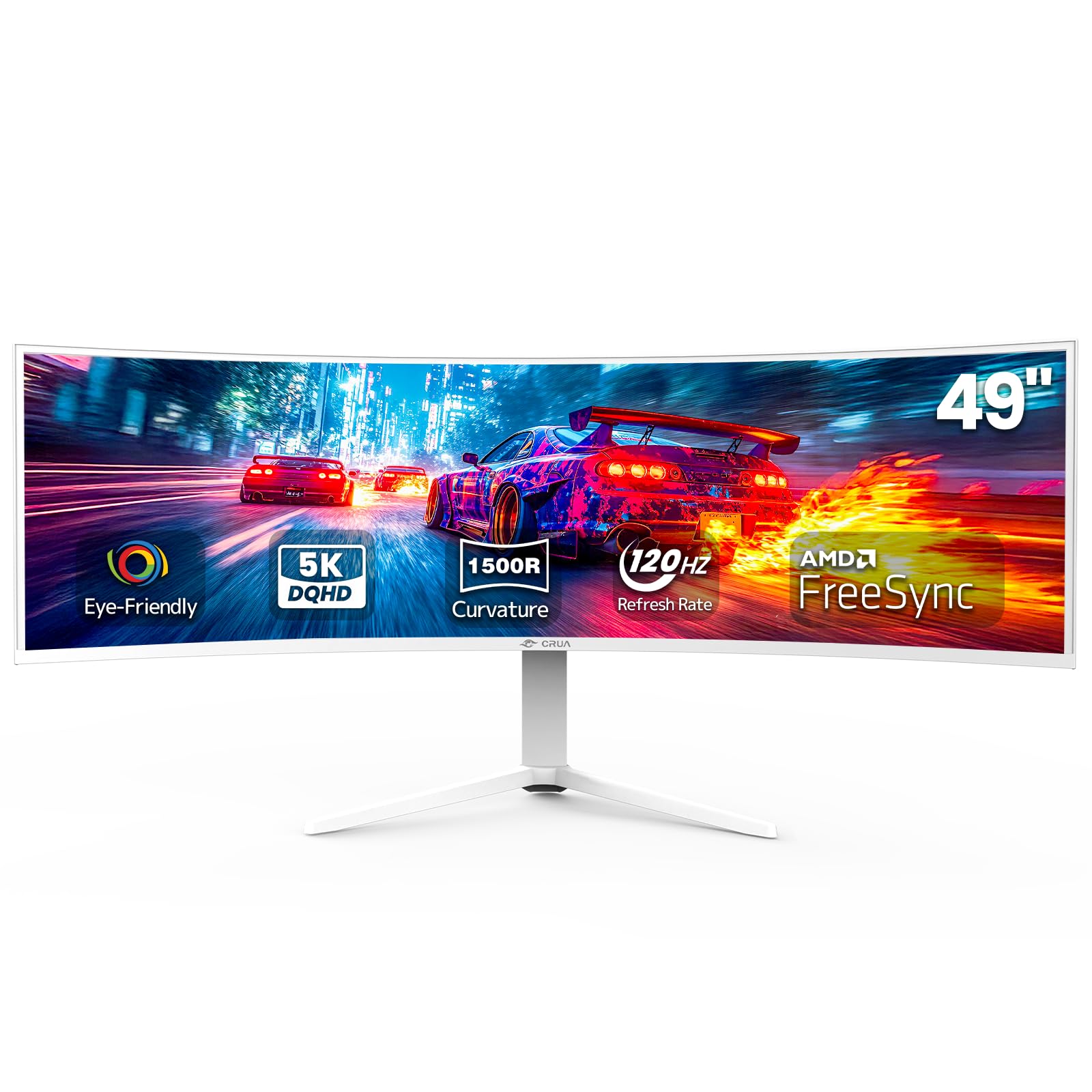
The CRUA 49-inch curved monitor is another entry-level ultrawide option, offering DQHD 5120×1440 resolution at 120Hz with a 1500R curvature. The 32:9 aspect ratio effectively replaces a dual-monitor setup for productivity. The 120% sRGB color coverage and 3000:1 contrast ratio deliver acceptable color reproduction for work and casual gaming.
HDMI 2.1 and DP 1.4 connectivity support high-bandwidth input. The white chassis design is a refreshing alternative to the standard black gaming aesthetic. Users praise the blue light filter at its strongest setting, which significantly reduced eye strain for a 63-year-old gamer. The curved screen is comfortable for long use sessions.
Several users have reported a high-pitched whine from the power adapter, which can be distracting. Colors appear dull and washed out according to some reviewers, especially compared to larger brands like Samsung or LG. The monitor also tends to take over the sound card, requiring manual re-selection in Windows. This is a budget ultrawide for productivity-first users who occasionally game.
Why it’s great
- Very affordable 49-inch DQHD ultrawide
- Strong blue light filter for eye comfort
- White design stands out from typical black monitors
Good to know
- High-pitched whine from power adapter
- Colors appear dull and washed out
- Sound card auto-selection issue in Windows
FAQ
Can I actually achieve 540 fps in games with a 540 Hz monitor?
Is 540 Hz overkill compared to 480 Hz?
Do I need DisplayPort 2.1 for 540 Hz?
Should I buy an OLED 540 Hz monitor or a Fast TN 400 Hz monitor?
How long do 540 Hz OLED monitors last before burn-in?
Final Thoughts: The Verdict
For most competitive users, the 540 hz monitor winner is the LG 27GX790B-B because it delivers the highest available refresh rate of 540Hz at QHD with 720Hz Dual-Mode, the brightest OLED panel at 335 nits, and uncompressed DP 2.1 connectivity—all in a refined 27-inch package. If you want the best burn-in protection and a glossy zero-haze panel, grab the ASUS ROG Swift PG27AQWP-W. And for tournament-level motion clarity where DyAc 2 still defines the esports standard, nothing beats the BenQ Zowie XL2566X+.