
The 10-inch laptop category occupies a narrow but vital slice of the portable computing market — small enough to slide into a purse or tech pouch, yet capable of handling real productivity tasks, streaming, and note-taking. These devices trade raw processing muscle for extreme portability, making them a compelling choice for travelers, students, and anyone who needs a second screen that fits almost anywhere. The challenge is navigating the wide performance gap between budget-friendly netbooks and more capable premium machines, where processor architecture, RAM capacity, and storage type determine whether your workflow feels fluid or frustratingly slow.
I’m Min — the co-founder and writer behind Gadgets Feed. I’ve spent countless hours dissecting the technical specifications that matter most in the 10-inch laptop space, from CPU benchmark scores and RAM configurations to thermal design and real-world battery capacity, to separate genuinely capable ultraportables from underpowered devices that struggle with basic multitasking.
After analyzing over a dozen models across multiple performance tiers, I’ve identified the nine that earn a spot in this guide to the best 10 laptop computer. Each recommendation emphasizes a specific combination of processing power, memory, and build quality to match your use case.
How To Choose The Best 10 Laptop Computer
Selecting a 10-inch laptop requires balancing the physical footprint you desire against the performance you need. While the size constraint forces certain hardware compromises, modern processors and solid-state storage have closed much of the gap between these mini machines and their larger counterparts. The key is understanding which specs are non-negotiable for your workload.
Processor and Memory: The Real Performance Gate
The CPU determines how fast your laptop handles everyday tasks — web browsing, document editing, video calls, and light creative work. On 10-inch Windows laptops, you’ll typically find Intel’s N-series chips (N95, N100, N150) or Celeron processors. The N150, for example, offers a noticeable jump in single-core performance over older Celeron models, making it a safer bet for Windows 11. Chromebooks in this size often use ARM-based MediaTek processors that prioritize battery life. For RAM, 4GB is the absolute minimum for a usable experience on Windows; opting for 8GB or even 16GB is strongly recommended if you plan to keep multiple browser tabs open or run Office applications simultaneously.
Storage Type and Capacity
Not all storage is created equal. Many budget 10-inch laptops still rely on eMMC storage, which is slower than even a basic SATA SSD. If you can, prioritize models with an M.2 SSD slot — even a 128GB NVMe drive will make the system feel far more responsive during boot and app loading. The CHUWI MiniBook X and the ZWYING convertible both use proper SSDs, which significantly reduces the lag that plagues cheaper eMMC-based devices. Also check whether the storage is expandable via Micro SD, as many 10-inch laptops top out at 128GB or 256GB internally.
Battery Life and Charging
mAh ratings alone don’t tell the full story — a 4000mAh battery in a Windows device may only last 4-6 hours, while a Chromebook with a similar capacity can stretch to 12 hours due to a more power-efficient operating system. Look for USB-C Power Delivery (PD) fast charging support, as this allows you to top up using portable power banks and reduces the number of chargers you need to carry. Devices with proprietary charging barrels, like some older mini laptops, are less convenient for travelers.
Quick Comparison
On smaller screens, swipe sideways to see the full table.
| Model | Category | Best For | Key Spec | Amazon |
|---|---|---|---|---|
| Apple MacBook Neo 13 | Premium | Everyday productivity & ecosystem | A18 Pro chip / 8GB unified memory | Amazon |
| Microsoft Surface Laptop | Premium | AI features & battery life | Snapdragon X Elite / 16GB RAM | Amazon |
| CHUWI MiniBook X | Mid-Range | 2-in-1 versatility & value | Intel N150 / 16GB LPDDR5 | Amazon |
| ZWYING Convertible | Mid-Range | Compact power with touchscreen | Intel N95 / 1920×1280 display | Amazon |
| Fusion5 Helios 10 | Mid-Range | Windows tablet with active cooling | Intel N150 / 12GB DDR5 | Amazon |
| Lenovo Chromebook Duet | Mid-Range | All-day battery & ChromeOS | MediaTek Kompanio 838 / 12h battery | Amazon |
| G-Anica Win11 | Budget | Student netbook with accessories | Celeron N4000 / 8GB RAM | Amazon |
| LEXiBOOK LAPTAB 10 | Budget | Children’s educational laptop | Android / 128GB eMMC | Amazon |
| Goldengulf Mini | Budget | Basic web & document tasks | Intel Z8350 / 2GB RAM | Amazon |
In‑Depth Reviews
1. Apple MacBook Neo 13-inch (2026)

The MacBook Neo redefines what a compact laptop can achieve on battery efficiency and raw single-threaded speed. Its A18 Pro chip, built on a 3nm process, delivers performance that rivals even some Intel Core i7 ultraportables while sipping power — real-world battery life routinely exceeds 15 hours during mixed use. The 13-inch Liquid Retina display at 2408×1506 resolution provides crisp text and accurate colors, making it suitable for photo editing and document work alike.
At roughly 2.7 pounds, the Neo is slightly heavier than a typical 10-inch netbook, but the trade-off is a full-size keyboard with 1mm key travel and a Force Touch trackpad that eliminates mechanical clicks. The aluminum enclosure feels premium, and the 1080p FaceTime HD camera with a dual-mic array ensures clear video calls. Storage starts at 512GB SSD, which is ample for most users, and the OS integrates seamlessly with iPhone for features like Universal Clipboard and iMessage continuity.
The main limitation is the 8GB of unified memory — while macOS handles memory compression efficiently, power users running multiple virtual machines or heavy creative suites will want more. Additionally, the Neo lacks the ProMotion 120Hz refresh rate found on the MacBook Pro line, and the two USB-C ports require dongles for legacy connectivity. For students and professionals who prioritize portability and all-day endurance, however, this is the most polished option in the compact laptop space.
Why it’s great
- Industry-leading battery life (15+ hours) for all-day campus or office use
- Brilliant Liquid Retina display with 500 nits brightness and P3 wide color
- Seamless integration with iPhone and AirDrop ecosystem
Good to know
- 8GB unified memory is non-upgradable and may limit heavy multitasking
- No Touch Bar, no 120Hz ProMotion, and only two USB-C ports
- Higher price point than comparable Windows 10-inch machines
2. Microsoft Surface Laptop 13.8 (2024)

The 2024 Surface Laptop marks Microsoft’s decisive shift to ARM architecture with the Snapdragon X Elite processor, delivering sustained performance that outpaces the MacBook Air M3 in multi-threaded workloads while achieving up to 20 hours of video playback. The 13.8-inch PixelSense touchscreen at 2304×1536 resolution offers a 3:2 aspect ratio, providing extra vertical space that reduces scrolling in documents and web pages — a meaningful productivity boost over standard 16:9 displays.
Build quality is exceptional, with a precision-machined magnesium-aluminum alloy chassis that feels stiffer than most Windows ultrabooks. The haptic touchpad mimics the tactile click of a MacBook trackpad accurately, and Windows Hello facial recognition with IR camera unlocks the laptop instantly. Connectivity includes a full-size USB-A port alongside two USB-C ports with Thunderbolt 4 support, plus a proprietary Surface Connect port for magnetic charging.
The ARM-based Snapdragon X Elite has excellent native app support for web apps, Office, and most media players, but some x64 applications must run through emulation, which introduces a performance penalty — particularly in older games and specialized productivity software. The base 256GB SSD fills quickly, and users who need more storage should consider the 512GB or 1TB configurations. If you live inside Microsoft’s ecosystem and value battery longevity above all else, this is your machine.
Why it’s great
- Extraordinary battery life (up to 20 hours) for travelers and remote workers
- Beautiful 3:2 touchscreen with bright HDR and minimal bezels
- Superb haptic touchpad and fast Windows Hello login
Good to know
- ARM emulation limits compatibility with some older x64 applications
- Base model ships with only 256GB SSD — upgrade needed for heavy files
- Premium pricing places it beyond the typical 10-inch laptop buyer’s budget
3. CHUWI MiniBook X 2-in-1 Laptop
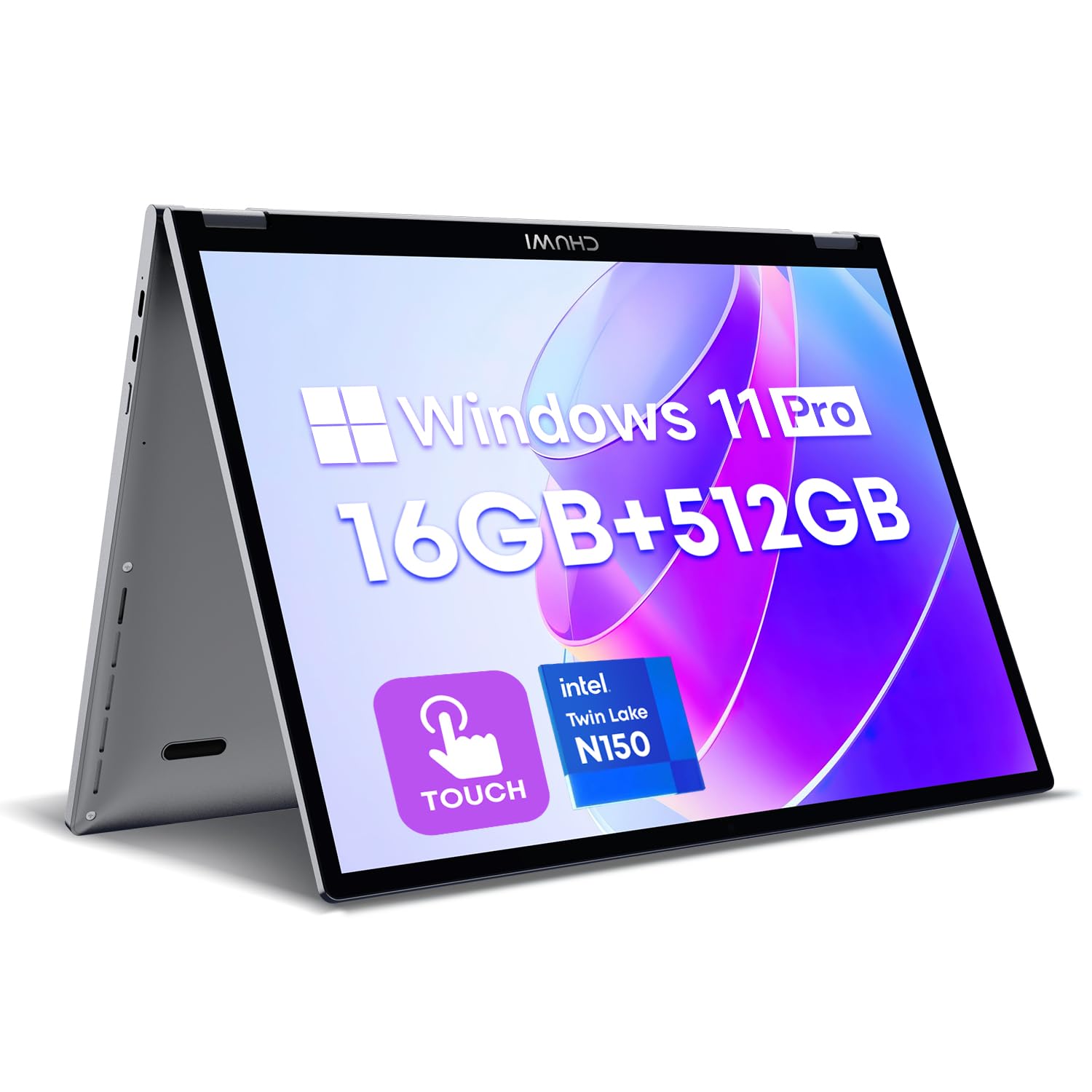
The CHUWI MiniBook X delivers a rare combination of 2-in-1 flexibility and respectable performance at a mid-range price point. Its 10.51-inch 1920×1200 IPS touchscreen with 100% sRGB coverage produces vivid colors, and the 16:10 aspect ratio provides more vertical screen real estate than typical 16:9 panels — a genuine advantage when reading long documents or coding. The hinge rotates 360° for tent, stand, and tablet modes, and the aluminum body feels significantly more premium than its price suggests.
Under the hood, the Intel N150 processor (4 cores, up to 3.6GHz) paired with 16GB LPDDR5 RAM handles web browsing, Office suite tasks, and light photo editing without noticeable lag. The 512GB NVMe SSD boots Windows 11 Pro in under 15 seconds and offers an M.2 2280 slot for expansion up to 2TB. The backlit keyboard is surprisingly comfortable for a 10-inch chassis, with key spacing that allows touch typing at moderate speeds.
The battery life is the primary compromise — at roughly 6 hours of mixed use, it falls short of the all-day endurance offered by ARM-based laptops. The dual USB-C ports support Power Delivery charging, but the included charger is a non-PD 12V adapter that many users discard in favor of a GaN USB-C charger. The speakers also lack bass response, making headphones preferable for media consumption. For the price, however, the MiniBook X offers an unmatched feature-per-dollar ratio.
Why it’s great
- Generous 16GB LPDDR5 RAM with 512GB NVMe SSD — rare at this price point
- Full 360° 2-in-1 hinge with sharp, color-accurate 2K touchscreen
- Expandable M.2 storage and USB-C PD charging for future-proofing
Good to know
- Battery life averages 6 hours — less than premium competitors
- Included charger is a non-PD 12V adapter; discard and use a USB-C PD charger
- Speakers are tinny; headphones recommended for quality audio
4. ZWYING Mini Laptop 10.5″ 2-in-1
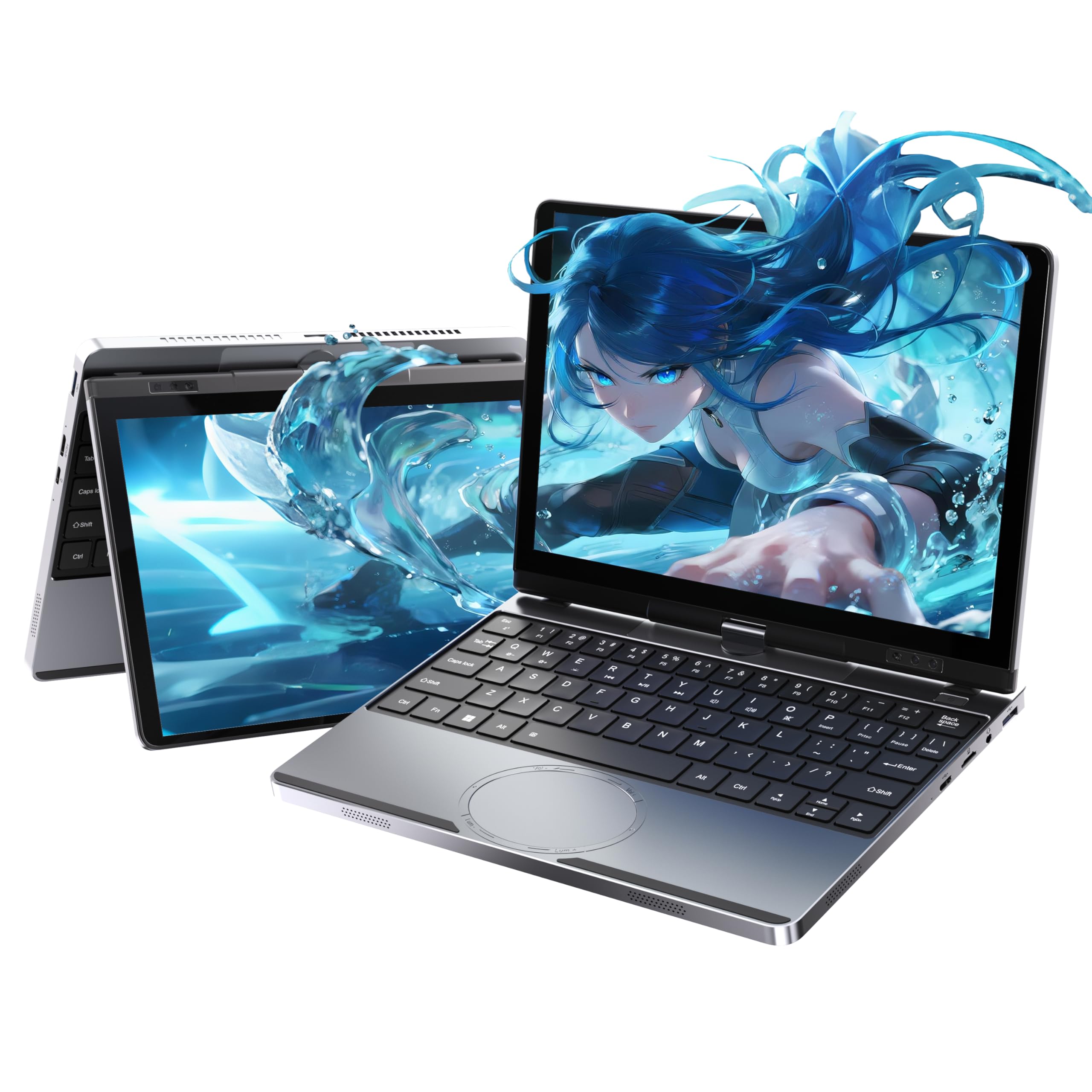
The ZWYING convertible stands out for its display quality — a 10.5-inch 1920×1280 IPS panel with a 3:2 aspect ratio delivers 207 PPI and 18% more vertical workspace compared to standard 16:9 screens, which makes document editing and web browsing noticeably less cramped. The 360° hinge is robust, and the all-metal body weighs just 2.14 pounds, making it one of the most portable options for carrying between classes or meetings.
Powered by the Intel Alder Lake N95 processor (4 cores, up to 3.6GHz) with 16GB DDR4 RAM and a 512GB SSD, this machine handles Windows 11 Pro with fluidity for typical productivity workloads. The 10-point multi-touch screen is responsive, and face unlock via the front-facing camera adds a layer of convenience. Port selection is generous for its size — two USB 3.0 ports, two USB-C ports (one full-function with 45W PD), mini HDMI, and a Micro SD card slot.
Customer feedback highlights inconsistent hardware configurations — some units shipped with 12GB RAM instead of the advertised 16GB, and the SSD slot uses the less common M.2 2242 SATA format, limiting upgrade options. The 4500mAh battery provides approximately 4-6 hours of real-world usage, which is adequate but not outstanding. Additionally, the 1.3MP front camera is low-resolution by modern standards. If display sharpness and build quality are your priorities, this is a strong mid-range contender.
Why it’s great
- Excellent 3:2 high-resolution display with responsive 10-point touch
- Solid all-metal build with 360° hinge and full-function USB-C PD
- 16GB DDR4 RAM and 512GB SSD provide smooth Windows 11 performance
Good to know
- Some units shipped with less RAM than advertised — verify configuration on arrival
- M.2 slot uses uncommon 2242 SATA format, limiting third-party upgrades
- Webcam quality is poor and battery life falls short of all-day claims
5. Fusion5 Helios 10 Windows 11 Tablet
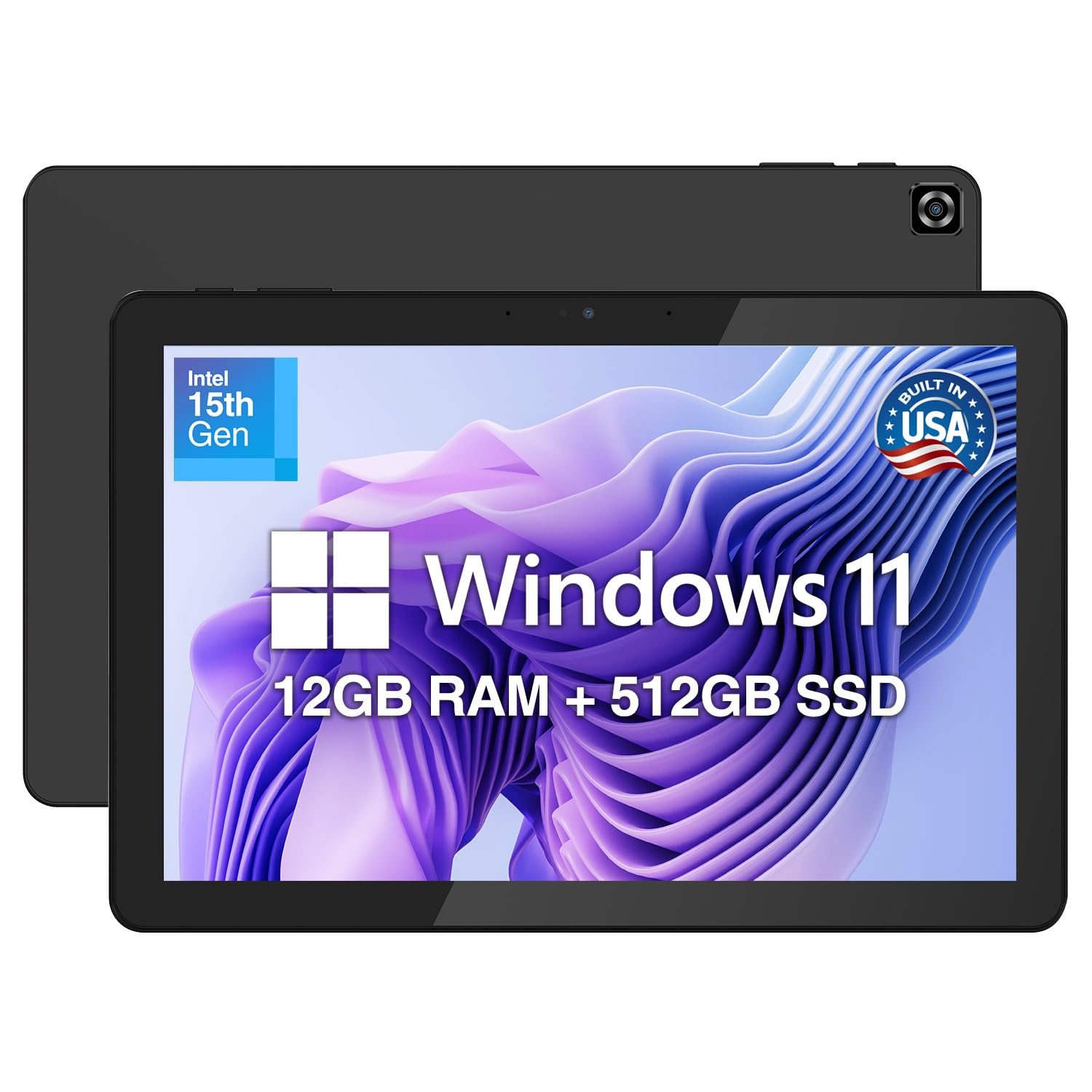
The Fusion5 Helios 10 is a Windows tablet with a keyboard folio, designed for users who need a full desktop OS in a form factor that can double as a media slate. Its 10.1-inch FHD+ display (1920×1200, 400 nits) with a 16:10 aspect ratio offers good brightness and color reproduction for indoor use, and the metal chassis feels reassuringly solid for a tablet in this price bracket. The active cooling fan is a rare feature among 10-inch tablets, allowing sustained CPU performance without thermal throttling during extended workloads.
Internally, the Intel N150 processor with 12GB of DDR5 RAM and a 512GB SSD provides more than enough headroom for web apps, Office 365, and even light video editing in apps like DaVinci Resolve. The 36W USB-C Power Delivery charging can refill the 4500mAh battery relatively quickly. Connectivity is strong for a tablet — two full-function USB-C ports, one USB 3.0 port, Micro HDMI output, and a 3.5mm headphone jack cover most peripheral needs without dongles.
The battery life is the most polarizing aspect — reports range from 2 to 4 hours of real-world usage, which is significantly lower than the “all-day” claims in the marketing materials. Some units have arrived without a charger or with defective components, and customer support responsiveness has been inconsistent. The keyboard folio is sold separately, adding to the total cost. For users who need a true Windows tablet with active cooling for demanding portable workloads, the Helios 10 is a niche but functional choice.
Why it’s great
- Active cooling fan prevents thermal throttling during demanding tasks
- Fast DDR5 RAM and 512GB NVMe SSD for responsive multitasking
- Versatile port selection with dual USB-C, USB 3.0, and Micro HDMI
Good to know
- Battery life is poor (2-4 hours depending on workload)
- Keyboard bundle often sold separately — confirm before purchase
- Customer support and quality control have received mixed reviews
6. Lenovo Chromebook Duet (2025)

The Lenovo Chromebook Duet delivers exceptional value for users who can work within ChromeOS’s web-first ecosystem. Its 10.95-inch WUXGA (1920×1200) IPS touchscreen with narrow bezels provides a modern, airy viewing experience, and the 2-in-1 design with a detachable keyboard folio makes it equally usable as a laptop or tablet. The MediaTek Kompanio 838 processor, paired with 4GB of RAM, handles Chrome tabs, Google Docs, YouTube, and Android apps smoothly — though heavy multitasking with 15+ tabs will cause occasional stuttering.
Battery life is the headline feature here: the Duet reliably delivers 10-12 hours of mixed use on a single charge, making it ideal for students who spend full days on campus without access to outlets. The build quality is excellent for its price tier, with a full-metal chassis and Corning Gorilla Glass protecting the display. The included folio keyboard has a surprisingly good trackpad for a budget convertible, and the kickstand offers stable viewing angles on desks and lap surfaces alike.
The 4GB of RAM is the main bottleneck — power users will quickly hit memory limits when running Linux apps alongside Android apps and Chrome tabs. Storage is a non-upgradeable 64GB eMMC, which fills fast with offline media and Android app installs. The Duet also lacks a headphone jack, relying on Bluetooth or USB-C audio. For web browsing, email, and light productivity, this Chromebook offers unbeatable battery endurance at an approachable price point.
Why it’s great
- Outstanding 12-hour battery life lasts through a full school or work day
- Excellent build with metal chassis, Corning Glass, and vibrant IPS touchscreen
- ChromeOS provides seamless Google integration and 10 years of automatic updates
Good to know
- Only 4GB RAM limits heavy multitasking and Linux app performance
- 64GB eMMC storage is non-upgradeable and fills quickly
- No headphone jack — Bluetooth or USB-C audio required
7. G-Anica Win11 Laptop 10″

The G-Anica Win11 laptop is a budget-friendly netbook aimed at young students and first-time computer users. Its 10-inch HD display (1366×768) is serviceable for educational apps, ebooks, and YouTube, but the viewing angles and brightness are limited compared to IPS panels found on more expensive machines. The package includes a laptop bag, mouse, mouse pad, and earphones, making it a complete starter kit for a child or teen.
Inside, the Intel Celeron N4000 dual-core processor with 8GB DDR3 RAM and a 128GB SSD provides enough power for light web browsing, Office Online, and basic homework apps. The 8GB of RAM is generous for this price tier and helps the system feel snappier than many competitors that ship with 4GB. Windows 11 runs without major lag, though boot times and app launch speeds are noticeably slower than machines with NVMe storage.
The Celeron N4000 is a dual-core processor from 2018, and its PassMark score of around 1600 means it will struggle with multitasking beyond 5-6 browser tabs or any modern game. The battery life is average at best, with most users reporting 4-5 hours before needing a charge. Some units have experienced charging failures and slow system performance. For a child’s first laptop focused on typing practice and educational websites, this bundle delivers acceptable value, but adults seeking a daily driver should look higher up the spec ladder.
Why it’s great
- Complete bundle with bag, mouse, mouse pad, and earphones — no extra purchases
- 8GB RAM is generous for the price, improving multitasking over 4GB models
- Lightweight and compact, ideal for a child’s backpack
Good to know
- Dual-core Celeron N4000 is slow — struggles with multitasking or modern apps
- Battery life of 4-5 hours is mediocre by current standards
- Some units have reported charging issues and general sluggishness
8. LEXiBOOK LAPTAB 10 Inches V11

The LEXiBOOK LAPTAB 10 is fundamentally an Android tablet housed in a laptop form factor, running a customized Android interface rather than Windows or ChromeOS. This distinction matters: it cannot run traditional Windows applications like Microsoft Office (desktop version) or Photoshop, but it can access millions of Android apps on Google Play. The 10.1-inch HD touchscreen (1280×720) works well with the included Power Academy educational apps and 300 pre-loaded ebooks, making it a focused learning device for children aged 5-12.
The octa-core ARM processor and 128GB of eMMC storage provide adequate performance for educational games, drawing apps, and web browsing through the Qwant Junior safe-search browser. Parental controls are robust, allowing parents to set screen time limits, block specific app categories, and create individual profiles for multiple children. The 4000mAh battery delivers 4-6 hours of usage, which is reasonable for a device aimed at short, supervised learning sessions.
Performance is the device’s biggest weakness — the software is buggy, with reports of lag and app crashes during normal use. The 1280×720 display resolution is low by modern standards, making text appear less sharp than on 1920×1080 or higher-resolution screens. Battery life has also drawn criticism, with some users reporting significantly less runtime than advertised. For parents who want a locked-down educational device with age-appropriate content out of the box, it serves a specific purpose, but it is not a general-purpose laptop replacement.
Why it’s great
- Pre-loaded with 300 ebooks and educational apps for children
- Robust parental controls for screen time and app management
- Touchscreen interface is intuitive for young children
Good to know
- Android-based — cannot run Windows desktop applications
- Buggy software and sluggish performance reported by multiple users
- Low 1280×720 display resolution and middling battery life
9. Goldengulf Windows 10 Mini Laptop 10″

The Goldengulf 10-inch mini laptop is the most affordable option in this guide, designed for the most basic computing tasks: checking email, editing text documents, watching YouTube, and browsing simple websites. Its Intel Atom Z8350 quad-core processor, paired with only 2GB of RAM and 32GB of eMMC storage, represents the lowest tier of modern laptop hardware. Windows 10 occupies a significant portion of the 32GB drive, leaving roughly 15GB for applications and files after the initial setup.
The 10.1-inch FHD (1920×1080) display is surprisingly good for this price level, delivering sharp text and decent color reproduction for video streaming. The 6000mAh battery (a large capacity for this category) provides about 4-5 hours of continuous video playback, which is competitive with more expensive options. The included optical mouse, charger, and keychain light add a touch of value, and at just 1.2 kg, it slips easily into any bag.
The 2GB RAM is the hard ceiling — Windows 10 alone uses nearly 1.5GB at idle, leaving negligible memory for even a couple of browser tabs. Apps will reload frequently, and the system becomes unresponsive when multitasking. The eMMC storage is also very slow, causing boot times of over a minute. This laptop is only suitable for users with extreme budget constraints who need the absolute minimum computing capability. For any serious productivity, a model with at least 8GB RAM is essential.
Why it’s great
- Sharp FHD 1920×1080 display — unusual at this ultra-budget price point
- Generous 6000mAh battery for extended video playback
- Included optical mouse and charger reduce initial accessory costs
Good to know
- 2GB RAM is cripplingly low — Windows struggles with even light multitasking
- Slow eMMC storage results in long boot and app load times
- 32GB storage is mostly consumed by the operating system
FAQ
Can a 10-inch laptop run Microsoft Office and Photoshop?
How much RAM do I need for a 10-inch Windows laptop in 2026?
Are 10-inch laptops suitable for programming and coding?
What is the real battery life difference between Windows and ChromeOS 10-inch laptops?
Final Thoughts: The Verdict
For most users, the best 10 laptop computer winner is the CHUWI MiniBook X because it delivers the best performance-to-value ratio in this category — the Intel N150 processor, 16GB LPDDR5 RAM, and 512GB NVMe SSD provide genuinely smooth Windows 11 Pro multitasking, while the 10.51-inch 2K touchscreen and 360° hinge offer versatility that larger laptops cannot match. If you want the absolute best battery life and a premium macOS experience, grab the Apple MacBook Neo 13-inch. And for students who need a Chromebook that lasts through an entire school day without charging, nothing beats the Lenovo Chromebook Duet.