
An inconsistent DSL connection that cuts out mid-call or buffers every few minutes is often the fault of the modem-router combo sitting on your desk, not your ISP. Choosing the wrong all-in-one gateway means you are stuck with frustrating dropouts, poor Wi-Fi range, and a monthly rental fee for equipment your provider knows will never perform at its best. A well-selected unit consolidates your ADSL2+ or VDSL2 connection, a dual-band wireless access point, and a four-port Gigabit switch into a single box that directly hands your internet traffic without middleman markup.
I’m Min — the co-founder and writer behind Gadgets Feed. I have spent hundreds of hours cross-referencing DSL sync rates, wireless throughput benchmarks, and real-world user stability reports across dozens of ADSL gateway models to separate the rock-solid performers from the problem units.
This guide walks through the crucial specs and real ownership experiences that define the true best adsl router modem combo for a glitch-free home network you can rely on for work, streaming, and gaming.
How To Choose The Best ADSL Router Modem Combo
Buying a DSL gateway means balancing DSL technology compatibility, Wi-Fi generation, and port configuration. Focus on your ISP’s line type — ADSL2+, VDSL2, or bonded VDSL — and match the modem chipset accordingly. The wrong modem side renders the router portion useless.
DSL Standard Compatibility
ADSL2+ offers up to 24 Mbps downstream; VDSL2 pushes past 100 Mbps. If your line supports VDSL2, a modem that only handles ADSL2+ will cap your speed far below what you pay for. Check your ISP’s exact technology before buying — some CenturyLink and AT&T lines require bonded VDSL2, which demands a modem with two RJ-11 ports.
Wi-Fi Generation and Bands
Wireless-N (802.11n) is the minimum for a household with multiple devices, but Wi-Fi 5 (802.11ac) on both 2.4 GHz and 5 GHz bands is the real requirement for streaming 4K and low-latency gaming. A dual-band AC1900 or AC1200 gateway with beamforming antennas can cover a medium-sized home without an extender.
Quick Comparison
On smaller screens, swipe sideways to see the full table.
| Model | Category | Best For | Key Spec | Amazon |
|---|---|---|---|---|
| TP-Link Archer VR400 | Premium | VDSL2 stability with strong Wi-Fi | AC1200 dual-band, 1167 Mbps aggregate | Amazon |
| TP-Link TD-W9950 | Premium | International ADSL/VDSL lines | 300 Mbps N, VDSL/ADSL compatibility | Amazon |
| CenturyLink C2100T | Mid-Range | CenturyLink VDSL/ADSL2+ service | 802.11ac dual-band, 300 Mbps DSL | Amazon |
| Netgear DGN2200 | Mid-Range | ADSL2+ with USB shared storage | 300 Mbps N, single-band 2.4 GHz | Amazon |
| CenturyLink C3000A | Mid-Range | WPA3 security with EasyMesh support | VDSL2/ADSL2+, 802.11ac, 100 Mbps | Amazon |
| AT&T BGW210 | Mid-Range | AT&T bonded VDSL2 replacement | Bonded VDSL2, dual-band 802.11ac | Amazon |
| Motorola MG7550 | Mid-Range | DOCSIS 3.0 cable (not DSL) | 16×4 DOCSIS 3.0, AC1900, 686 Mbps | Amazon |
In‑Depth Reviews
1. TP-Link Archer VR400 (AC1200 VDSL/ADSL Modem Router)
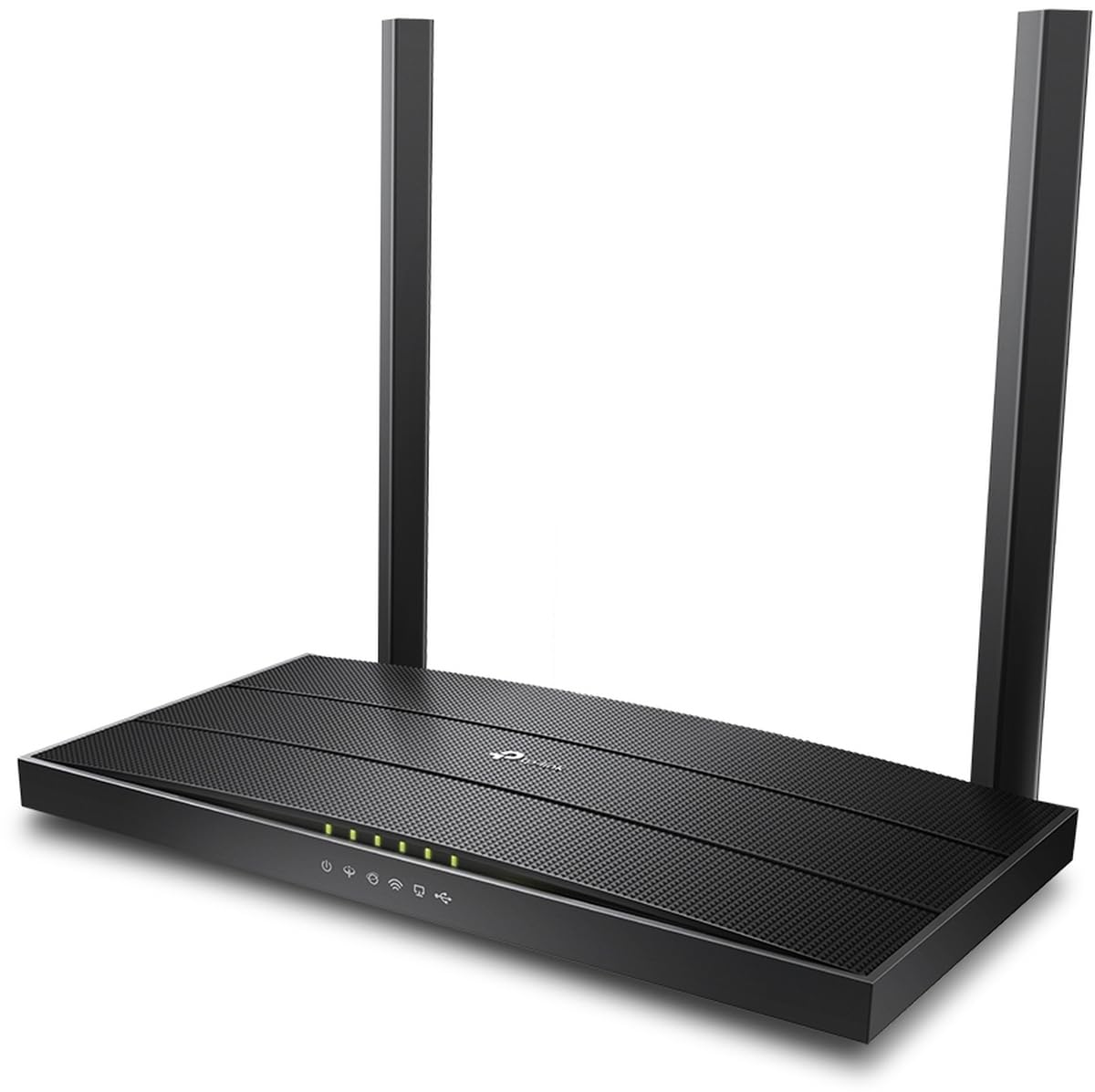
The Archer VR400 is a true dual-band gateway that supports both VDSL2 and ADSL2+ lines, making it a versatile drop-in replacement for ISP-provided units. Its AC1200 Wi-Fi delivers real-world throughput above 400 Mbps on the 5 GHz band, which is enough for multiple 4K streams and low-latency gaming sessions without bufferbloat.
The modem side holds a stable VDSL2 sync at line rates up to 100 Mbps downstream, and users upgrading from older CenturyLink or Orange equipment report that the VR400 eliminates the frequent disconnects their original router suffered. The five Gigabit ports provide wired connections for a PC, console, and streaming box while leaving room for expansion.
The main trade-off is Wi-Fi range — several owners noted that the 5 GHz signal struggles to reach upstairs without an extender. For a single-story home or an apartment, the coverage is sufficient, but larger homes may need a mesh node or powerline adapter to fill dead zones. Setup is straightforward through the web interface, though advanced users may want more QoS controls.
Why it’s great
- Rock-solid VDSL2 sync with no dropped connections
- Dual-band AC1200 Wi-Fi handles 4K streaming and gaming
- Five Gigabit Ethernet ports for wired devices
Good to know
- 5 GHz range is limited; larger homes may need an extender
- Web interface feels dated compared to modern app-based routers
2. TP-Link TD-W9950 300Mbps Wireless N VDSL/ADSL Modem Router

The TD-W9950 is a capable ADSL2+ and VDSL2 gateway that prioritizes basic connection stability over high-end Wi-Fi features. Its Wireless-N throughput tops out at 300 Mbps, which is adequate for web browsing, email, and standard-definition streaming but falls short for heavy multi-device households.
Buyers should be aware that the unit uses a European two-pin power connector — a US adapter is included, but the firmware lacks Pacific and Mountain time zone options, making it a poor fit for West Coast ISPs like Earthlink. Users in Europe and Asia have reported excellent sync stability and easy configuration on their local lines.
For international users on ADSL or VDSL connections who need a simple, reliable gateway without paying for Wi-Fi they won’t use, the TD-W9950 delivers. US buyers should verify their ISP’s compatibility before purchasing, as the regional firmware quirks may cause setup frustration.
Why it’s great
- Holds a stable VDSL/ADSL sync without dropouts
- Budget-friendly price for basic DSL needs
- Dual technology support (VDSL2 + ADSL2+)
Good to know
- European power plug and firmware limit US compatibility
- Wireless N speeds are insufficient for modern streaming and gaming
3. CenturyLink C2100T 802.11AC Modem Router

The C2100T is a CenturyLink-branded gateway designed specifically for their VDSL2 and ADSL2+ copper lines. Setup is almost plug-and-play on CenturyLink service — users report activating it in under 10 minutes with no technical configuration required beyond entering their PPPoE credentials.
Dual-band 802.11ac Wi-Fi provides strong signal coverage for a mid-sized home, with the 5 GHz band delivering faster page loads and smoother video streaming compared to older single-band units. Several reviews mention a clear improvement over the previous modem they were renting from the ISP.
The reliability picture is mixed — some units performed flawlessly for months, while others began dropping the DSL connection after three months and required replacement. The tall vertical design may not fit under low shelves, and there are no setup instructions included in the box. Best for CenturyLink subscribers who want a fast upgrade without the rental fee.
Why it’s great
- Near-instant setup on CenturyLink VDSL/ADSL2+ lines
- Dual-band 802.11ac with good range for medium homes
- Eliminates monthly ISP rental charges
Good to know
- Some units develop DSL dropouts after several months
- Not compatible with AT&T, Spectrum, or fiber connections
4. Netgear N300 Wireless ADSL2+ Modem Router (DGN2200)

The DGN2200 is an ADSL2+ gateway that has been a reliable workhorse for nearly a decade. Its single-band 2.4 GHz Wireless-N is adequate for email and browsing, but modern streaming and gaming will push it past its limits. The real strength here is the built-in USB port for shared storage access across the network.
Setup requires the included Smart Wizard CD, though some users report the installation disc is missing from renewed units. Netgear’s live parental controls and guest network features are useful for families, and the QoS engine prioritizes VoIP traffic to keep calls jitter-free even during large file downloads.
The DGN2200 runs hot — several owners note overheating after extended use, which can lead to wireless instability and random reboot loops. While the price is low, the outdated Wi-Fi standard and heat-related failure points make it a niche pick only for basic ADSL2+ lines with light usage demands.
Why it’s great
- USB ReadySHARE for network-wide file access
- Guest network and live parental controls built in
- Very affordable entry point for ADSL2+ lines
Good to know
- Single-band 2.4 GHz N is too slow for multi-device 4K streaming
- Tends to overheat, causing wireless dropouts and reboots
5. ScreenBeam CenturyLink C3000A Wireless DSL Modem Router

The C3000A integrates VDSL2 and ADSL2+ support with 802.11ac dual-band Wi-Fi, making it a modern option for DSL users who want WPA3 encryption and EasyMesh compatibility for whole-home coverage. The smart Wi-Fi band-steering moves devices between 2.4 GHz and 5 GHz automatically to avoid congestion.
Users report that the C3000A solved buffering issues that persisted with older modems, and setup takes under 15 minutes on CenturyLink lines. The four Gigabit Ethernet ports handle wired connections, and the built-in firewall adds a layer of security against external threats.
Durability is a concern — some units begin dropping the DSL connection after a few months, requiring a power cycle to restore service. Reviews are polarized between flawless long-term performance and units that fail just outside the return window. Worth a try if you need WPA3 and EasyMesh features on a budget.
Why it’s great
- WPA3 and EasyMesh for modern security and mesh expansion
- Smart band-steering balances 2.4 GHz and 5 GHz loads
- Zero setup friction on CenturyLink networks
Good to know
- Inconsistent long-term reliability — some units drop DSL
- Limited to 100 Mbps data transfer rate on the DSL side
6. AT&T BGW210 Bonded VDSL2 Wireless Voice Gateway

The BGW210 is the official replacement gateway for AT&T bonded VDSL2 fiber-to-the-node service. It combines a four-port Gigabit switch, dual-band 802.11ac Wi-Fi with 400 mW transmit power, and a single-port voice FXS interface for landline phone service.
Users replacing their old AT&T rental report that the BGW210 maintains full sync speeds consistently — the exact same performance as the original hardware with no degradation. However, this gateway requires an Optical Network Terminal (ONT) from AT&T, meaning it works only with AT&T’s specific fiber-to-the-node infrastructure and not a standalone DSL line.
A significant portion of customers are unable to activate the unit because the network code rejects the password, or the modem simply refuses to power on. The high failure rate out of the box makes it a risky purchase, especially since Amazon returns require paying return shipping. Only recommended for AT&T users who cannot find an authentic replacement from their ISP directly.
Why it’s great
- Exact hardware replacement for AT&T bonded VDSL2 service
- 400 mW Wi-Fi provides solid coverage for medium homes
- Built-in voice FXS port for phone service
Good to know
- Requires ONT — not a standalone DSL modem
- High incidence of DOA units and network code rejection
7. Motorola MG7550 16×4 Cable Modem Plus AC1900 Dual Band WiFi Gigabit Router

The MG7550 is a DOCSIS 3.0 cable modem with an integrated AC1900 dual-band router — not a DSL device. It is included in this comparison because many shoppers searching for an all-in-one gateway may confuse cable with DSL. The 16×4 channel bonding supports cable internet plans up to 375 Mbps.
On compatible cable ISPs like Comcast Xfinity and Cox, the MG7550 eliminates the monthly rental fee and delivers Wi-Fi speeds that often exceed the rented modem-router. Power Boost amplifiers push the wireless signal to the legal limit, and DFS support avoids interference from neighbors’ Wi-Fi on the 5 GHz band.
This device will not work on any DSL, fiber, or satellite connection. If you have cable internet, the MG7550 is a fantastic value that pays for itself within nine months. For DSL users, skip this model and focus on one of the VDSL2 or ADSL2+ gateways above.
Why it’s great
- Eliminates cable modem rental fees — pays for itself in months
- AC1900 Wi-Fi with Power Boost and DFS for less interference
- Two-year warranty and surge protection circuits
Good to know
- Not compatible with DSL, fiber, or satellite internet
- Only four Ethernet ports; no USB or phone jack
FAQ
Can I use a VDSL2 modem on an ADSL2+ line?
Why does my ADSL router keep dropping the connection?
What is the difference between bonded VDSL2 and regular VDSL2?
Final Thoughts: The Verdict
For most users, the best adsl router modem combo winner is the TP-Link Archer VR400 because it holds a rock-solid VDSL2 sync, delivers dual-band AC1200 Wi-Fi that handles 4K streaming and gaming, and includes five Gigabit ports for wired connectivity. If you need a budget-friendly option that still supports modern security standards like WPA3, grab the CenturyLink C3000A. And for international ADSL lines where US-centric firmware is a blocker, nothing beats the TP-Link TD-W9950 for raw compatibility and sync stability.