
A laptop at this price point is a compromise by definition — you trade raw performance for affordability, but you shouldn’t have to trade usability. The market is flooded with models that look fine on paper but choke on five browser tabs or take ten minutes to boot. Finding one that genuinely works for daily tasks without constant frustration requires scrutinizing the processor generation, RAM configuration, and storage type more carefully than any other budget electronics purchase.
I’m Min — the co-founder and writer behind Gadgets Feed. I’ve spent countless hours analyzing technical specifications, cross-referencing processor benchmarks, and poring over thousands of user experiences to separate the usable $300 laptops from the ones that will drive you crazy within a week.
This guide breaks down the genuinely worthwhile models, the hidden spec traps, and the trade-offs you should accept versus those you should never compromise on when shopping for a $300 laptop.
How To Choose The Best $300 Laptop
The $300 laptop segment is where corner-cutting is most aggressive. Manufacturers use older processors, slower storage, and smaller amounts of RAM to hit the price. Knowing which specs to prioritize — and which marketing terms to ignore — is the only way to avoid a frustrating purchase.
Processor: The Non-Negotiable Foundation
The processor determines whether the laptop feels snappy or sluggish from day one. An Intel Celeron N4500 or N5095 is the baseline for basic tasks, but an Intel Core i5 from a few generations ago (even in a refurbished model) will demolish it in real-world performance. An AMD Ryzen 3 7320U offers a noticeable step up in multitasking capability. Avoid processors with “N” prefix that are older than the Alder Lake generation if possible.
RAM and Storage: 4GB vs. 8GB and eMMC vs. SSD
8GB of RAM is the minimum for acceptable Windows 11 performance. 4GB models will struggle with more than a few browser tabs and may force the system to use the drive as virtual memory, which cripples speed. For storage, a true SSD (NVMe or SATA) is dramatically faster than eMMC storage. eMMC is soldered, non-upgradeable, and slows down significantly as it fills up. A 128GB SSD is the baseline; 256GB is much more comfortable.
Display and Build Quality
A 1366 x 768 resolution is common at this price, but a 1920 x 1080 display is a major upgrade for readability and screen real estate. IPS panels offer better viewing angles than TN panels. Build quality is often plastic, but some models feel sturdier than others — check user reviews for hinge reliability and keyboard flex. A backlit keyboard is a rare but welcome feature at this price.
Quick Comparison
On smaller screens, swipe sideways to see the full table.
| Model | Category | Best For | Key Spec | Amazon |
|---|---|---|---|---|
| Acer Aspire Go 15 | Mid-Range | Students needing 8GB DDR5 | Intel Core 3 N355, 8GB DDR5 | Amazon |
| ASUS Vivobook Go (Ryzen 3) | Premium | Multitasking & light gaming | AMD Ryzen 3 7320U, 8GB DDR5 | Amazon |
| Dell Latitude 5420 (Renewed) | Mid-Range | Business use, refurb value | Intel Core i5-1145G7, 16GB RAM | Amazon |
| HP Essential (N150) | Mid-Range | Student with Microsoft 365 | Intel N150, 4GB RAM | Amazon |
| SHBIV 6500Y | Mid-Range | Value with 16GB RAM | 6500Y, 16GB RAM, 256GB SSD | Amazon |
| HP Home and Student | Mid-Range | Basic tasks with Office 365 | Celeron N4500, 8GB RAM | Amazon |
| Lenovo IdeaPad 1i | Budget | Ultra-budget with Office 365 | Celeron, 4GB RAM | Amazon |
| ASUS Vivobook Go (Celeron) | Budget | Portable, basic tasks | Celeron N4500, 4GB RAM | Amazon |
| Apple MacBook Neo | Premium | Apple ecosystem, long battery | A18 Pro, 8GB unified memory | Amazon |
In‑Depth Reviews
1. Acer Aspire Go 15 AI Ready Laptop

The Acer Aspire Go 15 stands out in this price bracket by including an 8-core Intel Core 3 N355 processor — a significant step above the dual-core Celeron chips found in most competing models. The 8GB of DDR5 memory ensures smooth multitasking, and the 128GB UFS storage offers faster read speeds than traditional eMMC. The 15.6-inch 1080p IPS display with narrow bezels delivers a crisp, immersive viewing experience that is rare at this price level.
Wi-Fi 6 support and dual USB-C ports with DisplayPort functionality add modern connectivity that most budget laptops lack. The 12.5-hour battery life covers a full day of classes or work, and the inclusion of a dedicated Copilot key provides quick access to AI assistance. The 720p camera uses Acer’s TNR technology for improved low-light video quality, making it a solid choice for remote meetings.
Build quality is acceptable for the price, though the plastic chassis may show scratches over time. The laptop ships in Windows 11 S Mode, which some users find restrictive, but switching to full Windows is straightforward. For a sub- laptop, this delivers the best balance of processor power, memory speed, and display quality available today.
Why it’s great
- 8-core Intel Core 3 N355 outperforms Celeron models substantially
- 8GB DDR5 memory enables smooth multitasking
- 1080p IPS display with narrow bezels
- Wi-Fi 6 and dual USB-C ports
Good to know
- Plastic chassis may scratch over time
- 128GB UFS storage is limited for large media collections
- Runs Windows 11 S Mode by default
2. ASUS Vivobook Go 15.6″ (Ryzen 3)

The ASUS Vivobook Go with the AMD Ryzen 3 7320U processor delivers a level of CPU performance that easily handles everyday multitasking, light gaming, and even some creative apps. With 4 cores and 8 threads clocking up to 4.1 GHz, this chip is significantly more capable than the Intel Celeron alternatives. The 8GB of DDR5 RAM and 256GB SSD provide ample fast storage for files and applications.
The 15.6-inch FHD display offers 250 nits of brightness, which is adequate for indoor use, though the 45% NTSC color gamut means colors won’t look as vibrant as on more premium laptops. The 42Wh battery delivers up to 11 hours of runtime, and the 45W fast-charging support gets you to 60% in about 49 minutes. The chiclet keyboard with a numeric keypad is a welcome addition for number-heavy tasks.
ASUS includes a physical webcam shutter for privacy, and the laptop meets MIL-STD 810H military-grade durability standards, surviving high-temperature, shock, and vibration tests. However, the RAM and storage are not upgradeable, so the configuration you buy is final. Some users have reported issues with Windows 11 S Mode lock-in, but that can be resolved with a free switch to the full version.
Why it’s great
- AMD Ryzen 3 7320U offers excellent CPU performance for the price
- 256GB SSD provides ample fast storage
- MIL-STD 810H military-grade durability certification
- Physical webcam shutter for privacy
Good to know
- RAM and storage are not upgradeable
- Display color gamut is limited to 45% NTSC
- Some units have issues with Windows 11 S Mode
3. Dell Latitude 5420 14″ FHD (Renewed)

The Dell Latitude 5420 is a refurbished business-class laptop that brings an 11th Gen Intel Core i5-1145G7 processor and 16GB of DDR4 RAM into the $300 conversation. This processor trounces the Celeron chips found in new budget laptops, offering 4 cores and 8 threads with a boost clock up to 4.4 GHz. The 256GB SSD ensures fast boot times and application loading.
The 14-inch FHD display is sharp and bright, suitable for productivity tasks. Business laptop build quality is generally superior to consumer models, with a sturdier chassis and better keyboard feel. The port selection includes HDMI, USB-A, USB-C, and a headphone jack, providing solid connectivity for peripherals. Windows 11 Pro comes pre-installed, which includes features like BitLocker encryption that home versions lack.
Being a refurbished product, condition varies — some units arrive in excellent shape, while others may have cosmetic wear, hinge damage, or battery degradation. The included charger is a standard barrel connector. The battery life is around 3-4 hours in real-world use, which is lower than newer models. This is a strong pick if you prioritize CPU performance and RAM capacity over brand-new condition.
Why it’s great
- Core i5-1145G7 offers exceptional CPU performance for this price
- 16GB RAM handles heavy multitasking with ease
- Business-class build quality and keyboard
- Includes Windows 11 Pro
Good to know
- Refurbished condition varies significantly between units
- Battery life is limited to about 3-4 hours
- Uses a barrel charger, not USB-C
4. HP Essential Laptop with Office 365 (N150)
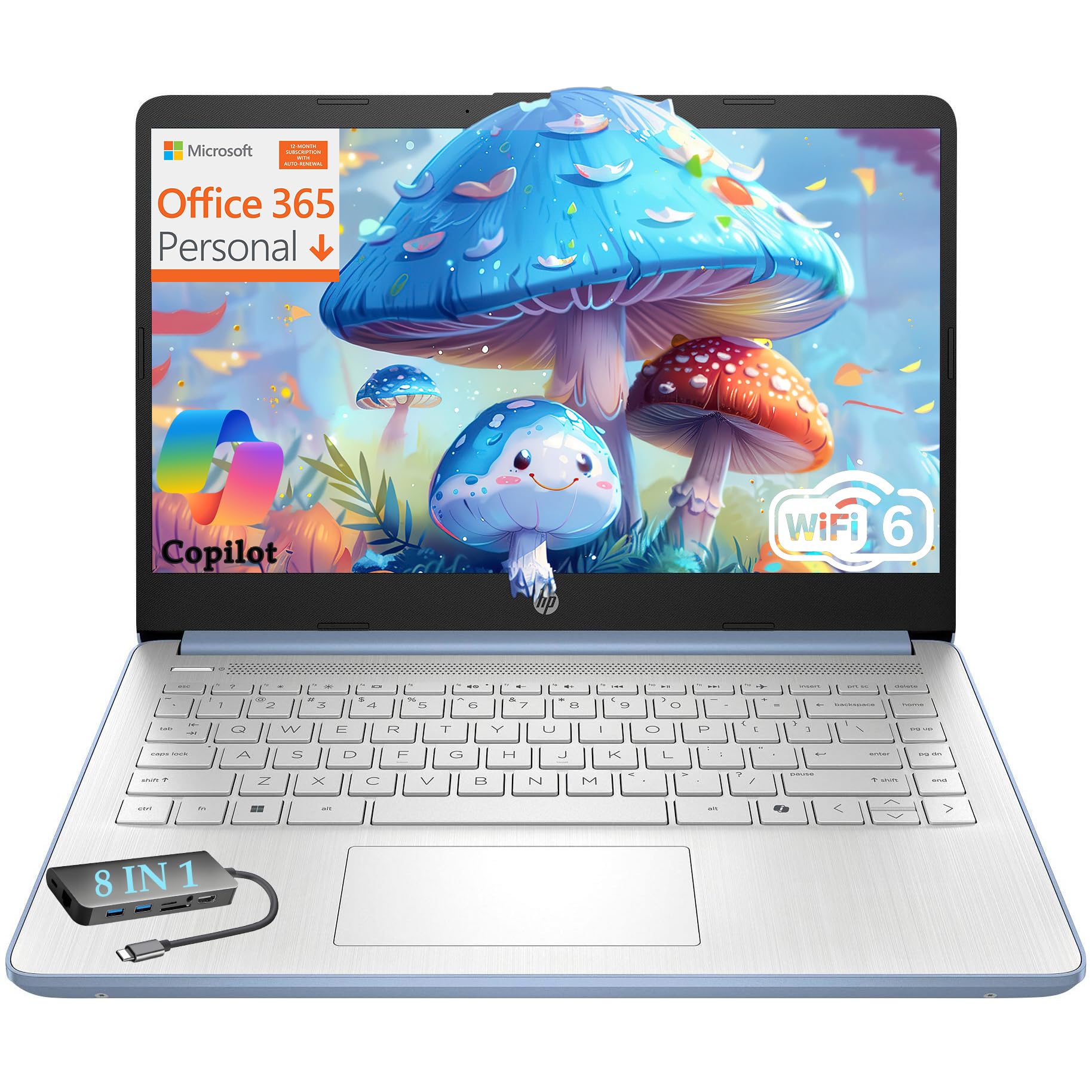
The HP Essential Laptop targets students and casual users with a package that includes a 1-year Microsoft 365 subscription, making it ready for schoolwork out of the box. The Intel N150 processor is a modest dual-core chip suitable for basic tasks like web browsing, document editing, and streaming.
The 128GB of UFS storage provides faster read speeds than traditional eMMC. The 14-inch display has an HD resolution (1366 x 768), which is adequate for general use but noticeably less sharp than a 1080p panel. The laptop weighs only 3.11 pounds, making it easy to carry between classes. The included 8-in-1 Type-C hub expands connectivity with an extra HDMI, Ethernet, and SD card slot.
HP includes a physical webcam shutter and a dedicated mute key for privacy during online classes. The all-day battery life and fast charging via the 45W adapter are practical advantages. The RAM is not upgradeable, so the 4GB limit is a real constraint. Users who need to run multiple applications simultaneously should look at models with 8GB of RAM.
Why it’s great
- Includes 1-year Microsoft 365 subscription
- Lightweight at 3.11 pounds
- Physical webcam shutter and mute key
- 8-in-1 Type-C hub included
Good to know
- 4GB RAM limits multitasking capability
- 1366 x 768 display resolution is not full HD
- RAM is not upgradeable
5. SHBIV Laptop with Gold 6500Y
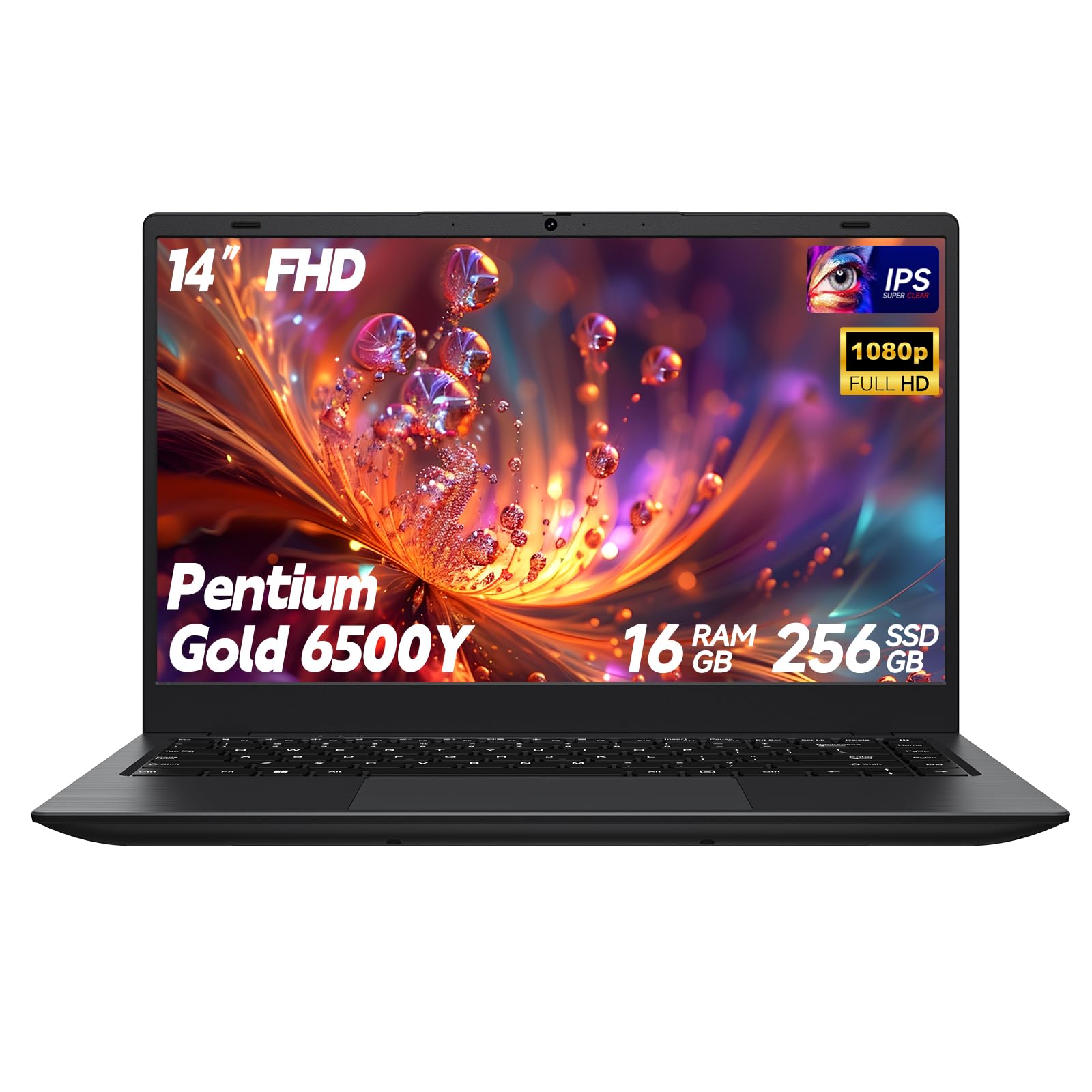
The SHBIV laptop punches above its weight by offering 16GB of RAM and a 256GB SSD at a price where most competitors offer only 4GB and 64GB. The Gold 6500Y processor is a dual-core chip with a boost clock up to 3.4 GHz, providing enough horsepower for everyday tasks like web browsing, email, and office applications. The generous RAM allocation means it can handle multiple open tabs without slowdown.
The 14-inch IPS FHD display is a highlight, offering sharp 1920 x 1080 resolution with anti-glare properties. The ultra-slim design measures just 0.8 inches thick and weighs 2.8 pounds, making it very portable. The 38Wh battery provides around 5 hours of real-world use. Connectivity includes USB-C with Power Delivery charging, HDMI, and a TF card slot for storage expansion up to 2TB.
Build quality is standard for the price point — the all-plastic chassis feels lightweight but not premium. User reviews are mixed, with some units arriving with defects or failing after a month of use. The 12-month warranty is reassuring, but customer service responsiveness has been a concern in some reports. This laptop is best for users who prioritize RAM and storage capacity above all else.
Why it’s great
- 16GB RAM is exceptional at this price point
- 256GB SSD offers ample fast storage
- 14-inch FHD IPS display with anti-glare coating
- Lightweight and slim design
Good to know
- Build quality is all-plastic and feels less durable
- Reliability concerns reported by some users
- Customer support responsiveness is inconsistent
6. HP Home and Student Essential Laptop
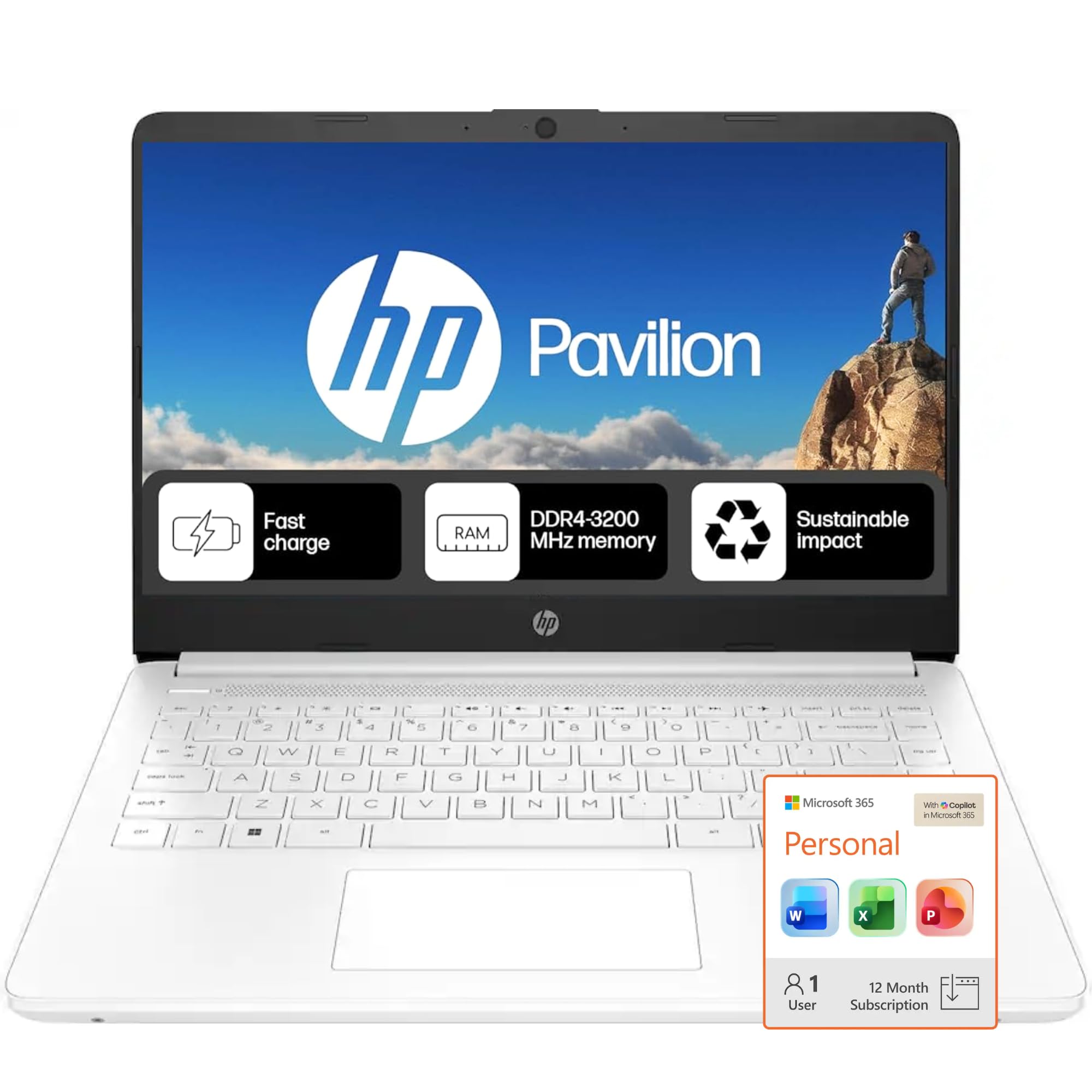
The HP Home and Student Essential Laptop pairs a dual-core Intel Celeron N4500 with 8GB of RAM, a configuration that handles basic productivity tasks adequately. The 8GB of RAM is a significant advantage over 4GB models, allowing for smoother multitasking with several browser tabs and office applications open simultaneously. The 64GB eMMC storage is the weakest link — it’s slow and fills up quickly.
The 14-inch HD display (1366 x 768) features a micro-edge bezel for a modern look, but the resolution is visibly less sharp than 1080p panels. Port selection is decent, including USB-C, USB-A, HDMI, and a microSD slot. The 12-hour battery life is excellent, and fast charging helps minimize downtime. The laptop ships with Windows 11 Home in S Mode, which limits app installation to the Microsoft Store.
A 1-year Microsoft 365 subscription is included, covering Word, Excel, and PowerPoint. The Intel UHD graphics are fine for streaming video but won’t handle gaming. The 64GB storage is extremely tight once Windows and Office are installed — you’ll need to rely on cloud storage or external drives for files. For users who need a basic word processor and web browser, this is a solid, straightforward option.
Why it’s great
- 8GB RAM provides adequate multitasking headroom
- Excellent 12-hour battery life
- Includes 1-year Microsoft 365 subscription
- Good port selection with USB-C
Good to know
- 64GB eMMC storage is slow and limited in capacity
- 1366 x 768 display resolution is not full HD
- Runs Windows 11 S Mode by default
7. Lenovo IdeaPad 1i Laptop with Office 365
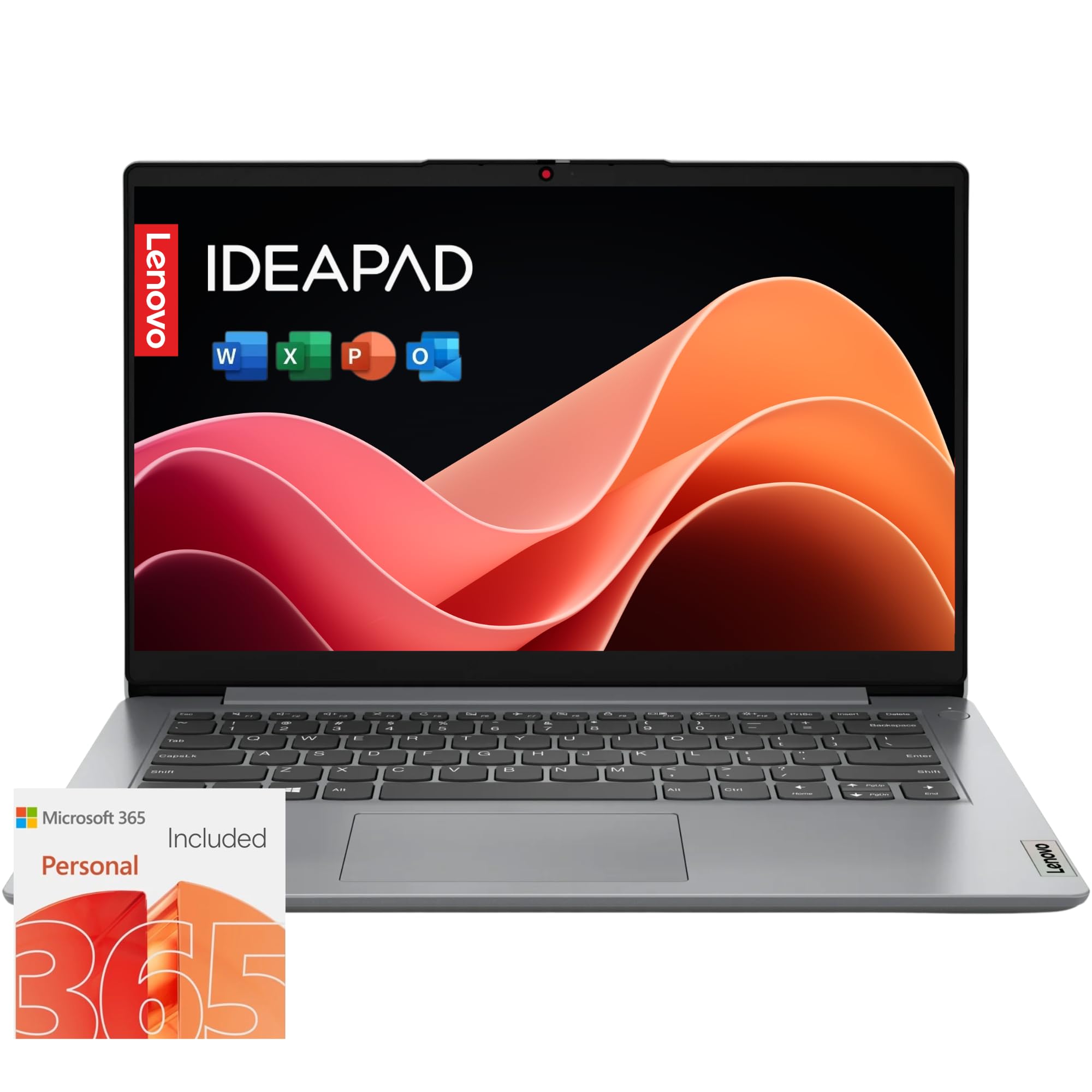
The Lenovo IdeaPad 1i is an ultra-budget option that bundles a 1-year Microsoft 365 subscription with a basic Celeron processor and 4GB of RAM. This combination is suitable for very light tasks like checking email, writing documents in Word, and watching YouTube videos. The 14-inch HD anti-glare display is adequate for indoor use, though the resolution is not full HD.
Storage is a 128GB SSD, which is a notable upgrade from the eMMC storage found in some competitors — it provides faster boot and load times. The 11-hour battery life is competitive for this class. Lenovo includes smart features like Flip to Start, which powers on the laptop when the lid is opened, and Smart Noise Cancelling for clearer video calls. The 720p camera has a physical privacy shutter.
The 4GB RAM is the primary limitation — users report significant lag when opening more than five browser tabs or running multiple applications. Windows 11 itself uses a considerable portion of the available memory, leaving little for user applications. This laptop is best suited for a single-task user, like an older adult who needs a device for email and browsing, or a very young student with minimal computing needs.
Why it’s great
- Includes 1-year Microsoft 365 subscription
- 128GB SSD is faster than eMMC storage
- 11-hour battery life
- Physical webcam privacy shutter
Good to know
- 4GB RAM causes lag with multiple applications open
- 1366 x 768 display resolution is not full HD
- Processor is underpowered for anything beyond basic tasks
8. ASUS Vivobook Go Slim Laptop (Celeron)

The ASUS Vivobook Go Slim pairs an Intel Celeron N4500 with 4GB of RAM and 128GB of eMMC storage. This configuration targets the absolute entry-level market, prioritizing affordability over performance. The 15.6-inch FHD display is the standout feature — a 1920 x 1080 resolution that is noticeably sharper than the 1366 x 768 panels on many competitors. The 220 nits brightness is usable indoors but struggles in direct sunlight.
The 42Wh battery provides up to 8 hours of runtime, and fast-charge technology gets to 60% in about 49 minutes via USB-C. The ErgoSense backlit keyboard is a rare find at this price, making it usable in dim environments. ASUS SonicMaster speakers deliver above-average audio quality for a budget laptop. The port selection includes USB-C, USB-A, HDMI, and a headphone jack.
The 4GB of RAM is the major bottleneck — the system uses around 85% of memory at idle, leaving very little headroom for applications. The eMMC storage is slower than a true SSD and cannot be upgraded. Users report the laptop can feel sluggish when launching applications or switching between tasks. This laptop is best for users who prioritize screen quality over performance and stick to single-task usage.
Why it’s great
- 15.6-inch FHD 1080p display is sharp for the price
- Backlit keyboard is rare in this price range
- Fast-charge support via USB-C
- SonicMaster speakers deliver good audio
Good to know
- 4GB RAM severely limits multitasking
- 128GB eMMC storage is slow and non-upgradeable
- Processor feels sluggish with multiple apps
9. Apple MacBook Neo 13-inch

The Apple MacBook Neo is a significant departure from the other laptops on this list. It runs on Apple’s A18 Pro chip, which offers class-leading single-core performance and energy efficiency. The 8GB of unified memory is shared between CPU and GPU, and the macOS memory management system uses it more efficiently than Windows, so 8GB here feels more capable than 8GB on a Windows machine.
The 13-inch Liquid Retina display is the best screen in this comparison by a wide margin — 2408 x 1506 resolution, up to 500 nits brightness, and support for a billion colors. The build quality is exceptional, with a rigid aluminum chassis. The 16-hour battery life is the longest of any laptop here. The 1080p FaceTime HD camera and dual-mic array provide excellent video call quality. The trackpad is best-in-class.
It is included for buyers who are willing to stretch their budget for a premium experience. The 256GB SSD is the same capacity as some budget models, but the A18 Pro makes it feel much faster. The lack of a keyboard backlight and the limitation to two USB-C ports (one at USB 2.0 speeds) are compromises. If your budget allows and you are invested in the Apple ecosystem, this is a worthwhile upgrade.
Why it’s great
- A18 Pro chip delivers class-leading performance
- Liquid Retina display is best-in-class for this price
- 16-hour battery life is exceptional
- Premium aluminum build quality
Good to know
- Priced higher than the typical $300 laptop
- No keyboard backlight
- Only two USB-C ports, one limited to USB 2.0
FAQ
Can a $300 laptop handle Windows 11 smoothly?
Is a refurbished laptop better than a new one at this price?
What is the most important spec for a $300 laptop?
Can I upgrade the RAM or storage on a $300 laptop?
Final Thoughts: The Verdict
For most users, the $300 laptop winner is the Acer Aspire Go 15 because it offers an 8-core processor, 8GB of DDR5 memory, and a sharp 1080p display at a price that doesn’t compromise daily usability. If you need maximum processor performance and don’t mind a refurbished unit, the Dell Latitude 5420 delivers an 11th Gen Core i5 and 16GB of RAM that handles heavy multitasking with ease. And for those who prioritize portability and display quality above all, the ASUS Vivobook Go with Ryzen 3 offers a compelling mix of performance and features in a slim package.