
The quest for a truly quiet keyboard in an open-plan office or shared gaming space often ends in frustration — the clatter of cheap mechanical switches or the mushy feel of bargain membranes rarely satisfies both your ears and your fingers. A Backlit Silent Keyboard solves this by pairing low-noise actuation with a visible, customizable glow, allowing you to type in the dark without waking your housemates or colleagues.
I’m Min — the co-founder and writer behind Gadgets Feed. To build this guide, I analyzed over fifty product listings, cross-referenced real user reviews for long-term durability and noise levels, and compared each keyboard’s specific silencing technology, battery capacity, and backlight uniformity.
Whether you need a discreet companion for late-night gaming or a distraction-free typing tool for your home office, finding the right best backlit silent keyboard means weighing switch type, connectivity, and build quality against your daily workflow.
How To Choose The Best Backlit Silent Keyboard
Silence is subjective, but a keyboard’s noise profile comes down to three main pillars: switch technology, internal dampening, and keycap material. Before you buy, understand how each affects the actual sound your co-workers will hear.
Switch Type: The Core of Quiet
Mechanical keyboards with pre-lubed linear switches — such as Cherry MX Silent Red or proprietary “Snow” switches — are the current gold standard for a muted thock rather than a sharp click. Membrane keyboards and scissor-switch designs (like Logitech’s low-profile keys) are inherently quieter but often sacrifice tactile feedback and longevity. If you type for hours, a well-dampened mechanical board will keep your fingers happy without annoying the room.
Backlight Quality and Battery Life
Full RGB backlighting drains batteries fast. Models with a large internal battery — 1,600 mAh or higher — can last weeks on a single charge with moderate brightness, while a tiny cell might need weekly top-ups. Look for auto-sleep modes and an ON/OFF switch to stretch runtime. For desk-bound use, wired RGB backlighting offers brighter, more consistent illumination without any power concern.
Connectivity and Layout
Wireless freedom via 2.4 GHz or Bluetooth is a major perk, but the trade-off is occasional input lag on cheaper receivers. If you game competitively, a wired USB connection remains the most reliable. Layout matters too: compact 96% or 75% designs save desk space but often relocate keys like Home and End, which can frustrate muscle memory. A full-size numpad is essential for data entry, but a tenkeyless board travels better between home and office.
Quick Comparison
On smaller screens, swipe sideways to see the full table.
| Model | Category | Best For | Key Spec | Amazon |
|---|---|---|---|---|
| Logitech MX Keys S | Membrane | Multi-device office work | 5-month battery (backlight off) | Amazon |
| AULA F99 Pro | Mechanical | Silent office gaming hybrid | 8,000 mAh battery | Amazon |
| YUNZII X98 | Mechanical | Customizable gaming | QMK/VIA open-source firmware | Amazon |
| Cherry MX 3.0S | Mechanical | Durable wired gaming | Aluminum housing, NKRO | Amazon |
| HUO JI E-Yooso Z-99 | Mechanical | Budget creamy typing | Gasket + 5-layer foam | Amazon |
| Corsair K55 CORE | Membrane | Entry-level gaming | 300ml spill resistance | Amazon |
| SABLUTE Wireless | Membrane | Portable budget typing | 350-hour battery (no backlight) | Amazon |
In‑Depth Reviews
1. Logitech MX Keys S Wireless Keyboard

Logitech’s MX Keys S sets the bar for a premium quiet typing experience in a membrane package. The low-profile, spherically-dished keys cradle your fingertips and produce a muted, fluid stroke that is significantly quieter than most mechanical boards — ideal for open offices where every keystroke is audible. The backlighting is equally polished: proximity sensors illuminate the keys as your hands approach, and the Logi Options+ software lets you fine-tune brightness and duration to extend the already generous battery life.
Connectivity is a standout feature, supporting up to three devices via Bluetooth Low Energy or the included Logi Bolt USB receiver, with near-instant switching between a PC, Mac, and tablet. The solid, non-slip chassis and adjustable tilt angle promote comfortable wrist posture during marathon typing sessions, while Smart Actions macros automate repetitive workflows. The Graphite version’s key legends are highly readable, unlike the white variant which struggles under backlight.
At its price point, the MX Keys S earns its premium reputation through build quality and software integration alone. The trade-off is a membrane feel that some mechanical enthusiasts might find too shallow, and a slight wake-up delay when the keyboard has been idle on battery power. If you prioritize a near-silent, laptop-like typing feel with best-in-class multi-device convenience, this is the board to beat.
Why it’s great
- Best-in-class quiet membrane typing
- Proximity-based smart backlighting
- Flawless multi-device switching
Good to know
- High asking price for a membrane board
- White key legends are hard to read with backlight on
- Short idle wake-up delay on battery power
2. AULA F99 Pro Wireless Mechanical Keyboard

The AULA F99 Pro is engineered for users who refuse to compromise between near-total silence and mechanical satisfaction. It ships with pre-lubed quiet linear switches that produce a soft, thocky sound — often described as “walking on snow” — and the gasket structure with five layers of foam dampens cavity noise so effectively that the board is genuinely whisper-quiet. The 8,000 mAh battery is a category outlier, delivering weeks of mixed-use runtime even with the RGB backlighting active.
Tri-mode connectivity (BT 5.0, 2.4 GHz, USB-C wired) covers every scenario, and the hot-swappable PCB lets you experiment with different switches down the line. The side-printed PBT keycaps are durable and sweat-resistant, though the lack of top-printed legends can be disorienting at first. A multifunction knob controls volume or backlight effects, and the full numpad with a large zero key is a boon for spreadsheet work.
Build quality is reassuringly robust — the keyboard is heavy and does not slide during intense typing. The fixed-color RGB options (no per-key cycling) may disappoint gamers who want disco effects, but the aesthetic is mature and office-friendly. For someone who wants a truly quiet mechanical board that runs for ages on one charge, the F99 Pro is a fantastic value.
Why it’s great
- Exceptional 8,000 mAh battery for wireless use
- Gasket structure yields an ultra-quiet thock
- Hot-swappable switches and tri-mode connectivity
Good to know
- Side-printed keycaps take time to learn
- RGB is fixed-color, not per-key customizable
- Heavy build reduces portability
3. YUNZII X98 QMK/VIA Wireless Mechanical Gaming Keyboard
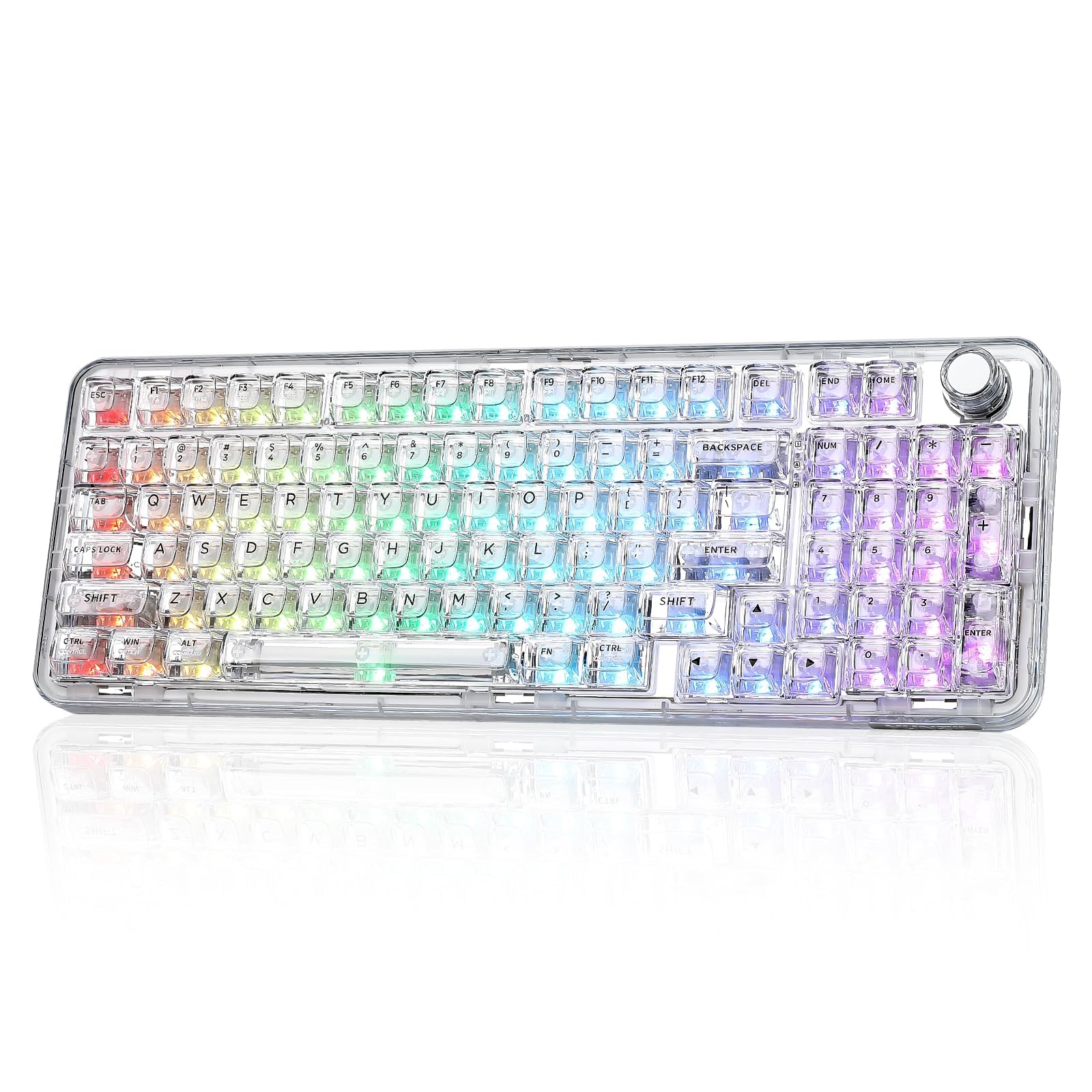
The YUNZII X98 is built for enthusiasts who demand full control over their keyboard’s behavior. Powered by QMK/VIA open-source firmware, every key, macro, and RGB effect — including the volume knob — can be remapped without proprietary bloatware. The pre-lubed Snow linear switches are exceptionally smooth and quiet, producing a creamy acoustic profile that rivals boards costing twice as much. The gasket mount and five-layer dampening stack reduce hollow resonance to nearly zero.
Visually, the X98 is a showpiece. The transparent polycarbonate casing and double-layer clear keycaps allow the south-facing RGB LEDs to create vivid, diffused lighting effects. However, the white font on clear keys becomes nearly illegible under bright or colored backlighting, which is a notable ergonomic downside for typing in the dark. The 96-key layout saves desk space but squeezes the arrow keys and numpad “0” key, requiring an adjustment period for touch-typists.
Tri-mode connectivity works flawlessly across PC, Mac, and mobile devices, and the included dust cover and extra keycaps add nice value. The main drawback is the cramped navigation cluster near the numpad, which can cause accidental presses. If you value deep customization and a clean, quiet typing sound above everything else, the X98 delivers an unmatched enthusiast experience.
Why it’s great
- Full QMK/VIA customization for keymaps and macros
- Pre-lubed Snow switches produce a quiet, creamy sound
- Striking transparent design with vibrant RGB
Good to know
- White legends on clear keys are hard to read at night
- Numpad “0” key and nav cluster feel cramped
- Monotone stock appearance without custom keycaps
4. Cherry MX 3.0S Wired Mechanical Gaming Keyboard
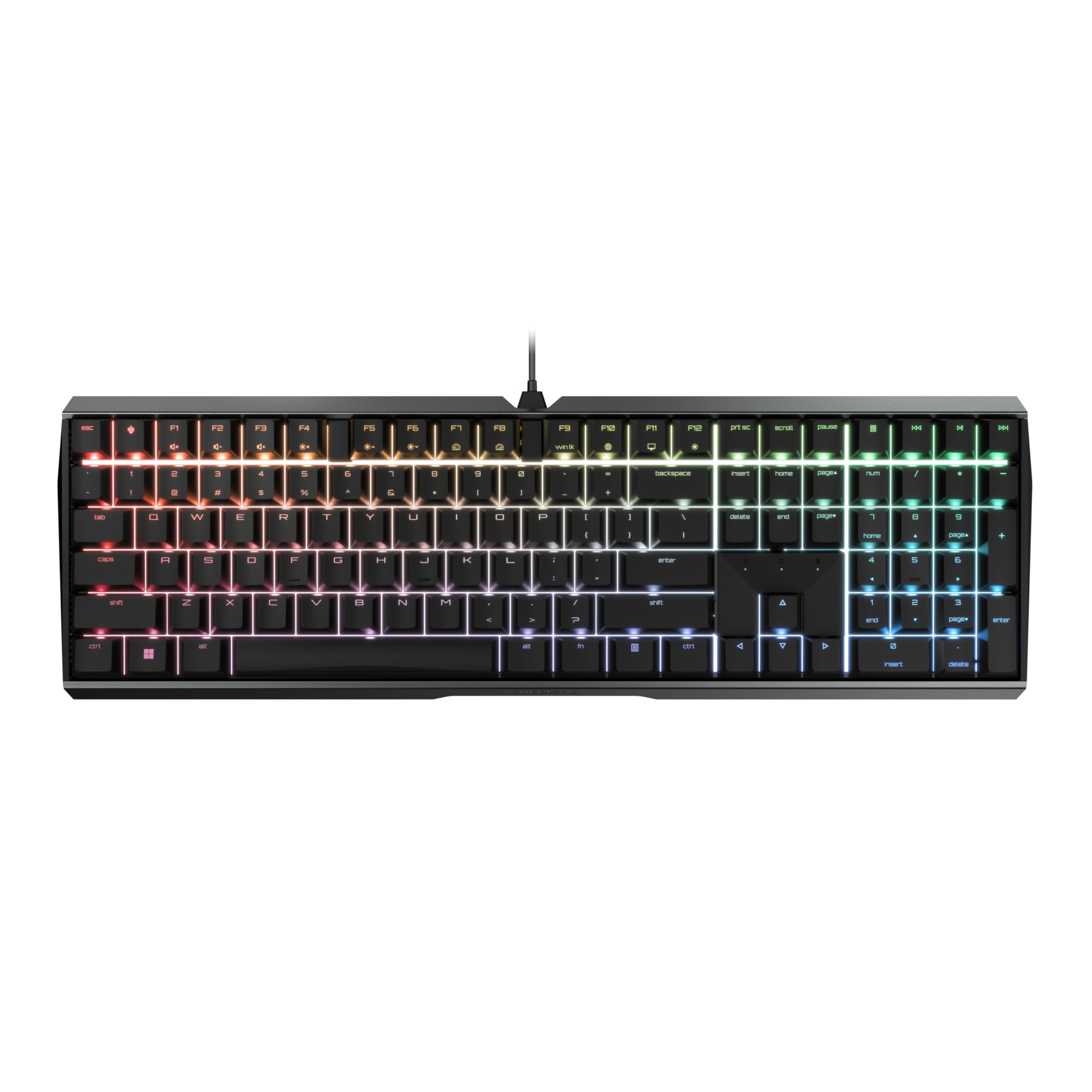
Cherry’s MX 3.0S is the definitive wired option for anyone who values durability and a genuinely quiet mechanical feel. The extruded aluminum housing is screw-free and rock-solid, giving the keyboard a premium heft that anchors it to the desk even during frantic gaming. The MX Silent Red switches are linear with no tactile bump — they produce a soft bottom-out sound that is quieter than most membrane boards while retaining the snappy rebound that mechanical fans crave.
The RGB backlighting offers 16.8 million colors and numerous built-in effects, configurable via the CHERRY UTILITY software. N-key rollover and anti-ghosting are standard, making the 3.0S reliable for competitive play. The detachable USB-A to micro-USB cable is practical for cable management, though the port is outdated compared to USB-C. The NASA-inspired font on the keycaps has been a polarizing point: some find it futuristic and clean, others struggle with readability.
Despite its gaming pedigree, the 3.0S excels in office environments due to the low noise floor and comfortable amphitheater curve. The lack of wireless connectivity and the older micro-USB port are the biggest compromises. If you want a no-compromise wired keyboard built for a decade of silent, responsive typing, the Cherry MX 3.0S is a gold-standard choice.
Why it’s great
- Very quiet Cherry MX Silent Red switches
- Screw-free aluminum housing is immensely durable
- Full NKRO and anti-ghosting for gaming
Good to know
- Divisive NASA-style font on keycaps
- Uses micro-USB instead of modern USB-C
- No wireless connectivity
5. HUO JI E-Yooso Z-99 Creamy Mechanical Keyboard

The HUO JI E-Yooso Z-99 punches well above its price tier by offering a gasket structure and five layers of sound-dampening foam in a budget mechanical package. The pre-lubed linear switches produce a “creamy” typing sound that is significantly quieter than standard clicky or tactile mechanical switches, and the gasket mount reduces the harsh ping and hollow resonance that plagues cheaper boards. For under fifty dollars, the acoustic refinement is genuinely impressive.
The 99-key 96% layout retains a full function row and numpad in a compact footprint, though the “Home/End/Delete” column takes some muscle-memory adjustment. The RGB backlighting offers 15 built-in effects and eight solid color modes, with adjustable brightness and speed. The double-shot PBT keycaps are fade-resistant and feel substantial, while the hot-swappable PCB (compatible with 3- and 5-pin switches) gives you room to upgrade later.
Build quality is solid for the price — the board has some flex but feels reassuringly weighted. The wired-only USB-C connection keeps latency low and eliminates battery anxiety. The main trade-offs are the lack of wireless connectivity and the somewhat cramped right-side cluster. If you want to dip into mechanical keyboards without breaking the bank and need a quiet, creamy typing experience, the Z-99 is the smart entry point.
Why it’s great
- Remarkably quiet and creamy sound for the price
- Hot-swappable PCB with PBT keycaps
- Gasket structure with generous dampening foam
Good to know
- Wired-only connection (no wireless)
- Right-side nav cluster layout takes adjustment
- Plastic case flex under heavy typing
6. Corsair K55 CORE RGB Membrane Gaming Keyboard

The Corsair K55 CORE is a membrane gaming keyboard that proves quiet and responsive keys don’t require a mechanical price tag. The rubber dome switches are dampened to produce a soft, non-clicky sound that is quiet enough for shared living spaces, and the 1,000 Hz polling rate with 12-key rollover ensures no missed inputs during fast-paced play. The ten-zone RGB backlighting, controlled via iCUE software, is vibrant and offers per-zone customization.
Dedicated media keys (volume, playback, mute) and a Win lock button are practical additions that gamers and office workers alike will appreciate daily. The 300 ml spill resistance is a genuine peace-of-mind feature for desks where drinks are always nearby. The included wrist rest is basic but adds comfort for extended sessions, and the compact layout with numpad makes it suitable for both gaming and productivity.
The membrane feel is noticeably softer and less crisp than a mechanical board, which die-hard gamers may find mushy over time. The zone-based RGB (rather than per-key) limits intricate lighting effects, and the non-detachable cable reduces portability. For a budget-friendly, quiet membrane board that handles gaming and typing without waking the house, the K55 CORE gets the job done reliably.
Why it’s great
- Very quiet membrane action suitable for shared spaces
- 300 ml spill resistance protects against accidents
- Dedicated media keys and iCUE software support
Good to know
- Softer, less tactile feel than mechanical alternatives
- Zone-based RGB, not per-key
- Non-detachable cable limits desk management
7. SABLUTE Wireless Keyboard
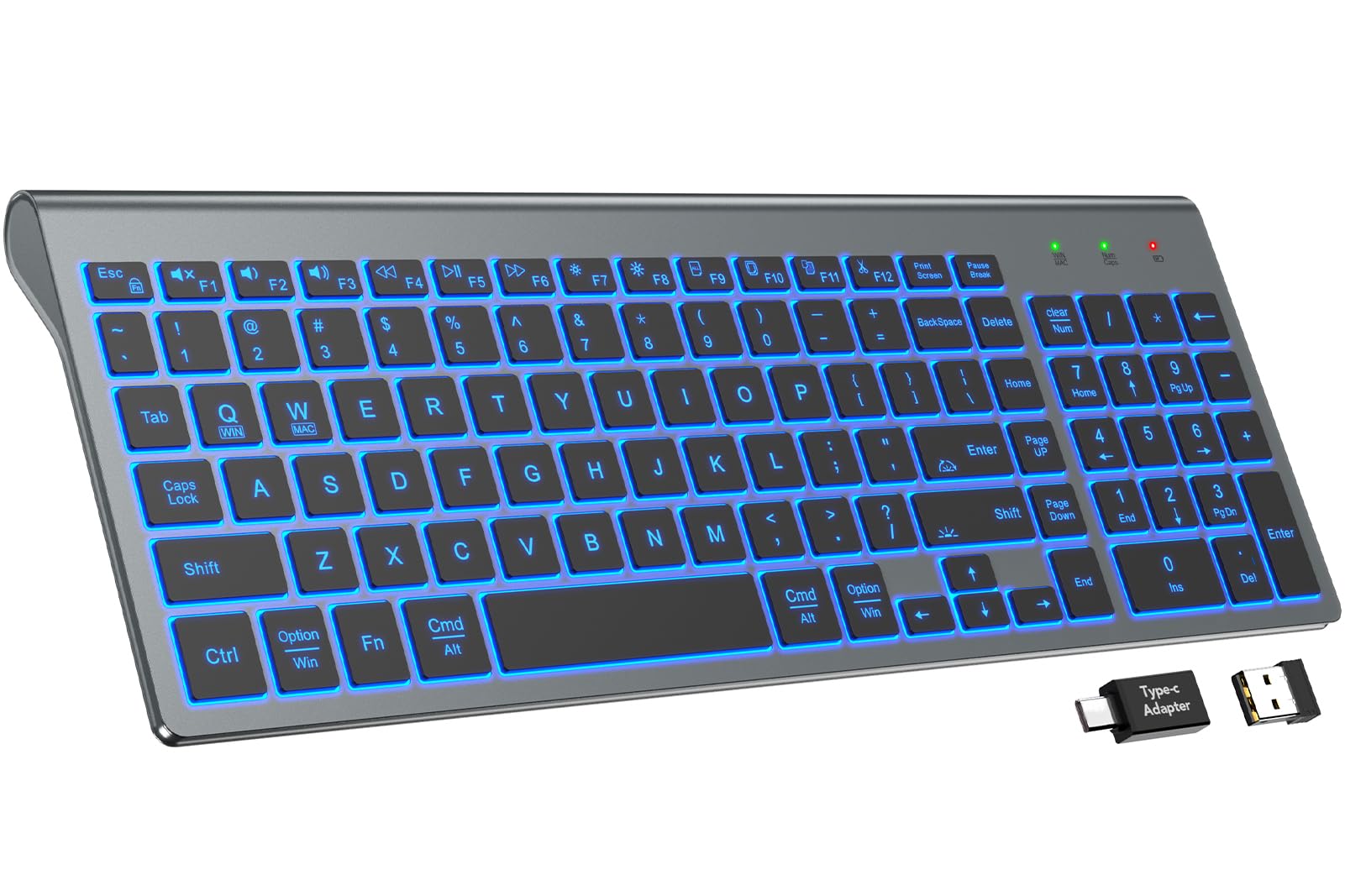
The SABLUTE Wireless Keyboard is the entry-level champion for anyone seeking a backlit, ultra-quiet typing tool on a tight budget. Its scissor-switch keys reduce typing noise by an advertised 95%, producing a laptop-like feel that is genuinely silent — no click, no clatter. The 7-color backlight with three brightness levels is simple but effective, providing enough visibility in dim lighting without the complexity of full RGB. The 1,600 mAh rechargeable battery offers up to 350 hours of runtime with the backlight off, making it a low-maintenance travel companion.
Connectivity is limited to the included 2.4 GHz USB receiver (no Bluetooth), which is a drawback for users with modern laptops that lack USB-A ports. The compact 78% layout saves desk space but cuts the numpad and some navigation keys, which may frustrate data-entry heavy workflows. Setup is truly plug-and-play with Windows, Mac, and Linux, and the 33-foot wireless range covers most living room or home office setups.
Build quality reflects the price — the all-plastic chassis has some flex, and the backlight is dimmer than premium competitors, requiring max brightness for clear legibility. The layout quirks (only one left Control key, column of Home/End/Delete keys) can trip up muscle memory. If you need a dirt-cheap, wireless, silent keyboard for casual typing and the occasional late-night session, the SABLUTE delivers where it counts.
Why it’s great
- Near-silent scissor-switch typing
- Excellent battery life for a budget wireless board
- Compact, lightweight, and easy to carry
Good to know
- 2.4 GHz only — no Bluetooth support
- Backlight is dim at lower brightness levels
- Missing numpad and non-standard key layout
FAQ
Are backlit silent keyboards good for gaming?
How long does the battery last on a wireless backlit silent keyboard?
Can I swap switches on a silent mechanical keyboard later?
Final Thoughts: The Verdict
For most users, the best backlit silent keyboard winner is the Logitech MX Keys S because its near-silent membrane typing, smart proximity backlighting, and seamless multi-device switching cover the widest range of office and home needs. If you want a deeply quiet mechanical feel with phenomenal battery life, grab the AULA F99 Pro. And for full customization and enthusiast-grade build without breaking the bank, nothing beats the YUNZII X98.