
A bare bones computer is the intelligent buyer’s shortcut to a powerful desktop without the retail markup. You skip the decorative plastic, the bloatware, and the premium on a brand-new case, and instead get a business-class machine built for a corporate lifetime. These are the refurbished office workhorses that, once wiped and re-licensed, cost a fraction of their original sticker while delivering identical processing muscle for everyday computing, media streaming, home servers, and light productivity.
I’m Min — the co-founder and writer behind Gadgets Feed. I’ve spent hundreds of hours dissecting the technical specifications of refurbished business desktops and mini PCs, cross-referencing CPU benchmarks, RAM configurations, storage interfaces, and port selections to separate the genuine bargains from the e-waste dressed in a fresh Windows license. This guide pinpoints the models that deliver real performance for the money.
After weeks of research, I’ve identified the nine best candidates for anyone shopping for a bare bones computer that balances price with reliable, everyday performance.
How To Choose The Best Bare Bones Computer
Shopping for a bare bones computer is different from buying a new retail PC. You are selecting a known chassis from a major OEM (Dell, HP, Lenovo) that was typically built for a business or institutional fleet. The key metrics are the generation of the processor, the amount of RAM, the type of storage (SSD vs. HDD), and the available ports — especially making sure you have an HDMI or DisplayPort that works with your monitor.
Processor Generation and Cores
The heart of any bare bones computer is the CPU. A 6th-generation Intel Core i5 (like the i5-6500T) is the baseline for acceptable daily performance. For tasks like web browsing, office suites, and 1080p streaming, a quad-core i5 from the 6th or 7th generation is plenty. If you plan to run a home server or do light video editing, stepping up to a 7th-gen i7 (like the i7-7700) with its higher clock speeds and better integrated GPU is a worthwhile jump.
RAM and Storage: SSD is Non-Negotiable
8GB of DDR4 RAM is the absolute minimum for Windows 11 to function without painful lag. 16GB is the sweet spot, allowing you to keep dozens of browser tabs open alongside office apps. On the storage front, a Solid State Drive (SSD) is mandatory. An old-school Hard Disk Drive (HDD) will make any computer, even one with a fast processor, feel sluggish. A 240GB or 256GB SSD is a great start for the OS and essential programs.
Form Factor and Port Selection
Bare bones computers come in three main shapes: the Tiny/Mini (about the size of a book), Small Form Factor (SFF, a small pizza box), and Tower (a full upright case). The tiny PCs are great for media centers and space-saving desks but often lack internal expansion. The SFF and Tower models offer room for a dedicated GPU or extra hard drives. Regardless of the size, ensure the unit has the right video output for your monitor. Many refurbished business machines use DisplayPort, not HDMI, so you might need a simple adapter.
Quick Comparison
On smaller screens, swipe sideways to see the full table.
| Model | Category | Best For | Key Spec | Amazon |
|---|---|---|---|---|
| GEEKOM IT 13 | Mini PC | AI & Creative Pro | Intel Ultra 7, 32GB DDR5 | Amazon |
| HP 22 All-in-One | All-in-One | All-in-One Simplicity | 13th Gen N100, 8GB DDR5 | Amazon |
| HP Elite Desktop PC | Full Bundle | Complete Starter Kit | 22″ 1080p Monitor, 1TB HDD | Amazon |
| KAMRUI Essenx E1 | Mini PC | Compact Daily Driver | AMD 3150U, Dual 4K Output | Amazon |
| Dell OptiPlex 5050 SFF | SFF Desktop | Home Server & Power | i7-7700, 512GB NVMe SSD | Amazon |
| Dell OptiPlex 7050 Micro | Mini PC | 4K Media Center | 16GB RAM, 256GB SSD | Amazon |
| Dell Optiplex 7010 Package | Full Desktop | Backup Family PC | 19″ LCD, 500GB HDD | Amazon |
| HP EliteDesk 800 G2 | Mini PC | Linux & Light Office | i5-6500T, 16GB RAM | Amazon |
| Lenovo ThinkCentre M710q | Tiny PC | HAOS & Entry-Level | 6th Gen i3, 256GB SSD | Amazon |
In‑Depth Reviews
1. GEEKOM IT 13 Mini PC
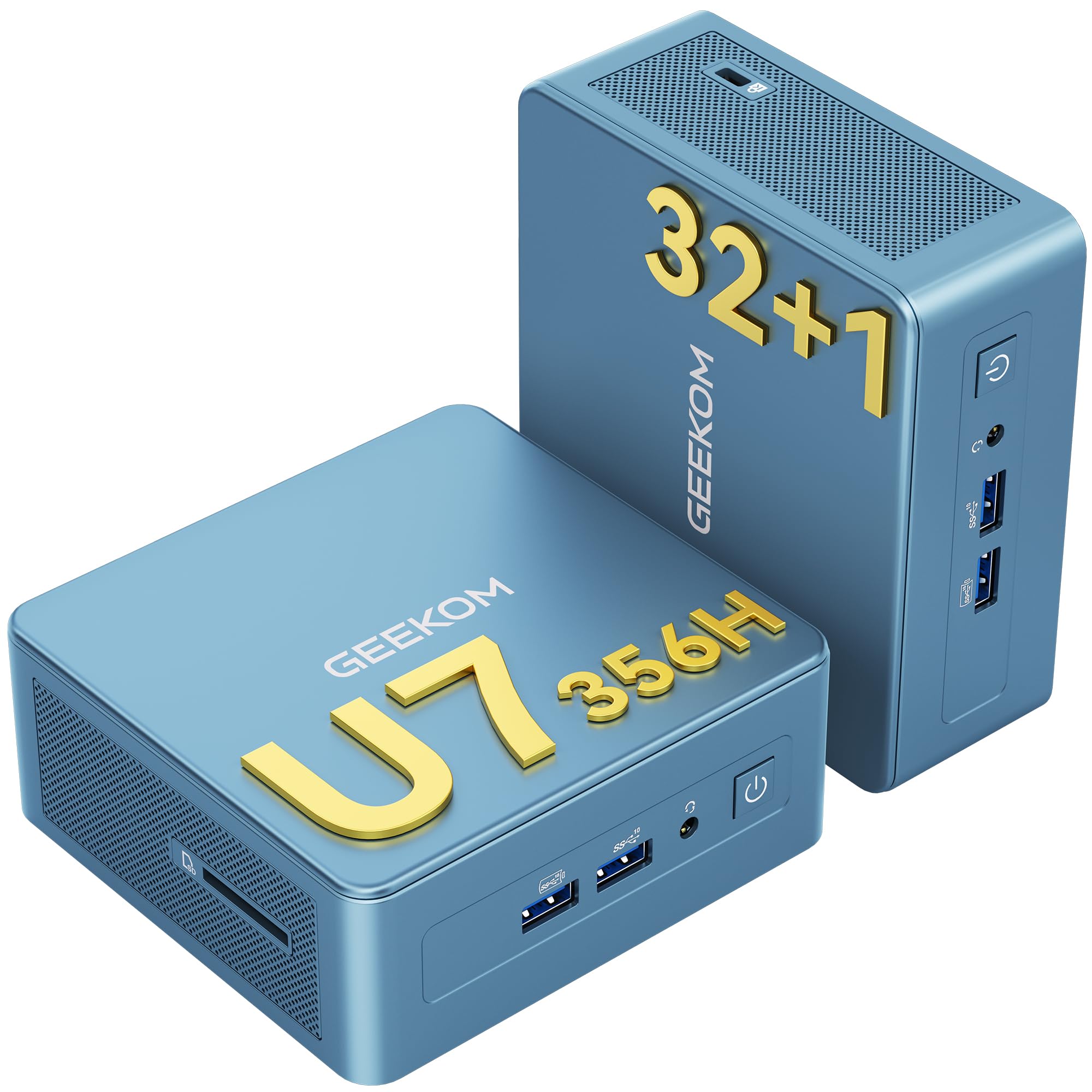
The GEEKOM IT 13 is a top-tier mini PC that redefines what a bare bones computer can be. Its Intel Core Ultra 7 processor, with its dedicated AI engine delivering up to 40 TOPS, handles local AI tasks, 4K video editing, and even AAA gaming at playable settings with the integrated Intel Arc Graphics. The 32GB of DDR5 RAM and 1TB NVMe SSD provide a workstation-level experience from a chassis that can be VESA-mounted behind a monitor.
Connectivity is future-proofed with Wi-Fi 7, Bluetooth 5.4, and dual 2.5GbE LAN ports, making it ideal for a command center or a high-speed home server. The IceBlast cooling system is designed for 24/7 reliability, and the PC+ABS and metal frame construction feels substantial. Users report lightning-fast boot times and effortless multitasking, though the fan can become audible under sustained load.
This is not a budget machine; it is a professional-grade workstation in a tiny form factor. The GEEKOM IT 13 is for the user who needs serious computing power—from software development to content creation—and wants it in the smallest possible footprint. The premium price is justified by the cutting-edge components and a 3-year warranty.
Why it’s great
- Blazing fast performance with Intel Core Ultra 7 and 32GB DDR5.
- Excellent port selection including USB4 and dual 2.5GbE.
- Supports 8K display output and AI workloads.
Good to know
- Fan can be noisy under heavy load.
- Premium price point well above other bare bones options.
2. HP 2025 22″ FHD All-in-One Desktop Computer

The HP All-in-One is the ultimate plug-and-play solution for someone who doesn’t want to deal with cables and separate components. The 21.5-inch 1080p display is integrated directly into the chassis, and the entire system is powered by the efficient 13th Gen Intel N100 quad-core processor. With 8GB of modern DDR5 RAM and a 128GB SSD, this machine is snappy for web browsing, office work, and video calls.
This unit includes a built-in HD webcam with a privacy shutter, dual stereo speakers, and a clean, anti-glare display. The port selection is surprisingly generous for an all-in-one, featuring USB-C, HDMI-out, and Wi-Fi 6. Users highlight the incredibly easy setup—taking it out of the box and having it running in minutes—making it perfect for non-technical family members or a home office where space is at a premium.
While the N100 processor is not a powerhouse for heavy computation or gaming, it is more than capable for 90% of home and office tasks. The all-in-one design eliminates the tower entirely, creating a clean, minimalist workspace. For the buyer who values simplicity and a complete package, this is the most sensible choice.
Why it’s great
- Zero setup hassle with integrated monitor and simple cables.
- Modern DDR5 RAM and Wi-Fi 6 for snappy everyday performance.
- Space-saving design with a built-in webcam and privacy shutter.
Good to know
- Limited storage at 128GB may require an external drive.
- Not suitable for gaming or demanding software.
3. HP Elite Desktop Computer PC

The HP Elite Desktop bundle is designed for someone who wants everything at once: the computer, a new 22-inch 1080p LED monitor, a full-size keyboard and mouse, and even RGB speakers. The core system is powered by an Intel Core i5 processor with 16GB of RAM, which is a very capable configuration for multitasking. The 1TB HDD offers ample storage for a large media library, though it will feel slower than an SSD for boot times.
The inclusion of a 75Hz IPS monitor with a nearly bezel-less design is a genuine highlight, providing a modern computing experience. The RGB peripherals give the setup a gaming aesthetic, though buyers should not mistake this for a gaming rig. Users report that the computer handles everyday tasks like browsing, streaming, and office work with ease, and the fans are much quieter than expected from a refurbished tower.
This package is ideal for a student moving into a dorm or someone setting up a home office from scratch. It removes the guesswork of picking compatible parts. Be aware that the included keyboard’s backlight may not always function, and the internet setup can be finicky for some. For the money, you get a complete, functional desktop environment.
Why it’s great
- Comes with a new 22-inch 1080p IPS monitor included in the box.
- 16GB of RAM for smooth multitasking and many open tabs.
- Includes RGB keyboard, mouse, and speakers for a complete setup.
Good to know
- 1TB hard drive is slower than an SSD for loading programs.
- Keyboard backlight issues reported by some users.
4. KAMRUI Essenx E1 Mini PC
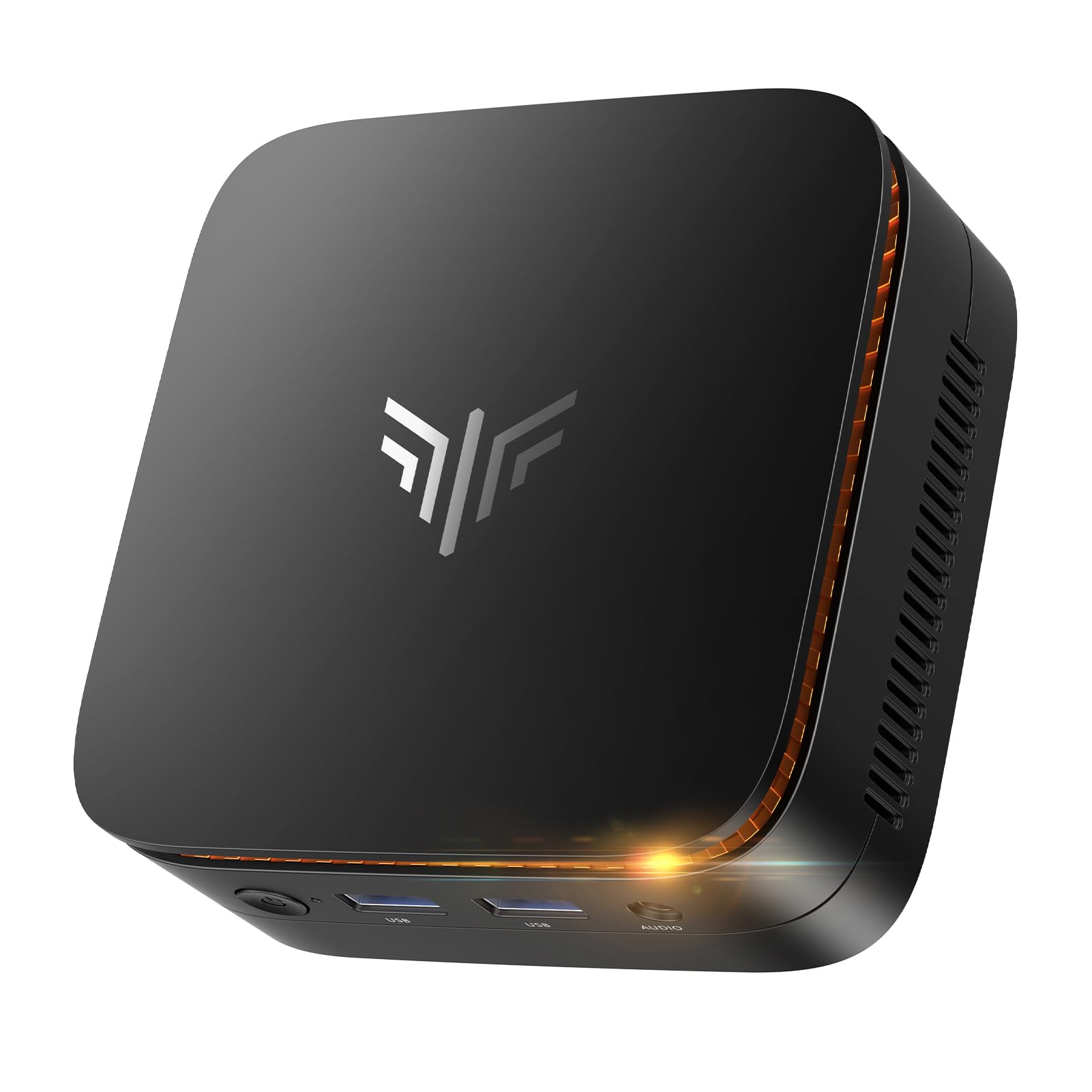
The KAMRUI Essenx E1 is a new mini PC that brings modern connectivity to the bare bones computer space. Powered by the AMD Athlon Gold 3150U processor, it competes directly with Intel i3 offerings from recent years. The 8GB of DDR4 RAM and 256GB M.2 SSD are standard, but the real highlight is the ability to drive two 4K displays simultaneously via HDMI 2.0 and DisplayPort 1.4, making it a fantastic compact media center or office workstation.
This unit features an impressive array of four USB 3.2 ports, Gigabit Ethernet, and dual-band Wi-Fi 5. It is built for 24/7 operation with a smart cooling fan and supports Auto Power-On and Wake-on-LAN. Users praise its plug-and-play simplicity and the fact that it stays cool and quiet under normal use. The inclusion of a VESA mount allows it to be hidden behind a monitor, creating an ultra-clean desk setup.
For a home user looking for a cheap, modern, and capable machine, the KAMRUI is a strong contender. It excels as a daily driver for web work, streaming, and light productivity. The integrated AMD Radeon graphics outperform basic Intel UHD solutions by a decent margin. The audio quality from the headphone jack is a known weak point, but for the price, this is a minor compromise.
Why it’s great
- Supports dual 4K display output for a high-resolution workspace.
- Modern, compact design with a VESA mount included.
- Fast performance for its class with AMD Radeon graphics.
Good to know
- Headphone jack may have ground loop noise.
- Limited to 8GB of RAM, non-upgradeable on some configurations.
5. Dell OptiPlex 5050 SFF

The Dell OptiPlex 5050 in its Small Form Factor (SFF) chassis offers a serious performance bump over entry-level models thanks to the Intel Core i7-7700 processor. This quad-core chip can boost up to 4.2 GHz, providing the snappy responsiveness needed for more demanding tasks like compiling code or running a virtual machine. The 16GB of DDR4 RAM and a 512GB NVMe SSD make this a very well-rounded machine out of the box.
The SFF case is larger than a tiny PC but smaller than a tower, giving it room for an optical drive and a bit of internal expansion. This makes it a favorite for users who want to turn it into a home server or a dedicated Linux machine. Customers report it runs fast and cool, and many have successfully installed Debian or Linux Mint as a primary operating system. The included keyboard and mouse are described as serviceable but basic.
This is the right choice for the tinkerer or the home lab enthusiast. The Core i7 processor and NVMe storage provide a level of performance that justifies the higher price in the mid-range tier. If your goal is a headless server that can transcode video or a secondary PC for heavy multitasking, this Dell model delivers exceptional value. The built-in Wi-Fi may not be recognized by all Linux distros, so a wired connection or a USB dongle is a safe backup plan.
Why it’s great
- Powerful Core i7-7700 processor for higher-end tasks.
- Fast 512GB NVMe SSD for excellent boot and load times.
- Good size for a home server with some internal expansion options.
Good to know
- Included keyboard and mouse are low quality.
- Onboard Wi-Fi may not be compatible with all Linux distributions.
6. Dell OptiPlex 7050 Micro

The Dell OptiPlex 7050 Micro is a tiny powerhouse that prioritizes a small footprint without sacrificing core performance. Featuring the Intel Core i5-6500T with 16GB of DDR4 RAM and a 256GB SSD, this combination is ideal for a home office or as a flawless 4K media streaming device. It natively supports dual 4K displays via its HDMI and DisplayPort outputs, which is a significant advantage over many other budget mini PCs.
The unit comes with a USB keyboard and mouse, and its rear I/O is well-stocked with six USB 3.0 ports. Users have found it to be a fantastic home server or a dedicated TV streaming box, noting that it handles 4K video with ease. Some users report that the fan can be noisy out of the box, but this is easily remedied by setting a passive cooling profile in the BIOS or limiting the CPU power to 70%.
This is a solid choice for anyone who values a tiny footprint and high-quality video output. Its ability to be VESA-mounted makes it disappear behind a monitor. The 16GB of RAM ensures that it won’t feel slow for years to come. The lack of built-in Bluetooth is a minor oversight, but a cheap USB dongle solves that problem. For a simple, reliable, and compact work or media machine, this is a top pick.
Why it’s great
- Natively supports dual 4K display output.
- 16GB of RAM and an SSD for a snappy experience.
- Ultra-compact, VESA-mountable form factor.
Good to know
- No built-in Bluetooth; requires a USB adapter.
- Fan can be noisy and may require a BIOS tweak to run silently.
7. Dell Desktop Computer Package (Optiplex 7010)

The Dell Optiplex 7010 package is the classic “family computer” bundle that includes everything needed to get started: the desktop tower, a 19-inch LCD monitor, keyboard, mouse, and Wi-Fi. The core specs are an Intel Quad-Core i5 processor with 8GB of RAM and a 500GB HDD. This is an entry-level configuration, perfectly suited for basic web browsing, email, and online shopping.
The value here is in the convenience of the complete package. It comes with a new installation of Windows 11 Pro, and the included DVD drive is a rare bonus for those who still use physical media. User reviews are mixed, with many praising it as a great backup computer for kids, but others reporting issues with missing or defective cables (specifically the DVI cable for the monitor). The hard drive is a definite bottleneck, making the system feel much slower than any SSD-equipped machine.
This package is a viable option for a very tight budget where the absolute lowest price is the only consideration. If you have a monitor already, you might be better served by a mini PC with an SSD. However, for a non-technical user who needs a complete setup delivered as one box, this Dell delivers. Be prepared to potentially replace the monitor cable and expect slow boot times.
Why it’s great
- Truly complete package with monitor, keyboard, and mouse.
- Includes a DVD drive, which is hard to find on modern PCs.
- Good price for an all-in-one desktop solution.
Good to know
- Slow 500GB HDD is a major performance bottleneck.
- Included monitor and cables can be low quality or defective.
- Not suitable for any kind of gaming or heavy tasks.
8. HP EliteDesk 800 G2 Mini

The HP EliteDesk 800 G2 Mini is the go-to bare bones computer for the Linux community and home lab enthusiasts. Its Intel Core i5-6500T processor and 16GB of DDR4 RAM provide a smooth experience for productivity tasks and running server applications. The 240GB SSD is adequate for the OS and essential programs. It is remarkably quiet in operation, with users describing it as “stone cold quiet” for office work.
A key feature for its popularity is the sheer number of I/O ports: 7 USB ports including a front USB-C, plus two DisplayPort outputs. This flexibility makes it easy to connect multiple peripherals. Many customers use it as a dedicated Linux server for Umbrel (a Bitcoin node) or as a fast basic desktop after upgrading the storage. The internal Wi-Fi and Bluetooth are present, but the antennas are often missing from the refurbished unit, so a USB Wi-Fi dongle is a common addition.
This is an excellent choice if you plan to run Linux or need a cheap, quiet, and capable machine for a specific project. The Core i5 paired with 16GB of RAM is a fantastic combination that handles multi-tab browsing and office suites with ease. The primary drawback is the limitation of the CPU, which prevents an official upgrade to Windows 11 (though a simple registry workaround is widely available). For its intended use as a Linux box or a secondary Windows PC, it is a stellar deal.
Why it’s great
- Remarkably quiet operation for a mini PC.
- Excellent I/O including a front USB-C port.
- Ideal for Linux installs and home server projects.
Good to know
- CPU is not officially supported for Windows 11 upgrade.
- Wi-Fi and Bluetooth antennas are often not included.
9. Lenovo ThinkCentre M710q Tiny
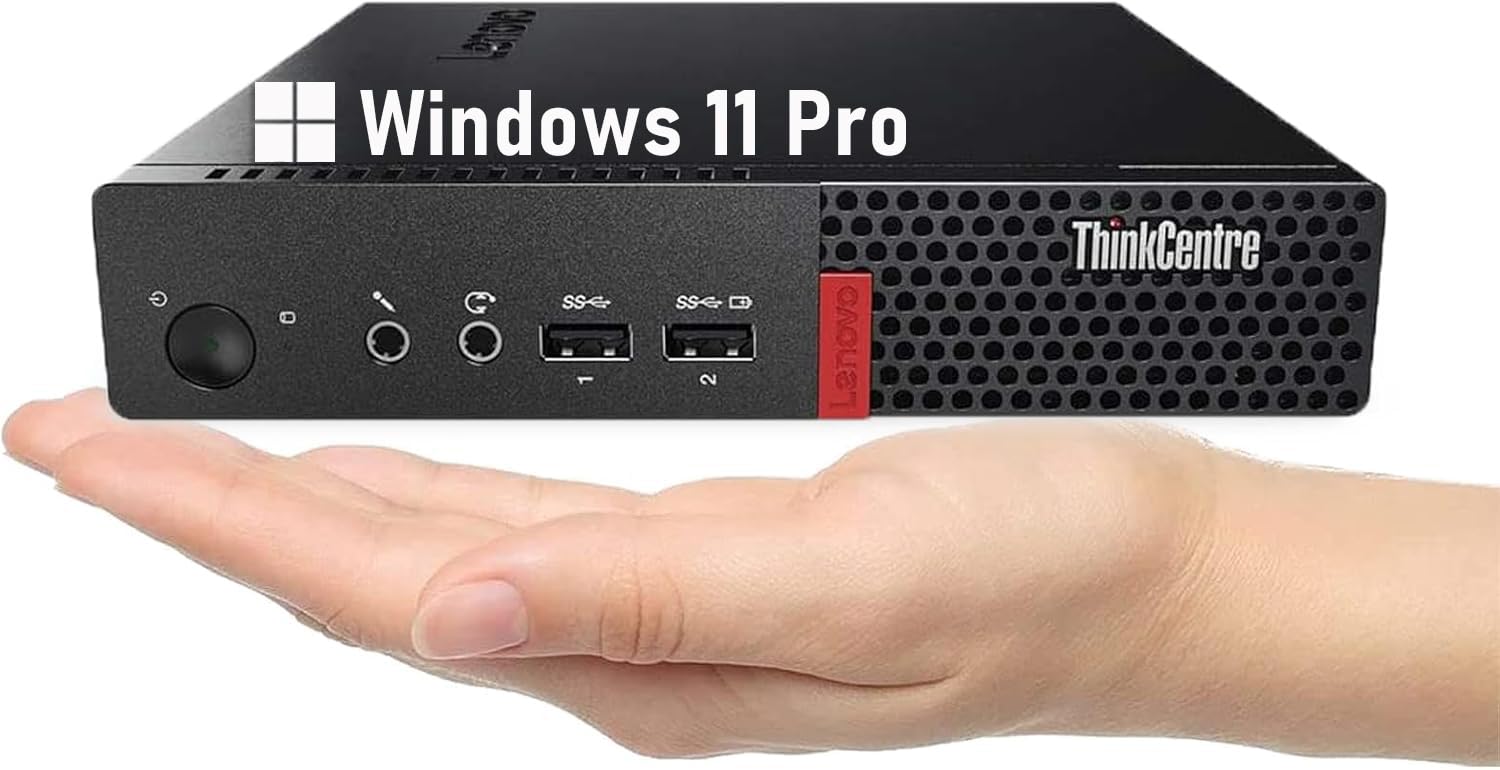
The Lenovo ThinkCentre M710q Tiny is a pure entry-level bare bones computer. It comes with a 6th Gen Intel Core i3-6100T, 8GB of DDR4 RAM, and a 256GB SSD. This is the minimum viable spec for a functional Windows 11 machine, suitable for basic web browsing, document editing, and streaming. The inclusion of an SSD is critical; it makes this i3 machine feel faster in daily use than any older i5 or i7 with a traditional hard drive.
Its form factor is exceptionally small, about the size of a hardcover book. It comes with a keyboard and mouse, and runs Windows 11 Pro. User feedback highlights its role as a perfect low-cost platform for Home Assistant OS (HAOS) due to its low power consumption and reliable hardware. The main catch is the video output: it relies on DisplayPort, so you will need an adapter or a compatible monitor. There is no HDMI port, which can be a surprise for some buyers.
This Lenovo is the cheapest entry point into a reliable, name-brand, SSD-equipped computer. It is not fast, and the 8GB of RAM will be consumed quickly if you use Chrome, but it is stable and perfectly functional for a single user with modest needs. If your budget is extremely tight and you just need a computer that works for email and YouTube, this is the one. The lack of HDMI is a real annoyance that adds friction to the setup process.
Why it’s great
- Very low price for a name-brand computer with an SSD.
- Extremely small and compact form factor.
- Runs Windows 11 Pro and Home Assistant OS well.
Good to know
- Uses DisplayPort only; no HDMI output.
- 8GB of RAM is the bare minimum for modern multitasking.
- Core i3 is noticeably slower than i5 options for multi-core work.
FAQ
Can a bare bones computer work as a home server?
Do I need a separate license for Windows on a bare bones computer?
Final Thoughts: The Verdict
For most users, the bare bones computer winner is the Dell OptiPlex 7050 Micro because it offers the perfect balance of a tiny footprint, 16GB of RAM, a fast SSD, and native dual 4K display support for an unbeatable price in the mid-range. If you want a complete, ready-to-go system with a monitor, grab the HP All-in-One. And for the highest performance for demanding tasks, nothing beats the GEEKOM IT 13.