
Our readers keep the lights on and my morning glass full of iced black tea. As an Amazon Associate, I earn from qualifying purchases.
A 15.6-inch laptop hits the sweet spot between a cramped 13-inch screen and a desktop-replacement 17-inch monster. You get a full-sized keyboard with a dedicated number pad, enough screen real estate to keep multiple windows side-by-side, and a chassis that still fits in most standard backpacks. The challenge is sorting through the processor generations, RAM configurations, and storage types to find the one that actually matches your workload without wasting money on flashy specs you’ll never use.
I’m Min — the co-founder and writer behind Gadgets Feed. I’ve spent countless hours cross-referencing benchmark data, port selections, battery capacity claims, and real user feedback to pinpoint which 15.6-inch notebook computers deliver on their promises for students, remote workers, and creative professionals alike.
Whether you need a budget-friendly companion for lecture notes or a high-performance machine for video editing and AI-assisted workflows, this guide breaks down the essential specs and trade-offs to help you choose the right 15.6 inch notebook computer for your specific daily demands.
How To Choose The Best 15.6 Inch Notebook Computer
Picking the right 15.6-inch notebook comes down to matching the internal hardware with your daily workflow. A processor with enough cores, sufficient RAM to keep browser tabs alive, and fast storage for quick boot-ups are the three pillars that define real-world speed. Below are the critical specs to evaluate before you buy.
CPU Generation and Core Count
The processor is the brain of your notebook. Intel’s 13th-gen (Raptor Lake) and AMD’s Ryzen 7000-series offer significant gains in efficiency over older generations. Look for at least 8 cores if you frequently run virtual machines, compile code, or edit high-resolution video. For standard office tasks and web browsing, a 4-6 core chip like the Intel Core i5-1334U or AMD Ryzen 5 7320U provides plenty of responsiveness without draining your battery.
RAM: 8GB Is the Floor, 16GB Is the Standard
Windows 11 alone consumes around 4-5GB of RAM at idle. That leaves very little headroom for multitasking with an 8GB machine. A 16GB configuration allows you to keep a dozen browser tabs, a word processor, and communication apps like Slack or Teams running simultaneously without stuttering. Power users running development environments or virtual desktops should target 32GB. Avoid models with soldered, non-upgradeable RAM unless you are certain you will never need more.
Storage Type and Capacity
eMMC storage is slow and best avoided for primary use. A PCIe NVMe SSD is non-negotiable for snappy boot times, app launches, and file transfers. Aim for at least 256GB if you work mostly in the cloud, and 512GB or 1TB if you store media files, software, or games locally. Many notebooks offer an extra M.2 slot or a 2.5-inch bay for future expansion — a valuable feature for extending the laptop’s usable lifespan.
Quick Comparison
On smaller screens, swipe sideways to see the full table.
| Model | Category | Best For | Key Spec | Amazon |
|---|---|---|---|---|
| GEEKOM GeekBook X16 Pro | Premium | Power creators & multitaskers | Ultra 9 185H / 32GB LPDDR5x | Amazon |
| Microsoft Surface Laptop (2024) | Premium | Eco-system loyalists & battery life | Snapdragon X Elite / 16GB RAM | Amazon |
| Lenovo IdeaPad 15.6″ | Mid-Range | Heavy storage & multitasking | 40GB RAM / 2TB SSD | Amazon |
| HP 15 Touchscreen (i7) | Premium | Light creative work & touch input | Intel i7-1355U / 16GB RAM | Amazon |
| HP 15 Laptop (i5 / 32GB) | Premium | Business users needing 32GB | 32GB RAM / 1TB SSD | Amazon |
| Samsung Galaxy Book4 | Mid-Range | Reliable daily driver | Intel Core 7-150U / 16GB RAM | Amazon |
| Dell 15 Touchscreen | Mid-Range | Touchscreen productivity | 20GB RAM / 512GB SSD | Amazon |
| Acer Aspire Go 15 (Ryzen 7) | Mid-Range | Performance on a budget | AMD Ryzen 7 7730U / 16GB RAM | Amazon |
| NIMO 15.6″ | Mid-Range | Features & fast charging | AMD Ryzen 5 / 16GB RAM | Amazon |
| Acer Aspire Go 15 (Ryzen 3) | Budget | Entry-level browsing & office | AMD Ryzen 3 7320U / 8GB RAM | Amazon |
| Jumper 15.6″ | Budget | Extreme budget office work | 12GB RAM / 640GB storage | Amazon |
In‑Depth Reviews
1. GEEKOM GeekBook X16 Pro

The GeekBook X16 Pro is a statement piece in the 15.6-inch space—though technically a 16-inch model, its 16:10 aspect ratio and ultra-slim 0.27-inch profile make it the benchmark for premium portable productivity. The Intel Core Ultra 9 185H with 16 cores and 22 threads delivers desktop-grade performance for compiling code, rendering timelines, or running multiple virtual machines. The 32GB of LPDDR5x RAM at 7500MHz and 2TB PCIe Gen4 SSD mean there is zero compromise on multitasking or storage speed.
The display is a standout: a 2.5K IPS panel with 100% sRGB coverage and a 120Hz refresh rate. Scroll-heavy workflows like spreadsheet navigation and timeline scrubbing feel noticeably smoother than standard 60Hz panels. The 77Wh battery pushes up to 17 hours of mixed use, and the 65W GaN charger brings it from zero to 80% in about an hour. At just 2.8 pounds, this is a machine you carry all day without fatigue.
The IceBlade 2.0 cooling system with dual fans and two heat pipes keeps thermals in check even during sustained loads. Some users report fan noise under heavy rendering, but the chassis remains cool to the touch. The 40Gbps USB4 port with DisplayPort 2.1 support lets you drive dual 4K external monitors, making this a legitimate desktop-replacement candidate that fits in a backpack.
Why it’s great
- Unmatched CPU performance with dedicated NPU for AI tasks
- 120Hz 2.5K display in a 2.8-pound magnesium alloy chassis
- 40Gbps USB4 for high-speed connectivity
Good to know
- RAM is soldered and non-upgradeable
- Touchpad click is stiff at the top corners
2. Microsoft Surface Laptop (2024)

Microsoft’s 2024 Surface Laptop marks a bold architectural shift with the Snapdragon X Elite (12-core) ARM processor. This chip delivers exceptional efficiency—up to 20 hours of battery life in real-world usage—while matching the MacBook Air M3 in raw CPU throughput. The 15-inch PixelSense touchscreen is among the best in class, with bright HDR support, slim bezels, and excellent color accuracy for photo editing and design work.
The chassis retains the iconic premium Surface feel: a precision-machined aluminum body with a zero-hinge design that feels incredibly solid. The 16GB RAM and 1TB SSD configuration provides ample headroom for productivity apps, creative suites, and AI-powered Copilot+ features that run locally on the NPU. The keyboard is arguably the best in any Windows laptop, with deep key travel and a responsive haptic touchpad.
The primary trade-off is software compatibility. The ARM architecture means some x64 applications—particularly certain development tools, VM software like VMware, and older games—may not run natively. Most everyday apps work through emulation, but power users should verify their specific toolchain before committing. For those living within the modern app ecosystem, the battery life and build quality are unmatched in the 15.6-inch category.
Why it’s great
- Exceptional 20-hour battery life
- Best-in-class keyboard and haptic touchpad
- Brilliant PixelSense touchscreen display
Good to know
- ARM architecture may break x64 app compatibility
- RAM and storage are non-upgradeable after purchase
3. Lenovo IdeaPad 15.6″ FHD Touchscreen

The Lenovo IdeaPad takes a no-compromise approach to memory and storage, packing 40GB of DDR4 RAM and a 2TB SSD into a sub- package. This configuration is a dream for power users running memory-hungry applications like large spreadsheet models, virtual development environments, or extensive photo libraries. The 15.6-inch FHD anti-glare display with a narrow bezel keeps the form factor surprisingly compact for the hardware inside.
The Intel Core i5 (12th Gen, 10 cores) handles daily multitasking with ease, and the Intel Iris Xe graphics provide enough punch for light 1080p gaming and video editing. The inclusion of a dedicated number pad, camera privacy shutter, and dual array microphones make it a natural fit for remote work and online classes. The bundle also includes a 512GB docking station set and PLUSERA earphones—practical additions that reduce friction.
Battery life sits around the 10-hour mark with light usage, though heavy multitasking pulls that down to about 6 hours. Some users note that the plastic chassis feels less premium than aluminum competitors, but the durability track record is solid. The SD card reader and USB-C connectivity make it easy to expand your peripheral setup without a dongle.
Why it’s great
- Massive 40GB RAM and 2TB storage capacity
- Anti-glare display with narrow bezel design
- Includes Microsoft Office license and accessories
Good to know
- Chassis feels less rigid than metal builds
- Battery life tapers under sustained heavy load
4. HP 15 Touchscreen Business Laptop (i7)

The HP 15 Touchscreen brings the 13th-gen Intel Core i7-1355U (10 cores, up to 5.0GHz) to a thin and light silvers chassis, backed by 16GB of RAM and a 512GB PCIe SSD. The 15.6-inch FHD IPS touchscreen is responsive and bright, making it easy to navigate presentations, zoom into documents, or sketch quick notes. Integrated Intel Iris Xe graphics handle 4K video playback without stuttering and can push medium settings on lighter titles.
At 3.52 pounds and 0.73 inches thin, this is one of the more portable 15.6-inch options. HP Fast Charge reaches 50% in 45 minutes, which is convenient for users who move between meeting rooms. The port selection is generous, including USB-C, USB-A, HDMI, and a headphone jack—no dongle needed for a standard external monitor setup. Wi-Fi 6 and Bluetooth 5.3 keep connections snappy and stable.
Battery life is the weak link here. HP rates it at 7 hours and 45 minutes, but real-world testing with screen brightness around 50% and web browsing typically yields closer to 5.5 hours. This machine works best when you have regular access to an outlet. The touchscreen coating can show fingerprints, but a quick wipe solves the issue. For users who prioritize touch input and a powerful processor, this is a solid mid-premium buy.
Why it’s great
- Strong 10-core i7 processor for demanding workloads
- Intuitive touchscreen display with solid color reproduction
- Includes Copilot AI assistant for productivity tasks
Good to know
- Real-world battery life is below 6 hours
- Touchscreen attracts noticeable smudging
5. HP 15 Laptop (i5 / 32GB RAM)

This configuration of the HP 15 is all about memory. With 32GB of DDR4 RAM and a 1TB PCIe Gen4 SSD, it is tailor-made for power users who juggle multiple virtual machines, heavy data analysis, or content creation workflows. The Intel Core i5-1334U (10 cores, up to 4.6GHz) provides more than enough grunt for these tasks, and the Intel Iris Xe graphics handle dual-display setups through the HDMI 1.4b port comfortably.
The 15.6-inch FHD micro-edge display is a standard anti-glare panel rather than a high-color-gamut screen, so photo editors may want to calibrate externally. The numeric keypad is a welcome addition for data entry work, and the 10-hour stated battery life holds up reasonably well under medium load. HP Fast Charge is included, so you can top up during short breaks.
The laptop comes with Windows 11 Pro, which includes BitLocker encryption and remote desktop capabilities—features typically reserved for business-tier machines. The third-party reseller that upgrades the RAM also provides a separate three-year warranty on the upgraded components. It is not the most glamorous chassis, but for those who need 32GB of RAM without jumping to workstation pricing, this is a pragmatic and powerful choice.
Why it’s great
- 32GB RAM handles extreme multitasking with ease
- Windows 11 Pro with full business security features
- 10-hour battery life is reliable for a full workday
Good to know
- Display is average brightness and color accuracy
- Chassis is plastic-based, not premium aluminum
6. Samsung Galaxy Book4 Laptop
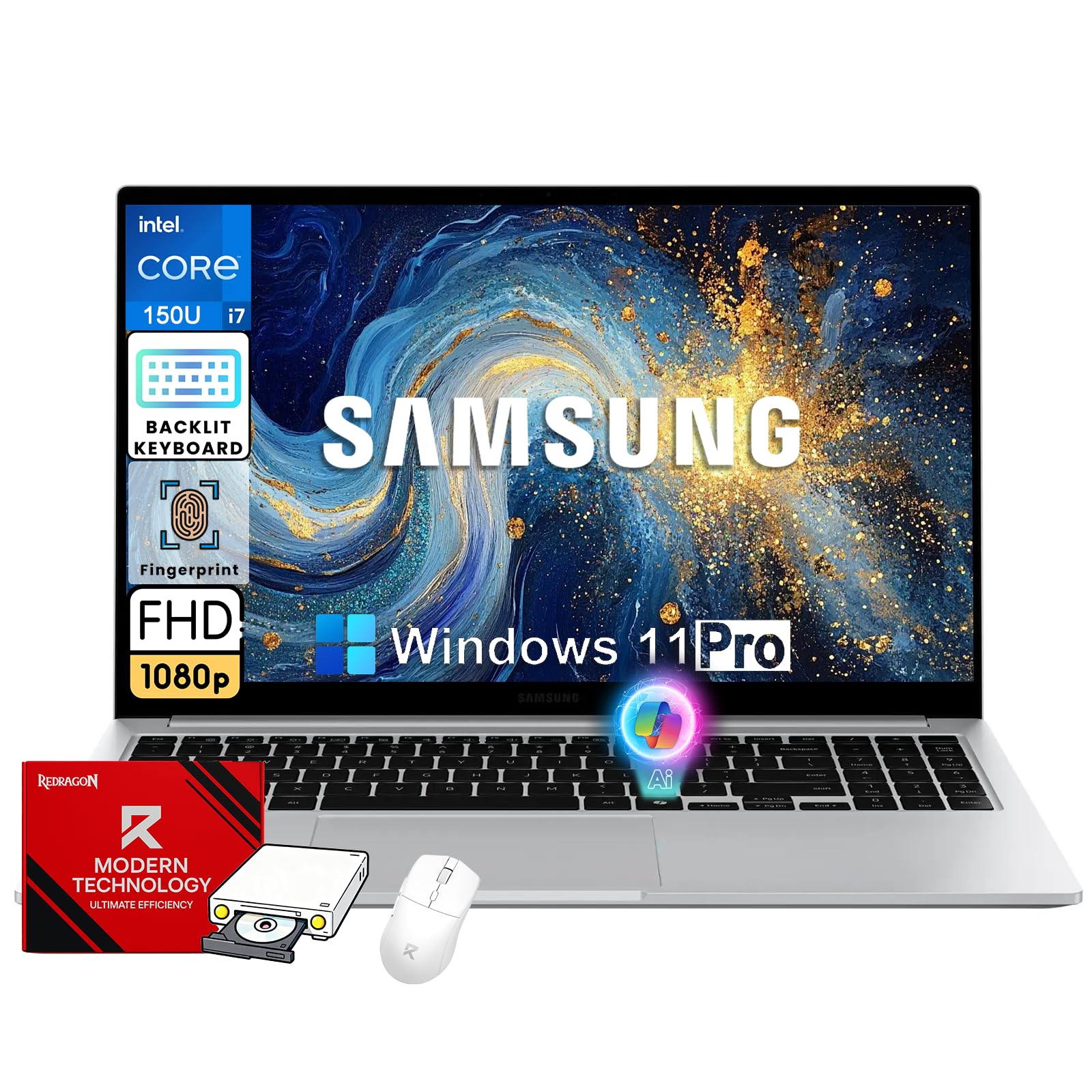
The Galaxy Book4 is Samsung’s refined take on a daily driver, powered by the Intel Core 7-150U (10 cores, up to 5.4GHz) and backed by 16GB of RAM and a 512GB SSD. The 15.6-inch FHD anti-glare display is a sharp workhorse that reduces eye strain over long sessions, and Dolby Atmos-tuned speakers deliver surprisingly full sound for podcast playback or video calls. The slim silver chassis is lightweight and easy to carry between lecture halls or coworking spaces.
Where the Galaxy Book4 shines is its connectivity. USB-C, HDMI, SD card slot, Wi-Fi 6, and Bluetooth 5.2 mean you never have to reach for a dongle. The fingerprint reader embedded in the power button and the backlit keyboard round out a thoughtful feature set that prioritizes convenience. Battery life is solid for a mid-range machine, easily clearing a full workday with mixed office usage.
The primary trade-off is processor positioning: the Intel Core 7-150U sits below the Core i7 and Core Ultra series in raw performance. Sustained workloads like video encoding will show slower render times compared to the GeekBook or HP i7 options. For standard productivity, browsing, and media consumption, however, the Galaxy Book4 delivers a polished Samsung experience with strong build quality and a long list of practical ports.
Why it’s great
- Excellent port selection including SD card slot
- Dolby Atmos speakers sound better than average
- Reliable battery life for a full day of mixed use
Good to know
- Processor is not as powerful as i7 or Ultra options
- Not a touchscreen model
7. Dell 15 Touchscreen Laptop (i5)
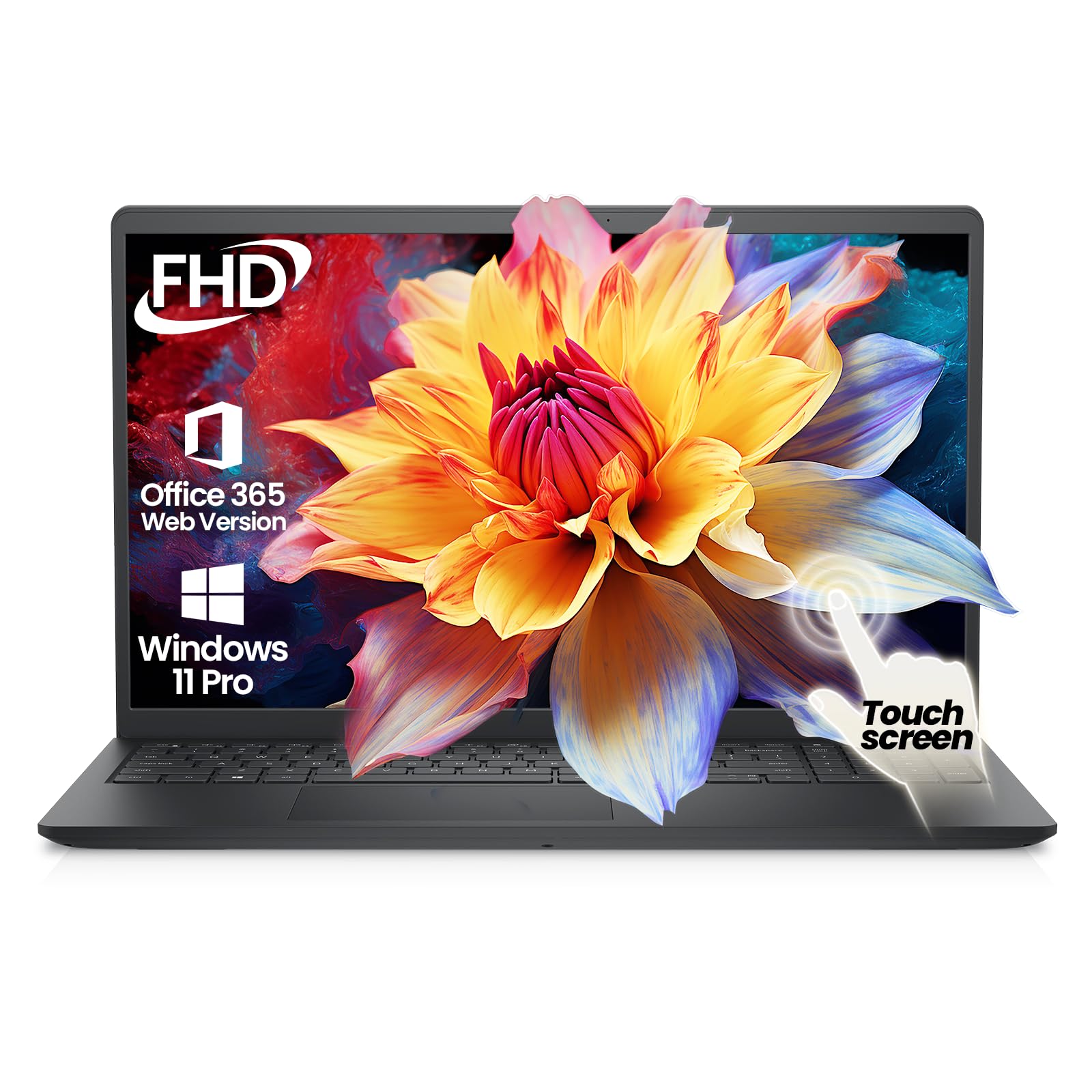
Dell’s 15.6-inch touchscreen laptop pairs a 13th-gen Intel Core i5-1334U (10 cores) with 20GB of DDR4 RAM and a 512GB PCIe SSD—a configuration that hits a sweet spot for users who need responsive multitasking without paying for the i7 premium. The 15.6-inch FHD IPS touchscreen is responsive and works smoothly with Windows 11 gestures for zooming, scrolling, and navigation. The anti-glare coating keeps reflections manageable under office lighting.
The laptop ships with Windows 11 Pro, which adds BitLocker encryption, remote desktop, and the Copilot AI assistant. The business-oriented feature set includes Wi-Fi 6 and Bluetooth 5.4, ensuring fast and stable wireless connections. The carbon black finish looks professional and resists fingerprints better than silver variants. The slim bezels give the 15.6-inch panel a modern appearance without increasing the overall footprint.
Battery life is average for the category—expect around 7 hours of mixed use, less with the touchscreen active. The 20GB of RAM is a unique capacity that provides a comfortable buffer over the standard 16GB configuration, making this a smart pick for users who keep dozens of browser tabs and office apps open simultaneously. The chassis is not the most rugged, but it handles daily commuter duty without complaint.
Why it’s great
- 20GB RAM gives extra multitasking headroom
- Windows 11 Pro with enterprise security features
- Responsive touchscreen with anti-glare coating
Good to know
- Battery life is mid-range at best
- Build quality is not premium-level
8. Acer Aspire Go 15 (Ryzen 7)

The Acer Aspire Go 15 with the AMD Ryzen 7 7730U is a performance-per-dollar champion. This 8-core, 16-thread processor (up to 4.5GHz) offers raw multi-core power that rivals or beats many Intel Core i7 chips from the same generation, making it a standout for compilation, data processing, and video encoding tasks. The 16GB of DDR4 RAM and 512GB PCIe Gen4 SSD ensure the system keeps up with demanding workflows.
The 15.6-inch FHD IPS display with narrow bezels provides a crisp viewing experience, and Acer’s BluelightShield technology helps reduce eye fatigue during extended sessions. The Copilot key provides one-touch access to Windows AI features, though this is more of a convenience than a performance differentiator. The USB-C port is full-function, supporting both data transfer and charging, which simplifies cable management.
The chassis is a standard gray polycarbonate build that keeps weight down but does not feel premium. Some users have noted lower-than-expected speaker volume and occasional Bluetooth pairing hiccups, but these are not widespread issues. For anyone who needs Ryzen 7 multi-core horsepower on a mid-range budget, the Acer Aspire Go 15 delivers exceptional value that is hard to beat.
Why it’s great
- Ryzen 7 offers immense multi-core performance
- Full-function USB-C charging and data transfer
- Acer BluelightShield for reduced eye strain
Good to know
- Speaker output is quieter than average
- Chassis material feels basic
9. NIMO 15.6″ FHD IPS Laptop

NIMO positions itself as a value-first brand with this AMD Ryzen 5 laptop, and the feature list punches well above its price tier. The Ryzen 5 processor (4 cores up to 3.7GHz) handles day-to-day productivity and light creative work effortlessly. The real draws are the extras: a 65W USB-C PD fast charger that can also power your phone and tablet, a 512GB PCIe SSD, 16GB of DDR4 RAM, and a backlit keyboard with adjustable brightness.
The 15.6-inch FHD IPS display with an 85% screen-to-body ratio looks modern and immersive, with an anti-glare finish that reduces reflections. The fingerprint reader integrated into the touchpad is a thoughtful security addition, and the metal A-shell gives the chassis a more premium feel than its price suggests. NIMO offers a 2-year warranty and partial US assembly, which adds a layer of confidence for budget-conscious buyers.
The Ryzen 5 is not going to compete with the Ultra 9 or Ryzen 7 in heavy rendering, but it holds its own with everyday multitasking. Users report smooth performance for office apps, streaming, and even light gaming on older titles. The 38Wh battery is smaller than some competitors, resulting in around 6–7 hours of mixed use. For a feature-packed daily driver with an impressive warranty, the NIMO is a strong contender.
Why it’s great
- 65W USB-C PD charger works across multiple devices
- Backlit keyboard with adjustable brightness
- 2-year warranty with US-based support
Good to know
- Battery capacity is smaller than average
- Ryzen 5 is not suited for heavy content creation
10. Acer Aspire Go 15 (Ryzen 3)

The Acer Aspire Go 15 with the Ryzen 3 7320U is an entry-level workhorse that focuses on value over flash. The quad-core processor (up to 4.1GHz) paired with 8GB of LPDDR5 RAM and a 128GB PCIe SSD is enough for web browsing, office documents, video streaming, and standard educational software. The 15.6-inch FHD IPS display is sharp and colorful, far better than the 1366×768 panels found on many budget alternatives.
Acer includes Copilot AI integration, accessible via a dedicated key, which adds basic AI assistance for drafting and summarization. The USB Type-C ports support full function, including charging and display output, which is a rarity at this price point. Wi-Fi 6 ensures fast wireless connectivity, and the AcerSense software provides clear battery and storage management tools. The chassis is slim enough for a backpack commute.
The 8GB RAM is the limiting factor here. With Windows 11 eating 4-5GB at idle, multitasking with multiple heavy apps will push the system into swap territory. The 128GB SSD fills up quickly if you store media locally. This machine is best suited for users who rely on cloud storage and keep their workflow light. For the price, it is a capable entry point into the Windows 11 ecosystem with a genuine FHD IPS display.
Why it’s great
- Full-function USB-C ports at an entry-level price
- Sharp FHD IPS display, not a low-res TN panel
- Copilot AI key for integrated assistant access
Good to know
- 8GB RAM limits heavy multitasking
- 128GB storage is tight for local files
11. Jumper 15.6″ FHD Laptop

The Jumper 15.6-inch FHD laptop is the definition of a budget workhorse. It features an Intel Celeron 5205U processor (2 cores, 2 threads) paired with 12GB of RAM and a combined 640GB storage (128GB eMMC + 512GB SSD). The FHD IPS display with 5mm narrow bezels is a standout at this price, providing genuine 1920×1080 resolution rather than the 1366×768 panels common in this tier. A one-year Office 365 license is pre-installed, saving the cost of a separate subscription.
The port selection is generous: HDMI, USB 3.0, Type-C, 3.5mm audio, and a micro SD slot. The inclusion of a numeric keypad on the keyboard is a bonus for data entry tasks. The dual-band Wi-Fi (2.4G/5G) and Bluetooth 4.2 are basic but functional for web browsing and peripheral pairing. The 38Wh battery provides around 5-6 hours of light use, enough for a day of classes with intermittent charging.
The Celeron processor is the primary bottleneck. It handles single-threaded office tasks like Word and web browsing adequately, but it will stutter under heavier multitasking or when running complex spreadsheets. The storage setup is unusual—a small eMMC for the OS and a 512GB SATA SSD for files—which works but is slower than a single NVMe drive. For the absolute lowest cost of entry into a 15.6-inch FHD Windows laptop, the Jumper delivers functional value.
Why it’s great
- Genuine 1920×1080 FHD IPS display at a rock-bottom price
- Includes a full year of Office 365
- 12GB RAM is generous for entry-level tier
Good to know
- Celeron processor limits multitasking performance
- eMMC-based storage is slower than NVMe
FAQ
Is 8GB of RAM enough for a 15.6-inch notebook in 2024?
What is the difference between a touchscreen and a non-touchscreen 15.6-inch laptop?
Should I choose an Intel or AMD processor for a 15.6-inch notebook?
What is the importance of a numeric keypad on a 15.6-inch laptop?
Final Thoughts: The Verdict
For most users, the 15.6 inch notebook computer winner is the GEEKOM GeekBook X16 Pro because it combines a top-tier Ultra 9 processor, 32GB of lightning-fast RAM, and a stunning 120Hz 2.5K display in a sub-3-pound magnesium alloy chassis. If you need maximum battery life and a premium build, grab the Microsoft Surface Laptop (2024). And for pure multitasking power with 40GB of RAM and 2TB of storage, nothing beats the Lenovo IdeaPad 15.6″.