
A single 49-inch curved monitor is the only upgrade that can replace a multi-monitor setup with a single seamless surface, eliminating the bezel gap that usually splits your field of view. The 32:9 aspect ratio effectively gives you the screen area of two 27-inch monitors side-by-side, but without that plastic bar running through the middle of your workflow. The 1000R or 1800R curvature wraps the display around your peripheral vision, making the edges of the content as easy to read as the center.
I’m Min — the co-founder and writer behind Gadgets Feed. I’ve spent countless hours analyzing the technical specifications, panel technologies, and connectivity options across hundreds of ultra-wide displays to understand what actually separates a productivity powerhouse from a gaming beast, and where compromises are worth making.
Whether you need a command center for coding stack traces or a wraparound cockpit for sim racing, the best 49 inch curved monitor depends almost entirely on your primary use case and the graphics hardware driving it.
How To Choose The Best 49 Inch Curved Monitor
A 49-inch panel is a significant investment in both money and desk space. Before you buy, understanding three key variables—panel type, resolution, and curvature—will prevent the most common buyer regrets in this category.
Panel Technology: VA vs. IPS vs. OLED vs. QD-OLED
VA panels dominate the mid-range segment, offering the best contrast ratio (typically 3000:1 to 4000:1) for deep blacks without the high cost of OLED. IPS Nano panels, like the one in the LG 49WQ95C-W, provide superior color accuracy (98% DCI-P3) and wider viewing angles, making them the go-to choice for color-critical photo and video work. OLED and QD-OLED panels deliver infinite contrast (true blacks), near-instant 0.03ms response times, and the most vibrant HDR experience, but they come at a premium and require careful burn-in management via features like pixel shifting and logo detection.
Resolution: 3840×1080 vs. 5120×1440 (DQHD)
Dual Full HD (3840×1080) is the entry-level resolution for 49-inch screens. It demands less from your GPU—a mid-range card like an RTX 3060 can drive it comfortably—but the lower pixel density (roughly 81 PPI) can make text appear slightly soft, which matters for productivity work. Dual Quad HD (5120×1440, often called DQHD) offers 109 PPI, delivering sharp, crisp text and significantly more screen real estate. However, driving a DQHD panel at high refresh rates (144Hz or 240Hz) in modern games requires a top-tier GPU, such as an RTX 4080 or higher.
Curvature Radius: The 1000R Advantage
The curvature radius, measured in millimeters (R), defines how tightly the screen wraps around you. A 1000R curve—found on Samsung’s Odyssey G9 series—matches the natural focal length of the human eye, making the left and right edges of a 49-inch screen feel equidistant from your eyes. This reduces the need for head turning and minimizes eye strain during prolonged desk sessions. Looser curves like 1800R or 3800R are less aggressive, which can be more forgiving in shared workspaces but reduces the immersive wrap-around effect.
Quick Comparison
On smaller screens, swipe sideways to see the full table.
| Model | Category | Best For | Key Spec | Amazon |
|---|---|---|---|---|
| Deco Gear OLED 49″ | QD-OLED | Premium HDR Gaming | 5120×1440 / 0.03ms | Amazon |
| Samsung Odyssey G9 (G95C) | VA HDR1000 | High-Refresh Gaming | 5120×1440 / 240Hz | Amazon |
| Samsung Odyssey OLED G9 (G91SD) | QD-OLED | Immersive Combat | 5120×1440 / 0.03ms | Amazon |
| MSI MPG 491CQP QD-OLED | QD-OLED | Content Creation & Gaming | 5120×1440 / Delta E≤2 | Amazon |
| LG 49WQ95C-W | Nano IPS | Color-Accurate Work | 5120×1440 / 98% DCI-P3 | Amazon |
| Dell UltraSharp U4924DW | LCD | Corporate Workstation | 5120×1440 / 2000:1 CR | Amazon |
| ASUS ROG Strix XG49VQ | VA | Budget Sim Racing | 3840×1080 / 144Hz | Amazon |
| INNOCN 49C1G | VA | Productivity Multi-Tool | 3840×1080 / USB-C 65W | Amazon |
| ZZA Ultrawide 49″ | LCD | Best Value Entry | 5120×1440 / 165Hz | Amazon |
In‑Depth Reviews
1. Deco Gear OLED 49 Inch Curved Monitor
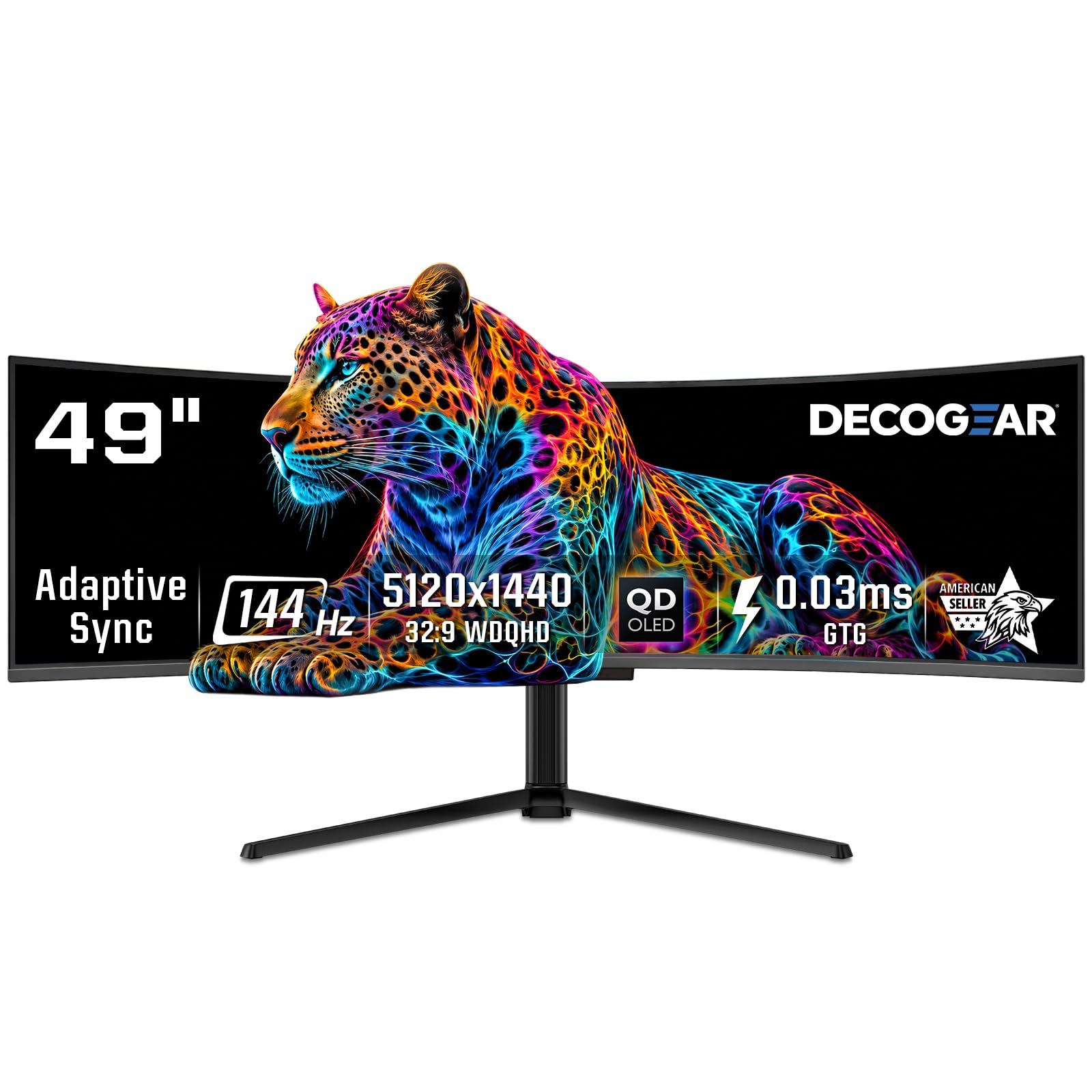
Deco Gear brings a QD-OLED panel to the 49-inch arena at a nearly disruptive price point. The 5120×1440 DQHD resolution combined with a 144Hz refresh rate and a 0.03ms response time means motion clarity is effectively perfect—there is no measurable ghosting or blur in fast-paced shooters or racing sims. The 1800R curvature is moderate, providing a noticeable wrap without being as aggressive as a dedicated gaming monitor, which makes it suitable for both immersive gaming and professional workspace use.
Color performance is a standout feature here. The monitor covers 100% sRGB, 95% Adobe RGB, and 99% DCI-P3, which puts it in color-critical territory for photo editing and video grading. HDR400 True Black certification with a 1,500,000:1 contrast ratio ensures deep, inky blacks and bright highlights that make HDR content genuinely pop. The inclusion of a KVM switch and 90W USB-C Power Delivery simplifies cable management for multi-device setups, letting you control a PC and a laptop from one keyboard and mouse.
Burn-in protection is handled by a comprehensive suite of QD-OLED Care features, including pixel shifting, static screen detection, and a graphene cooling film that reduces thermal stress on the panel. The height-adjustable stand offers tilt, swivel, and pivot adjustments, though the base is substantial and requires a deep desk. Some user reports noted that a tightly folded power cable arrived defective, so inspect the included accessories on arrival.
Why it’s great
- QD-OLED delivers reference-grade color accuracy and infinite contrast
- 90W USB-C with KVM reduces cable clutter for dual-PC setups
- Advanced OLED burn-in mitigation includes graphene cooling
Good to know
- Power cable packaging has been reported as problematic by some users
- Refurbished units lack warranty support according to customer feedback
2. Samsung 49″ Odyssey G9 Series (G95C)

The Samsung Odyssey G9 is the reference design for the 49-inch gaming category. Its defining feature is the 1000R curvature—the tightest radius available on any 49-inch panel—which perfectly matches the human eye’s natural focal plane. The 240Hz refresh rate and 1ms GtG response time keep motion artifacts at zero, and the VA panel achieves a 1,000,000:1 contrast ratio with peak brightness hitting 1000 nits in HDR mode, making this one of the few monitors that can deliver true HDR impact without needing OLED technology.
AMD FreeSync Premium Pro and G-Sync compatibility ensure tear-free variable refresh rate operation across both NVIDIA and AMD GPUs. The CoreSync lighting system extends on-screen colors to the rear of the monitor for ambient immersion, and the Auto Source Switch+ feature automatically detects active input sources, eliminating the need to manually cycle through HDMI and DisplayPort connections. The hexa stand provides rock-solid stability even on carpeted surfaces.
User feedback is overwhelmingly positive for picture quality and responsiveness, but a significant minority report catastrophic failures—dead panels or power issues—within months of purchase. Samsung’s warranty process has been described as difficult and drawn-out, with some users waiting months for a refund or replacement. For buyers willing to accept this risk, the panel performance itself is unmatched at its tier.
Why it’s great
- 1000R curvature provides the most immersive peripheral wrap in its class
- 240Hz with 1ms response delivers elite competitive gaming performance
- VESA DisplayHDR 1000 with 1,000,000:1 contrast for true HDR impact
Good to know
- Samsung’s post-purchase support and warranty service are inconsistent
- Single DisplayPort input limits high-bandwidth connections
3. Samsung 49″ Odyssey OLED G9 (G91SD)

This is Samsung’s QD-OLED entry in the 49-inch space, featuring a 144Hz refresh rate and a 0.03ms response time that eliminates any perceivable input lag. The Dual QHD (5120×1440) resolution at 110 pixels per inch delivers crisp text and fine detail that makes productivity work a pleasure, while the infinite contrast ratio from the QD-OLED panel produces pure black levels that VA and IPS panels cannot physically achieve. The 1800R curvature is gentler than the VA-based G9, making this model slightly more comfortable for mixed work-and-play usage.
Samsung has implemented a robust thermal modulation system that uses an algorithm to predict surface temperature and adjust brightness to prevent heat-related burn-in. Logo and taskbar detection automatically dims static elements after prolonged periods, and a screen saver dims the entire display after 10 minutes of inactivity. The stand is fully ergonomic with height, tilt, and swivel adjustments, and the aluminum silver finish gives it a premium aesthetic that stands out from standard black gaming monitors.
The monitor includes a 3-year burn-in warranty, which provides peace of mind for buyers concerned about OLED longevity, and Samsung’s on-site warranty service has been positively noted by users who experienced early failures. However, some users report that the pixel shifting used for burn-in prevention can be distracting during desktop work, and the included power cable is shorter than ideal for larger desks. G-Sync compatibility and FreeSync Premium Pro ensure smooth operation with both GPU ecosystems.
Why it’s great
- Infinite contrast and pure blacks define the viewing experience
- 3-year burn-in warranty and on-site service option
- Thermal modulation system intelligently prevents long-term image retention
Good to know
- Pixel shifting can be mildly distracting during static desktop tasks
- Only one DisplayPort input may complicate multi-source setups
4. MSI MPG 491CQP QD-OLED

The MSI MPG 491CQP is a 49-inch QD-OLED monitor that competes directly with Samsung and Deco Gear, but at a slightly lower entry price. It uses a next-gen QD-OLED panel with a 144Hz refresh rate and a 0.03ms GtG response time, delivering the same infinite contrast and vibrant color saturation that defines the OLED category. What sets MSI apart is its emphasis on color accuracy—it ships with Delta E≤2 calibration, meaning its out-of-box color reproduction is professional-grade for photo and video editing without manual profiling.
MSI OLED Care 2.0 is one of the most comprehensive burn-in protection suites available. It includes pixel shift, panel protect (a full refresh cycle), and taskbar detection that dims static elements. The monitor also supports a full 48 Gbps HDMI 2.1 bandwidth, enabling uncompressed 5120×1440 at 144Hz over a single cable—a capability that matters for consoles with 32:9 support and high-end PCs. The built-in KVM lets you switch between two PCs without rearranging your peripherals.
User reviews are overwhelmingly positive for the picture quality and stable stand, but some issues have been reported with MSI’s customer service—specifically requiring users to pay for shipping on warranty repairs and receiving refurbished replacements. The included USB-C cable does not support full 90W power delivery, so check your specific cable configuration if you rely on it for laptop charging. The Gaming Intelligence App provides solid OSD control but is noticeably slow to load.
Why it’s great
- Factory-calibrated Delta E≤2 makes it a strong choice for color work
- Full 48 Gbps HDMI 2.1 for uncompressed high-refresh output
- MSI OLED Care 2.0 provides robust burn-in protection
Good to know
- Warranty service experiences are inconsistent; some users report high repair costs
- USB-C cable does not deliver 90W for laptop charging
5. LG 49WQ95C-W 49 Inch UltraWide

LG’s 49WQ95C-W uses a Nano IPS panel, which is a distinct technology choice compared to the VA and OLED options dominating this list. Nano IPS achieves 98% DCI-P3 color coverage with a wide 178-degree viewing angle, making this the most color-accurate non-OLED 49-inch monitor you can buy. The 5120×1440 DQHD resolution ensures sharp text and fine detail across the entire 32:9 canvas, and the 144Hz refresh rate is sufficient for most gaming scenarios, though not at the extreme competitive tier.
Connectivity is where this monitor really shines. It includes two HDMI 2.1 ports, DisplayPort 1.4, and a USB-C port that delivers a full 90W of Power Delivery, which is enough to charge a high-end MacBook Pro at full speed. The built-in KVM works with Picture-by-Picture mode, allowing you to view two separate input sources side-by-side while using a single keyboard and mouse to control both—a feature set that makes it a productivity powerhouse for multi-PC workflows.
User feedback is positive for its clean white design and excellent color reproduction, but several customers report that the 3800R curvature is too subtle for a 49-inch panel—the edges are far enough away that you may need to turn your head to see them, defeating the purpose of a curved screen. USB port failures have been reported within the first year, and warranty claims have been denied or handled poorly by LG support. The on-screen joystick control is also awkwardly placed on the rear of the monitor.
Why it’s great
- Nano IPS panel delivers 98% DCI-P3 with excellent viewing angles
- Two HDMI 2.1 ports and 90W USB-C PD for extensive connectivity
- Built-in KVM with PBP enables seamless dual-PC workflows
Good to know
- 3800R curvature is too flat for optimal peripheral immersion
- USB port and KVM reliability concerns reported over time
6. Dell UltraSharp U4924DW 49
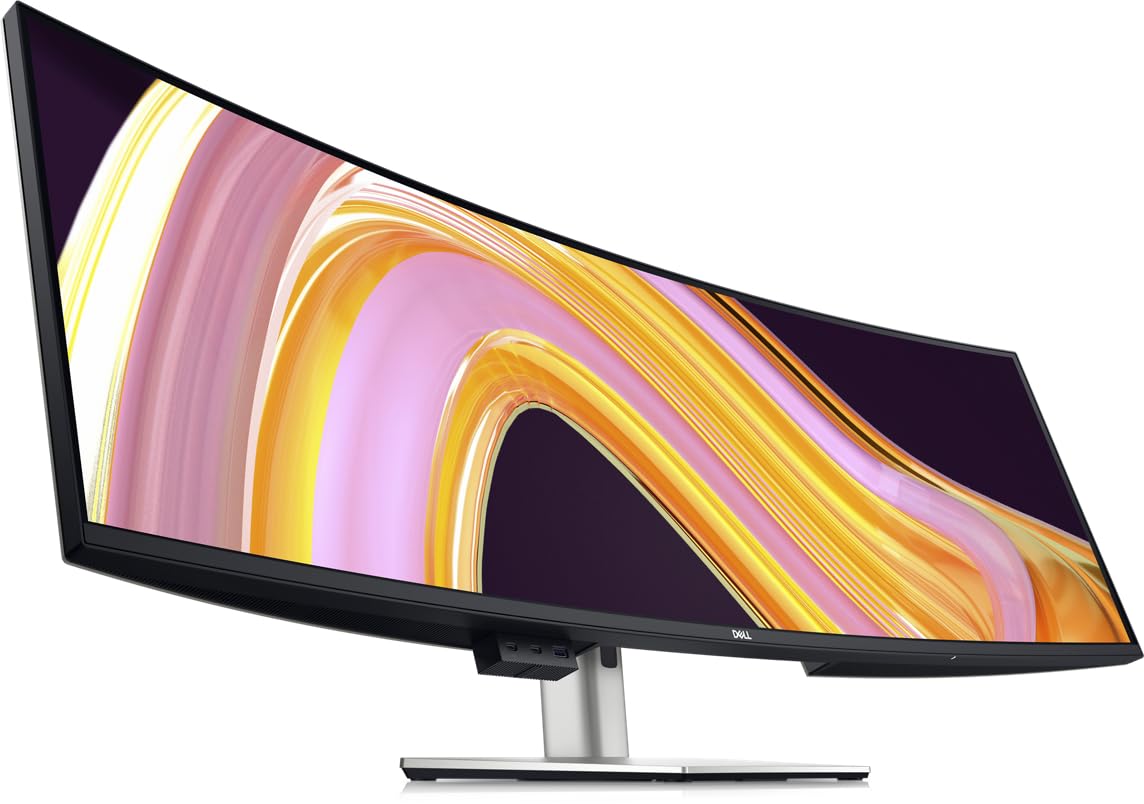
The Dell UltraSharp U4924DW is built for the professional who needs maximum screen real estate without the aggressive aesthetics or high refresh rates of gaming monitors. It uses an IPS Black panel technology that delivers a 2000:1 contrast ratio—double that of standard IPS—giving you deeper blacks while retaining the wide viewing angles and color accuracy that IPS is known for. The 5120×1440 DQHD resolution is sharp enough for reading dense code, viewing full-size blueprints, or running multiple data-heavy applications simultaneously.
Connectivity is a strong suit. The U4924DW includes a USB-C port with 90W Power Delivery, DisplayPort, HDMI, a 2.5 Gigabit Ethernet port (via RJ-45), and a comprehensive USB hub with downstream ports. The built-in KVM can switch between two PCs, though users note it takes roughly five seconds to complete the handover—an acceptable delay in a corporate environment but noticeable for power users. The stand is fully adjustable for height, tilt, swivel, and pivot.
User reviews are mixed on the curvature. The 3800R curve is the shallowest in this comparison, and some users find it insufficient to properly frame the 49-inch width, leading to glare issues and a suboptimal viewing angle at the edges. The monitor is also heavy and requires a deep, sturdy desk. For productivity workflows like programming, accounting, and document editing, it remains a top choice thanks to Dell’s reliable build quality and excellent warranty support.
Why it’s great
- IPS Black panel provides excellent contrast for an IPS display
- Comprehensive hub with 90W USB-C, Ethernet, and KVM
- Dell’s build quality and support are industry-leading
Good to know
- 3800R curvature is too shallow for immersive peripheral wrap
- KVM handover is slow compared to competitors
7. ASUS ROG Strix XG49VQ

The ASUS ROG Strix XG49VQ is a veteran of the 49-inch category, and while its 3840×1080 resolution is lower than the DQHD panels that dominate the current market, it still serves a specific purpose well. The lower pixel density means far less GPU horsepower is required to drive it—a mid-range card like an RTX 2070 or RX 6700 XT can hit 144 FPS in most competitive titles. This makes it an accessible entry point into the super-ultrawide ecosystem without forcing an expensive GPU upgrade.
The VA panel delivers a 3000:1 contrast ratio for solid black levels, and the 1800R curvature provides a comfortable wrap for gaming. FreeSync 2 HDR with DisplayHDR 400 certification ensures compatibility with modern consoles and PCs, and ASUS Eye Care technology reduces flicker and blue light for longer sessions. The stand includes height, swivel, and tilt adjustments to dial in ergonomics, and VESA mount compatibility offers desk-mount flexibility.
User reviews highlight the clarity and responsiveness during fast-paced gaming, particularly in racing sims where the 32:9 aspect ratio truly shines. However, the 1080p resolution is a hard limitation—text looks noticeably pixelated compared to 5120×1440 panels, and the low-end HDR implementation (HDR400) lacks the brightness and local dimming needed for convincing HDR visuals. The Freesync implementation has been reported to flicker with NVIDIA cards running G-Sync.
Why it’s great
- Low resolution requires far less GPU power to run at 144Hz
- VA panel provides strong contrast and decent color for the price
- Fully ergonomic stand with excellent adjustment range
Good to know
- 3840×1080 resolution looks pixelated with text-heavy workloads
- Low-end HDR400 lacks impact; Freesync can flicker with NVIDIA cards
8. INNOCN 49C1G 49 Curved Gaming Monitor

INNOCN’s 49C1G is a Swiss Army knife in the 49-inch category, packing a feature set that rivals more expensive monitors at a budget-friendly entry point. It uses a VA panel with a 3840×1080 resolution, a 144Hz refresh rate, and HDR400 support. While the pixel density is lower than DQHD panels, the 32:9 aspect ratio effectively replaces a dual-monitor setup, and the 1800R curvature provides a comfortable viewing wrap that reduces eye fatigue during long workdays.
The connectivity suite is unusually generous for this price tier. It includes HDMI 2.1, DisplayPort 1.4, a USB-C port with 65W Power Delivery, two USB-A ports, USB-B upstream, and an RJ-45 Ethernet port. This makes the 49C1G a viable all-in-one dock for a laptop, providing display, data, and network connectivity over a single USB-C cable. The Picture-in-Picture and Picture-by-Picture modes work well for displaying content from two input sources simultaneously.
Customer reviews consistently praise the value proposition and the transformative effect on workstation productivity—users report eliminating two or three separate monitors and saving significant desk space. The built-in speakers are serviceable for calls and system sounds but lack bass for media consumption. Some users note that the 3840×1080 resolution is noticeably shorter (15 inches) than their previous 32-inch monitors (19.5 inches), making the desk look bare vertically.
Why it’s great
- Extensive connectivity including USB-C 65W PD, HDMI 2.1, and RJ45
- Excellent price-to-feature ratio for multi-device productivity
- PIP and PBP modes enable seamless multi-computer workflows
Good to know
- 3840×1080 resolution is shorter than standard 32-inch monitors
- Does not support console gaming at native 32:9 aspect ratio
9. ZZA Ultrawide 49 Inch Curved Monitor
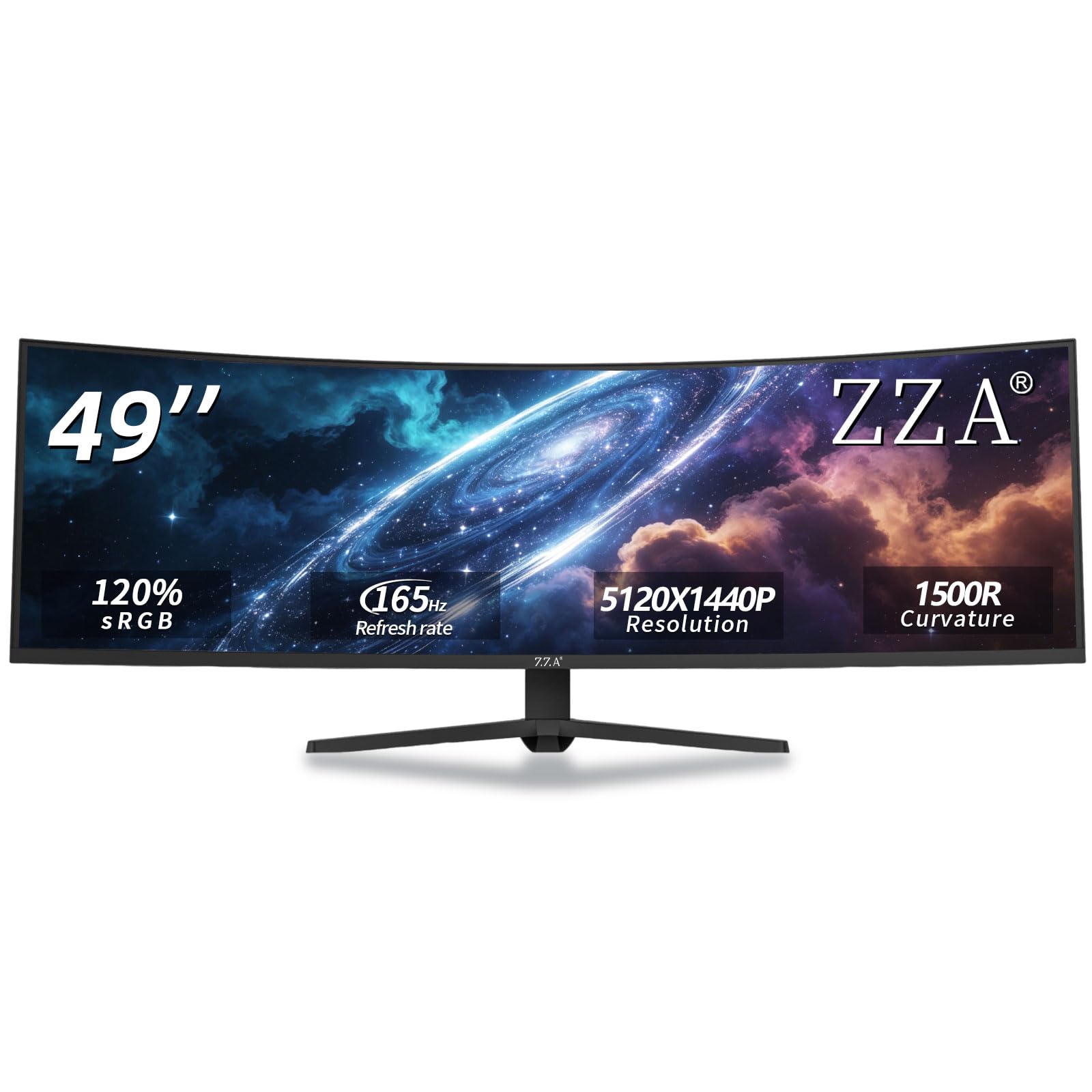
The ZZA Ultrawide is perhaps the most surprising product in this comparison: it offers the full 5120×1440 DQHD resolution and a 165Hz refresh rate at an entry-level price point that undercuts almost every competitor by a significant margin. The 1500R curvature is well-matched to the 49-inch width, providing a comfortable wrap for both gaming and productivity. The VA panel delivers a 3000:1 contrast ratio and 300 cd/m² brightness, which is more than adequate for a dimly lit room or office environment.
Color coverage is rated at 120% sRGB, which translates to punchy, vibrant colors that look great in games and media consumption. HDMI 2.1 and DisplayPort 1.4 connectivity ensure you can run the monitor at its full native resolution and refresh rate without bandwidth compression. The ergonomic stand supports height, tilt, and swivel adjustments, and VESA mount compatibility offers alternative mounting options. AMD FreeSync Premium reduces screen tearing in the 48-165Hz range.
User reviews highlight the superb clarity and value for the price, with programmers and daily-drivers reporting excellent results for 18-hour usage sessions. However, a significant quality-control concern has emerged: several users report screen separation from the frame, a hot-running power supply, and FreeSync blinking issues. The stand is described as awkward and somewhat unstable, and the on-screen menu navigation is difficult to use. This is a high-risk, high-reward product—the specs are remarkable for the price, but reliability is inconsistent.
Why it’s great
- Full 5120×1440 DQHD resolution at an entry-level price
- 165Hz with FreeSync Premium provides smooth motion clarity
- HDMI 2.1 and DP 1.4 enable full bandwidth without compression
Good to know
- Intermittent quality control issues with screen separation and power supply
- Awkward stand and difficult on-screen menu navigation
FAQ
Can a 49-inch curved monitor replace a dual-monitor setup without losing screen real estate?
What graphics card do I need to drive a 5120×1440 monitor at 144Hz?
Is OLED burn-in a real concern on a 49-inch monitor used for work?
What is the ideal viewing distance for a 49-inch curved monitor?
Final Thoughts: The Verdict
For most users, the best 49 inch curved monitor winner is the Deco Gear OLED 49″ because it delivers premium QD-OLED picture quality, a robust feature set including KVM and 90W USB-C, and aggressive burn-in protection at a competitive price point. If you want blistering 240Hz motion clarity and the most immersive 1000R curvature available, grab the Samsung Odyssey G9 (G95C). And for a budget-conscious entry into the 32:9 ecosystem that still offers DQHD resolution and 165Hz, nothing beats the ZZA Ultrawide 49″ on pure specification-per-dollar ratio—assuming you are comfortable with the reliability risks.