
The jump from 240Hz to 360Hz is more than just a number on a spec sheet. At this refresh rate, motion clarity reaches a threshold where blur essentially vanishes from your peripheral vision, and every flick-shot or tracking adjustment registers with near-instant precision. For competitive shooters like Valorant, Overwatch 2, and Counter-Strike 2, this is the difference between reacting and predicting.
I’m Min — the co-founder and writer behind Gadgets Feed. I’ve spent countless hours analyzing panel technologies, response time measurements, and color accuracy reports from the 360Hz monitor market to separate genuine performance gains from marketing hype.
Whether you prioritize esports speed or want a hybrid display that doubles for immersive single-player games, this guide breaks down the real-world trade-offs to help you find the best 360hz monitor for your specific setup and budget.
How To Choose The Best 360Hz Monitor
Choosing a monitor with a 360Hz refresh rate requires balancing panel technology, resolution, and input connectivity. Unlike lower refresh rate displays, even a slight mismatch in GPU performance or cable bandwidth can neutralize the speed advantage. Consider these critical factors before buying.
Panel Technology: IPS, Fast TN, or QD-OLED
IPS panels offer the best color accuracy and viewing angles, making them versatile for both gaming and content consumption. Fast TN panels, like those used in the BenQ Zowie XL2566X+, prioritize motion clarity and minimal overshoot, but sacrifice color vibrancy and contrast. QD-OLED panels deliver the deepest blacks, fastest response times (0.03ms GtG), and best HDR performance, but come with higher cost and require burn-in prevention measures. For pure esports, a Fast TN may still win on motion clarity; for an all-in-one experience, QD-OLED is the premium choice.
Resolution vs. Refresh Rate: The Dual Mode Factor
Native 1080p at 360Hz is the standard for competitive play because it demands less from your GPU, ensuring frame rates can actually hit 360 fps. However, several mid-range monitors now feature Dual Mode, allowing you to game at 4K 180Hz for rich single-player titles and switch to 1080p 360Hz for ranked matches. If you own a high-end graphics card (RTX 4080 Super or above), a 1440p 360Hz OLED panel offers the sweet spot for both clarity and speed.
Adaptive Sync and Input Connectivity
To fully utilize a 360Hz panel, your GPU and cable must support the required bandwidth. HDMI 2.1 can handle up to 360Hz at 1080p, but DisplayPort 1.4 with DSC is the standard for 1440p 360Hz. Look for monitors with NVIDIA G-Sync Compatible or AMD FreeSync Premium certification to eliminate screen tearing without adding input lag. Some premium models also include a USB-C port with Power Delivery (PD) for a clean laptop gaming setup.
Quick Comparison
On smaller screens, swipe sideways to see the full table.
| Model | Category | Best For | Key Spec | Amazon |
|---|---|---|---|---|
| LG 27G810A-B | Dual Mode IPS | Hybrid gaming (4K + 360Hz) | 3840×2160@180Hz / 1920×1080@360Hz | Amazon |
| Alienware AW2523HF | Fast IPS | Budget esports 360Hz | 1920×1080, 360Hz, 0.5ms GtG | Amazon |
| KTC H27P6 | Dual Mode IPS | Value hybrid with USB-C PD | 3840×2160@160Hz / 1920×1080@320Hz | Amazon |
| ASUS ROG Strix XG259QNS | Fast IPS | Overclocked 380Hz esports | 1920×1080, 380Hz OC, 0.3ms min | Amazon |
| MSI MPG 271QRX | QD-OLED | Premium 1440p 360Hz gaming | 2560×1440, 360Hz, 0.03ms GtG | Amazon |
| Philips Evnia 27M2N8500 | QD-OLED | Immersive gaming with Ambiglow | 2560×1440, 360Hz, 0.03ms GtG | Amazon |
| Alienware AW2524HF | Fast IPS | Extreme 500Hz overclock | 1920×1080, 500Hz OC, 0.5ms GtG | Amazon |
| Samsung Odyssey OLED G6 G60SD | QD-OLED | Anti-glare QD-OLED 360Hz | 2560×1440, 360Hz, 0.03ms GtG | Amazon |
| BenQ Zowie XL2566X+ | Fast TN | Competitive esports motion clarity | 1920×1080, 400Hz, DyAc 2 | Amazon |
| ASUS ROG Strix XG27ACDNG | QD-OLED | Burn-in protected 1440p OLED | 2560×1440, 360Hz, 0.03ms GtG | Amazon |
| INNOCN GA27M1Q | QD-OLED | High-refresh value OLED | 2560×1440, 500Hz, 0.03ms GtG | Amazon |
In‑Depth Reviews
1. MSI MPG 271QRX QD-OLED

The MSI MPG 271QRX delivers the full QD-OLED trifecta: a native 1440p resolution, a full 360Hz refresh rate, and a 0.03ms GtG response time that eliminates any perceptible ghosting. Its VESA DisplayHDR True Black 400 certification ensures inky blacks and vivid highlights that surpass any IPS panel in this price bracket. The KVM functionality is a rare bonus for users switching between a gaming PC and a work laptop.
Color accuracy is factory-calibrated to Delta E ≤ 2, meaning you get professional-grade sRGB and DCI-P3 coverage out of the box without manual adjustments. The Gaming Intelligence app provides on-the-fly picture mode switching, OLED Care 2.0 mitigates burn-in risk through pixel refresh routines, and the adjustable stand offers full ergonomic control.
If you run a high-end GPU that can push 360 fps in your favorite titles at 1440p, this monitor is the ultimate competitive display that also doubles as a stunning HDR monitor for single-player games. The only real sacrifice is that you are locked to 1440p — there is no 4K Dual Mode here.
Why it’s great
- Perfect blacks with 1,000,000:1 contrast ratio
- Ultra-fast 0.03ms response eliminates motion blur completely
- Includes KVM switch for multi-device setups
Good to know
- Requires a very powerful GPU to sustain 360 fps at 1440p
- No Dual Mode for 4K content consumption
2. Samsung Odyssey OLED G6 G60SD

Samsung’s Odyssey G6 G60SD combines a 27-inch QD-OLED panel with a Glare Free matte coating that dramatically reduces reflections in bright rooms — a unique advantage over glossy OLED competitors. The 360Hz refresh rate and 0.03ms GtG response time match the MSI and Philips OLEDs, but Samsung adds a Dynamic Cooling System with a pulsating heat pipe that dissipates heat five times more effectively than graphite sheets, reducing burn-in risk.
The monitor’s CoreLighting ambient lighting and sleek 3.9mm thin profile make it a centerpiece for any battlestation. AMD FreeSync Premium Pro ensures tear-free gameplay across both NVIDIA and AMD GPUs, while the onboard OLED Safeguard+ suite includes logo detection and taskbar dimming to prevent static image retention.
Some units have reported a fragile power button joystick, and the remote-controlled OSD can feel clunky for frequent adjustments. However, the anti-glare coating and superior cooling make this the best 360Hz QD-OLED for brightly lit gaming rooms.
Why it’s great
- Industry-leading Glare Free matte coating reduces reflections
- Dynamic Cooling System prevents burn-in efficiently
- Includes remote controller for easy OSD navigation
Good to know
- Power button joystick may be fragile over time
- Speakers do not function in HDR mode
3. ASUS ROG Strix XG27ACDNG

The ASUS ROG Strix XG27ACDNG stands out for its extensive burn-in protection package, including a custom heatsink, advanced airflow design, and an exclusive OLED Anti-flicker technology that reduces flicker during refresh rate fluctuations. Its 360Hz refresh rate and 0.03ms response time on a 26.5-inch 1440p QD-OLED panel deliver the same elite motion clarity as the MSI and Samsung OLEDs, but with a Delta E < 2 pre-calibration for color-critical work.
The DisplayWidget Center software allows mouse-based OSD adjustments, which is far more intuitive than physical buttons. The included 3-year warranty with burn-in coverage provides peace of mind that few OLED competitors match. The 99% DCI-P3 gamut and true 10-bit color depth ensure HDR content looks spectacular.
Potential buyers should note that custom resolutions below native require disabling DSC Support, which resets on every restart — a minor firmware annoyance. Otherwise, this is the most complete 1440p 360Hz OLED monitor for gamers who want professional-level features.
Why it’s great
- 3-year warranty includes burn-in coverage
- Custom heatsink and OLED Anti-flicker for longevity
- DisplayWidget Center for mouse-controlled settings
Good to know
- Custom resolution profiles reset after restart with DSC
- Premium price point compared to similarly spec’d OLEDs
4. Philips Evnia 27M2N8500 QD OLED
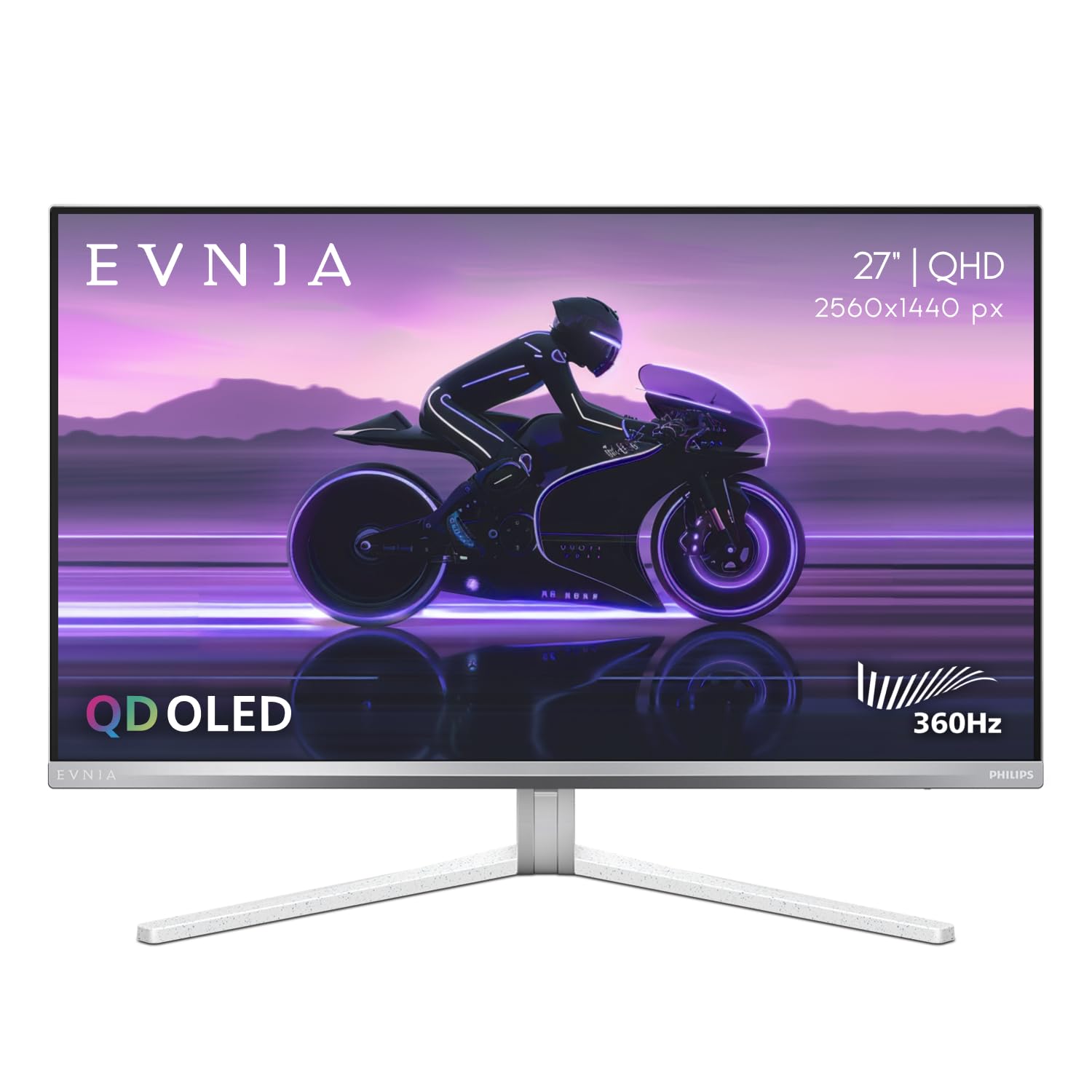
The Philips Evnia 27M2N8500 uses the same Samsung QD-OLED panel as the G60SD, delivering identical 360Hz refresh rate, 0.03ms response time, and DisplayHDR True Black 400 compliance. What sets it apart is Ambiglow — a rear-projected LED system that extends screen colors onto the wall behind the monitor, reducing eye strain in dark rooms and creating an immersive halo effect that no other 360Hz monitor replicates.
The stand is all-metal with smooth swivel and height adjustment, and a built-in headphone hanger keeps your desk tidy. Philips includes factory-calibrated sRGB, DCI-P3, and Adobe RGB modes, making it suitable for color-sensitive work alongside competitive gaming.
Some units have arrived with dead pixels due to abrasive packaging foam — a quality control issue that appears in multiple customer reports. If you get a flawless unit, this is one of the best-value 1440p 360Hz OLEDs on the market, sitting just below the MSI and ASUS options in price.
Why it’s great
- Ambiglow reduces eye strain and enhances immersion
- Factory-calibrated color modes for creative work
- Solid metal stand with integrated headphone hanger
Good to know
- Packaging quality control issues reported with dead pixels
- Warm white balance may not match multi-monitor setups
5. INNOCN GA27M1Q

The INNOCN GA27M1Q pushes beyond 360Hz to a native 500Hz refresh rate at 1440p, making it the fastest QD-OLED monitor in this roundup. The 0.03ms GtG response time and 1,500,000:1 contrast ratio deliver motion clarity that is nearly indistinguishable from instantaneous. This monitor supports VRR from 48Hz to 500Hz, ensuring compatibility with lower frame rate content without stuttering.
Its HDR500 certification provides solid brightness for an OLED, and the included built-in speakers are surprisingly functional for casual use — a rare inclusion in this category. The ergonomic stand offers height, tilt, swivel, and pivot adjustments, and the three-sided ultra-narrow bezel design keeps the focus on the screen.
You need a monstrous GPU (think RTX 4090 or RX 7900 XTX) to realistically hit 500 fps in modern competitive titles at 1440p. For most gamers, this monitor is future-proofing for the next GPU generation, but the value proposition at this price is hard to beat for early adopters.
Why it’s great
- Unmatched 500Hz refresh rate on a QD-OLED panel
- Built-in speakers with decent audio quality
- Excellent value for a high-refresh OLED
Good to know
- Extremely demanding on GPU to reach 500 fps
- White chassis may not fit all battlestation aesthetics
6. LG 27G810A-B Ultragear

The LG 27G810A-B is the standout Dual Mode monitor in this list, offering native 4K UHD at 180Hz and a one-button switch to Full HD at 360Hz. The 27-inch Fast IPS panel covers 95% DCI-P3 with DisplayHDR 400, delivering vibrant colors and a 1ms GtG response time that keeps motion sharp. This dual-resolution approach makes it the only monitor on this list that works as a high-resolution productivity display and a competitive gaming monitor in one.
NVIDIA G-Sync Compatible and AMD FreeSync Premium support means no tearing regardless of your GPU brand, and the 4-pole headphone jack with DTS HP:X provides spatial audio for immersive gameplay. The ergonomic stand offers height, tilt, swivel, and pivot adjustments, plus a narrow bezel design for multi-monitor setups.
The 4K 180Hz mode requires HDMI 2.1 bandwidth, and the 360Hz FHD mode only works via DisplayPort for full refresh rate. Some users have reported a faint fan noise from the internal cooling, but it is generally inaudible with normal game audio.
Why it’s great
- Dual Mode: 4K 180Hz + FHD 360Hz in one monitor
- IPS panel with 95% DCI-P3 color coverage
- G-Sync and FreeSync Premium compatible
Good to know
- 360Hz mode is limited to 1080p resolution
- Internal fan produces low audible noise
7. KTC H27P6
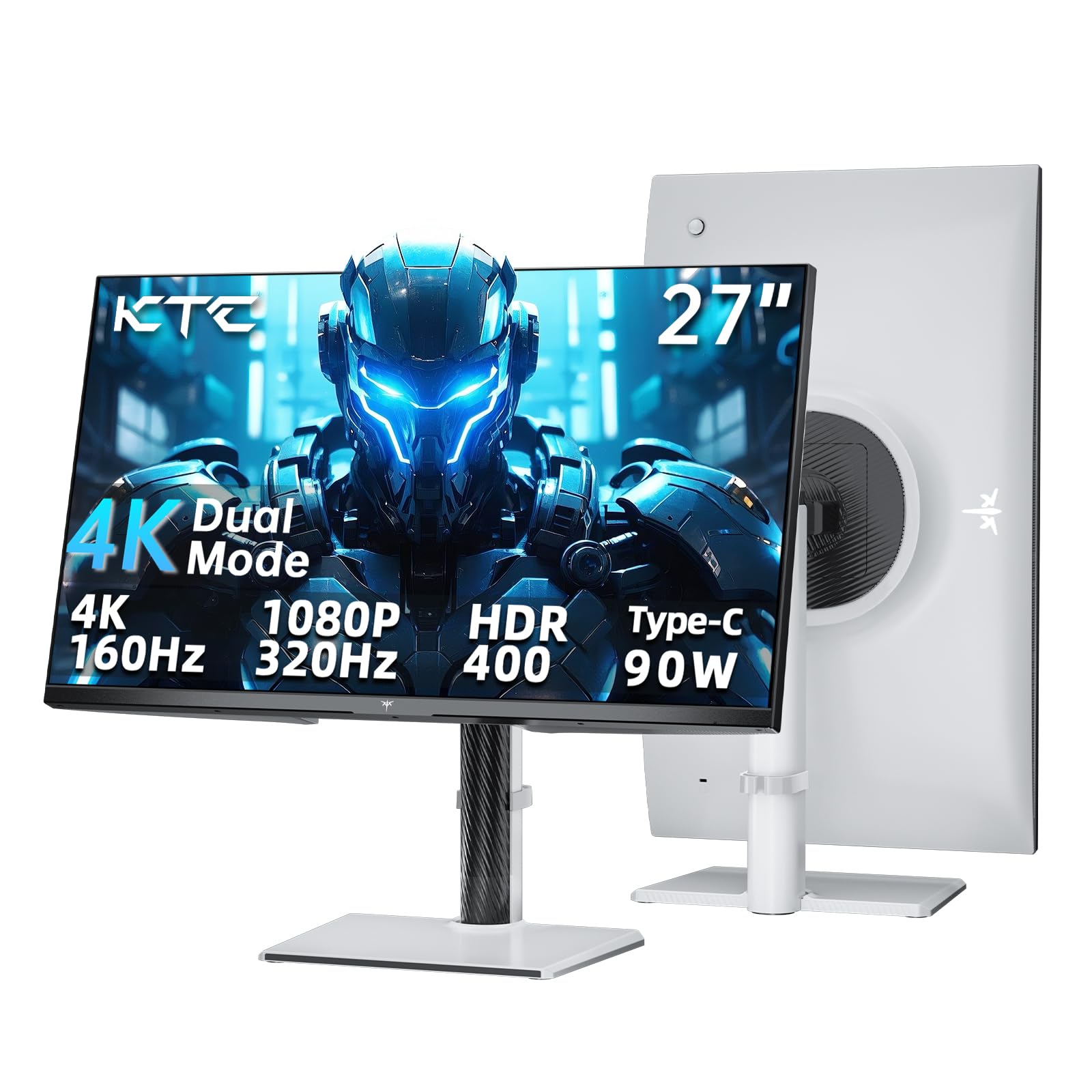
The KTC H27P6 offers a Dual Mode similar to the LG 27G810A but at a lower price, with 4K 160Hz and 1080p 320Hz switching. The killer feature here is the 90W Power Delivery USB-C port, which allows you to charge a laptop and transmit video over a single cable — making it ideal for a combined work/gaming desk. The 27-inch Fast IPS panel delivers 125% sRGB with a Delta E < 2 factory calibration, providing accurate colors out of the box.
Adaptive Sync works with both FreeSync and G-Sync, and the ergonomic stand offers full height, tilt, swivel, and pivot adjustments. The included DP cable supports the full bandwidth required for 4K 160Hz. White chassis design stands out from the sea of black monitors.
The Dual Mode switch is not a hotkey; you must navigate the OSD joystick to change resolutions. Also, 320Hz at 1080p is slightly lower than the native 360Hz some competitors offer, though the difference is minimal in practice.
Why it’s great
- 90W USB-C PD for single-cable laptop connection
- Dual Mode 4K 160Hz / FHD 320Hz flexibility
- Delta E < 2 color accuracy out of the box
Good to know
- Mode switching requires OSD navigation, no hotkey
- 320Hz mode falls short of true 360Hz native panels
8. BenQ Zowie XL2566X+
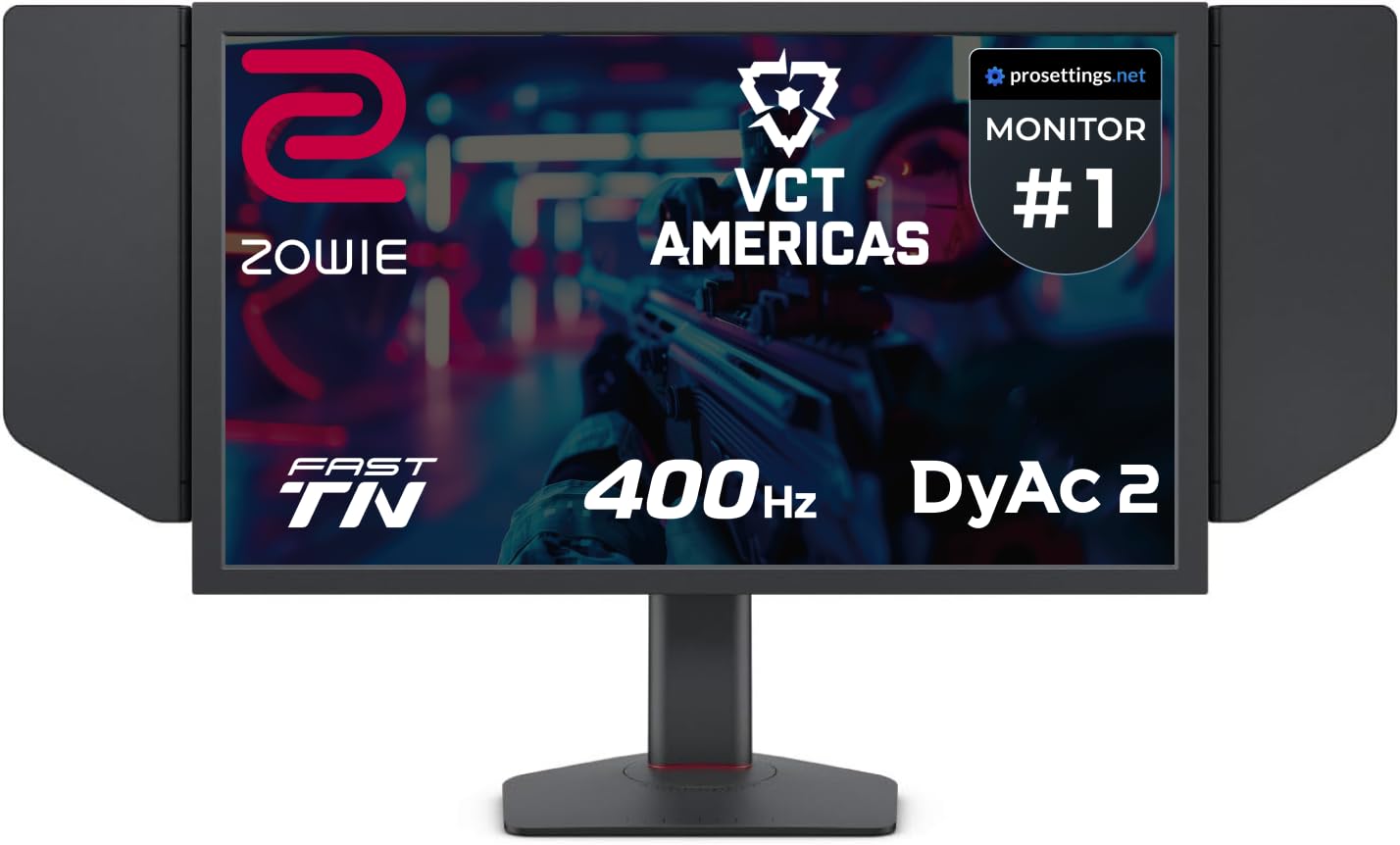
BenQ’s Zowie XL2566X+ is purpose-built for professional esports, using a Fast TN panel with DyAc 2 (Dynamic Accuracy) technology that delivers the sharpest motion clarity in the industry. Unlike IPS or OLED, the Fast TN panel at native 1080p ensures pixel response is overshoot-free, even in high-motion scenarios like spray control in Counter-Strike 2. The 400Hz refresh rate and 24.1-inch size match the resolution standard used by pro players.
The included shielding hood blocks peripheral light for total focus, and the new industrial-grade ball bearing height adjustment system provides smooth, reliable ergonomic control. The XL Setting to Share feature allows you to save configuration profiles for different games and tournaments. Color performance has been improved over previous Zowie models, though it still lags behind IPS and OLED in vibrancy and contrast.
This monitor is strictly for competitive play — its 1080p resolution and TN color limitations make it a poor choice for single-player RPGs or content creation. If you play primarily FPS titles and prioritize motion clarity above all else, this remains the industry benchmark.
Why it’s great
- Best-in-class motion clarity with DyAc 2 technology
- Shielding hood for distraction-free competitive play
- Industrial-grade ergonomic adjustments
Good to know
- TN panel colors are muted compared to IPS or OLED
- 1080p resolution limits use outside competitive gaming
9. Alienware AW2524HF

The Alienware AW2524HF takes the 360Hz concept and pushes it to 500Hz with DisplayPort overclocking, offering the highest native-to-overclock refresh rate in this list. Its 24.5-inch Fast IPS panel delivers 0.5ms GtG response time (minimum) with wide viewing angles that surpass TN panels, while maintaining sRGB 99% color coverage for accurate visuals. The hexagonal base design maximizes desk space for mouse movement — a direct response to pro gamer feedback.
AMD FreeSync Premium and VESA AdaptiveSync Display certification ensure stutter-free gameplay at all refresh rates, and the integrated retractable headset hanger keeps the desk tidy. TUV ComfortView Plus reduces blue light without the yellowish tint typical of software-based filters, allowing marathon sessions without eye strain.
Some users have reported units degrading after months of 500Hz operation, dropping to 480Hz or lower. The warranty process with Dell can be inconsistent depending on region. If you want the absolute highest refresh rate on a Fast IPS panel within this budget, this is it, but longevity concerns are worth noting.
Why it’s great
- 500Hz overclock offers extreme motion clarity
- Fast IPS panel with wide viewing angles
- Hexagonal base optimizes desk space for mouse aim
Good to know
- Some units experience degradation after prolonged 500Hz use
- Requires DisplayPort to achieve overclocked 500Hz
10. Alienware AW2523HF

The Alienware AW2523HF offers native 360Hz on a 24.5-inch Fast IPS panel without overclocking, making it a stable and reliable entry into high-refresh gaming. Its 0.5ms GtG response time (1ms typical) and sRGB 99% color coverage deliver sharp, vibrant visuals for competitive shooters. The hexagonal base is the same pro-oriented design as the more expensive AW2524HF, providing ample mouse room.
AMD FreeSync Premium and VESA AdaptiveSync certification ensure tear-free gaming across a wide range of frame rates. The display supports HDR content playback, though peak brightness is limited to 400 cd/m² — adequate for SDR gaming but not true HDR impact. The ergonomic stand offers full height, tilt, swivel, and pivot adjustments.
This is the most affordable true 360Hz Fast IPS monitor from a major brand. It lacks the Dual Mode flexibility of hybrid monitors and the motion clarity of OLEDs, but for pure competitive 1080p gaming, it remains one of the best bang-for-buck options available.
Why it’s great
- Native 360Hz without overclocking instability
- Fast IPS panel with 99% sRGB color coverage
- Full ergonomic stand with hexagonal base
Good to know
- HDR performance is limited by 400 cd/m² peak brightness
- No Dual Mode or high-resolution option
11. ASUS ROG Strix XG259QNS

The ASUS ROG Strix XG259QNS is a 24.5-inch 1080p Fast IPS monitor that pushes to 380Hz via overclock, with an incredible 0.3ms minimum response time — the fastest among IPS monitors here. Its key differentiator is ASUS Extreme Low Motion Blur Sync (ELMB Sync), which allows motion blur reduction to work simultaneously with variable refresh rate, eliminating both ghosting and tearing in fast-paced sequences.
The DisplayWidget Center software enables mouse-driven OSD adjustments, making it easy to switch between profiles for different games. FreeSync Premium ensures low-latency tear-free performance across AMD and NVIDIA GPUs, and the 110% sRGB gamut provides punchy colors for an IPS panel. The highly adjustable stand offers full ergonomic control including height, tilt, swivel, and pivot.
Some users report that overclocking to 380Hz introduces occasional issues with no noticeable visual gain over native 360Hz. Running it at the stock 360Hz is more stable. Overall, this is an excellent choice for competitive gamers who want the fastest IPS response time without moving to TN or OLED.
Why it’s great
- Industry-leading 0.3ms minimum response time on IPS
- ELMB Sync combines blur reduction with VRR
- DisplayWidget Center for software OSD control
Good to know
- 380Hz overclock offers marginal gain over native 360Hz
- 1080p resolution limits use outside competitive gaming
FAQ
Can my graphics card run a 360Hz monitor at full refresh rate?
Is a 360Hz monitor worth it over a 240Hz monitor?
Does OLED burn-in happen on 360Hz monitors?
What is Dual Mode on a 360Hz monitor?
Final Thoughts: The Verdict
For most users, the best 360hz monitor winner is the MSI MPG 271QRX because it combines flawless QD-OLED black levels, a full 360Hz refresh rate, and professional color accuracy at a competitive price point. If you want a Dual Mode hybrid for both 4K productivity and competitive gaming, grab the LG 27G810A-B. And for pure esports motion clarity where every millisecond counts, nothing beats the BenQ Zowie XL2566X+ with its industry-leading DyAc 2 technology.