
Streaming demands real-time encoding, simultaneous application multitasking, and sustained CPU/GPU throughput — all while maintaining a stable frame rate so your broadcast never stutters. The common mistake is assuming these workloads require a top-tier budget-busting build, but the real engineering constraint for a Budget PC For Streaming lies in finding a balanced configuration where the discrete graphics card and multi-core processor can handle encoding without choking the gameplay feed.
I’m Min — the co-founder and writer behind Gadgets Feed. I’ve spent hundreds of hours analyzing pre-built PC specifications, cross-referencing real-world benchmark data with customer performance reports, and mapping the encoding capabilities of various GPU and CPU combinations specifically for entry-level streaming setups.
Whether you’re broadcasting on Twitch, running a YouTube live session, or hosting a Discord stream for friends, the right pre-built machine saves you from dropped frames and stutter-laden video. This guide explores the best budget pc for streaming by focusing on the graphics card’s NVENC encoder, core count for simultaneous overlays, and RAM capacity for browser-based streaming tools.
How To Choose The Best Budget PC For Streaming
Streaming puts compound pressure on your hardware — your PC must simultaneously run a game at playable frame rates, encode that video feed in real-time, manage overlay graphics and alerts from OBS or Streamlabs, and keep Discord or chat software responsive. The wrong component choice creates encoder overload, dropped frames, or audio desync. Here’s what to prioritize.
GPU Hardware Encoder — The Streaming Backbone
For a budget streaming PC, the graphics card’s dedicated media encoder (NVIDIA NVENC or AMD VCN) is more critical than raw rasterization performance. NVIDIA’s NVENC encoder on GTX 1660 Super or RTX 3050 and above offloads the encoding work from your CPU, freeing processor cycles for the game itself. A GPU lacking this hardware encoder forces your CPU into software encoding mode, which demands much higher core counts and clock speeds to avoid frame drops during a broadcast. Cards with at least 6GB of VRAM give the encoder enough memory headroom to handle 1080p60 output without competing with the game’s texture buffer.
CPU Core Count and Threading for Multitasking
Streaming software requires at least one dedicated CPU core for encoding when running in x264 software mode, though budget builds should ideally rely on GPU encoding. Even with GPU encoding, a processor with 6 cores and 12 threads — like the Ryzen 5 5500 or Ryzen 5 4500 — ensures smooth background operations for browser sources, alert bots, and chat overlays. An 8-core chip like the Ryzen 7 5700 provides extra headroom for more complex scenes with multiple game capture sources, but the balance between GPU budget and CPU budget must tilt slightly toward the graphics card for encoder quality.
RAM Capacity and Speed for OBS Overheads
OBS Studio consumes around 1-2GB of RAM by itself, and a modern game like Fortnite or Valorant can use 6-8GB, leaving system overhead for Discord, browser tabs with stream dashboards, and potential recording software. A baseline of 16GB DDR4 at 3200MHz is the minimum viable configuration for a stream build — 32GB is safer if you plan to keep dozens of Chrome tabs open for stream alerts and chat monitoring. Slower RAM below 3000MHz can introduce micro-stuttering in games that are sensitive to memory bandwidth, which translates to a visibly uneven stream for viewers.
Storage Speed for Scene and Overlay Loading
An NVMe SSD with PCIe Gen3 or Gen4 speeds ensures that game assets, stream overlays, and scene transitions load without introducing pop-in or delay during a live broadcast. A 512GB NVMe drive is the minimum, but a 1TB drive is strongly recommended — recorded stream VODs, clip highlights, and installed games quickly fill storage space. Traditional hard drives should never be the primary boot or game drive for a streaming PC, as the seek times cause noticeable stutter when the system accesses asset files mid-broadcast.
Quick Comparison
On smaller screens, swipe sideways to see the full table.
| Model | Category | Best For | Key Spec | Amazon |
|---|---|---|---|---|
| Skytech Gaming Crystal | Premium | High-FPS Streaming (1080p) | RTX 5060 8GB with NVENC encoder | Amazon |
| CyberPowerPC Gamer Master | Premium | Streaming + Content Creation | RTX 5060 Ti 8GB + DDR5 RAM | Amazon |
| NINGMEI GTX 1660 Super Build | Mid-Range | Reliable 1080p60 Streaming | GTX 1660 Super 6GB NVENC | Amazon |
| LXZ Ryzen 5 / RTX 3050 | Mid-Range | Entry-Level RTX Streaming | RTX 3050 6GB with DLSS support | Amazon |
| WIWB Ryzen 5 / RX 6500XT | Mid-Range | Light 1080p Gaming + Stream | RX 6500XT 4GB with VCN encoder | Amazon |
| GMKtec K8 Plus Mini PC | Mid-Range | Compact Dual-PC Streaming | Radeon 780M integrated GPU | Amazon |
| GEEKOM A7 MAX Mini PC | Mid-Range | Space-Saving Stream PC | Radeon 780M + Ryzen 9 7940HS | Amazon |
| ALCPOK Ryzen 7 5700G | Mid-Range | Upgrade-Ready Streaming Starter | 550W Bronze PSU + Vega 8 iGPU | Amazon |
| STGAubron i7 / RX 580 | Budget | Entry-Level Dedicated GPU Stream | RX 580 8GB + 1TB SSD | Amazon |
| WIWB Ryzen 5 / RX 560 | Budget | Casual Streaming (720p) | RX 560 4GB + Wi-Fi 6 | Amazon |
| Suevery Ryzen 5 / RX 560 | Budget | Starter 1080p Non-Stream Gaming | RX 560 4GB + 512GB NVMe | Amazon |
In‑Depth Reviews
1. Skytech Gaming Crystal

The Skytech Gaming Crystal pairs an 8-core Ryzen 7 5700 clocked at 3.7GHz with the NVIDIA GeForce RTX 5060 featuring 8GB of GDDR7 memory, giving you the full NVENC encoder suite for OBS at 1080p60 without taxing the CPU. The 32GB of DDR4 3200MHz RAM provides enough overhead to run a game, OBS, Discord, and a browser dashboard simultaneously without hitting capacity limits — a rare spec density in this segment.
With a 650W Gold-rated power supply and the Crystal chassis’s triple tempered glass panels, cooling is adequate for sustained streaming sessions where the system runs under load for four-plus hours. The included gaming keyboard and mouse are functional extras, though most streamers will swap them for their own peripherals. Out of the box, there’s zero bloatware — just a clean Windows 11 Home install ready for OBS configuration.
Customer reports consistently show 60+ FPS at 1080p Ultra settings in games like Call of Duty and Fortnite while simultaneously streaming, with the RTX 5060’s NVENC encoder taking the encoding load. The 1TB NVMe SSD ensures fast scene loading and ample space for recorded VODs. For a streamer who wants a single-machine setup that doesn’t compromise on encoder quality or room for multitasking, this is the most balanced premium choice.
Why it’s great
- RTX 5060 NVENC encoder offloads streaming CPU load
- 32GB DDR4 RAM handles multitasking with headroom
- Clean Windows install with no pre-loaded bloatware
Good to know
- RTX 5060 brand may vary between units
- Case glass panels require careful handling during transit
2. CyberPowerPC Gamer Master

CyberPowerPC’s Gamer Master ships with the AMD Ryzen 7 8700F — an 8-core processor with a 4.1GHz base clock — paired with the RTX 5060 Ti 8GB, which includes the latest NVENC encoder for high-efficiency 1080p streaming. The B850 chipset motherboard supports PCIe 4.0 for the 1TB SSD, ensuring fast scene and game loading, while the 16GB DDR5 memory provides bandwidth advantages over DDR4 for encoding tasks and texture streaming.
The tempered glass side panel and customizable RGB lighting give the build a professional appearance for desk setups, and the included keyboard and mouse set is functional for immediate out-of-box streaming. Connectivity includes Wi-Fi 6 and Bluetooth 5.3 for wireless peripherals, plus USB-C 3.2 ports for high-speed capture card connections if you plan to run a dual-PC stream setup in the future.
Customer feedback highlights the RTX 5060 Ti’s ability to run Call of Duty at 60+ FPS on Ultra settings while streaming, with the DDR5 memory reducing encoding latency compared to DDR4 configurations. The 1TB PCIe 4.0 SSD provides fast boot and game install speeds. The 1-year warranty and lifetime tech support offer peace of mind for first-time streaming PC buyers.
Why it’s great
- RTX 5060 Ti delivers high-efficiency NVENC streaming
- DDR5 memory reduces encoding latency
- B850 chipset offers upgrade flexibility
Good to know
- 16GB DDR5 may need upgrading for heavy multitasking
- Some users report BIOS USB configuration issues
3. NINGMEI Gaming PC (GTX 1660 Super)

The NINGMEI build offers one of the most compelling GPU specifications for budget streaming: the GTX 1660 Super with 6GB of GDDR6 memory and full NVENC encoder support. This graphics card, paired with the Ryzen 5 5500 (6 cores, 12 threads, 4.2GHz boost), creates a balanced system where the GPU handles encoding via NVENC while the CPU manages OBS overlays and game logic without bottlenecking at 1080p.
The 1TB Gen4 NVMe SSD is a standout storage choice at this price tier — it provides noticeably faster scene load times and faster game installs compared to Gen3 drives. The 650W 80+ Bronze power supply gives enough headroom for future GPU upgrades, and the 16GB DDR4 3200MHz RAM with heat spreaders keeps memory temperatures stable during multi-hour streaming sessions.
It’s worth noting the B450M chipset is a generation behind, but for a streaming-focused build at this price point, PCIe 3.0 bandwidth is sufficient for the GTX 1660 Super’s encoder. The six ARGB fans provide adequate airflow for the 5500’s thermal output. Customer reviews confirm smooth 1080p streaming performance in titles like Fortnite and Apex Legends with no dropped frames when using OBS’s NVENC preset.
Why it’s great
- GTX 1660 Super NVENC encoder delivers reliable 1080p60 streaming
- 1TB Gen4 NVMe SSD provides fast storage performance
- 650W PSU supports future GPU upgrades
Good to know
- B450M chipset limits PCIe to Gen3 speeds
- Some units may come without discrete GPU installed
4. LXZ Gaming PC (RTX 3050)
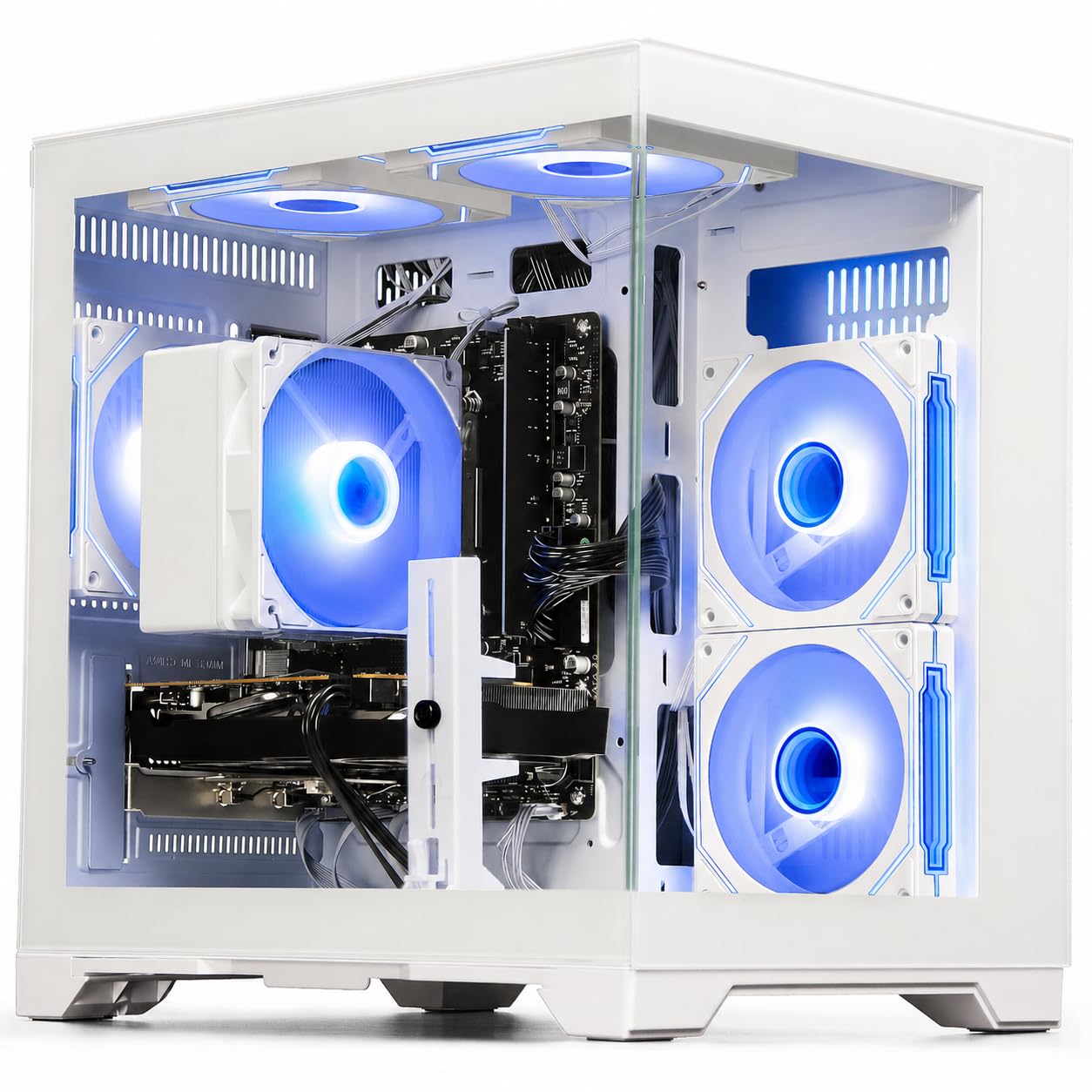
The LXZ Gaming PC brings the RTX 3050 6GB into the budget streaming conversation — the Turing NVENC encoder on this card is a substantial upgrade over older Pascal-generation encoders found in GTX 1060 systems. With the Ryzen 5 4500 managing six cores and twelve threads, the system can run OBS in NVENC mode while maintaining steady frame pacing in competitive shooters like Valorant and Fortnite at 1080p high settings.
The 512GB NVMe PCIe 3.0 SSD is adequate for the operating system and a handful of streamed games, though you’ll want to manage storage carefully if you record VODs locally. Wi-Fi 6 connectivity ensures stable upload speeds for Twitch or YouTube streaming without running an Ethernet cable. The quiet cooling system uses smart fan control to keep noise levels down during broadcasts.
The included 400-watt power supply is a known weak point — some users report needing a 650-watt replacement to handle sustained streaming loads, so factor that into your total cost. DLSS support on the RTX 3050 helps maintain higher frame rates in supported titles. Despite the PSU concern, the NVENC encoder and RTX feature set make this a compelling entry point for streamers wanting ray tracing and DLSS at a constrained budget.
Why it’s great
- RTX 3050 Turing NVENC encoder for low-overhead streaming
- DLSS 3 support for higher streamed frame rates
- Wi-Fi 6 enables stable wireless streaming
Good to know
- 400W PSU may require upgrade for sustained loads
- 512GB SSD fills quickly with recorded VODs
5. WIWB Gaming PC (RX 6500 XT)
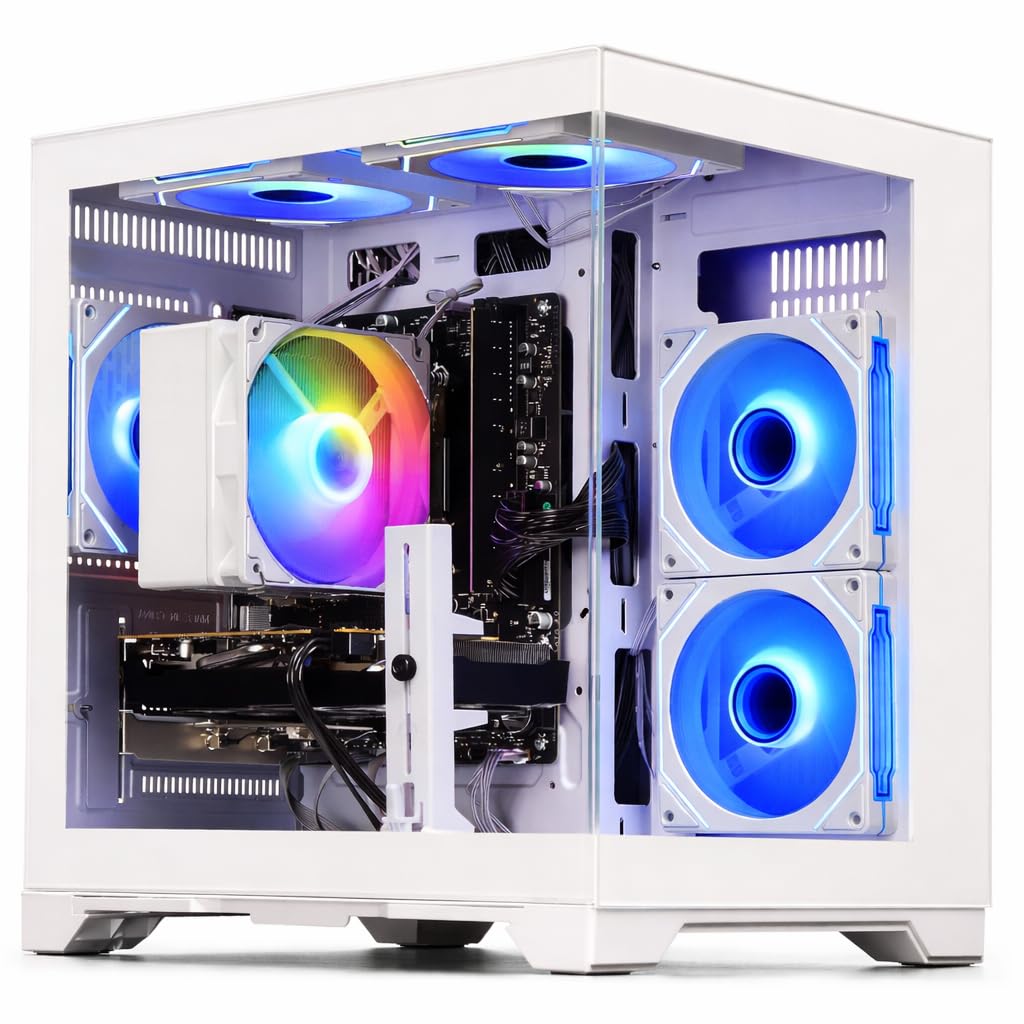
WIWB’s prebuilt pairs the 6-core Ryzen 5 5500 with the Radeon RX 6500 XT 4GB, which includes AMD’s VCN (Video Core Next) encoder for hardware-accelerated streaming. While the RX 6500 XT’s 4GB VRAM is tight for texture-heavy titles, the VCN encoder performs well for 1080p streaming in esports titles where texture budgets are lower — games like Valorant, CS2, and Overwatch 2 broadcast smoothly without encoder overload.
The 16GB DDR4 3200MHz RAM provides adequate headroom for OBS and a single game, though the single-channel configuration in some units can reduce memory bandwidth. The 512GB NVMe SSD loads games quickly, but the limited storage means you’ll need to uninstall and reinstall titles if you record many stream VODs locally. The white chassis design with cable management offers a clean aesthetic for desktop streaming setups.
Boot times are instant thanks to NVMe storage. While the RX 6500 XT lacks AV1 encoding support found in newer AMD GPUs, the VCN encoder at 1080p60 with a bitrate of 6000 Kbps delivers acceptable quality for entry-level streaming. The system runs quietly even under load due to the efficient 65W TDP of the Ryzen 5 5500. This is a solid choice for streamers focused exclusively on competitive esports titles.
Why it’s great
- VCN encoder handles 1080p60 streaming in esports titles
- Ryzen 5 5500 runs cool and quiet for broadcasts
- Clean white chassis with good cable routing
Good to know
- 4GB VRAM limits texture-heavy game streaming quality
- No AV1 encoding support for future codec adoption
6. GMKtec K8 Plus Mini PC

The GMKtec K8 Plus redefines the form factor for a streaming PC — it packs an AMD Ryzen 7 8845HS with Radeon 780M integrated graphics (12 RDNA3 compute units at 2700MHz) into a chassis roughly the size of a Mac Mini. The Radeon 780M is capable of running lighter streamed games at 1080p, and the 32GB dual-channel DDR5 RAM ensures the iGPU has enough memory bandwidth for both the game and the VCN encoder.
Dual Intel i226V 2.5G Ethernet ports allow for a dedicated streaming network interface — one port for game traffic, one for upload traffic — which reduces latency spikes during live broadcasts. The OCuLink port provides an upgrade path to an external GPU enclosure if you need more encoding power later. The system supports 4K output across four displays via USB4 and HDMI 2.1, useful for streamers running preview monitors.
The dual-fan cooling system with VC heat pipes keeps the 8845HS within thermal limits during sustained encoding loads. At 35W silent mode, the system runs nearly inaudibly for streams where microphone pickup is a concern. Customer reviews confirm the 780M handles Fortnite at 1080p medium settings with stream encoding active. This is a perfect secondary streaming rig for dual-PC setups or for streamers with extreme space constraints.
Why it’s great
- Dual 2.5G Ethernet for isolated stream network traffic
- OCuLink port for future external GPU expansion
- Ultra-compact chassis for desk space savings
Good to know
- Integrated 780M can’t match discrete GPU encoder quality
- Single-channel RAM configuration hampers iGPU performance
7. GEEKOM A7 MAX Mini PC
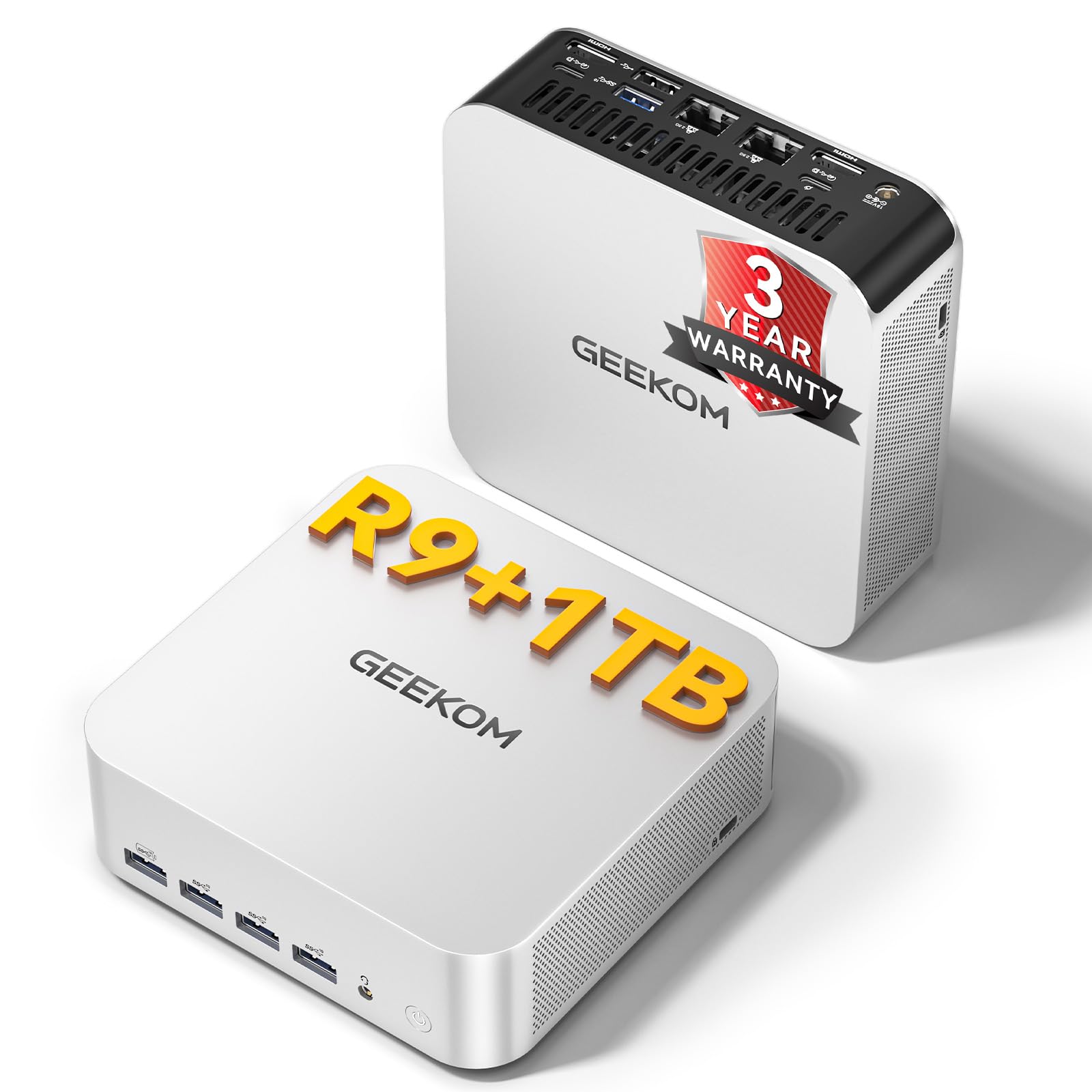
The GEEKOM A7 MAX runs the AMD Ryzen 9 7940HS — an 8-core, 16-thread processor with a 5.2GHz boost clock — paired with the Radeon 780M integrated GPU. This is the most powerful CPU available in the mini PC form factor, and its Ryzen AI engine can accelerate certain encoding and noise reduction tasks in OBS through NPU offloading. The 16GB DDR5 memory is single-channel in the base configuration, so upgrading to dual-channel is recommended for iGPU streaming performance.
Dual 2.5G LAN ports and dual USB4 ports (40Gbps each) provide professional-grade connectivity for streamers who need to connect capture cards, external storage for VODs, and network bonding. The IceBlast 2.0 cooling system keeps noise below 36dB even under load. The included VESA mount allows the entire streaming PC to be hidden behind a monitor, reducing desk clutter for minimalist setups.
The 1TB Gen4 NVMe SSD provides fast storage for games and recordings. The 3-year coverage is industry-leading for a mini PC. Customer feedback highlights the system’s ability to handle quiet office streaming tasks and light 1080p gaming simultaneously. This is an excellent choice for streamers who want a silent, low-power secondary encoding rig or a primary PC for non-AAA streaming content.
Why it’s great
- Ryzen AI NPU for potential encoding acceleration
- Dual USB4 (40Gbps) for capture card connectivity
- 3-year coverage warranty for long-term reliability
Good to know
- Single-channel DDR5 limits iGPU streaming performance
- No discrete GPU for high-bitrate 1080p encoding
8. ALCPOK Gaming PC (Ryzen 7 5700G)

The ALCPOK system is built around the Ryzen 7 5700G, an 8-core APU with Vega 8 integrated graphics. This configuration is unique because the 550W 80+ Bronze power supply includes PCIe power connectors, allowing you to add a dedicated graphics card later for proper NVENC or VCN encoding. As shipped, the Vega 8 iGPU can handle 720p streaming of lightweight titles via AMD’s VCN encoder, but the true value lies in the upgrade path.
The 16GB DDR4 3200MHz RAM (single stick in some units) and 1TB NVMe SSD provide a strong foundation for streaming storage and multitasking. The ARGB cooling fans keep the system quiet enough for microphone use during broadcasts. The upgrade-ready design means you can drop in an RTX 3050 or GTX 1660 Super later, transforming this from an iGPU streaming starter into a full 1080p broadcast machine.
Customer reviews consistently mention the ease of adding a graphics card — the PSU’s PCIe cables are already routed and the case has clearance for standard dual-slot GPUs. For streamers on a tight initial budget who plan to upgrade incrementally, this system offers the lowest entry cost with the clearest path to a capable streaming configuration. The 1TB SSD provides ample space for games and VOD recordings from the start.
Why it’s great
- 550W PSU with PCIe cables ready for GPU upgrade
- 8-core CPU handles OBS overlays during streaming
- 1TB NVMe SSD provides generous storage out of box
Good to know
- Vega 8 iGPU is limited to 720p streaming
- Single RAM stick limits dual-channel iGPU performance
9. STGAubron Gaming PC (RX 580)
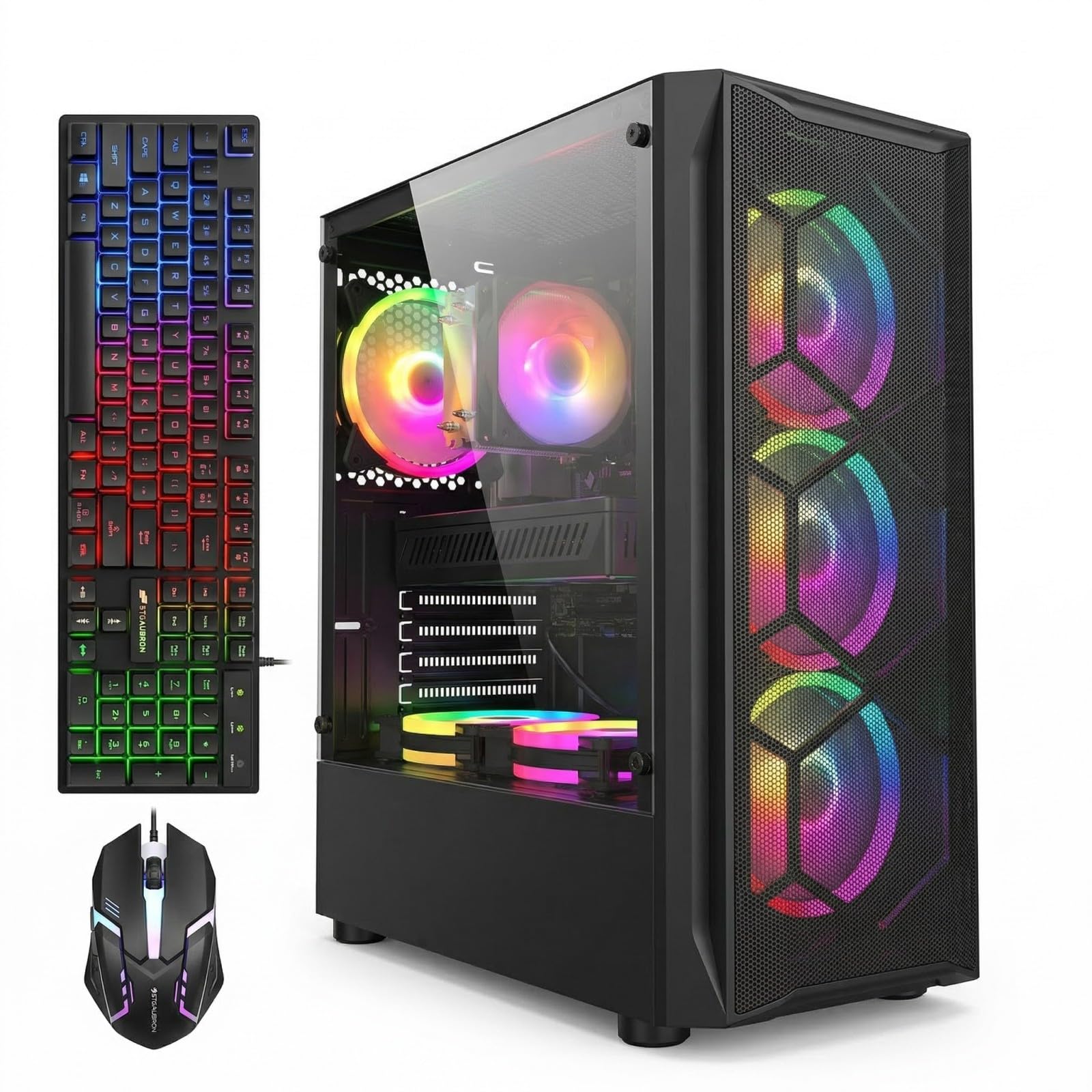
The STGAubron provides the lowest entry cost for a system with a discrete graphics card — the AMD Radeon RX 580 with 8GB of VRAM is a generation older but still includes AMD’s VCN encoder for hardware-accelerated streaming. The Intel Core i7 (4th generation, up to 3.9GHz) is the weakest component here, with only four cores and eight threads that will struggle with OBS overlays during CPU-intensive games.
The 16GB RAM and 1TB SSD are generous for the price tier, providing enough storage for multiple streamed games and recorded VODs. The RX 580’s 8GB VRAM is actually overkill for 1080p streaming — it allows higher texture quality in-game without competing with the encoder’s memory allocation. Wi-Fi 6 and Bluetooth 5.0 provide modern wireless connectivity that older prebuilts at this price often lack.
The 4th-gen i7 is the bottleneck here — it lacks the core count needed for simultaneous gaming, OBS, and Discord without frame drops in CPU-heavy titles. However, for streamers focused on older or less demanding games like Minecraft, Roblox, and CS:GO, this system can handle 720p60 streaming reliably. The included RGB mouse and keyboard reduce initial setup costs. This is the true budget entry point for streamers who absolutely must have a discrete GPU and can manage the CPU limitations.
Why it’s great
- RX 580 8GB with VCN encoder for hardware streaming
- 1TB SSD and 16GB RAM provide solid storage foundation
- Lowest entry price for discrete GPU streaming system
Good to know
- 4th-gen i7 lacks cores for multitasking during streams
- Limited to 720p60 streaming in demanding games
10. WIWB Gaming PC (RX 560)
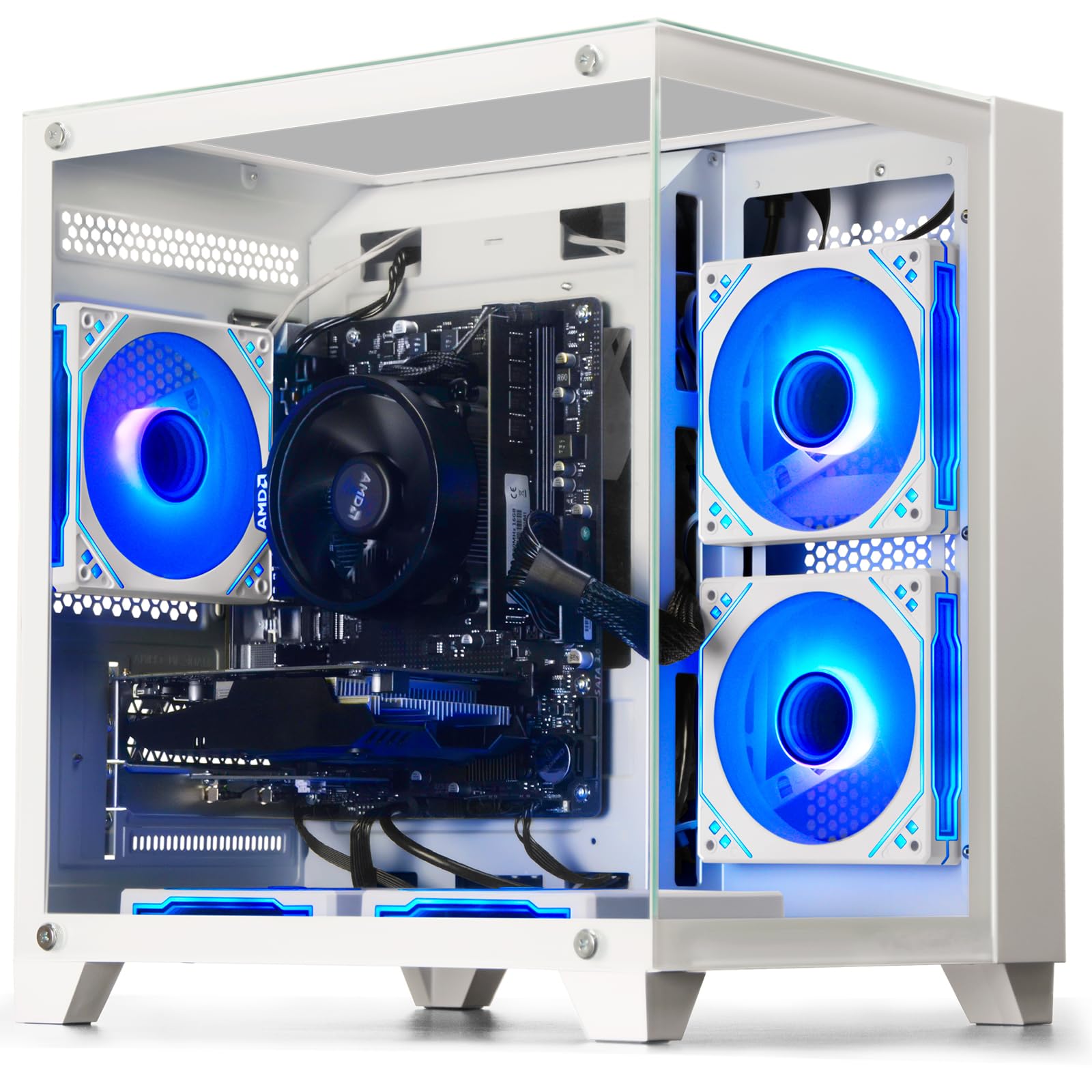
The WIWB system with the Ryzen 5 3500X and RX 560 4GB represents the absolute floor for entry-level streaming hardware. The RX 560 includes AMD’s VCN encoder but only offers 4GB of VRAM, which limits texture quality in modern games and constrains the encoder’s memory buffer at 1080p resolutions. The 6-core, 6-thread Ryzen 5 3500X is a competent budget processor but lacks the simultaneous multi-threading that helps with OBS background tasks.
The 16GB DDR4 RAM and 512GB SSD are adequate for basic streaming workflows — you can run OBS, a lightweight game like League of Legends, and Discord simultaneously at 720p output. The Wi-Fi 6 connectivity ensures stable upload speeds without Ethernet. The white chassis design is visually appealing for budget setups, and the included air cooling runs quietly enough for microphone pickup.
This system is best suited for streamers broadcasting older titles or 2D games like Hearthstone, Valorant, or Stardew Valley at 720p60. The RX 560 cannot maintain 1080p60 encoding while keeping playable game frame rates in most modern 3D titles. Customer reports confirm satisfactory performance for casual streaming where encoder quality isn’t the primary concern. The upgrade-friendly motherboard supports future GPU swaps when budget allows.
Why it’s great
- 6-core processor handles basic OBS multitasking
- Wi-Fi 6 ensures stable upload for 720p streams
- White chassis with clean aesthetic for desk setups
Good to know
- RX 560 4GB limited to 720p streaming in modern games
- No simultaneous multi-threading on 3500X
11. Suevery Gaming PC (RX 560)

Suevery’s prebuilt offers a Ryzen 5 6-core processor (3.6GHz base, 4.1GHz boost) with the same RX 560 4GB graphics configuration, making it a direct competitor to the WIWB RX 560 system with a slightly different parts selection. The 16GB DDR4 at 3200MHz is a faster memory speed than many budget prebuilts, which benefits the Ryzen architecture’s Infinity Fabric and can reduce micro-stuttering during streaming.
The 512GB M.2 PCIe NVMe SSD provides fast boot and load times, and the multiple USB ports (2x USB 3.0, 4x USB 2.0) give enough connectivity for a webcam, microphone interface, and stream deck. The Wi-Fi 6 support ensures solid upload bandwidth for streaming. The RGB lighting system can be customized through the included controller, adding visual appeal for stream backgrounds.
Customer feedback indicates the system runs solo indie games and esports titles smoothly, with the RX 560 handling 720p streaming without major encoder issues. The upgrade potential is decent — the motherboard has open RAM slots and the case can accommodate larger GPUs. Some units shipped with non-detected GPUs requiring replacement, so verify the RX 560 is properly seated on arrival. This is a functional entry point for streamers who prioritize quick setup and plan to upgrade the GPU as their channel grows.
Why it’s great
- 3200MHz RAM optimizes Ryzen CPU streaming performance
- Quiet cooling design suitable for microphone pickup
- Customizable RGB lighting for stream aesthetics
Good to know
- RX 560 limited to 720p encoding for modern titles
- Some units ship with undetected integrated GPU
FAQ
Can a budget PC with an integrated GPU handle streaming?
How much VRAM do I need for 1080p streaming?
Is 16GB of RAM enough for streaming with OBS?
Final Thoughts: The Verdict
For most users, the budget pc for streaming winner is the NINGMEI Gaming PC (GTX 1660 Super) because its 6GB NVENC GPU and 1TB Gen4 SSD deliver reliable 1080p60 streaming performance at a cost that doesn’t sacrifice encoder quality. If you want the latest RTX NVENC encoder and DDR5 memory, grab the CyberPowerPC Gamer Master with the RTX 5060 Ti. And for a compact dual-PC encoding rig, nothing beats the GMKtec K8 Plus with its dual 2.5G Ethernet and OCuLink expansion.