
Handing over a massive video archive or your entire game library and waiting minutes for file transfers to finish is a workflow killer. The jump from a traditional hard drive to an SSD at these capacities isn’t just about speed—it’s about eliminating the physical bottleneck that keeps your system waiting on storage. For professionals managing 8K raw footage, extensive virtual machine libraries, or a full Steam catalog, the decision to go all-flash at the 8TB to 16TB level changes how you work.
I’m Min — the co-founder and writer behind Gadgets Feed. I’ve spent countless hours analyzing the performance metrics, thermal designs, and real-world transfer benchmarks across the dozen-plus high-capacity SSDs available today to separate the truly fast from the marketing promises. This guide focuses on the specific controllers, NAND types, and interface speeds that matter at this scale.
Whether you need a rugged external drive for on-location shoots or a blistering internal NVMe drive for your workstation, finding the right option starts with understanding the specs. This guide is your resource for choosing the best 16tb ssd drive to match your exact performance and reliability requirements.
How To Choose The Best 16TB SSD Drive
Choosing a drive at this capacity and price point is a significant investment. You need to match the drive’s architecture to your specific workload, not just look at the peak read speed on the box. A drive optimized for sequential video editing will perform very differently in a random-access database or NAS environment.
Interface Speed vs. Real-World Throughput
The interface—SATA III capping at ~560 MB/s, NVMe Gen4 reaching up to 7,300 MB/s, or Thunderbolt/USB4 approaching 3,800 MB/s—sets the absolute ceiling. However, sustained throughput depends heavily on the controller and NAND. A high-speed NVMe drive that thermal-throttles after 30 seconds of writing might perform slower than a well-cooled Thunderbolt enclosure for large file transfers. Look for drives with active or substantial passive cooling if your workflow involves continuous heavy writes.
NAND Flash and Endurance Ratings
High-capacity SSD drives often use QLC (Quad-Level Cell) NAND to keep costs down, which offers lower endurance (TBW – Terabytes Written) compared to TLC (Triple-Level Cell). For write-heavy tasks like video editing or continuous NAS caching, TLC drives with a higher TBW rating are the safer bet. SLC caching, where the drive uses a portion of its cells in a faster single-level mode, is critical for maintaining burst write speeds. A drive with a large, intelligent SLC cache can absorb big file dumps before slowing down to its native QLC/TLC speeds.
Quick Comparison
On smaller screens, swipe sideways to see the full table.
| Model | Category | Best For | Key Spec | Amazon |
|---|---|---|---|---|
| WD_Black SN850X 8TB | NVMe Gen4 | Gaming & Workstation OS Drive | 7,300 MB/s Read | Amazon |
| OWC Express 1M2 4TB | USB4/Thunderbolt | High-Speed External Editing | 3,836 MB/s Real-World | Amazon |
| OWC 16TB U2 Shuttle | U.2 Enclosure | RAID & Server Cache | 4x NVMe Modular | Amazon |
| Apricorn Aegis Fortress L3 16TB | Encrypted HDD/SSD | Secure Data Transport | FIPS 140-2 Level 3 | Amazon |
| VectoTech V-MAX 8TB | SATA III | Internal Bulk Storage | 550 MB/s Read | Amazon |
| KingSpec 8TB SATA III | SATA III | Laptop/PS4 Pro Upgrades | 550 MB/s Read | Amazon |
| Lexar Armor 700 8TB | Portable USB 3.2 | Rugged External Backup | 2,000 MB/s Read/Write | Amazon |
| SanDisk Desk Drive 8TB | Desktop SSD | Stationary Creative Workflows | 1,000 MB/s Read | Amazon |
| Gigastone NAS 4-Pack 8TB | SATA III (4 Pack) | NAS RAID Configurations | 550 MB/s Each | Amazon |
| Gigastone NAS 4-Pack 16TB | SATA III (4 Pack) | High-Capacity NAS Pool | 530 MB/s Each | Amazon |
| WD Red SA500 4TB | SATA III NAS | NAS Caching & Databases | 560 MB/s Read | Amazon |
In‑Depth Reviews
1. WD_Black SN850X 8TB NVMe SSD

The WD_Black SN850X is the gold standard for high-capacity internal NVMe storage, delivering up to 7,300 MB/s read speeds that saturate Gen4 lanes. At 8TB, it uses SanDisk TLC 3D NAND, which provides significantly better endurance than QLC alternatives, making it suitable for both loading massive game libraries and editing high-bitrate video as a scratch disk.
The included WD_BLACK Dashboard software unlocks Game Mode 2.0 with features like Predictive Loading and Overhead Balancing, which pre-load frequently accessed data for lower latency in gaming. The drive’s Adaptive Thermal Management helps maintain peak speeds under extended loads, though a dedicated motherboard heatsink is still recommended for sustained writes to prevent throttling.
Its M.2 2280 form factor means it fits directly on modern motherboards and many laptops, offering a clean, cable-free installation. For users who need the absolute fastest internal storage at this capacity without stepping up to expensive enterprise gear, the SN850X is the clear choice.
Why it’s great
- Blistering 7,300 MB/s sequential read speeds
- High-endurance TLC NAND for heavy workloads
- Proprietary Game Mode 2.0 for faster load times
Good to know
- Requires a Gen4 slot for full speed
- Runs hot without proper airflow or heatsink
- Premium pricing per terabyte
2. OWC Express 1M2 4TB USB4 NVMe SSD

The OWC Express 1M2 delivers over 3,800 MB/s real-world performance via its patent-pending heat-dissipating aluminum enclosure, effectively matching or beating many Thunderbolt 3 SSDs. This is a DIY solution where you supply the NVMe M.2 2280, 2242, or 2230 drive, allowing you to choose your preferred controller (like a WD SN850X or Samsung 990 Pro) and capacity.
The enclosure’s heavy, finned chassis acts as a massive passive heatsink, silently keeping the drive cool during prolonged 4K and 8K video editing sessions. Reviewers consistently note that it solved random disconnection issues they experienced with cheaper enclosures, and it maintains stable ~3,000 MB/s throughput over Thunderbolt 4 on Apple Silicon Macs.
It is bus-powered and palm-sized, making it genuinely portable despite the metal heft. The included 40Gb/s USB-C cable and screwdriver simplify assembly. This is the best option for users who want Thunderbolt-class external speeds but prefer to configure their own storage for cost or performance reasons.
Why it’s great
- Extremely fast passive cooling (fanless, silent)
- Supports multiple M.2 drive sizes (2280, 2242, 2230)
- Reliable, stable connection over USB4/Thunderbolt
Good to know
- Requires purchasing an NVMe drive separately
- Screws under stick-on feet make drive swapping difficult
- Not IP-rated for rugged outdoor use
3. OWC 16TB U2 Shuttle
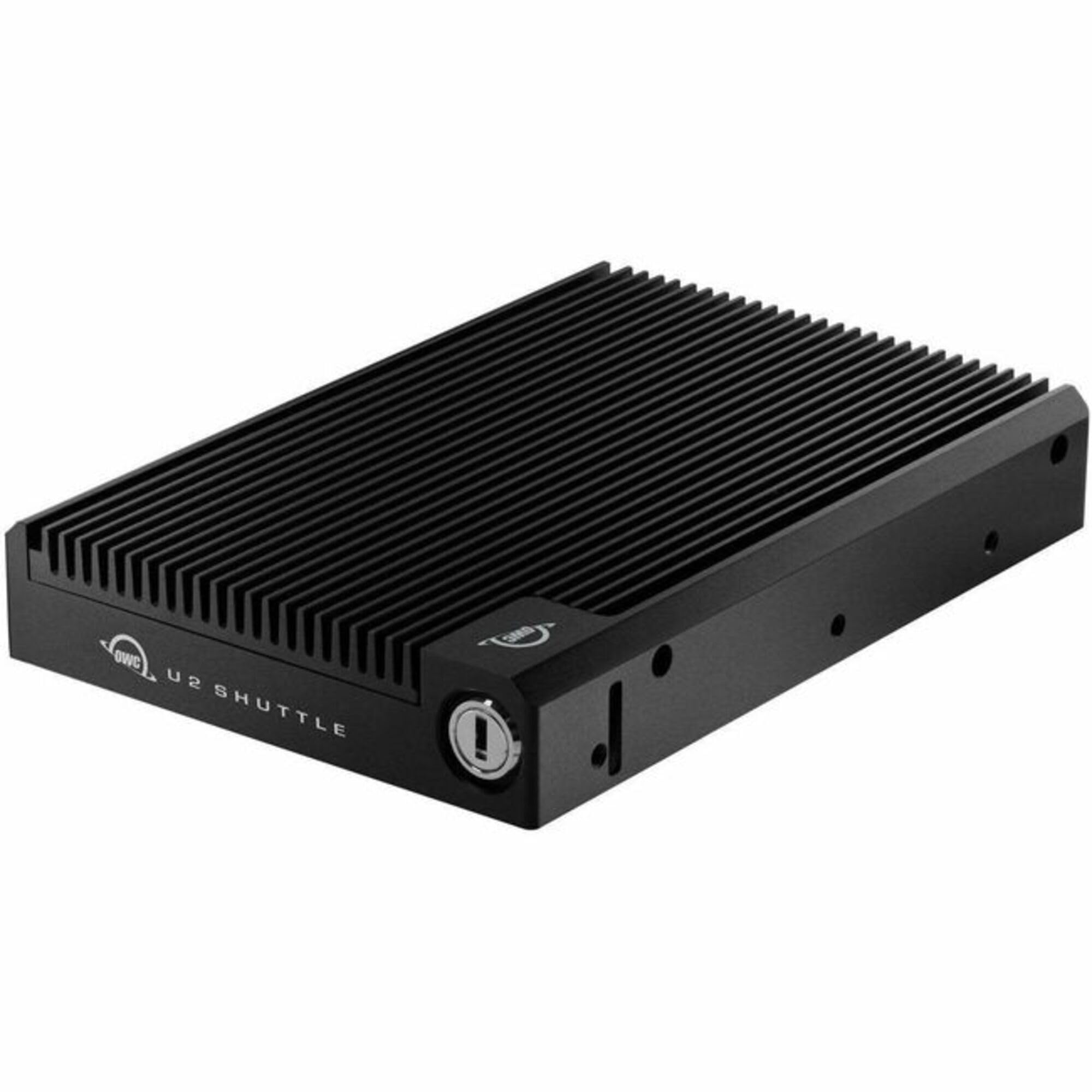
The OWC U2 Shuttle is a specialized carrier that takes up to four standard NVMe M.2 blades and presents them as a single U.2 drive. This allows you to populate a server or workstation’s U.2 bay with consumer NVMe speeds, achieving massive capacity (up to 16TB or more) in RAID 0, all within a hot-swappable 3.5-inch form factor.
Its Swiss-designed aluminum chassis provides excellent passive cooling for the four drives, which is critical when they are packed tightly together. Users report using it successfully in OWC’s own Mercury Pro U.2 Dual enclosure over Thunderbolt, as well as in PC systems with native U.2 ports, keeping PCIe slots free for other expansion cards.
Performance can be impressive in RAID 0, though software RAID over Thunderbolt may show lower speeds (around 900 MB/s in RAID 5) compared to a single high-end NVMe. This product is best for professionals who need dense, swappable NVMe storage in a U.2 ecosystem without buying expensive enterprise SSDs.
Why it’s great
- Combines 4x M.2 NVMe into a single U.2 device
- RAID-ready with passive cooling for sustained load
- Hot-swappable for workstation/server flexibility
Good to know
- Requires a U.2 port or compatible enclosure
- Performance limited by software RAID over Thunderbolt
- Niche application; overkill for most users
4. Apricorn 16TB Aegis Fortress L3
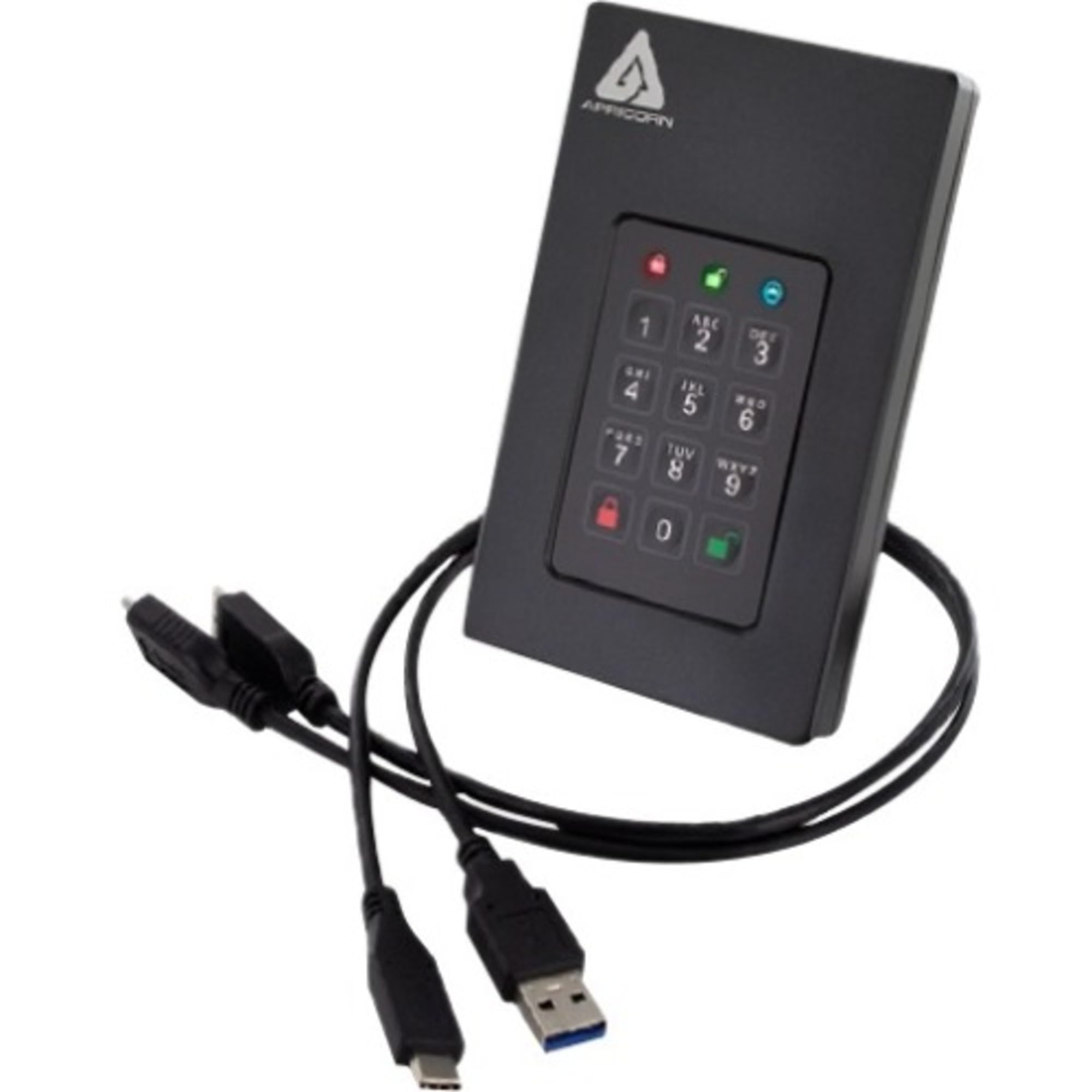
The Apricorn Aegis Fortress L3 is designed for a specific mission: secure transport of sensitive data in compliance with government and industry regulations like HIPAA and FERPA. It is FIPS 140-2 Level 3 validated, meaning its 256-bit AES XTS hardware encryption meets stringent security standards, and it features a built-in PIN keypad for on-device authentication.
The drive offers separate Admin and User modes, plus two Read-Only modes to prevent accidental writes when connecting to potentially compromised systems. Brute-force defense mechanisms lock the device after a number of failed attempts, physically protecting the data inside even if the drive is lost. Its rugged, rubberized casing can withstand drops and physical tampering.
It uses a USB 3.0 interface, which limits peak transfer speeds to around 370 MB/s, making it much slower than modern NVMe or Thunderbolt options. Additionally, it relies on proprietary cables, which can be a convenience issue in the field. It is an uncompromising security tool, not a general-purpose speed demon.
Why it’s great
- FIPS 140-2 Level 3 certified hardware encryption
- PIN keypad prevents keylogger and host-based attacks
- Separate Admin/User modes with Read-Only support
Good to know
- Slower USB 3.0 interface limits transfer speeds
- Requires proprietary cables for operation
- Very high cost driven by security certification
5. VectoTech V-MAX 8TB SATA III SSD

The VectoTech V-MAX is one of the few affordable options for achieving 8TB in a single 2.5-inch SATA III slot. It uses 3D NAND TLC flash with a Phison PS3112 controller and offers up to 550 MB/s read and 530 MB/s write speeds—the full potential of the SATA III interface.
Its 1.5 million-hour MTBF rating and features like TRIM, SMART, and Wear Leveling suggest a focus on reliability for daily use. Users report it is easy to install and works great for cloning old HDDs or adding massive storage to laptops and desktops that lack M.2 slots. It is also compatible with PS4 and PS4 Pro consoles, offering a quieter and faster alternative to their internal drives.
The main caveat is the brand’s relative newness compared to Samsung or WD, with some users noting the lack of a long-term track record. The 3-year warranty provides some reassurance, but for mission-critical data, a more established manufacturer might be preferable.
Why it’s great
- Highest capacity in a standard 2.5-inch form factor
- Full SATA III speed (550 MB/s read)
- Good price per terabyte for bulk SATA storage
Good to know
- Brand is less established with longer-term reliability data
- SATA speeds are capped compared to NVMe
- Limited to a 3-year warranty
6. KingSpec 8TB 2.5 SSD SATA III
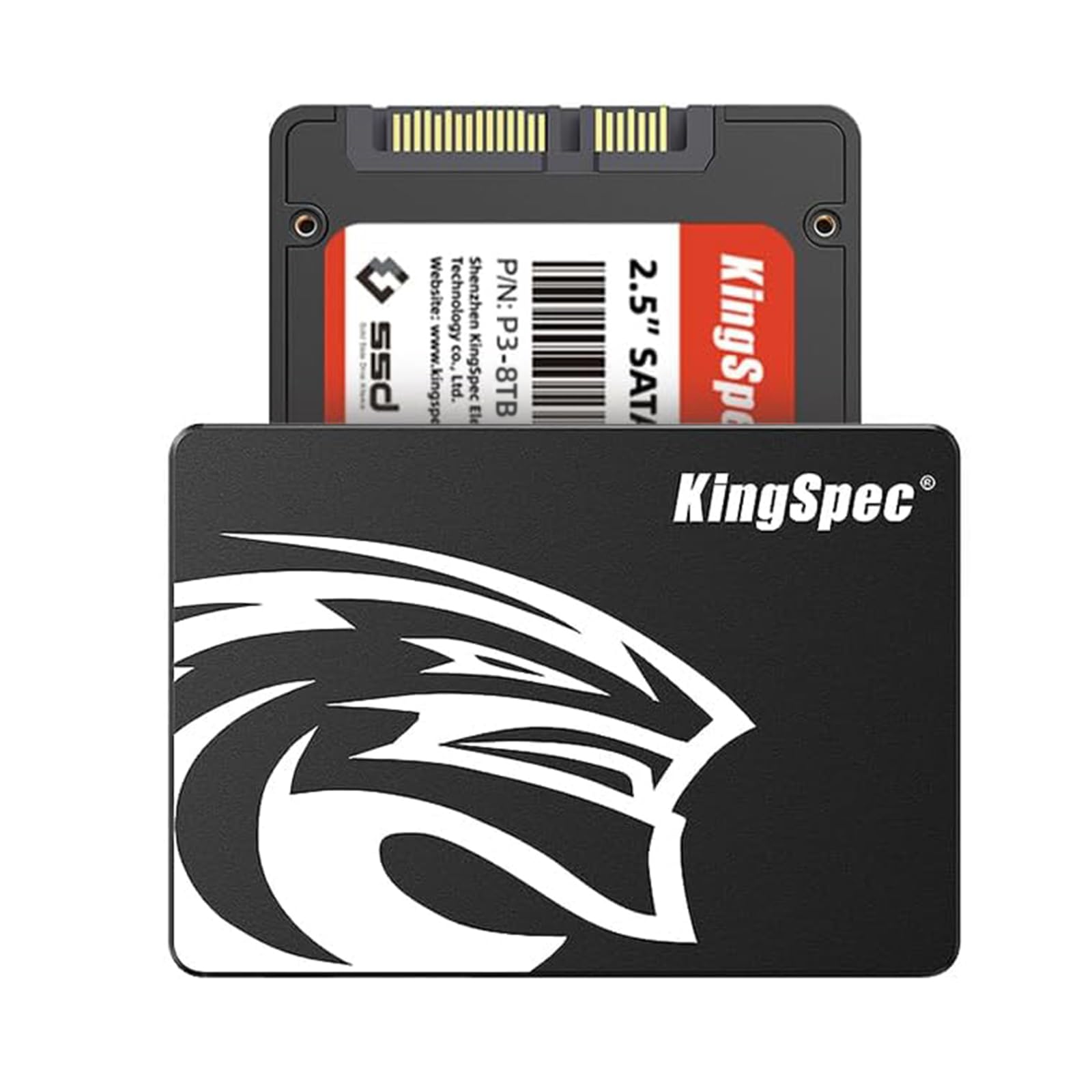
KingSpec’s 8TB SATA III SSD delivers the same maximum SATA performance as the VectoTech at a lower entry price point. Its sequential read speeds of 550 MB/s and write speeds of 520 MB/s are standard for the interface, but the use of 3D NAND flash and semiconductor components is intended to provide stable, reliable performance for daily computing.
The drive is advertised as shockproof and anti-drop, and it is compatible with Windows, Linux, Unix, and gaming consoles like the PS4 and PS4 Pro. For users looking to breathe new life into an older laptop or desktop that only has a 2.5-inch bay, this is a cost-effective way to add 8TB of fast, silent storage.
It supports essential features like wear leveling, garbage collection, and TRIM. However, as with other budget-tier brands, the long-term reliability and warranty support (3-year limited) are not as proven as the market leaders. It is ideal for non-critical media storage or gaming libraries where speed beyond SATA is unnecessary.
Why it’s great
- Lowest cost entry to 8TB internal SSD storage
- Compatible with multiple operating systems and consoles
- Simple plug-and-play upgrade for older systems
Good to know
- Write speed drops to 520 MB/s vs. read speed
- Limited warranty and customer support track record
- Not ideal for heavy, sustained write workloads
7. Lexar Armor 700 8TB Portable SSD

The Lexar Armor 700 is built for the field. With an IP66 rating for water and dust resistance and the ability to survive drops of up to 3 meters, it is designed for photographers, videographers, and anyone working in challenging environments. Its USB 3.2 Gen 2×2 interface provides up to 2,000 MB/s read and write speeds, which is ample for real-time 4K 60FPS ProRes recording directly from an iPhone 15 Pro or high-end camera.
Its unique Thermal Control Design ensures the NVMe inside doesn’t throttle during sustained footage dumps, maintaining high performance even on hot days. The drive includes a USB-C cable and a USB-C to USB-A adapter, ensuring broad compatibility. The Lexar App facilitates easy mobile backups, while the DataShield 256-bit AES encryption software keeps files secure.
Users praise its compact, pocket-sized build and quick transfer speeds, noting that it handles large files without overheating. It is an excellent choice for creatives who need a fast, durable portable drive that can keep up with on-location production demands.
Why it’s great
- IP66 dust/water resistant and 3-meter drop proof
- 2,000 MB/s speed suitable for ProRes recording
- Thermal Control Design prevents throttling
Good to know
- USB 3.2 Gen 2×2 ports are not universal
- Slightly larger than non-rugged portable SSDs
- Encryption software is Windows/Mac only
8. SanDisk Desk Drive 8TB SSD

The SanDisk Desk Drive is a stationary external SSD designed for desktop workflows. It offers up to 1,000 MB/s read speeds via a USB 3.2 Gen 2 interface, making it roughly 4x faster than a traditional desktop HDD. The compact design sits neatly on a desk and comes with a power adapter, as it is not bus-powered—something to note if you wanted a truly portable solution.
Its 8TB capacity is ideal for storing large photo and video libraries, and it supports Apple Time Machine out of the box with exFAT formatting. The included USB-C to C and USB-C to A cables ensure compatibility with modern and older PCs and Macs. The downloadable Acronis True Image for Western Digital software adds automatic backup capabilities.
Some users report the drive can run quite warm and may disconnect under heavy load, potentially leading to data corruption. While many find it fast and reliable for editing large RAW photo files, requiring external power and the heat issue are significant considerations for a 24/7 always-on backup solution.
Why it’s great
- Plug-and-play with Mac and PC (exFAT)
- 1,000 MB/s read speeds from a compact desktop unit
- Acronis backup software included
Good to know
- Requires an external power adapter
- Can get hot and cause disconnections for some users
- Not as portable as bus-powered SSDs
9. Gigastone NAS Certified 2TB High Endurance 4-Pack (8TB Total)

This Gigastone 4-pack comes with four 2TB High Endurance NAS SSDs, totaling 8TB of reliable SATA III storage. They are designed specifically for 24/7 NAS environments, with a TLC flash and SLC caching architecture that prioritizes data integrity and endurance over raw peak speed.
The drives are compatible with major NAS brands like Synology, QNAP, and Asustor, and are ideal for RAID configurations such as RAID 5 or RAID 10. Users have deployed them successfully for virtualization, collaborative editing, and as a high-speed cache pool in multi-bay NAS units.
While the price makes it a very competitive option for filling a NAS, the reliability reports are mixed. While many users report flawless performance, a significant minority have experienced failures after a few months. The 5-year warranty offers peace of mind, but the mixed reviews suggest checking the return policy for your specific NAS setup.
Why it’s great
- NAS-certified with high endurance TLC NAND
- Total 8TB capacity across 4 drives for RAID
- 5-year replacement warranty
Good to know
- Mixed user reliability reports over time
- SATA III speed cap (550 MB/s per drive)
- Not intended for standalone server environments
10. Gigastone NAS Certified 4TB High Endurance 4-Pack (16TB Total)
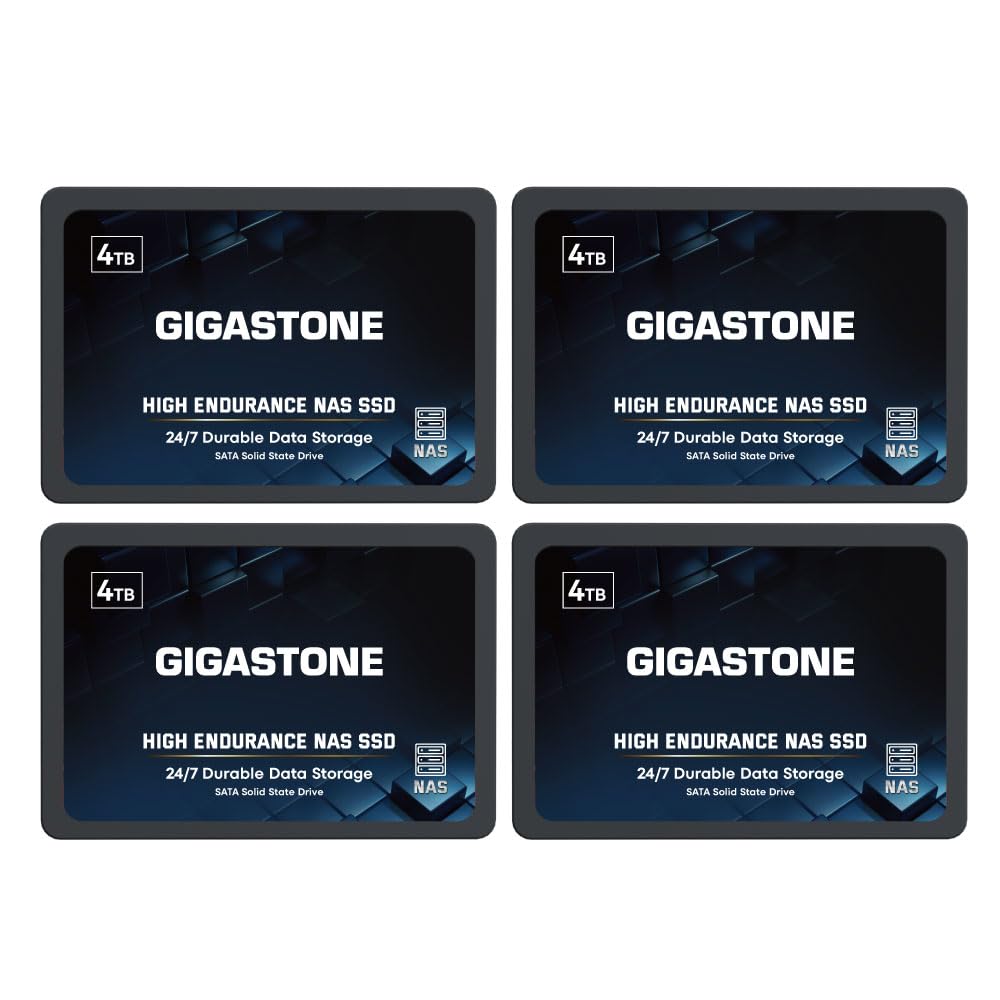
This is the larger sibling of the previous Gigastone pack, offering four 4TB drives for a total of 16TB of NAS-ready SATA III SSD storage. It uses the same 3D NAND TLC architecture with SLC caching and is built for 24/7 operation in RAID configurations within Synology, QNAP, and Asustor systems.
The 4TB drives are slightly slower than the 2TB versions (530 MB/s vs. 550 MB/s read), but the difference is negligible for most NAS workloads like file serving, Plex transcoding, or multi-user database access. The endurance rating is intended to handle the constant read and write cycles of a multi-bay NAS environment better than a standard desktop SSD.
Reviews are a mixed bag again. While many users find them to be a great value for building an all-flash NAS, a notable number have reported bad clusters or outright failures within months. The 5-year warranty is a positive, but the inconsistency suggests that while the price is attractive, the reliability may not match a more established brand like WD Red or Samsung.
Why it’s great
- Massive 16TB total capacity for NAS pools
- High endurance TLC NAND for 24/7 use
- 5-year warranty from the manufacturer
Good to know
- Inconsistent reliability feedback from users
- 530 MB/s speed is not cutting-edge
- Customer support can be slow to respond
11. Western Digital 4TB WD Red SA500 NAS SSD
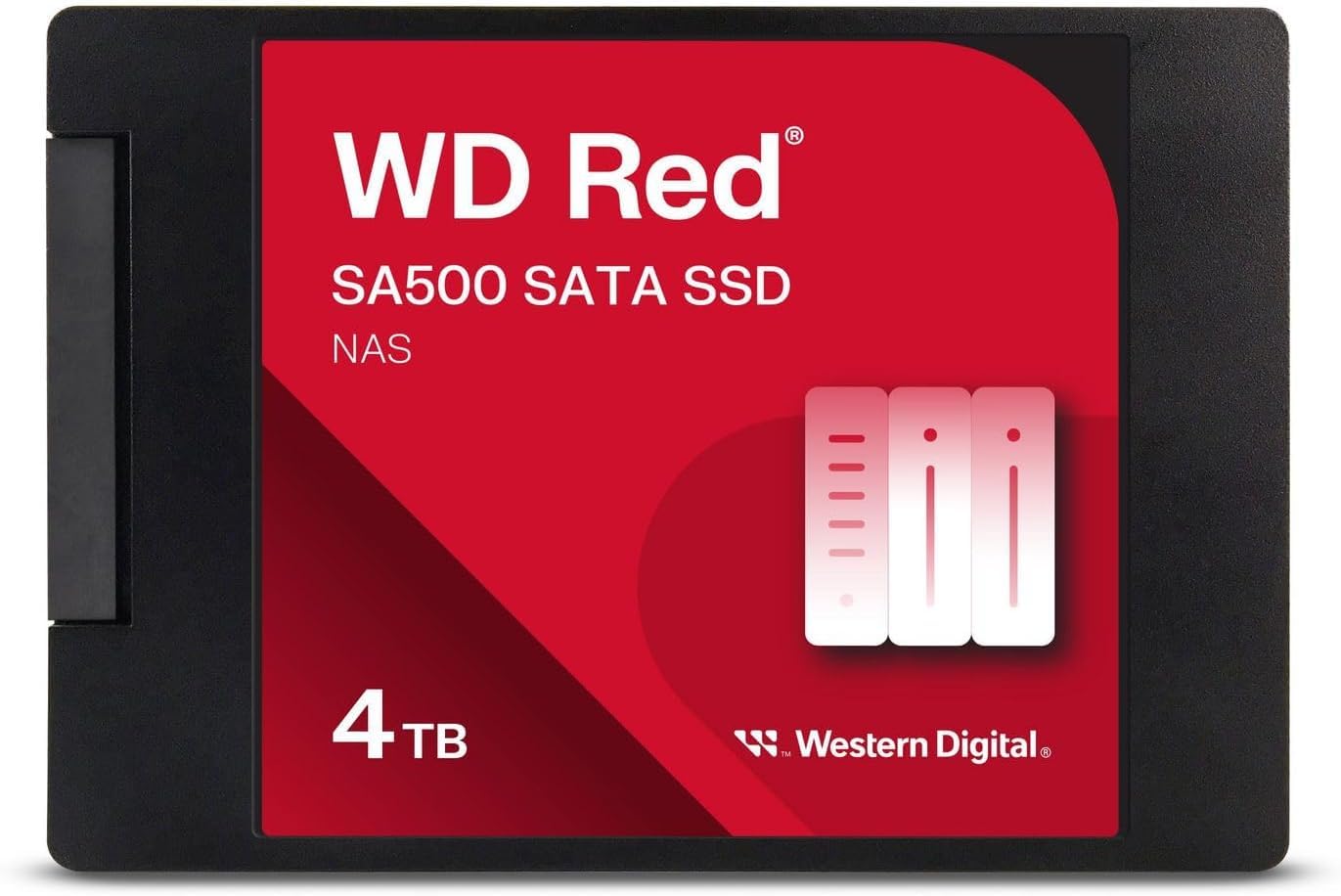
The WD Red SA500 is the trusted standard for SATA SSDs in NAS systems. It is specifically designed for 24/7 NAS environments with high endurance to handle heavy read/write caching loads. Its 560 MB/s sequential read speed saturates the SATA III bus, and its proven Western Digital 3D NAND provides a level of reliability that budget brands struggle to match.
Users consistently report these drives working flawlessly in Synology and QNAP NAS units for years, handling tasks from OLTP databases to multi-user 4K video editing. The 2.5-inch form factor fits standard NAS bays, and WD’s reputation for support and firmware updates is a strong selling point for professionals who cannot afford downtime.
Its 4TB capacity is modest compared to the 8TB options from KingSpec and VectoTech, and the price per terabyte is higher. However, for critical NAS caching arrays or primary storage in a business environment, the reliability and track record of the WD Red SA500 justify the premium. It’s the safe bet for data you cannot afford to lose.
Why it’s great
- Proven reliability and track record for NAS use
- Max SATA III speeds for caching
- Superior endurance for 24/7 operation
Good to know
- Highest price per terabyte in this comparison
- Only available in 4TB capacity
- WD’s backup software can have issues
FAQ
Can I use a SATA III 8TB SSD in my PS5 or PS4?
Why is my high-speed NVMe drive slowing down during large file transfers?
What is the difference between QLC and TLC NAND in a large SSD?
Final Thoughts: The Verdict
For most users building a high-performance workstation or gaming rig, the 16tb ssd drive winner is the WD_Black SN850X 8TB because it combines the absolute fastest Gen4 NVMe speeds with the endurance of TLC NAND, making it ideal for both OS and scratch disk duty. If you need a rugged, fast external drive for on-location work, grab the Lexar Armor 700 8TB. And for the most secure encrypted storage transport, nothing beats the Apricorn Aegis Fortress L3 16TB.