
Upgrading laptop memory is one of the few moves that can transform a sluggish, stuttering system into a responsive multitasking machine. Whether you are battling 40 browser tabs, running a virtual machine, or compiling code, the right 32GB DDR4 SODIMM kit determines whether your laptop feels fluid or choked.
I’m Min — the co-founder and writer behind Gadgets Feed. I spend hundreds of hours cross-referencing manufacturer datasheets, analyzing customer returns, and stress-testing compatibility claims across the DDR4 SODIMM landscape to separate genuine upgrades from spec-sheet traps.
After filtering through latency profiles, voltage tolerances, and real-world feedback, this guide delivers the definitive breakdown of the best 32gb ddr4 sodimm options that actually deliver measurable gains for your notebook.
How To Choose The Best 32GB DDR4 SODIMM
Selecting the right DDR4 SODIMM kit for your laptop is not about grabbing the fastest number on the box. Your system’s chipset and BIOS impose a hard ceiling on the memory speed it can actually run. Ignoring that limit is the single most common mistake in this category.
Know Your Laptop’s Speed Ceiling
Every laptop CPU and motherboard combination has a maximum supported memory speed, usually 2666 MHz or 3200 MHz for DDR4. Installing a 3200 MHz stick into a system that only supports 2666 MHz will force the RAM to downclock. The memory will still function, but you are paying for speed you cannot use.
Dual-Rank vs. Single-Rank Does Matter
A dual-rank (2Rx8) module effectively doubles the number of memory banks accessible per channel, which can yield a 5-15% bandwidth improvement in memory-bound workloads over a single-rank module at the same frequency. Check the product listing for the rank designation before buying.
Latency Is Not Just a Number
CAS latency or CL measures the delay between a memory controller request and the data becoming available. At the same speed, a CL19 module is slightly faster than a CL22 module. However, a 3200 CL22 kit still outperforms a 2666 CL19 kit in raw throughput. Match the speed to your platform, then favor the lower latency.
Single Stick vs. Dual-Channel Kit
A single 32GB module leaves one SODIMM slot free for future expansion, but a 2x16GB kit enables dual-channel mode from the start, which effectively doubles memory bandwidth. For most users, the dual-channel kit is the stronger choice unless you are maxing out a system with only one available slot.
Quick Comparison
On smaller screens, swipe sideways to see the full table.
| Model | Category | Best For | Key Spec | Amazon |
|---|---|---|---|---|
| G.SKILL Ripjaws 32GB (2x16GB) | Premium Kit | High-performance gaming laptops | 3200 MT/s CL22-22-22-52 | Amazon |
| PNY Performance 32GB (2x16GB) | Premium Single | Enthusiasts wanting PNY reliability | 3200 MHz CL22 backward compatible | Amazon |
| Silicon Power 32GB (2x16GB) | Value 3200 | Budget builds needing 3200 MHz | 3200 MHz CL22 1.2V | Amazon |
| Fanxiang 32GB (2x16GB) | Value Pick | Fast cold-boot and quiet fans | 3200 MHz CL22 1.2V | Amazon |
| Timetec 32GB (2x16GB) | 2666 Dual Rank | Aging laptops with 2666 MHz cap | 2666 MHz CL19 2Rx8 | Amazon |
| Crucial 32GB Single | Single Stick 2666 | Single-slot upgrades or 40 GB configs | 2666 MHz single 32 GB stick | Amazon |
| A-Tech 32GB Single | Budget Single | Entry-level 2666 MHz upgrades | 2666 MHz CL19 single stick | Amazon |
In‑Depth Reviews
1. G.SKILL Ripjaws DDR4 SO-DIMM 32GB (2x16GB) 3200MT/s

The G.SKILL Ripjaws kit operates at 3200 MT/s with JEDEC timings of CL22-22-22-52 at 1.20V, meaning it runs at full speed without needing XMP or any BIOS tweaking. This plug-and-play reliability is the single most important trait for laptop memory, where BIOS options are often locked down. Owners of Asus TUF A15, Dell G15, and MSI Katana machines report immediate recognition and stable performance under extended gaming loads.
The kit’s matched-pair construction ensures both modules run identical timings, eliminating the variable-latency headaches that arise when mixing two separately purchased sticks. G.SKILL does not recommend mixing kits, and the real-world evidence from users running 2.5-hour gaming sessions at full speed confirms the value of staying within a single matched package.
Packaging has drawn criticism for arriving without bubble wrap inside the shipping envelope, so testing the sticks with Memtest86 immediately after installation is a wise precaution. Despite the packaging risk, the performance consistency and widespread laptop compatibility make this the most reliable choice for squeezing every bit of bandwidth out of a 3200 MHz-capable system.
Why it’s great
- Runs full 3200 MT/s at JEDEC default, no XMP needed
- Matched 2x16GB kit ensures dual-channel bandwidth from the start
- Proven compatibility across ASUS, Dell, MSI, and other major laptop lines
Good to know
- Some units arrive in minimal packaging without bubble wrap protection
- Reported incompatibility with certain MSI Sword 17 models despite same specs
2. PNY Performance 32GB (2x16GB) DDR4 3200MHz
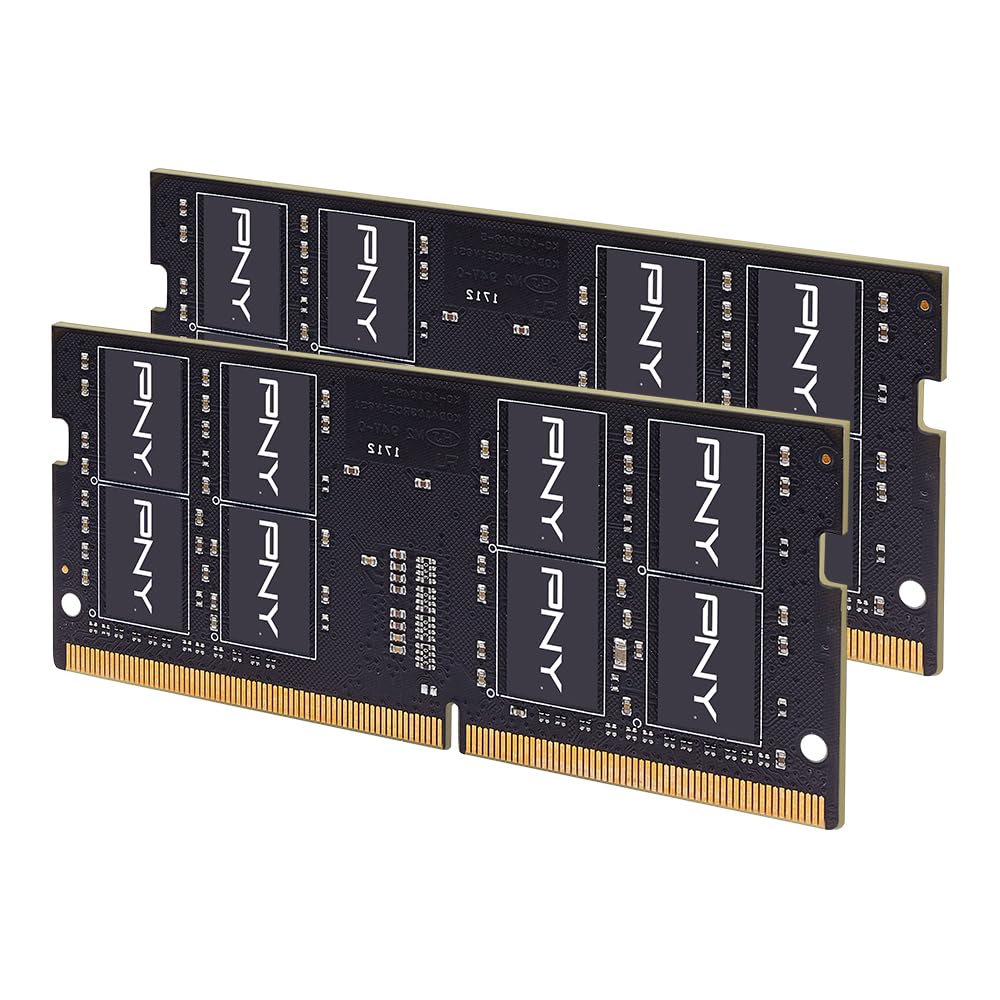
The PNY Performance kit delivers 3200 MHz at CL22 timings and is fully backward-compatible with 2933, 2666, 2400, and 2133 MHz slots, making it a safe drop-in for nearly any DDR4 laptop. Users upgrading Alienware and MSI gaming machines from 8GB to 32GB reported the elimination of VRAM-hardware swapping and a noticeable drop in chassis fan noise during 4K gaming sessions.
PNY’s dual-rank 2Rx8 design provides the bank-level parallelism that improves bandwidth in memory-intensive tasks like virtual machines and large spreadsheet operations. The kit also passed Memtest86 with zero errors for multiple reviewers, which is the baseline for trusting any memory upgrade in a primary machine.
The 1.2V operating voltage matches the JEDEC standard, so thermal load does not increase compared to lower-capacity stock memory. Adding thin copper heatsinks, as one user did, is optional but shows the module’s stability headroom. The slim profile also fits in older laptops with tight clearance above the motherboard slots.
Why it’s great
- Backward compatibility from 3200 down to 2133 MHz covers any DDR4 system
- Dual-rank 2Rx8 design improves bandwidth in heavy workloads
- Zero-error Memtest86 passes reported across multiple laptops
Good to know
- Lacks an integrated heat spreader, relying on bare PCB design
- Price has fluctuated significantly; check current value before buying
3. Silicon Power DDR4 32GB (2x16GB) 3200MHz CL22

The Silicon Power 32GB kit runs at 3200 MHz with CL22 latency at 1.2V, and every verified customer review confirms it matches the advertised speed without requiring manual BIOS configuration. Boot-up detection is instant on compatible systems, and the dual-channel 2x16GB layout delivers the full bandwidth advantage for multitasking and gaming.
It passed both Windows Memory Diagnostic and MemTest64 without errors from initial installation, which signals tight quality control from the manufacturer. The modules are lightweight and low-profile, fitting into compact laptops without clearance issues. Silicon Power backs the kit with a lifetime warranty, which adds peace of mind for a long-term investment.
The main trade-off is that Silicon Power is less of a household name compared to G.SKILL or Crucial, but the technical specifications and customer feedback align closely with those premium brands. If you need 3200 MHz at a lower entry point and your laptop supports the speed, this kit delivers the same bandwidth with a thinner dent in your budget.
Why it’s great
- Exactly 3200 MHz at CL22 with no XMP fiddling required
- Passed MemTest64 with zero errors out of the box
- Lifetime warranty adds long-term value protection
Good to know
- Less established brand recognition than G.SKILL or Crucial
- Dual-channel performance depends on your laptop supporting 3200 MHz
4. Fanxiang SODIMM DDR4 RAM 32GB (2x16GB) 3200MHz

The Fanxiang 32GB kit stands out for its impact on system responsiveness. One user with an HP Omen 15 saw cold boot time drop from 27 seconds to just 9 seconds after swapping in this kit, and the laptop fan went from a constant jet-engine roar to near-silence under idle. These gains come from the 3200 MT/s data rate operating at CL22, which reduces the time the CPU spends stalled waiting for data.
At startup, this kit consumed only 5.76 GB out of 32 GB, leaving over 26 GB free for applications, virtual machines, or RAM disk usage. Build quality has held up for reviewers who have been running the sticks for eight months without a single failure or blue screen. The dual-channel kit ensures the bandwidth advantage is available immediately without hunting for a matching second stick later.
The baggage here is brand perception. Fanxiang is a newer name in the DRAM space, and some buyers hesitate due to the lack of a long track record. However, the real-world reliability data from months of daily use suggests the modules are built on standard 260-pin DDR4 architecture with no hidden compromises.
Why it’s great
- Dramatic cold-boot time reduction reported by actual users
- Leaves over 26 GB free at startup for demanding workloads
- Eight-month reliability track record from early adopters
Good to know
- Younger brand with less established long-term reputation
- Timings are CL22 instead of tighter CL19 found on some 2666 kits
5. Timetec 32GB Kit (2x16GB) DDR4 2666MHz CL19
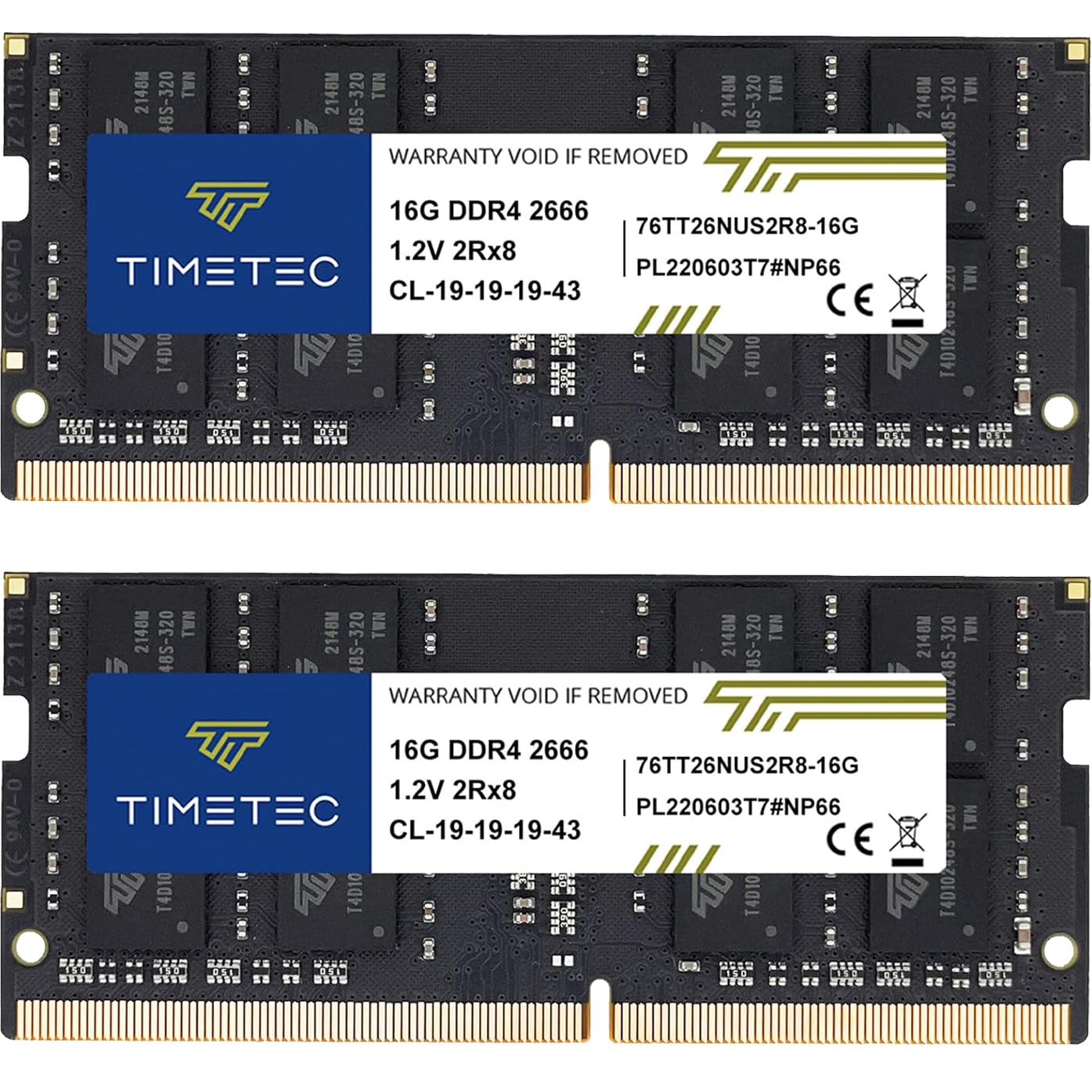
The Timetec 32GB kit runs at 2666 MHz with CL19 latency and uses a dual-rank 2Rx8 configuration, making it a strong match for older Intel 6th-through-8th gen and Ryzen 3000 series laptops whose memory controllers cap out at 2666 MHz. Users report flawless recognition in EliteDesk Mini PCs and HP OMEN laptops, with seamless multitasking improvements and no stuttering in games.
The CL19 latency at 2666 MHz is tighter than the CL22 found on many 3200 MHz kits, which means lower access delays for the CPU — a meaningful advantage for systems that cannot run higher frequencies. The dual-rank design also adds the bandwidth benefit that single-rank 2666 modules lack, making this kit feel snappier than its clock speed might suggest.
One downside is that the PCB color and rank layout may vary between production batches, though Timetec states performance remains consistent. The kit has also seen significant price increases, but for laptops locked to 2666 MHz, this remains the most value-conscious way to reach 32 GB without wasting money on speed you cannot use.
Why it’s great
- CL19 timings at 2666 MHz deliver lower latency than most 3200 kits
- Dual-rank 2Rx8 adds bandwidth for memory-bound workloads
- Rock-solid compatibility with HP, Lenovo, and Dell 2666-capable systems
Good to know
- 2666 MHz limits the upgrade potential for newer 3200-capable laptops
- PCB color and rank layout can vary between production runs
6. Crucial 32GB Single DDR4 2666 MT/s CL19 SODIMM

The Crucial single 32GB stick at 2666 MT/s and CL19 latency is the go-to module for systems with a single available SODIMM slot or for users who want to keep their existing 8GB stick and run a 40 GB asymmetric configuration. Verified users have installed it in Lenovo T15 Gen1 and 2019 Razer Blade 15 Advanced, with the system recognizing the full 32GB instantly on first boot.
Being a Micron subsidiary, Crucial manufactures its own DRAM dies, which typically means tighter binning and more consistent voltage margins compared to third-party assemblers. The 2Rx8 dual-rank design on this stick also provides the bank-level parallelism that a single-rank module would lack, partially compensating for the absence of dual-channel mode when used alone.
The single-stick form factor eliminates the need to remove existing memory, but it comes at a cost premium over equivalent 2x16GB kits. For a laptop that already has 8GB soldered on the motherboard, installing this 32GB stick in the empty slot is the only practical path to 40 GB without replacing the laptop.
Why it’s great
- Ideal for single-slot upgrades or 40 GB asymmetric configurations
- Micron-manufactured dies ensure consistent voltage and binning quality
- Proven compatibility with Lenovo, Razer, and ASUS systems
Good to know
- Pricier per GB than 2x16GB kits due to single-module premium
- 2666 MT/s speed caps performance if your laptop supports 3200
7. A-Tech DDR4 RAM 32GB 2666MHz PC4-21300 SODIMM

The A-Tech 32GB single stick runs at 2666 MHz with CL19 latency and is a entry-level option for buyers who need a quick capacity increase for a laptop with mixed or limited slot availability. The module uses a dual-rank 2Rx8 design, which gives it the bandwidth advantage over single-rank sticks and helps offset the speed cap.
The customer review pattern, however, raises flags that are hard to ignore. Multiple verified purchasers report receiving sticks that ran at 2133 MHz instead of the advertised 2666 MHz, while one user received a 4GB stick in a 32GB package. These quality-control failures suggest that A-Tech’s binning and packing processes are less consistent than Crucial or G.SKILL.
For a system where every dollar counts and you are willing to run Memtest86 on arrival and return immediately if the speed does not match, the A-Tech module can still serve as a functioning 32GB upgrade. But the higher failure rate and slower effective speed from downclocked units make it a riskier choice than spending slightly more on a verified-reliable alternative.
Why it’s great
- Dual-rank design provides bandwidth advantage over single-rank sticks
- Lowest entry cost among 32GB single SODIMM modules
- Advertised CL19 timings at 2666 MHz
Good to know
- Multiple reports of sticks running at 2133 MHz instead of 2666 MHz
- Documented cases of incorrect capacity and DOA units
FAQ
Will a 3200 MHz DDR4 SODIMM work in a laptop that only supports 2666 MHz?
Is there a performance difference between single-rank and dual-rank DDR4 SODIMM?
Can I mix a 32GB SODIMM with my existing 8GB stick?
Why does my new DDR4 SODIMM show a lower speed in CPU-Z than what’s on the box?
Final Thoughts: The Verdict
For most users, the best 32gb ddr4 sodimm winner is the G.SKILL Ripjaws 32GB (2x16GB) because it delivers full 3200 MT/s performance on JEDEC defaults without requiring BIOS tweaking, and its matched-pair construction guarantees dual-channel bandwidth from the first boot. If you need a single 32GB stick for a laptop with one free slot, grab the Crucial 32GB for its Micron-manufactured dies and reliable compatibility. And for a system capped at 2666 MHz, nothing beats the tighter CL19 timings of the Timetec 32GB Kit.