
A 4K gaming monitor running at 120Hz represents the sweet spot for immersive, high-fidelity gaming. You get the crisp, detailed pixel density that makes sprawling RPGs and cinematic single-player titles look breathtaking, paired with a refresh rate that eliminates the jarring stutter of a standard 60Hz display. This combination delivers buttery-smooth motion without demanding the astronomical GPU power often needed to push 240Hz or 360Hz panels at 4K resolution, making it the ultimate balanced choice for PC and console gamers alike.
I’m Min — the co-founder and writer behind Gadgets Feed. I’ve spent hundreds of hours cross-referencing panel technologies, analyzing HDR specifications, and comparing real-world input lag and motion clarity benchmarks to build this definitive guide.
Whether you’re building a battle station for immersive AAA titles or looking to get the most out of your PS5 or Xbox Series X, finding the ideal panel can feel overwhelming. That’s precisely why we’ve meticulously researched and reviewed the top contenders to help you pick the absolute best 4k gaming monitor 120hz for your specific needs.
How To Choose The Best 4K Gaming Monitor 120Hz
Choosing the right monitor involves more than just looking at the resolution and refresh rate. A smart purchase requires understanding how different technologies impact your specific gaming habits, from fast-paced shooters to visually immersive single-player adventures.
Panel Technology: IPS, VA, or OLED
The panel type is the foundation of your viewing experience. IPS panels offer excellent color accuracy and wide viewing angles, making them a solid all-rounder for both gaming and content creation. VA panels boast superior native contrast ratios, delivering deeper blacks that make dark scenes in games like *Alan Wake 2* or *Starfield* pop. For the absolute best visual fidelity, QD-OLED and WOLED panels deliver infinite contrast, perfect blacks, and blazing-fast response times (often 0.03ms), creating an unmatched level of immersion.
Refresh Rate and Variable Refresh Rate (VRR)
While the target is 120Hz, many monitors in this category offer higher refresh rates like 160Hz or 240Hz, providing future-proofing. More importantly, Variable Refresh Rate technology like AMD FreeSync Premium Pro or NVIDIA G-Sync Compatible synchronizes the monitor’s refresh rate with your GPU’s frame output. This eliminates screen tearing and stuttering, ensuring motion remains silky smooth even when your frame rate dips below the monitor’s maximum refresh rate.
Connectivity: The HDMI 2.1 Imperative
To actually run a 4K signal at 120Hz, you need the right cable bandwidth. For PC users, DisplayPort 1.4 with Display Stream Compression (DSC) is the standard. However, for console gamers on PS5 or Xbox Series X, an HDMI 2.1 port is non-negotiable. It provides the full 48Gbps bandwidth required for 4K at 120Hz with HDR enabled, without relying on chroma subsampling or DSC.
Quick Comparison
On smaller screens, swipe sideways to see the full table.
| Model | Category | Best For | Key Spec | Amazon |
|---|---|---|---|---|
| ASUS ROG Swift PG32UCDM | QD-OLED | Ultimate Visual Fidelity | 240Hz / 0.03ms | Amazon |
| Samsung Odyssey OLED G8 G80SD | QD-OLED Smart | Console & Media Hub | 240Hz / 0.03ms | Amazon |
| LG UltraGear 32GX850A | WOLED | Dual-Mode Gaming | 165Hz / 330Hz Dual Mode | Amazon |
| MSI PRO MP 271UPXW12G | QD-OLED | Creator & Professional Use | 120Hz / ΔE < 2 Color | Amazon |
| Dell UltraSharp U2725QE | IPS Black | Productivity & Dual Use | 120Hz / Thunderbolt 4 | Amazon |
| Acer Predator Z57 | Mini-LED | Ultra-Wide Immersion | DUHD / 1000R Curve | Amazon |
| Samsung Odyssey G7 G75F | Ultrawide VA | Immersion & Workflow | WUHD / 180Hz | Amazon |
| ASUS ROG Strix XG27UCG | Fast IPS | Competitive & All-Round | Dual Mode 320Hz | Amazon |
| CRUA 32” 4K Curved | Value VA | Budget-Friendly Immersion | 240Hz / 1500R Curve | Amazon |
| InnoView 27″ Dual Mode | IPS Portable | Portable Gaming Setup | 288Hz / 500 Nits | Amazon |
| UPERFECT 17.3″ QLED | QLED Portable | Travel & Console Gaming | 0.1ms Response | Amazon |
In-Depth Reviews
1. ASUS ROG Swift PG32UCDM

The ASUS ROG Swift PG32UCDM is the current benchmark for high-end 4K gaming. Its 32-inch QD-OLED panel delivers a level of depth and vibrancy that LCD panels simply cannot match, with infinite contrast making HDR content in games like *Cyberpunk 2077* look spectacular. The 240Hz refresh rate far exceeds the 120Hz baseline, providing fluid headroom for future GPUs, while the 0.03ms response time ensures motion is perfectly crisp with zero perceivable ghosting.
Beyond raw speed, ASUS has addressed OLED longevity concerns with a custom heatsink and graphene film for thermal management. For gaming, it supports both FreeSync Premium Pro and G-Sync Compatible, and includes a 90W USB-C port for single-cable laptop connectivity. The uniform brightness setting is a boon for those sensitive to OLED’s automatic brightness limiting (ABL), making it more usable for mixed workloads.
The PG32UCDM’s high contrast and glossy screen coating produce stunning, lifelike image depth. While the sticker price is high, it justifies it with a comprehensive set of features, including Dolby Vision and HDR10 support, a premium build, and a three-year warranty that includes burn-in coverage. This is the monitor to beat for uncompromising visual quality.
Why it’s great
- Best-in-class QD-OLED image quality with perfect blacks
- Versatile 90W USB-C hub and extensive gaming features
- Comprehensive 3-year warranty with burn-in coverage
Good to know
- Glossy screen can be reflective in bright rooms
- Premium price point places it at the top of the market
2. Samsung 32″ Odyssey OLED G8 (G80SD)

The Samsung Odyssey OLED G8 takes the stunning QD-OLED panel and wraps it in a smart TV interface, making it a multi-functional hub for your room. The 32-inch 4K display delivers the same incredible 1,000,000:1 contrast ratio and vibrant colors, while the included NQ8 AI Gen3 processor upscales lower-resolution content to near-4K quality. Its sleek metal design and Glare-Free technology help maintain its picture superiority even with ambient lighting.
Outmaneuvering opponents is easier with the near-instant 0.03ms response time and 240Hz native refresh rate. For PC gamers, G-Sync Compatible and FreeSync Premium Pro ensure a tear-free experience. The built-in Samsung TV hub offers streaming apps directly on the monitor, potentially negating the need for a separate smart TV in a bedroom or dorm setup. The Dynamic Cooling System with a pulsating heat pipe is a first for monitors, actively working to prevent burn-in without a noisy fan.
Some users note that the smart TV interface can be intrusive for pure PC use and that the height adjustment is fixed on the standard stand. However, if you want a single screen that serves as both a top-tier gaming monitor and a smart TV with impressive sound from its built-in speakers, the G80SD is a uniquely compelling option. The HDMI eARC port is a nice touch for high-quality audio passthrough.
Why it’s great
- Stunning QD-OLED with advanced Glare-Free coating
- Built-in smart TV hub with streaming apps
- Dynamic Cooling System and OLED burn-in protection
Good to know
- Smart TV UI can be cumbersome for pure PC gamers
- Height adjustment is not very extensive
3. LG 32GX850A-B UltraGear

The LG UltraGear 32GX850A provides a stellar glossy WOLED experience that makes colors and contrast pop in a way matte panels can’t, especially in a controlled lighting environment. Its Dual-Mode feature is a standout for competitive players, allowing a single hotkey to switch from 4K at 165Hz for immersive gaming to Full HD at 330Hz for ultra-smooth esports performance. The 0.03ms response time and FreeSync Premium Pro/G-Sync Compatible support ensure lag-free, tear-free play.
LG has employed Micro Lens Array+ technology to boost typical brightness to 275 nits, a meaningful improvement over older OLED panels. The VESA DisplayHDR True Black 400 certification confirms its ability to render deep blacks alongside impressive highlight detail. The full ergonomic stand offers tilt, swivel, and pivot adjustments, making it easy to find the perfect viewing angle for long sessions.
This monitor also carries three UL certifications for anti-glare, flicker-free, and low blue light, making it easier on the eyes during extended use. While some users note that text clarity and minor banding can be an issue on WOLED panels, the overall package for gaming is exceptional. The 32GX850A is a fantastic choice for anyone who wants premium OLED visuals without the higher price of its QD-OLED rivals.
Why it’s great
- Glossy OLED finish provides exceptional vibrancy
- Useful Dual-Mode feature for varied game genres
- Great value compared to 32-inch QD-OLED alternatives
Good to know
- Glossy screen can be highly reflective
- Text clarity is not as sharp as IPS displays
4. MSI PRO MP 271UPXW12G

The MSI PRO MP 271UPXW12G is a unique proposition, designed to bridge the gap between pro-level content creation and high-end gaming. It uses a premium 27-inch 4K QD-OLED panel with a professional-grade ΔE < 2 color accuracy that matches Apple’s color standard. The 120Hz refresh rate is perfect for the smooth workflow and satisfying gaming that this monitor is built for, with FreeSync Premium Pro handling the variable refresh rate duties.
One of its strongest features is the hub connectivity. The dual USB-C ports deliver up to 98W of power delivery, turning it into a single-cable docking station for MacBooks and other laptops. The DisplayHDR True Black 400 certification ensures excellent HDR performance for both video editing and gaming. MSI’s Mac Optimization Software enables seamless macOS color synchronization and keyboard shortcuts, making it a genuine plug-and-play solution for Apple users.
It prioritizes image quality and productivity features over pure speed, making it ideal for digital artists or video editors who also enjoy gaming in their free time. The anti-glare screen and built-in speakers, along with included VESA mount kit, make it a complete package. The stand is slightly less robust than some dedicated gaming competitors, but the color-critical performance and hub functionality make it a truly excellent choice.
Why it’s great
- Factory-calibrated QD-OLED with ΔE < 2 accuracy
- Mac-optimized with color sync and 98W PD
- Excellent HDR with DisplayHDR True Black 400
Good to know
- Designed for creative professionals, not esports
- Limited to 120Hz refresh rate
5. Dell UltraSharp U2725QE

The Dell UltraSharp U2725QE is the gold standard for a dual-purpose monitor that excels at both professional productivity and casual gaming. Its 27-inch IPS Black panel achieves a 2000:1 contrast ratio, delivering deeper blacks than standard IPS displays, making images look more three-dimensional. Factory calibrated to Delta E less than 1.5 with 99% DCI-P3 coverage, it provides a reliable, color-accurate canvas for creative work.
The addition of a 120Hz refresh rate is a game-changer for a professional monitor, making mouse movement and scrolling feel incredibly fluid. The Thunderbolt 4 connectivity is the star here, offering a single-cable solution that transmits video, data, and up to 140W of power. This makes it an exceptional choice for users of high-powered laptops who want a clean, minimal desk setup with daisy-chaining capability for a second monitor.
ComfortView Plus reduces harmful blue light without a yellowish tint, while the ambient light sensor automatically adjusts brightness for comfortable all-day use. It’s not the fastest gaming monitor for competitive esports, but for anyone who needs a premium work monitor that can easily handle a session of *Baldur’s Gate 3* or *Forza Horizon*, the U2725QE is a top-tier option. The full ergonomic stand is another welcome bonus.
Why it’s great
- IPS Black technology for superior contrast and colors
- Thunderbolt 4 with 140W PD is a game-changer
- Factory-calibrated with wide DCI-P3 coverage
Good to know
- Not an OLED; lacks true blacks of self-emissive panels
- Higher refresh rates available for competitive gamers
6. Acer Predator Z57

The Acer Predator Z57 is a behemoth, offering a 57-inch DUHD (7680 x 2160) resolution on a 32:9 super-ultrawide panel. This provides the real estate of two 4K monitors side-by-side without a bezel, creating an unmatched level of immersion for sim racing or flight simulators. It uses a 2304-zone Mini LED backlight with VESA DisplayHDR 1000 certification, allowing for peak brightness levels that can make explosions and lightning in HDR games truly dazzling.
The 1000R curvature wraps around your peripheral vision, pulling you into the game. At 120Hz and 1ms response time, it’s smooth enough for most genres, though competitive FPS players may find the refresh rate a constraint. Connectivity is robust with two HDMI 2.1 ports and a DisplayPort 1.4, making it ideal for both high-end PCs and next-gen consoles. The KVM switch and 90W USB-C PD add considerable workflow flexibility.
The sheer scale and resolution demand a powerful GPU to drive effectively, and the high price reflects its ultra-premium niche. Some units may have quality control issues, and the bulk of the 57-inch screen can be challenging to manage. For the ultimate cockpit-style gaming experience or a multi-tasking workstation where having a single massive canvas is paramount, the Predator Z57 is in a league of its own.
Why it’s great
- Massive 57-inch immersive super-ultrawide display
- High brightness HDR with 2304-zone Mini-LED
- KVM switch and 90W USB-C for productivity
Good to know
- Very expensive and requires a powerful GPU
- Some units may have quality control issues
7. Samsung 40″ Odyssey G7 (G75F)

The Samsung Odyssey G7 G75F offers a compelling entry point into the world of 4K ultrawide gaming. With its 40-inch WUHD (5120 x 2160) resolution and a steep 1000R curve, it provides a deeply immersive experience for racing, RPGs, and strategy titles. The VA panel delivers a contrast ratio of 3000:1, resulting in impressive blacks that bring shadowy environments to life without the expense of Mini-LED or OLED.
The 180Hz refresh rate is a step above the 120Hz baseline, providing a noticeable boost in fluidity for smooth motion. FreeSync Premium Pro ensures tear-free and low-latency gameplay. The VESA DisplayHDR 600 certification is a strong mid-range HDR spec, allowing for better highlight detail than standard monitors. It’s a solid alternative to more expensive OLED ultrawides for mixed office and gaming use, as there’s no risk of burn-in.
The 21:9 aspect ratio is excellent for productivity, providing ample horizontal space for multiple windows. However, the monitor is best suited for desk use at a standard distance. Some users note it requires color calibration out of the box, and the viewing angles are typical of VA panel technology. For a large, immersive experience that won’t break the bank, this is a fantastic option.
Why it’s great
- Immersive 1000R curve and ultrawide aspect ratio
- Excellent contrast and good HDR for an LCD panel
- No burn-in risk, good for mixed office/gaming use
Good to know
- Requires a powerful GPU to drive its resolution
- Color calibration may be needed out of the box
8. ASUS ROG Strix XG27UCG

The ASUS ROG Strix XG27UCG proves that you don’t need an OLED to get a premium gaming experience. This 27-inch Fast IPS monitor offers an incredibly versatile Dual Mode, allowing you to switch between 4K at 160Hz for detailed RPGs and FHD at 320Hz for competitive titles where raw speed is king. The 1ms GTG response time and Extreme Low Motion Blur Sync (ELMB SYNC) technology work together to eliminate ghosting and tearing in fast-paced scenes.
The 95% DCI-P3 color gamut ensures vibrant and rich colors, making games look punchy and lifelike. G-Sync Compatible support provides additional peace of mind for NVIDIA GPU owners. The DisplayWidget Center software is a handy tool for adjusting monitor settings without messing with physical buttons. The build quality is solid, typical of the ROG Strix line, with a fully ergonomic stand offering height, swivel, and pivot adjustments.
This monitor is a fantastic all-rounder that can handle any gaming scenario. The Dual Mode is genuinely useful, giving you a competitive edge when needed without sacrificing 4K clarity. While the HDR performance from the LED backlight won’t match OLED or Mini-LED, the high refresh rates and excellent motion clarity make the XG27UCG a top pick for gamers who want one monitor to do it all.
Why it’s great
- Versatile Dual Mode for all game genres
- Excellent motion handling with ELMB SYNC
- Competitive price for its performance level
Good to know
- IPS contrast ratio is standard, not deep blacks
- Dual Mode is a trade-off, not native performance
9. CRUA 32” 4K Curved

The CRUA 32″ 4K Curved monitor is a budget-friendly champion, proving that you can get a large, high-resolution screen with a fast refresh rate without a premium price tag. Its 32-inch VA panel offers a 1500R curve for a more immersive viewing experience, especially in games and movies. The 3000:1 contrast ratio provides deep blacks that are excellent for a screen at this price, and the 300cd/m² brightness is adequate for indoor use.
The headline spec is the 240Hz refresh rate, which is impressive for the price, delivering incredibly smooth motion in fast-paced games. AMD FreeSync support helps to manage screen tearing. For a budget display, it is loaded with modern connectivity, including two HDMI 2.1 ports and two DP 1.4 ports, making it fully compatible with current-gen consoles for 4K at 120Hz. The PIP/PBP feature is also a nice bonus for multi-tasking on a single screen.
There are some trade-offs at this price. The stand is basic, offering only tilt adjustment, and the build quality is less premium than the competition. The 120% sRGB color gamut is decent but not designed for professional color accuracy. As an entry-level gateway to smooth, immersive 4K gaming, the CRUA 32″ provides phenomenal value for money.
Why it’s great
- Excellent value for money with a 240Hz 4K VA panel
- Includes dual HDMI 2.1 ports for next-gen consoles
- Immersive 1500R curve and PIP/PBP functionality
Good to know
- Basic stand with only tilt adjustment
- Color accuracy is not suitable for professional work
10. InnoView 27″ Dual Mode
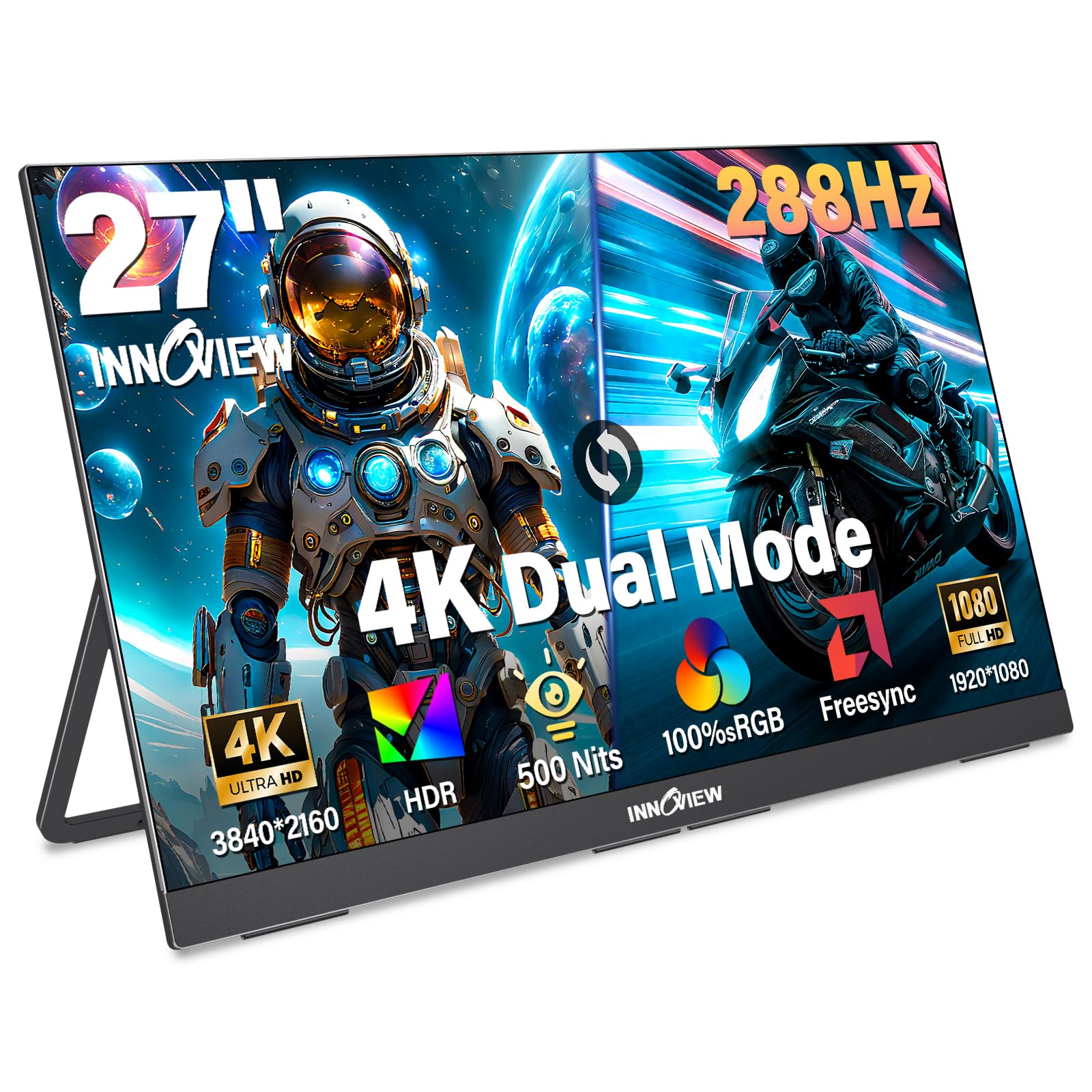
The InnoView 27″ Dual Mode monitor is a unique portable offering that combines a large, 27-inch 4K IPS display with a high refresh rate in a relatively thin form factor. It features a dual-mode that allows you to switch between a stunning 4K at 120Hz for immersive visuals and a blazing fast FHD at 288Hz for competitive gaming. The 500-nit brightness and 100% sRGB coverage make it suitable for both gaming and creative work on the move.
The monitor is designed for versatility with plug-and-play compatibility across laptops, PCs, and consoles. It offers two full-function USB-C ports and an HDMI input, making it incredibly easy to set up. The built-in 180-degree adjustable kickstand allows for flexible ergonomics. While it’s portable, the 9.5-pound weight makes it more of a “lugable” companion for moving between rooms or stations rather than daily carry in a backpack.
The build quality is good, with a metal construction that feels sturdy. The color accuracy and image quality are excellent for a portable screen. Some users have reported needing to provide external power via a second USB-C cable to achieve full brightness. For LAN parties, a secondary streaming monitor, or a larger screen for a gaming laptop, the InnoView 27″ is a unique and capable choice.
Why it’s great
- Large 27-inch 4K IPS panel in a portable form
- Dual Mode for 4K detail or FHD speed
- High 500-nit brightness and plug-and-play setup
Good to know
- Heavy and bulky for a portable monitor
- May need external power for maximum brightness
11. UPERFECT 17.3″ QLED

The UPERFECT 17.3″ 4K 120Hz QLED monitor is a premium portable display that packs a serious visual punch for its size. Unlike standard IPS panels, its QLED technology provides a much wider color volume, covering 100% of the DCI-P3 gamut for incredibly vibrant and lifelike colors. With 500 nits of brightness, it remains perfectly usable even in brightly lit environments, making it ideal for use in a coffee shop or on a plane.
The 0.1ms instant response time is a standout spec, completely eliminating ghosting and motion blur for a razor-sharp experience. This makes it a phenomenal companion for a gaming laptop or a console, where quick reactions are key. The build quality is excellent, using a premium, recyclable aluminum chassis that feels light (relative to a 27″) but durable. It also includes a built-in 180-degree stand and VESA mount compatibility.
It’s important to note that this is a truly portable device. It requires a separate power source via USB-C to run at full performance. The 17.3-inch size is perfect for travel but won’t replace your main desktop monitor for serious immersion. For a travel companion, a secondary screen for FPS gaming, or a console display for hotel rooms, the UPERFECT 17.3″ is one of the best in its class.
Why it’s great
- Vibrant QLED display with 100% DCI-P3 coverage
- Insane 0.1ms response time for competitive gaming
- Premium build quality with recyclable aluminum
Good to know
- Requires external power for full performance
- Small screen may not suit all gaming preferences
FAQ
What is the difference between HDMI 2.0 and HDMI 2.1 for 4K 120Hz gaming?
Is it better to have a 4K 120Hz or a 1440p 240Hz monitor for gaming?
Can my PC or console run a 4K 120Hz monitor?
Final Thoughts: The Verdict
For most users, the best 4k gaming monitor 120hz winner is the ASUS ROG Swift PG32UCDM because it delivers the absolute best image quality and smoothness available today. If you want a monitor that doubles as a top-tier productivity station and smart TV, grab the Samsung Odyssey OLED G8 G80SD. And for the best value that doesn’t compromise on speed, the ASUS ROG Strix XG27UCG is an incredible all-rounder.