
The move to a 1600 x 1200 monitor is a decision driven by vertical real estate. You’re not just buying pixels; you’re buying back the screen space that 16:9 panels steal—the extra lines in a spreadsheet, the full document view, the timeline in your editing suite. For anyone who reads code, edits photography, or manages complex layouts, this aspect ratio is the silent productivity multiplier most users overlook. The challenge is that the 16:10 monitor market has fractured into two distinct worlds: pro-grade color-accurate desktop panels and high-refresh-rate portable USB-C displays, and finding the right one for your specific workflow requires parsing specs that don’t always play nicely together.
I’m Min — the co-founder and writer behind Gadgets Feed. I’ve spent hundreds of hours cross-referencing resolution specs, panel types, color gamut coverage (sRGB and DCI-P3), refresh rate ceilings, and connectivity compatibility specifically within the 1600×1200-pixel-class monitor space to separate the truly productive tools from the spec-sheet traps.
The key to unlocking your best setup lies in matching the panel technology and connectivity to your primary device, which is exactly what this guide to the 1600 x 1200 monitor market will help you do.
How To Choose The Best 1600 X 1200 Monitor
Landing on the right 1600p monitor means navigating a split market. Desktop workstations demand color fidelity, while mobile setups prioritize refresh rate and power delivery via USB-C. Your choice hinges on your primary device and your tolerance for trade-offs between gamma accuracy and motion clarity.
Desktop vs. Portable: Which Form Factor Serves You?
Desktop monitors in this class, like the ASUS ProArt and Dell P series, anchor to a fixed workspace. They offer ergonomic stands, VESA mounting, and extensive I/O (HDMI, DisplayPort, VGA). Their panels prioritize color accuracy with factory calibration (Delta E < 2) and wide gamut coverage (sRGB and DCI-P3). In contrast, portable 16:10 monitors—HotYeah, UPERFECT, InnoView, VisionOwl, and cocopar—sacrifice some color precision for high refresh rates (120-240Hz) and lightweight metal chassis. They rely on USB-C for both power and video, which is a double-edged sword: liberation from wall warts, but total dependency on your host device’s DP Alt Mode support.
Decoding Panel Types and Refresh Rate Trade-offs
IPS panels dominate the 16:10 monitor space for good reason—wide viewing angles (178 degrees) and consistent color reproduction. However, not all IPS is equal. Professional monitors like the ASUS ProArt PA248QV lock to 75Hz but deliver 100% sRGB and Calman verification. Portable monitors push 120Hz to 240Hz using similar IPS tech but often cap brightness lower (300 nits vs. 470 nits) and use matte anti-glare coatings to mask lower contrast ratios. A TN panel, like the Dell P2018H, offers faster response times at the expense of viewing angles and color vibrancy. For most buyers, an IPS panel with a refresh rate matching your use case—75Hz for design, 144Hz for mixed gaming—is the sweet spot.
Connectivity: The Single-Cable Trap
The promise of a single USB-C cable handling video, power, and data is seductive, but it only works if your laptop, phone, or tablet supports DisplayPort Alt Mode over USB-C (Thunderbolt 3/4/5 also qualifies). Portable monitors assume this capability. Desktop monitors like the ASUS PA248CRV offer USB-C with 96W Power Delivery, turning the monitor into a laptop docking station. If your device lacks DP Alt Mode, you will need a separate power adapter and an HDMI or DisplayPort connection—defeating the portable monitor’s main advantage. Always verify your host’s video output capabilities before buying.
Quick Comparison
On smaller screens, swipe sideways to see the full table.
| Model | Category | Best For | Key Spec | Amazon |
|---|---|---|---|---|
| VisionOwl Portable Monitor | Portable / Gaming | Bright travel monitor with full-size HDMI | 2560×1600, 144Hz, 470 nits | Amazon |
| ASUS ProArt PA248CRV | Desktop / Professional | Color-critical design work | 1920×1200, 97% DCI-P3, USB-C 96W PD | Amazon |
| ASUS ProArt PA248QV | Desktop / Professional | Budget color-accurate desktop display | 1920×1200, 100% sRGB, Delta E < 2 | Amazon |
| cocopar Portable Monitor | Portable / Gaming | Smooth 144Hz gaming on the go | 2560×1600, 144Hz, 110% sRGB | Amazon |
| InnoView 240Hz Portable Monitor | Portable / High-refresh | Competitive gaming at 240Hz | 2560×1600, 240Hz, 100% sRGB | Amazon |
| HotYeah Portable Monitor | Portable / Value | Budget-friendly 2.5K travel display | 2560×1600, 144Hz, 400 nits | Amazon |
| UPERFECT 2K 120Hz | Portable / Travel | All-in-one gaming and work portable | 2560×1600, 120Hz, 400 nits | Amazon |
| Dell P2423 | Desktop / Business | Enterprise office productivity | 1920×1200, IPS, 99% sRGB | Amazon |
| Dell P2018H | Desktop / Entry | Basic vertical secondary monitor | 1600×900, TN panel, compact 20″ | Amazon |
In‑Depth Reviews
1. VisionOwl Portable Monitor 16 Inch 2.5K QHD 144Hz
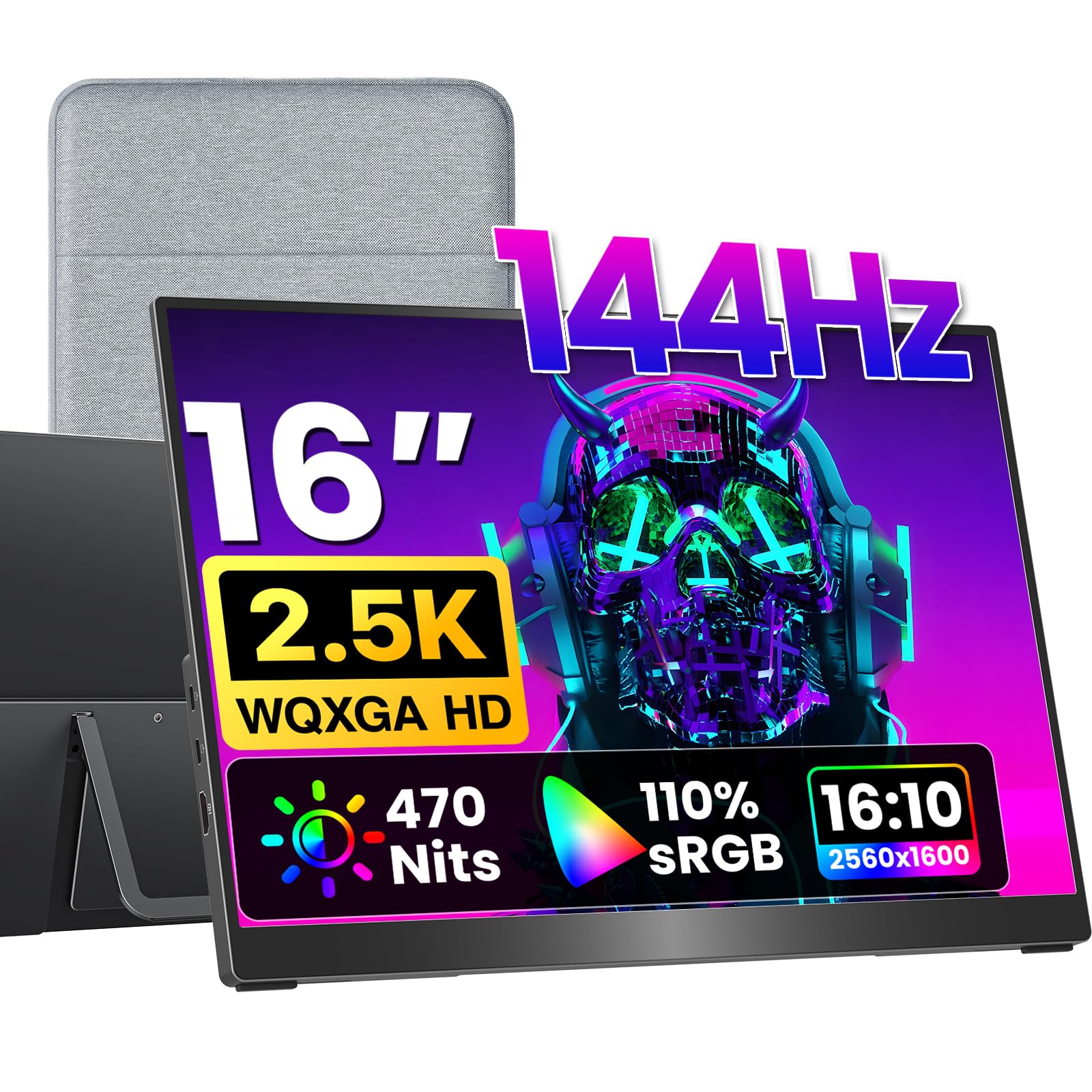
The VisionOwl strikes a near-perfect balance for the 1600p buyer who needs both productivity and play. Its 2560×1600 IPS panel delivers 470 nits of brightness—the highest in this class—making it genuinely usable near a window or in a brightly lit coffee shop. The 10-bit color depth and 110% sRGB gamut put it in the conversation for photo editing on the go, while the 144Hz refresh rate keeps fast-paced games fluid without screen tearing. The inclusion of a full-size Standard HDMI (as opposed to fragile Mini-HDMI) is a practical decision that reduces adapter fuss, especially when connecting to game consoles. At 1.48 pounds, the metal chassis feels dense and premium, and the built-in kickstand combined with VESA 75x75mm holes gives you mounting options that most portable displays skip.
Where the VisionOwl truly pulls ahead is in its bundle and ecosystem. The package includes a sleeve case, a power adapter, a Standard HDMI cable, and two USB-C display cables, which means zero additional purchases to get started. Early users report zero dead pixels on the A-Grade panel, and the calibration out of the box is warm and consistent without the washed-out appearance that plagues some budget portable monitors. The dual USB-C ports support single-cable video and power when connected to a Thunderbolt 3/4 device, but the monitor also works with older laptops via the HDMI + USB-C power combo. This flexibility makes it a universal travel companion for MacBook, PC, and console users.
One detail to be aware of: the built-in speakers are functional for system sounds and podcasts but lack the low-end to make gaming audio immersive. You’ll want Bluetooth headphones or external speakers for serious media consumption. The magnetic cover case provides scratch protection but offers no drop protection, so it’s best used inside a padded laptop sleeve. For the user who demands a single display that handles design work, 144Hz gaming, and console compatibility with a hassle-free single-cabel setup, this is the most complete package on the market today.
Why it’s great
- Industry-leading 470 nits peak brightness for outdoor visibility
- Full-size Standard HDMI port eliminates fragile adapter cables
- 10-bit color with 110% sRGB gamut usable for photo editing
Good to know
- Built-in speakers lack bass for immersive gaming audio
- Included sleeve offers scratch protection, not drop protection
- 144Hz requires separate 30W+ power adapter for full bandwidth
2. ASUS ProArt PA248CRV 24.1″ WUXGA Monitor

The ASUS ProArt PA248CRV is the ultimate destination for the color-critical professional who needs a second display that doesn’t compromise on gamut. This 24.1-inch WUXGA (1920×1200) IPS panel covers 97% of the DCI-P3 color space and 100% sRGB, and it arrives factory pre-calibrated to a Delta E of less than 2. Calman verification means the color accuracy is independently validated, which is essential for video editing, product photography, and print proofing. The 16:10 aspect ratio gives you noticeably more vertical lines in a timeline or a web browser compared to a 24-inch 16:9 panel, making it a genuine productivity tool rather than just a spec sheet boast.
Connectivity is where this monitor punches well above its weight class. The USB-C port delivers 96 watts of Power Delivery, meaning a single cable can power a 14-inch or 16-inch MacBook Pro while carrying a DisplayPort video signal and enabling the monitor’s built-in USB hub. This effectively turns the PA248CRV into a laptop docking station without the need for a separate dock. It also supports DisplayPort daisy-chaining, which lets you connect a second ProArt monitor in series for a clean dual-monitor workstation. The included ergonomic stand offers tilt, swivel, pivot, and height adjustment, so you can dial in the perfect viewing angle for all-day coding sessions or pixel-peeping inspection.
The main compromise here is the 60Hz refresh rate. For a professional display, this is perfectly acceptable—design work doesn’t benefit from 144Hz eye candy. However, if you planned to use this monitor for even casual gaming, the 5ms response time and 60Hz ceiling will feel sluggish compared to any portable gaming panel in the same budget range. The built-in speakers are weak (a common ASUS ProArt trait) and the anti-glare coating, while effective, introduces a subtle grainy texture that some users notice on solid white backgrounds. For anyone building a permanent color-accurate workstation, this is the monitor to beat in the 1920×1200 class.
Why it’s great
- 97% DCI-P3 coverage with Calman verified Delta E < 2 accuracy
- USB-C with 96W Power Delivery serves as a laptop dock
- Full ergonomic stand with tilt, swivel, pivot, and height adjustment
Good to know
- 60Hz refresh rate limits gaming and fast-scrolling fluidity
- Speakers are weak, requiring external audio for media
- Anti-glare coating introduces slight graininess on white backgrounds
3. ASUS ProArt PA248QV 24″ WUXGA Monitor

The PA248QV is the gateway drug to the ProArt ecosystem. It brings the same 1920×1200 WUXGA resolution and 16:10 aspect ratio as its pricier sibling but hits a lower price point by reducing the color gamut to 100% sRGB (dropping DCI-P3 coverage) and offering a 75Hz refresh rate instead of 60Hz. This extra 15Hz makes a noticeable difference for everyday desktop fluidity—scrolling through documents and web pages feels appreciably smoother than a standard 60Hz office monitor. The IPS panel delivers solid 178-degree viewing angles and 300 nits of brightness, which is adequate for a desk not directly facing a window. The factory calibration is strong, with a Delta E of less than 2, and it’s Calman verified for color accuracy out of the box.
Input selection is generous for a monitor at this tier: you get DisplayPort 1.2, HDMI v1.4, VGA, a USB hub, and a headphone jack. This legacy support (VGA) is a lifesaver for connecting older hardware or using the monitor as a shared display in a mixed-generation office. The stand offers tilt, swivel, pivot, and height adjustment—essentially the same premium ergonomic base as the PA248CRV. The 5ms response time is fine for productivity and casual 75fps gaming, though competitive players will want a dedicated gaming panel. Users consistently praise the “neutral colors” that match Apple’s MacBook calibration closely, and the anti-reflective coating does a good job of cutting glare without the heavy grain of some budget IPS panels.
Where the PA248QV shows its age is in the lack of USB-C connectivity. You’ll need to use DisplayPort or HDMI for video, and there’s no Power Delivery for laptop charging. The built-in speakers are barely adequate for system beeps—honestly, they’re the weakest link in an otherwise excellent package. If your workflow requires a single-cable USB-C connection or if you need DCI-P3 coverage for video editing, the PA248CRV is a necessary upgrade. For everyone else doing web development, graphic design, spreadsheet work, or general office productivity, this monitor delivers pro-level color accuracy and ergonomics at a genuinely accessible price point.
Why it’s great
- 100% sRGB with Delta E < 2 factory calibration for color work
- 75Hz refresh rate provides smoother scrolling than typical 60Hz office panels
- Full ergonomic stand and extensive I/O including VGA and USB hub
Good to know
- No USB-C connectivity—requires separate video and power cables
- Built-in speakers are very weak, best left unused
- Lack of DCI-P3 coverage limits advanced video editing suitability
4. cocopar Portable Monitor 16 Inch 2.5K QHD 144Hz
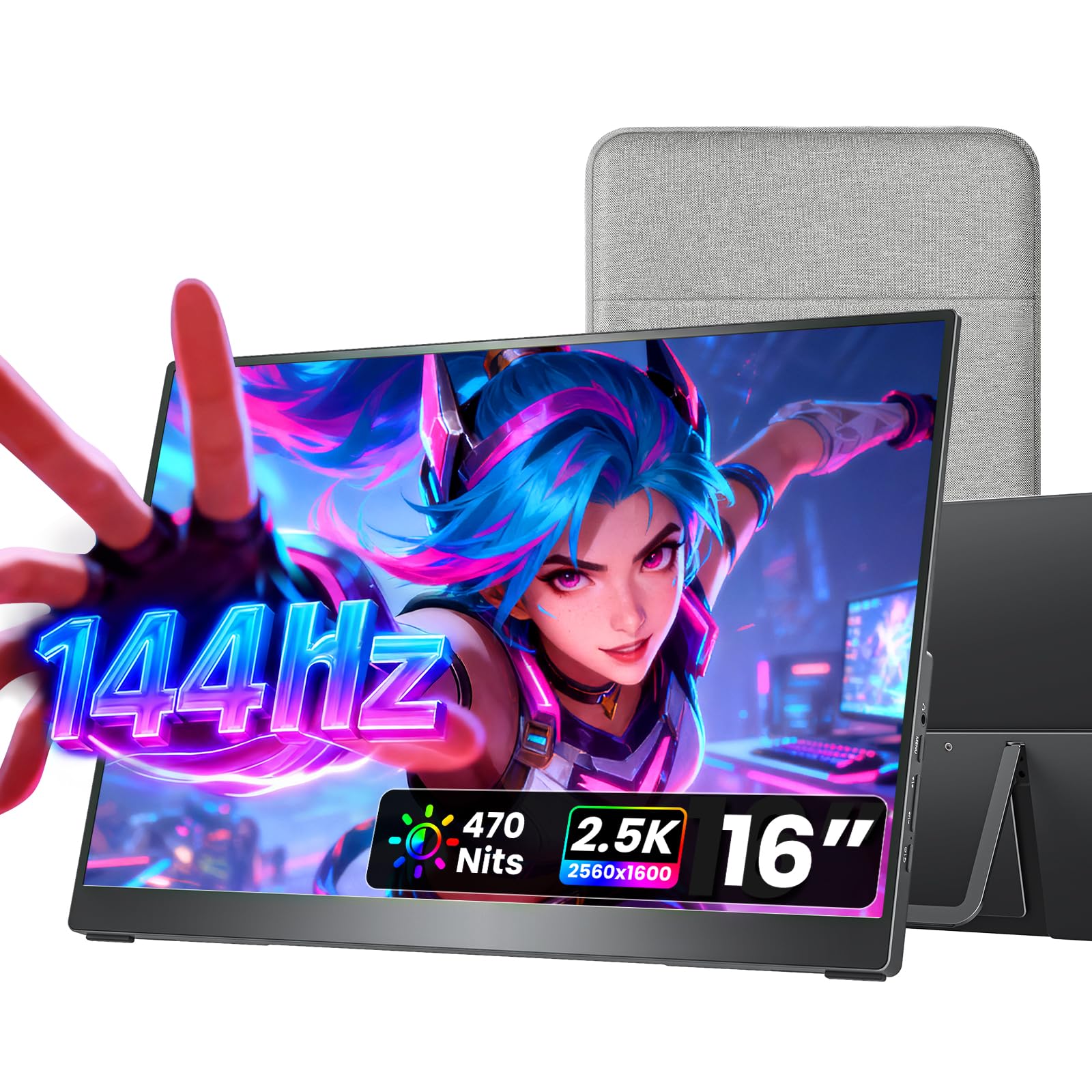
The cocopar 16-inch portable monitor earns its place in this list by nailing the fundamentals for the remote worker who also games. The 2560×1600 resolution at 144Hz on an IPS panel is exactly the specification that makes both spreadsheet scrolling and competitive gaming look good. The 470 nits peak brightness is outstanding for a portable display, matching the VisionOwl, and the 110% sRGB coverage ensures that photos and design mockups don’t look washed out. The metal chassis feels substantial at only 1.5 pounds, and the integrated kickstand adjusts from 0 to 90 degrees for a stable desktop presence. Dual VESA mounting holes are molded into the metal backplate, which means you can permanently mount this monitor on an arm at your home desk and still detach it for travel.
Connectivity relies on two full-featured USB-C ports and one Mini-HDMI port. The single-cable USB-C experience works flawlessly if your laptop supports DP Alt Mode or Thunderbolt—users report instant plug-and-play with MacBook Pros and Alienware laptops. The package includes a fabric sleeve, two USB-C cables, a Mini-HDMI to HDMI cable, and a 30W power adapter. This is a more complete kit than most competitors offer, and the fabric sleeve is notably higher quality than the flimsy magnetic covers found on budget portable monitors. The built-in dual 1.5W speakers are audible but thin; they suffice for YouTube background noise but lack the presence for movies or game soundtracks.
The most interesting feature here is the 16:10 aspect ratio’s compatibility with 16:9 consoles. The cocopar handles PS5 and Xbox input without stretching or black bars by using a clever internal scaling algorithm, which is a thoughtful touch for gamers who want to use this monitor as a living room secondary screen. Some users note that achieving the full 144Hz refresh rate via HDMI requires a separate power connection, as the single USB-C cable’s power delivery is limited to around 15-20W. This is not unique to cocopar—it’s a limitation of the USB-C power standard—but important to know if you plan to game at the highest refresh rate while traveling without a wall outlet nearby.
Why it’s great
- 470 nits brightness with 110% sRGB for vivid photo editing on the go
- Full metal chassis and fabric sleeve provide premium travel protection
- VESA 75×75 mounting holes allow permanent desk integration
Good to know
- Mini-HDMI port requires the included adapter or extra cable
- Full 144Hz via HDMI needs separate power adapter, not just USB-C
- Internal speakers are thin and lack bass for media consumption
5. InnoView 16″ 240Hz Portable Monitor 2K 2560×1600
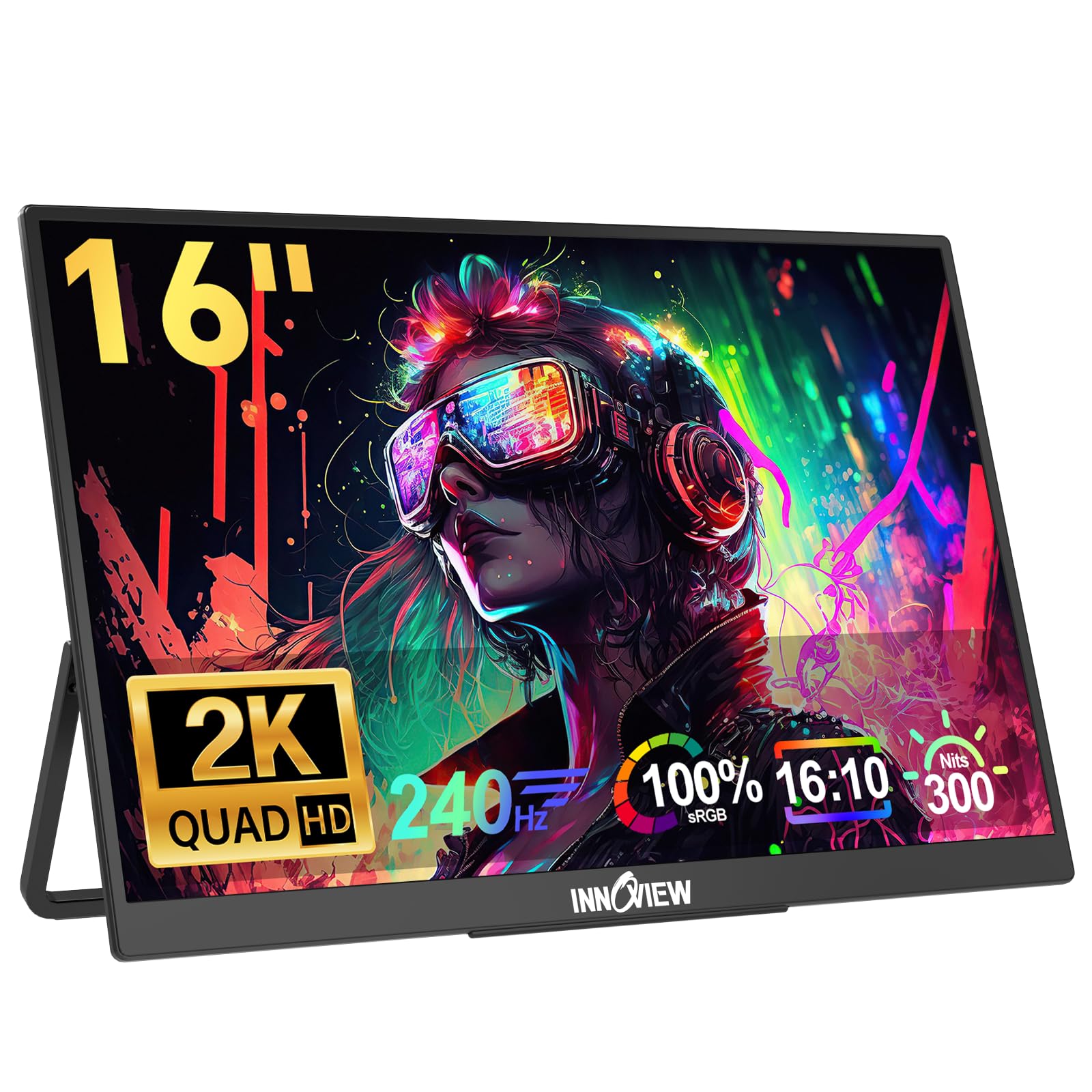
The InnoView 240Hz portable monitor is a niche product built for one thing: competitive gaming at the 2560×1600 resolution on the road. Few portable displays push refresh rates this high at this pixel density, and the InnoView delivers on that promise with an IPS panel that supports AMD FreeSync for variable refresh rate (VRR) gaming. The 240Hz refresh rate translates to 4ms of input lag at 240fps, which is well within the range that competitive esports players will feel. The 100% sRGB color gamut and 300 nits brightness are adequate for gaming sessions in controlled lighting, but the 1000:1 contrast ratio is standard IPS territory—don’t expect OLED-level blacks for horror games or dramatic single-player titles.
Compatibility is a consideration here. The InnoView achieves its 240Hz maximum through a combination of two full-function USB-C ports and one HDMI port, but your source device must natively support 240Hz output over HDMI 2.1 or USB-C with DP Alt Mode. Many mid-range gaming laptops only output 144Hz or 165Hz via USB-C, so check your laptop’s specs before buying. The panel is a matte IPS with an anti-glare coating that works well in bright rooms but does introduce a slight haze to text readability. The built-in speakers are present but not noteworthy, and the stand is a simple flip-out kickstand rather than a magnetic case cover, which some users find less stable on uneven surfaces.
Despite the gaming focus, the InnoView is surprisingly useful for professional productivity work. The 2560×1600 resolution provides ample screen real estate for code, documents, and timelines, and the 16:10 aspect ratio matches MacBooks perfectly for a seamless second-display experience. Users report that disabling HDR in macOS settings is necessary to get accurate color reproduction—a common quirk among portable IPS panels that ship with aggressive HDR profiles. The 75x75mm VESA mount compatibility is a huge plus for users who want to build a permanent portable gaming station on a desk arm. For the competitive gamer who needs 240Hz on the go and doesn’t mind the trade-offs in brightness and color depth, this is the only option at this resolution.
Why it’s great
- 240Hz refresh rate with FreeSync for smooth competitive gaming
- 2560×1600 resolution offers high pixel density for productivity
- VESA 75x75mm compatible for permanent desk arm mounting
Good to know
- Requires HDMI 2.1 or USB-C DP Alt Mode for full 240Hz output
- 300 nits brightness is less usable in bright environments than competitors
- HDR mode on Mac needs disabling for accurate color reproduction
6. HotYeah 16″ 2.5K 144Hz Portable Gaming Monitor
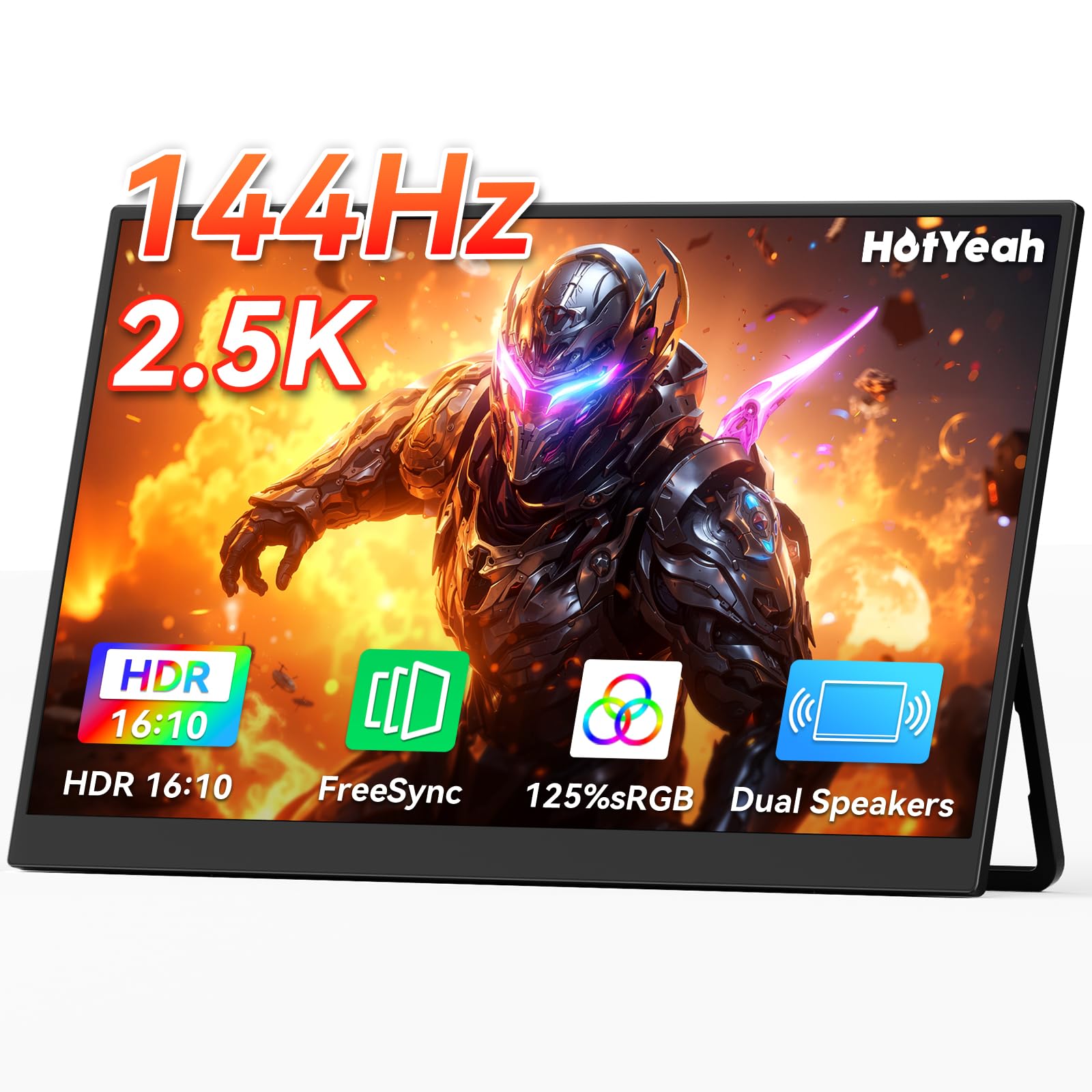
The HotYeah 16-inch portable monitor is unique in this lineup because it includes a built-in battery, allowing truly wireless operation when connected to a device that supports wireless video transmission. This is a rare feature in the 2560×1600 portable monitor space—most competitors require a permanent USB-C tether for power. The 2.5K QHD resolution at 144Hz on an IPS panel delivers sharp, fluid visuals, and the 125% sRGB color gamut is the widest color coverage of any monitor in this list, making it particularly appealing for photo editing and content review on the go. The 400 nits brightness is solid for indoor and shaded outdoor use. The metal kickstand adjusts through 180 degrees, and the 1.57-pound weight makes it genuinely easy to slip into a laptop bag.
The plug-and-play experience is excellent, with two full-function USB-C ports and a Mini-HDMI port providing broad compatibility with laptops, phones, tablets, and game consoles. Users consistently praise the “eye-saving” matte screen and the ease of connecting to iPhones for extended YouTube and gaming sessions. The monitor supports landscape-to-portrait rotation, which is useful for coding and document review. The package includes two USB-C cables, a Mini-HDMI to HDMI cable, and a power adapter, so you’re ready to go out of the box. The 75x75mm VESA mount holes also allow integration into a more permanent workstation setup.
Battery life is the critical unknown here. Some user reports indicate the battery may not hold a charge as long as advertised, and a few units have exhibited random freezes when used in wireless mode. The good news is that HotYeah’s customer service is responsive—users who reported defects received full refunds and free replacement units promptly. The built-in speakers are present but weak, typical of portable monitors. If you need a 1600p monitor that can operate without being plugged into a power source (even for a few hours), the HotYeah’s built-in battery makes it a unique option worth considering, provided you’re comfortable with the potential variability in battery longevity.
Why it’s great
- Built-in battery enables truly wireless operation for short sessions
- 125% sRGB gamut is the widest color coverage in this class
- Matte IPS panel reduces glare and is easy on the eyes for reading
Good to know
- Battery life is inconsistent between units per user reports
- Some units have exhibited random freezes in wireless mode
- Custoner service is responsive, but quality control varies
7. UPERFECT 2K 120Hz Portable Gaming Monitor 16″ 2560×1600

The UPERFECT 2K 120Hz monitor is the “no-surprises” option in this roundup. It hits the 2560×1600 resolution at 120Hz on an IPS panel with 100% sRGB coverage and 400 nits brightness, and it does everything competently without pushing boundaries. The 120Hz refresh rate is a noticeable step up from 60Hz for everyday scrolling and light gaming, and the FreeSync support ensures tearing-free gameplay when paired with a compatible GPU. The matte IPS screen is anti-glare and anti-fingerprint, which is a thoughtful touch for a monitor that will be touched and moved frequently. The 16:10 aspect ratio matches MacBooks and many PC laptops perfectly, providing a seamless extended desktop experience without black bars.
Connectivity includes two full-function USB-C ports and one Mini-HDMI port, supporting straightforward plug-and-play with laptops and game consoles. The included smart case is made of PU magnetic material and doubles as a stand, which is a common design but executed well here—the stand holds the monitor at a stable viewing angle on a desk. The VESA mount holes on the back (75x75mm) provide an alternative mounting option for users who want a more permanent desk setup. The built-in speakers and 3.5mm audio jack are present and functional, though the speakers are thin—fine for system sounds but not for music or movies. The monitor weighs 1.7 pounds and is 0.4 inches thick, making it easy to slide into a laptop bag alongside your main machine.
The main drawback is that some users report receiving a version with a bottom bezel that doesn’t match the advertised frameless design, and the 2-screw VESA mount configuration can be finicky with standard VESA plates. The case stand can feel flimsy compared to the metal kickstands found on the VisionOwl or cocopar. That said, the image quality is consistently praised—sharp, accurate colors, no light bleed, and the matte coating is effective at reducing reflections. For a mid-range portable monitor that delivers on its core promise of a 120Hz 1600p experience without major flaws, the UPERFECT is a reliable workhorse.
Why it’s great
- 120Hz refresh rate with FreeSync for smooth gaming and scrolling
- Matte anti-glare screen reduces reflections effectively for travel
- VESA 75×75 mm holes offer flexible mounting options
Good to know
- Some units ship with a bottom bezel not shown in promotional images
- Magnetic case stand is less stable than metal kickstand alternatives
- 2-screw VESA configuration may not mate with standard 4-hole plates
8. Dell P2423 24 Inch WUXGA 1920×1200 Monitor

The Dell P2423 is the enterprise-standard 1920×1200 monitor that IT departments order in bulk, and there’s a reason for that: it delivers reliable IPS color performance with 99% sRGB coverage at a resolution that maximizes vertical space for document work. The 60Hz refresh rate is not a dealbreaker for office productivity, and the IPS panel provides 178-degree viewing angles that make it easy to share your screen with a colleague. The 300 nits brightness is comfortable for typical office lighting, and the anti-glare coating is effective at reducing overhead light reflections. The stand offers height adjustment, tilt, swivel, and pivot—the full ergonomic package—allowing you to rotate the monitor into portrait mode for long documents, code, or Slack feeds.
I/O is generous for a business monitor: you get DisplayPort, HDMI, DVI, VGA, and five USB 3.2 Gen 1 ports. This means you can connect legacy machines via VGA while keeping your modern laptop plugged into DisplayPort, with the USB hub serving as a convenient charging and data station for peripherals. The G-Sync Compatible certification is surprising for a business-class monitor—it means the panel supports variable refresh rate over DisplayPort, which can reduce screen tearing in accidental gaming or when scrolling through image-heavy websites. The three-year warranty adds long-term value for business buyers who want predictable total cost of ownership.
The compromise is in the pixel density. At 24 inches and 1920×1200, the PPI is only around 94, which means text and images won’t be as razor-sharp as a higher-resolution monitor like the ProArt PA248CRV. This is a monitor built for spreadsheets and word processing, not for 4K video editing or CAD work. Some users report that finding the right scaling in Windows can be tricky due to the non-standard 16:10 resolution. The built-in speakers are absent, so you’ll need external speakers for audio. For the user who needs a durable, well-supported 16:10 monitor for daily office work with extensive connectivity, the P2423 is the safe, reliable choice.
Why it’s great
- Five USB 3.2 ports turn the monitor into a peripheral hub
- Full ergonomic stand with height, tilt, swivel, and 90-degree pivot
- G-Sync Compatible for variable refresh rate on business-class panel
Good to know
- Pixel density around 94 PPI is not sharp for text and UI elements
- No built-in speakers require external audio solution
- 60Hz refresh rate limits motion clarity for fast scrolling
9. Dell P2018H 20″ LED-Backlit LCD Monitor

The Dell P2018H is a 20-inch monitor with a 1600×900 resolution and a TN panel, making it the most basic display in this list. It fits a specific niche: as a compact vertical secondary monitor for a laptop setup, it works well because its small footprint and height-adjustable stand make it easy to position alongside a larger primary display. The TN panel provides 5ms response time and 250 nits brightness, which is adequate for basic office tasks like email, spreadsheets, and web browsing. The 1000:1 contrast ratio is typical for TN panels, offering acceptable readability for text documents without eye strain. Connectivity includes HDMI, VGA, and DisplayPort, giving you flexibility for older and newer devices alike.
The ergonomic stand is the standout feature at this price point. It offers tilt, swivel, pivot, and height adjustment, which is rare for a 20-inch monitor in this budget category. This makes it uniquely well-suited for use as a vertical secondary monitor—you can rotate it 90 degrees and adjust the height to match your primary display, creating a clean dual-monitor setup for coding, referencing documents, or monitoring chat applications. The small form factor means it takes up minimal desk space, which is valuable for users with compact workstations. Users consistently praise the “crisp screen” and the ease of setting it up as a secondary display.
The drawbacks are significant for any usage beyond basic office work. The 1600×900 resolution means the display has less vertical space than a standard 1920×1200 monitor, defeating some of the purpose of a 16:10 form factor. The TN panel’s color reproduction and viewing angles are poor compared to any IPS monitor on this list—colors shift when viewed off-angle, and the image lacks the vibrancy of even budget IPS panels. The 250 nits brightness is low for any environment with ambient light, and the lack of built-in speakers is a minor inconvenience. For the user who needs a basic, adjustable secondary monitor for text work and doesn’t require color accuracy, the P2018H is a functional budget option. For anyone who needs a primary display for visual work, skip this model entirely.
Why it’s great
- Full ergonomic stand with height, swivel, and 90-degree pivot
- Compact 20-inch size ideal for tight desk spaces
- VGA, HDMI, and DisplayPort input support legacy and modern devices
Good to know
- TN panel has poor viewing angles and washed-out color compared to IPS
- 1600×900 resolution offers less vertical space than standard 16:10 monitors
- 250 nits brightness is dim for any room with natural light
FAQ
Is a 1920×1200 monitor still usable for modern productivity?
Why does my portable 2560×1600 monitor only show 60Hz instead of 144Hz?
Can I use a 1600p portable monitor as my primary desktop display?
Does a 1600 x 1200 monitor support HDR content?
Final Thoughts: The Verdict
For most users, the 1600 x 1200 monitor winner is the VisionOwl Portable Monitor because it delivers the best balance of brightness (470 nits), color accuracy (110% sRGB), and high refresh rate (144Hz) in a portable form factor with practical full-size HDMI connectivity. If you need a professional-grade desktop display for color-critical work, the ASUS ProArt PA248CRV is the pick for its 97% DCI-P3 coverage and 96W USB-C Power Delivery. And for the competitive gamer who needs the highest possible refresh rate on the go, nothing beats the InnoView 240Hz Portable Monitor.