
Jumping from 1080p to a 1440p 180Hz monitor is the single most impactful hardware upgrade a PC gamer can make. It delivers pixel density that makes 27-inch screens look crisp, plus a refresh rate that eliminates visible judder in fast-paced shooters and open-world titles.
I’m Min — the co-founder and writer behind Gadgets Feed. I’ve spent dozens of hours analyzing panel technology, response time data, and real-world gaming performance to identify which 1440p 180Hz monitors actually deliver on their specs.
This guide dissects ten contenders that balance resolution, speed, and color accuracy. Whether you are upgrading from a 60Hz office display or seeking your next competitive edge, the right best 1440p 180hz monitor will transform how games look and feel.
How To Choose The Best 1440p 180Hz Monitor
The 1440p 180Hz category splits into two distinct camps: value-oriented IPS and VA panels offering high refresh at low cost, and premium OLED panels that redefine black levels and motion response. Your budget, GPU, and tolerance for burn-in management dictate the right choice.
Panel Technology: IPS, VA, or OLED
IPS remains the safest all-rounder, offering wide viewing angles and consistent color accuracy at competitive prices. VA panels deliver deeper blacks and higher contrast ratios but can exhibit dark-level smearing. OLED provides instant pixel response, infinite contrast, and per-pixel illumination, but costs more and requires care to prevent permanent image retention.
Refresh Rate vs. Response Time
180Hz translates to a new frame every 5.5 milliseconds. While that is fast, the monitor’s gray-to-gray (GtG) response time determines whether each frame transitions cleanly or leaves a trail. A display with 1ms GtG will look sharper during rapid camera pans than one with 4ms GtG, even at the same refresh rate. OLED panels achieve 0.03ms GtG, which eliminates ghosting entirely.
Adaptive Sync and GPU Pairing
NVIDIA G-Sync Compatible and AMD FreeSync Premium ensure the monitor’s refresh rate matches the GPU’s frame output, eliminating screen tearing. Check that the monitor explicitly supports your GPU brand’s adaptive sync. A monitor with HDMI 2.1 or DisplayPort 1.4 is required to reach 180Hz at 1440p without chroma subsampling.
Quick Comparison
On smaller screens, swipe sideways to see the full table.
| Model | Category | Best For | Key Spec | Amazon |
|---|---|---|---|---|
| LG 27GR83Q-B | IPS 240Hz | High-refresh value | 240Hz / 1ms GtG | Amazon |
| Alienware AW3425DWM | 21:9 VA 180Hz | Ultrawide immersion | 3440×1440 / 180Hz | Amazon |
| Acer Predator X27U | QD-OLED 240Hz | Stunning HDR and blacks | 240Hz / 0.03ms GtG | Amazon |
| AOC Q27GAZD | QD-OLED 240Hz | Budget OLED upgrade | 240Hz / 0.03ms GtG | Amazon |
| Samsung Odyssey OLED G5 | QD-OLED 180Hz | Entry-level OLED quality | 180Hz / 0.03ms GtG | Amazon |
| MSI MAG 272QP QD-OLED | QD-OLED 240Hz | Burn-in warranty coverage | 240Hz / 0.03ms GtG | Amazon |
| LG 27GX700A-B | OLED 280Hz | Fastest OLED option | 280Hz / 0.03ms GtG | Amazon |
| Alienware AW2725DF | QD-OLED 360Hz | Competitive esports | 360Hz / 0.03ms GtG | Amazon |
| Gawfolk GF490D | VA 240Hz Ultrawide | Massive screen real estate | 5120×1440 / 240Hz | Amazon |
| ASUS ROG Strix XG27AQDMG | WOLED 240Hz | Glossy premium image | 240Hz / 0.03ms GtG | Amazon |
| Samsung Odyssey Neo G9 | Mini-LED 240Hz | Dual UHD productivity | 7680×2160 / 240Hz | Amazon |
In‑Depth Reviews
1. LG 27GR83Q-B 27-inch Ultragear QHD IPS Gaming Monitor

The LG 27GR83Q-B strikes an exceptional balance by delivering a 240Hz refresh rate on an IPS panel at a price point where most competitors cap at 180Hz. Its HDMI 2.1 and DisplayPort 1.4 inputs allow full-bandwidth 1440p at the maximum refresh without compression, which is essential for pairing with current-gen consoles and high-end GPUs. The 1ms GtG response time keeps motion crisp during fast strafing in competitive shooters.
Color performance is a clear strength here—the panel covers 95% of the DCI-P3 gamut and carries VESA DisplayHDR 400 certification, delivering noticeably richer saturation than entry-level HDR monitors. NVIDIA G-Sync Compatible and AMD FreeSync Premium both work reliably, eliminating tearing across a wide VRR range. The built-in four-pole headphone jack with DTS Headphone:X provides spatial audio without an external DAC.
The ergonomic stand supports height, tilt, pivot, and swivel adjustments, making it easy to find a comfortable viewing angle. Some user reports mention stuck pixels on early units, so inspect immediately after arrival. For the combination of speed, color accuracy, and connectivity, this monitor outperforms most options at its tier.
Why it’s great
- 240Hz IPS with HDMI 2.1 support
- DCI-P3 95% coverage and HDR400
- Full ergonomic stand with pivot
Good to know
- Reports of stuck pixels in some units
- HDR brightness limited compared to OLED
2. Alienware 34 Curved Gaming Monitor – AW3425DWM

The AW3425DWM brings a 34-inch 1500R curvature to the 1440p 180Hz conversation, wrapping the image around your peripheral vision for a more immersive experience in open-world games and sim racing titles. The VA panel delivers a native 3000:1 contrast ratio, which produces deeper blacks than typical IPS monitors, especially in dimly lit rooms.
At 180Hz with 1ms GtG response and AMD FreeSync Premium, motion feels fluid during fast-paced sequences. The DCI-P3 95% color coverage and VESA DisplayHDR 400 certification keep colors punchy, though HDR peak brightness is moderate compared to high-end OLEDs. The anti-glare coating reduces reflections effectively in bright environments.
The stand is sturdy and height-adjustable, but the monitor lacks built-in speakers. Users should note that the 3440×1440 resolution demands more GPU power than standard 2560×1440—an RTX 4070 or equivalent is recommended to maintain high frame rates. At its price point, this is the strongest ultrawide option for buyers who value screen real estate over pixel-perfect black levels.
Why it’s great
- 21:9 curved panel enhances immersion
- 3000:1 native contrast ratio
- 180Hz with FreeSync Premium
Good to know
- No built-in speakers
- Requires strong GPU for ultrawide gaming
3. Acer Predator X27U W1bmiipprx 26.5″ QD-OLED Gaming Monitor

The Acer Predator X27U is a 26.5-inch QD-OLED monitor that delivers 240Hz refresh and 0.03ms GtG response—the same panel technology found in much pricier flagships, but at a remarkably accessible price. Colors are exceptionally vivid thanks to 99% DCI-P3 coverage, and the true 10-bit depth eliminates color banding in gradients.
HDR performance is a standout feature here. The QD-OLED panel produces near-infinite contrast, making highlights pop against perfect black backgrounds. The monitor includes AMD FreeSync Premium and runs flawlessly with NVIDIA G-Sync. Two HDMI 2.1 ports and two DisplayPort 1.4 inputs provide ample flexibility for multi-device setups.
The build is nearly all plastic, and the stand offers only tilt and height adjustment—no swivel or pivot. Some users note that peak brightness is slightly lower than premium OLEDs, but for the price, the image quality is transformative. Text clarity is good for a QD-OLED, with minimal fringing at normal viewing distances.
Why it’s great
- QD-OLED with 99% DCI-P3
- 0.03ms response eliminates ghosting
- Dual HDMI 2.1 inputs
Good to know
- Plastic build and limited stand adjustments
- Slightly lower peak brightness than premium OLEDs
4. AOC Q27GAZD 27″ QD-OLED Gaming Monitor

The AOC Q27GAZD brings QD-OLED technology to a 27-inch form factor at a price that undercuts many competitors. With a 240Hz refresh rate and 0.03ms GtG response, motion clarity is impeccable—there is no perceptible ghosting even during rapid flick shots. The panel covers 110.2% DCI-P3, producing colors that appear saturated and lifelike out of the box.
HDR400 TrueBlack certification means the monitor can deliver deep, inky black levels while maintaining decent highlight brightness. The glossy screen surface enhances perceived contrast and color vibrancy, but it reflects ambient light more than matte finishes. Adaptive-Sync compatibility ensures tear-free gameplay across both NVIDIA and AMD GPUs.
The stand is basic and somewhat short—users are better off using a VESA monitor arm for optimal positioning. HDMI input is limited to 165Hz, so you need DisplayPort for the full 240Hz. Some units show a magenta tint under direct light, a quirk of the QD-OLED coating. For the price, this is the most affordable way to get true OLED responsiveness at 1440p.
Why it’s great
- 240Hz QD-OLED at an entry-level price
- 110% DCI-P3 color gamut
- HDR400 TrueBlack for deep blacks
Good to know
- HDMI limited to 165Hz
- Stand is short; needs monitor arm
5. Samsung 27″ Odyssey OLED G5 (G50SF)

The Odyssey OLED G5 is Samsung’s entry-level OLED monitor, offering a 180Hz refresh rate and 0.03ms GtG response on a 27-inch QHD panel. It uses QD-OLED technology combined with Samsung’s Glare Free matte coating, which minimizes reflections without washing out black levels—a practical advantage for brightly lit rooms.
Color accuracy is excellent, with Pantone Validation covering over 2100 colors, and HDR10 support provides bright highlights and deep shadows. The OLED Safeguard system uses a Thermal Modulation Sensor to actively prevent burn-in, offering peace of mind for long gaming sessions. Auto Source Switch+ makes it easy to toggle between PC and console inputs.
The monitor’s inputs are limited—one HDMI and one DisplayPort—and there are no built-in speakers. The stand only offers tilt adjustment, lacking height or swivel. For competitive FPS players, the 180Hz refresh is slightly lower than the 240Hz options in this list, but the OLED contrast and response make it a compelling alternative to any IPS panel.
Why it’s great
- 180Hz OLED with 0.03ms response
- Glare Free coating for bright rooms
- Active burn-in prevention system
Good to know
- Limited to one HDMI and one DP input
- Stand lacks height adjustment
6. MSI MAG 272QP QD-OLED X24 27″ Gaming Monitor

The MSI MAG 272QP combines a 26.5-inch QD-OLED panel with 240Hz refresh and 0.03ms GtG response, delivering the same fluidity as flagship OLEDs but with a fanless graphene heatsink for improved durability. The 10-bit panel covers 99% DCI-P3 and achieves a VESA ClearMR 13000 rating, meaning motion clarity is exceptionally high.
MSI’s OLED Care 2.0 software includes pixel shift, refresh, and a 3-year warranty that covers burn-in—a rare and valuable guarantee. The stand offers full ergonomic adjustments: height, tilt, swivel, and pivot. Connectivity includes DisplayPort 1.4a and HDMI 2.1 ports that all support 240Hz at 1440p.
The default out-of-box picture settings are dark and slightly blurry, requiring calibration to unlock the panel’s full potential. The pixel refresh process can trigger during active use, lasting about five minutes, which may interrupt gameplay. The monitor is also heavy, so a sturdy monitor arm is recommended for desk mounting.
Why it’s great
- 3-year burn-in warranty included
- Full ergonomic stand adjustments
- Graphene heatsink for panel longevity
Good to know
- Pixel refresh can interrupt active use
- Dark default settings need calibration
7. LG 27GX700A-B 27″ Ultragear OLED Gaming Monitor (280Hz)

The LG 27GX700A-B uses LG’s fourth-generation OLED panel with Primary RGB Tandem technology, reaching up to 1500 nits peak brightness—the brightest OLED in this comparison. The 280Hz refresh rate and 0.03ms response provide the lowest latency and most fluid motion of any monitor below the ultra-premium tier.
VESA DisplayHDR TrueBlack 500 certification ensures that dark scenes retain detail without crushing shadow information. The anti-ABL algorithm reduces the aggressive auto-brightness limiting common on earlier OLEDs, keeping the screen stable during bright gameplay. NVIDIA G-Sync Compatible and AMD FreeSync Premium Pro both work flawlessly.
The RGB backlight on the rear is a nice cosmetic touch. Some users report VRR flicker in loading screens, and the LG Switch software can feel intrusive. For competitive gamers seeking the fastest OLED available without moving to a 360Hz panel, this monitor delivers the best blend of speed and image quality.
Why it’s great
- 280Hz with 1500 nits peak brightness
- DisplayHDR TrueBlack 500 certification
- Primary RGB Tandem tech improves ABL
Good to know
- VRR flicker may appear in loading screens
- LG Switch software feels intrusive
8. Alienware AW2725DF 26.7″ QD-OLED Gaming Monitor (360Hz)

The AW2725DF pushes refresh rate to 360Hz on a QD-OLED panel, making it the fastest 1440p monitor in this roundup. At this refresh, new frames arrive every 2.7 milliseconds—motion clarity is so sharp that fast strafing in Valorant or Apex Legends feels almost telepathic. The 0.03ms GtG response ensures zero perceivable ghosting.
Color performance is flagship-grade: 99.3% DCI-P3 coverage with Delta E<2 accuracy. VESA DisplayHDR True Black 400 provides excellent HDR contrast without blooming. The monitor includes AMD FreeSync Premium Pro and VESA AdaptiveSync, and supports both G-Sync Compatible and FreeSync natively.
The stand offers full height, tilt, swivel, and pivot adjustments. The three-year burn-in warranty provides confidence for long-term use. Minor quibbles include a slight purple tint at extreme angles and the need for periodic pixel refresh. For competitive gamers with high-end GPUs, this is the definitive motion-clarity king.
Why it’s great
- 360Hz OLED with 0.03ms response
- 99.3% DCI-P3 and HDR True Black 400
- 3-year burn-in warranty
Good to know
- Purple tint at extreme viewing angles
- Periodic pixel refresh required
9. Gawfolk 49″ Ultrawide Curved Gaming Monitor (5120×1440)
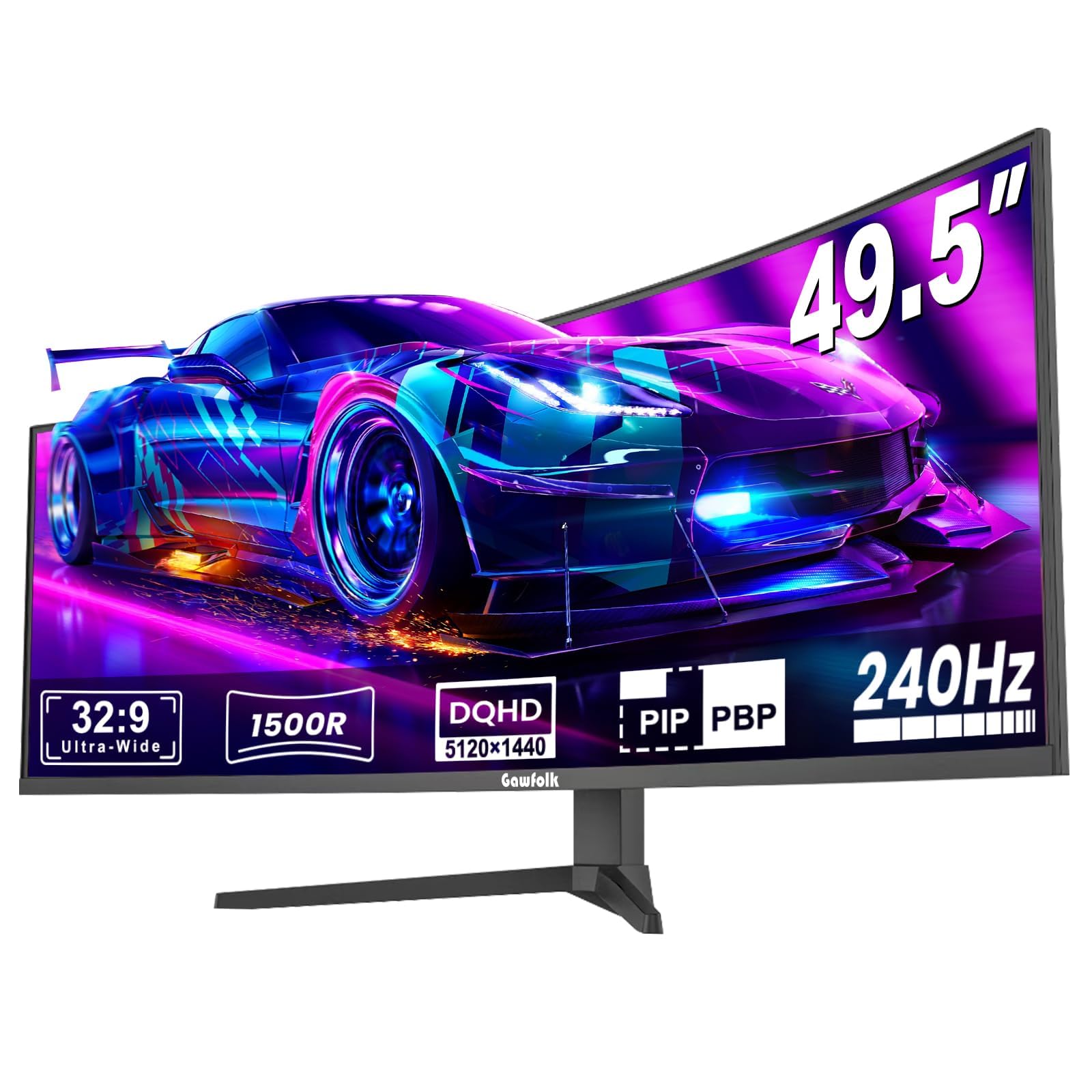
The Gawfolk 49-inch ultrawide offers 5120×1440 resolution (DQHD) with a 240Hz refresh rate, effectively replacing two 27-inch monitors side by side without a bezel gap. The 1500R curvature wraps the image around your peripheral vision, creating strong immersion in racing and flight simulators.
The VA panel provides a 3000:1 contrast ratio, delivering deeper blacks than IPS alternatives at this price. AMD FreeSync support reduces tearing, and the 240Hz refresh keeps motion smooth across the wide aspect ratio. The built-in crosshair overlay is a useful feature for first-person shooters.
Build quality feels budget-tier, and some users report intermittent black screen cutouts after extended use. The speakers are weak and lack bass, so dedicated headphones or external speakers are necessary. At this price point for a 49-inch 240Hz panel, the value proposition is clear, but reliability is a gamble.
Why it’s great
- 49-inch DQHD with 240Hz refresh
- 3000:1 contrast ratio
- Replaces dual-monitor setups seamlessly
Good to know
- Reports of screen cut-out defects
- Weak built-in speakers
10. ASUS ROG Strix 27″ 1440P OLED Gaming Monitor (XG27AQDMG)

The ASUS ROG Strix XG27AQDMG uses a third-generation WOLED panel with a glossy screen finish, producing punchier colors and better perceived contrast than matte OLEDs. The 240Hz refresh rate and 0.03ms response time deliver elite-level responsiveness, while the custom heatsink and advanced airflow design reduce burn-in risk significantly.
ROG-exclusive OLED Anti-flicker technology minimizes flicker during frame-rate fluctuations, a common pain point on OLED panels. The monitor supports both G-Sync Compatible and FreeSync Premium, and offers uniform brightness mode for consistent luminance across the screen. The 99% DCI-P3 coverage ensures rich, accurate colors.
The stand is highly adjustable and feels premium. The glossy coating reflects room light more than matte finishes, which is a factor in brightly lit rooms. Some users needed to replace the included DisplayPort cable to resolve flickering. The three-year warranty includes burn-in coverage, adding long-term confidence.
Why it’s great
- Glossy WOLED with rich color and contrast
- 240Hz with anti-flicker technology
- 3-year warranty with burn-in coverage
Good to know
- Glossy screen reflects ambient light
- Included DP cable may cause flickering
11. Samsung 57″ Odyssey Neo G9 (G95NC) Dual UHD Mini-LED

The Odyssey Neo G9 is a 57-inch behemoth with a 7680×2160 resolution—effectively two 4K monitors in one curved 1000R panel. While its 240Hz refresh rate is technically higher than 180Hz, its primary appeal is the unmatched screen real estate for productivity and immersion. The Quantum Mini-LED backlight with 2,392 local dimming zones delivers excellent HDR with VESA DisplayHDR 1000 certification.
DisplayPort 2.1 support allows full-bandwidth 240Hz at the panel’s native resolution without chroma subsampling. AMD FreeSync Premium Pro ensures tear-free motion. The monitor supports Picture-by-Picture mode, letting you view two sources side by side at their native resolution—ideal for work-from-home multitasking.
The monitor is extremely heavy at roughly 40 pounds, requiring a very sturdy desk or a heavy-duty monitor arm. The built-in speakers are serviceable but not impressive. For buyers who want the ultimate productivity canvas and play games that support the ultra-wide aspect ratio, this is the most immersive monitor available.
Why it’s great
- 57-inch Dual UHD resolution (7680×2160)
- 240Hz via DisplayPort 2.1
- 2,392-zone Mini-LED for deep HDR
Good to know
- Extremely heavy; needs sturdy desk
- Very expensive investment
FAQ
Is 180Hz at 1440p a noticeable upgrade from 144Hz?
Do I need HDMI 2.1 for 1440p at 180Hz?
What GPU do I need to drive 1440p at 180Hz?
Should I choose an IPS or OLED monitor for 1440p gaming?
Final Thoughts: The Verdict
For most users, the best 1440p 180hz monitor winner is the LG 27GR83Q-B because it delivers 240Hz IPS performance, excellent color coverage, and full ergonomic adjustments at a price that undercuts most 180Hz competitors. If you want breathtaking OLED contrast and response, grab the Acer Predator X27U. And for the ultimate immersive ultrawide experience, nothing beats the Alienware AW3425DWM.