
Walking into a conference room or classroom and seeing a dusty, washed-out projector image is a productivity killer. The real pain isn’t just the blurry text — it’s the dead pixels, the fan noise, the time wasted fiddling with cables just to get a single slide on screen. An affordable smart board replaces that entire rigmarole with a single, silent, interactive 4K panel that responds to touch instantly, turning passive watching into active collaboration.
I’m Min — the co-founder and writer behind Gadgets Feed. I’ve spent hundreds of hours cross-referencing datasheets, parsing customer feedback, and mapping the rapidly expanding landscape of interactive flat panels to find the models that deliver genuine performance without demanding a capital-expenditure budget.
Every option here balances touch responsiveness, display quality, and built-in computing power. This guide cuts through the noise to help you find the best affordable smart board for your specific needs, whether you are equipping a classroom or a boardroom.
How To Choose The Best Affordable Smart Board
Buying an interactive flat panel is a multi-year investment for any institution or business. The right choice comes down to three core pillars: computing power, touch performance, and display quality. Here is what to check before you click buy.
Android Version and RAM — The Hidden Engine
An affordable smart board is essentially a giant Android tablet. The operating system version determines app compatibility and security update longevity. Boards running Android 14 with at least 8GB of RAM can handle multiple apps like a browser, video conferencing tool, and whiteboard app simultaneously without stutter. Avoid older Android 11 or 12 boards with only 4GB, as they will feel sluggish within a year.
Touch Technology and Touch Points
Almost every board in this price range uses infrared (IR) touch. IR supports a high number of simultaneous touch points — look for 20 or more. This allows two or more users to write, zoom, and gesture at the same time. The precision spec (often ±1mm) and response time (6ms or faster) determine how natural the pen-to-paper feel is. Boards with lower touch points feel laggy in collaborative scenarios.
Display Quality and Connectivity Ports
A true 4K UHD resolution (3840 x 2160) at 400 nits or higher brightness is non-negotiable for a room with windows. Look for anti-glare glass to reduce reflections. On the connectivity front, essential ports include front-facing USB and HDMI for quick laptop hookups, plus rear LAN, RS232, and VGA for permanent installations. Wireless screen casting via Miracast or AirPlay is a major convenience feature for hybrid work.
Quick Comparison
On smaller screens, swipe sideways to see the full table.
| Model | Category | Best For | Key Spec | Amazon |
|---|---|---|---|---|
| Shiarffe R9 65″ | Premium | High-performance hybrid workspaces | 16GB RAM + 256GB storage | Amazon |
| JAV 65″ Pro | Premium | AI-powered video conferencing | 48MP AI camera, 100W soundbar | Amazon |
| NEWORK 55″ | Mid-Range | Google EDLA certified classrooms | 50-point multi-touch | Amazon |
| COOLHOOD 65″ | Mid-Range | Open app ecosystem for offices | Octa-core A73+A53 processor | Amazon |
| BIG VUE Plus 65″ | Mid-Range | Large storage for big app libraries | 256GB internal storage | Amazon |
| JAV 75″ | Premium | Large-scale classrooms and lecture halls | 75-inch 4K anti-glare display | Amazon |
| JASZDOT 65″ | Mid-Range | Video conferencing hub | 20-point touch, 6ms response | Amazon |
| YCKJNB 65″ | Mid-Range | Built-in 13MP camera for meetings | 13MP camera, 8 array mics | Amazon |
| KEINONE 65″ | Mid-Range | Versatile multimedia whiteboard | 20 touch points, 6ms latency | Amazon |
| Shiarffe X5 55″ | Mid-Range | K-12 classroom durability | Industrial-grade reinforced chassis | Amazon |
| JASZDOT 55″ | Mid-Range | Budget-friendly app ecosystem | 8GB RAM + 128GB storage | Amazon |
| KEINONE 55″ | Mid-Range | Entry-level remote collaboration | AirPlay, WiFi, Type-C connectivity | Amazon |
| EUNIVON 55″ | Mid-Range | Home and small office versatility | Android 14, Cortex-A55 CPU | Amazon |
In‑Depth Reviews
1. Shiarffe R9 65″ 4K Smart Board
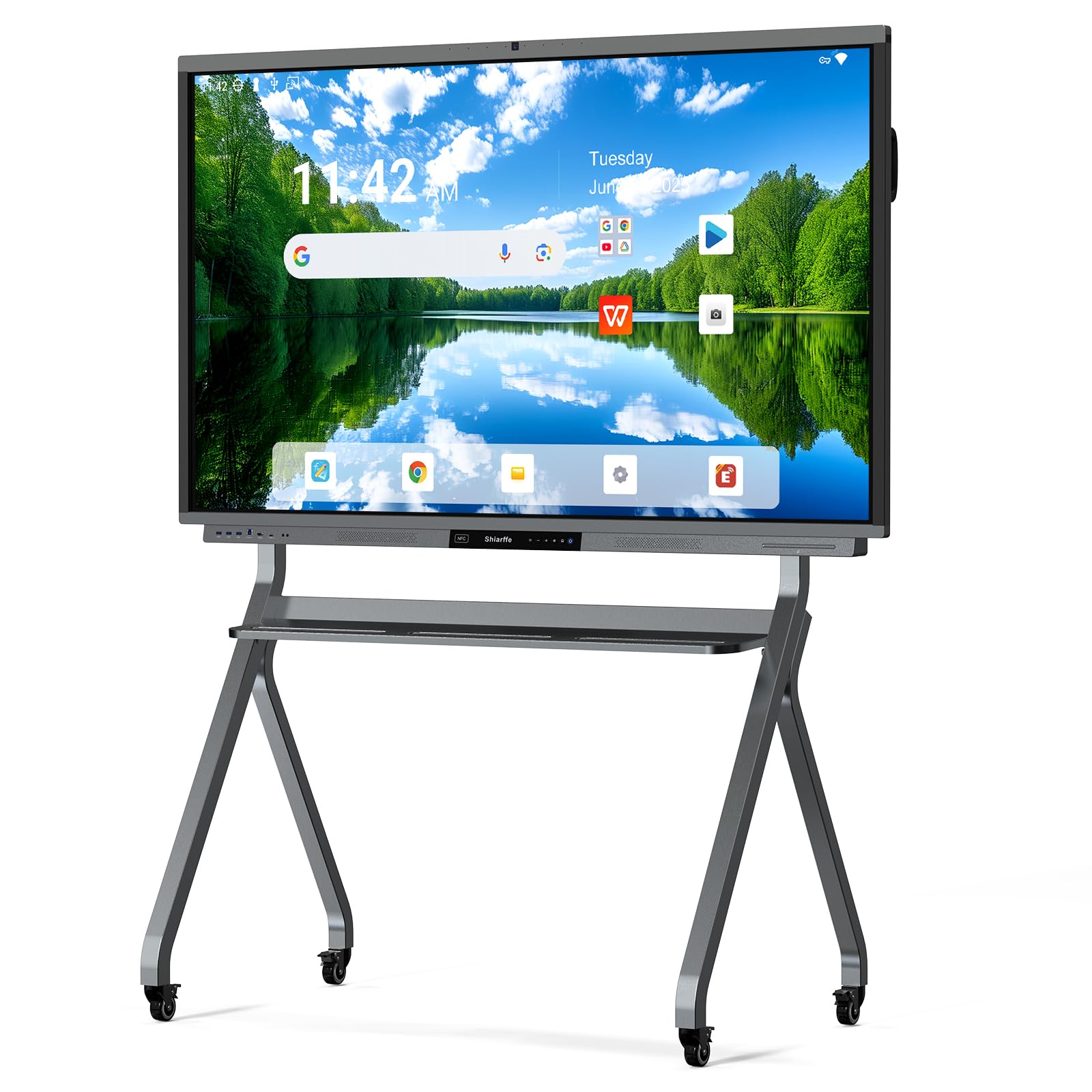
The Shiarffe R9 stands out as the most future-proof option in this roundup, packing 16GB of RAM and 256GB of internal storage — double the standard for boards at this tier. This memory headroom means you can run a full Chrome browser, a Zoom meeting, and a whiteboarding app simultaneously without any system lag. The Google EDLA certification provides enterprise-grade security updates and direct access to the full Google Play Store.
The 65-inch 4K UHD IPS display features anti-glare glass that keeps reflections at bay even under harsh overhead lighting, and the 20-point multi-touch allows four users to write and gesture at the same time. Select models also include a dedicated AI camera and microphone array for one-tap integration with video conferencing platforms like Zoom and Teams, effectively turning the board into a complete collaboration hub.
Buyers consistently report that this board costs roughly one-third of what major-brand competitors charge for similar specs, making it a compelling drop-in replacement for conference rooms that need professional reliability without the licensing headaches. The cabinet has a solid aluminum frame that feels rigid and durable.
Why it’s great
- 16GB RAM + 256GB storage for heavy multitasking
- Google EDLA certified with zero subscription fees
- Anti-glare 4K display with excellent color saturation
Good to know
- Larger 75- and 86-inch models require a mobile cart (sold separately)
- Built-in camera only available on select sizes
2. JAV 65″ Smart Board Pro
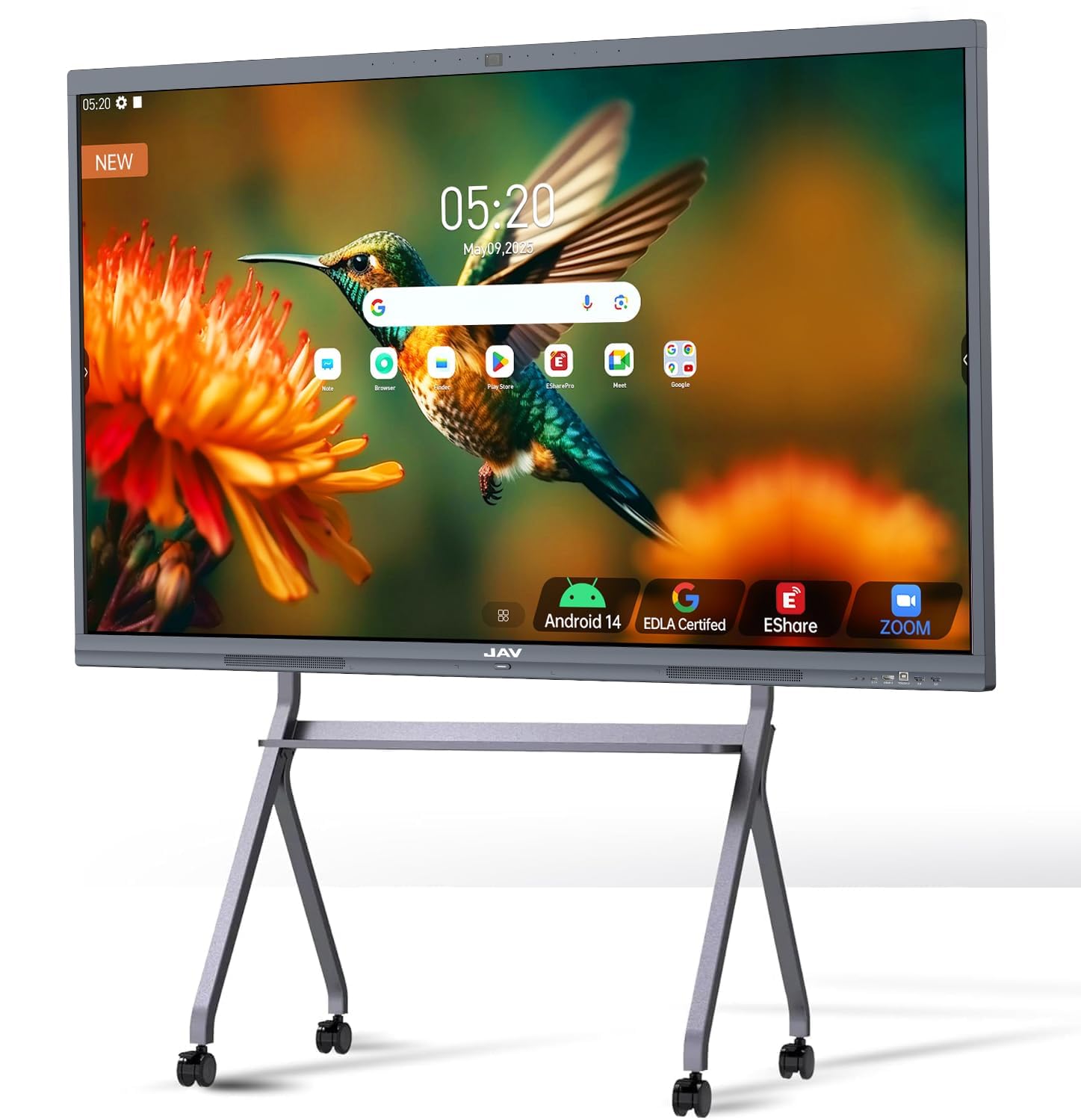
The JAV Smart Board Pro pushes the hardware envelope with a built-in 48MP AI camera and an 8-array microphone system designed to handle speaker tracking and sound source localization. This makes it uniquely suited for environments where remote participants are the primary audience — the AI camera follows the active speaker automatically, eliminating the need for a separate PTZ camera setup.
The audio subsystem is equally impressive with a 100W soundbar that fills a medium-sized room without external speakers. Under the hood, Android 14 with 8GB RAM and 128GB of storage provides a snappy interface for the Google EDLA ecosystem, including full access to Google Classroom and Workspace apps. The 4K UHD display uses etched AG glass to cut down on reflections significantly.
Users note that the board excels in hybrid classroom scenarios where the instructor moves around the room, as the AI camera tracks and zooms automatically. The pre-installed E-Share Pro software adds screen sharing and annotation tools that work out of the box without licensing fees.
Why it’s great
- 48MP AI camera with speaker tracking
- Powerful 100W built-in soundbar
- 8-array microphone with noise cancellation
Good to know
- AI features require ongoing software support from JAV
- Some users report system lag on older firmware versions
3. NEWORK 55″ Smart Board
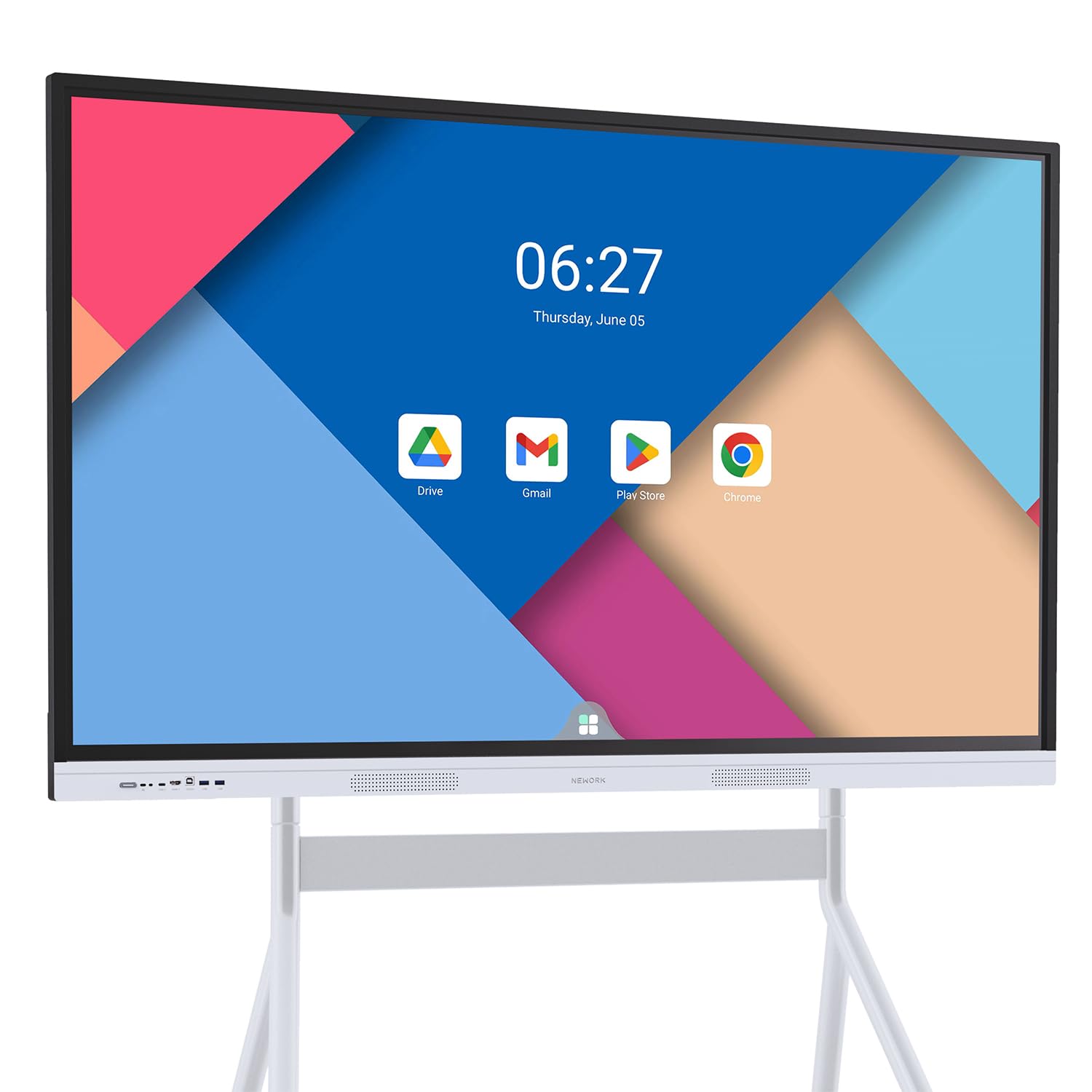
The NEWORK 55E distinguishes itself with an industry-leading 50-point multi-touch capability, meaning up to five users can write and interact on the screen simultaneously without any lag or missed touches. The 4K UHD LED display offers a wide 178-degree viewing angle with 81% NTSC color gamut, ensuring students in the back row see the same vibrant colors as those up front.
Being Google EDLA certified, this board grants unrestricted access to the entire Google Play Store and includes regular OTA security updates — a critical feature for school IT departments that need to maintain device compliance. The Android 14 OS with 8GB RAM and 64GB ROM provides smooth multitasking, though the storage is lower than some competitors.
Customer feedback highlights the wireless casting feature as a standout, supporting up to 16 devices simultaneously for screen sharing. This makes it a strong candidate for interactive classrooms where students regularly contribute content from their own devices.
Why it’s great
- 50-point touch for multi-user collaboration
- Full Google Play Store access with EDLA
- Wireless casting supports up to 16 devices
Good to know
- Only 64GB internal storage
- No built-in camera for video conferencing
4. COOLHOOD 65″ Smart Board

The COOLHOOD 65-inch smart board offers a powerful octa-core processor (4x A73 + 4x A53) driving Android 13 with 128GB of storage, delivering snappy app launches and smooth multitasking. The 20-point IR touch system boasts a 6ms response time with ±1mm precision, making handwriting feel natural with no perceptible lag.
This board comes with a comprehensive open app ecosystem and built-in tools like smart voting, a timer, and QR code file sharing — features that streamline meeting workflows without requiring third-party software. It supports wireless screen sharing across Mac, Windows, iOS, and Android devices. The 4K IPS display delivers a 2000:1 contrast ratio and 100% color gamut for punchy visuals.
Users report that the board is simple to set up and does not require IT support for basic operation. The wall mount is included in the box, while a mobile stand is available separately for those who need portability.
Why it’s great
- Fast octa-core processor for smooth performance
- 6ms touch response with high precision
- Built-in voting and timer tools for meetings
Good to know
- Runs Android 13, not the latest 14
- No built-in camera for video conferencing
5. BIG VUE Plus 65″ Smart Board
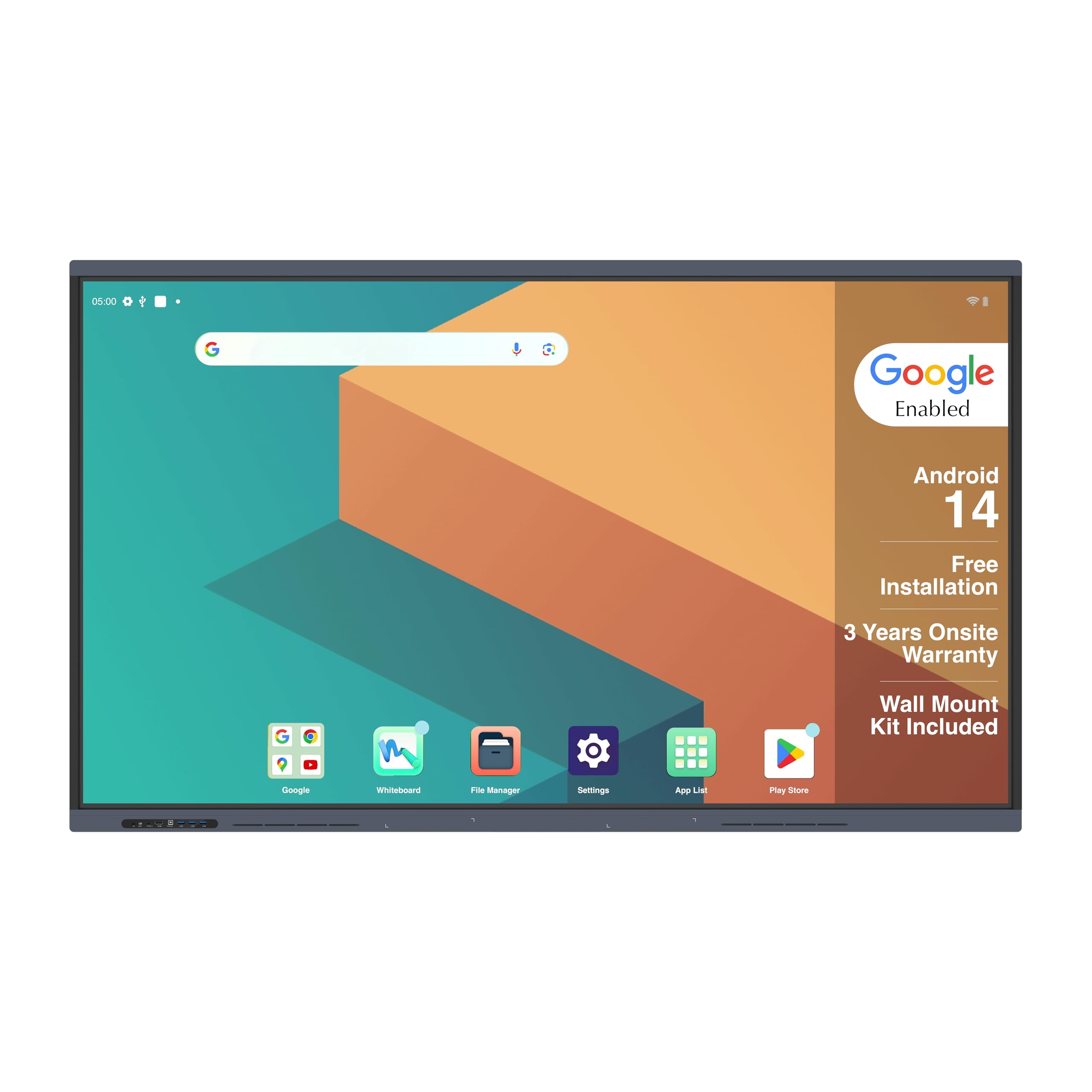
The BIG VUE Plus is a powerhouse for content-heavy environments, offering 8GB of RAM and a massive 256GB of internal storage. This is ideal for schools or offices that need to store large libraries of educational content, videos, and presentation files directly on the device without relying on cloud streaming.
The 65-inch native 4K display supports 10.7 billion colors with a 1200:1 contrast ratio and 178-degree viewing angles. It also features a built-in 48MP AI camera and microphone for intelligent video conferencing — the AI assistant can track the speaker and auto-focus during meetings. The OPS slot allows for future expansion with a separate PC module if needed.
Customers praise the build quality, noting the aluminum frame feels premium and the touch sensitivity of the pen is excellent with no lag. The included three-year onsite warranty for installations in India adds significant value for institutional buyers.
Why it’s great
- 256GB storage for on-device content libraries
- 48MP AI camera with speaker tracking
- OPS slot for future PC module upgrade
Good to know
- Heavy at 50 kg, requires sturdy mounting
- Warranty and support primarily focused on India
6. JAV 75″ Smart Board
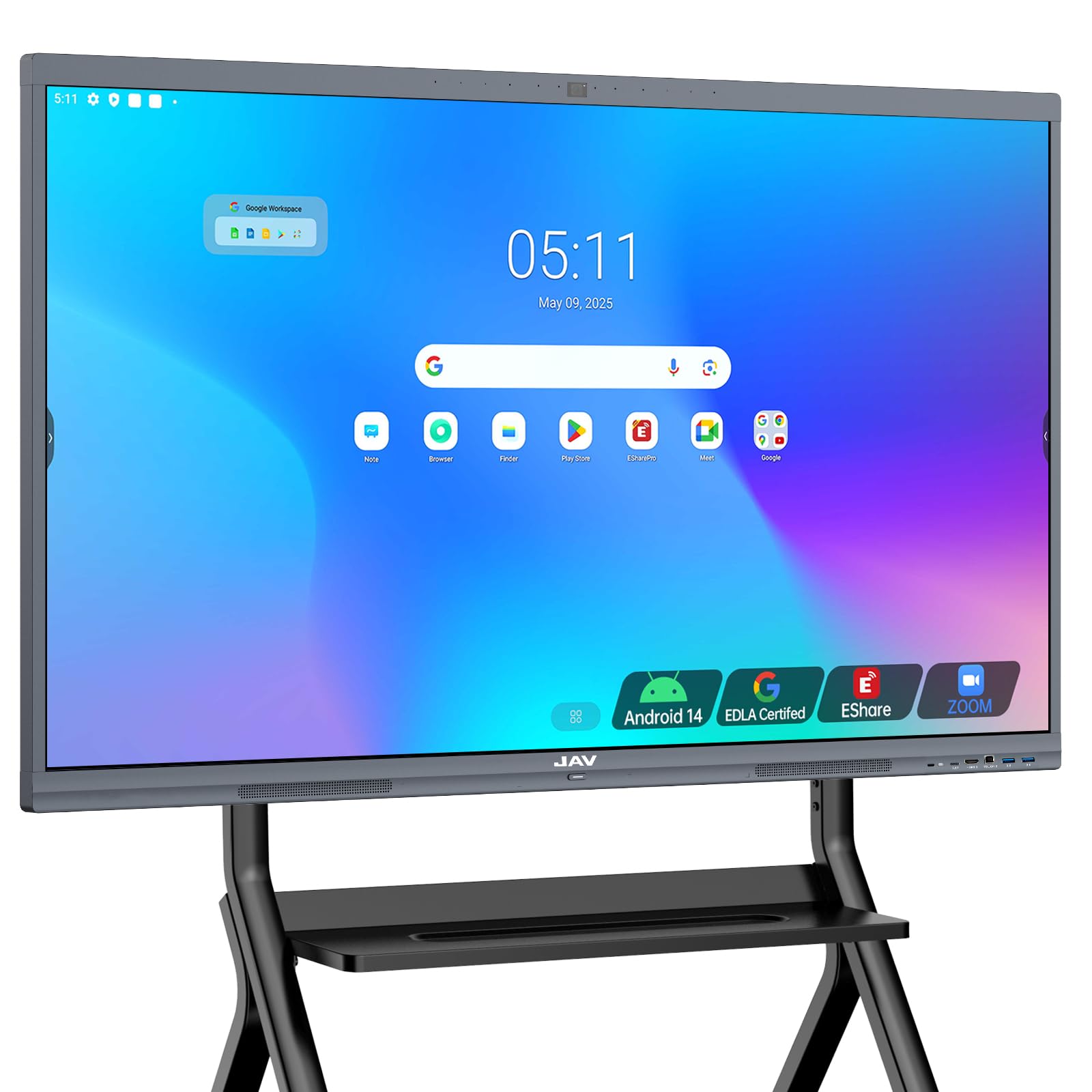
The JAV 75-inch Smart Board delivers the largest screen size in this roundup, making it the go-to choice for lecture halls, large classrooms, and spacious boardrooms. The 4K UHD display is protected by 4mm anti-glare tempered glass, which minimizes reflections and fingerprints while keeping the picture bright and legible even from 40 feet away.
Powered by Android 14 with 8GB RAM and 128GB of storage, this board handles the Google EDLA ecosystem smoothly, providing access to the full Google Play Store and Workspace suite. It includes a built-in camera for remote conferencing and supports wireless screen mirroring across all major operating systems. The open app ecosystem allows customization with educational and productivity tools.
Users appreciate the user-friendly interface and the robust build quality. However, a significant number of support queries involve Google Play authentication issues on some units, so verifying the firmware version upon delivery is recommended.
Why it’s great
- Massive 75-inch display for large venues
- 4mm anti-glare tempered glass protection
- Built-in camera for hybrid collaboration
Good to know
- At 80 lbs, installation is a two-person job
- Google Play Store authentication issues reported on some units
7. JASZDOT 65″ Smart Board
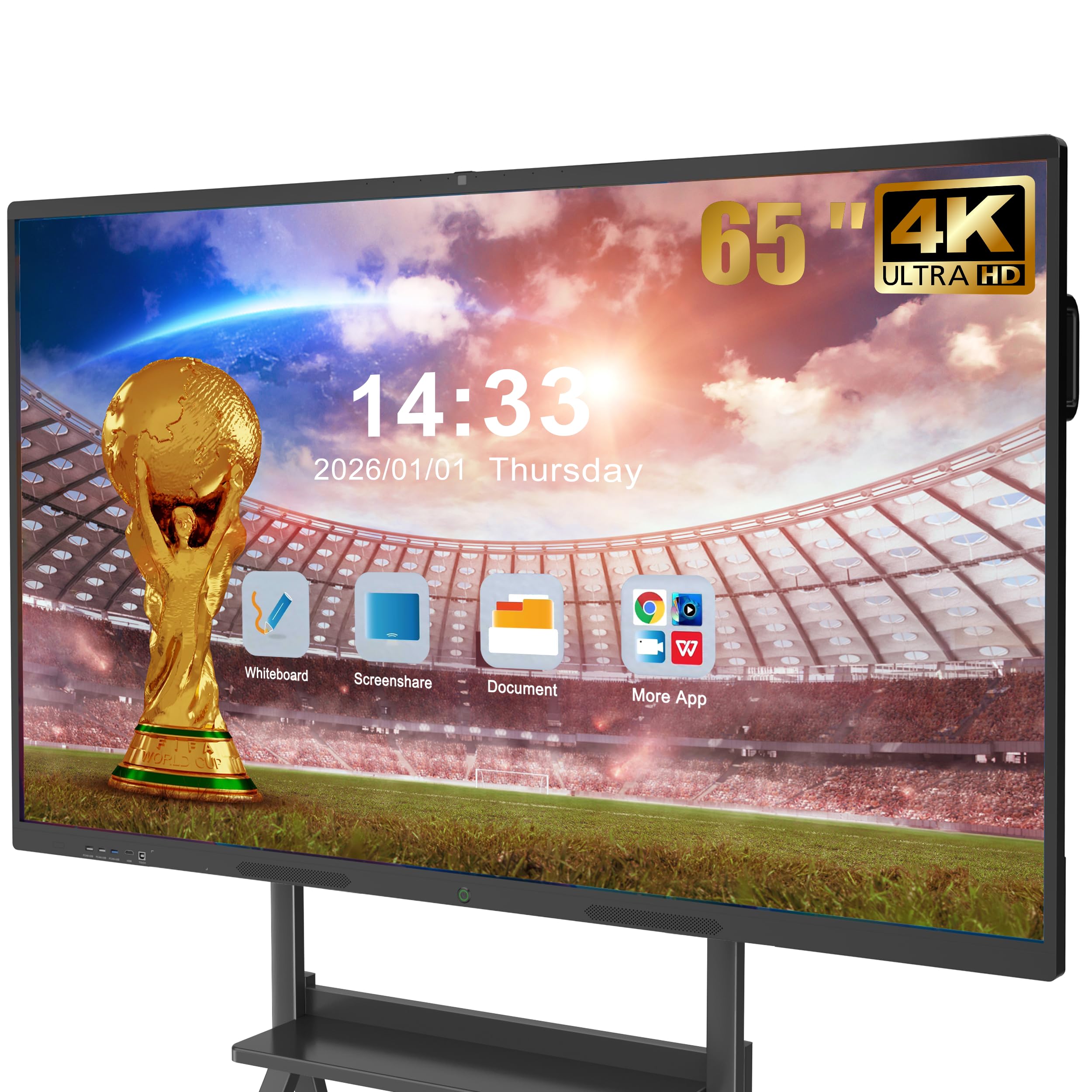
The JASZDOT 65-inch model offers the most comprehensive port selection in its class, with front-facing USB and HDMI for quick connections, plus rear and bottom panels featuring LAN IN/OUT, VGA, AV IN/OUT, COAXIAL, and DisplayPort. This makes it extremely versatile for environments that need to connect legacy projectors, external speakers, or networked systems.
The Android 14 system with 8GB RAM and 128GB storage drives a 4K UHD display that hits over 400 nits of brightness with flicker-free eye-care technology, reducing strain during long teaching sessions. The 20-point IR touch delivers 6ms response time and ±1mm precision, with smart handwriting recognition and one-touch color switching.
The board functions as a built-in video conferencing hub, allowing smooth high-quality video calls and real-time document annotation without extra hardware. Buyers note the included wireless screen casting box simplifies setup considerably.
Why it’s great
- Extensive port selection including VGA, DP, and COAXIAL
- Flicker-free 400-nit display with eye-care tech
- Built-in video conferencing hub
Good to know
- Frame material is ABS plastic, not aluminum
- Some users report the included wall mount is basic
8. YCKJNB 65″ Smart Board
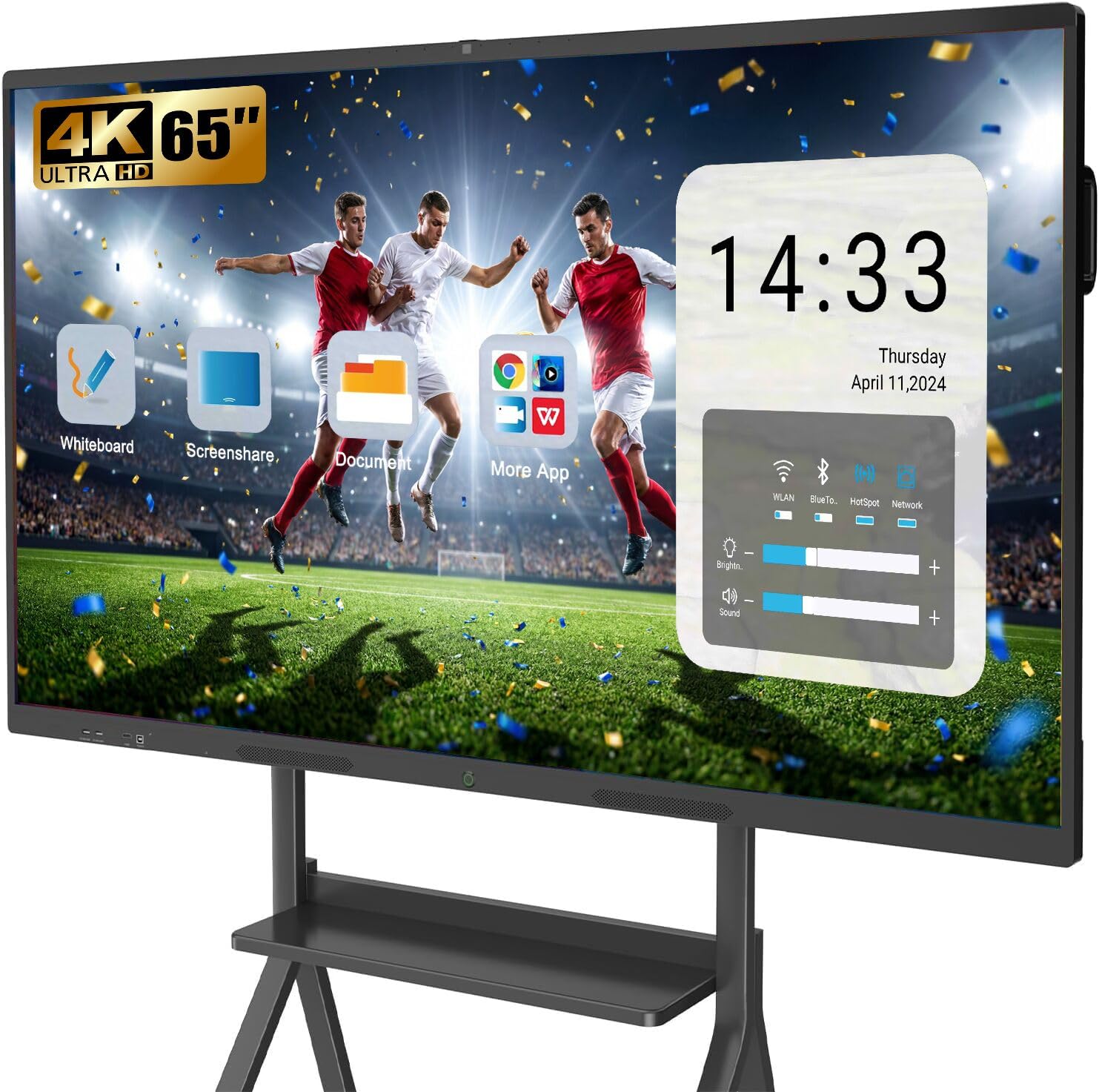
The YCKJNB 65-inch smart board packs a 13MP camera and an 8-array microphone system into its slim 4.5-inch deep chassis, making it a strong contender for teams that prioritize video call quality. The integrated audio setup includes noise reduction and echo cancellation, ensuring clear communication without external conference speakers.
The 4K UHD touchscreen supports 20-point multi-touch with stable infrared sensing, and the board comes with robust annotation tools for marking up documents and images. Wireless screen projection supports up to four users simultaneously, and reverse touch control allows remote participants to interact with the board from their own devices.
Reviewers highlight the easy setup and responsive writing feel with zero lag. The seller provides 24-hour after-sales support and how-to videos, which adds peace of mind for less tech-savvy buyers. The board runs Android 13 rather than 14.
Why it’s great
- 13MP camera with 8-array microphone system
- Reverse touch control for remote collaboration
- Responsive seller support with helpful videos
Good to know
- Runs Android 13, not the latest 14
- Mobile stand is not included with the board
9. KEINONE 65″ Smart Board
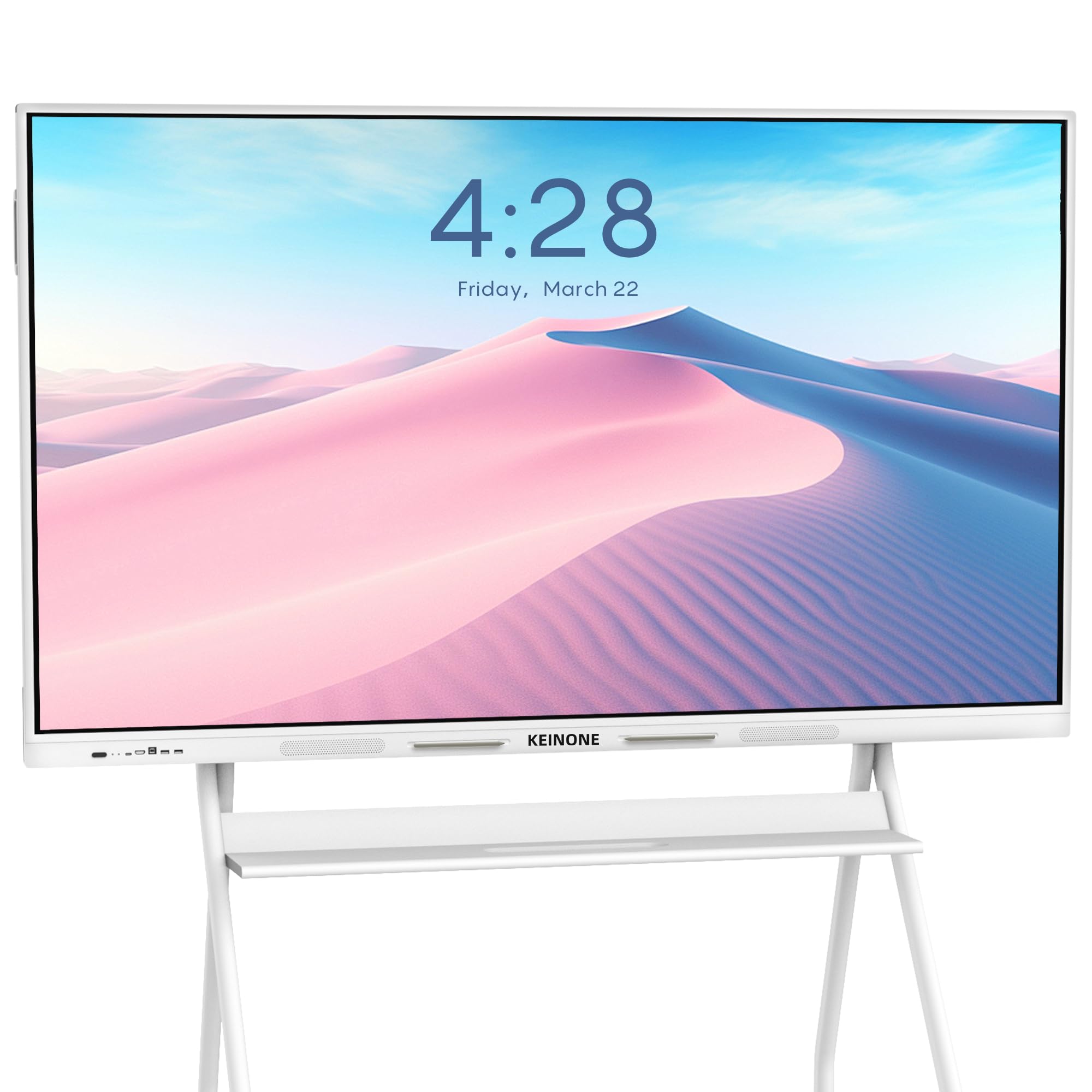
The KEINONE 65-inch smart board stands out visually with its elegant white chassis, a departure from the sea of black panels. This makes it a natural fit for modern offices, studios, and design-forward classrooms where aesthetics matter. The slim 3.15-inch profile helps it blend into the wall rather than dominate the space.
Under the hood, it packs 8GB RAM and 128GB SSD with Android OS, supporting 20-point touch with a 6ms response time. Connectivity is comprehensive with Bluetooth 5, USB 3.0 Type-C, HDMI, and VGA ports. The board supports AirPlay, WiFi casting, and works as a secondary monitor for laptops via HDMI. The built-in speakers and eye-care technology add day-to-day usability.
Customers report that the whiteboard software includes text recognition, multiple brush types, and QR code sharing for easy file distribution. The company provides responsive warranty support, with several users noting successful replacement of defective units.
Why it’s great
- Sleek white design ideal for modern spaces
- Feature-rich whiteboard software included
- Reliable warranty and customer support
Good to know
- Android version not explicitly stated in specs
- Built-in camera not included
10. Shiarffe X5 55″ Smart Board
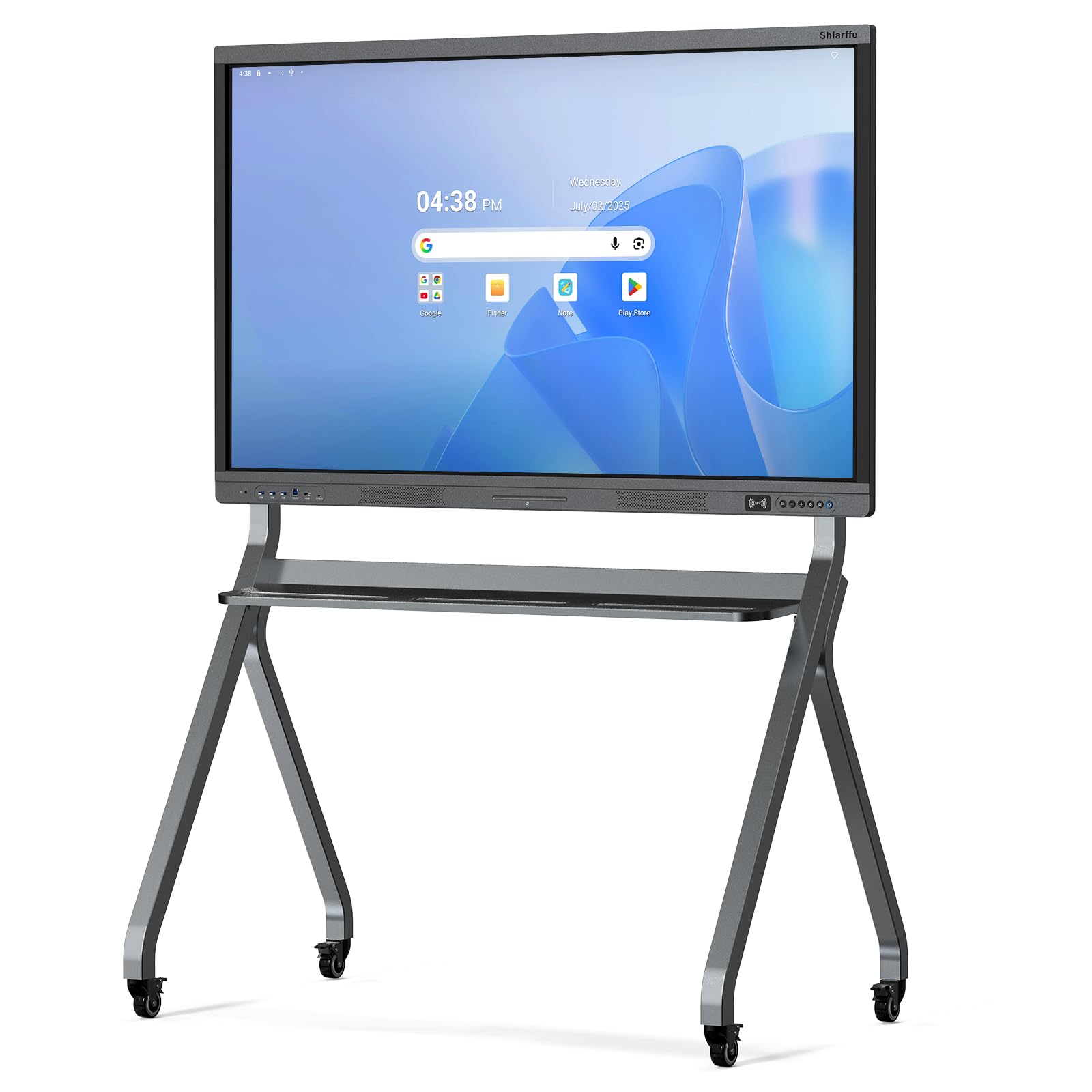
The Shiarffe X5 is built with an industrial-grade reinforced chassis specifically engineered for the rough and tumble of daily K-12 classroom use. This tougher frame resists dents and impacts better than standard consumer aluminum panels, making it a smart investment for schools where student interaction is constant and sometimes enthusiastic.
The Google EDLA certification gives it full access to the Google Classroom suite and the Play Store without any subscription fees. The 55-inch 4K anti-glare IPS screen delivers a 450-nit brightness and 3000:1 contrast ratio, ensuring readability even with classroom lights on. The 20-point multi-touch allows several students to work at the board simultaneously.
Connectivity includes HDMI, USB, Type-C, and LAN ports, and wireless mirroring from any device works seamlessly. Hybrid classroom functionality is handled by an optional integrated camera on select sizes, allowing remote students to see the board clearly.
Why it’s great
- Industrial-grade chassis for classroom durability
- Google EDLA certified with no subscription fees
- Bright 450-nit 4K display with anti-glare coating
Good to know
- Only 8GB RAM with unspecified storage capacity
- Camera only available on select models
11. JASZDOT 55″ Smart Board
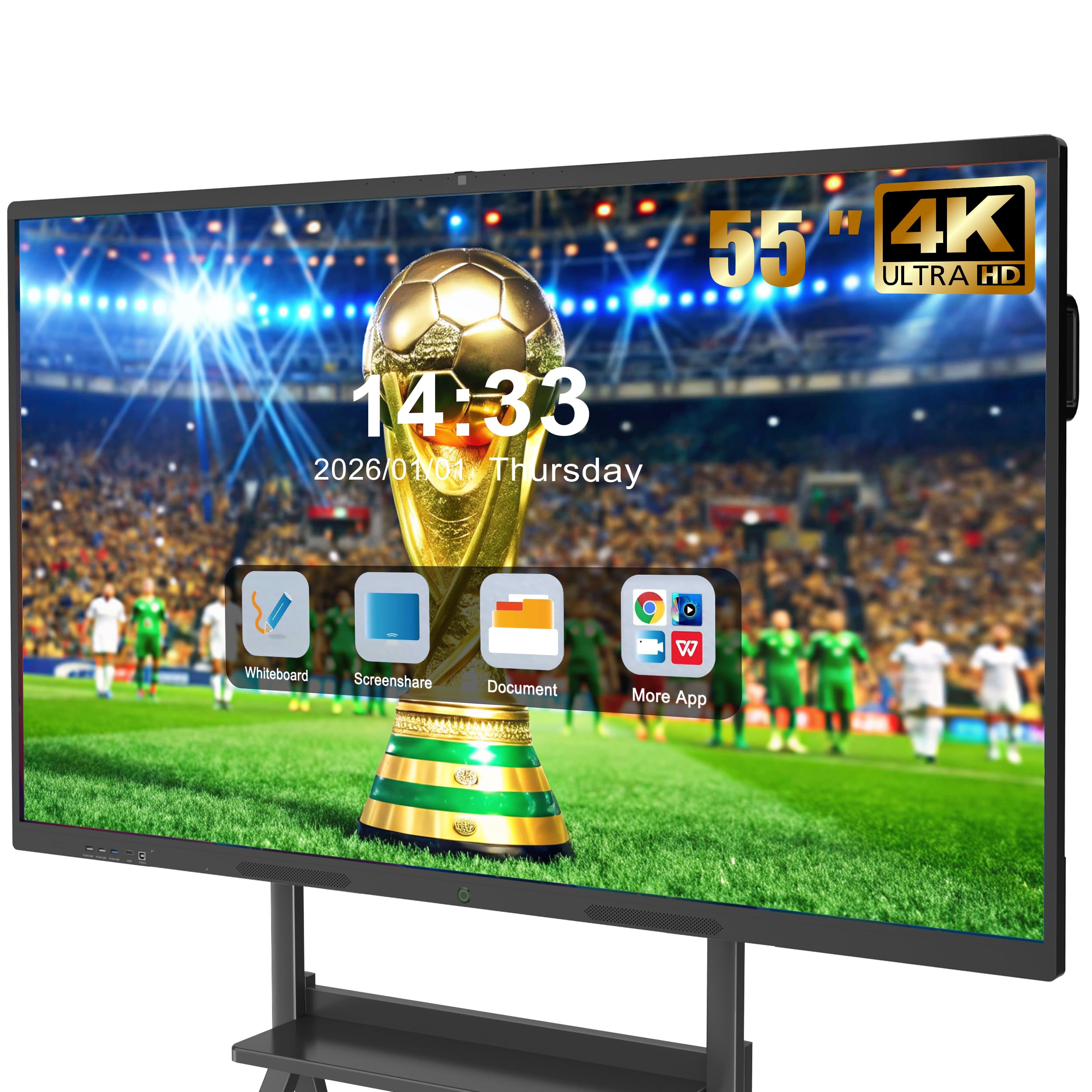
The JASZDOT 55-inch board offers the latest Android 14 operating system paired with 8GB of RAM and 128GB of storage at a price point that undercuts most competitors. This makes it a compelling entry-level option for schools or small businesses that need modern software compatibility without stretching the budget.
The 4K UHD display delivers 400+ nits of brightness with flicker-free eye-care technology. The 20-point IR touch provides 6ms response time and ±1mm accuracy, and the board includes smart handwriting recognition and cloud saving features. The built-in video conferencing hub supports smooth video calls and real-time document editing.
A major advantage is the comprehensive port selection across three panels (front, rear, bottom), offering USB, HDMI, VGA, DP, LAN, and even COAXIAL and AV ports for legacy device compatibility. Users note it works well for home-schooling autistic children who benefit from the large, interactive screen.
Why it’s great
- Latest Android 14 OS with smooth performance
- Excellent value with 8GB RAM and 128GB
- Wide port selection for legacy devices
Good to know
- ABS frame material is less durable than aluminum
- Wall mount included but stand is not
12. KEINONE 55″ Smart Board

The KEINONE 55-inch interactive smart board is a versatile multimedia center that doubles as a TV, projector, and high-resolution monitor. Its 8GB RAM and 128GB SSD provide snappy performance for the Android OS, and the 4K UHD display delivers vibrant colors with a 3000:1 contrast ratio that makes presentations pop.
The 20-point touch system has an ultra-responsive 6ms latency, allowing annotation on any content from images to PDFs. The board supports Apple AirPlay, WiFi, Type-C, and HDMI connectivity, and its advanced teleconferencing capabilities include seamless integration with remote teams. The elegant white design makes it suitable for professional environments.
Buyers consistently mention the clear, bright screen and responsive touch accuracy. The included 3m power strip, 1.8m power line, and 2m HDMI cable cover basic setup needs. One note: the board does not include a built-in camera for video calls.
Why it’s great
- Apple AirPlay support for iOS devices
- High 3000:1 contrast ratio
- Multipurpose: TV, monitor, whiteboard in one
Good to know
- No built-in camera for conferencing
- Android version not explicitly listed
13. EUNIVON 55″ Smart Board

The EUNIVON 55-inch smart board is a solid entry-level option that runs Android 14 with a Cortex-A55 octa-core CPU and 8GB RAM. Its open ecosystem allows users to download any app from the Google Play Store, making it flexible for education, business, or home use. The board functions as a presentation tool, digital whiteboard, and even a home theater display.
The 4K UHD screen provides clear visuals for presentations and annotations. Users can screencast from any Mac/Windows/iOS/Android device via the built-in wireless feature or connect via HDMI. The board includes fleet management software for IT admins to manage multiple units securely — a rare feature at this price level.
Customer feedback is mixed: while many praise the board for replacing dry-erase boards and functioning as a gaming monitor, some law firm users report issues with screen sharing and HDMI connectivity that were not resolved by customer service. The lightweight design makes wall mounting straightforward.
Why it’s great
- Android 14 with Cortex-A55 for smooth operation
- IT fleet management software for multiple units
- Lightweight design, easy to mount
Good to know
- Mixed connectivity reliability reported by some users
- Customer service responsiveness is inconsistent
FAQ
Do affordable smart boards require a subscription for apps?
Can I use a smart board as a regular monitor for my laptop?
Is a 75-inch smart board too large for a standard classroom?
What is Google EDLA certification and why does it matter?
Final Thoughts: The Verdict
For most users, the best affordable smart board winner is the Shiarffe R9 65″ because it delivers 16GB of RAM, 256GB of storage, and Google EDLA certification at a fraction of the cost of major brands. If you want AI-powered video conferencing capabilities, grab the JAV 65″ Pro. And for large-scale classrooms where screen size matters most, nothing beats the JAV 75″ Smart Board.