
Is your MSI laptop battery light blinking red? Don’t worry.
The red blinking battery light on an MSI laptop means the battery is not charging properly. The most common cause is a faulty charger or wall socket. Try plugging into a different socket or replacing the charger first.
What Does the Red Blinking Battery Light Mean?
A red blinking light on your MSI laptop battery indicates a charging problem. This can be caused by the battery, charger, wall socket, or internal components like RAM or the CMOS battery.
On some MSI laptops, the light blinks orange or yellow instead of red. Both colours mean the same thing: something is preventing the battery from charging correctly.
Reason 1) Faulty Wall Socket
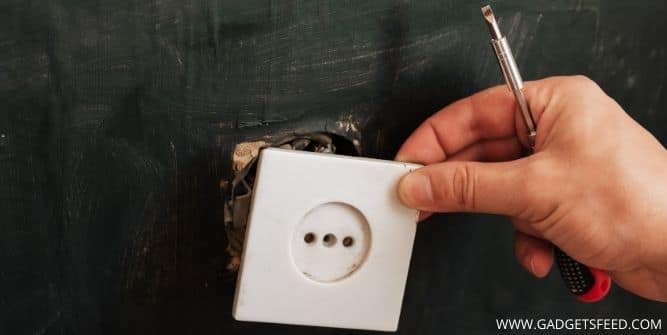
A damaged or loose wall socket is the most common and easiest cause to rule out. Try plugging your MSI charger into a different wall socket and see if the red light stops blinking.
Reason 2) Faulty Charger
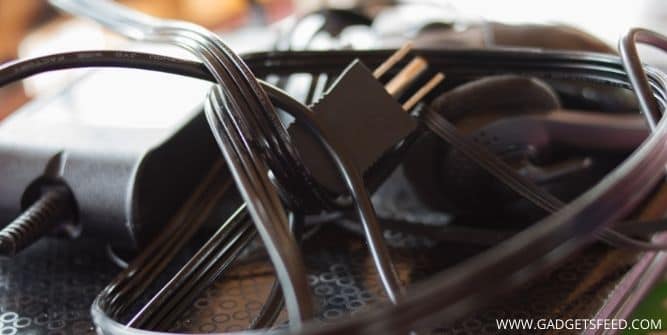
If the socket is fine, check your charger. Inspect the cable for damage, fraying, or kinks. Try a different MSI compatible charger if available. Never continue charging with a visibly damaged charger.
Reason 3) Dead or Failing Battery

If both the socket and charger are working, the battery itself may be faulty or worn out. Laptops that only work when plugged in are a sign the battery needs replacement. Replace your MSI battery as soon as possible to avoid further issues.
Reason 4) Dust and Debris Inside the Laptop
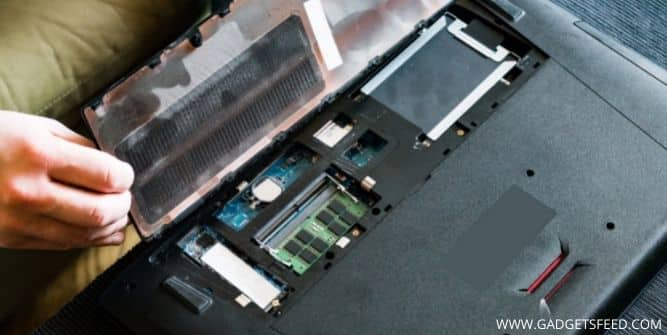
Dust buildup inside your laptop can block ports, overheat components, and interfere with battery connections. It can even prevent the laptop fan from working properly, making heat problems worse.
Use compressed air to clean out the vents and, if you are comfortable, open the back panel and carefully remove dust from internal components.
How to Fix MSI Laptop Battery Light Blinking Red
Fix 1) Reinsert RAM or CMOS Battery
Debris or a loose connection on the motherboard can cause the battery light to blink red. Open your laptop carefully and reseat the RAM and CMOS battery.
- Remove the RAM stick and clean the golden contacts with a dry cloth
- Clean the RAM slot thoroughly
- Remove and reinsert the CMOS battery
- Reassemble and reconnect the charger to test
Fix 2) Perform a Hard Reset
- Turn off the laptop and disconnect the charger
- Remove the battery if possible
- Hold the power button for 40 seconds
- Reconnect the battery and charger
- Turn on your laptop and check if the issue is resolved
Fix 3) Update Battery Drivers
- Open Device Manager from the Start menu
- Expand the Batteries category
- Right click the battery driver and select Update driver
- Choose Search automatically for drivers
- Restart your laptop after updating
Fix 4) Disconnect and Reconnect the Battery
- Shut down your laptop and unplug the charger
- Release the battery using the latch or button on the bottom
- Remove the battery carefully and wait 2 minutes
- Reinsert the battery and lock the compartment
- Power on and check if the red light is gone
Fix 5) Contact MSI Support
If none of the above fixes work, the problem is likely hardware related. Visit the MSI support website and contact them with your model number and serial number. Back up your data before sending the laptop in for repair.
FAQ (MSI Laptop Battery Light Blinking Red)
Why is my MSI laptop blinking red?
The red blinking light means your MSI battery is not charging correctly. Start by trying a different wall socket and charger. If the issue persists, the battery itself may need replacing.
Is a blinking red battery light dangerous?
It is a warning sign that should be addressed promptly. A faulty battery can worsen over time if ignored. Get it checked as soon as possible.
What does orange and blue light mean on MSI laptops?
The power button turns orange when the GPU is active and blue otherwise. A blue battery light means the battery is charging or in battery mode normally.
How do I calibrate my MSI battery?
Open MSI Center Pro, go to Battery Optimizer, and click the Battery Calibration option. Connect the adapter and leave it connected until calibration is complete.
Conclusion
A red blinking battery light on an MSI laptop is usually caused by a faulty charger, wall socket, or worn battery. Work through the fixes above one by one. If hardware replacement is needed, contact MSI support for guidance.
You May Also Like:
Laptop Only Works When Plugged In
How to Find the Right Charger For My Laptop
How to Check Laptop Fan Is Working or Not
MSI Laptop Keyboard Not Working