
A monitor under $100 used to mean a blurry, washed-out panel with a painful 60Hz refresh rate and a thick bezel that belonged in a museum. That era is over. In 2025, you can grab a 24-inch Full HD IPS display with a 100Hz or even 120Hz refresh rate, Adaptive-Sync support, and a frameless design that looks like it costs twice as much. The challenge is separating the legitimately good panels from the ones that cut corners on brightness, color accuracy, or build quality.
I’m Min — the co-founder and writer behind Gadgets Feed. I’ve spent countless hours cross-referencing panel specs, adaptive sync compatibility, and real-world user feedback to find the monitors that actually deliver on their promises inside this ultra-competitive price bracket.
Whether you need a secondary productivity screen, a budget gaming companion, or a crisp display for your home office, this guide breaks down the seven best options available today so you can confidently pick the right best $100 monitor for your specific setup.
How To Choose The Best $100 Monitor
Shoping for a monitor under $100 is about finding the perfect balance between refresh rate, panel type, and connectivity without sacrificing build quality. Here are the key factors that determine whether a budget panel is a steal or a compromise.
Refresh Rate: 100Hz as the New Standard
The days of 60Hz being acceptable on a modern desktop are over. A 100Hz panel feels dramatically smoother when dragging windows, scrolling documents, or playing fast-paced games. Many of the top models in this bracket now offer 100Hz or 120Hz with Adaptive-Sync, which eliminates screen tearing during gaming without costing extra.
Panel Type: IPS for Color, VA for Contrast
IPS panels deliver superior color accuracy and wide 178° viewing angles, making them ideal for photo editing and collaborative work. VA panels offer higher contrast ratios (often 3000:1) for deeper blacks, which is great for movies and dark-themed games. At this price, IPS is usually the safer bet for all-around use, but curved VA monitors add immersion for a similar cost.
Connectivity and Ergonomics
Check for HDMI and VGA at minimum — DisplayPort is a bonus. Built-in speakers are rare at this price and almost always sound poor, so plan for external speakers or headphones. VESA mount compatibility (typically 100x100mm) is a critical feature if you plan to use a monitor arm or save desk space. Tilt adjustment is common, but height adjustment is almost nonexistent under $100.
Quick Comparison
On smaller screens, swipe sideways to see the full table.
| Model | Category | Best For | Key Spec | Amazon |
|---|---|---|---|---|
| AOC 24B35H3 | IPS 120Hz | Best All-Around Value | 120Hz refresh rate + Adaptive Sync | Amazon |
| LG 24U411A-B | IPS 120Hz | Best for Casual Gaming | 120Hz with 1ms MBR + Dynamic Action Sync | Amazon |
| Samsung S36GD | Curved VA 100Hz | Best for Immersion | 1800R curvature + 3000:1 contrast ratio | Amazon |
| ASUS VA24EHF | IPS 100Hz | Best Frameless Design | 1ms MPRT + Adaptive-Sync + TÜV Eye Care | Amazon |
| ViewSonic VS2447M | VA 100Hz | Best for Office Work | 100Hz VRR + Flicker-Free technology | Amazon |
| CRUA 24″ Curved | Curved VA 100Hz | Best Budget Curved | 1500R curve + 120% sRGB coverage | Amazon |
| Amazon Basics 24″ | IPS 75Hz | Best Basic Workhorse | IPS panel + built-in speakers + DisplayPort | Amazon |
In‑Depth Reviews
1. AOC 24B35H3 24″ IPS 120Hz
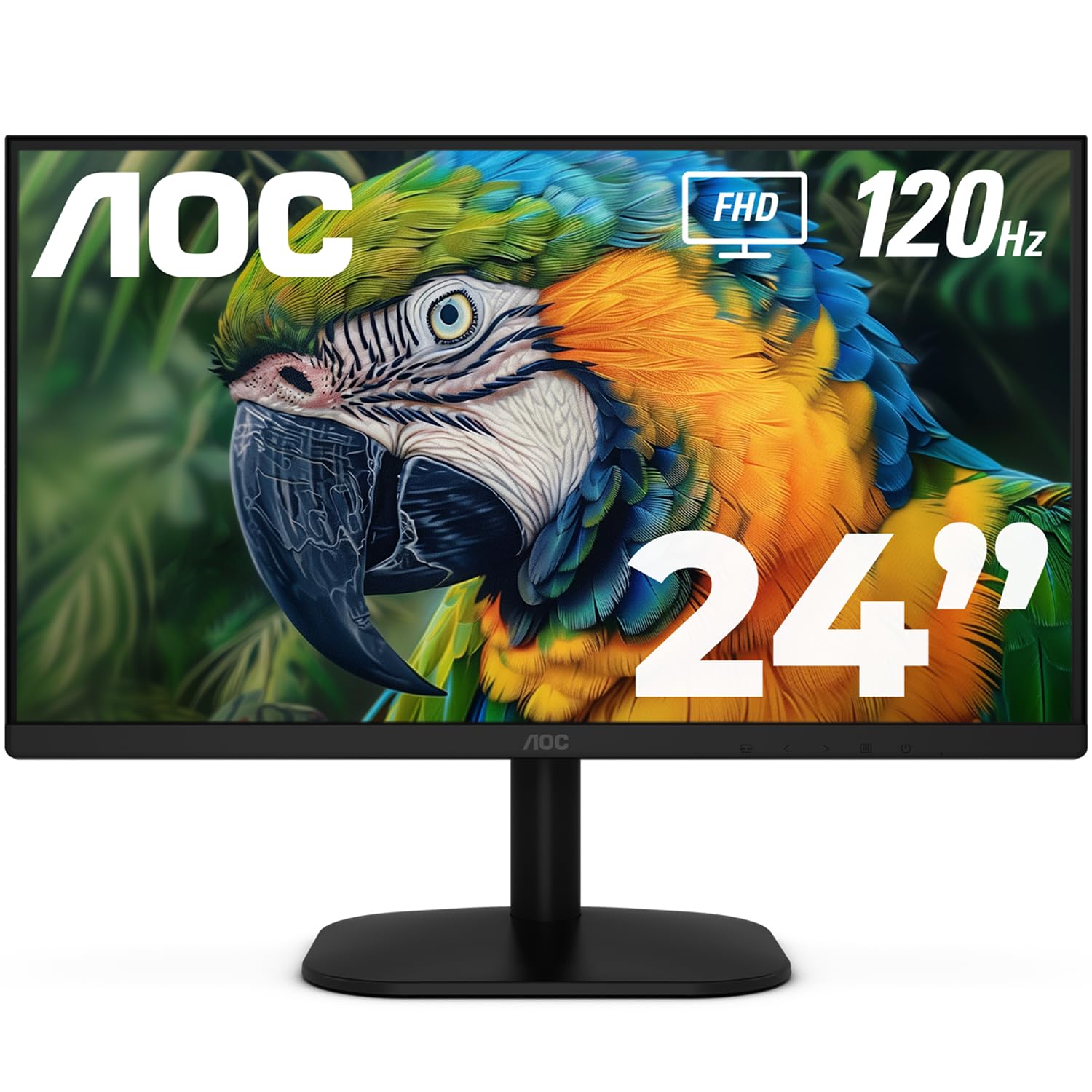
The AOC 24B35H3 absolutely nails the brief for a sub-$100 monitor: a 24-inch IPS panel running at 120Hz with Adaptive Sync support, 100% sRGB color gamut coverage, and wide 178° viewing angles. The combination of a high refresh rate and an IPS panel is rare at this price, and AOC delivers it without major compromises in brightness or color accuracy. The thin bezels and VESA mount compatibility make it an easy fit for dual-monitor setups or mounting arms.
Connectivity includes HDMI and VGA ports plus a 3.5mm headphone out, which covers most desktop and laptop configurations. The included tilt-adjustable stand is functional, and the flicker-free backlight with low blue light mode helps reduce eye fatigue during long sessions. Users consistently praise the sharp resolution and crisp image quality, with many using it as a secondary display alongside higher-end monitors without noticing a jarring difference.
Considering the 120Hz refresh rate, the AOC 24B35H3 stands as the most well-rounded option in this guide, blending smooth motion, solid color reproduction, and ergonomic flexibility at a price that undercuts nearly every competitor. It is the monitor to buy if you want the highest refresh rate without sacrificing panel quality or connectivity.
Why it’s great
- 120Hz refresh rate with Adaptive Sync for tear-free gaming
- IPS panel with wide 178° viewing angles and vibrant color
- Tilt-adjustable stand and 100x100mm VESA mounting
Good to know
- No built-in speakers — plan for external audio
- No DisplayPort input, only HDMI and VGA
2. LG 24U411A-B 24″ IPS 120Hz

The LG 24U411A-B takes everything that makes the AOC great and adds a few gaming-specific features that competitive players will appreciate. It includes 1ms Motion Blur Reduction (MBR) for ultra-crisp fast motion, Dynamic Action Sync to minimize input lag, and a Black Stabilizer that brightens dark scenes so you can spot enemies hiding in shadows. The 24-inch IPS panel delivers up to 99% sRGB coverage and HDR10 support, making colors pop more than typical budget monitors.
The design features ultra-slim bezels on three sides, giving it a clean, modern look that works well in a dual-monitor setup. The included tilt-adjustable stand is sturdy, and the 100x100mm VESA mount offers additional flexibility. The LG Switch app allows you to split the screen into up to six sections for multitasking, a useful productivity bonus for a gaming-focused monitor.
Out of the box, some users report a green-tinted image that needs manual color calibration, but the 3 color presets and 6 hue/saturation adjustments give you enough control to dial it in. The single joystick menu is a bit finicky, but once configured, the LG 24U411A-B delivers a smooth 120Hz experience that lives up to its gaming billing.
Why it’s great
- 1ms MBR and Dynamic Action Sync for competitive gaming
- 99% sRGB coverage with HDR10 support
- Virtually borderless design with slim stand base
Good to know
- Limited to one HDMI port and one VGA port
- Requires color calibration out of the box
3. Samsung 24″ Essential S3 (S36GD) Curved 100Hz
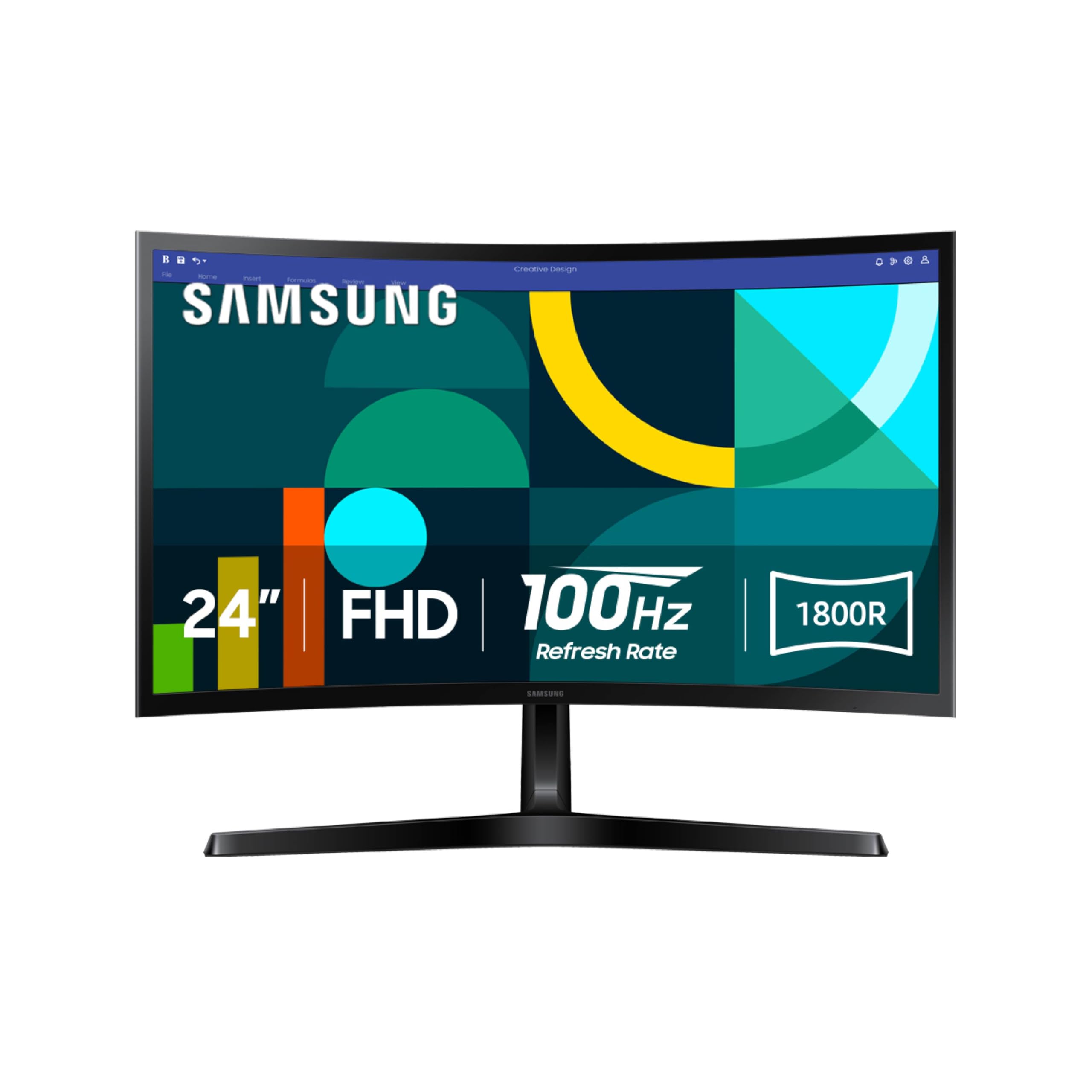
The Samsung S36GD brings a 1800R curved VA panel to the sub-$100 market, which is a rare find. The curvature wraps around your field of vision, creating an immersive viewing experience that flat panels cannot match. The VA panel delivers a 3000:1 contrast ratio, producing deep blacks and vibrant colors that are ideal for watching movies, playing narrative-driven games, or working in dark-themed applications.
The 100Hz refresh rate and FreeSync support ensure smooth motion without screen tearing, and Game Mode automatically optimizes color and contrast for different game genres. Samsung’s Advanced Eye Comfort technology is TÜV-certified to reduce blue light and flicker, making this monitor comfortable for extended use. Connectivity includes HDMI and D-Sub (VGA) ports, and the included HDMI cable gets you set up quickly.
The main trade-off is a non-adjustable stand — the monitor only tilts, with no height or swivel adjustment. Given the price, this is a common compromise, and the VESA 100x100mm mount solves it if you have a monitor arm. The Samsung S36GD is the best choice if you prioritize contrast and immersion over pure refresh rate.
Why it’s great
- 1800R curved VA panel with 3000:1 contrast ratio
- TÜV-certified eye comfort with low blue light and flicker-free
- Game Mode with automatic color optimization
Good to know
- Stand offers no height or swivel adjustment
- Limited to HDMI and D-Sub inputs only
4. ASUS VA24EHF 24″ IPS 100Hz

The ASUS VA24EHF features a frameless 23.8-inch IPS panel with a 100Hz refresh rate and 1ms MPRT response time, making it one of the fastest monitors in this price range for everyday motion clarity. The Adaptive-Sync compatibility (FreeSync and G-Sync Compatible) ensures a tear-free experience whether you are working in Windows or playing fast-paced titles. The IPS panel delivers 178° wide viewing angles and bright, accurate colors that are consistent from any position.
ASUS includes TÜV Rheinland-certified Flicker-Free and Low Blue Light technologies, which genuinely reduce eye fatigue during long work sessions. The frameless design creates a nearly gapless look when paired with a second monitor, ideal for multi-screen productivity setups. The stand offers tilt adjustment, and the 100x100mm VESA mount provides wall-mounting or arm compatibility for desk space savings.
The main drawbacks are the single HDMI input and the large base that takes up significant desk space — the foot is wider than the screen proportions suggest. There are no built-in speakers, which is common at this price, but the overall build quality and panel performance make the ASUS VA24EHF a strong, reliable choice for both productivity and casual gaming.
Why it’s great
- 1ms MPRT with Adaptive-Sync for tear-free visuals
- Frameless design perfect for dual-monitor setups
- TÜV-certified eye care reduces strain
Good to know
- Only one HDMI input — no VGA or DisplayPort
- Large stand base may be awkward on narrow desks
5. ViewSonic VS2447M 24″ VA 100Hz

The ViewSonic VS2447M is a 24-inch VA panel monitor with a 100Hz refresh rate and Variable Refresh Rate support, making it equally suited for office productivity and light gaming. The 3000:1 contrast ratio delivers deep blacks that make text pop on screen, which is a tangible benefit for reading documents and spreadsheets all day. The thin bezels keep the monitor looking modern, and the VGA input ensures backward compatibility with older PCs or projectors.
ViewSonic includes Flicker-Free technology and a Blue Light Filter to minimize eye strain, and users consistently report that the panel is easy on the eyes during extended sessions. The built-in audio in/out ports are a nice touch, allowing you to connect speakers or a headset directly to the monitor. The overall build quality is solid, with a sturdy stand that does not wobble on a desk.
The VA panel’s viewing angles are narrower than IPS, so colors shift slightly when viewed from the side — a non-issue for a single-user desk setup but worth noting for collaborative work. The monitor lacks DisplayPort and built-in speakers, but for the price, the ViewSonic VS2447M offers a reliable, comfortable daily driver experience for home offices and student desks.
Why it’s great
- 3000:1 VA contrast ratio for deep blacks and text clarity
- VRR support for smooth, tear-free gameplay
- Flicker-Free and Blue Light Filter for eye comfort
Good to know
- Narrower viewing angles compared to IPS panels
- No built-in speakers or DisplayPort input
6. CRUA 24″ Curved Monitor 100Hz

The CRUA 24-inch Curved Monitor brings a 1500R VA panel to the budget segment with a 100Hz refresh rate and an eye-catching white color scheme that stands out from the sea of black monitors. The 120% sRGB coverage and 3000:1 contrast ratio produce vibrant colors and deep blacks that make media consumption and casual gaming look great. The subtle curvature adds a level of immersion that flat monitors cannot match, and the three-sided narrow bezel design creates a clean, modern appearance.
Setup is straightforward with the included HDMI cable, and the monitor supports both FreeSync and G-Sync for adaptive refresh rates. The blue light filter helps reduce eye strain during long study or work sessions, which students and remote workers will appreciate. The monitor body measures less than 1 cm thick, giving it an impressively sleek profile on a desk.
The main limitations are the lack of built-in speakers and the non-adjustable stand — the CRUA only tilts, with no height or swivel adjustment. The on-screen menu is controlled via buttons on the back, which some users find confusing without a remote. For its price, the CRUA curved monitor delivers strong visual performance and unique aesthetics, making it a solid pick for budget-minded users who want a curved screen.
Why it’s great
- 1500R curved VA panel with 120% sRGB coverage
- Ultra-slim body under 1 cm thick
- Compatible with both FreeSync and G-Sync
Good to know
- Stand offers no height or swivel adjustment
- No built-in speakers and menu system is button-based
7. Amazon Basics 24″ IPS 75Hz

The Amazon Basics 24-inch IPS monitor is the most straightforward option in this guide, focusing on reliable, no-nonsense performance at a comfortable 75Hz. The IPS panel delivers consistent color from all angles, making it perfectly adequate for office work, web browsing, and video calls. The standout feature at this price is the inclusion of built-in speakers — while they are basic and lack bass, they are functional enough for system sounds, YouTube, and casual conference calls.
Connectivity is surprisingly versatile for a budget monitor, with HDMI 1.4, DisplayPort 1.2, VGA, and USB ports (including a USB-B upstream for hub functionality). The tilt-adjustable stand is easy to set up, and the VESA 100x100mm compatibility gives you mounting options. Users who have purchased over three dozen units for office deployments report zero replacements, highlighting the consistent build quality.
The trade-off is the 75Hz refresh rate, which is fine for productivity but noticeably less smooth than the 100Hz and 120Hz competitors when scrolling or gaming. The speakers are widely described as tinny and poor for music. If you need an affordable, reliable display with built-in audio and multiple input options, the Amazon Basics monitor delivers exactly that without pretension.
Why it’s great
- IPS panel with HDMI, DisplayPort, VGA, and USB hub
- Built-in speakers for basic audio needs
- Consistent build quality with VESA mount support
Good to know
- 75Hz refresh rate is behind the 100Hz+ competition
- Built-in speakers are tinny and lack bass
FAQ
Can I use a 100Hz monitor for competitive gaming?
Do monitors under $100 come with built-in speakers?
Will a 24-inch 1080p monitor work with a MacBook?
Final Thoughts: The Verdict
For most users, the best $100 monitor winner is the AOC 24B35H3 because it delivers a rare IPS panel with 120Hz refresh rate and Adaptive Sync at a price that rivals 75Hz competitors. If you want gaming-oriented features like 1ms Motion Blur Reduction and Dynamic Action Sync, grab the LG 24U411A-B. And for an immersive curved experience with deep contrast, nothing beats the Samsung S36GD.