
Our readers keep the lights on and my morning glass full of iced black tea. As an Amazon Associate, I earn from qualifying purchases.
On a tight budget, the keyboards you can afford usually fall into two camps: a mushy, cheap-feeling membrane board that slides around, or a mechanical one that sounds awful. The good news is that this price range has improved a lot recently. You just need to know which parts of the spec sheet actually affect how it feels to type.
I’m Min — the co-founder and writer behind Gadgets Feed. This guide is built by comparing the manufacturers’ published specifications and the patterns across verified customer reviews, so you get each pick’s real strengths and trade-offs instead of marketing spin.
Whether you want a tenkeyless (TKL) workhorse with genuine Cherry switches or a hot-swappable board you can upgrade later, these are the best budget keyboard options that do not feel cheap.
How To Choose The Best Budget Keyboard
When you’re on a tight budget, a few key choices decide whether your keyboard lasts for years or frustrates you in weeks. Here is what to focus on.
Switch Type: The Core Feel of Every Keystroke
The mechanical switch under each key controls how much force you need, whether you feel a bump, and how loud the click is. Linear switches (like Cherry MX Red or Gateron Red) are smooth all the way down. They are great for fast gaming presses, but some people miss knowing when the key registered. Tactile switches (like Gateron Brown or Cherry MX Brown) give a small bump halfway down so you know the key activated without pressing all the way. Blue switches are loud and clicky. Most budget boards use one fixed switch type, but hot-swappable models let you change them later without soldering.
Layout: 87 Keys vs Full Size vs Compact
A tenkeyless (TKL) board has 87 keys—it removes the number pad (the 10-key block on the right) to save desk space and let you keep your mouse closer, which is why it dominates this price range. Full-size boards keep the number pad, which you need if you enter lots of data. Ultra-compact 78-key layouts drop the function row (F1-F12) and navigation cluster (Home, End, Delete), so you may need to relearn how to reach those keys. Measure your actual desk space first; a TKL is usually the safest bet.
Hot-Swappable Sockets: Your Future-Proofing Safety Net
On a normal budget mechanical keyboard, if a switch breaks or you want a different feel, you need a soldering iron or a new keyboard. Hot-swappable boards let you pull out a switch with a small tool and plug in a new one in seconds. This is the single best feature at a low price: one bad switch does not kill the whole board—you just swap it for a few dollars.
Build Quality and Sound Dampening
Budget keyboards are mostly plastic, but a metal top plate or aluminum frame adds rigidity so the board does not flex during heavy typing. Sound dampening foam inside the case reduces the hollow echo that cheap boards often have. Gasket mount design (where the plate sits on soft rubber gaskets instead of screwing directly into the case) gives a slightly softer, quieter feel. These features matter more than RGB lighting for daily use.
Quick Comparison
On smaller screens, swipe sideways to see the full table.
| Model | Category | Best For | Key Spec | Amazon |
|---|---|---|---|---|
| Redragon K552 | Tenkeyless Mechanical | First-time mechanical buyers on a tight budget | 87 keys / Metal frame / 15 WPM speed bump | Amazon |
| G.SKILL KM360 | Tenkeyless Mechanical | Typists who want genuine Cherry switches at a low price | 87 keys / Cherry MX Red / Detachable USB-C | Amazon |
| Keychron C1 Hot-swappable | Hot-Swappable TKL | Buyers who want to customize switches later | 87 keys / Gateron G Pro Brown / Hot-swap PCB | Amazon |
| HUO JI E-Yooso Z-99 | Compact Gasket Mount | People who want a creamy, quiet typing sound | 99 keys / Gasket mount / 5-layer sound foam | Amazon |
| Microsoft Designer Compact | Wireless Slim | Minimalist desk setups and multi-device workers | 78 keys / Bluetooth 5.0 / 9-month battery life | Amazon |
| TECKNET Ergonomic Wireless | Ergonomic Split | Users with wrist pain or carpal tunnel concerns | Split layout / Memory foam rest / 200-hour battery | Amazon |
| Keychron C3 Pro | Programmable TKL | Power users who want full software customization | 87 keys / Gasket mount / QMK/VIA programmable | Amazon |
In‑Depth Reviews
1. Redragon K552 Mechanical Gaming Keyboard

At $35–$40, the Redragon K552 is the top pick for first-time mechanical buyers who want toughness and speed. Its metal top plate makes it feel heavier and tougher than most boards twice the price. The 87-key tenkeyless (TKL) layout (it removes the number pad) frees up enough desk space to bring your mouse closer. Buyers report that the clicky blue switches helped increase typing speed by about 15 WPM (words per minute)—a concrete real-world gain you rarely see at this price.
You get full anti-ghosting (every key press registers correctly, even when you hit several at once) and N-key rollover (the ability to register every simultaneous press), so the K552 handles fast gaming inputs without dropping commands. The rainbow LED backlight has six dynamic modes like breathing and wave effects, though it uses fixed color patterns rather than per-key software control. The braided USB cable is a nice touch at this price—most competitors use cheap rubber cables that fray over time.
One honest trade-off: the blue switches are loud. Several owners mention that the switch click and bottom-out noise amplifies through the plastic base, and some have added foam inside the case to quiet it down. If you type in a room where noise is not a problem, this is the most reliable, well-built mechanical keyboard you can buy on a budget. skip it if you need a quiet office keyboard or a wireless connection.
Why it’s great
- Sturdy metal frame with minimal flex under heavy typing
- Full anti-ghosting and N-key rollover for gaming accuracy
- Braided USB cable resists wear better than rubber cables
Good to know
- Blue switches are loud—not ideal for shared offices or quiet rooms
- Keycaps are thin ABS (acrylonitrile butadiene styrene, a standard plastic) and some users upgrade them over time
- Backlight settings reset to default after a reboot
2. G.SKILL USB KM360 Professional Tenkeyless Mechanical Keyboard
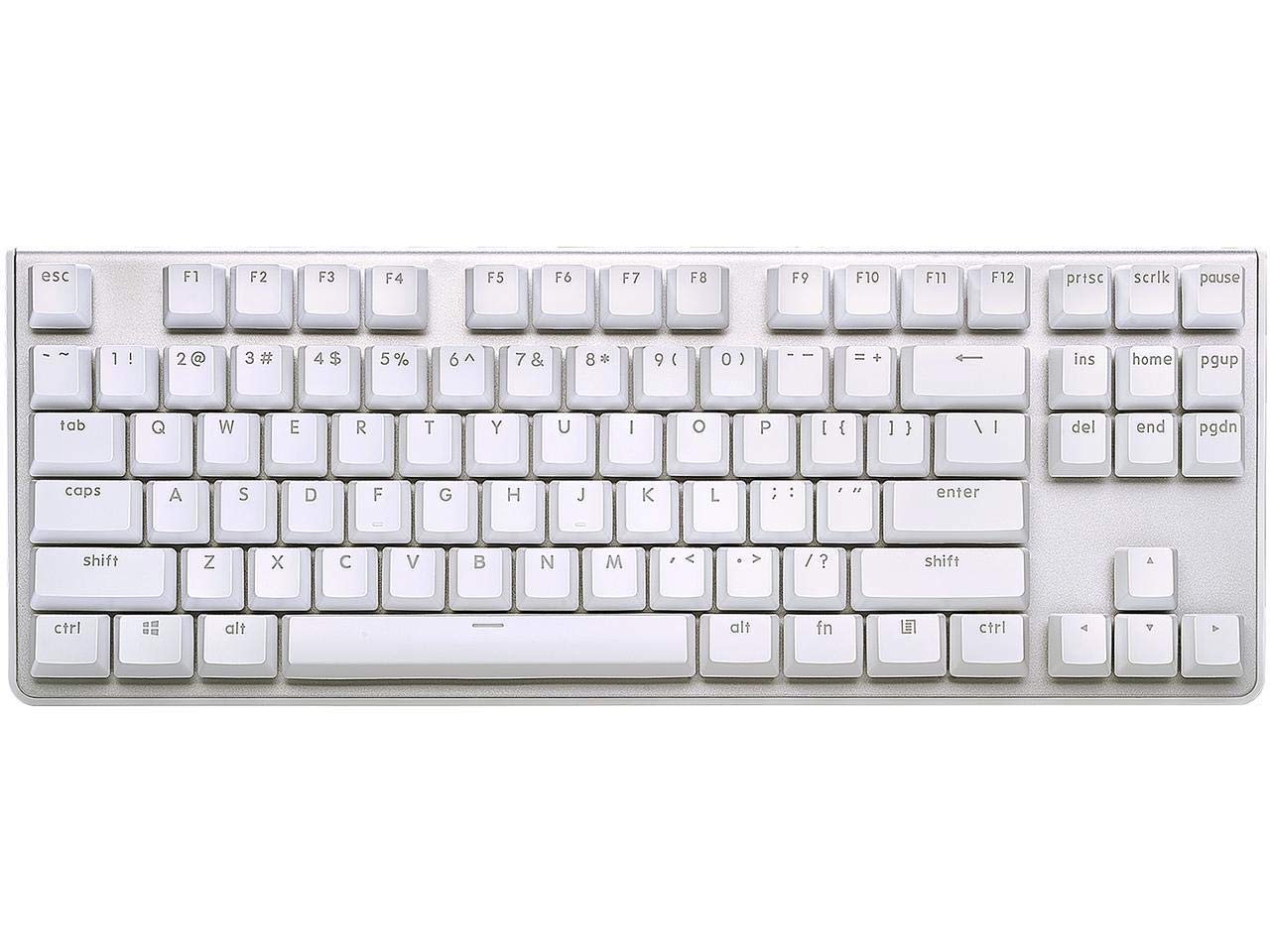
The G.SKILL KM360 beats the Redragon K552 on one crucial spec: genuine Cherry MX Red switches instead of generic blue clones. Cherry switches are rated for over 50 million keypresses, and customers note they are pre-lubed (coated with lubricant at the factory) for a smoother feel right away. One buyer wrote they have owned this keyboard for more than six years and it is still going strong—longevity that is rare in the budget tier.
At 14.13 inches long and 1.47 inches tall, it is slightly bigger than the compact Microsoft Designer (which is 11.18 inches long), but the tenkeyless layout still frees up significant desk space versus a full-size board. The detachable USB Type-C cable is a huge convenience. The cord is the first part to fail on most keyboards, and replacing it without opening the case extends the keyboard’s life dramatically.
Choose the G.SKILL KM360 over the Redragon if you want linear switches (smooth, no bump, quiet) and the proven reliability of Cherry components. It is for typists who want a durable, quiet board and are willing to sacrifice RGB for build quality. pass on it if you need per-key remapping or wireless connectivity—this board has no software and no Bluetooth.
Where it shines
- Genuine Cherry MX Red switches rated for 50+ million presses
- Detachable USB-C cable allows easy replacement if damaged
- Solid aluminum top plate with minimal flex
Worth noting
- White backlight is very bright even at lowest setting—some users leave it off
- Stabilizers on larger keys (spacebar, shift) have some rattle out of the box
- No media control keys; no software for remapping
3. Keychron C1 Hot-swappable Wired Mechanical Keyboard
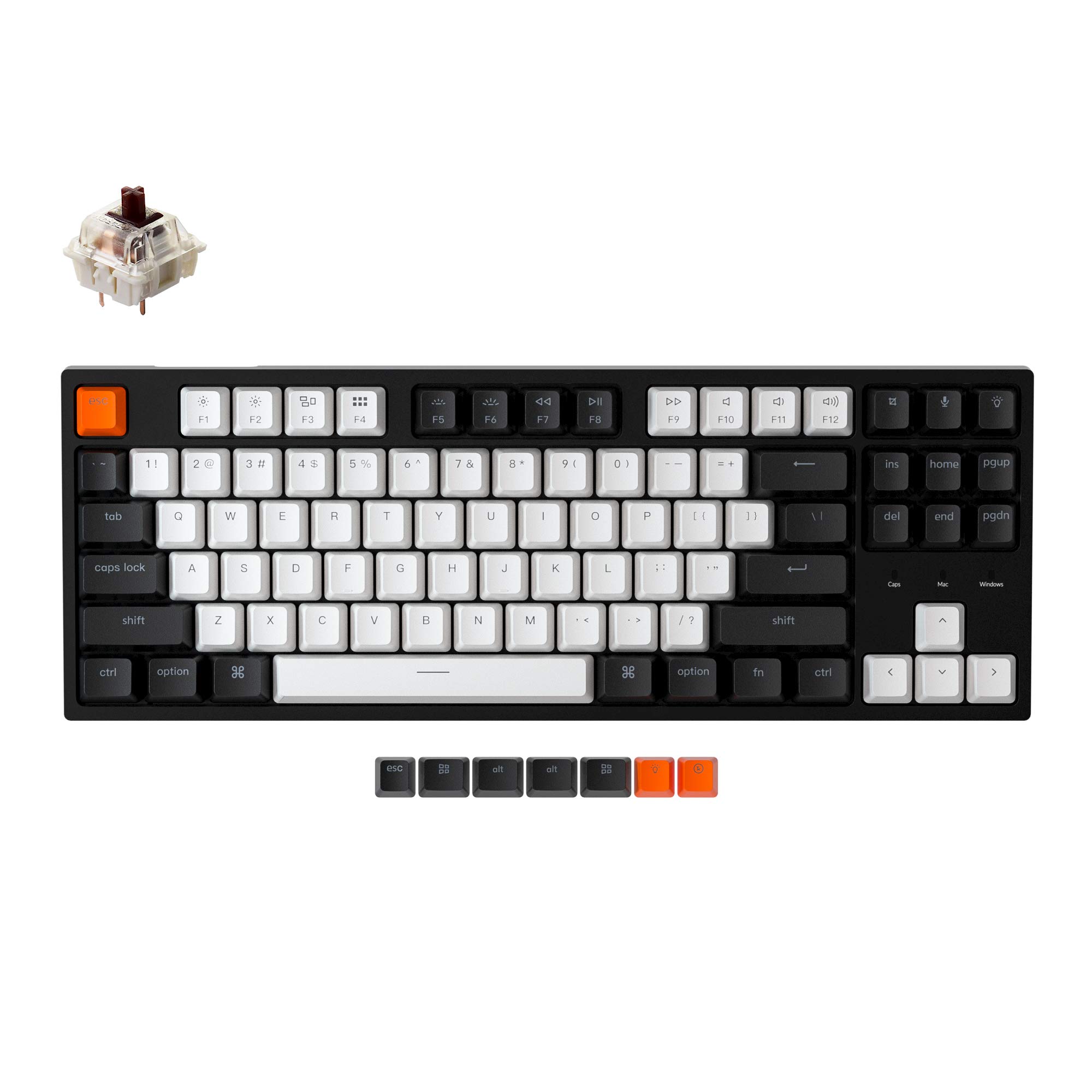
Here is the scenario: you want to try a mechanical keyboard but are not sure which switch feel you like. The Keychron C1 solves that because its hot-swappable PCB (the circuit board inside) lets you pull out any switch with the included tool and plug in a different one without soldering—compatible with almost all MX-style 3-pin and 5-pin switches from Gateron, Cherry, Kailh, and others. That means if you decide the Gateron Brown tactile switches feel too mushy (some reviewers point out they feel closer to linear when typing fast), you can swap them for clicky blues or smooth reds for a few dollars.
Keychron includes extra keycaps for both Mac and Windows layouts, so you get Command keys and Option keys right in the box. The white backlight has multiple modes like flashing, breathing, and static, though some shoppers say the backlight is uneven across the white and black keycaps. The C1 is 14.06 inches by 5.12 inches, less than half an inch shorter than the G.SKILL KM360 and very comparable for desk planning.
No other board under $70 offers this combination of switch flexibility and dedicated Mac support.
What stands out
- Hot-swappable switch sockets work with almost any MX-style switch on the market
- Includes dedicated Mac keycaps and Windows keycaps in the box
- Factory-lubed Gateron G Pro Brown switches with 50 million keystroke rating
The trade-offs
- ABS keycaps attract fingerprints and can feel greasy over time
- Gateron Brown switches have a very subtle tactile bump—some find it too light
- No wireless option; wired only via included USB-C cable
4. HUO JI E-Yooso Creamy Mechanical Keyboard Z-99

If typing sound matters to you more than any other spec, one number stands out on paper: the Z-99 claims to reduce 40% of the noise and remove 80% of the hollow sound compared to a standard budget board. It achieves that with a gasket mount (the plate sits on soft rubber gaskets instead of hard plastic) plus five layers of sound-absorbing foam and a silicone dampener pad inside the case. Buyers consistently describe it as “creamy” and “satisfying.” One reviewer noted they are obsessed with how it sounds.
At 99 keys, the Z-99 uses a 96% layout that keeps the number pad (the 10-key block) but squeezes it into a frame 15.5 inches long. That is only about 1.4 inches longer than the tenkeyless Keychron C1, yet you get a full navigation cluster and numpad. The pre-lubed linear switches (smooth, no bump) are smooth and fast, and the hot-swappable PCB supports both 3-pin and 5-pin switches. The double-shot PBT (polybutylene terephthalate, a thicker plastic) keycaps resist the oily shine that cheap ABS keycaps develop.
This is the board to get if you want a premium sound signature without spending premium money. The linear switches and gasket mount make it less ideal for competitive gaming where tactile feedback matters. The wired connection (USB-C) is a compromise for some, but as one buyer mentioned, if you are picky about sound, this is worth the cost. It is for sound-sensitive typists who still want a number pad. it’s not for you if you need tactile feedback for gaming or a wireless connection. The price-to-value read: you get gasket-mount acoustics and five-layer dampening at a price that undercuts most boards with similar sound engineering.
The upsides
- Gasket mount plus 5-layer foam reduces echo and hollow noise significantly
- Double-shot PBT keycaps resist shine and wear better than standard ABS
- 99-key layout gives you a number pad in a space-saving frame
Keep in mind
- Linear switches lack tactile feedback—less ideal for some gamers
- Wired only, no wireless option
- Heavier than most budget boards at 1.9 pounds (about 0.86 kg)
5. Microsoft Designer Compact Keyboard

The Microsoft Designer is not a mechanical keyboard—it uses a scissor-switch membrane mechanism (like a laptop keyboard) instead of individual mechanical switches. That means it trades the clicky feel of the Redragon or G.SKILL for a completely different set of advantages. At 0.38 inches thick and 11.18 inches long, it is dramatically smaller than every other board here. It runs on a single coin battery that reviewers report lasting about 9 months between changes. One owner reported it is the “Windows version of the Apple Magic Keyboard,” which captures the vibe exactly: thin, quiet, and unobtrusive.
It connects via Bluetooth 5.0 (the wireless standard that provides stable, low-energy connections) to up to three devices and switches between them with a single key press. The 78-key layout drops the number pad and the function row (F1-F12), but retains dedicated arrow keys and a special Express key for emoji and symbols. The matte black finish looks clean on any desk, though the soft-touch surface smudges easily with fingerprints.
What you give up: no mechanical feel, no backlight, no number pad, and a coin battery instead of a rechargeable one. But if your priority is a wireless, ultra-portable keyboard that pairs easily with a PC, a Mac, and an iPad without taking up desk space, the Microsoft Designer delivers that cleanly. It is a minimalist’s keyboard, not a typist’s enthusiast board. This is for multi-device workers who value portability and battery life over typing feel.
Why we’d pick it
- Ultra-slim 0.38-inch profile takes almost no desk space
- Bluetooth 5.0 connects to three devices and switches instantly
- Battery lasts about 9 months in typical daily use (buyers confirm)
A few caveats
- Not mechanical—scissor switches feel like a laptop keyboard
- No backlight; no number pad (78 keys)
- Uses a coin battery, not rechargeable via USB
6. TECKNET Wireless Ergonomic Keyboard
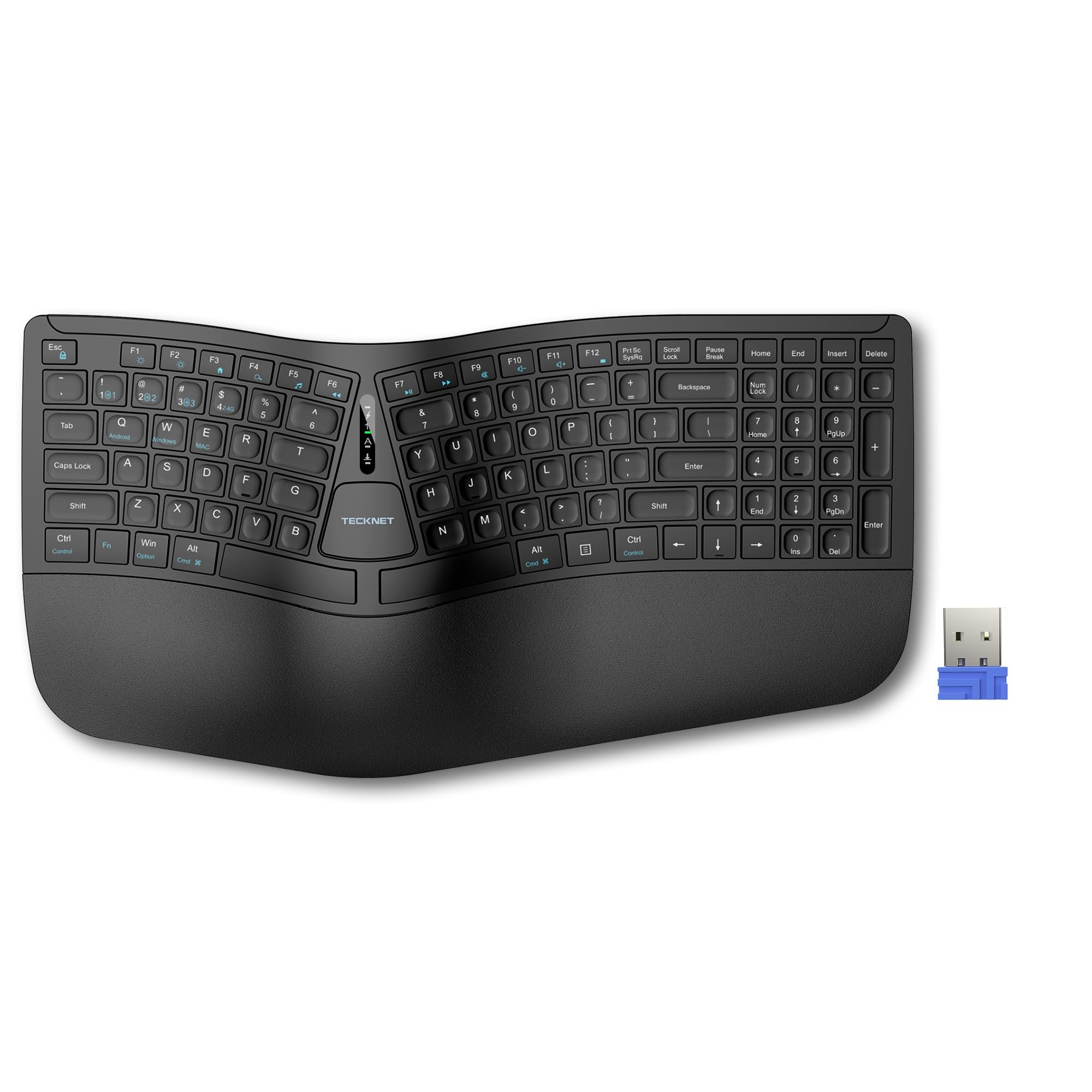
The TECKNET is for one specific buyer: someone whose wrists hurt after a day of typing. It uses a split key layout (the two halves angle outward) and a curved key arrangement that follows the natural arc of your fingers, keeping your wrists straighter than a standard flat keyboard. One customer observed their wrist pain went away as soon as they started using it—a level of relief you will not get from any straight layout keyboard, no matter how good the switches are.
The built-in wrist rest uses two layers of foam: a firm high-density bottom layer for support and a slow-rebound memory foam top layer that conforms to your wrists. It connects via both Bluetooth 5.0 (with pairing memory for up to three devices) and a 2.4GHz USB dongle (a small plug-in receiver), letting you switch between up to four devices total. The 500mAh rechargeable battery (milliampere-hours measures energy capacity) charges fully in 4 hours and delivers up to 200 hours of continuous use—roughly a month of full-time typing.
The honest limit: the key layout is non-standard. The arrow keys are squeezed next to the right Shift and Enter keys, and some buyers report the extra key between Command and Control throws off their muscle memory. A few users reported defective units where the Enter key did not stay on, though the merchant replaced them promptly. The TECKNET is for anyone with wrist pain who needs ergonomic relief. If that is not you, a traditional layout like the Redragon or G.SKILL gives you a better typing experience for less money.
Strong points
- Split curved layout promotes neutral wrist posture to reduce strain
- 500mAh rechargeable battery lasts up to 200 hours per charge
- Built-in dual-density memory foam wrist rest for all-day support
Before you buy
- Non-standard key layout takes days to get used to
- Build quality is better than $30 options but less premium than Logitech ergo boards
- Some units had quality control issues with certain keys (seller replaced)
7. Keychron C3 Pro QMK/VIA Custom Gaming Keyboard

The Keychron C3 Pro sits at the top end of the budget range for one clear reason: it is the only board here with QMK and VIA firmware support (open-source software that lets you reprogram every key). That means you can remap every single key, create custom shortcuts, and program macro sequences using open-source software—no proprietary driver required. For power users who want a Caps Lock that sends a Control key or a function layer that launches apps, this is the board that lets you do that without spending three times as much.
On the hardware side, the C3 Pro uses a gasket mount design (the same soft rubber suspension as the HUO JI Z-99) combined with sound-absorbing foam and case foam for a quieter, smoother typing experience. It has a 1000 Hz polling rate (the keyboard reports your keystrokes to your PC every 1 millisecond) and N-key rollover, so it keeps up with fast gaming inputs. The 87-key tenkeyless (TKL) layout matches the Redragon K552 and G.SKILL KM360, but the C3 Pro is slightly shorter at 1.25 inches tall versus the G.SKILL’s 1.47 inches.
The catch against the rest of the field is that these features cost more. You get a solid build and QMK/VIA programmability, but you give up wireless connectivity and hot-swappable switches. If a switch fails, you need to solder a replacement. Reviewers also note that at this price, the included USB-C cable feels thin and cheap compared to the rest of the build. The C3 Pro is for power users who want to remap every key.
What we like
- Full QMK/VIA firmware support for complete key remapping and macros
- Gasket mount and sound-absorbing foam give a quieter, deeper typing sound
- 1000 Hz polling rate and N-key rollover for responsive gaming
The downsides
- Not hot-swappable—broken switches require soldering to replace
- Included USB-C cable feels thin and lower quality than the keyboard itself
- Red backlight only; key legends are hard to see when backlight is off
Understanding the Specs
Switch Type
The mechanical switch under every key determines force, sound, and feel. Linear switches (Cherry MX Red, Gateron Red) travel straight down with no bump—fast for gaming but no tactile confirmation. Tactile switches (Gateron Brown, Cherry MX Brown) give a small bump midway through the press so you know the key activated before your finger hits the bottom. Clicky switches (Cherry MX Blue, Outemu Blue) add an audible click at the actuation point (the moment the key registers). Most budget boards ship with one switch type, so listen to sound tests before buying.
Key Rollover and Anti-Ghosting
N-key rollover (NKRO) means every key you press simultaneously registers correctly—important for games where you hold W, press Shift, and hit Space at the exact same time. Anti-ghosting prevents false key presses when multiple keys share an electrical path. Both are standard on mechanical boards but absent on many cheap membrane keyboards. If you game, look for both.
Polling Rate
This is how often your keyboard reports its position to your computer, measured in Hertz (Hz). A 1000 Hz polling rate sends a signal every 1 millisecond, which feels instant to most people. Budget keyboards typically use 125 Hz (8ms delay) or 250 Hz (4ms delay). For typing, the difference is negligible. For competitive gaming, a 1000 Hz rate (like the Keychron C3 Pro offers) can feel slightly more responsive.
Hot-Swappable vs Soldered Switches
On a hot-swappable keyboard, the switch sits in a socket on the PCB (printed circuit board, the main circuit board) without solder. You can pull it out with a small tool and snap in a different switch in seconds. On a soldered board, switches are permanently attached. Hot-swappable boards cost slightly more but let you fix a broken switch or change the feel of your keyboard for a few dollars instead of buying a whole new one.
FAQ
What does “tenkeyless” or “TKL” mean in a budget keyboard?
Can I use a budget mechanical keyboard wirelessly?
Is a hot-swappable keyboard worth it at this price?
Why do some budget keyboards rattle on the spacebar?
Should I buy a budget keyboard with blue, brown, or red switches?
Final Thoughts: The Verdict
For most people, the budget keyboard winner is the Redragon K552 because it combines a sturdy metal frame, fast clicky switches, and full anti-ghosting at the lowest price you will find. If you want genuine Cherry switches and a detachable USB-C cable for long-term durability, grab the G.SKILL KM360. And for hot-swappable flexibility that lets you customize the typing feel without soldering, get the Keychron C1.