
Finding a 50-inch gaming TV that delivers smooth motion, low lag, and vibrant HDR (High Dynamic Range, which gives you bright highlights and deep shadows at the same time) is about one key spec: the native refresh rate. A true 120Hz (120 screen updates per second) panel versus a standard 60Hz one is the difference between responsive, blur-free play and frustrating screen tearing (when the image splits because the screen and console are out of sync).
I’m Min — the co-founder and writer behind Gadgets Feed. This guide is built by comparing the manufacturers’ published specifications and the patterns across verified customer reviews, so you get each pick’s real strengths and trade-offs instead of marketing spin.
Whether you play fast-paced shooters or open-world adventures, the right 50 inch gaming tv will give you the fluid motion and crisp detail your console or PC deserves.
How To Choose The Best 50 Inch Gaming TV
Choosing the right gaming TV comes down to three things: refresh rate, HDMI 2.1 support, and panel technology. If you are on a console like a PlayStation 5 or Xbox Series X, you need a 120Hz native panel (meaning the screen updates 120 times per second by itself, not through a software trick) and HDMI 2.1 ports (the latest port standard) to unlock 4K at 120 frames per second. For PC gaming, a 144Hz panel gives you an even smoother edge. The panel type—Mini-LED or standard LED—determines how deep the blacks are and how bright the highlights get.
Refresh Rate: The Gaming Backbone
The refresh rate, measured in hertz (Hz), is how many times the screen updates per second. A 60Hz TV updates 60 times a second, which is fine for movies and general use, but modern consoles and gaming PCs can push well beyond that. A native 120Hz or 144Hz panel updates twice as often (or more), making motion appear much smoother and reducing the blur you see when you spin the camera quickly or race through a city.
HDMI 2.1: Unlocking Performance
HDMI 2.1 is the port standard that carries enough data (bandwidth) for 4K resolution at 120 frames per second. It also includes Variable Refresh Rate (VRR, which syncs the TV’s refresh rate to the game’s frame rate to stop screen tearing) and Auto Low Latency Mode (ALLM, which automatically switches the TV into its lowest-lag mode when it detects a game console). Without HDMI 2.1, you are limited to 4K at 60Hz, even if the panel itself could do more.
Panel Technology: LED vs Mini-LED vs QLED
Standard LED backlighting uses a single row of lights along the edge, so dark scenes can look grayish. Mini-LED uses thousands of tiny, dimmable light zones (like the Hisense 50″ E7 and TCL 50″ QM6K), which allows the TV to dim bright areas while keeping dark areas very dark—giving you HDR that looks punchy and dimensional. QLED (Quantum Dot LED, which uses tiny nanoparticles to boost color brightness) boosts color volume and brightness, making games look more vibrant. Avoid buying a TV without some form of local dimming if deep blacks matter to you in a dark room.
Quick Comparison
On smaller screens, swipe sideways to see the full table.
| Model | Category | Best For | Key Spec | Amazon |
|---|---|---|---|---|
| Hisense 50″ E7 | Premium | Competitive gaming | 144Hz native refresh rate | Amazon |
| TCL 50″ QM6K | Premium | Mini-LED with gaming | 144Hz native QD-Mini LED | Amazon |
| Sony BRAVIA 3 II | Premium | PS5 pairing | 120Hz with XR processor | Amazon |
| VIZIO V-Series V4 | Mid-Range | Budget gaming start | 60Hz with VRR + ALLM | Amazon |
| FPD CG50-C3 | Mid-Range | Budget with Google TV | 60Hz MEMC + ALLM | Amazon |
| Samsung M70H | Mid-Range | Casual gaming | 60Hz (DLG 120Hz) | Amazon |
In‑Depth Reviews
1. Hisense 50″ E7 Cinema Series (50E7SF)
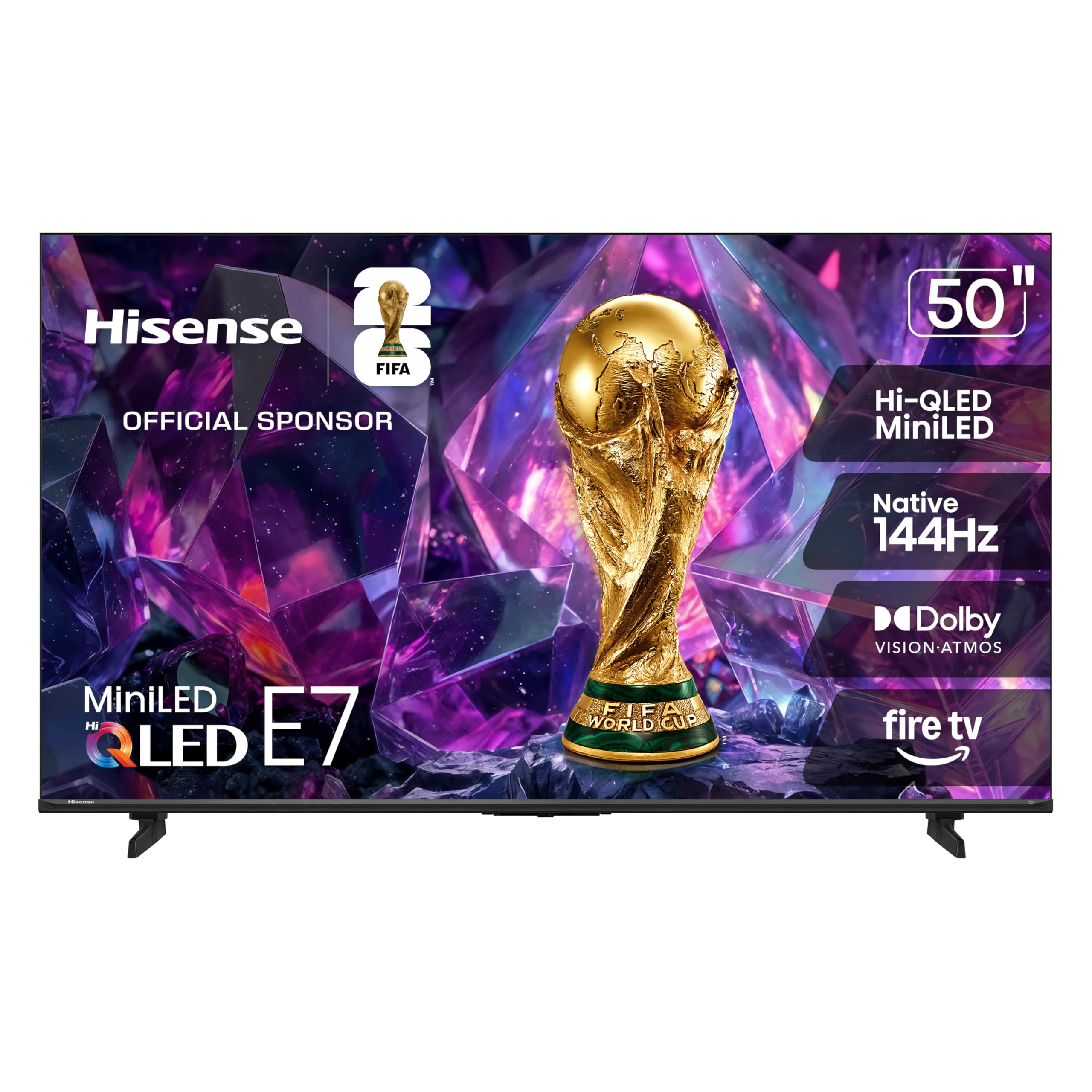
144Hz native refresh rate with Mini-LED backlighting makes the Hisense 50″ E7 Cinema Series the top pick for competitive console or PC gamers who demand smear-free motion in fast-paced shooters and racing games.
The Hi-QLED Mini-LED backlight uses thousands of individual light zones to produce deep shadows and bright highlights simultaneously, so an explosion in a dark cave looks vivid and dimensional. Buyers report “excellent contrast” and that the “144Hz refresh rate for smooth sports/gaming” makes the action feel fluid. Dolby Vision IQ (a tech that adjusts HDR based on room light) and Dolby Atmos (a 3D audio format) mean movies also look and sound fantastic, with the AI Picture processor adjusting contrast and color in real time based on the scene.
The catch is that the plastic stand feels a bit cheap for a TV at this performance level, and a few owners mention Wi-Fi connectivity glitches after setup. For the price, though, you get a 144Hz Mini-LED panel with all the HDMI 2.1 gaming features you need—making this the clear-cut winner for serious gaming and movie watching alike.
Why it’s great
- Native 144Hz refresh rate delivers ultra-smooth motion for competitive gaming and sports
- Mini-LED backlighting with Hi-QLED panel provides deep blacks and bright, vibrant HDR
- Dolby Vision IQ, HDR10+ Adaptive, and Dolby Atmos create a full cinema experience
Good to know
- Plastic stand feels less premium than the picture quality suggests
- Some customers note Wi-Fi connectivity issues requiring a router reset
2. TCL 50″ QM6K Series (50QM6K)
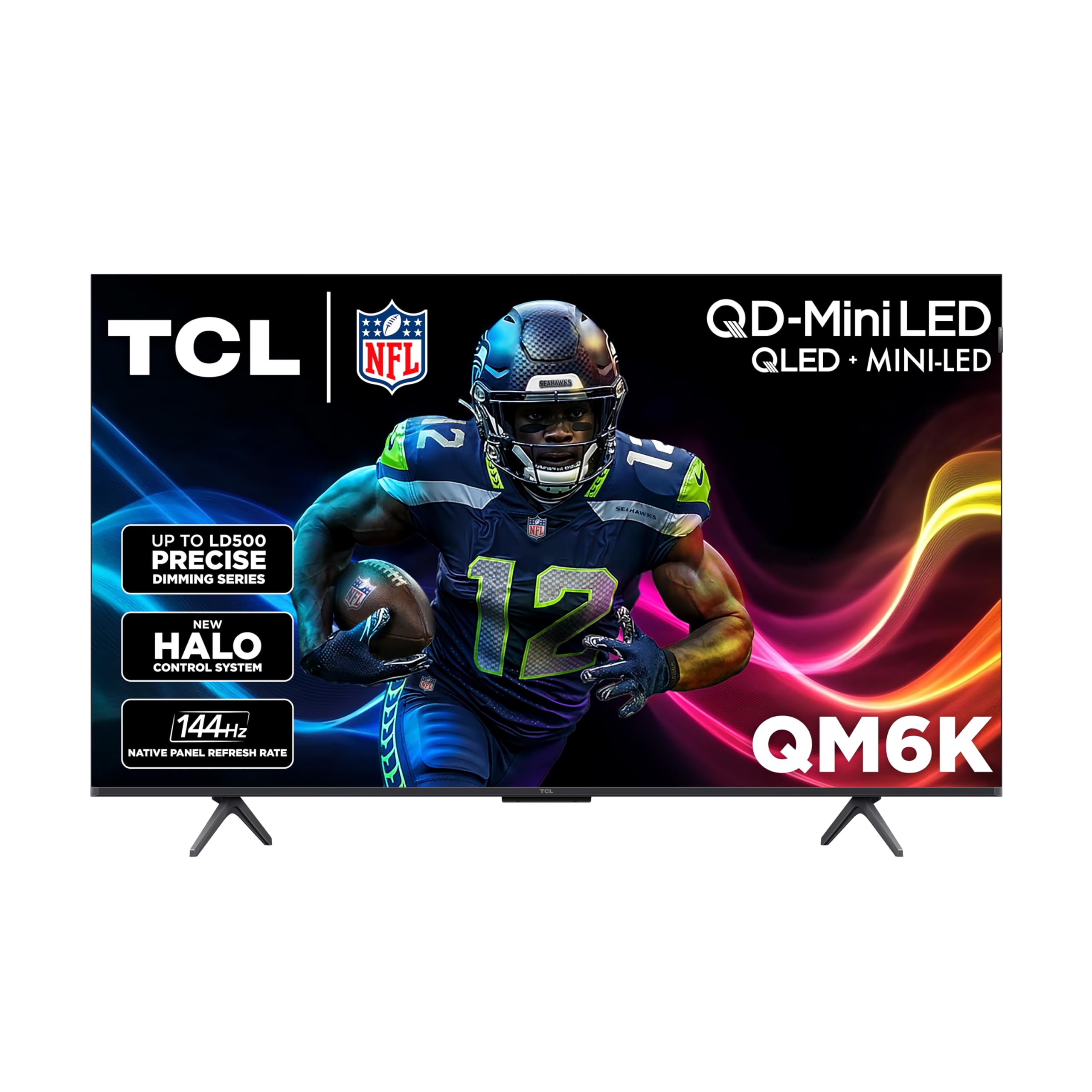
Where the Hisense E7 leads on raw value-for-performance, the TCL QM6K trades blows with a QD-Mini LED panel that pushes color volume even higher—making reds in a sunset or greens in a forest look more saturated and true-to-life. Both offer a native 144Hz panel (144 screen updates per second), but the TCL uses a High Contrast HVA (Vertical Alignment) panel with 500 precise dimming zones (called the LD500 series) to achieve deeper blacks than the Hisense in a dark room for the same price.
Buyers with 8-year-old Samsung sets say the upgrade was “staggering” and that the picture offers “vibrant colors, deep blacks, high brightness.” The Google TV interface is fast, and the remote has a motion-activated backlight, a small touch that makes a difference in a dark living room. Two of the HDMI ports support full 144Hz, so you can plug in a PS5 and a gaming PC simultaneously without switching cables.
The downside is that the 50-inch model weighs just 20 pounds (about 9 kilograms), which makes wall-mounting easy, but some reviewers point out the picture is not quite as rich as an OLED (a technology that lights each pixel individually for perfect blacks). Choose the TCL QM6K over the Hisense E7 if you want the most vibrant colors from a Mini-LED panel and prefer Google TV’s interface over Fire TV.
Where it shines
- QD-Mini LED panel delivers extremely vivid, saturated colors with high brightness
- Native 144Hz panel keeps fast action clear and responsive
- Fast Google TV interface with motion-activated backlit remote
Worth noting
- Picture quality is excellent but not quite at OLED-level black depth
- At 20 pounds it is light, but the stand can feel slightly wobbly on uneven surfaces
3. Sony BRAVIA 3 II 50″ (K-50XR30M2)

If you own a PlayStation 5, the Sony BRAVIA 3 II is built specifically to pair with it—offering exclusive features like Auto HDR Tone Mapping and Auto Genre Picture Mode that automatically optimize the picture when you boot up a game. Its XR Processor with AI-powered scene recognition analyzes each frame in real time to sharpen textures, reduce noise, and boost color, so even older PS4 games look cleaner on the 4K screen.
The 120Hz native panel, combined with HDMI 2.1 features like VRR and ALLM, ensures that demanding titles like Spider-Man 2 or Call of Duty run smoothly without screen tearing. The X-Balanced Speakers deliver surprisingly full sound for a thin TV—shoppers say that “volume at 5 is good, over 6 too loud,” meaning you get clear dialogue and bass without needing a soundbar immediately. Sony also includes 5 movie credits and a 12-month subscription to Sony Pictures Core (formerly Bravia Core), so you have native 4K HDR content to test the TV with right out of the box.
On the trade-off, the user interface (Google TV with Gemini) can stutter slightly on live free TV, and a few buyers report issues with casting from Android devices. It is also the most expensive option here, but for dedicated PS5 gamers who want the best out-of-the-box integration and accurate image processing, it is a justified premium. If you do not own a PS5, the Hisense E7 gives you a higher native 144Hz panel for less money.
What stands out
- Exclusive PS5 features (Auto HDR Tone Mapping, Auto Genre Picture Mode) optimize picture automatically
- XR Processor with AI enhances clarity, color, and contrast in real time
- X-Balanced Speakers deliver clear audio with good bass for a built-in setup
The trade-offs
- Google TV interface can feel sluggish on live TV and streaming menus
- Some owners mention software glitches with casting and DRM-supported apps
4. VIZIO V-Series 50″ (V4K50C-0809)

The most important number for a gaming TV buyer is the refresh rate, and this VIZIO V-Series has a 60Hz panel—half the refresh of the 144Hz Hisense and TCL models above. It still includes HDMI VRR (Variable Refresh Rate) and ALLM (Auto Low Latency Mode), which means it can sync its frame delivery with your game and auto-switch to low-lag mode, giving you a smoother experience than a standard 60Hz TV without those features.
One limitation is that for fast-paced shooters or racing games at 4K, you will notice motion blur and judder compared to a 120Hz or 144Hz panel. One reviewer noted returning it because “the description said it had a refresh rate of 120hz, but its only 60hz which is no good for watching sports,etc.”—so VIZIO’s marketing can be misleading here. On the plus side, Dolby Vision HDR and HDR10+ support gives this TV solid color and contrast for slower games like RPGs and platformers, and the dual-band Wi-Fi 6 ensures smooth streaming.
For its price, you get a 4K screen with VRR, ALLM, and Dolby Vision, making it a decent entry-level gaming TV for casual players on a tight budget. Just set your expectations correctly: it is a 60Hz panel with gaming-friendly features, not a high-refresh display. skip it if you play competitive shooters where every millisecond of clarity matters—go for the Hisense E7 instead.
The upsides
- Includes HDMI VRR and ALLM for smoother, lower-lag gaming at 60Hz
- Dolby Vision and HDR10+ provide good color and contrast for the money
- Dual-band Wi-Fi 6 keeps streaming fast and stable
Keep in mind
- Only a 60Hz panel—not suitable for high-refresh-rate gaming or smooth sports
- Some buyers received units with open-box packaging or minor defects
5. FPD 50″ Smart TV (CG50-C3)
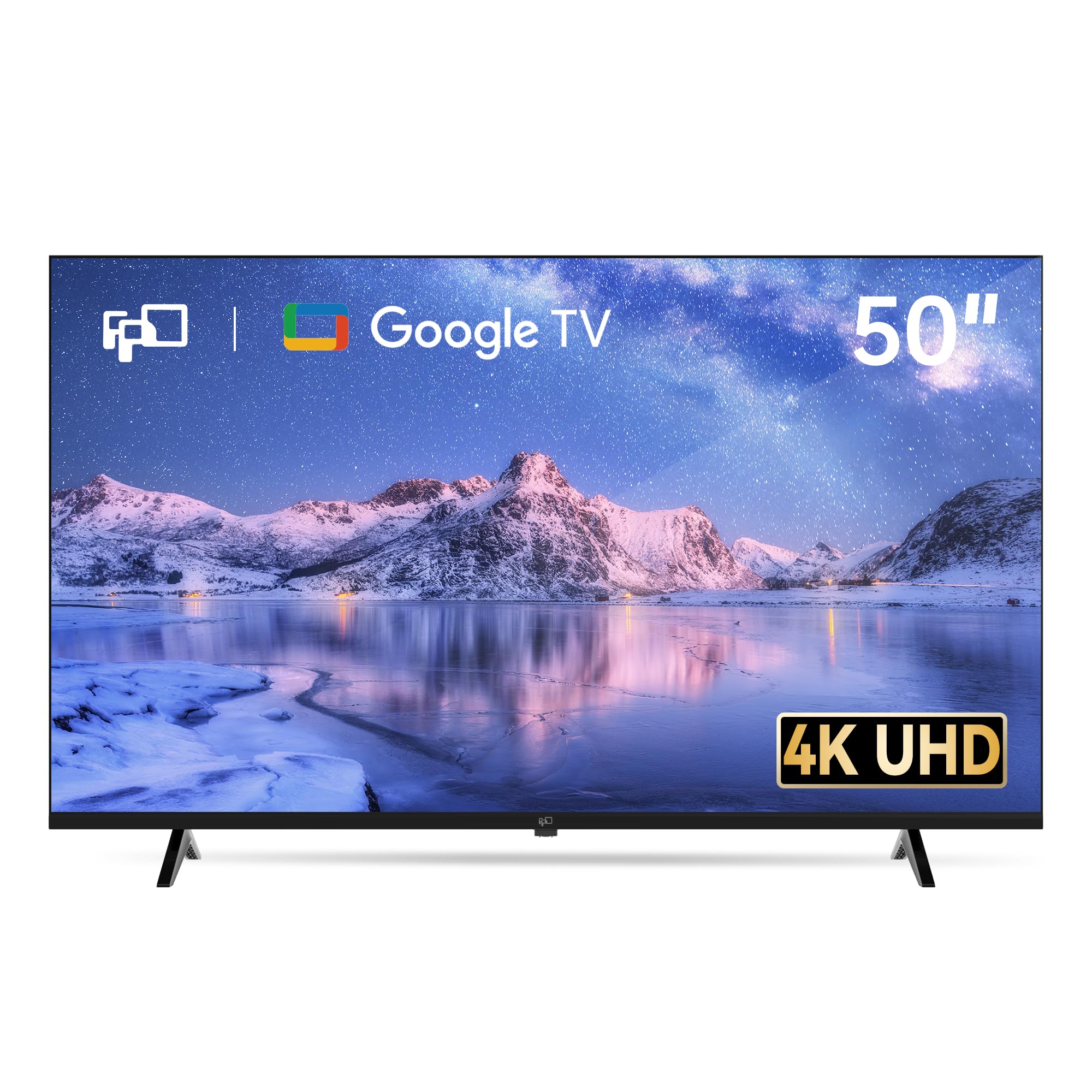
For the price, the FPD CG50-C3 gives you a 4K UHD 60Hz panel with HDR10, MEMC (Motion Estimation, Motion Compensation, a technology that smooths out motion by inserting extra frames between real ones), and built-in Google TV with Chromecast. You get a solid smart TV platform with access to all major streaming apps, plus voice control through Google Assistant, for a price well below most name-brand options.
What you give up is native high-refresh-rate support—this is strictly a 60Hz display, so do not expect the blur-free motion of a 144Hz gaming panel. It does include ALLM (Auto Low Latency Mode) for slightly lower gaming lag, and the MEMC helps fast-action scenes look smoother than a standard 60Hz screen, but it is not as crisp as a real high-refresh panel. Customers note “sharp picture, smooth motion with MEMC, vibrant HDR10 color,” which confirms it punches above its price for casual gaming and media consumption.
The compromise is that customer service seems inconsistent: one buyer calls it a “great deal,” while another warns of gaslighting over defects and a poor-quality back panel. This TV is for the bargain-conscious buyer who needs a big 4K screen with Google TV and occasional light gaming.
Why we’d pick it
- Built-in Google TV with Chromecast and Google Assistant for voice control
- MEMC technology reduces motion blur, making fast scenes easier to watch
- Includes 3x HDMI 2.1 ports with eARC for modern console connectivity
A few caveats
- 60Hz panel limits gaming to standard frame rates with no 120Hz support
- Inconsistent build quality and customer service reported by some buyers
6. Samsung M70H Series (50M70H)

The Samsung M70H Series is perfect for the buyer who wants a Samsung Mini-LED TV primarily for movies, streaming, and casual cloud gaming, rather than competitive or high-frame-rate console play. It features a Mini-LED panel with Pure Spectrum Color (a color enhancement technology that the brand claims delivers over a billion shades), a 60Hz base panel, and Motion Xcelerator with DLG (Dual Line Gate) that the brand claims achieves 120Hz-like motion clarity for compatible content. In practice, DLG works by scanning lines faster to reduce perceived blur, but it is not the same as a real native 120Hz panel—so fast camera movements in games will still show more motion blur than on the Hisense or TCL.
Where this TV shines is in its picture quality for movies and casual gaming: the Mini-LED dimming delivers “excellent picture quality with bright colors, sharp details, deep blacks” per buyer reports. Samsung TV Plus offers over 2,700 free streaming channels, and the Gaming Hub brings your subscribed cloud services and consoles into a single launch menu. The remote, however, is a point of frustration—reviewers point out it “can’t switch HDMI, no volume buttons, no input memory,” forcing you to use a phone app or buy a separate universal remote.
If you want a Samsung Mini-LED TV for general entertainment and occasional cloud gaming, the M70H looks great out of the box. For serious console or PC gaming where smooth 120Hz motion matters, the Samsung’s 60Hz panel—even with DLG—falls short of the Hisense E7 or TCL QM6K.
Strong points
- Mini-LED panel provides bright, vibrant HDR with deep black levels
- Pure Spectrum Color delivers over a billion true-to-life colors
- Extensive free content library with Samsung TV Plus (2,700+ channels)
Before you buy
- 60Hz panel with DLG is not true 120Hz, limiting high-refresh gaming performance
- Remote lacks volume and HDMI input buttons, causing daily frustration for many users
Understanding the Specs
Native Refresh Rate vs. “Effective” Refresh Rate
The native refresh rate (measured in Hz) is the physical speed at which the TV’s panel updates the image. A native 144Hz panel refreshes 144 times per second, while a native 60Hz panel refreshes 60 times. Some TVs use marketing terms like “120Hz effective” or “DLG 120Hz” to imply they can show smoother motion, but these techniques (like black frame insertion or line scanning) do not give you the same fluid, low-lag experience as a real native 120Hz or 144Hz panel. For gaming always look for “native 120Hz” or “native 144Hz” in the spec sheet.
HDMI 2.1 Features Explained
HDMI 2.1 is the cable and port standard that allows 4K at 120Hz. Three key gaming features come with it: Variable Refresh Rate (VRR), which avoids screen tearing by syncing the TV’s refresh rate to the game’s frame rate; Auto Low Latency Mode (ALLM), which automatically drops the TV into its fastest-response mode when a console is detected; and eARC (enhanced Audio Return Channel), which sends high-quality audio formats like Dolby Atmos to a soundbar or receiver. Without HDMI 2.1, you are capped at 4K 60Hz, even if the panel supports higher rates.
FAQ
Do I need a native 120Hz or 144Hz TV for PlayStation 5 or Xbox Series X?
What is the difference between Mini-LED and standard LED for gaming?
Can I use a 50-inch gaming TV as a computer monitor?
Final Thoughts: The Verdict
If you want one dependable pick, the 50 inch gaming tv winner is the Hisense 50″ E7 because it pairs a native 144Hz panel with Mini-LED backlighting and Dolby Vision IQ at a price that undercuts every other high-refresh option. If you want even more vibrant colors and prefer Google TV, grab the TCL 50″ QM6K. And for PlayStation 5 owners who want the tightest integration and best image processing, the standout is the Sony BRAVIA 3 II.