
The transition from a standard 144Hz or 240Hz panel to a 480Hz OLED is not a minor step — it is a sensory shift. Motion blur that you had normalized vanishes. The silky, instantaneous response of a 0.03ms GtG OLED makes every flick-shot and strafe feel wired directly into your nervous system. At 1440p, you get the pixel density for crisp visuals without the punishing GPU demands of 4K, making this the sweet spot for competitive and immersive gaming alike.
I’m Rikta — the co-founder and writer behind Gadgets Feed. I’ve spent years tracking panel technology shifts, analyzing measured response times, color volume specs, and burn-in mitigation claims across every major OLED generation, because a monitor this expensive demands a thorough, data-backed evaluation. (And Homer 🐱 insisted on supervising every unboxing from inside the foam packaging).
This guide breaks down the top contenders, from the bleeding-edge dual-mode flagships to the value-driven QD-OLEDs that nail the essentials. If you are ready to upgrade your setup, this is the definitive analysis of the best 1440p 480hz monitor options available today.
How To Choose The Best 1440p 480Hz Monitor
You are not just shopping for high refresh rates. The current 480Hz tier demands you understand three distinct technologies: WOLED, QD-OLED, and the specific bandwidth your graphics card can provide. Without matching these three factors, you risk leaving performance on the table or buying into a panel that fights your room lighting.
WOLED vs. QD-OLED — The Room Lighting Tradeoff
WOLED (White OLED) panels, like those from LG and the ASUS PG27AQDP, use a white subpixel with a color filter. They handle bright ambient rooms better because their anti-glare coating remains effective while maintaining deep blacks. QD-OLED panels, used in the Alienware AW2725DF and MSI MPG 271QRX, use quantum dots for a larger color volume, but they lose black depth in direct light — they perform best in a dim or dark room where those inky blacks and vibrant colors can shine without reflection washout.
DisplayPort 2.1 vs. 1.4 with DSC
To hit a native 480Hz at 1440p, you need bandwidth. DisplayPort 2.1 (UHBR20, 80 Gbps) handles the full data rate without compression. If your monitor only offers DP 1.4 with DSC (Display Stream Compression), the image quality loss is visually negligible for most gamers, but it can cause occasional handshake issues or screen blackouts when alt-tabbing. Monitors with DP 2.1, like the LG 27GX790A-B and Sony INZONE M10S, are technically future-proof for next-gen GPUs.
Burn-In Prevention Is a Core Feature, Not an Afterthought
Every OLED monitor will eventually degrade, but the rate depends on the cooling solution and pixel refresh logic. Look for a custom heatsink (the ASUS ROG Swift models and the Sony INZONE M10S have dedicated fan-less heatsinks), and a robust OLED Care suite that includes pixel shifting, logo detection, and a proximity sensor. The ASUS PG27AQWP-W even features a Neo Proximity Sensor that blacks out the screen when you leave your desk — a genuinely useful innovation for mixed-use desks.
Quick Comparison
On smaller screens, swipe sideways to see the full table.
| Model | Category | Best For | Key Spec | Amazon |
|---|---|---|---|---|
| ASUS ROG Swift PG27AQWP-W | Premium / Dual-Mode | Bleeding-edge speed & glossy clarity | 540Hz QHD / 720Hz HD dual-mode | Amazon |
| ASUS ROG Swift OLED PG27AQDP | Premium | Competitive esports with AI tools | 480Hz WOLED + custom heatsink | Amazon |
| LG 27GX790A-B Ultragear | Premium | Future-proof DP 2.1 & anti-glare | 480Hz with DisplayPort 2.1 | Amazon |
| Sony INZONE M10S | Premium | Tournament FPS play | 480Hz + 24.5″ simulation mode | Amazon |
| INNOCN 27″ GA27M1Q | Mid-Range | High refresh on a budget | 500Hz QD-OLED + HDR500 | Amazon |
| Alienware AW2725DF | Mid-Range | Stunning QD-OLED color volume | 360Hz, 0.03ms, 99.3% DCI-P3 | Amazon |
| MSI MPG 271QRX QD-OLED | Mid-Range | Console + PC flexibility | 360Hz, KVM, HDMI 2.1 48Gbps | Amazon |
| Samsung Odyssey OLED G6 G60SF | Mid-Range | 500Hz world-first OLED speed | 500Hz, 0.03ms, QD-OLED | Amazon |
| Samsung Odyssey OLED G6 G61SH | Value | Everyday 240Hz immersion | 240Hz QD-OLED + Pantone validation | Amazon |
| Alienware 34 AW3425DW | Premium | Ultrawide immersion | 240Hz, 3440×1440, 1800R curve | Amazon |
| ASUS ROG Swift PG27AQDP (V2) | Premium | OLED Care+ & AI gaming suite | 480Hz, WOLED, custom heatsink | Amazon |
In‑Depth Reviews
1. ASUS ROG Swift OLED PG27AQWP-W

The PG27AQWP-W is the new benchmark. Its Tandem OLED technology pushes peak brightness 15% higher than the previous WOLED generation while delivering 25% larger color volume — a leap that makes HDR highlights truly pop without blooming. The dual-mode feature lets you switch between QHD at 540Hz and HD at 720Hz, a specialized trick for competitive titles where raw frame rate trumps resolution.
The TrueBlack Glossy panel is a polarizing choice: it offers the sharpest, most artifact-free image possible with zero haze, but it also means you need to control room lighting or you will see reflections. The Neo Proximity Sensor is a standout burn-in defense — it detects when you step away and blacks out the screen automatically, a feature every premium monitor should copy.
At this tier, you are paying for the highest possible motion clarity and future-proof connectivity via DP 2.1 UHBR20 with full 80 Gbps bandwidth. The 3-year burn-in warranty provides peace of mind, and the included VESA mount kit makes desk integration simple. This is the ultimate 1440p high-refresh monitor for buyers who want zero compromises.
Why it’s great
- Tandem OLED delivers industry-leading brightness and color volume
- 540Hz QHD / 720Hz HD dual-mode for competitive flexibility
- Neo Proximity Sensor auto-blacks screen to prevent burn-in
Good to know
- Glossy panel shows reflections in bright rooms
- Premium pricing places it at the top of the budget
2. ASUS ROG Swift OLED PG27AQDP

The PG27AQDP was the world’s first native 1440p 480Hz OLED, and it remains a masterclass in panel engineering. Its WOLED panel uses a custom heatsink to dissipate heat without a fan, which is critical for preventing burn-in over long sessions. The 0.03ms GtG response time and G-SYNC compatibility deliver buttery motion clarity that matches the fastest TN panels while blowing them away in color and contrast.
What sets this monitor apart is the AI Assistant suite — dynamic crosshair, shadow boost, and a MOBA map helper — which sounds gimmicky but proves genuinely useful in competitive titles. The optional uniform brightness mode locks luminance across the entire screen, which is essential for productivity work where OLED brightness fluctuations can be distracting.
The anti-glare coating strikes a good balance, managing reflections well in typical indoor lighting. The 99% DCI-P3 coverage and Delta E<2 factory calibration mean you can trust the colors out of the box. For gamers who want the proven 480Hz OOLED experience with the best ecosystem of gaming tools, this is the safest premium bet.
Why it’s great
- World’s first native 1440p 480Hz OLED, proven track record
- Custom fan-less heatsink reduces burn-in risk
- AI Assistant adds real value for esports players
Good to know
- Some units report firmware issues with anti-flicker feature
- Uses DP 1.4 with DSC, not DP 2.1
3. LG 27GX790A-B Ultragear

The LG 27GX790A-B is the most forward-looking monitor on this list because of its DisplayPort 2.1 port. Running native 480Hz at 1440p without DSC means you eliminate potential handshake issues and screen blanking that can occur with compressed signals. The WOLED panel delivers 98.5% DCI-P3 coverage and a 1.5M:1 contrast ratio, paired with an effective anti-glare surface that keeps blacks deep even with overhead lights on.
LG has included Dynamic Action Sync for input lag reduction, Black Stabilizer for spotting enemies in shadows, and a 4-pole headphone jack with DTS HP:X for spatial audio through a gaming headset. The RGB hexagonal backlighting on the stand adds aesthetic flair, but the real story is the ergonomic range — height, tilt, swivel, and pivot adjustments give you full control over your viewing angle.
The 2-year limited warranty including the OLED panel is shorter than the 3-year coverage offered by ASUS and Sony, but the inclusion of DP 2.1 makes this the best choice for anyone building a next-gen rig around an RTX 50-series or Radeon RX 9000-series GPU. If you want to avoid compression entirely, this is the monitor to buy.
Why it’s great
- DisplayPort 2.1 enables native 480Hz without DSC
- Excellent anti-glare coating maintains black depth
- Full ergonomic adjustability including pivot
Good to know
- Matte coating can appear slightly grainy on static white screens
- 2-year warranty is shorter than competitors
4. Sony INZONE M10S

Sony developed the INZONE M10S in partnership with the Fnatic esports team, and it shows in every design decision. The low-profile stand base is just 4mm thin, freeing up mousepad space for low-sensitivity aimers. The Tournament Mode lets you instantly switch the active screen size to 24.5-inch, matching the aspect ratio used in LAN tournaments without changing your physical monitor — a feature that competitive players will use daily.
The custom fan-less heatsink keeps the WOLED panel cool during long sessions, and the OLED Care suite includes pixel refresh, static image detection, and a screen saver. The 3-year limited warranty with burn-in coverage matches the industry best, and Sony also includes a factory color calibration report for Delta E accuracy. The matte coating effectively kills reflections without introducing the grainy texture seen on some LG panels.
The DP 2.1 input (UHBR10, 40 Gbps) supports native 480Hz at 1440p, though it is half the bandwidth of the top-tier DP 2.1 UHBR20 standard. For gamers who prioritize tournament-specific features like the 24.5-inch mode and low-profile stand, the M10S is the most thoughtfully designed monitor for competitive FPS.
Why it’s great
- 24.5-inch simulation mode for tournament-standard play
- Low-profile 4mm base maximizes desk space
- 3-year burn-in warranty with calibration report
Good to know
- DP 2.1 bandwidth limited to UHBR10 (40 Gbps)
- Some units reported early pixelation defects
5. INNOCN 27″ GA27M1Q

The GA27M1Q from INNOCN is the disruptor on this list. At a price that undercuts the big brands by a significant margin, it delivers a 500Hz QD-OLED panel with 99% DCI-P3 coverage, a 1.5M:1 contrast ratio, and true 10-bit color. The 0.03ms response time makes motion clarity indistinguishable from monitors costing hundreds more, and the 48Hz to 500Hz VRR range covers everything from desktop use to max-frame-rate gaming.
Connectivity is surprisingly generous: two DisplayPort inputs, two HDMI 2.1 ports, and a 3.5mm audio jack. The stand supports height, tilt, and swivel adjustments, and the white chassis with LED atmosphere lights gives it a distinct visual identity. The integrated speakers are better than most built-in monitor audio, suitable for casual use without a headset.
The trade-offs come in the details: the HDR500 rating is lower than the TrueBlack 400 certified panels from bigger brands, meaning peak brightness in HDR scenes is more modest. The OSD menu is functional but not as polished as ASUS or LG. For the price, however, you get 96% of the performance of a premium 480Hz OLED for a fraction of the cost — making this the best entry point into high-refresh OLED gaming.
Why it’s great
- Unbeatable price-to-performance ratio for 500Hz QD-OLED
- Full 10-bit color and 99% DCI-P3 coverage
- Generous connectivity with dual HDMI 2.1 and dual DP
Good to know
- HDR brightness falls short of TrueBlack 400 panels
- OSD interface feels less premium than competitors
6. Alienware AW2725DF

The AW2725DF delivers a 360Hz QD-OLED experience with a 0.03ms response time and an infinite contrast ratio that makes every game look richly dimensional. The 99.3% DCI-P3 color coverage is among the highest on this list, and the Delta E<2 factory calibration means color-critical work — photo editing, content review — looks accurate without manual tuning.
The physical design is classic Alienware: a clean, matte black chassis with a hexagonal base and full ergonomic adjustability (height, tilt, swivel, pivot). The I/O cover hides cable clutter, and the included DisplayPort cable supports the full 360Hz bandwidth. AMD FreeSync Premium Pro and G-SYNC compatibility ensure tear-free gameplay regardless of your GPU brand.
The QD-OLED panel does exhibit the characteristic purple tint when direct light hits the screen, so this is best suited for a dim or controlled lighting environment. The 3-year burn-in warranty is a strong safety net. At 360Hz, it is slightly below the 480Hz ceiling, but the color fidelity and motion clarity make it a compelling choice for gamers who also value visual fidelity in single-player titles.
Why it’s great
- Industry-leading QD-OLED color coverage at 99.3% DCI-P3
- Full ergonomic adjustability with clean cable management
- 3-year burn-in warranty provides long-term confidence
Good to know
- QD-OLED shows purple tint in bright ambient light
- 360Hz refresh rates limit competitive edge versus 480Hz options
7. MSI MPG 271QRX QD-OLED

The MPG 271QRX is built for the hybrid gamer who juggles a desktop PC and a console. The full 48 Gbps HDMI 2.1 port supports 4K 120Hz from a PS5 or Xbox Series X, while the 360Hz QD-OLED panel at 1440p gives PC gamers a buttery-smooth experience. The built-in KVM switch is a rare and valuable feature — you can control two devices with one keyboard and mouse, switching between your gaming PC and work laptop instantly.
The QD Premium Color ensures Delta E≤2 accuracy, and the VESA DisplayHDR True Black 400 certification delivers deep blacks and bright highlights. The MSI OLED Care 2.0 suite includes pixel shift, panel refresh, and taskbar detection to mitigate burn-in. The 3-year warranty includes burn-in coverage, matching Alienware and ASUS.
The 250-nit typical brightness in SDR is lower than some competitors, meaning you may need to dial up the brightness in well-lit rooms. The stand lacks pivot adjustment, which is a minor ergonomic oversight. For users who switch between PC and console daily and want the convenience of a KVM, the MPG 271QRX is uniquely suited to that workflow.
Why it’s great
- Full 48 Gbps HDMI 2.1 bandwidth for console gaming
- Built-in KVM switch for seamless multi-device control
- 3-year burn-in warranty with OLED Care 2.0
Good to know
- 250-nit typical SDR brightness feels dim in bright rooms
- Stand lacks pivot adjustment for vertical orientation
8. Samsung Odyssey OLED G6 G60SF
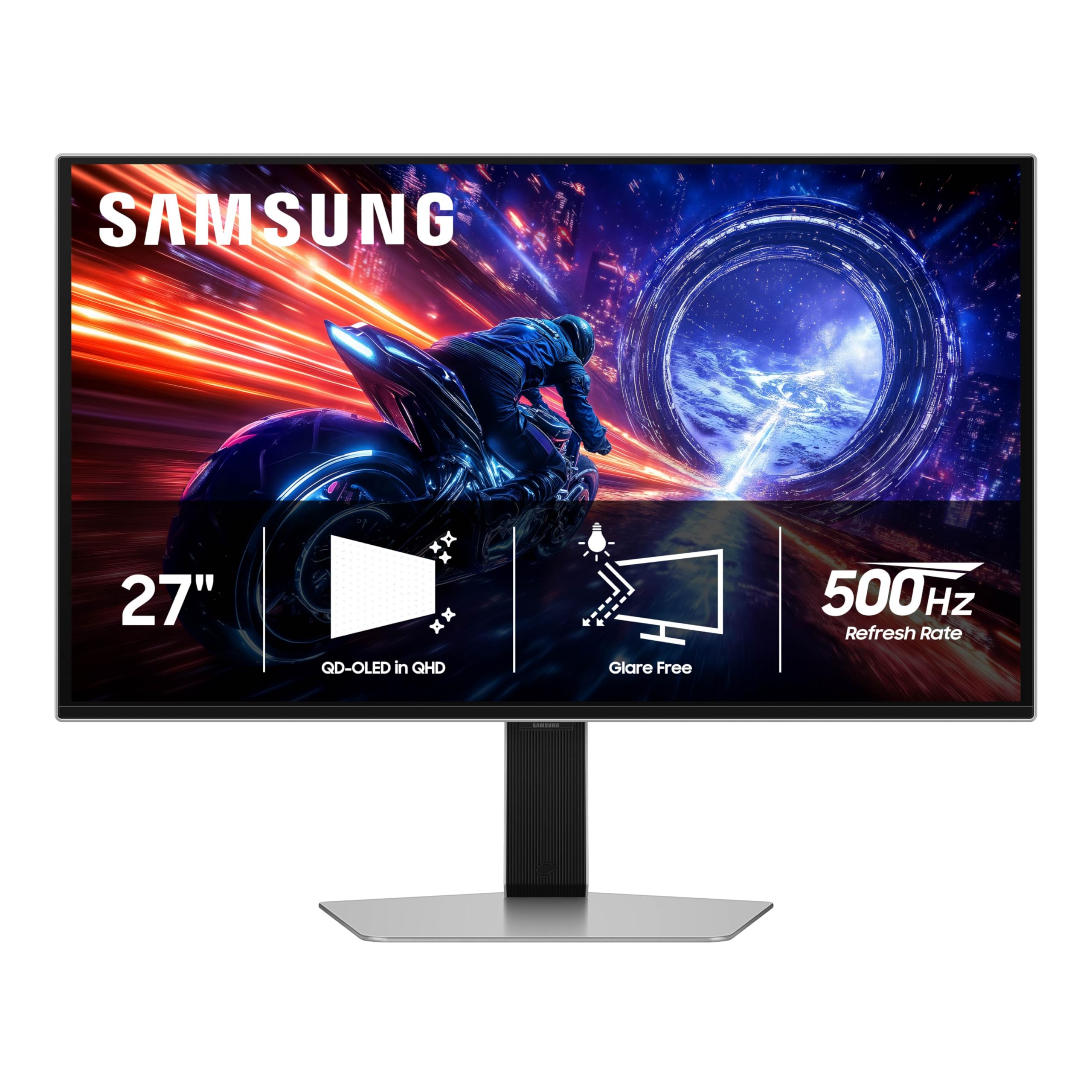
Samsung’s Odyssey G6 G60SF claims the title of the world’s first 500Hz OLED monitor — a milestone that pushes the upper boundary of refresh rate for competitive gamers. The QD-OLED panel delivers enhanced brightness over earlier generations, and the VESA DisplayHDR TrueBlack 500 certification means peak HDR brightness reaches 1000 nits combined with ultra-deep blacks. The 0.03ms GtG response time ensures zero motion blur even at these extreme frame rates.
The Glare Free technology works well in most lighting conditions, keeping reflections from washing out the screen. The ergonomic stand supports tilt, height, and pivot adjustments, though the silver finish may not match all setups. G-SYNC compatibility provides tear-free gameplay, and the 99% DCI-P3 color gamut makes it suitable for media consumption beyond gaming.
The real question is whether you can feed this panel enough frames to justify 500Hz. You will need a top-tier CPU like a Ryzen 9800X3D paired with a high-end GPU to hit 500 fps in esports titles. For most gaming scenarios, the difference between 480Hz and 500Hz is marginal, but for the competitive purist who wants the absolute highest refresh rate available, the G60SF delivers.
Why it’s great
- World’s first 500Hz OLED for ultra-competitive play
- VESA DisplayHDR TrueBlack 500 with 1000 nits peak
- Effective Glare Free technology for varied lighting
Good to know
- Extremely high GPU demands to utilize 500Hz fully
- Customer service and build quality concerns reported
9. Samsung Odyssey OLED G6 G61SH

The G61SH is Samsung’s more accessible entry into the OLED gaming space, trading the 500Hz headline for a still-impressive 240Hz refresh rate at a significantly lower cost. The QD-OLED panel delivers the same rich color gamut and deep contrast as its faster sibling, and the Pantone Validation means 2100+ skin tone shades are accurately reproduced — a boon for creative professionals who also game.
The OLED Safeguard thermal modulation system actively prevents burn-in by monitoring panel temperature, which is a meaningful differentiator for users who leave static elements on screen for extended periods. The Glare Free coating keeps reflections at bay, and the height-adjustable ergonomic stand offers tilt, swivel, and pivot adjustments. AMD FreeSync Premium provides tear-free gameplay.
The brightness is capped at 400 cd/m², which is adequate for SDR content but falls short for impactful HDR. The 240Hz refresh rate is excellent for most gamers, but competitive players will want the higher refresh models. For the price, this is the best way to experience QD-OLED quality without the premium markup, and the 3-year warranty adds confidence for first-time OLED buyers.
Why it’s great
- Best entry price for QD-OLED technology with Pantone accuracy
- OLED Safeguard thermal monitoring reduces burn-in risk
- Full ergonomic stand with pivot adjustment
Good to know
- 240Hz refresh rate is below the premium 480Hz tier
- 400 cd/m² brightness limits HDR impact
10. Alienware 34 AW3425DW

The AW3425DW trades the 480Hz refresh rate for an ultrawide 21:9 aspect ratio at 3440×1440 with a 1800R curve. For gamers who prioritize immersion in open-world titles, racing sims, and flight simulators, the expanded field of view transforms the experience. The QD-OLED panel delivers the same vibrant color and deep-black performance as the smaller Alienware models.
The 240Hz refresh rate and 0.03ms response time still provide excellent motion clarity, and the G-SYNC Compatible certification ensures smooth frame pacing. The build quality is solid, with a premium matte black finish, height and tilt adjustment, and an I/O cover for cable management. The included microfiber cloth acknowledges the delicate nature of QD-OLED panels.
The 250-nit SDR brightness is on the lower side, and the glossy QD-OLED panel is susceptible to reflections in bright rooms. The 3-year burn-in warranty provides protection. This is not a monitor for competitive esports where 480Hz matters, but for immersive single-player gaming and multitasking with multiple windows side-by-side, it is the best ultrawide choice on this list.
Why it’s great
- Immersive 21:9 ultrawide format for open-world games
- QD-OLED color and contrast elevate HDR content
- 3-year burn-in warranty for long-term confidence
Good to know
- 240Hz refresh rate is not competitive with dedicated 480Hz monitors
- Glossy panel shows reflections in bright ambient light
11. ASUS ROG Swift PG27AQDP (V2)

The PG27AQDP (V2) is a refined version of the original PG27AQDP, retaining the same 480Hz WOLED panel and 0.03ms response time while upgrading the OLED Care suite to version Plus. The custom heatsink and advanced airflow design remain, but the new AI Assistant features have been expanded to include dynamic AI Crosshair, AI Shadow Boost, AI Sniper, and MOBA Map Helper — a comprehensive toolset for competitive gaming.
The optional uniform brightness setting ensures consistent luminance across the entire panel, which is critical for productivity work where OLED brightness fluctuations can be noticeable. The DisplayWidget Center software allows you to adjust all settings, including OLED Care functions, using a mouse rather than the OSD joystick — a convenience that becomes meaningful over time.
The connectivity is identical to the original: DisplayPort 1.4 with DSC and HDMI 2.1. The 3-year burn-in warranty provides the same peace of mind. For buyers who want the most mature version of the ASUS 480Hz WOLED platform with the latest AI features and burn-in protections, the PG27AQDP (V2) is the clear choice, though the improvements over the original are incremental rather than revolutionary.
Why it’s great
- Mature WOLED platform with refined OLED Care+
- Comprehensive AI gaming suite for competitive titles
- Uniform brightness mode for mixed-use desks
Good to know
- Incremental upgrade over the original PG27AQDP
- Still relies on DP 1.4 with DSC for 480Hz
FAQ
Can my GPU actually run 1440p at 480 frames per second?
Is 480Hz noticeably better than 360Hz in real gameplay?
How long do 1440p 480Hz OLED monitors last before burn-in?
Do I need a special cable to run 480Hz at 1440p?
Final Thoughts: The Verdict
For most users, the best 1440p 480hz monitor winner is the ASUS ROG Swift OLED PG27AQDP because it delivers the most proven, well-supported 480Hz WOLED platform with a custom heatsink, AI gaming tools, and a 3-year burn-in warranty. If you want DP 2.1 for native bandwidth without compression, grab the LG 27GX790A-B Ultragear. And for the best price-to-performance ratio that still hits 500Hz, nothing beats the INNOCN 27″ GA27M1Q.