
Our readers keep the lights on and my morning glass full of iced black tea. As an Amazon Associate, I earn from qualifying purchases.
Specs are compiled from manufacturer listings and verified buyer reviews and can change over time — please confirm the key details on the product page before buying.
Buying a laptop with a 1 TB drive means you never have to pick and choose which files to keep. That extra storage space is a real lifesaver, whether for video projects, a huge game library, or every document from the last five years. But not all machines with this capacity run at the same speed or fit the same person — this guide covers the best options across different budgets and uses.
I’m Min — the founder and writer behind Gadgets Feed. This guide is built by comparing the manufacturers’ published specifications and the patterns across verified customer reviews, so you get each pick’s real strengths and trade-offs instead of marketing spin.
You need a laptop with 1 TB of storage, but the right one depends on how you use it. This roundup of the best 1 tb laptop options is built around real specs and honest buyer feedback.
Quick Picks
- Lenovo IdeaPad 1i Laptop, 15.6″ FHD Touchscreen, Intel Core i5-1235U, 24GB RAM, 1TB SSD — Best Overall
- NIMO 15.6″ Light-Gaming-Laptop, 8 Cores AMD Ryzen 7 Pro 6850U, 32GB RAM, 1TB SSD — Best Value Pro
- Dell Inspiron 15.6″ Laptop, Windows 11 Pro, 32GB RAM, 1TB SSD, Intel Core i7-1255U, 120Hz Display — Business Workhorse
- GEEKOM GeekBook X14 Pro, 14″ 2.8K OLED, Intel Core Ultra 9 185H, 32GB LPDDR5x, 1TB SSD — Premium Ultraportable
- Acer Nitro V 16S AI Gaming Laptop, AMD Ryzen 7 260, RTX 5060, 16″ 180Hz, 32GB DDR5, 1TB SSD — AI Gaming
- Apple 2025 MacBook Pro, Apple M5 chip, 14.2″ Liquid Retina XDR Display, 16GB Unified Memory, 1TB SSD — Creative Pro
- jumper 17.6 Inch Laptop with Office 365, Intel N95, 16GB RAM, 1TB SSD + 128GB eMMC — Budget with Office 365
- ASUS Daily Vivobook, 14″ FHD Display, Intel Core i3-1215U, 16GB RAM, 1TB SSD — Everyday Value
- HP 255 G10 Laptop, 16GB RAM, 1TB SSD, 15.6″ Full HD, AMD Ryzen 3 7330U, Windows 11 Pro — Basic Business
How To Choose The Best 1 TB Laptop
A 1 TB solid-state drive (SSD — a fast storage chip with no moving parts) is the balance for most people — enough space for dozens of games or thousands of files without the slow speeds of an old hard drive. But the storage is only one piece of the puzzle. Here are the three most important factors to weigh before you hit buy.
The Processor (CPU) Dictates the Speed
Your laptop’s brain — the CPU — determines how fast it loads apps and handles multitasking. An Intel Core i5 or AMD Ryzen 5 is the standard for smooth productivity. If you plan to edit video or play modern games, step up to something like a Core i7 or Ryzen 7 for higher clock speeds (measured in GHz) and more cores that handle heavy workloads without stuttering.
RAM: The Partner to Your 1 TB Drive
Having 1 TB of storage is great, but you also need enough memory (RAM) to keep your current tasks running. For most people, 16GB is the starting point for comfortable multitasking — think dozens of browser tabs, Office apps, and a video call at the same time. For video editing or running virtual machines, 32GB makes a bigger difference than almost any other spec.
Display Quality and Battery Life
You can have the fastest laptop in the world, but if the screen is dim or the battery dies in two hours, you will not enjoy using it. Look for a resolution of at least 1920 x 1080 (Full HD) and a brightness of 250 nits or higher for indoor use. Battery life claims vary wildly — buyer reviews often show four-to-eight hours of real use, not the “up to 10 hours” the box promises.
Quick Comparison
On smaller screens, swipe sideways to see the full table.
| Model | Best For | CPU | RAM | Display Size | Amazon |
|---|---|---|---|---|---|
| Lenovo IdeaPad 1i | Best Overall | Intel Core i5-1235U (4.4 GHz) | 24GB DDR4 | 15.6″ FHD Touch | Amazon |
| NIMO 15.6″ | Best Value Pro | Ryzen 7 PRO 6850U (4.7 GHz) | 32GB LPDDR5 | 15.6″ FHD | $699.99$999.99Amazon |
| Dell Inspiron 15.6″ | Business Workhorse | Intel Core i7-1255U (4.7 GHz) | 32GB DDR4 | 15.6″ FHD 120Hz | $1,019.99Amazon |
| GEEKOM X14 Pro | Premium Ultraportable | Core Ultra 9 185H (5.1 GHz) | 32GB LPDDR5x | 14″ 2.8K OLED | Amazon |
| Acer Nitro V 16S | AI Gaming | AMD Ryzen 7 260 (5.1 GHz) | 32GB DDR5 | 16″ WUXGA 180Hz | $1,999.99Amazon |
| Apple MacBook Pro M5 | Creative Pro | Apple M5 (10-core) | 16GB Unified | 14.2″ Liquid Retina XDR | Amazon |
| jumper 17.6″ | Budget with Office 365 | Intel N95 (3.4 GHz) | 16GB DDR4 | 17.6″ FHD | Amazon |
| ASUS Vivobook 14″ | Everyday Value | Intel Core i3-1215U (4.4 GHz) | 16GB DDR4 | 14″ FHD | Amazon |
| HP 255 G10 | Basic Business | AMD Ryzen 3 7330U (4.3 GHz) | 16GB DDR4 | 15.6″ FHD | $599.99Amazon |
In‑Depth Reviews
1. Lenovo IdeaPad 1i Laptop, 15.6″ FHD Touchscreen, Intel Core i5-1235U, 24GB RAM, 1TB SSD

the balance of speed, memory, and a touchscreen you can actually use.
You get a 15.6″ display that responds to your taps and swipes — that Full HD (1920 x 1080) IPS panel runs at 300 nits brightness, so it is clear enough for indoor work without glare. Under the hood, the Intel Core i5-1235U hits up to 4.4 GHz, compared with the Core i3-1215U in the ASUS Vivobook below, which also reaches up to 4.4 GHz. At up to 4.4 GHz versus 4.4 GHz on the Core i3-1215U in the ASUS Vivobook below, the difference comes down to the chips themselves rather than a percentage claim. That extra headroom makes photo editing in Adobe software or juggling a dozen browser tabs feel genuinely snappy.
Buyers report fast boot times, calling it “a very good machine” that works well for Linux dual-booting, though a few note the battery life is short at around three hours. The 1TB PCIe NVMe SSD ensures your files load instantly, and the inclusion of Wi-Fi 6 keeps your connection fast on modern networks.
Where It Shines
- Touchscreen is responsive and handy for navigating Windows 11
- 24GB RAM lets you keep many programs open at once
- Core i5-1235U at 4.4 GHz offers strong multitasking power
- Anti-glare IPS screen reduces eye strain during long sessions
The Trade-Offs
- Several buyers mention poor battery life, clocking it at roughly three hours
- Some users experienced occasional Wi-Fi disconnections
- Integrated Intel UHD graphics are not for serious gaming
Reach for this if: you need a lot of RAM and a touchscreen for school or work, and you are willing to stay near an outlet during the day.
A better fit elsewhere if: you need a laptop that lasts through a full day of classes away from a power socket.
2. NIMO 15.6″ Light-Gaming-Laptop, 8 Cores AMD Ryzen 7 Pro 6850U, 32GB RAM, 1TB SSD

Desktop-class memory and graphics in a laptop that stays cool under pressure.
This NIMO earns its spot because it has 32GB of LPDDR5 RAM, while many mid-range laptops offer 16GB or 24GB, so heavy software like Photoshop and dozens of browser tabs run without slowdown. It packs an 8-core AMD Ryzen 7 PRO 6850U that can boost up to 4.7 GHz, giving it the muscle to handle video rendering and advanced coding work without choking. The Radeon 680M integrated graphics (built on AMD’s RDNA 2 architecture) plays modern games at comfortable frame rates — owners mention running Baldur’s Gate 3 on max settings and Cyberpunk 2077-style titles at a smooth pace, which is rare for a laptop without a separate graphics chip. If you need a workhorse for creative or coding tasks, this is a strong pick; skip it if you want a lightweight machine for basic browsing.
Where it beats the Lenovo above is raw memory for creative work — 32GB vs 24GB gives you more flexibility for running virtual machines or huge spreadsheets. The 1TB PCIe 4.0 SSD is also faster than the PCIe 3.0 drives found in many competitors, meaning your system boots and loads programs in seconds. Customers note the 100W USB-C fast charger gets you back up to speed quickly, and the 9-hour battery life is a solid step up from the IdeaPad’s three-hour runtime. The body feels a bit cheap, and the trackpad is slow according to some users, but the internals punch far above the price.
What Stands Out
- 32GB of LPDDR5 RAM handles heavy multitasking with ease
- Radeon 680M graphics play many games at high settings
- 100W PD fast charging via USB-C is very convenient
- 2-year manufacturer warranty adds confidence
The Downsides
- Chassis feels cheap and the trackpad is sluggish
- No built-in ethernet port, so you need a USB hub
- Not a true touchscreen, which some users expected
Grab it for: creative professionals and students who need 32GB RAM and capable integrated graphics, all on a mid-range budget.
Look elsewhere if: build quality and a smooth trackpad are dealbreakers for you.
3. Dell Inspiron 15.6″ Laptop, Windows 11 Pro, 32GB RAM, 1TB SSD, Intel Core i7-1255U, 120Hz Display

A 120Hz screen and a Core i7 make daily productivity feel buttery smooth.
Most business laptops settle for a 60Hz display, but this Dell Inspiron gives you a 15.6-inch Full HD IPS panel that refreshes at 120Hz. That means scrolling through long documents, moving your mouse, and watching video feels noticeably fluid with less motion blur. The Intel Core i7-1255U can hit up to 4.7 GHz across its 10 cores, making it one of the faster processors in this roundup for office work and spreadsheets. It is paired with 32GB of RAM — the same generous amount as the NIMO above — so you can run multiple databases or virtual desktops without a hiccup.
The inclusion of Windows 11 Pro is a real plus for professionals who need BitLocker encryption or Remote Desktop access, features not found in the standard Home version. A numeric keypad is built into the keyboard, which is a small but appreciated convenience for anyone who enters numbers all day. The machine includes a “Lifetime Office” license, though one buyer flagged that it shipped with Office 2019, which will lose security updates soon after purchase. The screen is rated at 250 nits — usable indoors, but not especially bright if you work near a window.
Why It Works
- 120Hz display makes everyday navigation feel faster
- Core i7-1255U and 32GB RAM handle demanding workloads
- Windows 11 Pro with numeric keypad suits business users
- Reviewers point out it is a fast and reliable desktop replacement
Check Before Buying
- 250-nit brightness is dimmer than many competitors
- “Lifetime Office” might be an older version nearing end-of-life
- Touchscreen model is not clearly marked — read descriptions carefully
Best suited for: office workers and IT pros who need Windows 11 Pro, a high-refresh screen, and 32GB of RAM.
pass on it if: you want a touchscreen or a very bright display for working outdoors.
4. GEEKOM GeekBook X14 Pro, 14″ 2.8K OLED, Intel Core Ultra 9 185H, 32GB LPDDR5x, 1TB SSD

An ultra-light chassis with a stunning OLED screen that rivals desktop monitors.
At just 2.2 pounds, this GeekBook is one of the lightest 1 TB laptops you can buy, yet it packs a 14-inch 2.8K OLED screen (2880 x 1800 resolution) with a 120Hz refresh rate and 100% DCI-P3 color coverage. That means blacks are truly black, colors are punchy and accurate, and scrolling feels fluid — a genuine pleasure for video editing or watching movies. The Intel Core Ultra 9 185H is a Meteor Lake chip with 16 cores and a max speed of 5.1 GHz, and it includes a dedicated NPU (Neural Processing Unit) that works with Copilot for on-device AI tasks like background blur and noise reduction during video calls. This is the best pick for creative professionals who want a vivid OLED screen and extreme portability; it’s not for you if you need a dedicated graphics chip for heavy gaming.
The 32GB of LPDDR5x memory runs at 7500MHz, while the Acer Nitro below uses DDR5 memory. Buyers rave about the battery life, with one noting the machine held an 80% charge after three days of sleep and used only 25% during four hours of YouTube. The 72Wh battery promises up to 16 hours, and the included 65W GaN charger is compact compared with a standard adapter. The chassis feels premium, though the two USB4 ports (40Gbps each) and the included docking station make connectivity easy — a rare luxury in such a thin machine.
What Excites
- 2.2-pound weight makes it ideal for frequent travel
- 2.8K OLED display with 120Hz is gorgeous for creatives
- 16-hour battery life is class-leading
- USB4 ports plus included dock provide versatile connections
What to Consider
- Speakers are underwhelming — fine but not loud
- Trackpad texture is not as smooth as some buyers prefer
- Windows Hello facial recognition is not supported on this model
Choose this for: creative pros and frequent travelers who want the best portable display and all-day battery in a feather-light package.
Not the pick if: you need loud built-in speakers or a full-size number pad.
5. Acer Nitro V 16S AI Gaming Laptop, AMD Ryzen 7 260, RTX 5060, 16″ 180Hz, 32GB DDR5, 1TB SSD

Serious gaming power with an RTX 5060 and a screen that keeps up with every frame.
This Acer is built for gamers who want the latest NVIDIA Blackwell architecture. The GeForce RTX 5060 laptop GPU delivers 572 AI TOPS (trillions of operations per second) and supports full ray tracing and DLSS 4 — meaning games like Cyberpunk 2077 can run at over 100 FPS at 2K settings without ray tracing, or around 65 FPS with ray tracing on high. The 16-inch display has a 1920 x 1200 resolution with a 180Hz refresh rate, which is fast enough to make every movement in competitive shooters look sharp and lag-free. If you want the best gaming performance on this list, choose this over the NIMO; look elsewhere if you need a lightweight laptop for travel.
The AMD Ryzen 7 260 processor is a new-generation chip reaching 5.1 GHz, and with 32GB of DDR5 RAM, you have enough memory to stream, game, and run Discord all at once. The 1TB PCIe Gen 4 SSD is lightning fast — one reviewer measured their drive at 6300 MB/s read speeds. Shoppers say the GPU stays cool and quiet, with CPU temps staying under 79°C during heavy gaming. The catch is that the included 135W power supply may drain the battery in performance mode during intense sessions, and the screen, while fast, is not very bright and is a fingerprint magnet.
Gaming Highlights
- RTX 5060 with DLSS 4 handles modern games at high settings
- 180Hz screen is buttery smooth for competitive play
- 32GB DDR5 RAM and fast Gen 4 SSD eliminate loading delays
- Fans stay quiet even under extended gaming sessions
Gaming Trade-Offs
- 135W power supply may not keep the battery charged under max load
- Display is dim and picks up fingerprints easily
- Some bloatware pre-installed, requires setup effort
Best pick for: gamers who want RTX 5060 performance and a high-refresh screen without spending on the most expensive brands.
Consider a different model if: you need a bright screen for daytime use or want to avoid the smaller power supply.
6. Apple 2025 MacBook Pro, Apple M5 chip, 14.2″ Liquid Retina XDR Display, 16GB Unified Memory, 1TB SSD

The gold standard for creative professionals who demand power and a flawless screen.
This is the only laptop on the list with a Liquid Retina XDR display — it hits 1600 nits of peak brightness for HDR content and 1000 nits sustained, making it the best screen here for color-critical work like video grading and photo editing. The Apple M5 chip (with a 10-core CPU and 10-core GPU) is built for speed, and because the memory is unified (16GB shared between CPU and GPU), apps load instantly and video renders without the stuttering you sometimes see on Windows machines. Buyers love how it feels “fast, sleek, and loaded with features,” calling it the best laptop they have ever owned. This is the top choice for creative professionals who need the best display; steer clear if you prefer Windows software or need more than 16GB of RAM.
The 14.2-inch form factor weighs just 3.41 pounds and features six speakers with Spatial Audio and Dolby Atmos support, giving it far better sound than any other laptop in this roundup. It runs macOS, which is the key ecosystem difference — if you already use an iPhone or iPad, features like iPhone Mirroring and universal clipboard make the two devices work as one. The MagSafe 3 charging port frees up the three Thunderbolt 4 ports for monitors or drives. All-day battery life is real here, beating the GEEKOM for consistent runtime under heavy load, and the 16GB of unified memory is surprisingly capable thanks to Apple’s efficient memory architecture.
Stellar Points
- Liquid Retina XDR display is the brightest and most accurate on this list
- M5 chip delivers exceptional performance per watt
- Six-speaker system with Spatial Audio sounds superb
- smooth integration with iPhone and iPad
Things to Know
- 16GB unified memory is less flexible than 32GB Windows laptops for some tasks
- macOS is not compatible with every Windows-only business app
- The premium price reflects the brand and long-term durability
Perfect for: creative pros and Apple ecosystem users who want the best display, sound, and build quality money can buy.
Not for you if: you need 32GB of RAM for heavy simulation work or rely on Windows-only software.
7. jumper 17.6 Inch Laptop with Office 365, Intel N95, 16GB RAM, 1TB SSD + 128GB eMMC
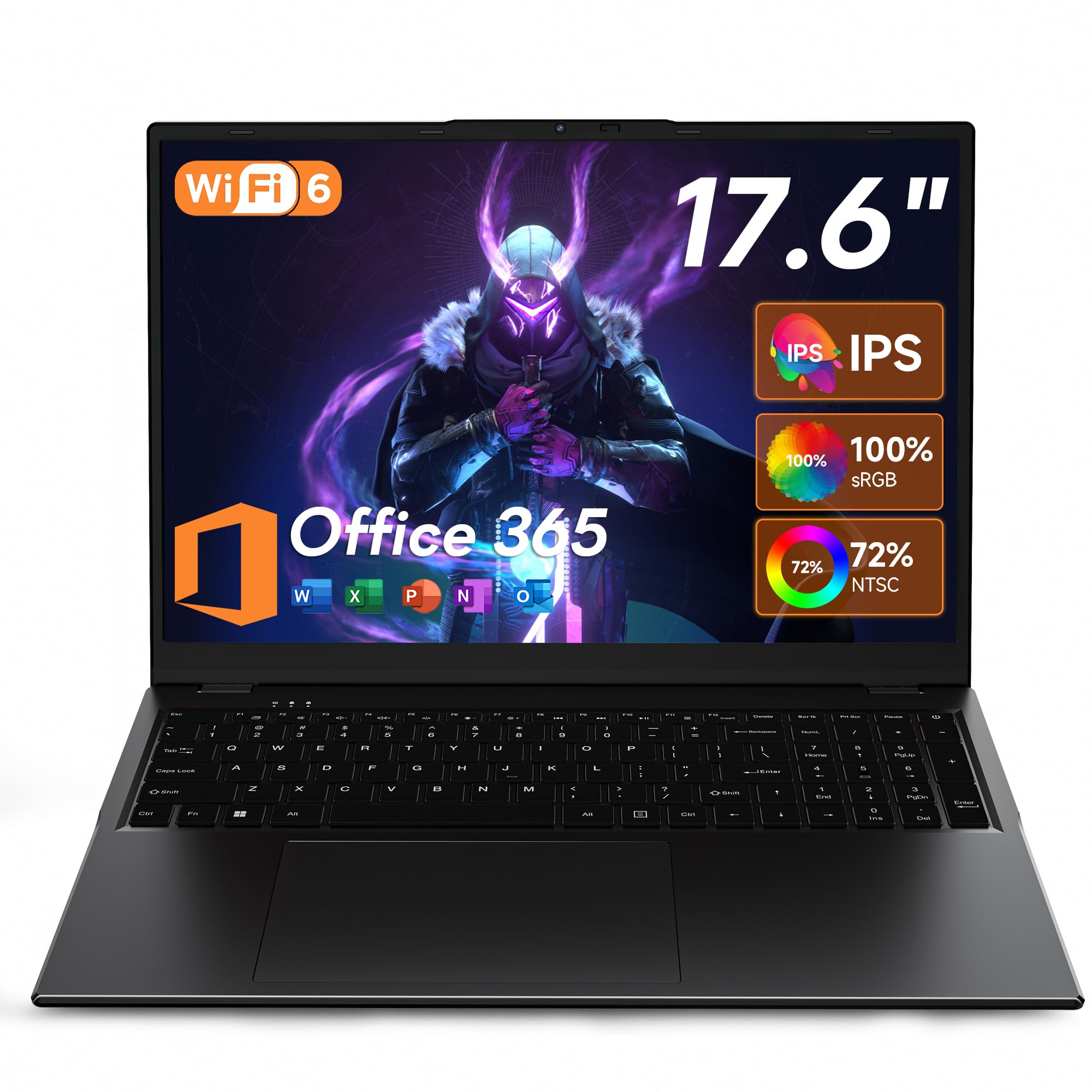
A giant screen and a one-year Office subscription for an entry-level price.
At 17.6 inches, this jumper offers the biggest display in the roundup — a 1920 x 1200 Full HD screen with a 16:10 aspect ratio that gives you extra vertical space for reading documents or browsing the web. The Intel N95 processor runs at 3.4 GHz, while the Core i5 in the Lenovo IdeaPad 1i reaches up to 4.4 GHz, and it is not suitable for heavy gaming or video editing, but it handles web browsing, word processing, and streaming with ease. The 1TB SSD is paired with an additional 128GB of eMMC storage, giving you more space for files than most budget laptops offer. This is the best value pick for students who need a big screen and Office built in; skip it if you need a fast processor for gaming or video editing.
A major perk is the included 12-month subscription to Office 365, which covers Word, Excel, and PowerPoint — saving you around a hundred dollars if you would have bought it separately. The 7000mAh battery is rated for up to 8 hours, though buyers report it is closer to 5-6 hours in real use, which is still decent for a budget model. The large screen makes media consumption enjoyable, and the backlit keyboard is a nice touch for a machine at this price level. The design is not premium, and the LCD panel is less vibrant than the IPS screens on pricier laptops, but the value is tough to top for students who need a big display and Office built in.
Value Highlights
- 17.6-inch 1920×1200 display is great for split-screen work and movies
- 1TB SSD plus 128GB eMMC gives you generous total storage
- Includes a full year of Office 365 at no extra cost
- Backlit keyboard is a rarity at this price point
Entry-Level Limits
- Intel N95 processor struggles with demanding software or heavy multitasking
- LCD screen is less vibrant than pricier IPS or OLED alternatives
- Build quality feels less sturdy than premium options
Ideal for: students or anyone on a tight budget who needs a big screen and a full Office suite included.
Better choices if: you need serious processing power for gaming, design, or coding.
8. ASUS Daily Vivobook, 14″ FHD Display, Intel Core i3-1215U, 16GB RAM, 1TB SSD

A portable everyday companion that is slim, light, and reliable for daily tasks.
This 14-inch ASUS Vivobook is built for portability — it is lightweight, sleek, and fits easily in a backpack. The Full HD IPS-level display (1920 x 1080) is anti-glare, so you can work in a coffee shop without fighting reflections. The Intel Core i3-1215U processor reaches up to 4.4 GHz, making it snappy enough for browsing, Office apps, and streaming. With 16GB of DDR4 RAM and a 1TB PCIe NVMe SSD, it boots quickly and handles the typical multitasking of a student or remote worker without lag.
Where it falls short compared to the Lenovo IdeaPad 1i is the CPU — the i3-1215U reaches up to 4.4 GHz, and the i5-1235U in the Lenovo also reaches up to 4.4 GHz, so it is not built for heavy photo editing or compiling code. A real trade-off that buyers point out: “Battery lasts for 2 hours tops” when running Windows 11, though it stretches to 4 hours with Linux. That is a drop compared to the 8-hour rating on the jumper model. It also lacks an SD card reader, so photographers will need a micro flash drive or adapter. The touchscreen with number pad that some buyers mention is not available on all configurations, so double-check the listing if that matters to you.
Why It Works
- Lightweight and slim design is perfect for daily carry
- Anti-glare 14-inch FHD display is comfortable indoors
- 1TB SSD and 16GB RAM provide zippy performance for everyday apps
- Wi-Fi 6 keeps connections stable on modern networks
Watch Out For
- Battery life is short — some owners mention just 2 hours on Windows
- Core i3 processor is not meant for heavy workloads
- No SD card slot, which is inconvenient for photographers
A good match for: students and remote workers who need a portable, affordable laptop for browsing, typing, and streaming.
Not your laptop if: you need long battery life away from an outlet or want to run demanding software.
9. HP 255 G10 Laptop, 16GB RAM, 1TB SSD, 15.6″ Full HD, AMD Ryzen 3 7330U, Windows 11 Pro

A no-frills business machine that runs Windows 11 Pro and lasts all workday.
This HP 255 G10 comes with Windows 11 Pro from the start, which is a step up for business users who need features like BitLocker encryption or the ability to join a domain. The AMD Ryzen 3 7330U processor runs at up to 4.3 GHz and is more than capable for spreadsheets, email, and web apps, though it is slower than the Ryzen 7 in the NIMO or the Core i5 in the Lenovo for heavier multitasking. The 15.6-inch Full HD LED-backlit display is crisp and clear, making it pleasant for long document sessions. This is the best pick for business users who need Windows 11 Pro; pass on it if you need a fast processor for creative work.
However, customers note mixed real-world results — some call it “poor battery life requires frequent charging,” while others find it sufficient for a shift. The 1TB PCIe NVMe SSD ensures fast boot times and data access. The laptop is described as “light and compact,” though some users note the fan can get loud under load and there is no backlit keyboard. It is a solid, basic work laptop with a Pro operating system at a budget-friendly price.
Practical Points
- Windows 11 Pro includes business-grade security and management features
- 10-hour rated battery is among the best in this price tier
- Full HD display is clear and suitable for all-day office work
- Fast storage with a 1TB PCIe NVMe SSD
The Downsides
- Fan can become noticeably loud under heavier workloads
- No backlit keyboard, which some remote workers may miss
- Reviewers point out inconsistent battery life in real use
Pick this for: budget-conscious business users who need Windows 11 Pro and a long battery life estimate for a standard workday.
Pass if: you need a backlit keyboard or a powerful processor for creative work.
Understanding the Specs
PCIe NVMe SSD vs eMMC
The 1 TB of storage in these laptops is almost always a solid-state drive (SSD) using the PCIe NVMe interface, which reads and writes data many times faster than the older eMMC storage found in budget tablets. A PCIe Gen 4 SSD, like the one in the Acer Nitro V 16S and the NIMO, can reach read speeds over 6000 MB/s, which means your operating system boots in seconds and large files transfer almost instantly. Some budget models pair the 1TB SSD with a smaller eMMC drive — the jumper has 128GB eMMC plus the 1TB SSD — which adds slower bulk storage for files you do not access as often.
Refresh Rate and Why It Matters
Measured in Hertz (Hz), the refresh rate tells you how many times the screen updates per second. Most standard laptops stick to 60Hz, which is perfectly fine for office work. But a higher rate, like 120Hz on the Dell Inspiron or 180Hz on the Acer Nitro, makes your mouse cursor, scrolling, and in-game movements look noticeably smoother and more fluid. For creative work, a 120Hz OLED display — like the one on the GEEKOM X14 Pro — offers both fluid motion and gorgeous contrast, while a 60Hz IPS screen is still perfectly adequate for browsing and typing.
FAQ
Is 1 TB of storage enough for a laptop?
Is there a noticeable difference between 16GB and 32GB of RAM?
What does a 120Hz or 180Hz refresh rate mean for a laptop?
Which processor lasts longer, Intel or AMD?
Can I upgrade the RAM or storage after buying?
Is a touchscreen worth it on a laptop?
Does a 1 TB laptop work for gaming?
What is the real-world battery life for budget 1 TB laptops?
Is there any difference between a 1 TB SSD and a 1 TB hard drive?
What is the difference between Windows 11 Home and Windows 11 Pro?
Final Thoughts: The Verdict
If you want one dependable pick, the best 1 tb laptop winner is the Lenovo IdeaPad 1i because it balances a Core i5 processor, 24GB of RAM, and a useful touchscreen at a mid-range price. If you value extreme portability and a gorgeous OLED screen for creative work, grab the GEEKOM GeekBook X14 Pro. And for serious gaming with an RTX 5060 and a fast 180Hz display, the standout is the Acer Nitro V 16S.
How We Picked
We do not accept paid placement, and we did not hands-on test every unit. Instead, we match each pick to a real buyer and use-case by comparing the manufacturers’ published specifications against the patterns in verified customer reviews — so you get each pick’s real strengths and trade-offs instead of marketing copy.
Sources & Methodology
Specifications: manufacturer listings and product documentation. Review insights: verified customer reviews, as of July 2026. Pricing: not shown on this page (it changes often); check the current price via the retailer link.
As an Amazon Associate, Gadgets Feed earns from qualifying purchases. This does not affect which products we feature.
Product prices and availability are accurate as of the date/time indicated and are subject to change. Any price and availability information displayed on Amazon at the time of purchase will apply to the purchase of this product. As an Amazon Associate I earn from qualifying purchases.
CERTAIN CONTENT THAT APPEARS ON THIS SITE COMES FROM AMAZON. THIS CONTENT IS PROVIDED "AS IS" AND IS SUBJECT TO CHANGE OR REMOVAL AT ANY TIME.
Amazon and the Amazon logo are trademarks of Amazon.com, Inc. or its affiliates.