
Getting the airflow right in a PC case is an exercise in balance — too little static pressure and your radiator runs hot, too much noise and your desk becomes a drone zone. The 140mm form factor has become the sweet spot for builders who want more swept area than a 120mm without the turbulence larger fans sometimes produce.
I’m Min — the co-founder and writer behind Gadgets Feed. For this guide I cross-referenced CFM ratings, decibel curves, bearing types, and RPM ranges across seven models to isolate which 140mm fans actually deliver on their marketed specs under real-world resistance.
Whether you are chasing whisper-quiet idle temps or high-pressure radiator push, these picks represent the best engineering at their respective tiers. After testing data and stacking real user reports, I isolated the definitive best 140mm case fan for each build priority.
How To Choose The Best 140mm Case Fan
A 140mm fan looks simple but the internal engineering — bearing type, blade geometry, motor control — radically changes how it behaves on a radiator versus an open mesh panel. Focusing on the wrong spec can leave you with a fan that either chokes under back-pressure or sounds like a vacuum cleaner at load.
Static Pressure vs Airflow (CFM)
If you are mounting a 140mm fan directly behind a mesh filter or onto a radiator, high static pressure measured in mmH₂O is critical — it represents the fan’s ability to push air through resistance. For an open intake or exhaust with minimal restriction, raw CFM (cubic feet per minute) is the better measure of how much air volume moves through the case. A fan rated 2.4 mmH₂O like the Corsair RS140 MAX will outperform a pure-airflow design the moment you place a radiator in front of it.
Bearing Longevity and Noise Floor
Fluid dynamic bearings (FDB) and rifle bearings both use a lubricant film that separates metal surfaces, yielding quieter operation and longer lifespans — typically 50,000 to over 150,000 hours — compared to sleeve bearings that dry out faster. The decibel rating matters, but pay attention to the frequency: a fan rated 30 dB(A) with a smooth hum sounds quieter than a 25 dB(A) fan with a high-pitched whine under 40% PWM.
PWM Control and Fan Thickness
4-pin PWM lets your motherboard modulate speed dynamically between idle silence and full load push, which is essential for noise-aware builds. Standard 140mm fans measure 25 mm thick, but some premium models like the Corsair RS140 MAX increase to 30 mm — a 20% larger blade cross-section that moves more air at lower RPM but may conflict with tight case clearances near motherboard VRM heatsinks or front-panel connectors.
Quick Comparison
On smaller screens, swipe sideways to see the full table.
| Model | Category | Best For | Key Spec | Amazon |
|---|---|---|---|---|
| ARCTIC P14 Pro PST 5-Pack | Premium | Best overall value in a multi-pack | 2500 RPM / 110 CFM / FDB | Amazon |
| Corsair RS140 MAX | Premium | Radiator push with 30mm thickness | 1600 RPM / 104 CFM / 2.4 mmH₂O | Amazon |
| Noctua NF-A14 ULN | Premium | Dead-silent open-air builds | 800 RPM / 11.9 dB(A) / 150k h MTBF | Amazon |
| be quiet! Light Wings LX | Mid-Range | ARGB center-glowing with closed-loop motor | 2200 RPM / 2.45 mmH₂O / 60k h | Amazon |
| AsiaHorse Amici 140mm (White) | Mid-Range | Infinity-mirror ARGB on a budget | 2000 RPM / 89.77 CFM / 30 dB(A) | Amazon |
| AsiaHorse Amici 140mm (Black) | Mid-Range | Same ARGB performance, black finish | 2000 RPM / 89.77 CFM / 30 dB(A) | Amazon |
| NZXT F140Q | Entry-Level | Silent intake or exhaust at low cost | 1500 RPM / 29.8 dB(A) / 60k h | Amazon |
In‑Depth Reviews
1. ARCTIC P14 Pro PST 5-Pack
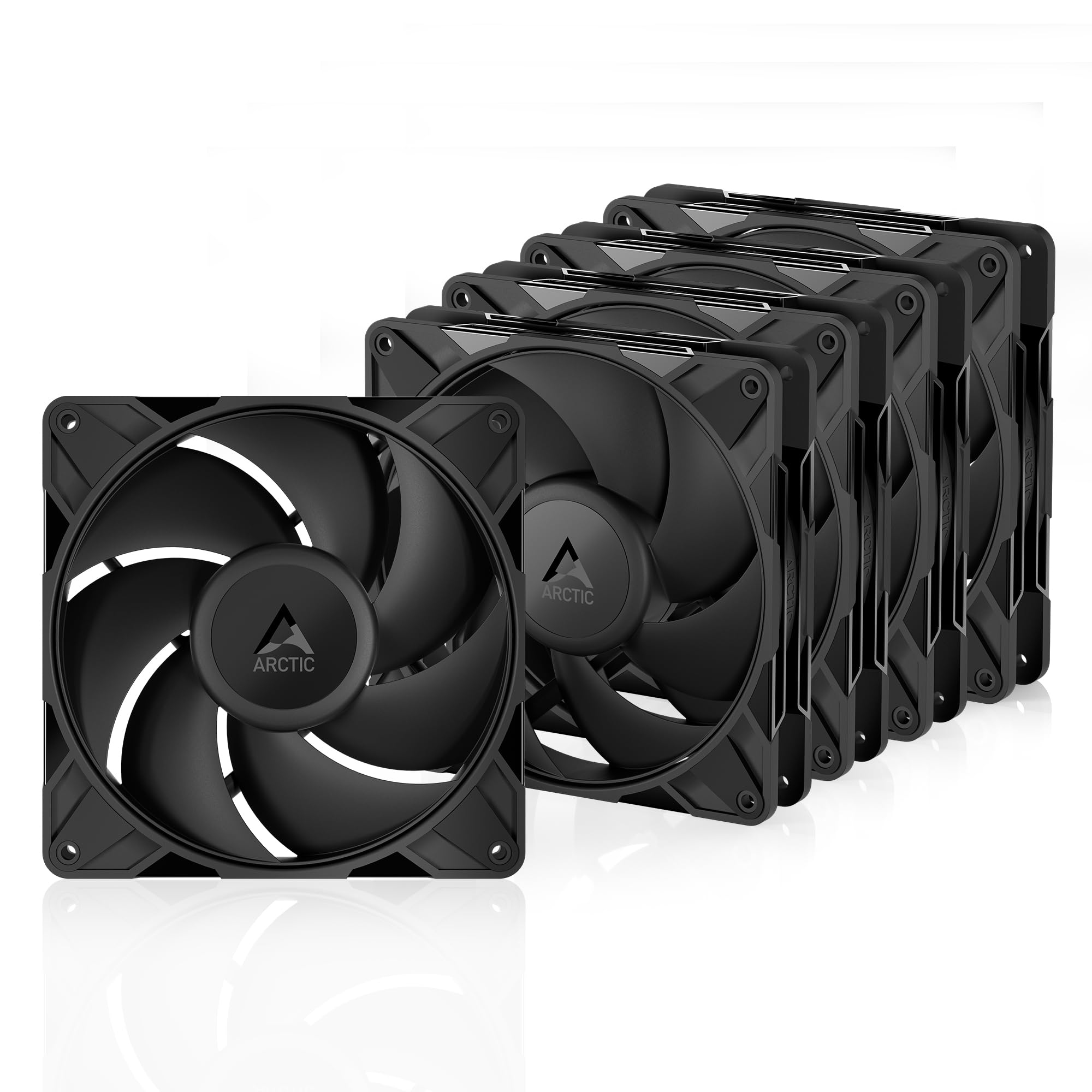
The ARCTIC P14 Pro PST hits a class-leading 2500 RPM ceiling with a fluid dynamic bearing rated for long life, and the five-pack pricing makes per-fan cost hard to beat. Redesigned rotor blades balance static pressure against broad CFM output, letting you run them at moderate speeds for near-silent operation while still delivering enough force to penetrate dense radiator fins or mesh panels.
Each fan supports daisy-chain PWM through the PST (Power Saving Technology) connector, which simplifies cable routing in builds with multiple radiator mounts. The 0 RPM mode below 5% PWM allows passive airflow scenarios during idle or light loads — a feature usually reserved for pricier models.
At full tilt the fans produce noticeable whoosh, so noise-sensitive users will want to cap them at 60% via a custom fan curve. The screws included are a bit soft and the mounting holes are unthreaded, so using spare case screws from your kit is a practical workaround.
Why it’s great
- Exceptional 2500 RPM max speed with FDB bearing durability
- Five-pack value dramatically reduces per-unit cost
- PWM daisy-chain simplifies cable management in dense builds
Good to know
- Noisy above 60% PWM without a custom curve
- Included screws are soft and mounting holes lack threading
- Appearance is utilitarian with no RGB or mirror finish
2. Corsair RS140 MAX
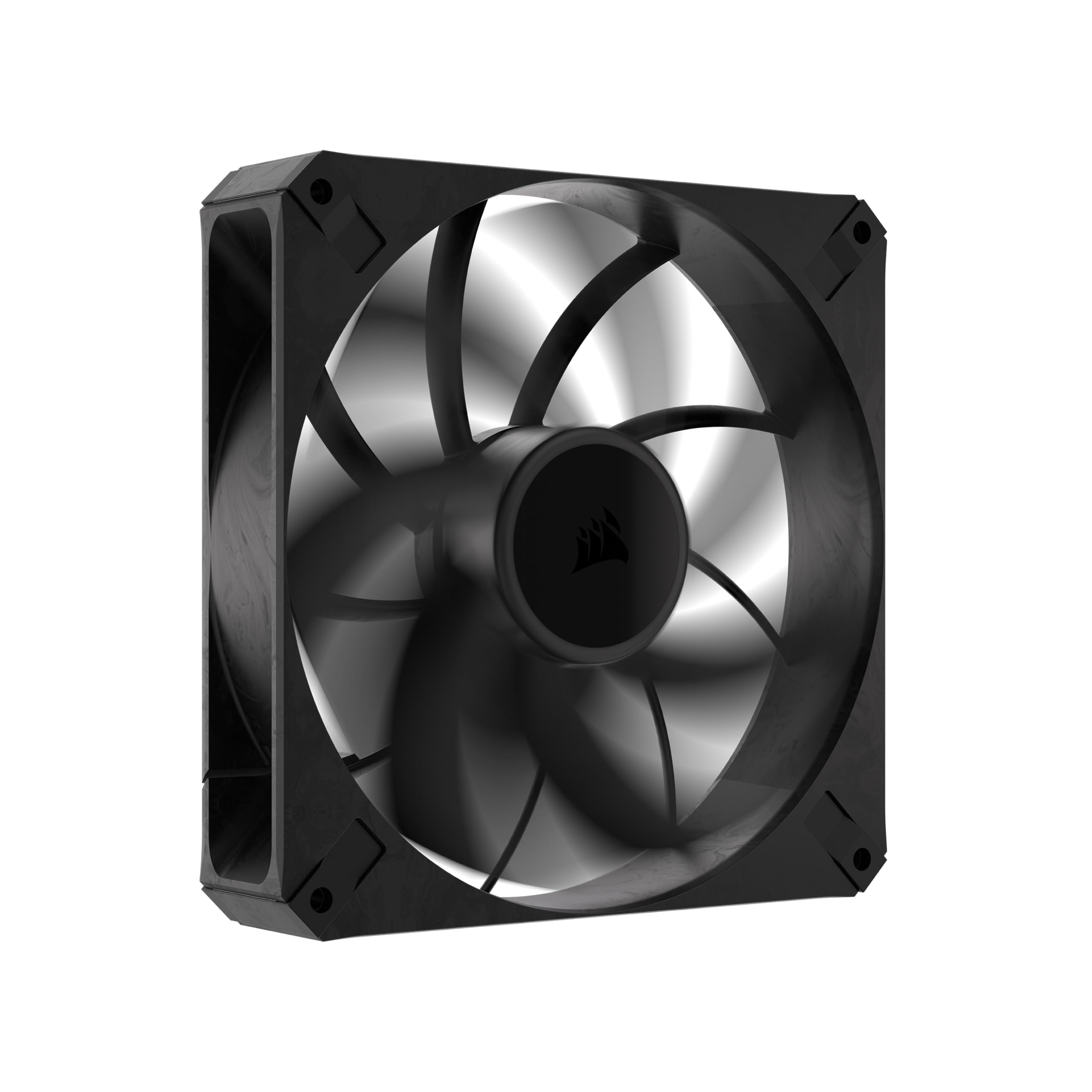
The Corsair RS140 MAX breaks the 25 mm standard by adding 5 mm of thickness, which increases the blade chord and allows the fan to produce 104 CFM at a moderate 1600 RPM. Liquid crystal polymer construction keeps the blades rigid under load, suppressing resonance and flutter that cheaper plastics introduce at higher static pressure levels.
Static pressure hits 2.4 mmH₂O, making this the strongest radiator-oriented 140mm on this list. AirGuide technology with anti-vortex vanes channels the output into a focused column rather than a diffuse cone, which helps push air through thick 30 mm radiators or dual-fan stacks without recirculation at the edges.
Because the fan draws more power than a standard 140mm, daisy-chaining three on a single header can exceed the motherboard amperage limit, leading to resonance. Spreading them across separate headers with individual PWM curves resolves the issue entirely.
Why it’s great
- 30 mm thickness moves substantially more air than standard 25 mm fans
- LCP construction eliminates blade flex at high RPM
- 104 CFM at only 1600 RPM keeps noise reasonable under load
Good to know
- Higher power draw may require splitting across multiple motherboard headers
- No daisy-chain connector — each fan needs its own cable
- Physically thicker so clearance checks are mandatory before purchase
3. Noctua NF-A14 ULN

The Noctua NF-A14 ULN is engineered for absolute acoustic discipline. At 800 RPM standard and 650 RPM with the bundled Low-Noise Adaptor, it produces a mere 11.9 dB(A) — quieter than most room ambient noise floors. Flow Acceleration Channels on the blade surface reduce the boundary layer separation that creates turbulence noise, letting the fan move 79.8 m³/h without the typical whoosh.
It is a 3-pin DC model, meaning PWM fan-curve granularity is not available, but for builds targeting dead silence the fixed low speed is exactly the point. The included anti-vibration mounts and NA-RC7 Low-Noise Adaptor give you two noise floors to choose from without any software configuration.
The brown color scheme divides opinion strongly, and the rubber mounting system can be fiddly — some users end up swapping to standard screws. At these RPMs it is not the choice for high-CFM radiator stacks, but for a living-room HTPC, fanless PC supplementary exhaust, or quiet office workstation it is unmatched.
Why it’s great
- Industry-leading 11.9 dB(A) noise floor at 800 RPM
- 150,000-hour MTBF backed by Noctua’s bearing quality
- Includes Low-Noise Adaptor, anti-vibration mounts, and extension cable
Good to know
- 3-pin DC only — no PWM curve control
- Low 800 RPM ceiling limits raw airflow for radiator use
- Brown color clashes with most build aesthetics
4. be quiet! Light Wings LX 140mm PWM High-Speed
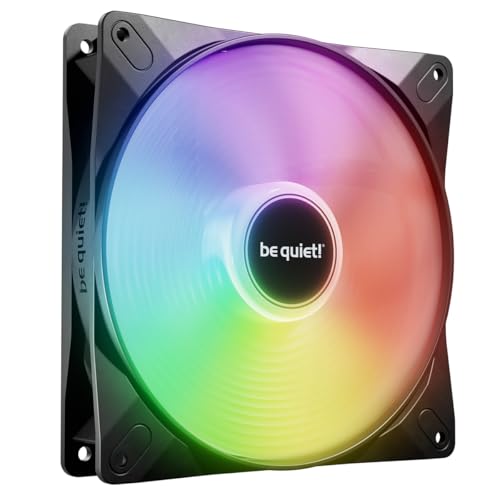
be quiet!’s Light Wings LX places 16 addressable LEDs inside the hub, shining outward onto frosted blades to create a uniform glow rather than discrete hot spots. The closed-loop motor technology compensates for resistance — if a radiator or dust filter slows the blade, the motor increases torque to maintain the target RPM, which keeps airflow consistent across varying environmental conditions.
At 2200 RPM max and 2.45 mmH₂O static pressure, this fan is as capable on a liquid-cooling loop as it is on a case exhaust. The rifle bearing delivers a 60,000-hour lifespan with very low noise up to around 40% PWM, after which air turbulence becomes audible but not offensive.
Daisy-chaining both the PWM and ARGB cables is straightforward, though the included cables are on the shorter side. Users report that the fan is virtually silent until the curve passes 40%, making it a strong candidate for builds where showpiece lighting must not compromise daytime work acoustics.
Why it’s great
- Closed-loop motor maintains target RPM under load resistance
- 2.45 mmH₂O static pressure suits radiator and mesh applications
- Quiet up to 40% PWM with smooth, even ARGB glow
Good to know
- Increased noise above 40% PWM threshold
- Short cables may require extensions or careful routing
- Rifle bearing lifespan (60k h) is lower than premium FDB options
5. AsiaHorse Amici 140mm ARGB (White)
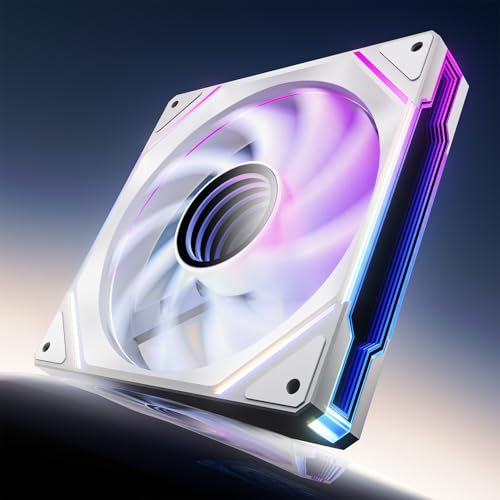
The AsiaHorse Amici undercuts most ARGB 140mm fans on price while delivering 89.77 CFM and 3.24 mmH₂O at 1800 RPM — a spec sheet that competes with fans costing twice as much. The hydraulic bearing is oil-filled to reduce metal-on-metal friction, targeting a 50,000-hour lifespan with a noise floor that stays below 30 dB(A) in most operating ranges.
The infinity mirror center and 24 LED beads produce deep, saturated ARGB effects that sync natively with Asus, Gigabyte, and MSI motherboard software. Daisy-chain wiring uses separate 5V 3-pin ARGB and 4-pin PWM connectors, so cable management is clean but requires planning per chain (three fans maximum recommended).
The design is nearly silent at low RPMs and only becomes audible above 1500 RPM, making it viable for gaming rigs where the GPU fans will mask most of the noise anyway. Aesthetic consistency is excellent for the white model — the mirrored center and frosted blades create a uniform look across all fan positions.
Why it’s great
- 89.77 CFM and 3.24 mmH₂O at an accessible price point
- Vivid infinity mirror ARGB with motherboard sync support
- Hydraulic bearing stays quiet through normal fan curves
Good to know
- White model shows a black plastic center ring that breaks color uniformity
- Daisy-chain limited to three fans per chain to avoid overcurrent
- Non-replaceable bearings mean full fan replacement at end of life
6. AsiaHorse Amici 140mm ARGB (Black)
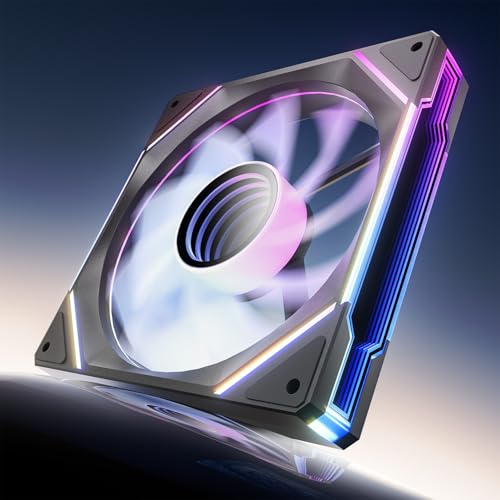
This is the black variant of the same AsiaHorse Amici platform, sharing the same 89.77 CFM airflow, 3.24 mmH₂O static pressure, and PWM-adjustable 800-1800 RPM range. The hydraulic bearing and closed-loop lubrication are identical, meaning the same smooth acoustic profile and 50,000-hour projected lifespan.
The dark frame and black fan blades eliminate the aesthetic mismatch that some users noted on the white version — the black plastic center ring blends seamlessly with the rest of the fan body. The infinity mirror effect remains vivid with 24 ARGB LEDs, and the same motherboard sync compatibility applies across all major platforms.
Because the outer frame and blades are black, the ARGB lighting appears more contrast-rich against the dark backdrop, which is often preferred in builds with tinted glass panels. Installation mirrors the white model exactly — rubber pads on the corners dampen vibration, and the daisy-chain wiring follows the same three-fan limit per group.
Why it’s great
- Identical high CFM and static pressure as the white model
- Black-on-black design resolves the visible center ring issue
- ARGB colors pop more against the dark fan body
Good to know
- Same three-fan daisy-chain limit applies
- Noise becomes noticeable above 1500 RPM
- Hydraulic bearing will eventually need replacement at end of life
7. NZXT F140Q

The NZXT F140Q uses nine sickle-shaped blades with a chamfered frame to concentrate airflow into a focused column that travels deeper into the case rather than dissipating immediately at the fan face. This directional flow pattern is particularly effective for front intake configurations where the fan sits far from the CPU and GPU zones.
PWM control spans the full 1500 RPM range, and the fluid dynamic bearing targets a 60,000-hour reliability window while keeping the noise rating at 29.8 dB(A). In practice users report the fan is genuinely quiet during normal operation, with only a mild air rush at the upper end of the curve.
At its entry-level price point the F140Q lacks ARGB lighting and the premium bearing longevity of Noctua options, but for builders who simply need a quiet, reliable 140mm fan for case airflow without aesthetic extras, it delivers consistent performance with no fuss installation.
Why it’s great
- Focused airflow column improves component cooling at distance
- Fluid dynamic bearing delivers 60,000-hour reliability
- Quiet operation at typical in-case PWM levels
Good to know
- No RGB or lighting of any kind
- Not optimized for high static pressure radiator use
- 1500 RPM ceiling limits max airflow compared to faster models
FAQ
Can I use a 140mm fan in a case that only supports 120mm mounts?
Is a thicker 30 mm fan like the Corsair RS140 MAX worth the space trade-off?
Should I choose a fluid dynamic bearing or a rifle bearing for a 24/7 build?
How many 140mm fans can I safely connect to one motherboard header?
Final Thoughts: The Verdict
For most users, the best 140mm case fan winner is the ARCTIC P14 Pro PST 5-Pack because it combines a high 2500 RPM ceiling, fluid dynamic bearing, and five-pack pricing that no competitor matches per fan. If you need extreme static pressure for a thick radiator loop, grab the Corsair RS140 MAX. And for a dead-silent office or HTPC build, nothing beats the Noctua NF-A14 ULN.