
A 1440p portable monitor is the missing link between cramped laptop screens and bulky desktop setups, offering a pixel density that makes text razor-sharp and images pop without the steep hardware demands of 4K. For professionals editing spreadsheets or creatives reviewing photos on the go, 2560×1440 hits a sweet spot where every detail is visible without hunting for a power outlet every hour.
I’m Min — the co-founder and writer behind Gadgets Feed. After spending dozens of hours dissecting technical specs, refresh rates, panel types, and brightness figures across the most popular 1440p portable monitors, I’ve zeroed in on the models that genuinely deliver on clarity, color accuracy, and real-world usability.
This guide cuts through the marketing noise to rank the genuine standouts, helping you find the best 1440p portable monitor for your specific workflow, whether that involves gaming on the road or building a mobile productivity station.
How To Choose The Best 1440p Portable Monitor
Not all QHD portable monitors are built the same. The key is matching the panel’s strengths to your daily tasks, whether that means a silky 144Hz for competitive gaming or a color-accurate IPS for design work.
Resolution Sharpness and Pixel Density
At screen sizes between 16 and 18 inches, 2560×1440 delivers a pixel density around 185–210 PPI — noticeably sharper than 1080p without the GPU-taxing overhead of 4K. This makes text look crisp and fine details in graphics stand out, especially important if you’re editing high-resolution images or reading dense code for hours.
Refresh Rate and Response Time
For productivity, a standard 60Hz panel is perfectly adequate, but if you plan on connecting a gaming laptop or console, look for 120Hz or higher. Monitors with 144Hz refresh rates and FreeSync support eliminate screen tearing during fast-paced gameplay, though driving those frames at 1440p requires a capable GPU.
Connectivity and Power Delivery
Most portable monitors rely on a single USB-C cable for both video and power, but this only works if your laptop supports DP Alt Mode over USB-C. Models with full-sized HDMI ports offer broader compatibility with older laptops and game consoles, while built-in batteries free you from wall outlets during short sessions.
Quick Comparison
On smaller screens, swipe sideways to see the full table.
| Model | Category | Best For | Key Spec | Amazon |
|---|---|---|---|---|
| VisionOwl 18.5″ 2K QHD | Premium | Gaming & High-Brightness Work | 120Hz / 500 nits / 2K QHD | Amazon |
| UPERFECT 18″ QLED | Premium | Color-Critical Creative Work | 144Hz / 100% DCI-P3 / QLED | Amazon |
| HotYeah 17.3″ Wireless | Mid-Range | True Wireless & Battery Freedom | 8000mAh / 500 nits / Wireless | Amazon |
| ROYY 16″ 2.5K Extender | Premium | Dual-Screen Laptop Attachment | 235° Rotation / Detachable | Amazon |
| InnoView 18.5″ Dual 2K | Premium | Dual-Monitor Mobile Workstation | 100Hz / 315° Rotation / Foldable | Amazon |
| InnoView 23.8″ Dual 2K | Premium | Fixed Office Dual-Screen Setup | 180Hz / Foldable / 315° Flip | Amazon |
| sharanix 15.6″ Triple Extender | Budget | Maximizing Screen Real Estate | Triple 1080p / 3.9 lbs | Amazon |
| VisionOwl Dual 15.6″ Stacked | Mid-Range | Vertical Dual-Screen Productivity | 1080p Stacked / 3.5 lbs | Amazon |
| VisionOwl 17.3″ 4K | Premium | Ultra-High Brightness & Detail | 4K / 600 nits / 1.75 lbs | Amazon |
In‑Depth Reviews
1. VisionOwl 18.5 Inch 2K QHD 120Hz
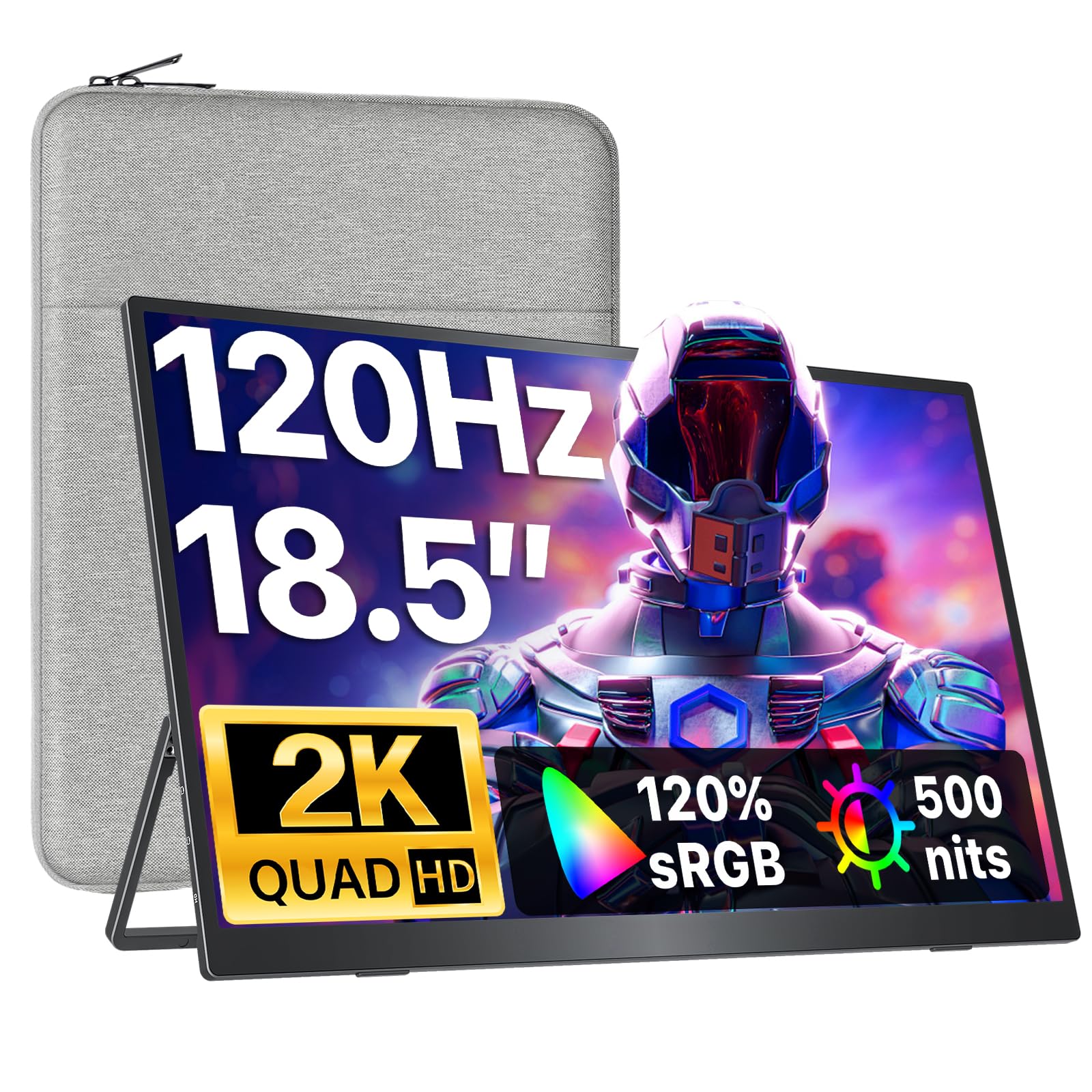
The VisionOwl 18.5-inch 2K QHD monitor strikes a near-perfect balance between screen real estate and portability, weighing just 2.5 lbs while delivering a 120Hz refresh rate that makes both productivity scrolling and console gaming feel fluid. Its 500-nit peak brightness (unlocked via the included power adapter) keeps the display readable even near a window, and the matte anti-glare surface cuts reflections during extended work sessions.
Color performance hits 120% sRGB coverage, which produces vivid yet accurate hues for photo editing or watching HDR content. The magnetic smart cover doubles as a kickstand, and the bundle includes both USB-C and HDMI cables plus a dedicated power brick — no extra purchases needed. A minor trade-off is that single-cable USB-C mode locks brightness to 300 nits to conserve laptop battery, but that’s still brighter than many competing panels at this price tier.
Customers consistently praise the immediate plug-and-play compatibility with MacBooks, PCs, and the Nintendo Switch, with multiple reviews noting zero noticeable input lag during fast-paced games. The occasional flicker reported at high brightness can typically be resolved by dialing back to around 55% brightness, which still remains more than adequate for indoor use.
Why it’s great
- 120Hz refresh rate smooths gaming and general workflow animations
- 500-nit peak brightness with anti-glare matte finish
- Lightweight 2.5 lb design with magnetic cover stand
Good to know
- Single USB-C mode limited to 300 nits without external power
- Built-in speakers are serviceable but not room-filling
2. UPERFECT 18″ QLED 2K 144Hz

The UPERFECT 18-inch QLED panel sets itself apart with a 2560×1600 resolution and 100% DCI-P3 color gamut coverage, making it a legitimate choice for video editors and designers who need wide color accuracy outside the home office. The quantum dot technology delivers deeper blacks and richer color saturation compared to standard IPS panels, while the 144Hz refresh rate and FreeSync support ensure tear-free gameplay when paired with a compatible GPU.
At just 2.3 lbs and a 0.4-inch profile, this monitor is genuinely easy to slip into a laptop bag, and the included smart cover provides basic protection while doubling as a stand. Connectivity is handled by dual USB-C ports (one for power, one for signal) and a Mini HDMI input, though hitting the full 144Hz refresh rate at 2560×1600 requires a 30W or higher USB-C power adapter and a source that can drive those frames.
User reports highlight the responsive 1ms response time and the effectiveness of the anti-glare coating for outdoor use, though a few note that the built-in speakers are mediocre at best. The 16:10 aspect ratio gives a touch more vertical workspace than standard 16:9 panels, which spreadsheet users and coders tend to appreciate.
Why it’s great
- QLED panel with 100% DCI-P3 for professional-grade color
- 144Hz refresh rate and FreeSync for competitive gaming
- Ultra-slim 0.4-inch profile at 2.3 lbs
Good to know
- Mini HDMI input may require an adapter for some devices
- Full 144Hz performance requires external 30W power
3. HotYeah 17.3″ 2.5K Wireless Portable Monitor
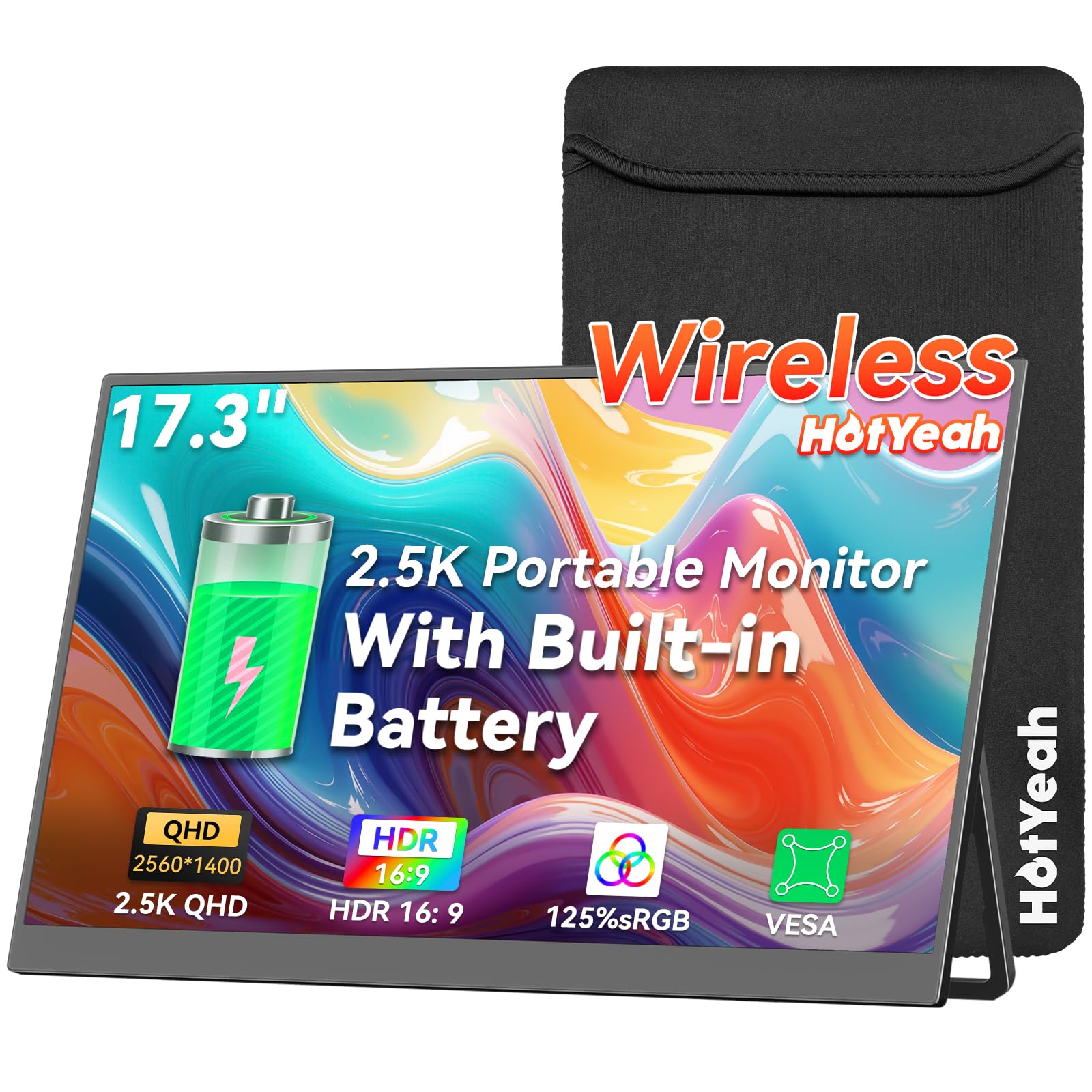
The HotYeah 17.3-inch wireless monitor is a genuine outlier in the portable display space thanks to its built-in 8000mAh battery that delivers 3–4 hours of cord-free operation, plus support for both AirPlay and Miracast for instant screen mirroring from phones, tablets, and laptops. The 2.5K (2560×1440) IPS panel hits 500 nits peak brightness and covers 125% sRGB, making it bright enough for outdoor coffee shop use and accurate enough for casual photo browsing.
A gravity auto-rotation sensor flips the display automatically when used with a phone in portrait orientation, which is handy for reading long documents or scrolling through social feeds. When the battery runs dry, dual USB-C ports and a Mini HDMI input provide reliable wired fallback, though users should confirm their laptop’s USB-C port supports DP Alt Mode before relying on single-cable video. Note that streaming apps like Netflix are blocked from wireless casting due to HDCP copyright protection — a common limitation across wireless displays.
Early adopters report the unit is lightweight and comes with a sturdy metal kickstand, though a small number of units have experienced battery drain issues. The manufacturer’s responsive customer support, including free replacements for defective units, helps offset that risk. This monitor is best suited for those who prioritize cable-free convenience over bulletproof reliability.
Why it’s great
- True wireless casting via AirPlay/Miracast with no cables needed
- 8000mAh internal battery for 3–4 hours off-grid use
- Auto-rotation sensor for phone portrait mode
Good to know
- HDCP blocks Netflix/Prime Video from wireless casting
- Incompatible with Google Pixel phones
4. ROYY 16″ 2.5K Dual Portable Monitor Extender
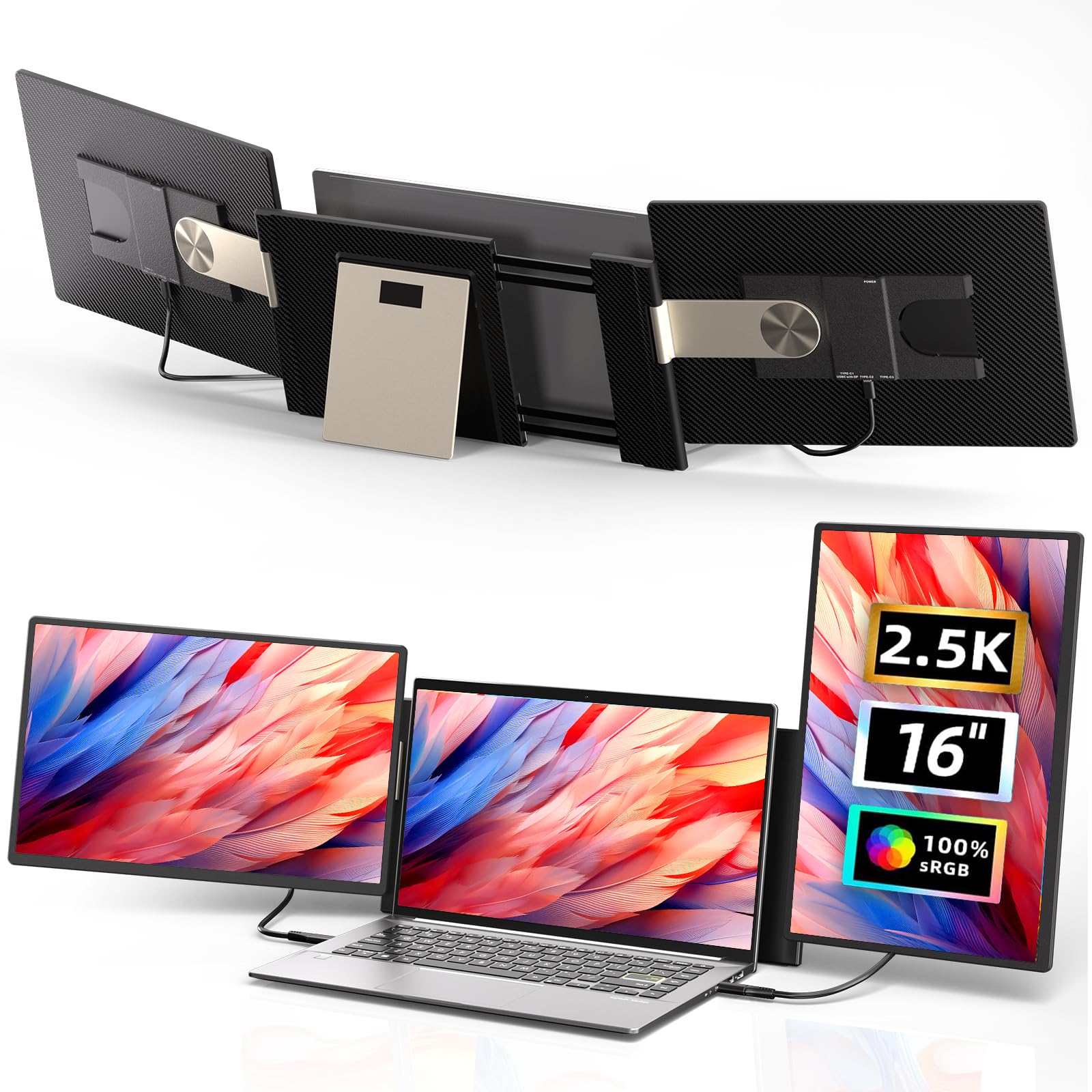
The ROYY 16-inch extender is purpose-built for professionals who need a dual-screen attachment that clips directly onto a 13–17.3-inch laptop, offering 2560×1600 QHD resolution on each panel with 100% sRGB coverage. Each 2-lb screen is fully detachable, meaning you can use one as a standalone portable monitor when traveling light or combine both for a three-screen workstation (laptop + two extenders).
The 235-degree horizontal rotation and 90-degree vertical tilt allow flexible positioning — flip one screen into portrait mode for code reviews or pivot both outward for client presentations. The enhanced magnetic mount keeps the screens securely attached to the laptop lid, and the included cable set (USB-C, HDMI, and a specialized H5 cable for MacBooks) covers most connectivity scenarios. Mac users with M1/M2/M3 chips need the H5 cable connected to the DP port with a separate USB power line, which adds some cable clutter.
Buyers note that setup is straightforward on Windows laptops but can require troubleshooting on certain MacBook Air models due to power delivery limitations. Once running, the anti-glare and flicker-free features reduce eye strain during all-day sessions. The main drawback is that driving both screens simultaneously drains the host laptop’s battery faster, so keeping the laptop plugged in is recommended for prolonged use.
Why it’s great
- Detachable dual screens for flexible single/dual use
- 235° rotation and 90° tilt for portrait/landscape modes
- IPs panels with anti-glare and flicker-free eye care
Good to know
- MacBooks may require special H5 cable and separate power
- Dual-screen use significantly drains laptop battery
5. InnoView 18.5″ Dual Portable Monitor 2K 100Hz
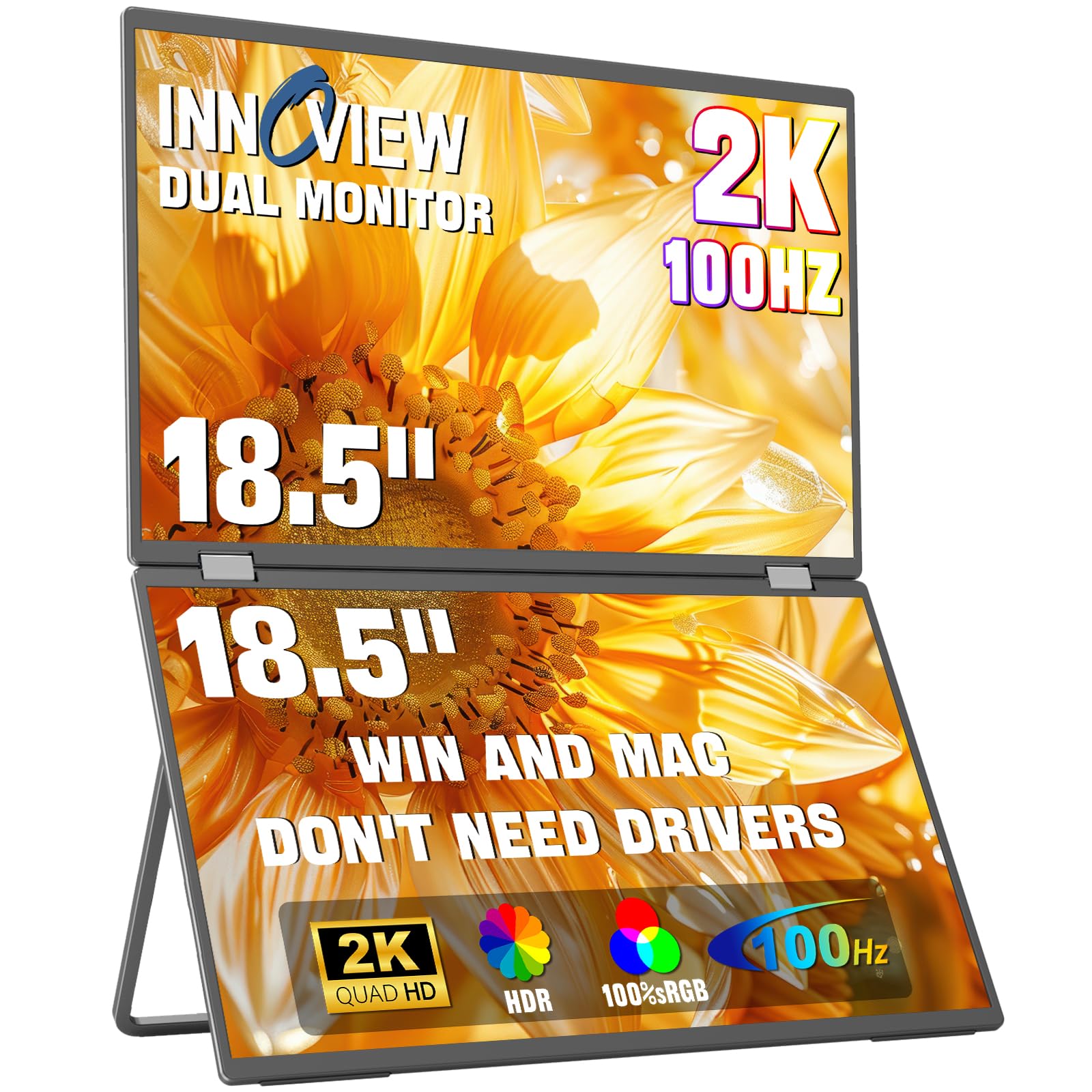
The InnoView 18.5-inch dual monitor folds into a compact unit that unfolds into two 2560×1440 IPS screens, each with 100% sRGB coverage and a 100Hz refresh rate that feels noticeably snappier than standard 60Hz panels. The top screen rotates a full 315 degrees, making it easy to share content with a colleague face-to-face, while the 180-degree adjustable stand supports both stacked and side-by-side configurations.
Each screen delivers 300 nits brightness with a 1000:1 contrast ratio — adequate for indoor use but not ideal for bright outdoor environments. Connectivity is handled by two USB-C ports (one full-function, one power-only), a full-sized HDMI input, and a DisplayPort option, ensuring broad compatibility with modern laptops and desktops. The 65W power adapter can simultaneously power both monitors and charge a connected laptop, reducing cable clutter.
Users applaud the solid metal build and the convenience of having two 2K screens in a single travel-friendly package, though the 3.5 lbs total weight makes it better suited for backpack travel than ultralight carry-ons. Some early units exhibited occasional wake-from-sleep issues that required a power reset, but the 18-month warranty and responsive customer service mitigate that risk.
Why it’s great
- Dual 2K IPS screens with 100Hz refresh rate
- 315° rotating top screen for easy sharing
- 65W power adapter charges laptop while powering monitors
Good to know
- Weighs 3.5 lbs — less portable than single-screen options
- Some units need power reset after sleep mode
6. InnoView 23.8″ Dual Portable Monitor 2K 180Hz
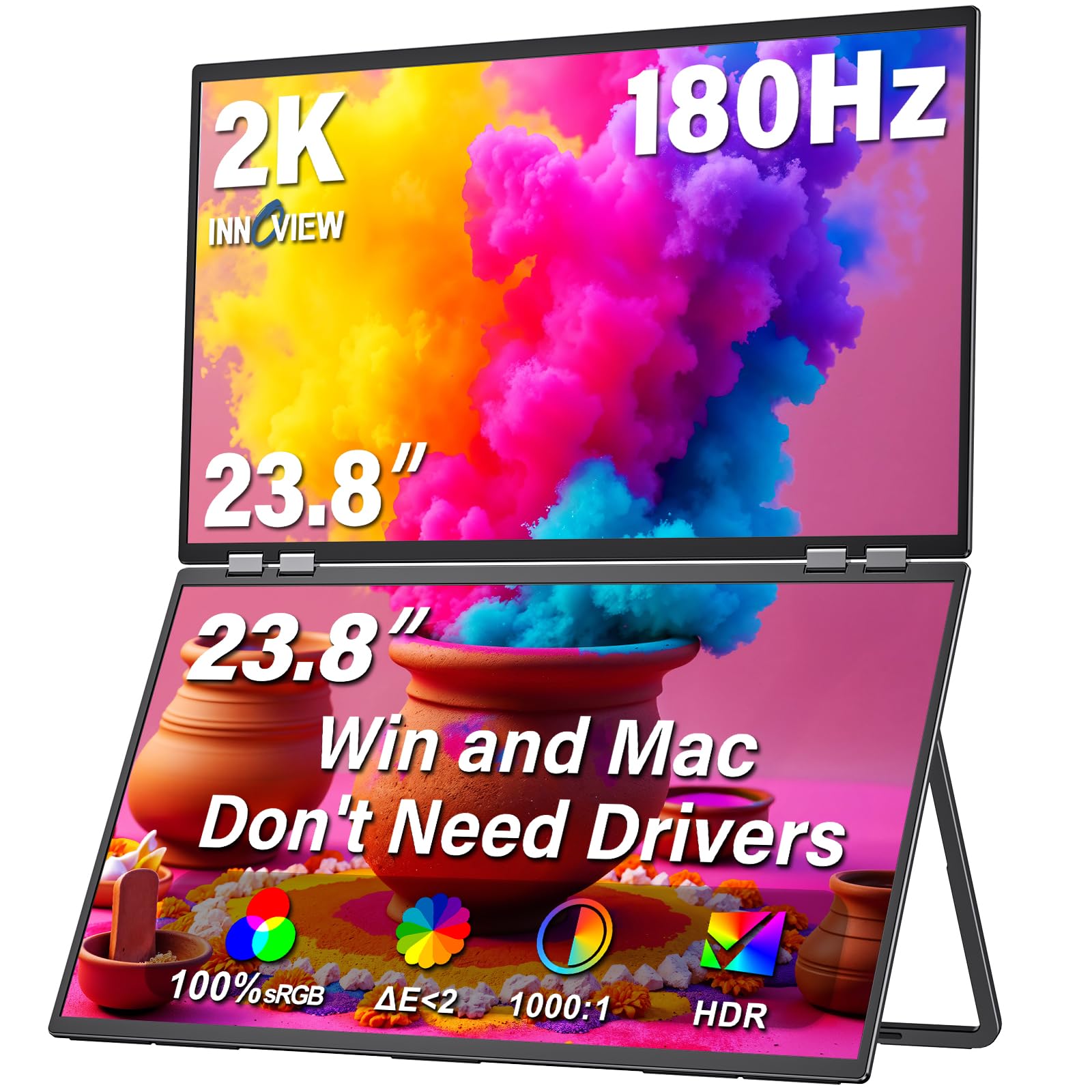
The InnoView 23.8-inch dual monitor is the largest foldable option in this roundup, offering two 2560×1440 QHD panels with a blistering 180Hz refresh rate and FreeSync support. This configuration is less about true portability (the unit is heavy and intended for fixed desk use) and more about delivering a rapid dual-screen desktop replacement that folds flat for storage or transport between office locations.
Color accuracy hits 100% sRGB with a 1300:1 contrast ratio, making it suitable for color-aware tasks, though the 300-nit brightness is best kept away from direct sunlight. Setup is truly driver-free on both macOS and Windows — plug in the included USB-C or HDMI 2.1 cable and the system recognizes both monitors immediately. The 315-degree flip mode lets you rotate the top screen toward a colleague for real-time collaboration.
Customers working from home in medical, coding, and finance roles praise the sharpness and the elimination of alt-tabbing between windows. The integrated speakers are weak, so external headphones or desktop speakers are recommended. A common note is that the screens cannot be used in portrait orientation despite the adjustable stand, which may disappoint users expecting vertical stacking flexibility.
Why it’s great
- Dual 23.8″ 2K panels with 180Hz FreeSync
- True plug-and-play with no driver installation needed
- 315° flip screen for easy collaboration
Good to know
- Heavy and not suitable for daily carry
- Portrait mode is not supported despite adjustable stand
7. sharanix 15.6″ Triple Portable Monitor Extender
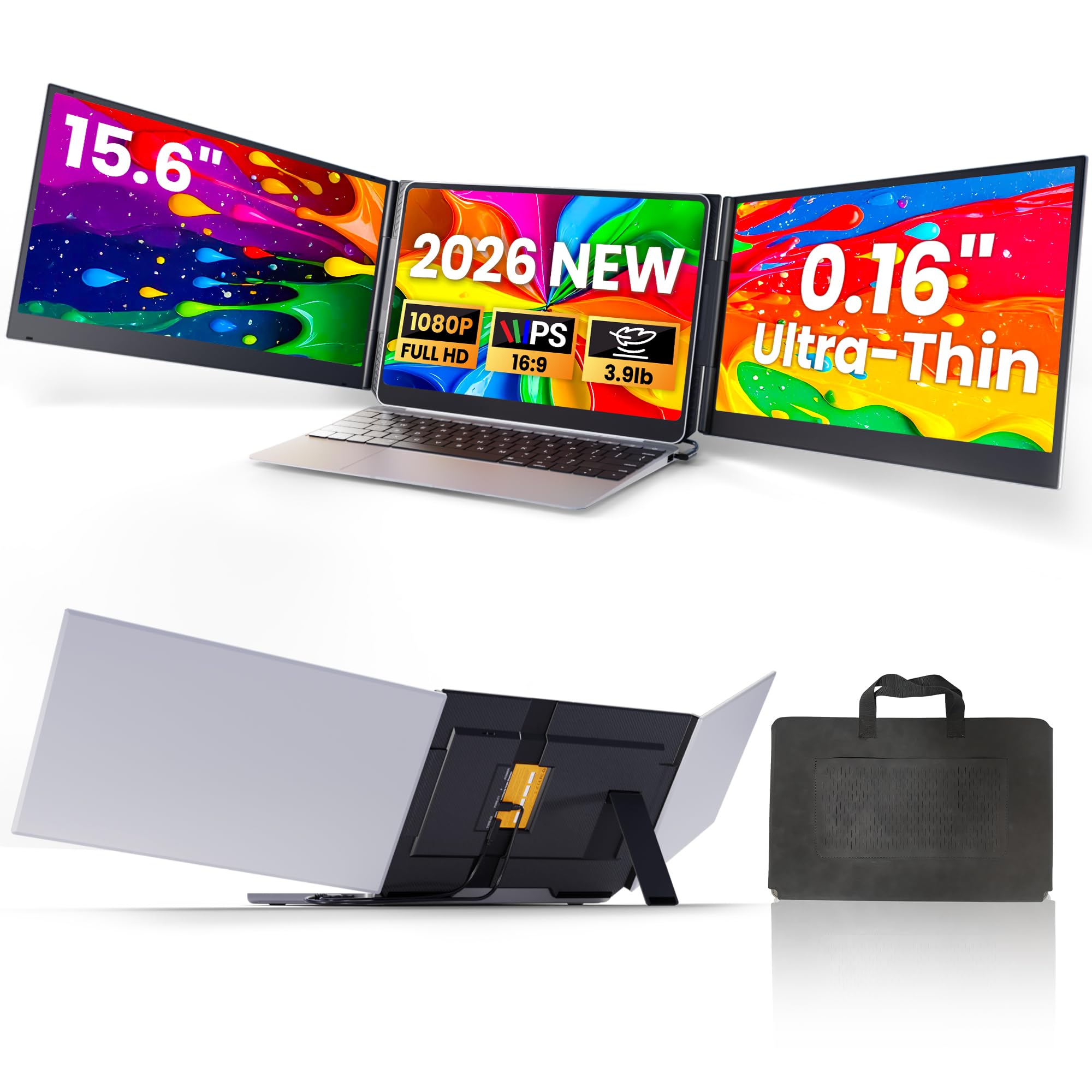
The sharanix triple screen extender attaches two 15.6-inch 1080p IPS panels to the sides of your laptop, creating a three-screen workstation that boosts productivity for tasks like stock trading, data analysis, or software development. Despite offering triple the screen area, the whole assembly weighs just 3.9 lbs and folds into a slim package that slides into the included carrying case.
Each panel delivers 300 nits brightness with 100% sRGB coverage and a 1000:1 contrast ratio, producing decent color for spreadsheet work and web browsing. The aluminum alloy casing resists fingerprints, and the adjustable telescopic stand secures to laptops between 13 and 17.3 inches. The two-cable setup (USB-C for data plus USB-C for power) is straightforward on compatible laptops, though M1–M3 MacBooks require a special H5-T cable and driver installation.
User feedback emphasizes the significant workflow improvement and the clear, bright screens, though some note the unit feels heavier than expected when packed in a bag. The case lacks dedicated cord storage, and the screens are unstable on lap desks without the laptop clip. For professionals who need maximum screen real estate in a single travel-friendly package, this extender delivers impressive value.
Why it’s great
- Two additional 15.6″ screens for a three-monitor setup
- Aluminum alloy casing with fingerprint-resistant finish
- Comes with carrying case and full cable kit
Good to know
- 1080p resolution only — not true 1440p
- MacBooks require special cable and driver for full support
8. VisionOwl Dual 15.6″ Stacked Portable Monitor
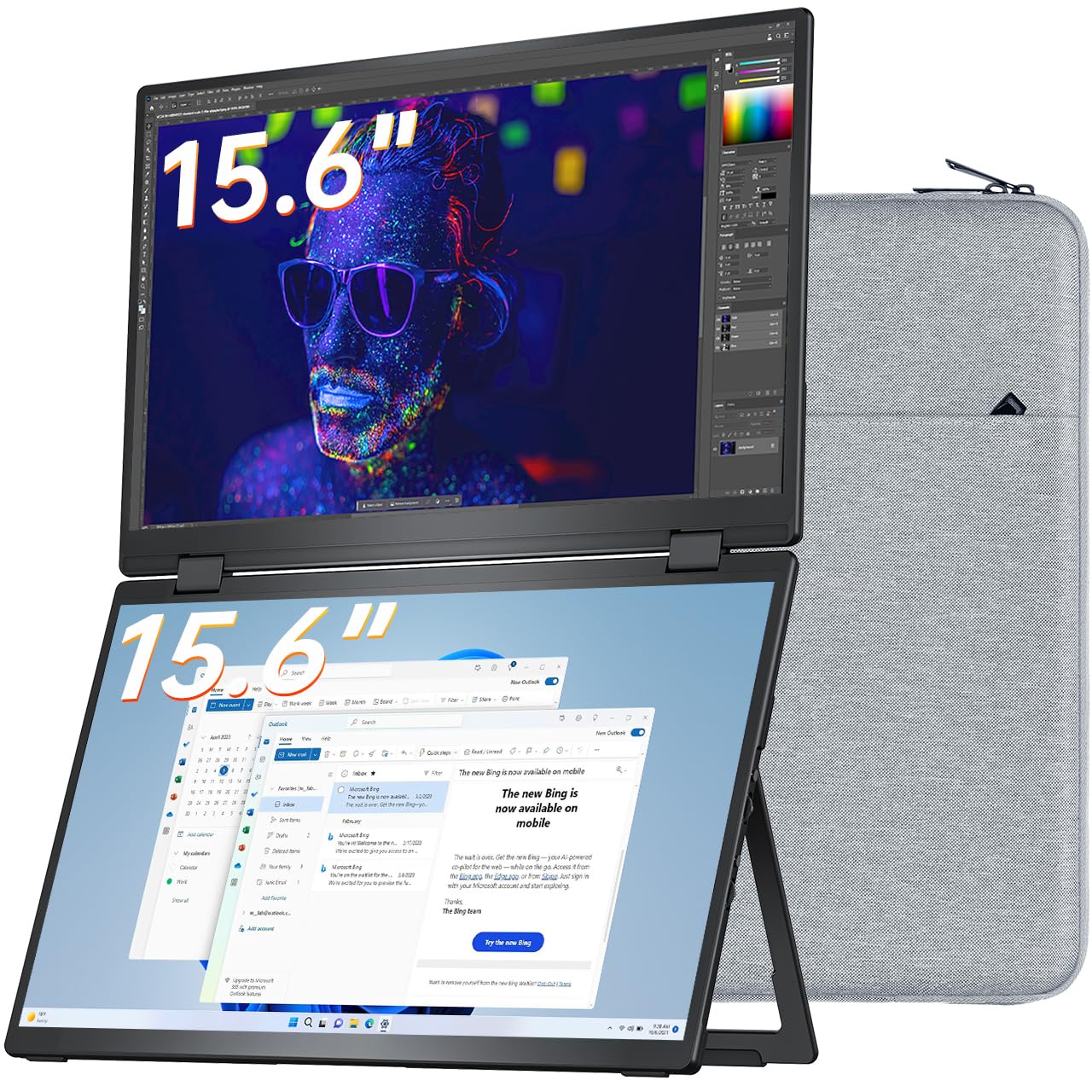
The VisionOwl dual stacked monitor arranges two 15.6-inch 1080p IPS screens in a vertical configuration, giving you a tall workspace ideal for reading long documents, monitoring chat streams, or keeping a reference window open while working in another app. The full-metal body provides excellent heat dissipation and a premium feel, while the 120-degree kickstand keeps the unit stable on any desk.
Each screen covers 107% sRGB with 300 nits brightness and a 2000:1 contrast ratio, delivering punchy colors and deep blacks. The stacked design folds 360 degrees flat for travel, and the bundled padded bag protects the unit during commutes. Windows laptops auto-install the DisplayLink driver for seamless plug-and-play, while macOS users need to download the driver manually — a quick one-time step.
Buyers appreciate the intuitive setup and the build quality, though some note that the dual 1080p resolution (not 1440p) means text isn’t as razor-sharp as higher-end QHD panels. The included cable set is complete, but cable management can get messy due to the need for separate power and data cables. This is an excellent choice for users who prioritize a vertical dual-screen layout for productivity over raw pixel density.
Why it’s great
- Space-saving vertical stacked design for efficient workflows
- Full-metal body with excellent heat dissipation
- Includes DisplayLink driver for Windows plug-and-play
Good to know
- 1080p resolution, not QHD
- macOS requires manual driver installation
9. VisionOwl 17.3″ 4K Portable Monitor
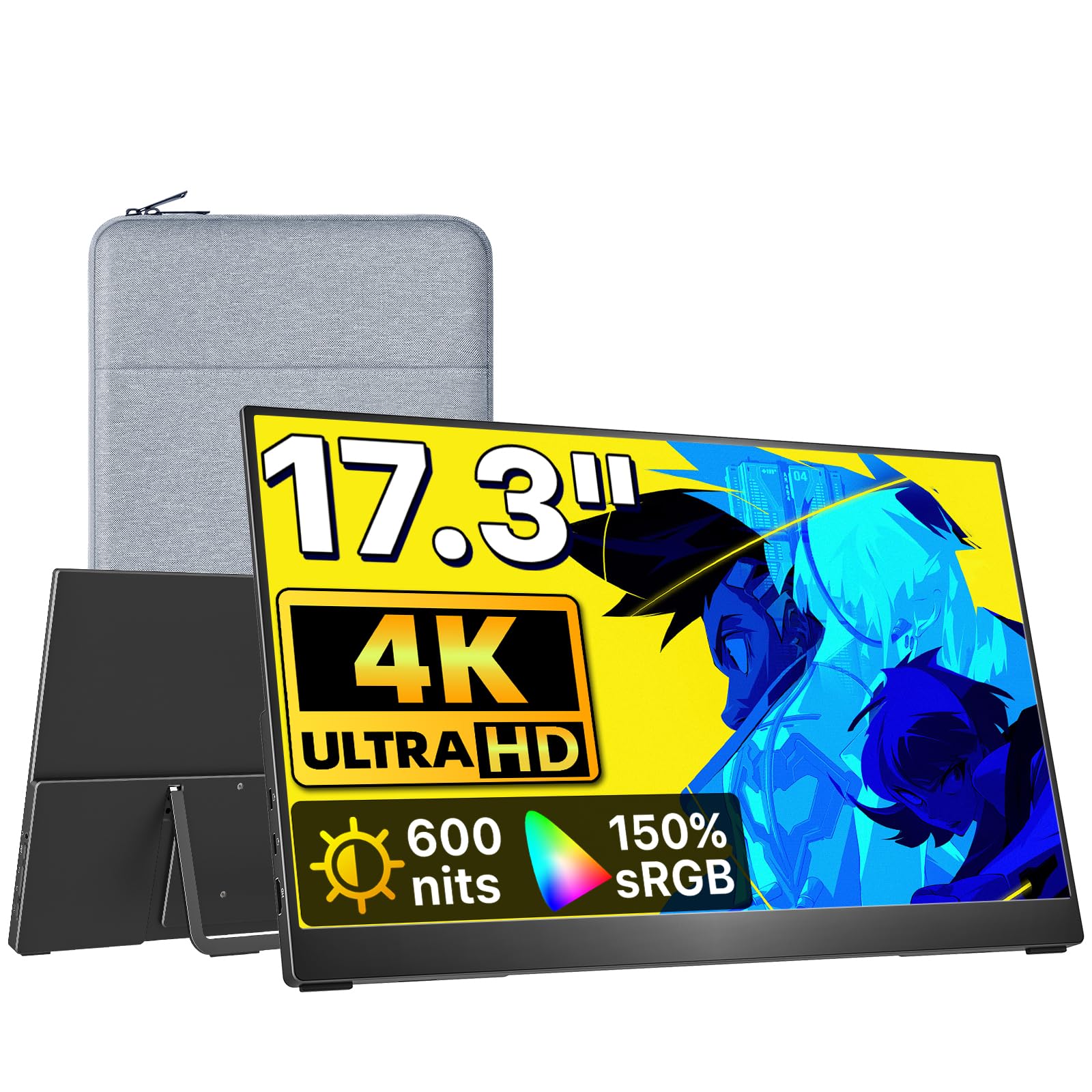
The VisionOwl 17.3-inch 4K portable monitor delivers a stunning 3840×2160 UHD resolution with an astonishing 600 nits peak brightness, making it the brightest panel in this roundup and one of the few capable of true HDR-like highlights. The 150% sRGB color gamut and A-Grade IPS panel ensure color-critical work like photo editing and video color grading can be done confidently on the road.
Despite the massive pixel count, the monitor weighs a featherlight 1.75 lbs and features a robust standard HDMI port instead of the fragile Mini HDMI found on many rivals. A single USB-C cable provides both video and power when connected to a Thunderbolt 3/4/5 port, unlocking 500 nits of brightness — already exceeding most competitors. Plugging in the included power adapter pushes the display to its full 600-nit potential for bright office environments.
Users consistently praise the out-of-box experience: the protective sleeve, sturdy kickstand, and included cables mean zero extra purchases. The 60Hz refresh rate is fine for productivity and media consumption but not aimed at high-frame-rate gaming. For professionals who need a large, ultra-bright, 4K canvas that slips into a backpack, this VisionOwl is a compelling choice that sets a new brightness benchmark in the portable monitor space.
Why it’s great
- 4K UHD resolution with 600 nits peak brightness
- Full-sized standard HDMI port for robust connectivity
- Weighs only 1.75 lbs — extremely travel-friendly
Good to know
- 60Hz refresh rate — not suitable for high-fps gaming
- 600 nits requires included power adapter
FAQ
Can my laptop run a 1440p portable monitor at 120Hz?
Is a 1440p portable monitor worth it over 1080p for office work?
Final Thoughts: The Verdict
For most users, the best 1440p portable monitor winner is the VisionOwl 18.5″ 2K QHD 120Hz because it blends a high-refresh 120Hz panel, 500-nit brightness, and a lightweight design at a reasonable price point. If you want professional-grade color accuracy for creative work, grab the UPERFECT 18″ QLED 144Hz. And for cable-free convenience with a built-in battery, nothing beats the HotYeah 17.3″ Wireless 2.5K.