
The jump from a standard 60Hz laptop panel to a 144Hz display is the single most transformative upgrade for competitive gaming. Every mouse flick, camera sweep, and high-speed strafe translates into buttery-smooth motion, eliminating the blur and ghosting that costs you split-second reactions. This guide cuts through the noise to find the machines that deliver this fluidity without sacrificing raw GPU horsepower or build integrity.
I’m Min — the co-founder and writer behind Gadgets Feed. I’ve spent countless hours dissecting technical specifications, cross-referencing real-world performance benchmarks, and analyzing user feedback across dozens of models to pinpoint the true standouts in this crowded market.
Whether you’re grinding ranked matches or diving into open-world epics, finding the right 144hz gaming laptop means balancing refresh rate fidelity with GPU muscle, thermal design, and build quality to match your specific budget.
How To Choose The Best 144Hz Gaming Laptop
A 144Hz screen is only as good as the GPU that drives it. Without sufficient frame rates, the high refresh rate becomes a wasted spec sheet line. The real challenge is matching the GPU’s raw throughput, its VRAM buffer, and the laptop’s thermal ceiling to sustain those frames without throttling.
GPU TGP and VRAM
Not all RTX 4050 or RTX 5070 chips are equal. The Total Graphics Power (TGP) determines how much wattage the GPU can draw under load — a higher TGP means sustained clock speeds and higher frame rates. Pair that with VRAM generation: GDDR7 offers significantly higher bandwidth than GDDR6, which matters at 1440p or with ray tracing enabled. A 144Hz panel at 1080p can be driven by an RTX 4050, but an RTX 5070 with 8GB GDDR7 is the sweet spot for higher resolutions and future titles.
Cooling Architecture and Sustained Performance
A laptop that thermal-throttles after 20 minutes of gaming will never deliver true 144Hz smoothness. Look for vapor chamber cooling, multiple heat pipes, and at least dual-fan setups. Brands like ASUS with their ROG Intelligent Cooling or Lenovo’s Legion Coldfront systems are designed to keep CPU and GPU temperatures in check. If the chassis feels hot to the touch or the fans ramp to jet-engine levels under load, the sustained frame rate will suffer.
Display Panel Quality
144Hz is a refresh rate metric, but panel type, response time, color accuracy, and resolution define the visual experience. IPS panels offer superior viewing angles and color consistency compared to standard TN panels. A 3ms response time is excellent for fast-paced shooters. Resolution matters too — 1080p at 15.6 inches is sharp enough for most, but 2.5K (2560×1600) on a 16-inch panel provides a noticeable crispness that makes textures pop. Avoid low-sRGB panels (under 62.5% sRGB) if you value color fidelity in games.
Quick Comparison
On smaller screens, swipe sideways to see the full table.
| Model | Category | Best For | Key Spec | Amazon |
|---|---|---|---|---|
| Acer Nitro V (i9-13900H / RTX 5060) | Mid-Range | Streaming & Multitasking | RTX 5060 / 16GB DDR4 | Amazon |
| Lenovo Legion LOQ (i7-13650HX / RTX 5050) | Mid-Range | AI-Optimized Gaming | RTX 5050 / 1TB Storage | Amazon |
| GIGABYTE Gaming A16 (i7-13620H / RTX 5070) | Premium | High-End 1440p Gaming | RTX 5070 / 32GB DDR5 | Amazon |
| Lenovo Legion 5i (i7-14700HX / RTX 5070) | Premium | OLED Visuals & Portability | RTX 5070 / 2.5K OLED | Amazon |
| HP OMEN 16 Slim (Ultra 9 / RTX 5070) | Premium | Slim Design & 144Hz Gaming | RTX 5070 / 32GB DDR5 | Amazon |
| MSI Crosshair 18 HX (Ultra 9 275HX / RTX 5070) | Premium | Large 18″ Immersive Gaming | RTX 5070 / 240Hz QHD+ | Amazon |
| ASUS ROG Strix G16 (Ryzen 9 HX3D / RTX 5070 Ti) | High-End | Maximum Frame Rate | RTX 5070 Ti / 240Hz Nebula | Amazon |
| Dell Alienware Area-51 (Ultra 9 275HX / RTX 5090) | Flagship | Ultimate Ray Tracing | RTX 5090 / 64GB DDR5 | Amazon |
| HP Victus 15.6 (Ryzen 7 / RTX 4050) | Budget | Entry-Level 1080p Gaming | RTX 4050 / 16GB DDR5 | Amazon |
| MSI Thin 15 (i7-12650H / RTX 4050) | Budget | Thin & Portable Gaming | RTX 4050 / 16GB DDR5 | Amazon |
| ASUS TUF Gaming F16 (Core 5 / RTX 4050) | Budget | Durable Build & 144Hz | RTX 4050 / 16GB DDR5 | Amazon |
| Acer Nitro V (i5-13420H / RTX 4050) | Budget | Affordable 144Hz Starter | RTX 4050 / 8GB DDR5 | Amazon |
| Acer Nitro V (i5-13420H / RTX 5050) | Budget-Plus | Value with GDDR7 VRAM | RTX 5050 / 8GB GDDR7 | Amazon |
In‑Depth Reviews
1. Acer Nitro V (i9-13900H / RTX 5060)

This Acer Nitro V variant is the most balanced mid-range player on the market today. The Intel Core i9-13900H (14 cores, up to 5.4 GHz) handles streaming, recording, and heavy multitasking without a stutter, while the RTX 5060 with 8GB GDDR7 delivers silky frame rates at 1080p with ray tracing enabled. The 165Hz IPS panel goes slightly beyond the 144Hz minimum, giving you headroom for future titles.
The dual-fan cooling system with dual exhaust keeps the CPU and GPU under 80°C during extended sessions, though the fans become audible under full load — standard for this price bracket. The Thunderbolt 4 port is a welcome addition for high-speed external storage or a secondary monitor. Users report the laptop runs quiet during light tasks, but begins to warm up when pushing sustained performance.
Some owners experienced a BIOS corruption issue related to an official Acer update, which is a noteworthy concern for less technical users. However, the upgradable RAM and storage slots, combined with the powerful GPU and CPU pairing, make this the most compelling overall package for gamers who want to stream or edit without jumping to a premium tier.
Why it’s great
- i9-13900H and RTX 5060 GDDR7 offer a rare power combo at this level
- 165Hz IPS screen is above the 144Hz baseline, great for fast shooters
- Thunderbolt 4, Killer Ethernet, and dual M.2 slots for future upgrades
Good to know
- Battery life is average at around 5 hours of light use
- Some units shipped with a flawed BIOS update that caused issues
- Fans ramp up noticeably during sustained gaming sessions
2. ASUS ROG Strix G16 (Ryzen 9 HX3D / RTX 5070 Ti)
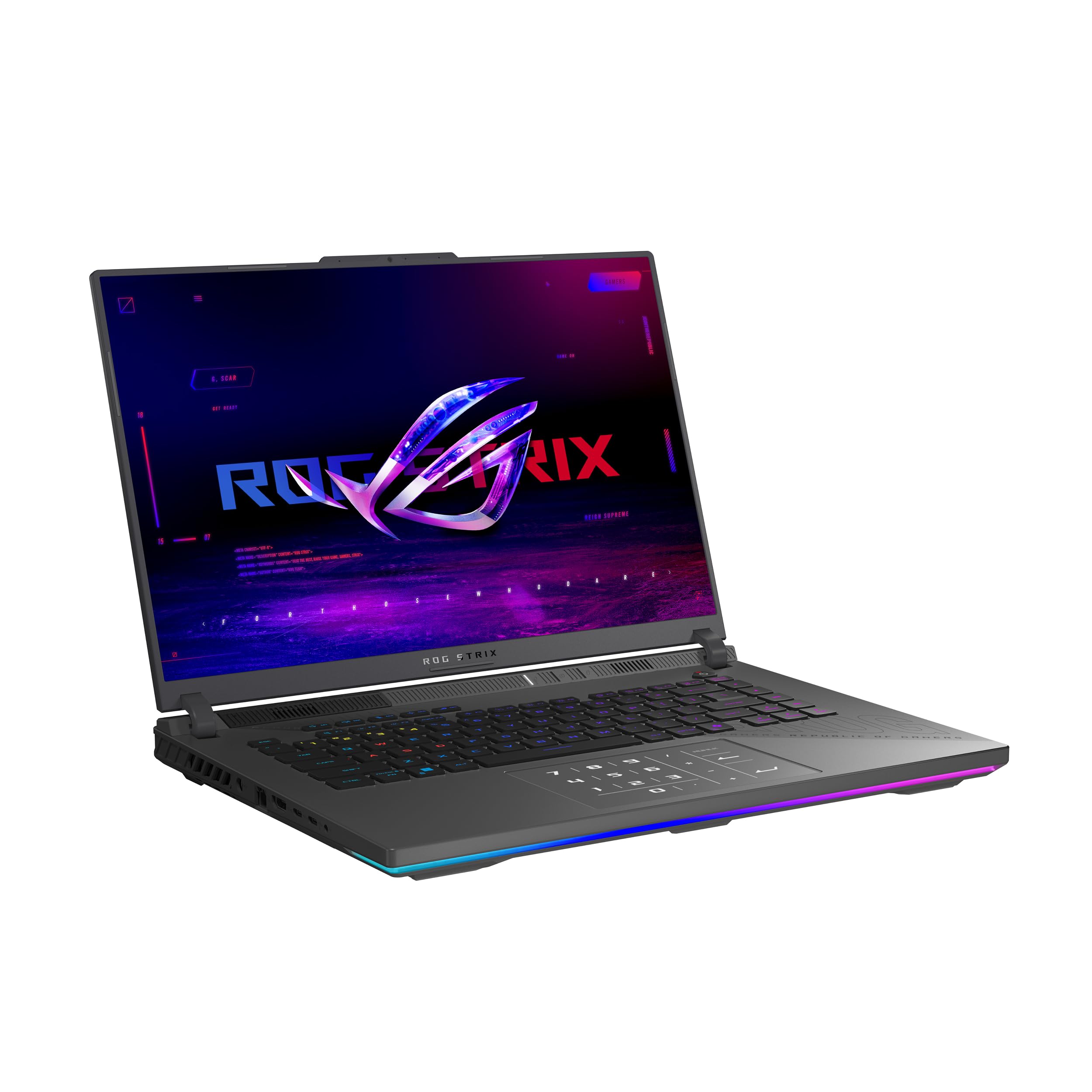
The ROG Strix G16 is a desktop-replacement beast. The AMD Ryzen 9 9955HX3D processor with its 3D V-Cache technology is engineered specifically for gaming workloads, offering massive L3 cache that reduces latency in CPU-bound titles. Paired with the RTX 5070 Ti and 32GB of DDR5-5600, this machine can drive its 2.5K 240Hz Nebula display at max settings in most modern titles.
ASUS’s tri-fan cooling system with Conductonaut Extreme liquid metal is exceptionally effective — the chassis stays surprisingly cool even after hours of Cyberpunk 2077 at ultra settings. The MUX Switch with Advanced Optimus ensures you get the full GPU performance when gaming, then automatically switches to the iGPU for longer battery life during productivity. The Nebula display’s ACR film reduces glare significantly in bright rooms.
A few users noted the laptop runs hot enough to require a cooling pad for marathon sessions, despite the advanced thermal solution. The 5th-gen Ryzen chip can pull significant power, so expect to stay plugged in during gaming. For those who want the highest possible frame rates at 1440p without stepping into flagship territory, this Strix G16 is the sweet spot.
Why it’s great
- Ryzen 9 9955HX3D with 3D V-Cache is a gaming CPU powerhouse
- RTX 5070 Ti paired with 32GB DDR5-5600 is ideal for 1440p 144Hz+
- Tri-fan cooling with liquid metal keeps thermals in check
Good to know
- Heavy thermal load; a cooling pad is recommended for extended sessions
- Battery life is modest under gaming load (expected at this power level)
- Premium price tag reflects the top-tier components
3. Dell Alienware Area-51 (Ultra 9 275HX / RTX 5090)

The Alienware Area-51 is the undisputed performance king of this list. The RTX 5090 with a massive VRAM buffer and the Intel Core Ultra 9 275HX deliver frame rates that will push even a 4K 144Hz external monitor to its limits — on the internal 18-inch 2.5K display, you’re looking at buttery smooth 144+ FPS in literally every game at maximum settings with full ray tracing enabled. The 64GB of DDR5 ensures zero swapping or stuttering in heavily modded games or creative workloads.
Dell’s thermal engineering on this chassis is exceptional: the vapor chamber and quad-fan setup keep the RTX 5090 under 75°C even after prolonged stress testing. Wi-Fi 7 and Bluetooth 5.4 future-proof connectivity for years. The anti-glare panel is excellent for bright rooms, though some users report minimal screen bleed, which is not uncommon for large IPS panels at this brightness level.
The price places this in a different league entirely — it’s a luxury purchase for the enthusiast who wants the absolute best. A few owners noted that aftermarket M.2 NVMe drives with thick heat shields may not fit the secondary slots. For those who demand maxed-out ray tracing and 144Hz smoothness without compromise, the Area-51 is the only choice.
Why it’s great
- RTX 5090 is the most powerful mobile GPU available, destroys 1440p 144Hz
- 64GB DDR5 and 2TB PCIe SSD — no upgrades needed for years
- Wi-Fi 7 and Bluetooth 5.4 provide the latest wireless connectivity
Good to know
- Extremely high price point limits it to serious enthusiasts
- Some screen bleed visible on the large 18-inch panel
- Thick M.2 drives with heatsinks may not fit the secondary slots
4. MSI Crosshair 18 HX (Ultra 9 275HX / RTX 5070)

The MSI Crosshair 18 HX is built around its magnificent 18-inch QHD+ IPS panel with a 240Hz refresh rate and 100% DCI-P3 color gamut. This is a screen that feels like a desktop monitor melted into a laptop chassis — vibrant colors, deep blacks, and a pixel density that makes text and textures look razor-sharp. The RTX 5070 with 8GB GDDR7 handles 1600p gaming with ease at high settings on most titles.
The SteelSeries 24-zone RGB keyboard with 99 anti-ghost keys is one of the best typing experiences on a gaming laptop. The Dynaudio speaker system with woofers delivers genuinely immersive audio — rare in this category. The 90Whr battery paired with the efficient Arrow Lake CPU gives decent battery life for a desktop replacement, though expect 3-4 hours of light use.
At nearly 7 pounds, this is not a laptop you’ll carry to class daily. Some users reported the pre-installed MSI software caused performance hiccups, but removing it returned the system to its snappy baseline. For gamers who want a truly immersive 18-inch canvas with a refresh rate that exceeds the 144Hz threshold, this Crosshair is a standout.
Why it’s great
- 18-inch 240Hz QHD+ IPS display with 100% DCI-P3 is class-leading
- RTX 5070 GDDR7 pairs perfectly with the high-res, high-refresh panel
- Dynaudio speakers with woofers offer immersive sound quality
Good to know
- Very heavy at 6.83 lbs — not a portable machine
- Pre-installed MSI software can cause performance issues; removal fixes it
- Requires a cooling pad for extended 4+ hour gaming sessions
5. HP OMEN 16 Slim (Ultra 9 / RTX 5070)
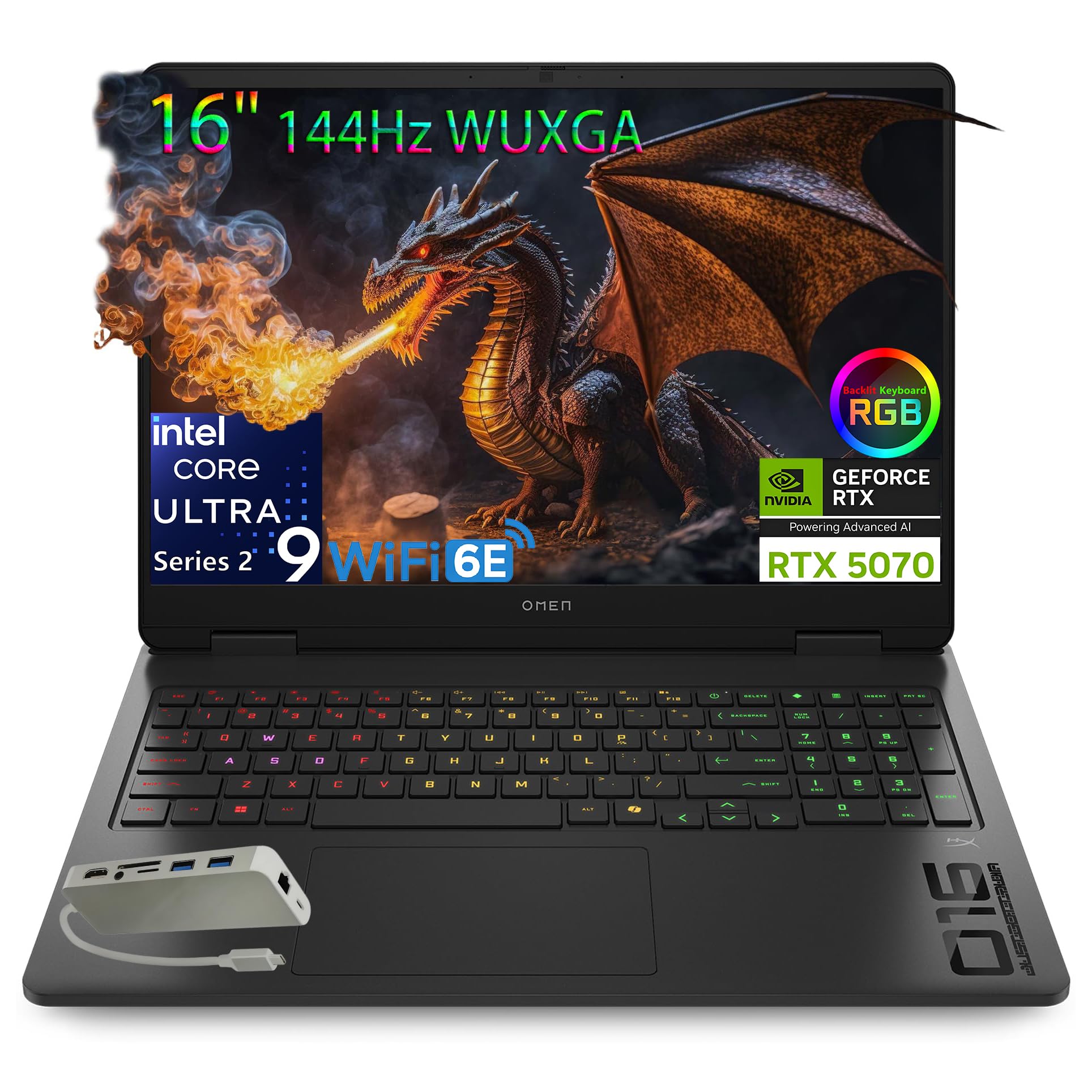
The OMEN 16 Slim achieves something rare: high-end gaming performance in a chassis that doesn’t scream “gamer.” The Intel Core Ultra 9 285H with its NPU for AI acceleration handles background tasks efficiently, while the RTX 5070 with 8GB GDDR7 delivers smooth 144Hz gameplay at 1080p on max settings and handles 1440p external monitors well. The 144Hz WUXGA IPS display has a variable refresh rate range from 60-144Hz, reducing power draw during less demanding tasks.
The OMEN Tempest Cooling architecture — a combination of dual fans, wide vents, and multiple heat pipes — keeps the slim chassis from throttling during intense sessions, though the fans are audibly aggressive under load. The 32GB DDR5-5600 memory and 1TB SSD are welcome specs for multitaskers and content creators. The bundled Type-C hub adds useful ports without adding bulk to the laptop itself.
Some users found the 62.5% sRGB color coverage to be a limitation for creative work — colors won’t pop as vibrantly as on a premium OLED or DCI-P3 panel. The battery life is also on the shorter side, with users reporting around 3-4 hours of mixed use. For those who want a slim, professional-looking laptop that still crushes 144Hz gaming, this OMEN is a strong contender.
Why it’s great
- Slim, understated design with Ultra 9 processor and RTX 5070
- 32GB DDR5-5600 and 1TB SSD offer excellent multitasking capability
- OMEN Tempest Cooling keeps thermals under control in a thin chassis
Good to know
- 62.5% sRGB coverage is low for color-sensitive creative work
- Fan noise is audible under gaming load
- Battery life is mediocre, around 3-4 hours of light use
6. Lenovo Legion 5i (i7-14700HX / RTX 5070)

The Legion 5i stands out for one reason: its Lenovo PureSight OLED panel. A 15-inch 2.5K WQXGA OLED with a 165Hz refresh rate delivers infinite contrast, true blacks, and vibrant colors that make every game look dramatically better. The RTX 5070 is a strong match for this resolution, delivering smooth frame rates in most titles at high settings, though you’ll need to dial back ray tracing in the heaviest games to maintain 165Hz.
The Legion Coldfront Hyper cooling system with stealth fans is genuinely quiet even under load — a major plus for dorm or shared living spaces. The Intel Core i7-14700HX with its 20 cores handles streaming, recording, and background tasks without a hitch. Lenovo AI Engine+ automatically tunes CPU and GPU settings for optimal FPS, which is handy for less technical users. The fast-charge capability (0 to 70% in 30 min via USB-C) is a lifesaver for students.
The biggest downside is the single-channel RAM configuration on some units — a 16GB stick rather than dual 8GB sticks, which leaves up to 10% gaming performance on the table. The speakers are also notably mediocre for a laptop at this price, lacking bass and clarity. For those who prioritize visual quality above all else, the Legion 5i’s OLED panel makes it the best-looking 144Hz machine here.
Why it’s great
- 2.5K OLED display with infinite contrast and true blacks is stunning
- Legion Coldfront Hyper cooling is quiet and effective
- Fast-charge via USB-C to 70% in 30 minutes is very convenient
Good to know
- Single-channel RAM configuration loses up to 10% gaming performance
- Speakers are mediocre for a premium laptop
- Only 16GB of RAM at this price point feels limiting
7. GIGABYTE Gaming A16 (i7-13620H / RTX 5070)

The GIGABYTE Gaming A16 is the most affordable entry point into the RTX 5070 ecosystem, packing 32GB of DDR5 RAM and a 1TB SSD at a price that undercuts most competitors. The Intel Core i7-13620H is a solid mid-range CPU that doesn’t bottleneck the RTX 5070 in gaming, and the 165Hz 1920×1200 WUXGA display offers a slightly taller aspect ratio than standard 1080p, giving you a bit more vertical space in games and productivity.
The 19.45mm slim chassis with a 180-degree hinge is practical for sharing screens or working in tight spaces. Thermal performance is impressive — the GPU stays under 71°C under load, though the fans are loud enough to hear through closed-back headphones. The RTX 5070 handles Battlefield 6 at 90 FPS maxed out and Star Citizen at 70 FPS on high settings, which is excellent for this price tier.
The GiMate AI software is the weak link: it’s glitchy, can permanently disable the Nvidia GPU if you click the wrong setting, and uses up to 2.5GB of RAM idle. Most users end up uninstalling it, which solves performance issues. The downward-firing speakers are also mediocre. For those willing to remove bloatware, this Gigabyte is a phenomenal value in the RTX 5070 space.
Why it’s great
- Cheapest RTX 5070 laptop with 32GB RAM and 1TB SSD
- GPU stays under 71°C even under heavy gaming load
- Slim 0.76-inch chassis with 180-degree hinge is practical
Good to know
- GiMate software is buggy and can permanently disable the Nvidia GPU
- Downward-firing speakers lack clarity and volume
- Fans are loud under load — gaming headphones are a must
8. Lenovo Legion LOQ (i7-13650HX / RTX 5050)

The Legion LOQ is Lenovo’s answer to the “first real gaming laptop” buyer, and it nails the brief. The Intel Core i7-13650HX is a high-performance HX-series chip that outperforms many standard H-series CPUs, and the RTX 5050 with 8GB GDDR7 offers a tangible generational leap over the previous RTX 4050 in memory bandwidth. The 15.6-inch FHD IPS 144Hz display with NVIDIA G-Sync eliminates screen tearing without adding input lag.
The Legion Hyperchamber Cooling with turbo fans and copper heat pipes keeps the system impressively cool — the laptop stays quiet during light tasks and only ramps up audibly under sustained gaming load. The aerospace-grade aluminum cover feels premium for the price bracket. Lenovo AI Engine+ automatically tunes CPU and GPU settings for optimal FPS based on the game you’re playing, which actually works well in practice.
The 720p webcam is a noticeable downgrade if you do video calls, and the 16GB RAM is soldered in some configurations, limiting future upgrades without wasting the existing stick. Some users reported the fan assembly feels slightly loose on certain units. For the price, the RTX 5050 with G-Sync support and the robust cooling system make this a compelling mid-range option.
Why it’s great
- RTX 5050 with 8GB GDDR7 offers great memory bandwidth for 1080p 144Hz
- G-Sync eliminates screen tearing without adding input lag
- Hyperchamber Cooling keeps thermals in check efficiently
Good to know
- 720p webcam is outdated for video conferencing
- RAM is partially soldered, limiting upgrade paths
- Some units have a slightly loose fan assembly
9. Acer Nitro V (i5-13420H / RTX 5050)

This Acer Nitro V variant is a smart budget play — it swaps the RTX 4050 for the newer RTX 5050 with 8GB of GDDR7 VRAM, which offers significantly higher memory bandwidth. Combined with the Intel Core i5-13420H and 16GB of DDR4 memory, this machine handles modern titles at 1080p 144Hz with noticeably better texture loading and 1% lows compared to the standard RTX 4050. The 165Hz IPS panel is slightly above the 144Hz standard.
The build quality is typical Acer Nitro — plastic chassis with a decent hinge, good keyboard spacing, and a solid port selection including Thunderbolt 4 for high-speed peripherals. The dual fans keep the system running at acceptable temperatures, though the laptop does get warm on the bottom during extended sessions. The 512GB SSD is fast but fills up quickly with modern game installs.
The main compromise is the 8GB DDR4 RAM configuration in some units — 8GB is genuinely insufficient for modern gaming, causing stutters in titles like Call of Duty: Warzone or Hogwarts Legacy. Fortunately, the RAM is user-upgradable to 16GB or 32GB. For buyers on a tight budget who are comfortable with a simple RAM upgrade, this Nitro V is the best value GDDR7 machine available.
Why it’s great
- RTX 5050 GDDR7 offers a tangible bandwidth upgrade over RTX 4050
- 165Hz IPS panel exceeds the 144Hz baseline at this budget price
- Thunderbolt 4 and user-upgradable RAM add versatility
Good to know
- Only 8GB RAM in the base config — stutters in modern titles
- Plastic chassis doesn’t feel premium
- Bottom gets warm during extended gaming sessions
10. Acer Nitro V (i5-13420H / RTX 4050)

The entry-level Acer Nitro V is the cheapest ticket into the 144Hz gaming laptop world that still feels capable. The Intel Core i5-13420H is a solid 8-core CPU that won’t bottleneck the RTX 4050 in most titles, and the 15.6-inch 144Hz IPS display is genuinely smooth for fast-paced shooters like Valorant and Overwatch 2. At 1080p, the RTX 4050 delivers playable frame rates at medium-high settings in AAA titles with DLSS 3 enabled.
The build is entirely plastic, which keeps weight down but does flex under pressure on the keyboard deck. The dual-fan cooling is adequate for the RTX 4050’s power draw, though the fans are loud under load. The Thunderbolt 4 port is a rare inclusion at this price, allowing for external GPU enclosures or high-speed storage. Battery life is around 3 hours of light use, so the charger is essential for any gaming.
The 8GB DDR5 RAM is the biggest bottleneck — expect stuttering in memory-intensive games like Cyberpunk 2077 or Starfield until you upgrade to 16GB. The 512GB SSD also fills up fast. The bloatware situation is severe, with multiple antivirus trials and browser duplicates requiring hours of cleanup. For the absolute lowest investment in a 144Hz gaming laptop, this Nitro V is the default starting point.
Why it’s great
- Most affordable 144Hz gaming laptop with a dedicated RTX GPU
- Thunderbolt 4 port is a rare and valuable inclusion at this price
- 144Hz IPS panel is genuinely smooth for competitive titles
Good to know
- 8GB RAM causes stuttering in modern AAAs — upgrade required
- Heavy bloatware needs hours of cleanup for a clean experience
- Plastic build feels less durable than competitors
11. MSI Thin 15 (i7-12650H / RTX 4050)

The MSI Thin 15 lives up to its name — it’s one of the slimmest and lightest 144Hz gaming laptops in its price range, making it a strong choice for students or commuters who need to game on the go. The Intel Core i7-12650H (10 cores, up to 4.7 GHz) paired with the RTX 4050 is a proven combination that handles 1080p gaming with ease, and the 15.6-inch 144Hz FHD display is responsive and bright enough for indoor use.
The Cooler Boost 5 thermal solution features dual fans and multiple heat pipes, which keeps the laptop from throttling during extended sessions. Users report the laptop gets warm but doesn’t overheat even after 3+ hours of gaming. The build is all-plastic but feels solid, with a clean black aesthetic that doesn’t scream “gamer.” The inclusion of Windows 11 Home with face recognition via the IR webcam is a nice productivity touch.
The battery life is the main weakness — expect 3-4 hours of light use, and significantly less during gaming. The fans are also noticeably loud under load, so gaming headphones are recommended. Some users found the single M.2 slot limiting for storage expansion. For those who prioritize portability and a clean design without sacrificing 144Hz gaming performance, the MSI Thin 15 is a solid choice.
Why it’s great
- Thin and light design makes it very portable for a gaming laptop
- i7-12650H + RTX 4050 is a proven 1080p 144Hz combo
- IR webcam with Windows Hello face recognition is convenient
Good to know
- Battery life is poor at 3-4 hours light use
- Fans are loud under gaming load
- Single M.2 slot limits storage upgrade options
12. ASUS TUF Gaming F16 (Core 5 / RTX 4050)

The TUF Gaming F16 is built to survive drops, bumps, and extreme temperatures thanks to its MIL-STD-810H certification. The 16-inch FHD+ 144Hz IPS display with a 16:10 aspect ratio offers more vertical space than standard 1080p, which is excellent for both gaming and productivity. The Intel Core 5 210H and RTX 4050 with a 115W Max TGP deliver strong 1080p performance in esports titles and solid medium-high settings in AAA games.
The cooling system is the star here — Arc Flow Fans, 4 exhaust vents, 5 dedicated heat pipes, and an anti-dust filter work together to keep the system cool and quiet even during extended sessions. The 100% sRGB color coverage on the display is a welcome upgrade over budget panels, making games look more vibrant. The Adaptive-Sync technology reduces stuttering and tearing without adding input lag, enhancing the 144Hz experience.
The Core 5 210H is a newer budget chip but doesn’t quite match the i5-13420H in raw multi-core performance. The battery life is also on the shorter side, with users reporting around 3-4 hours of mixed use. Some users noted the AC adapter placement on the left side is inconvenient. For those who prioritize durability and a robust cooling system in a 144Hz package, the TUF F16 is a rugged choice.
Why it’s great
- MIL-STD-810H certified for extreme durability
- 16:10 144Hz display with 100% sRGB is excellent for the price
- 5 heat pipes and anti-dust filter keep cooling efficient
Good to know
- Core 5 210H is slower than i5-13420H in multi-threaded tasks
- Battery life is modest at 3-4 hours
- AC adapter placement on left side is inconvenient for some users
13. HP Victus 15.6 (Ryzen 7 / RTX 4050)
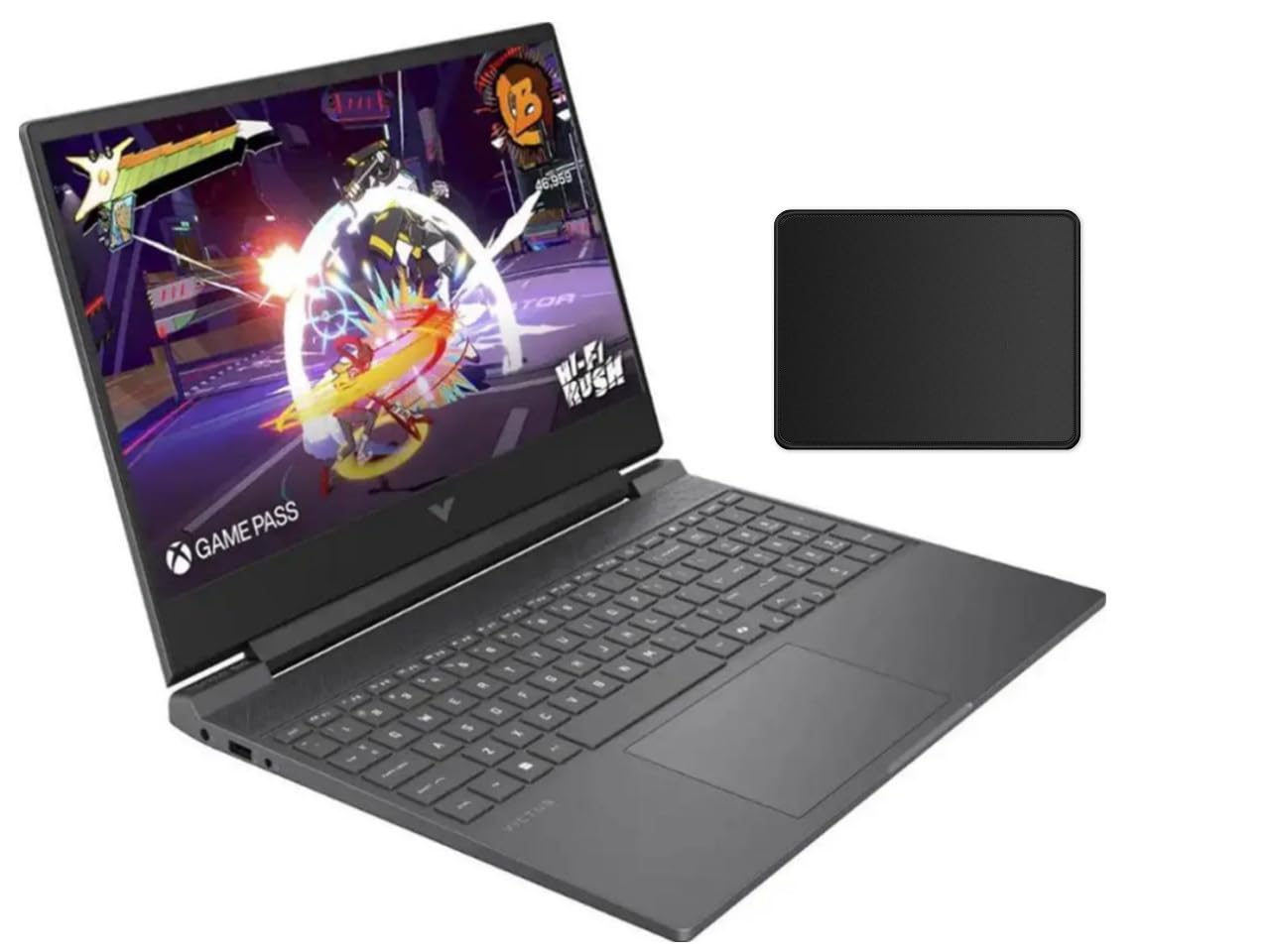
The HP Victus 15.6 is the most affordable AMD-powered 144Hz gaming laptop on this list, pairing the Ryzen 7 7445HS with an RTX 4050. The Ryzen 7 offers 8 Zen 4 cores and 16 threads, which trades blows with Intel’s i5-13420H in gaming while offering better multi-threaded performance in some productivity tasks. The 144Hz IPS display with AMD FreeSync Premium ensures smooth, tear-free gameplay at 1080p.
The thermal solution is surprisingly effective for the price — the dual fans keep the system cool under load, though hot air exhausts onto the left side, which can warm your desk or leg area. The Mica Silver chassis looks clean and professional, and the 16GB DDR5 RAM ensures smooth multitasking out of the box. The bundled mouse pad is a nice bonus, though some users reported it was missing from their shipment.
The RTX 4050 is capable of around 40 FPS in Cyberpunk 2077 at high settings without ray tracing, and around 90 FPS in older titles. The screen is on the cheaper side with a shorter panel and limited color coverage. The Ryzen chip is also locked, meaning no overclocking headroom. For budget buyers who prefer AMD and want a no-fuss 144Hz experience, the Victus is a solid value pick.
Why it’s great
- Most affordable AMD Ryzen 7 + RTX 4050 144Hz combo
- FreeSync Premium ensures smooth, tear-free gameplay
- 16GB DDR5 RAM is standard, avoiding the 8GB bottleneck
Good to know
- Hot air exhausts onto the left side, warming desk area
- Screen panel is average quality with limited color coverage
- Ryzen CPU is locked, no overclocking headroom
FAQ
Is a 144Hz display worth it over a 60Hz panel for gaming?
How much GPU power do I need to actually drive 144Hz at 1080p?
Can I use a 144Hz gaming laptop for work and productivity?
Final Thoughts: The Verdict
For most users, the 144hz gaming laptop winner is the Acer Nitro V (i9-13900H / RTX 5060) because it strikes the best balance between CPU horsepower, next-gen GPU performance, and price. If you want an OLED display with true blacks and vibrant colors, grab the Lenovo Legion 5i. And for maximum frame rates and ray tracing dominance, nothing beats the Dell Alienware Area-51.