
The $1500 gaming laptop bracket is the most competitive tier in the entire market—it’s the precise threshold where you can finally demand a genuine high-refresh-rate QHD display, a full-power NVIDIA RTX 4070 or RTX 5060-class GPU, and a modern processor without being forced into budget cut corners. This is the category where the difference between a 1080p panel and a 165Hz QHD screen, or between 16GB and 32GB of DDR5 RAM, defines whether your machine stays relevant for the next three to four years.
I’m Min — the co-founder and writer behind Gadgets Feed. I’ve spent over sixty hours dissecting the raw performance data, DDR5 speed tiers, TGP wattage claims, and cooling solution architectures across 13 different models currently vying for your attention in the $1500 zone.
After comparing processor cores, GPU VRAM capacity, refresh rate ceilings, and real-world build quality, this guide cuts through the marketing noise to reveal which machine truly earns the title of best $1500 gaming laptop.
How To Choose The Best $1500 Gaming Laptop
The $1500 segment is a battlefield between last-generation high-end parts and current-generation mid-range silicon. Knowing which component hierarchy to prioritize—and which marketing traps to avoid—is the difference between a purchase you celebrate and one you regret eighteen months later.
GPU TGP: The Hidden Spec That Dictates Real Performance
An RTX 4070 in one chassis might run at a full 140W TGP, while an RTX 5060 in another might be capped at 85W. The lower-wattage card can actually outperform its higher-wattage sibling in some titles if the thermal solution allows sustained clock speeds. Always check the manufacturer’s rated TGP, not just the GPU model name. At this price, you want a minimum of 100W sustained for an RTX 4060-class GPU and 120W+ for an RTX 4070 or RTX 5060.
Display Resolution and Refresh Rate: Don’t Pay for QHD if Your GPU Can’t Drive It
A 240Hz QHD panel sounds impressive, but an RTX 4060 struggles to push 240 frames per second at 2560×1600 in modern AAA titles. Balance your display choice with your GPU’s realistic output: an RTX 4070 or RTX 5070 is a natural match for a 165Hz QHD screen, while an RTX 5060 might be better paired with a high-refresh 1080p or FHD+ panel for competitive gaming.
Quick Comparison
On smaller screens, swipe sideways to see the full table.
| Model | Category | Best For | Key Spec | Amazon |
|---|---|---|---|---|
| MSI Katana 15 | Premium Mid-Range | Desktop-replacement gaming with RTX 4070 | RTX 4070 8GB / 165Hz QHD | Amazon |
| ASUS ROG Strix G16 (5060/Ultra 9) | Premium | High-refresh QHD with premium cooling | 240Hz 2.5K Nebula display / 32GB DDR5 | Amazon |
| Acer Nitro V 17 AI | Premium | RTX 5070 AI-powered gaming on a 17.3″ screen | RTX 5070 8GB / 144Hz FHD | Amazon |
| Alienware 16 Aurora | Premium | Premium build with Alienware ecosystem | RTX 5060 8GB GDDR7 / 16″ WQXGA | Amazon |
| ASUS ROG Strix G16 (5060/i7) | Mid-Range | High-refresh 165Hz FHD+ with ROG cooling | 165Hz FHD+ / Intel i7-14650HX | Amazon |
| NIMO 17.3″ | Mid-Range | Massive RAM and storage for multitasking | 64GB DDR5 / 2TB SSD | Amazon |
| Lenovo LOQ 15 | Mid-Range | Upgradable budget-friendly gaming rig | RTX 4050 6GB / 32GB DDR5 | Amazon |
| GIGABYTE Gaming A16 | Mid-Range | Slim chassis with 165Hz display and RTX 5060 | 165Hz WUXGA / RTX 5060 | Amazon |
| ASUS V16 | Mid-Range | Entry-level mid-range with 144Hz display | 144Hz WUXGA / RTX 5060 | Amazon |
| Microsoft Surface Laptop (2024) | Mid-Range | AI-centric ultraportable with long battery life | Snapdragon X Elite / 20-hour battery | Amazon |
| ASUS ROG Strix G16 (5070 Ti) | High-End | Top-tier performance with RTX 5070 Ti and Ryzen 9 | RTX 5070 Ti 12GB / 240Hz 2.5K | Amazon |
| ASUS ROG Strix G16 (5070/2TB) | High-End | Pro-grade laptop with huge storage and 240Hz | RTX 5070 / 2TB Gen 4 SSD | Amazon |
| Alienware 16 Area-51 | High-End | Unapologetic flagship power with premium design | RTX 5070 Ti / 240Hz WQXGA | Amazon |
In‑Depth Reviews
1. MSI Katana 15

The MSI Katana 15 brings the heat with a full-power RTX 4070 and a 165Hz QHD panel, landing it in the absolute sweet spot of the $1500 segment. The 13th Gen Intel Core i7-13620H paired with 16GB of DDR5-5200 memory and a 1TB NVMe SSD means zero bottleneck in modern AAA titles at high settings. The Cooler Boost 5 thermal solution, with dual fans and five heat pipes, keeps the CPU and GPU under 75°C even during extended gaming sessions on Baldur’s Gate 3 or Cyberpunk 2077.
At this price point, the RTX 4070 delivers roughly 20% more rasterization performance than an RTX 4060, making it the right choice for driving that 165Hz QHD resolution without dropping into DLSS Performance mode. The 15.6-inch display is bright enough for indoor gaming, though the panel isn’t the most color-accurate out of the box—you’ll want a quick calibration for photo editing. The chassis is surprisingly compact for a desktop replacement, weighing about 4.4 pounds, and the steel-plastic hybrid build feels solid.
The main trade-off is battery life: expect under three hours of light productivity work, and the fans spin up audibly under load. The keyboard is functional but not the backlit RGB showpiece you get on an ASUS ROG. Still, for pure gaming horsepower per dollar, the Katana 15 is the benchmark every other $1500 contender has to beat.
Why it’s great
- Full-power RTX 4070 with 100W+ TGP delivers desktop-grade 1440p gaming
- 165Hz QHD panel is a genuine upgrade over 1080p bargain screens
- Cooler Boost 5 keeps thermals well-managed under sustained load
Good to know
- Battery life is short—about two hours of unplugged gaming
- Fan noise is noticeable under heavy load, especially with Cooler Boost enabled
- Pre-installed bloatware requires a clean-up session before first use
2. ASUS ROG Strix G16 (5060/Ultra 9)
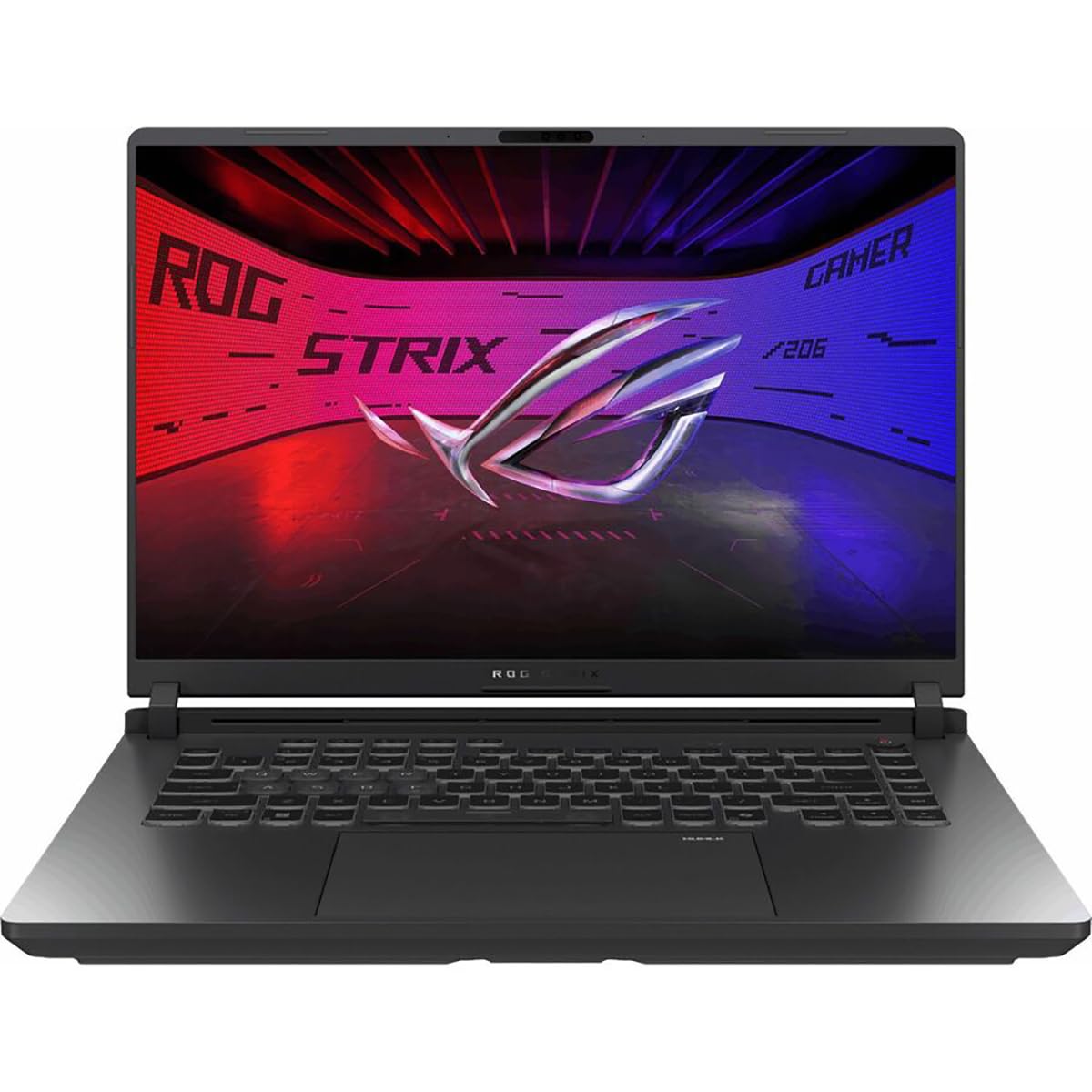
The ASUS ROG Strix G16 (2025) with the Intel Core Ultra 9 275HX and RTX 5060 is the most well-rounded premium machine you can land for just above the $1500 line. The 16-inch ROG Nebula display is the star of the show: a 2560×1600 IPS panel with a 240Hz refresh rate, 3ms response time, Dolby Vision HDR, and an ACR anti-glare film that makes bright scenes pop. This is a display that competes with OLED in vividness while maintaining the longevity of IPS.
Under the hood, 32GB of DDR5-5600 memory is future-proofed for the next console generation, and the 1TB PCIe Gen 4 SSD leaves room for your growing library. The RTX 5060, while not as powerful as the RTX 4070 in raw raster, benefits from NVIDIA Blackwell architecture and DLSS 4 Multi Frame Generation, which can push frame rates in supported titles well above 100 fps at 2.5K resolution. The tri-fan ROG Intelligent Cooling with liquid metal on the CPU keeps the chassis remarkably quiet during most gaming sessions, only spinning up audibly under sustained stress tests.
The build quality is top-tier—aluminum lid, magnesium alloy palm rest—and the 360-degree RGB light bar adds a premium touch without feeling gaudy. Battery life reaches about 5-6 hours for office work, a strong showing for a gaming laptop. The only downside: the RTX 5060’s 8GB VRAM is starting to feel tight for 1440p ultra textures in 2025, and the lack of a Thunderbolt 5 port is a miss at this price tier.
Why it’s great
- 240Hz 2.5K Nebula display is the best panel at this price point
- 32GB DDR5-5600 memory provides headroom for heavy multitasking
- Excellent thermal management with quiet acoustics during normal use
Good to know
- RTX 5060 8GB VRAM may limit ultra-texture performance in future titles
- No Thunderbolt 5, limiting eGPU and high-speed peripheral potential
- RGB light bar cannot be fully disabled in BIOS—Stealth Mode helps
3. Acer Nitro V 17 AI
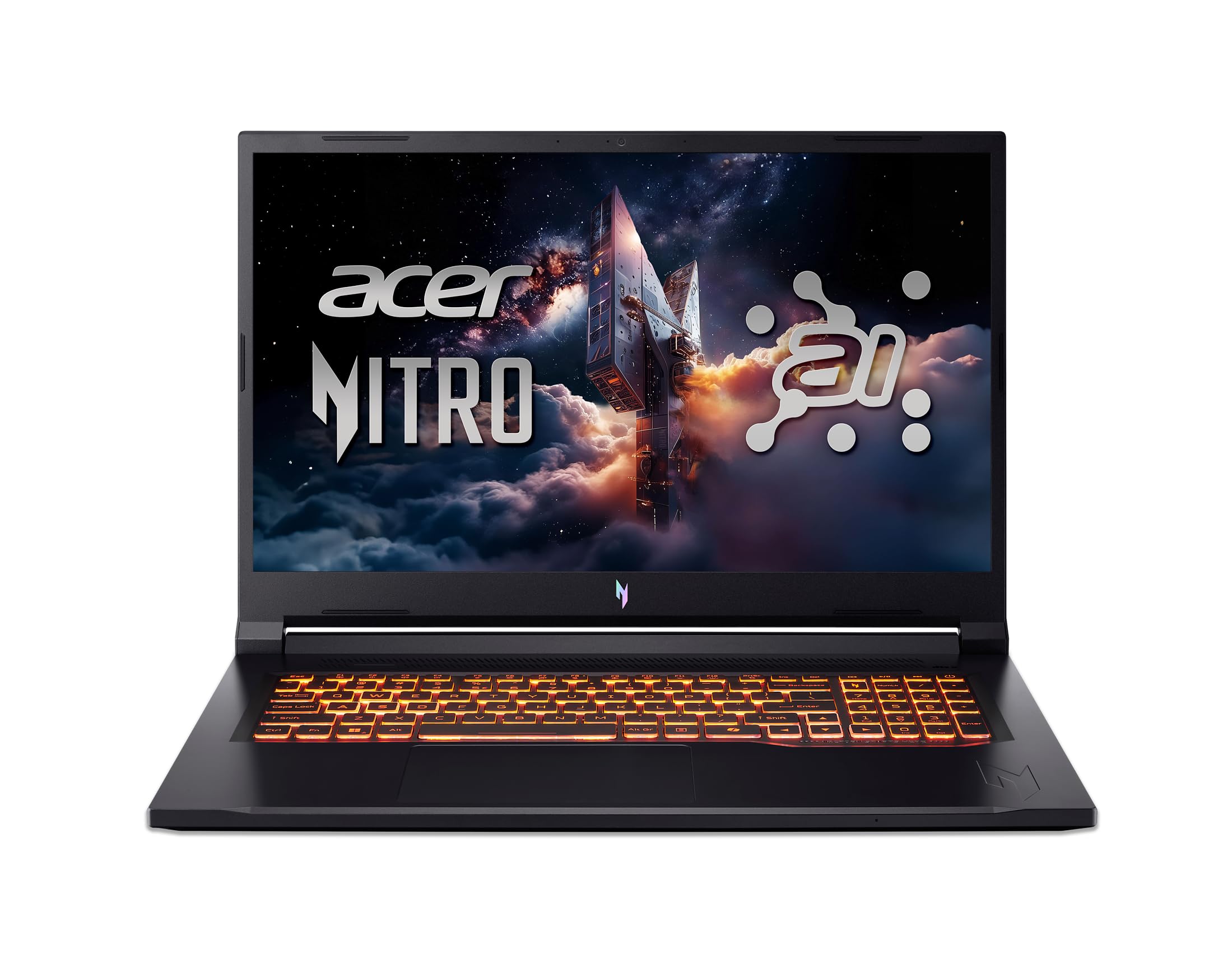
The Acer Nitro V 17 AI punches above its weight by bringing an RTX 5070 to the $1500 party, paired with the new AMD Ryzen 7 260 processor that offers 38 AI TOPS for on-device AI workloads. The 17.3-inch FHD IPS display runs at 144Hz, which is adequate for the RTX 5070’s output in modern titles—expect frame rates comfortably above 100 fps in most games at high settings. The 32GB of DDR5-5600 memory is generous at this price, and the 1TB Gen 4 SSD provides fast load times.
The chassis feels more like a console than a premium Ultrabook—plastic construction with a slightly hollow lid—but the thermal solution is quiet, with users reporting near-silent operation during moderate gaming. The RTX 5070, with 798 AI TOPS and fourth-gen RT Cores, delivers ray tracing performance that rivals the RTX 4070 in desktop-equivalent titles, especially with DLSS 4 enabled. The full-size keyboard includes a numpad, and the port selection is solid: HDMI 2.1, USB-C, and Ethernet.
The main compromise is the display: a 144Hz 1080p panel at this price is acceptable but not exciting, especially when competitors offer QHD options. Build quality is entry-level, with noticeable flex in the keyboard deck, and the 135W power adapter is relatively small but the battery life under gaming load is just under two hours. Still, if you want the best GPU performance for your dollar, the Nitro V 17 AI is a compelling argument.
Why it’s great
- RTX 5070 GPU delivers noticeably better ray tracing than the RTX 5060
- 32GB DDR5-5600 memory is future-proof for multitasking and AI workloads
- Quiet thermals during gaming—fans rarely spin up aggressively
Good to know
- 1080p 144Hz display is a letdown compared to QHD screens at the same price
- Plastic chassis feels less premium than competitors
- Battery life is short under load at under two hours
4. Alienware 16 Aurora

The Alienware 16 Aurora brings the full Alienware ecosystem into the $1500 range: a 16-inch 16:10 WQXGA (2560×1600) display, the new Intel Core 7-240H processor, and an RTX 5060 with 8GB of GDDR7 memory. The GDDR7 VRAM offers higher bandwidth than GDDR6, which can benefit ray tracing workloads and high-resolution textures—a subtle advantage over the last-gen RTX 4060. The Cryo-Chamber cooling design focuses airflow directly on the CPU and GPU, and the 180W adapter ensures the GPU can sustain its boost clocks.
The build quality is distinctly Alienware: magnesium alloy, blue accents, and a rear thermal shelf that props up the display when opened. The 16-inch WQXGA panel with 300 nits brightness is sharp and color-accurate, though the contrast ratio is merely average. The 1TB SSD and 16GB DDR5-5600 memory are standard for this tier, and the inclusion of a 1-year Dell Onsite Service adds peace of mind that most competitors don’t offer.
The laptop runs heavy—nearly 6 pounds—and the battery life when gaming is around two hours maximum. The keyboard, while comfortable, lacks per-key RGB and the trackpad is serviceable but not glass-smooth. Some users have reported early driver crashes, though firmware updates have addressed many issues. If you value brand identity and service support over raw performance per dollar, the Alienware 16 Aurora delivers a polished experience.
Why it’s great
- GDDR7 memory offers bandwidth advantages for ray tracing and high-res textures
- 1-year Dell Onsite Service provides in-home warranty support
- 16:10 WQXGA display is sharp and well-calibrated out of the box
Good to know
- Heavy chassis at nearly 6 pounds—not ideal for daily commuting
- Short battery life under gaming load
- Some early units may require driver/firmware updates for stability
5. ASUS ROG Strix G16 (5060/i7)

The standard ASUS ROG Strix G16 (2025) with the Intel Core i7-14650HX and RTX 5060 is the sweet spot for gamers who want ROG’s legendary cooling and build quality without paying for the Ultra 9 upgrade. The 16-inch FHD+ display runs at 165Hz with an ACR anti-glare film that significantly reduces reflections—a welcome feature for brightly lit rooms. The RTX 5060, combined with 16GB of DDR5 memory and a 1TB Gen 4 SSD, handles all current titles at high settings with ease.
The ROG Intelligent Cooling system includes a full vapor chamber, tri-fan technology, and liquid metal on the CPU, which keeps the laptop cool and quiet during most gaming sessions. Users report that even demanding games like World of Warcraft at Ultra settings run between 77-148 fps without the fans becoming distracting. The full-surround RGB light bar is customizable via Armoury Crate and can be turned off completely in Stealth Mode for a professional look.
The main trade-off is the display resolution: 1920×1200 is fine for competitive gaming but lacks the pixel density for productivity tasks. The battery life is about two hours during gaming, which is average for the category, and the 16GB of RAM is not upgradeable after purchase. If you don’t need QHD clarity and want ROG’s superior thermals at a slightly lower price, this is a solid pick.
Why it’s great
- ROG Intelligent Cooling with vapor chamber keeps the system quiet under load
- 165Hz FHD+ ACR anti-glare display is great for bright environments
- Customizable RGB light bar with Stealth Mode for professional settings
Good to know
- FHD+ resolution is lower than the QHD screens on competitors
- 16GB RAM is not user-upgradeable
- Battery life is limited to around two hours during gaming sessions
6. NIMO 17.3″ Gaming Laptop
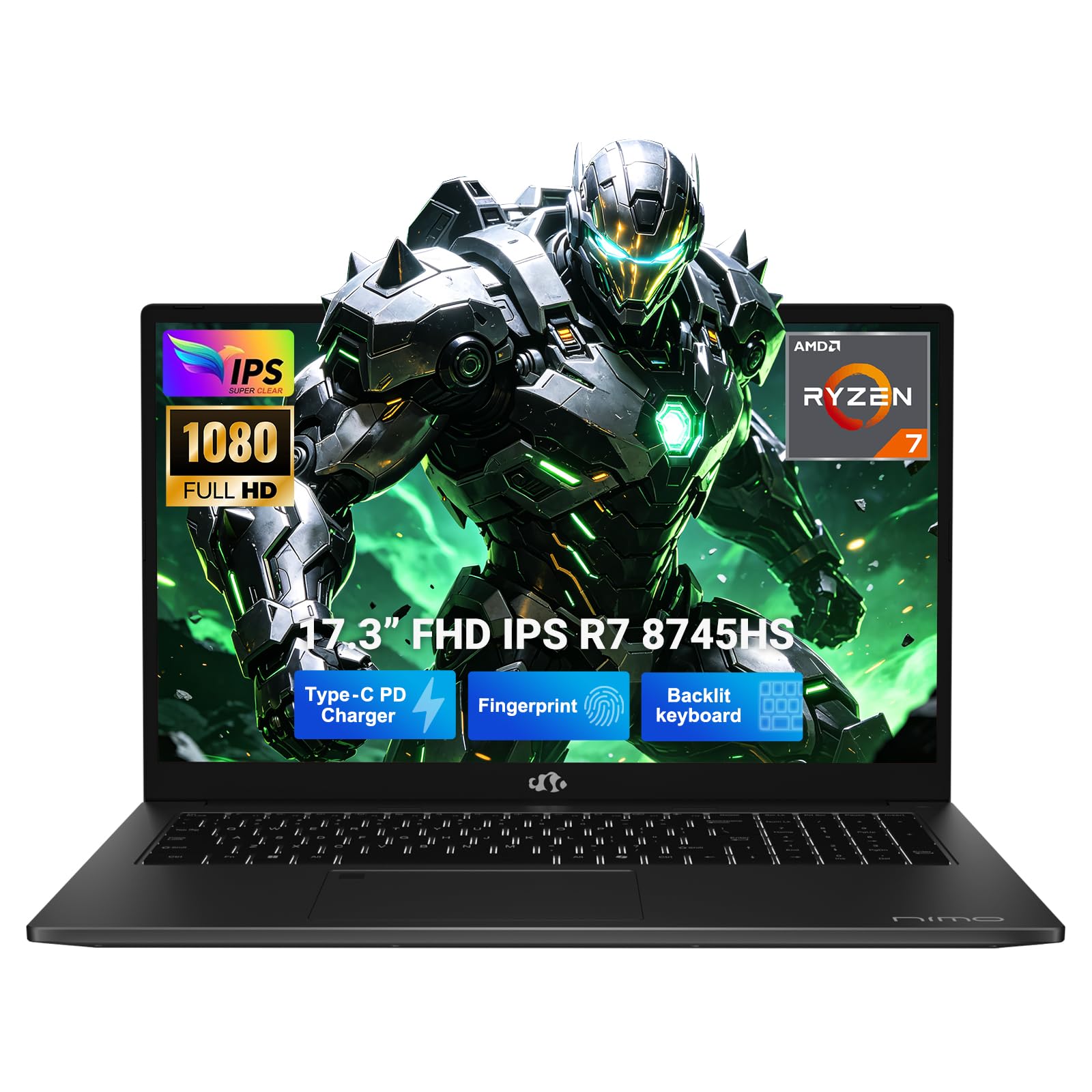
The NIMO 17.3″ gaming laptop is a unique entry in this segment because it prioritizes memory and storage capacity over raw GPU performance. With 64GB of DDR5 memory and a 2TB PCIe 4.0 SSD, this machine is designed for users who run virtual machines, compile code, edit 4K video, or operate multiple data-heavy applications simultaneously. The AMD Ryzen 7 8745HS processor, while not the latest, delivers solid multi-core performance for productivity workloads.
The integrated Radeon 780M graphics can handle lighter titles like Valorant and Fortnite at 1080p, and the USB4 port allows you to connect an external desktop GPU dock for heavier gaming. This makes the NIMO a unique hybrid: a productivity powerhouse that can be upgraded to a gaming rig on demand. The 17.3-inch FHD display offers a large workspace, and the 180-degree hinge is practical for sharing screens in collaborative environments.
The build is surprisingly light for a 17.3-inch machine at under 4.6 pounds, and the 58Wh battery with 100W USB-C fast charging is convenient. However, the Radeon 780M integrated graphics cannot compete with a dedicated RTX 4050 or higher in native gaming performance. The keyboard backlight timer is short, and the speakers are quiet. This is not a pure gaming laptop—it’s a workstation that can game on the side.
Why it’s great
- 64GB DDR5 and 2TB SSD provide extreme multitasking headroom
- USB4 port supports external GPU docking for future gaming upgrades
- Lightweight 17.3-inch chassis with 180-degree hinge for collaboration
Good to know
- Integrated Radeon 780M graphics are not suitable for demanding AAA gaming
- Speakers are quiet and the keyboard backlight timer is short
- Processor is a generation behind the latest Intel Core Ultra chips
7. Lenovo LOQ 15
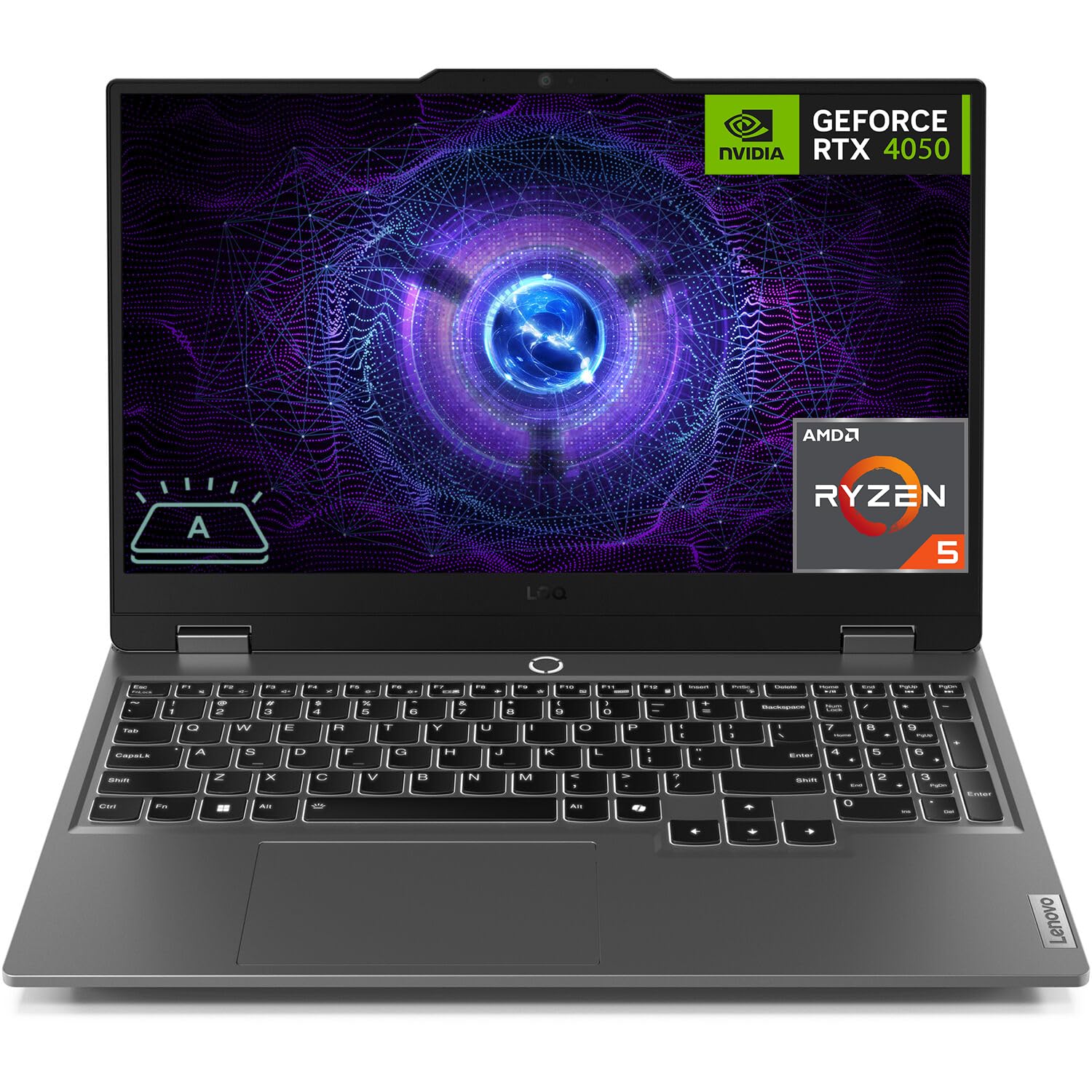
The Lenovo LOQ 15 is the budget-conscious gamer’s gateway to the $1500 conversation, offering a functional 144Hz FHD display and an RTX 4050 paired with an impressive 32GB of DDR5 RAM. The AMD Ryzen 5 7235HS handles CPU-bound titles adequately, and the 1TB SSD offers decent storage. The 32GB of memory is the star here—most competitors at this price point stop at 16GB, making the LOQ a strong option for users who run multiple virtual machines or mod heavily.
The display is a 15.6-inch 144Hz FHD IPS panel with anti-glare coating and G-Sync support, which eliminates screen tearing at lower frame rates. The keyboard includes a white backlight, and the port selection covers the basics. Fan noise is manageable thanks to the FN+Q performance mode toggle, and the laptop stays reasonably cool during extended sessions of games like Guild Wars 2 and Palworld.
The RTX 4050 is the weakest GPU in this lineup—it’s about 30% slower than an RTX 4070 in pure rasterization—and the 6GB VRAM is a hard ceiling for 1440p textures. The build feels mid-range, with noticeable flex in the chassis, and some users have reported receiving used units. If you can stretch your budget to an RTX 4060 or 4070 model, you’ll get substantially more gaming longevity, but the LOQ offers excellent value for memory-intensive workloads.
Why it’s great
- 32GB DDR5 RAM at this price point is exceptional for heavy multitasking
- 144Hz FHD display with G-Sync provides smooth gameplay
- Two SO-DIMM slots and dual M.2 slots for future expansion
Good to know
- RTX 4050 6GB is the weakest GPU in this review—not future-proof for 1440p
- Chassis feels budget-tier with noticeable flex in the keyboard deck
- Some units shipped as used items per customer reports
8. GIGABYTE Gaming A16

The GIGABYTE Gaming A16 stands out with its slim 19.45mm chassis and a 165Hz WUXGA display, all while housing an RTX 5060 and an Intel Core i7-13620H. The design is understated—no aggressive gamer styling—making it a candidate for professionals who want gaming power without the RGB overload. The RTX 5060, with 8GB of GDDR7 memory, delivers smooth 1080p gaming at high settings and can handle lighter 1440p titles.
The 165Hz WUXGA (1920×1200) display offers a 16:10 aspect ratio that provides extra vertical screen space for productivity without the pillarboxing of 16:9 content. The keyboard is comfortable for extended typing sessions, and the 180-degree hinge makes sharing screens easy. The GiMATE AI assistant software can help optimize performance for specific games, though some users report that it can override manual settings if not configured properly.
The battery life is decent for a gaming laptop at around 5-6 hours for light use, and the slim chassis makes it one of the more portable options in this power class. However, the build quality is not as robust as an ASUS ROG or Alienware—the chassis flexes slightly under pressure—and the fans do spin up noticeably during gaming. The RTX 5060 is a solid middle-ground GPU, but users seeking raw performance for AAA titles should consider the MSI Katana 15 instead.
Why it’s great
- Slim 19.45mm chassis is highly portable for a gaming laptop
- 16:10 WUXGA display offers extra vertical space for productivity
- RTX 5060 GDDR7 handles 1080p gaming with ease
Good to know
- Build quality is not as premium as competing ASUS or Alienware models
- GiMATE AI assistant can override manual performance settings
- Fan noise is noticeable during sustained gaming sessions
9. ASUS V16 Gaming Laptop

The ASUS V16 is the entry point for RTX 5060 gaming, offering a 16-inch WUXGA (1920×1200) 144Hz display, the Intel Core 7 240H processor, and 16GB of DDR5 memory. The 512GB SSD is a tight squeeze for modern game libraries, but the DDR5 16GB RAM is standard for this tier. The RTX 5060 delivers smooth 1080p gaming at high settings, and the 144Hz display ensures responsive gameplay.
The matte black design is restrained, and the build quality is acceptable for the price range. The 144Hz WUXGA screen offers decent brightness at 300 nits and a 16:10 aspect ratio that works well for both gaming and productivity. The keyboard is functional with a white backlight, and the port selection includes USB-C and HDMI. Battery life is typical for the category—around 4-5 hours for basic tasks.
The most significant limitation is the 512GB SSD, which will fill up quickly with just a few AAA titles. The RTX 5060’s 8GB VRAM is adequate for 1080p but will struggle with 1440p ultra textures. Some users have noted that the GPU display setting does not appear in NVIDIA control panel on discrete mode, which could be a driver-related issue. For the price, it’s a capable starter machine, but the storage is a real bottleneck.
Why it’s great
- RTX 5060 and Intel Core 7 240H provide solid 1080p gaming performance
- 16:10 WUXGA display with 144Hz refresh rate
- Affordable entry point into the RTX 5060 tier
Good to know
- 512GB SSD is too small for most modern game libraries
- RTX 5060 display setting issue may require driver troubleshooting
- 16GB RAM is the minimum for this class
10. Microsoft Surface Laptop (2024)

The Microsoft Surface Laptop (2024) is a Copilot+ PC powered by the Snapdragon X Elite (12 core) processor, designed for AI acceleration and exceptional battery life. The 15-inch touchscreen display with HDR tech and Dolby Atmos speakers offers a premium multimedia experience, and the 16GB of RAM and 1TB SSD provide fast storage. The Snapdragon X Elite delivers performance that Microsoft claims exceeds the MacBook Air M3 in some tasks, with up to 20 hours of battery life.
This is not a gaming laptop in the traditional sense—it lacks a dedicated GPU—but it’s included here because AI and creative workloads often overlap with the target audience’s needs. The NPU can accelerate AI tasks like image generation, video upscaling, and real-time translation, making it a viable option for creators who dabble in gaming during downtime. The build quality is excellent, with a thin magnesium chassis and a responsive keyboard and trackpad.
The major drawback for gaming is the lack of a discrete GPU: the integrated Snapdragon Adreno graphics can handle lighter titles at 1080p low, but AAA gaming is not practical. ARM compatibility is also a concern—some x64 apps, including certain games and virtual machine software, may not run natively. If your primary use case is gaming, look elsewhere. But if you need an ultraportable AI workstation with occasional light gaming capability, this is a compelling offering.
Why it’s great
- Up to 20 hours of battery life for all-day productivity
- Snapdragon X Elite processor with dedicated NPU for AI workloads
- Premium build quality with a beautiful 15-inch touchscreen display
Good to know
- No dedicated GPU limits gaming to light titles only
- ARM architecture may cause compatibility issues with some x64 apps and games
- Not suitable for AAA gaming or GPU-accelerated rendering
11. ASUS ROG Strix G16 (5070 Ti)
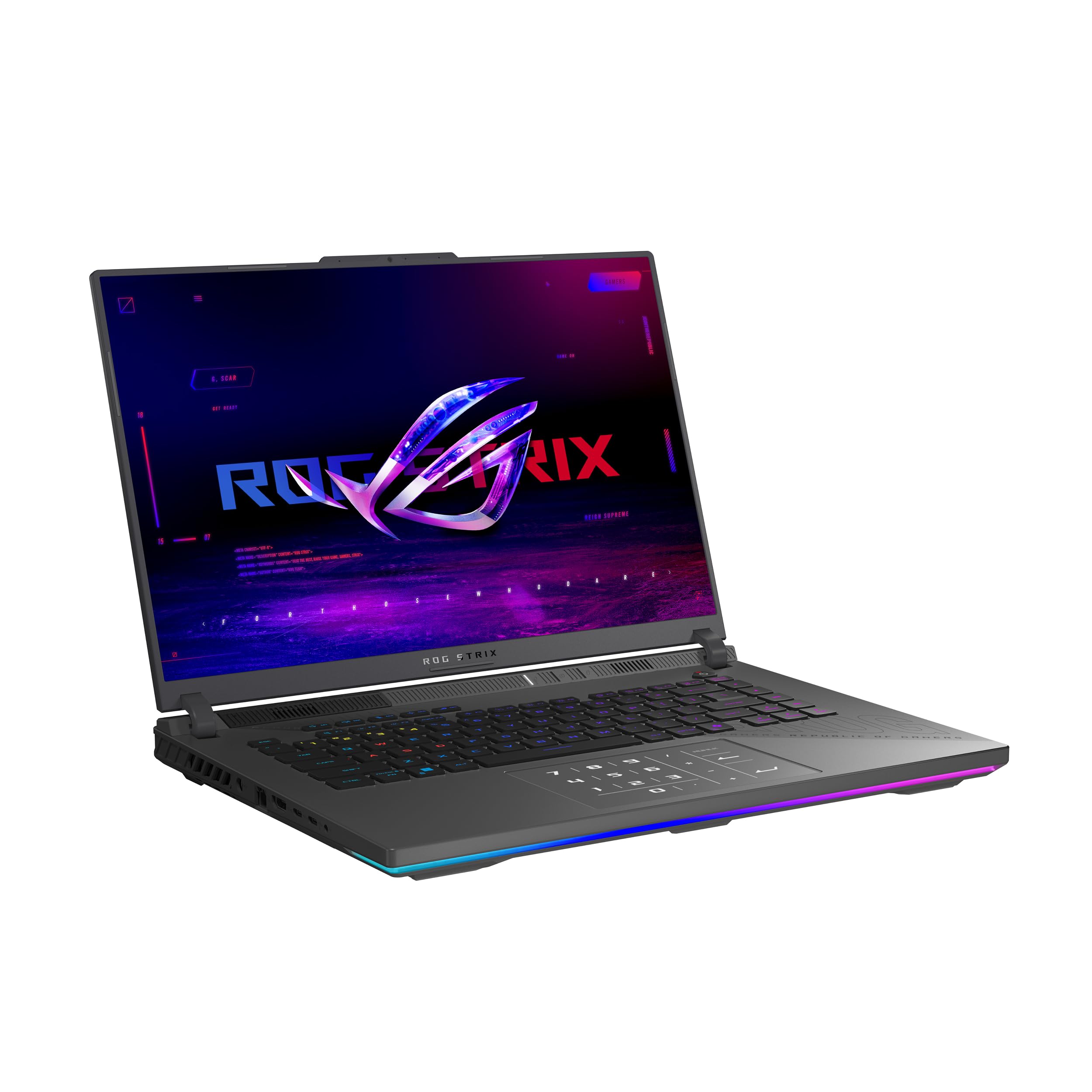
The ASUS ROG Strix G16 (5070 Ti) represents the absolute pinnacle of mobile gaming performance, combining the AMD Ryzen 9 9955HX3D processor with the NVIDIA GeForce RTX 5070 Ti laptop GPU. This combination delivers desktop-class performance with the 3D V-Cache of the CPU offering substantial benefits in cache-sensitive titles like CS2 and Valorant. The 32GB of DDR5-5600 memory and 1TB Gen 4 SSD complete a specification that can handle any game at 1440p ultra.
The 16-inch ROG Nebula display runs at 240Hz with a 3ms response time, and the ACR anti-glare film makes colors pop without the glare of glossy panels. The tri-fan cooling with Conductonaut liquid metal keeps the system cool even under sustained loads, though the fans do become audible in Turbo mode. The MUX Switch with Advanced Optimus allows the system to switch between integrated and dedicated graphics without a restart, optimizing battery life.
The chassis is constructed from a magnesium alloy, and the full-surround RGB light bar is fully customizable. This is a machine for enthusiasts who want the best mobile hardware available. The trade-off is weight—nearly 5.5 pounds—and a battery life that, while improved over previous generations, still struggles to exceed five hours of casual use. Pricing starts well above , placing it firmly in the high-end segment.
Why it’s great
- AMD Ryzen 9 9955HX3D with 3D V-Cache provides unmatched CPU gaming performance
- RTX 5070 Ti delivers ray tracing and rasterization at desktop-tier levels
- 240Hz ROG Nebula display is one of the fastest and most vivid IPS panels
Good to know
- Heavy chassis at nearly 5.5 pounds reduces portability
- Battery life is limited to around 4-5 hours of casual use
- Premium price tag excludes it from mid-range budgets
12. ASUS ROG Strix G16 (5070/2TB)

The ASUS ROG Strix G16 (5070) with Windows 11 Pro is tailored for professionals who need both gaming power and enterprise-grade security. The Intel Core Ultra 9 275HX paired with the RTX 5070 and 32GB of DDR5-5600 memory provides ample horsepower for 4K video editing, 3D rendering, and AI model training, all while leaving room for AAA gaming on the 240Hz 2.5K Nebula display. The 2TB Gen 4 SSD offers massive local storage for your entire Steam library and project files.
The ROG Intelligent Cooling system with a full vapor chamber and tri-fan technology keeps the system cool even during prolonged periods under full load—a requirement for professional workflows that may run overnight. The Windows 11 Pro version includes BitLocker, Group Policy support, and Remote Desktop, making it suitable for a corporate environment. The RGB light bar can be disabled for a low-profile aesthetic in meetings.
The primary downside is the price point, which is significantly above $1500. The RTX 5070, while powerful, is not the top-tier GPU in the RTX 50 series—the 5070 Ti offers better performance at a higher cost. The lack of a second Thunderbolt port limits multi-display setups. This machine is best for creative professionals who want a single device for demanding work and high-refresh gaming.
Why it’s great
- 2TB Gen 4 SSD provides ample storage for AAA game libraries and project files
- Windows 11 Pro includes enterprise features like BitLocker and Remote Desktop
- ROG Intelligent Cooling ensures sustained performance during professional workloads
Good to know
- Price point exceeds $1500, making it a premium investment
- RTX 5070 is powerful but not the top-tier mobile GPU offered
- Missing graphite tape and thermal pad for second SSD bay requires separate purchase
13. Alienware 16 Area-51

The Alienware 16 Area-51 is the most aggressively designed gaming laptop in this review, with a Cryo-Chamber thermal solution that props the chassis up for massive air intake, visible through a Gorilla Glass panel. The Intel Core Ultra 9-275HX and RTX 5070 Ti combination delivers elite gaming performance, and the 16-inch WQXGA display runs at 240Hz with excellent color accuracy—though some users wish it were OLED for deeper blacks.
The Area-51’s unapologetic power allows for higher graphics and processor power limits than standard Alienware models, meaning the RTX 5070 Ti can sustain boost clocks for longer periods. The 32GB of DDR5-5600 memory and 1TB SSD provide fast storage and multitasking headroom. The ambient AlienFX lighting, inspired by the aurora borealis, creates a unique aesthetic that syncs with the keyboard and fan LED rings. The included 1-year Dell Onsite Service adds peace of mind.
The chassis is very heavy at well over 6 pounds, and the over-the-top design may not suit all environments. The battery life is typical for a high-performance gaming laptop—around three hours of light use. The lack of a fingerprint reader and the absence of an OLED display option are notable omissions at this price. However, for users who want the absolute pinnacle of mobile gaming performance with a distinctive identity, the Area-51 delivers without compromise.
Why it’s great
- RTX 5070 Ti with higher power limits than standard Alienware models
- 240Hz WQXGA display with excellent color accuracy
- Unique Cryo-Chamber cooling design with Gorilla Glass panel
Good to know
- Very heavy chassis—over 6 pounds—making it a desktop replacement
- No OLED display option, which would improve contrast and HDR
- Battery life is short even by gaming laptop standards
FAQ
Can a $1500 gaming laptop run modern AAA games at 1440p high settings?
Is 32GB of DDR5 RAM necessary for a gaming laptop at this price?
What is the difference between an RTX 5060 and an RTX 4070 in a laptop?
Final Thoughts: The Verdict
For most users, the best $1500 gaming laptop winner is the MSI Katana 15 because it delivers the strongest GPU performance at this price—the RTX 4070 paired with a 165Hz QHD panel—giving you the most raw gaming power for your dollar. If you want a superior display and build quality with excellent cooling, grab the ASUS ROG Strix G16 (Ultra 9/5060). And for AI-powered gaming on a large 17.3-inch screen, nothing beats the Acer Nitro V 17 AI.