
Upgrading to DDR5 memory is the single most impactful step you can take to eliminate stuttering in modern games and shatter bottlenecks in content creation workflows. The shift from DDR4 to DDR5 isn’t incremental—it’s a generational leap in bandwidth that directly translates to snappier multitasking and higher minimum frame rates.
I’m Min — the co-founder and writer behind Gadgets Feed. I’ve spent countless hours analyzing memory spec sheets, decoding timings and data rates, and cross-referencing real-world benchmarks to cut through the marketing noise and find the modules that actually deliver on their promises.
This buying guide evaluates seven top contenders to help you identify the absolute best 2 16gb ddr5 ram sticks for your specific build and performance targets.
How To Choose The Best 2 16GB DDR5 RAM Sticks
Selecting the right DDR5 kit means balancing frequency, latency, and form factor against your motherboard’s capabilities and your workload. A common mistake is chasing the highest rated speed without checking whether your CPU’s memory controller—especially on early 12th Gen Intel or first-generation Ryzen 7000 chips—can reliably run it without manual tuning.
Frequency vs. Latency: The Real Trade-Off
A kit rated for 6000MHz with a CL30 latency consistently beats a 5600MHz CL46 kit in gaming benchmarks because the lower CAS latency reduces the time the memory controller waits for a response. For most users, a 6000MHz CL30 kit from a reputable vendor like ADATA or Crucial delivers the sweet spot where bandwidth is high and delays are minimal.
Form Factor: DIMM vs. SODIMM
The two physical standards are not cross-compatible. Full-size desktop towers require 288-pin DIMM modules, while laptops, mini PCs, and all-in-one systems need the shorter 262-pin SODIMM form factor. Installing a SODIMM into a desktop DIMM slot—or vice versa—can physically damage the slot and the module.
XMP 3.0 and AMD EXPO Support
DDR5 kits include overclocking profiles that let you exceed the standard JEDEC speed with a single BIOS toggle. Intel systems leverage XMP 3.0, while AMD Ryzen 7000 series processors natively support EXPO. Many modules now include both profiles on a single stick, giving you flexibility if you swap platforms later.
Quick Comparison
On smaller screens, swipe sideways to see the full table.
| Model | Category | Best For | Key Spec | Amazon |
|---|---|---|---|---|
| ADATA Lancer Neon RGB | Desktop DIMM | High-FPS Gaming | 6000MHz / CL30 | Amazon |
| Crucial Pro Overclocking Edition | Desktop DIMM | Enthusiast Overclocking | 6000MHz / CL36 | Amazon |
| CORSAIR Vengeance SODIMM | Laptop SODIMM | Laptop Upgrade | 5600MHz / CL40 | Amazon |
| Kingston FURY Beast | Desktop DIMM | Stable Daily Driver | 5200MHz / CL40 | Amazon |
| Samsung 5600MHz SODIMM | Laptop SODIMM | Reliable Laptop RAM | 5600MHz / CL46 | Amazon |
| Crucial 4800MHz Desktop | Desktop DIMM | Budget Desktop Build | 4800MHz / CL40 | Amazon |
| A-Tech 4800MHz SODIMM | Laptop SODIMM | Value Laptop Upgrade | 4800MHz / CL40 | Amazon |
In‑Depth Reviews
1. ADATA Lancer Neon RGB DDR5 (6000MHz CL30)

The ADATA Lancer Neon RGB kit combines the highest frequency in this roundup—6000MHz—with the tightest latency of CL30, making it the clear performance leader for gaming and real-time rendering. On an MSI B650M motherboard with an AMD Ryzen 7, one user reported stable operation in Blender 3D and noted the RGB lighting added a clean aesthetic without affecting thermals.
Intel XMP 3.0 support is included, and multiple customers confirmed they pushed the modules to 6200MHz with minor voltage adjustments. The low-profile heat spreader keeps the sticks cool even during extended multi-hour sessions. This is the kit to pick if your motherboard supports DDR5-6000 and you want zero compromises on latency.
Two trade-offs worth noting: The single-stick listing means you must buy two separately for a 32GB dual-channel configuration, and the RGB implementation requires compatible motherboard software like ASUS Aura Sync or Gigabyte RGB Fusion for full control. Neither issue affects raw performance.
Why it’s great
- Class-leading frequency of 6000MHz with CL30 latency
- RGB lighting adds style without thermal penalty
- Stable XMP 3.0 and EXPO compatibility
Good to know
- Sold as a single stick—order two for 32GB
- RGB sync depends on motherboard ecosystem
2. Crucial Pro Overclocking Edition 6000MHz CL36

The Crucial Pro Overclocking Edition hits the same peak data transfer rate of 6000 MT/s as the ADATA but uses a slightly looser CL36 timing. In practice, this means a small latency penalty—roughly 1–2 nanoseconds—that is barely noticeable in most applications. Where this kit stands out is its 1.35V operating voltage, which is slightly higher than the default 1.1V JEDEC spec, giving overclockers extra headroom for tighter sub-timings.
Customer feedback highlights the 288-pin UDIMM design as a perfect match for Asus ProArt and MSI Z790 boards. One reviewer ran four sticks for a total of 64GB at 5200MHz without any instability, while another noted the lack of a heat spreader means it runs cooler in confined cases with restricted airflow. The module weighs only 34 grams, making it one of the lightest DIMMs on the market.
The plain black PCB is a visual downgrade compared to RGB competitors, and the absence of AMD EXPO support means Ryzen users should verify compatibility with their specific motherboard BIOS version before purchase.
Why it’s great
- Full 6000MT/s transfer rate for high-bandwidth workloads
- Lightweight 34g design with low thermal mass
- Loose timings leave overclocking headroom
Good to know
- No heat spreader or RGB lighting
- No official AMD EXPO profile
3. CORSAIR Vengeance SODIMM 5600MHz CL40

The CORSAIR Vengeance SODIMM is purpose-built for laptops and small-form-factor PCs, using the shorter 262-pin form factor. Rated at 5600MHz with CL40 latency, it pairs perfectly with Ryzen 6000/7000-series mobile chips and 12th/13th Gen Intel Core H-series processors. A verified buyer installed a single 16GB stick into an ASUS ROG Strix G16 and reported immediate dual-channel operation with the existing factory module.
Intel XMP 3.0 support is listed, and the module automatically negotiates the highest stable speed with the system memory controller—no BIOS tweaking required for most laptops. One long-term review on a Lenovo Legion noted the RAM stayed stable through eight-hour gaming sessions without thermal throttling. The 0.02-pound weight makes it virtually unnoticeable during installation.
The premium price per gigabyte is the main drawback, and the lack of any heat spreader means this stick relies entirely on the laptop’s internal airflow for cooling. Users with poorly vented chassis may see elevated memory temperatures under sustained load.
Why it’s great
- Plug-and-play 5600MHz operation in compatible laptops
- Industry-standard SODIMM fits most modern notebooks
- Minimal weight won’t strain motherboard slots
Good to know
- Higher price per GB than desktop DIMMs
- No heat spreader for thermal dissipation
4. Kingston FURY Beast 5200MHz CL40

The Kingston FURY Beast operates at 5200MT/s with CL40 latency, occupying a comfortable middle ground where stability is near-guaranteed on virtually any DDR5-capable motherboard. Intel XMP 3.0 certification means you can enable the overclocking profile in BIOS for a guaranteed 5200MHz without trial and error. One reviewer paired two sticks on a Z790 board and achieved rock-solid stability across multiple rendering projects.
The low-profile heat spreader is a practical design choice—it clears large air coolers like the Noctua NH-D15 without clearance issues. Kingston backs this module with a lifetime warranty, and the build quality reflects the brand’s reputation for reliability in pre-built workstations. Multiple customers noted they run this kit at stock JEDEC speeds (4800MHz) for silent, fanless office builds.
The 5200MHz ceiling is lower than the 6000MHz alternatives, so users chasing maximum FPS in esports titles should look at the higher-frequency options. Additionally, the heat spreader, while functional, is purely aesthetic and adds no measurable thermal benefit over a bare PCB.
Why it’s great
- XMP 3.0 certified for easy one-click overclocking
- Low-profile design fits under large CPU coolers
- Excellent manufacturing consistency and warranty
Good to know
- Limited to 5200MHz maximum speed
- Heat spreader adds no real thermal performance
5. Samsung 5600MHz CL46 SODIMM

Samsung’s own OEM module delivers 5600MHz PC5-44800 bandwidth with a 1Rx8 single-rank design optimized for low power consumption at 1.1V. The CL46 latency is looser than competitors, but in laptop applications where thermal constraints limit sustained boost clocks, the raw bandwidth advantage over 4800MHz sticks is still measurable. A verified buyer upgraded an Acer Nitro V to 32GB and reported Windows 11 recognized the extra capacity immediately on first boot.
The single-rank x8 organization is ideal for dual-channel configurations because each rank can be accessed independently, reducing latency compared to dual-rank x16 modules in some workloads. Samsung’s reputation in the NAND and DRAM fabrication space means the die quality is among the best available. Customers who installed this in an ASUS ROG Strix G16 confirmed the part number matched the factory stick exactly.
The loose CL46 timing means this stick trails the ADATA Lancer in latency-sensitive gaming benchmarks, and the paper envelope packaging used by some sellers risked damage during international shipping. Buyers should confirm they are getting the original Samsung tray packaging.
Why it’s great
- True 5600MHz bandwidth for demanding laptop tasks
- Single-rank x8 design aids dual-channel efficiency
- Low 1.1V voltage supports longer battery life
Good to know
- CL46 latency is the loosest in this roundup
- Packaging from resellers can be inconsistent
6. Crucial 4800MHz CL40 Desktop
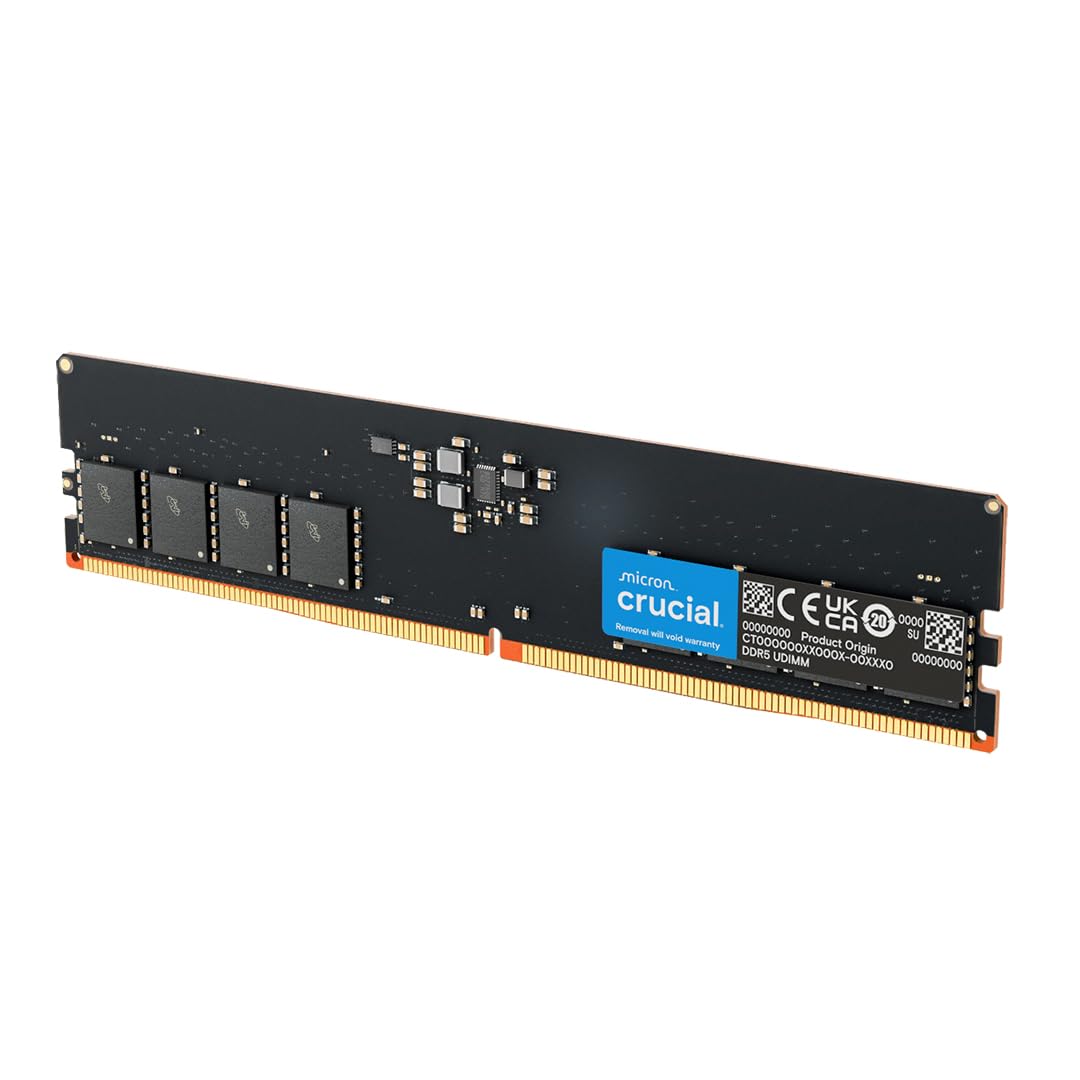
This Crucial 16GB DIMM is a baseline JEDEC module running at 4800MHz with CL40 timings, designed for users who need reliable, no-frills DDR5 memory for office productivity and light gaming. The 288-pin UDIMM form factor fits all standard desktop motherboards, and customers running Dell OptiPlex workstations reported zero compatibility issues over months of daily use. The module lacks a heat spreader, which keeps the unit lightweight and affordable.
Backed by Micron’s fabrication, this stick includes on-die ECC for data integrity and supports both Intel XMP 3.0 and AMD EXPO on the same module. One long-term reviewer used four sticks for 128GB total on an ASUS ProArt Z790 board and confirmed stable operation at 5200MHz with manual BIOS adjustment. The plain green PCB means this is a purely functional component with no visual flair.
The 4800MHz speed ceiling is the primary limitation—gamers will leave performance on the table compared to 6000MHz kits, and the CL40 latency is average. Users upgrading from DDR4 will notice the bandwidth improvement, but enthusiasts should look to higher-rated options.
Why it’s great
- Rock-solid JEDEC baseline stability across all boards
- On-die ECC improves data reliability
- Dual XMP and EXPO support on one module
Good to know
- Limited to 4800MHz stock speed
- No heat spreader or aesthetic design
7. A-Tech 4800MHz CL40 SODIMM

The A-Tech 16GB SODIMM is a budget-friendly entry point into DDR5 for laptops, operating at 4800MHz PC5-38400 with CL40 latency. Designed for 262-pin SO-DIMM slots, it is compatible with modern gaming laptops like the ASUS ROG Strix G series and Dell Precision workstations. A verified reviewer upgraded their laptop from 8GB to 24GB by mixing this module with their existing stick and reported a smooth experience after matching CAS latency and voltage.
The module uses JEDEC standard 1.1V and includes on-die ECC for error correction. A-Tech backs the product with a limited lifetime warranty, which adds peace of mind for users installing in laptops where upgrades are more invasive. One customer running System76 hardware with Linux confirmed the stick sustained approximately 60GB/s bandwidth during AI workloads.
The 4800MHz speed is the slowest JEDEC DDR5 spec, so users with Ryzen 7000 mobile chips that natively support 5600MHz will not reach the full potential of their CPU’s memory controller. Additionally, mixing capacities can trigger dual-channel mode only for the matched portion of the address space, leaving the remaining capacity in single-channel mode.
Why it’s great
- Affordable DDR5 entry for laptop upgrades
- Lifetime warranty covers long-term ownership
- Easy installation with compatible voltage and timings
Good to know
- 4800MHz is the slowest DDR5 standard
- Mixing capacities can limit dual-channel performance
FAQ
Can I mix a DDR5-4800 stick with a DDR5-5600 stick in the same system?
What is the difference between single-rank and dual-rank DDR5 modules?
Will DDR5 RAM fit into a DDR4 motherboard slot?
Final Thoughts: The Verdict
For most users, the 2 16gb ddr5 ram sticks winner is the ADATA Lancer Neon RGB because it pairs the fastest 6000MHz frequency with the tightest CL30 latency, delivering the best balance of gaming performance and content creation bandwidth. If you need a reliable laptop upgrade, grab the CORSAIR Vengeance SODIMM. And for a budget desktop build where stability is the priority, nothing beats the Crucial 4800MHz CL40 Desktop.