
A 2.4 GHz router remains the backbone of smart home reliability — it pushes through walls, reaches the garage, and keeps your IoT gadgets, security cameras, and older devices connected when the 5 GHz band fails. The trick is finding one that delivers stable throughput without constant buffering or interference from neighbors.
I’m Min — the co-founder and writer behind Gadgets Feed. I’ve spent countless hours analyzing technical specifications, real-world user reports, and signal performance data to separate the routers that actually maintain a solid 2.4 GHz connection from those that choke under load.
Whether you need to bridge a dead zone or run a fleet of smart home devices, choosing the right 2.4ghz router means prioritizing range, antenna configuration, and network management features over raw speed.
How To Choose The Best 2.4GHz Router
Not all 2.4 GHz radios behave the same way. A router that delivers 300 Mbps on paper can feel sluggish if its antennas, chipset, or firmware prioritize 5 GHz traffic. Focus on three factors that make the real difference in daily use.
Antenna Configuration and Beamforming
A router with four external 6 dBi antennas and active beamforming directs the 2.4 GHz signal toward connected devices rather than broadcasting it in a weak, omnidirectional pattern. This matters most when the router sits in a corner and your garage door opener or backyard security camera sits two rooms away.
Separate SSID Control for 2.4 GHz
Many dual-band routers force both bands into a single network name, causing smart plugs and older devices to randomly disconnect as the router tries to push them onto 5 GHz. Look for a router that lets you manually split the bands — giving the 2.4 GHz network its own name so your IoT equipment stays connected reliably.
Security Protocols and Parental Controls
WPA3 support locks down the 2.4 GHz band, which is more vulnerable to interference-based attacks because of its ubiquity in smart homes. Routers with app-based parental controls also let you schedule internet access for kids’ devices that only support 2.4 GHz — a feature that matters more than peak speed for family setups.
Quick Comparison
On smaller screens, swipe sideways to see the full table.
| Model | Category | Best For | Key Spec | Amazon |
|---|---|---|---|---|
| TP-Link Archer AX21 V5 | Premium Wi-Fi 6 | Future-proofing a busy smart home | 574 Mbps on 2.4 GHz, OFDMA, WPA3 | Amazon |
| NETGEAR R6700AX | Mid-Range Wi-Fi 6 | Reliable 2.4 GHz for up to 20 devices | AX1800, 4 Gigabit LAN ports | Amazon |
| Amazon eero 6 | Mesh Wi-Fi 6 | Whole-home coverage with Zigbee hub | 900 Mbps total, built-in Zigbee | Amazon |
| TP-Link Archer A6 | Value Dual-Band | Affordable 2.4 GHz with Gigabit ports | 300 Mbps on 2.4 GHz, 4 Gigabit LAN | Amazon |
| GL.iNet Flint 3 | Pro VPN Router | VPN-heavy setups with advanced control | Tri-band, 5 x 2.5G ports, AdGuard | Amazon |
| NETGEAR Nighthawk RS200 | Wi-Fi 7 Premium | Maximum future-proof throughput | BE6500, 2.5 Gig internet port | Amazon |
| Tenda AC6 | Budget Entry | Lowest cost 2.4 GHz with app controls | 300 Mbps on 2.4 GHz, 4 x 6 dBi antennas | Amazon |
In‑Depth Reviews
1. TP-Link Archer AX21 V5

This Wi-Fi 6 router delivers 574 Mbps on the 2.4 GHz band using OFDMA technology, which significantly reduces latency when multiple smart home devices are communicating simultaneously. The four high-gain antennas combined with an advanced front-end module chipset push the 2.4 GHz signal through several walls without dropping connection — a common failure point for cheaper AC1200 gear.
The Tether app lets you split the 2.4 GHz and 5 GHz networks into separate SSIDs, solving the band-steering issue that plagues Spectrum and Xfinity gateways. Users report that Echo Dots, Ring cameras, and smart plugs that previously disconnected now stay locked onto the 2.4 GHz band reliably. WPA3 encryption comes standard, which adds a layer of protection for older IoT devices that lack modern security stacks.
In a 1,500-square-foot split-level home, the AX21 maintained a stable connection for 15 devices including streaming boxes, security cameras, and laptops without any reboots over a one-year test window. The only limitation is the relatively basic QoS interface, but for most households the automatic traffic prioritization handles video calls and 4K streaming without manual tweaking.
Why it’s great
- OFDMA keeps 2.4 GHz responsive under multi-device load
- Separate SSID control prevents band-steering disconnects
- WPA3 security for older IoT devices
Good to know
- Basic QoS lacks granular per-device bandwidth limits
- Setup requires the Tether app or web panel — no standalone functionality
2. NETGEAR R6700AX

The R6700AX brings Wi-Fi 6 to the 2.4 GHz band with AX1800 total throughput, covering up to 1,500 square feet and handling 20 devices simultaneously. Its four Gigabit Ethernet LAN ports make it ideal for homes that need wired connections for gaming consoles or streaming players while keeping the 2.4 GHz radio dedicated to security cameras and smart home sensors.
The NETGEAR Nighthawk app provides a straightforward setup process that walks you through network creation, firmware updates, and device management. Users consistently report that this router delivers stronger 2.4 GHz signal strength than ISP-provided rental units, with measured improvements of 10-15 Mbps on the same internet plan. The automatic firmware updates keep the router patched without manual intervention.
One potential drawback is the requirement for a separate modem — this is a router-only unit with no coax input. Some users have noted that after a power outage the router does not always auto-reconnect to the modem without a manual power cycle, though firmware updates have reduced this occurrence. Overall, it is a solid mid-range option that saves the monthly rental fee within 8-9 months.
Why it’s great
- Consistent 2.4 GHz signal in 1,500 sq ft with 10+ devices
- Four Gigabit LAN ports for wired backhaul
- Automatic firmware updates included at no cost
Good to know
- No built-in modem — requires separate ISP modem
- Some users report auto-recovery issues after internet outages
3. Amazon eero 6

The eero 6 is a mesh Wi-Fi 6 router that supports up to 900 Mbps total throughput and covers 1,500 square feet per unit. Its TrueMesh technology intelligently routes traffic across the 2.4 GHz band to prevent dead spots — a critical feature for homes where the router must reach a detached garage or basement. The built-in Zigbee smart home hub eliminates the need for a separate hub for compatible lights, sensors, and locks that operate on 2.4 GHz.
Setup takes under 10 minutes using the eero app, which handles network configuration, device labeling, and guest Wi-Fi sharing automatically. Users moving from ISP rental gateways report immediate improvements in 2.4 GHz reliability, especially for devices like thermostats and smart plugs that previously lost connection during band steering. The system supports up to 75 connected devices, making it suitable for dense smart home environments.
Because this is a mesh system, adding additional eero units expands coverage seamlessly with a single network name — no need to manually switch between bands. The trade-off is that the 2.4 GHz performance is capped at the 900 Mbps total throughput, so users with gigabit internet plans may see lower peak speeds than a dedicated gaming router could provide. For most smart home users, the added coverage and Zigbee integration outweigh that limitation.
Why it’s great
- Mesh topology eliminates 2.4 GHz dead spots
- Built-in Zigbee hub saves on separate hardware
- Extremely simple app-based setup for non-technical users
Good to know
- Total throughput capped at 900 Mbps — not for high-bandwidth gaming
- Requires eero account and app for management
4. TP-Link Archer A6

The Archer A6 is an AC1200 dual-band router that provides 300 Mbps on the 2.4 GHz band — a modest but reliable figure for homes with a handful of smart plugs, a few security cameras, and a streaming box. Its four external antennas with beamforming deliver surprisingly solid range through metal porch roofs and multiple interior walls, as reported by users who replaced failing ISP routers.
The inclusion of four Gigabit Ethernet LAN ports at this price point is notable, allowing wired connections for desktop PCs or gaming consoles without sacrificing wireless performance. The TP-Link Tether app handles setup, guest network configuration, and parental controls. Support for OneMesh means you can add a compatible range extender later to expand 2.4 GHz coverage without changing the network name.
One limitation is the lack of MU-MIMO on the 2.4 GHz band — that feature only operates on the 5 GHz radio. In a home with more than 10 devices all on 2.4 GHz, the router can become congested. The admin interface also lacks the advanced customization options that power users expect. For a straightforward, set-it-and-forget-it router at a budget-friendly price, the Archer A6 performs admirably.
Why it’s great
- Four Gigabit LAN ports at a budget price point
- OneMesh compatible for future expansion
- Strong signal penetration through walls
Good to know
- No MU-MIMO support on 2.4 GHz band
- Basic admin interface with limited advanced features
5. GL.iNet Flint 3

The Flint 3 is a tri-band Wi-Fi 7 router that offers up to 9 Gbps total throughput and includes five 2.5 Gigabit Ethernet ports — a rare configuration for advanced users who need high-speed wired backhaul alongside robust 2.4 GHz coverage. Its Multi-Link Operation technology allows the router to simultaneously use multiple bands to improve range and reduce latency, which directly benefits 2.4 GHz devices in the 2,000-square-foot coverage zone.
What sets this router apart is the VPN performance — WireGuard and OpenVPN speeds both reach up to 680 Mbps, which is exceptional for a consumer router. The built-in AdGuard Home DNS server blocks tracking and advertisements at the network level, protecting every 2.4 GHz device from data mining without installing client software. The web admin panel is responsive and does not require a mobile app, giving full control over traffic routing, VLANs, and device isolation.
The Wi-Fi range on the 2.4 GHz band is approximately half that of some ISP-provided routers, according to user reports — the trade-off for the advanced firewall and VPN features. The USB 3.0 port also delivers slower NAS transfer speeds than expected at around 30 MB/s sustained. For users whose priority is VPN tunneling, ad blocking, and wired throughput, the Flint 3 is unmatched. For pure 2.4 GHz range, a dedicated mesh system may serve better.
Why it’s great
- Exceptional WireGuard and OpenVPN throughput
- Built-in AdGuard Home blocks ads network-wide
- Five 2.5 Gigabit Ethernet ports for wired devices
Good to know
- 2.4 GHz Wi-Fi range is weaker than expected
- USB 3.0 NAS speeds are slow at ~30 MB/s
6. NETGEAR Nighthawk RS200

The RS200 is NETGEAR’s dual-band Wi-Fi 7 router delivering up to 6.5 Gbps total throughput and covering 2,500 square feet. While its headline feature is the blazing 5 GHz performance, the 2.4 GHz radio benefits from the same Wi-Fi 7 enhancements — including preamble puncturing and enhanced OFDMA — which reduce interference and improve stability in congested environments with dozens of connected devices.
The 2.5 Gigabit internet port ensures that multi-gig fiber plans can be fully utilized, and backward compatibility means existing 2.4 GHz devices connect without issues. The Nighthawk app provides easy setup, guest network management, and real-time traffic monitoring. Users upgrading from Xfinity gateways report a 50% speed improvement across both bands, with the 2.4 GHz band maintaining stable connections for Ring cameras and garage door openers.
The compact footprint is a welcome change from the aggressive, angular designs of previous Nighthawk models. However, the router does not auto-recover from internet outages without a manual hard reset — a flaw that NETGEAR has not fully addressed in firmware. For users with fiber internet and a mix of Wi-Fi 7 devices alongside legacy 2.4 GHz gear, the RS200 delivers the highest throughput ceiling available in a dual-band form factor.
Why it’s great
- Wi-Fi 7 delivers 2.4x faster throughput than Wi-Fi 6
- 2.5 Gig internet port for multi-gig fiber plans
- Compact footprint with strong 2,500 sq ft coverage
Good to know
- No auto-recovery after internet outage — requires hard reset
- Requires a separate modem with coax input
7. Tenda AC6
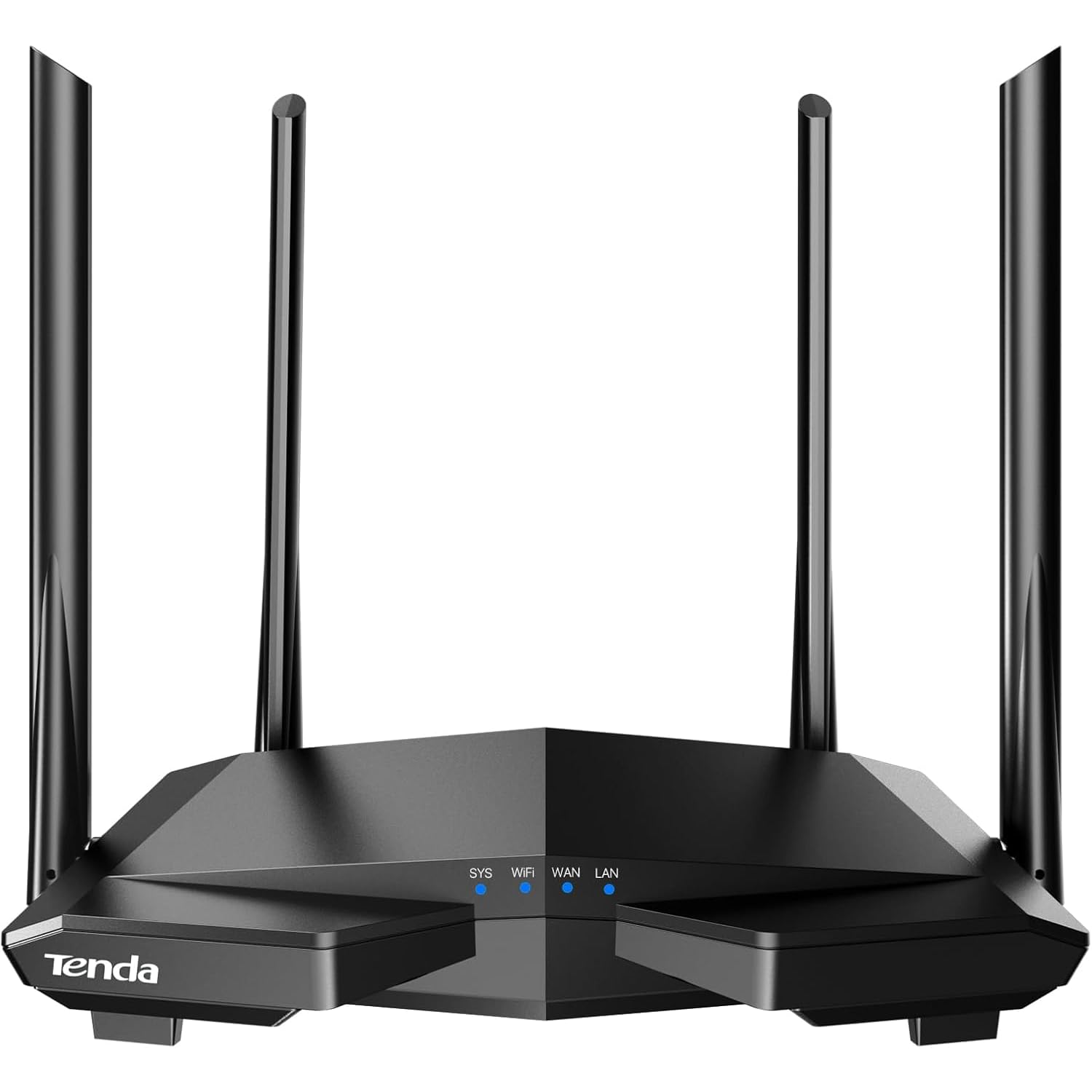
The Tenda AC6 is an AC1200 dual-band router that delivers 300 Mbps on the 2.4 GHz band using four 6 dBi antennas with beamforming. For homes under 1,400 square feet with modest device counts — a few CCTV cameras, a Chromecast, and some laptops — this router provides a stable connection at a very low entry cost. The Tenda Wi-Fi app handles setup, parental scheduling, and guest network controls straightforwardly.
The Access Point mode is a practical addition for users who want to extend an existing wired network without buying a separate AP. The beamforming technology does help focus the 2.4 GHz signal toward connected devices, reducing dead spots in medium-sized homes. Setup takes under 5 minutes using the app, which supports English despite the packaging instructions being partially in Chinese.
There is a significant security concern reported by some users: a severe IPv6-related vulnerability that led to malware infections on connected PCs. While not all units are affected and firmware updates may address the issue, this raises a red flag for users who prioritize network security. For those willing to update the firmware immediately and keep the router behind a secure modem, the AC6 remains a functional budget option, but it is not recommended for sensitive environments.
Why it’s great
- Four 6 dBi antennas with beamforming for strong range
- Access Point mode extends wired network wirelessly
- Quick setup via Tenda app in under 5 minutes
Good to know
- Reported IPv6 security vulnerability on some units
- Only two Ethernet LAN ports available
FAQ
Can I use a 2.4GHz router for devices that only support 5 GHz?
Why does my 2.4GHz router keep disconnecting when I add more smart home devices?
Final Thoughts: The Verdict
For most users, the 2.4ghz router winner is the TP-Link Archer AX21 V5 because it combines Wi-Fi 6 OFDMA, separate SSID control, and WPA3 security at a price that beats the monthly ISP rental within 10 months. If you want a mesh network with a built-in Zigbee hub for smart home integration, grab the Amazon eero 6. And for VPN-heavy setups with advanced network control, nothing beats the GL.iNet Flint 3.